

Brila
AINo-code website builder that creates local business sites instantly using your Google Maps reviews.
Brila
No-code website builder that creates local business sites instantly using your Google Maps reviews.
About Brila
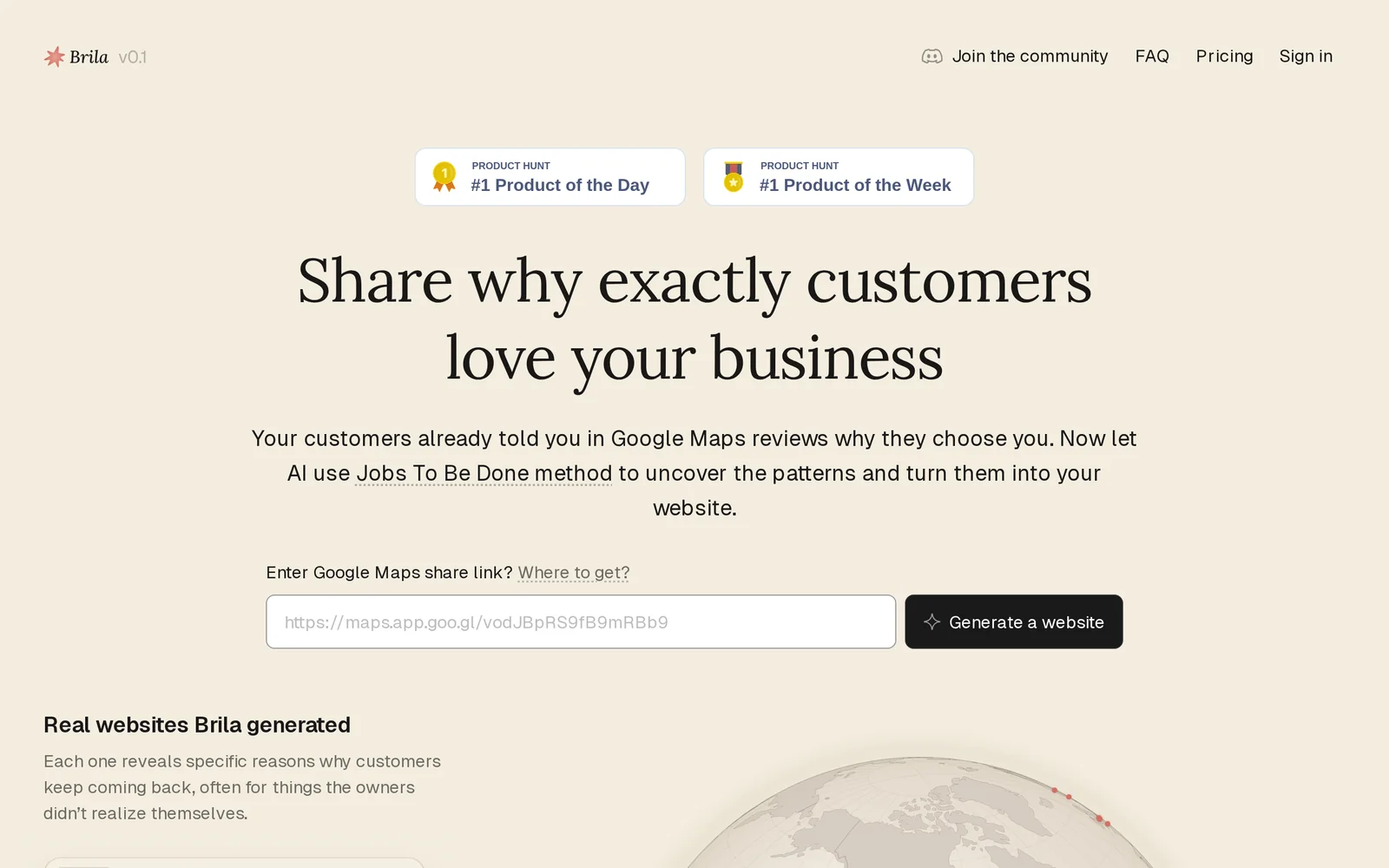
Brila is an AI-driven, no-code website builder designed for local businesses that uses existing Google Maps reviews to generate website content and structure. By importing reviews and business metadata from Google Maps, Brila automates the creation of pages, testimonials, and customer-focused copy to deliver a site tailored to local audiences. The product emphasizes speed and simplicity, enabling small business owners to launch a review-driven website without design or development skills.
Screenshots
Key Features
Use Cases



Frequently asked questions about Brila
What is Brila?
Brila is a no-code website builder designed to create local business websites instantly by leveraging your Google Maps reviews. This innovative tool simplifies the web design process, allowing businesses to establish their online presence quickly and effectively without prior coding knowledge.
Key Points
- No-Code Platform: Suitable for users without technical skills.
- Google Maps Integration: Utilizes existing reviews to enhance credibility.
- Instant Setup: Websites can be launched within minutes.
Detailed Explanation
Brila revolutionizes the way local businesses can establish an online presence by offering a straightforward no-code platform. Users can create professional-looking websites within minutes, using their existing Google Maps reviews as content. This feature not only saves time but also boosts credibility, as potential customers see authentic feedback directly on the website.
To get started with Brila:
- Sign Up: Create an account on the Brila platform.
- Connect Google Maps: Link your Google Maps account to import your business reviews automatically.
- Customize Your Site: Choose from various templates and personalize your content, images, and layout.
- Publish: Once satisfied, hit publish, and your website goes live, instantly accessible to your customers.
For example, a local coffee shop can quickly build a website showcasing its menu, location, and customer reviews, making it easier for new customers to find them online and learn about their offerings.
Best Practices / Tips
- Optimize Your Reviews: Encourage satisfied customers to leave detailed reviews on Google Maps, as these will be featured prominently on your site.
- Regular Updates: Keep your website content fresh by updating it regularly with new reviews, photos, and promotions.
- Mobile Optimization: Ensure that your website is mobile-friendly, as many users will access it from their smartphones.
Common pitfalls to avoid include neglecting to customize the website layout and ignoring the importance of SEO practices, such as keyword usage and meta descriptions.
Additional Resources
How does Brila work?
Brila operates by integrating essential AI functions to streamline daily workflows for users. It leverages machine learning, natural language processing, and automation to enhance productivity and simplify tasks, making it easier for individuals and teams to manage their projects efficiently.
Key Points
- AI Integration: Combines multiple artificial intelligence technologies.
- Workflow Automation: Streamlines repetitive tasks for improved productivity.
- User-Friendly Interface: Designed to be intuitive for all user levels.
Detailed Explanation
Brila is an advanced AI tool that revolutionizes how users handle various tasks in their daily routines. By utilizing core AI technologies, such as machine learning and natural language processing, Brila automates and simplifies workflows, allowing users to focus on more strategic activities.
How Brila Works:
- Data Processing: Brila analyzes large sets of data quickly, providing insights that help in decision-making.
- Natural Language Understanding: Users can interact with Brila using everyday language. For example, asking, "What are my tasks for today?" prompts Brila to list the user's scheduled activities.
- Automation of Repetitive Tasks: Brila can automate mundane tasks like scheduling meetings or sending reminders, saving users valuable time.
- Customization: Users can tailor workflows specific to their needs, enhancing output and efficiency. For instance, marketing teams can automate social media post scheduling.
Use Cases:
- Project Management: Teams can track progress and deadlines efficiently.
- Content Creation: Writers can generate ideas and outline drafts quickly.
- Data Analysis: Businesses gain insights from data without needing advanced analytics skills.
Best Practices / Tips
- Utilize Templates: Leverage Brila's built-in templates for common tasks to save time.
- Regular Updates: Keep the tool updated to benefit from the latest features and improvements.
- Feedback Loop: Provide feedback on AI suggestions to refine its understanding and improve future outputs.
Additional Resources
By understanding how Brila works and utilizing its features effectively, users can significantly enhance their productivity and streamline their daily tasks.
What are the main features of Brila?
Brila offers a suite of advanced features including powerful AI capabilities, seamless integration options, and user-friendly interfaces. These features empower users to enhance productivity, streamline workflows, and gain valuable insights, making Brila a versatile tool for various applications in business and creative environments.
Key Points
- Core AI Capabilities: Advanced algorithms for data analysis and automation.
- Integration Options: Connect seamlessly with existing tools and platforms.
- User-Friendly Interface: Intuitive design for easy navigation and usability.
Detailed Explanation
Brila's core AI capabilities leverage machine learning and natural language processing to analyze large datasets quickly. For example, businesses can utilize Brila's AI to generate insights from customer feedback, enabling data-driven decisions that enhance customer satisfaction.
The integration options allow Brila to connect with popular software such as CRM systems, project management tools, and communication platforms. This feature ensures that teams can incorporate Brila into their current workflows without extensive retraining, promoting a smooth transition and immediate productivity boosts.
Brila's user-friendly interface is designed to cater to users of all skill levels. Its dashboard provides straightforward navigation, allowing users to access essential features quickly. For instance, newcomers can easily set up automated reports without needing technical expertise, while advanced users can dive into more complex functionalities.
Best Practices / Tips
- Start Small: Begin by integrating Brila into one or two processes to understand its capabilities better.
- Utilize Tutorials: Take advantage of Brila’s tutorials and support resources to maximize your usage.
- Feedback Loop: Regularly review the insights generated by Brila to refine your strategies and improve outcomes.
Additional Resources
Who is Brila for?
Brila is designed for a diverse audience, including professionals, small business owners, educators, and anyone interested in enhancing productivity through AI-driven workflows. It caters to those looking to streamline tasks, automate processes, and leverage AI tools for everyday operations.
Key Points
- Target Audience: Professionals and small business owners.
- Use Cases: Enhancing productivity and automating workflows.
- Accessibility: Suitable for both tech-savvy individuals and beginners.
Detailed Explanation
Brila serves a wide range of users who wish to incorporate AI into their daily routines. This includes:
-
Professionals: Individuals in various industries, such as marketing, finance, and project management, can utilize Brila to automate repetitive tasks, analyze data, and generate insights quickly. For instance, marketers can streamline content creation or social media scheduling.
-
Small Business Owners: Entrepreneurs can leverage Brila to manage operations more efficiently. By automating customer relationship management (CRM) tasks, inventory tracking, and financial reporting, small business owners can focus on strategic growth rather than getting bogged down by manual processes.
-
Educators and Students: Brila can enhance learning experiences by providing tools for research, collaborative projects, and personalized learning paths. Educators might use Brila to develop interactive lesson plans or assess student performance through AI-powered analytics.
-
Tech Enthusiasts and Beginners: Whether you're a seasoned tech professional or a novice, Brila's user-friendly interface allows anyone to harness the power of AI. Its tutorials and support resources make it accessible for those new to AI technology.
Best Practices / Tips
- Start Simple: If you're new to AI, begin with basic features before exploring advanced functionalities. This helps in building confidence and understanding of the tool.
- Customize Workflows: Tailor Brila to fit your specific needs by creating custom workflows. This maximizes efficiency and ensures the tool serves your unique requirements.
- Regular Updates: Stay informed about new features and updates from Brila. Regularly incorporating these can enhance your use of the platform and keep your workflows optimized.
Additional Resources
By understanding your specific needs and leveraging Brila's capabilities, you can significantly enhance your productivity and efficiency in daily tasks.
How much does Brila cost?
Brila offers a free tier that provides basic features, while its paid plans start at $10 per month for advanced functionalities. The pricing scales with additional features and user requirements, making it accessible for both individuals and businesses.
Key Points
- Brila has a free tier for essential features.
- Paid plans start at $10 per month.
- Pricing varies based on additional features.
Detailed Explanation
Brila provides a flexible pricing model catering to various user needs. The free tier allows users to access essential features, making it suitable for individuals or small teams who want to explore the platform without financial commitment. Users can utilize basic functionalities such as task management and collaboration tools.
For those needing more advanced capabilities, paid plans are available, starting at $10 per month. These plans unlock features like enhanced analytics, integration options with other software, and priority customer support. For larger teams or organizations, Brila offers custom pricing, which can be tailored based on the number of users and specific feature requirements.
For example, a small startup might begin with the free version to familiarize itself with Brila's interface. As they grow, they can transition to a paid plan to take advantage of more sophisticated project management tools, enabling better team collaboration and productivity.
Best Practices / Tips
- Evaluate Your Needs: Before selecting a plan, assess the features you require. If you're new to Brila, start with the free tier to understand what you truly need.
- Monitor Usage: If you opt for a paid plan, keep track of how often you use the advanced features. This will help you decide if you should maintain your subscription or downgrade.
- Take Advantage of Trials: If available, utilize free trials of paid features to test their effectiveness for your workflow before committing financially.
Additional Resources
How do I get started with Brila?
To get started with Brila, visit Brila's official website to sign up for an account. Once registered, you can explore its features, tools, and resources tailored for AI-driven solutions in your projects and workflows.
Key Points
- Easy Sign-Up Process: Register quickly with an email address.
- User-Friendly Interface: Navigate effortlessly through various features.
- Comprehensive Resources: Access tutorials and support documentation.
Detailed Explanation
Brila is an innovative AI platform designed to streamline tasks and enhance productivity. Here’s how to begin:
-
Visit the Website: Go to brila.ai. The homepage provides a clear overview of Brila’s capabilities.
-
Create an Account: Click on the "Sign Up" button. Fill in your personal information, including your email address and a secure password. You may need to confirm your email to activate your account.
-
Explore Features: After logging in, familiarize yourself with Brila's dashboard. Key features include AI-driven insights, customizable tools, and analytics.
-
Utilize Tutorials: Brila offers onboarding tutorials. These are interactive guides that help you understand how to maximize the platform’s capabilities.
-
Join the Community: Engage with other users through forums and support channels for tips and best practices.
Best Practices / Tips
- Take Advantage of Free Trials: If available, use any trial periods to assess whether Brila fits your needs without any financial commitment.
- Regularly Check for Updates: Brila frequently updates its features. Stay informed about new tools and enhancements by subscribing to their newsletter.
- Participate in Webinars: Attend webinars hosted by Brila to gain insights from experts and best practices for leveraging the platform effectively.
Additional Resources
- Brila Documentation - Find guides and FAQs for troubleshooting.
- Brila Community Forum - Connect with users and share experiences.
- Brila Blog - Read articles on AI trends and tips for productivity.
Explore more AI Ai Tools tools
Browse all Ai Tools tools →Browse by use case: Automation & Productivity
Compare Brila: vs Humanizer · vs Worktrunk · vs Mise · vs BiBimba