

Bo AI
AIA text-first personal assistant that helps you stay organized, healthier, and more productive via SMS and connected apps.
Bo AI
A text-first personal assistant that helps you stay organized, healthier, and more productive via SMS and connected apps.
About Bo AI
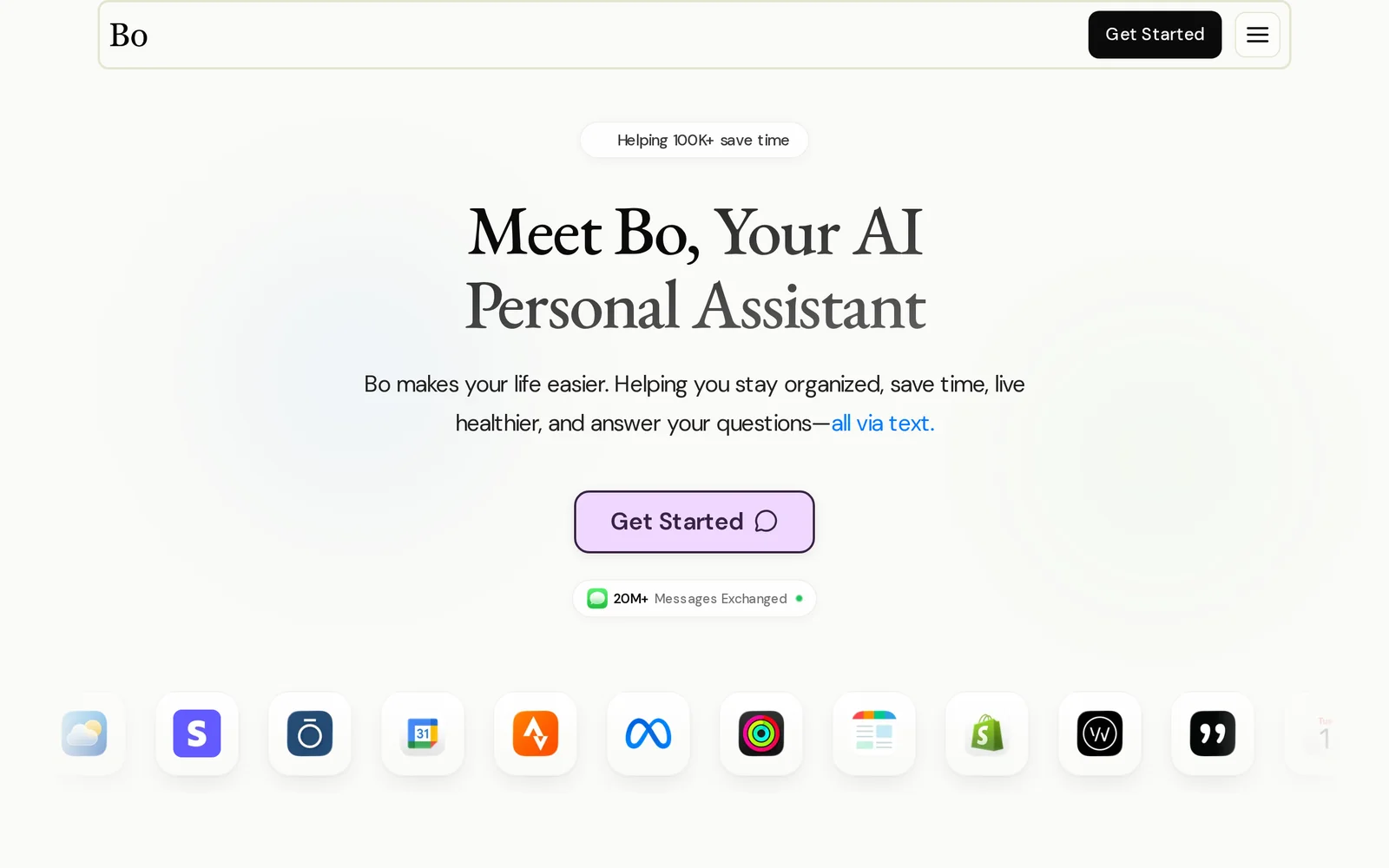
Bo is a text-first personal assistant that runs via SMS (no app required) to handle everyday tasks, reminders, research, and habit tracking. It connects to your favorite apps and services to surface updates, coordinate plans, and take simple actions through conversation. Bo prioritizes health and accountability with nutrition, activity, hydration reminders, scheduled check-ins, and progress insights. Built privacy-first, Bo uses encryption, GDPR compliance, and HIPAA-ready practices and does not sell user data or use it to train public models.
Screenshots
Key Features
Use Cases



Frequently asked questions about Bo AI
What is Bo AI?
Bo AI is a text-first personal AI assistant designed to streamline your daily activities. It organizes your schedule, synchronizes your apps, and provides answers to health and life-related questions over SMS, making it an efficient tool for managing both personal and professional tasks.
Key Points
- Text-First Interface: Communicates via SMS for accessibility.
- App Synchronization: Integrates with various applications to streamline tasks.
- Health and Life Guidance: Offers insights and answers to everyday questions.
Detailed Explanation
Bo AI stands out in the crowded AI assistant market with its text-first approach, allowing users to interact via SMS. This feature makes it easily accessible, even for those not comfortable with voice commands or app interfaces.
Key Features
-
Daily Organization: Bo AI helps you manage your calendar by scheduling appointments, reminding you of important tasks, and prioritizing your daily activities. For instance, if you text Bo about a meeting, it will automatically add it to your calendar.
-
App Integration: The assistant syncs with popular productivity tools like Google Calendar, Trello, and others, enabling seamless updates across platforms. This means if you add a task in Trello, Bo AI will notify you via SMS.
-
Health and Life Questions: Users can ask Bo AI various health-related queries or seek advice on life decisions. For example, you might text Bo, "What are some quick healthy meals?" and receive tailored suggestions based on your dietary preferences.
Best Practices / Tips
- Be Specific in Queries: To get the most accurate responses, ask specific questions. Instead of "Tell me about fitness," ask "What are some beginner workouts for home?"
- Utilize Reminders: Regularly set reminders for recurring tasks, such as weekly meetings or monthly bill payments, to ensure nothing slips through the cracks.
- Explore Integrations: Take advantage of the app synchronization feature by connecting all relevant apps to Bo AI for a more streamlined experience.
Additional Resources
By leveraging Bo AI’s capabilities effectively, you can enhance your productivity and simplify your daily life.
How does Bo AI work?
Bo AI functions as an intelligent SMS assistant that integrates seamlessly into your messaging thread, providing quick answers, scheduling, and health reminders. By consolidating various tasks into one platform, Bo AI enhances productivity without requiring users to download separate apps or switch between interfaces.
Key Points
- Text-Only Interface: Operates directly within your SMS thread.
- Everyday Q&A: Answers a variety of common questions on-the-go.
- App Syncing: Integrates with existing applications for streamlined functionality.
Detailed Explanation
Bo AI leverages a user-friendly, text-only interface that allows users to interact directly through SMS. This eliminates the need for additional apps, making it incredibly convenient for busy lifestyles. Here’s how each feature works:
-
Everyday Q&A: Users can ask Bo AI for immediate responses to daily inquiries such as recipe suggestions, current weather updates, sports scores, or directions. For example, a user can text, "What's for dinner?" and receive quick recipe ideas without needing to search on a separate app.
-
Calendar & Reminders: Bo AI helps manage your schedule by sending daily calendar previews, setting reminders, and scheduling events directly through SMS. A busy professional can receive a morning agenda and reminders about upcoming meetings without needing to open a calendar application.
-
App Sync: This feature connects Bo AI to your existing productivity apps, allowing it to pull relevant context and act on calendar events, task lists, and health data. For instance, if you have health tracking apps synced, Bo can send you reminders to drink water or take medications at specified times.
-
Health Assistant: By analyzing synced health data, Bo AI can provide timely health-related reminders and answer questions about fitness and wellness. For example, it might nudge you to complete your daily workout or remind you to take your vitamins.
-
Zero-Friction Scheduling: Users can book meetings and manage their agendas effortlessly, with no need to navigate through multiple applications.
Best Practices / Tips
- Be Specific: When interacting with Bo AI, provide specific questions or instructions for better responses. For example, instead of asking, "What's the weather?", specify, "What's the weather like today in New York?"
- Utilize Reminders: Take advantage of the reminder feature for tasks like medication schedules or daily goals to keep your health on track.
- Sync Relevant Apps: Ensure that your productivity and health apps are synced with Bo AI to maximize its functionality and streamline your workflow.
Additional Resources
What are the main features of Bo AI?
Bo AI offers a text-only interface for seamless communication, everyday Q&A for quick information retrieval, calendar and reminder management, app synchronization for streamlined tasks, and health assistance linked to personal data. These features make Bo AI a versatile tool for daily organization and information needs.
Key Points
- Text-Only Interface: Operates directly within SMS, eliminating the need for an app.
- Everyday Q&A: Provides instant answers to common queries like recipes, weather, and sports scores.
- Calendar & Reminders: Manages scheduling and sends timely alerts for events and tasks.
Detailed Explanation
Bo AI's text-only interface allows users to engage with the AI directly through their SMS conversations, making it accessible without the need for additional downloading or app navigation. This feature is particularly beneficial for users who prefer simplicity and quick access.
The everyday Q&A feature equips users with immediate responses to day-to-day inquiries. For example, if a user asks for dinner recipes, Bo AI can suggest options based on available ingredients or dietary preferences. It can also provide real-time updates on sports scores or weather forecasts, making it a handy tool for busy lifestyles.
With its calendar and reminders functionality, Bo AI helps users stay organized by scheduling events and sending daily previews of their agendas. It can drop reminders before important meetings and assist in clearing to-dos via text messages. This ensures that users never miss important tasks or appointments.
Furthermore, Bo AI's app sync capability allows it to connect with existing applications, pulling context from calendars, task managers, and health data. This integration means users can manage various aspects of their lives without switching between multiple platforms, enhancing productivity.
The health assistant feature is particularly noteworthy, as it answers health-related questions and provides reminders tied to synced health data, such as medication schedules or wellness tips. This can be especially useful for individuals monitoring specific health conditions.
Best Practices / Tips
- Maximize Usability: Familiarize yourself with the SMS commands for quick access to features.
- Stay Organized: Regularly update your calendar and task lists to take full advantage of Bo AI’s reminder capabilities.
- Utilize App Sync: Connect relevant applications to Bo AI for a more integrated experience, ensuring all your data works together seamlessly.
Additional Resources
Who is Bo AI for?
Bo AI is designed for busy professionals, health-conscious individuals, and anyone looking for efficient task management. It streamlines scheduling, provides quick answers to everyday queries, offers health reminders, and consolidates multiple productivity apps into a single SMS assistant, making it ideal for those seeking convenience and efficiency.
Key Points
- Zero-Friction Scheduling: Effortlessly manage meetings and agendas without calendar apps.
- Quick Answers On The Go: Instant responses to common questions like recipe ideas and weather.
- Daily Health Nudges: Timely reminders for hydration, medication, and workouts.
Detailed Explanation
Bo AI caters to a diverse audience by integrating multiple functionalities into one platform.
-
Zero-Friction Scheduling: Professionals can book meetings and receive agendas and reminders through simple text messages, eliminating the need to navigate complex calendar apps. For example, a busy executive can text Bo AI, "Schedule a meeting with John next week," and receive a confirmation without opening their calendar.
-
Quick Answers On The Go: Users seeking immediate information can ask Bo AI questions like "What’s a good dinner recipe?" or "Find a nearby coffee shop." Bo AI responds within the same messaging thread, providing a seamless experience for those on the move.
-
Daily Health Nudges: Health-conscious users benefit from Bo AI's ability to sync with health data and provide reminders for hydration, medication, and workouts. For instance, a user can receive a text reminder to drink water every hour, helping them stay on track with their health goals.
-
Task Clearing: Users can send a list of tasks to Bo AI, which will then triage and manage them effectively. For example, someone could text, "I need to buy groceries, email my boss, and book a flight." Bo AI will prioritize these tasks and send reminders, helping users maintain focus.
-
App Consolidation: For those overwhelmed by multiple productivity apps, Bo AI serves as a single SMS assistant that can handle various tasks, reducing the time spent switching between different applications. This feature is particularly beneficial for individuals managing multiple projects or personal commitments.
Best Practices / Tips
- Maximize Efficiency: Regularly interact with Bo AI to familiarize yourself with its capabilities and streamline your daily tasks.
- Be Specific: When asking questions or requesting tasks, provide clear and specific details to receive accurate responses.
- Sync Health Data: Connect your health accounts to receive personalized reminders tailored to your wellness goals.
- Regular Updates: Keep the app updated to ensure you have access to the latest features and improvements.
Additional Resources
How much does Bo AI cost?
Bo AI offers a free tier that allows users to explore basic functionalities. For advanced features, the pricing starts at $19 per month for the Pro plan, which includes additional tools and capabilities tailored for businesses and professionals.
Key Points
- Free Tier: Access to basic features at no cost.
- Pro Plan: Starts at $19 per month for advanced functionalities.
- Custom Pricing: Available for enterprise solutions based on specific needs.
Detailed Explanation
Bo AI provides a scalable solution for users ranging from individuals to large enterprises. The free tier offers essential AI features, making it an excellent option for those new to AI tools or on a budget. This tier allows users to test the platform's capabilities without any financial commitment.
For those seeking more powerful tools, Bo AI's Pro Plan, priced at $19 per month, unlocks advanced features such as enhanced analytics, priority support, and collaboration tools. This plan is ideal for small businesses or freelancers who require more robust functionalities to optimize their workflows and client interactions.
Additionally, Bo AI offers custom pricing for enterprises, which can vary based on the organization's specific needs and scale. This personalized approach ensures businesses get the exact features and support required for their operations, making it a flexible choice for larger teams.
Use Cases
- Small Business Owners: Utilize the Pro Plan to gain insights and automate customer interactions.
- Freelancers: Leverage the free tier to experiment with AI capabilities before upgrading.
- Enterprises: Work with Bo AI's team to customize features that align with corporate goals.
Best Practices / Tips
- Start with the Free Tier: Familiarize yourself with the platform before committing to a paid plan.
- Evaluate Your Needs: Assess your business requirements to choose the right plan—Pro for more features, custom for tailored solutions.
- Use Trials: If available, take advantage of free trials for paid plans to test features before purchasing.
Additional Resources
How do I get started with Bo AI?
To get started with Bo AI, visit getbo.com and sign up for an account. Once registered, you can explore its features, integrate AI tools into your workflow, and leverage its capabilities for enhanced productivity and automation.
Key Points
- Easy Sign-Up: Register on the official website.
- Explore Features: Familiarize yourself with Bo AI's functionalities.
- Integration Options: Connect Bo AI with other tools for better efficiency.
Detailed Explanation
Bo AI is an advanced artificial intelligence platform designed to streamline workflows and improve productivity. To begin, go to the Bo AI website and complete the sign-up process. Here’s a step-by-step guide to help you get started:
-
Create an Account: Click on the “Sign Up” button on the homepage. Fill in your details, including your email and password. You may also have the option to sign up using your Google account for quicker access.
-
Verify Your Email: After signing up, check your email for a verification link. Click on it to activate your account. This step ensures that your account is secured and linked to your email.
-
Explore the Dashboard: Upon logging in, you'll be directed to the Bo AI dashboard. Here, you can access various features like task automation, data analysis, and AI-driven insights. Take a few moments to explore the layout and available tools.
-
Utilize Tutorials: Bo AI offers tutorials and resources to help you understand how to maximize the platform’s capabilities. These guides cover everything from basic functions to advanced integrations.
-
Integrate with Other Tools: To enhance your experience, consider integrating Bo AI with applications you already use, such as project management tools or CRM systems. This can streamline your processes and improve overall efficiency.
Best Practices / Tips
- Start Small: Initially, focus on a few key features to avoid feeling overwhelmed. Gradually incorporate more advanced functionalities as you become comfortable.
- Engage with Support: Utilize the customer support feature for any queries or troubleshooting. They can provide insights that can enhance your experience.
- Regularly Update: Keep an eye on new features and updates from Bo AI. Regularly updating your knowledge will help you leverage the platform fully.
Additional Resources
- Bo AI Official Documentation
- Bo AI YouTube Channel for video tutorials
- Community Forums to connect with other users and share experiences
Explore more AI Ai Agents tools
Browse all Ai Agents tools →Browse by use case: Chatbots & Assistants · Automation & Productivity
Compare Bo AI: vs Playad · vs Concierge by Juniors AI · vs Scout by Fini · vs Ruflo