

Backdrop
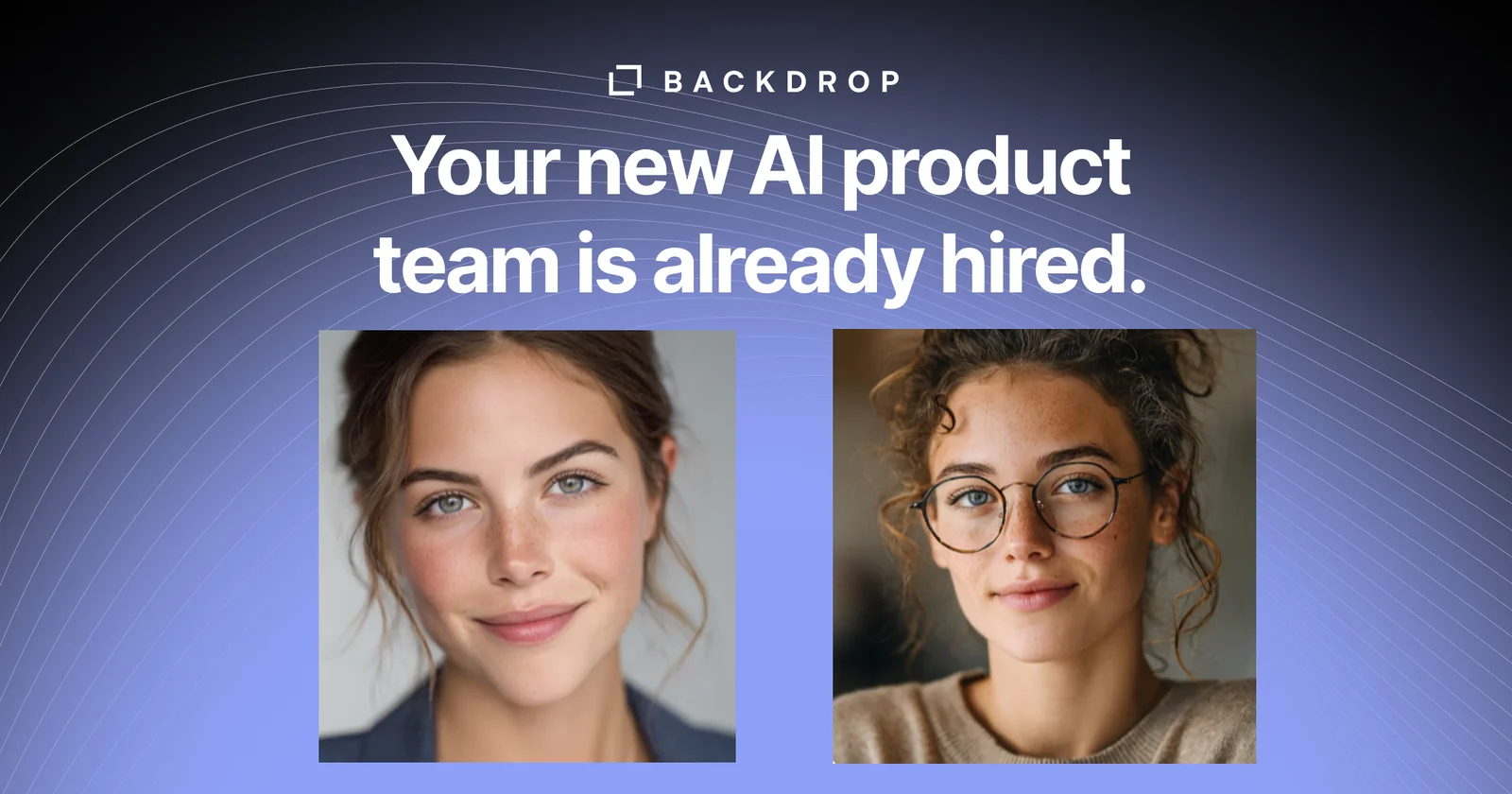
AIAI coworkers Alex (PM) and Sam (engineer) that run product ops and small technical work, connected to Slack, Notion, Linear, and GitHub.
Backdrop
AI coworkers Alex (PM) and Sam (engineer) that run product ops and small technical work, connected to Slack, Notion, Linear, and GitHub.
About Backdrop
Backdrop is a Y Combinator-backed AI teammate platform that ships two pre-built coworkers: Alex, an AI PM who turns customer feedback into specs, plans, and tickets, runs sprint planning, and logs why every decision was made; and Sam, an AI engineer who takes on the small technical work that usually waits — copy changes, website tweaks, broken automations, weekly reports — and also picks up features, bug fixes, PRs, and review-cycle work for software teams. Alex and Sam collaborate directly so the plan and the work never drift, they share a persistent product memory so context stops living in one person's head, and every external action (a merge, a message, a new ticket) waits for your approval from Slack or the Backdrop dashboard. Backdrop connects into the tools teams already use — Slack, Notion, Gmail, Linear, GitHub — and gives full visibility with timestamped logs and full conversation threads for every task.
Screenshots
Key Features
Use Cases



Frequently asked questions about Backdrop
What is Backdrop?
Backdrop is an AI-driven tool that enhances product operations through virtual coworkers, Alex (Project Manager) and Sam (Engineer). These AI assistants seamlessly integrate with platforms like Slack, Notion, Linear, and GitHub, streamlining workflows and automating small technical tasks for teams.
Key Points
- AI-driven virtual assistants for product operations.
- Integrates with popular collaboration tools.
- Automates small technical tasks to improve efficiency.
Detailed Explanation
Backdrop utilizes artificial intelligence to facilitate product management and technical operations by providing two virtual coworkers: Alex and Sam. Alex serves as a project manager, helping teams coordinate tasks, set deadlines, and manage project workflows. Sam acts as an engineer, assisting with technical tasks such as code reviews and integrations.
Integration with Tools
Backdrop connects with various platforms:
- Slack: Enables real-time communication and task updates.
- Notion: Assists in documentation and project tracking.
- Linear: Streamlines issue tracking and project management.
- GitHub: Facilitates code collaboration and version control.
This integration allows teams to manage their projects more effectively, reducing manual work and enhancing productivity.
Use Cases
- Project Management: Alex can automatically set reminders and follow up on task statuses, ensuring that nothing falls through the cracks.
- Technical Support: Sam can help troubleshoot small technical issues, providing quick solutions to team members without needing extensive input.
Best Practices / Tips
- Leverage Integrations: Make full use of Backdrop's integrations to centralize communication and project management.
- Set Clear Objectives: Clearly define roles for Alex and Sam to maximize their utility in your workflows.
- Monitor Performance: Regularly assess how Backdrop affects your team's productivity and adjust settings as needed.
Additional Resources
By harnessing the capabilities of Backdrop, teams can significantly enhance their operational efficiency and focus more on strategic tasks rather than mundane administrative duties.
How does Backdrop work?
Backdrop operates by integrating two AI tools, Alex and Sam, to streamline project management and engineering tasks. Alex manages customer feedback and decision logs, while Sam handles website adjustments and software tasks. This collaboration allows teams to execute work efficiently without micromanagement, enhancing overall productivity and communication.
Key Points
- Integrated AI Tools: Alex and Sam work together to ensure project alignment.
- Human Approval: All actions require human confirmation through Slack or Backdrop's dashboard.
- Enhanced Productivity: Reduces backlog and accelerates project timelines.
Detailed Explanation
Backdrop simplifies project management by utilizing two AI components: Alex, the AI Product Manager (PM), and Sam, the AI Engineer.
-
AI PM - Alex:
- Customer Feedback Integration: Alex reads customer feedback and translates it into actionable specifications. This ensures that the team's development aligns with user needs and expectations.
- Sprint Planning: Alex manages sprint planning, allowing teams to focus on high-priority tasks without getting bogged down in micromanagement.
- Decision Logging: By maintaining a decision log, Alex helps teams stay aligned and informed about project progress.
-
AI Engineer - Sam:
- Task Management: Sam handles various engineering tasks such as copy changes, website tweaks, and automations. For software teams, he manages features, bug fixes, and pull requests.
- Collaboration: Alex and Sam directly communicate, ensuring that plans for implementation remain consistent and aligned. This reduces the risk of miscommunication between teams.
-
Human Approval Process:
- Every action, including merges and new tickets, requires human approval. This ensures quality control and accountability, as team members must give a 'yes' through Slack or the Backdrop dashboard before any changes are made.
-
Shared Product Memory:
- Backdrop maintains a persistent memory of decisions, customer feedback, and the reasoning behind them. This institutional memory helps teams retain context, even when team members leave.
-
Efficiency Gains:
- By offloading routine tasks to Alex and Sam, teams can clear backlogs and deliver features more rapidly. Tasks that typically would sit for weeks can be completed in just days with human sign-off.
Best Practices / Tips
- Regular Feedback Loops: Encourage continuous feedback from team members using Alex's features to ensure alignment with project goals.
- Utilize Shared Memory: Regularly consult the shared product memory to keep everyone informed about past decisions and their context.
- Monitor Human Approval: Ensure that team members promptly respond to approval requests to maintain workflow efficiency and avoid bottlenecks.
Additional Resources
What are the main features of Backdrop?
Backdrop features powerful AI tools, including Alex, the AI Project Manager, and Sam, the AI Engineer. Together, they streamline project management by automating tasks, facilitating communication, and maintaining a shared product memory, ensuring alignment and efficiency without micromanagement.
Key Points
- AI Project Manager (Alex): Automates feedback analysis and sprint planning.
- AI Engineer (Sam): Manages technical tasks like bug fixes and website tweaks.
- Collaborative Handoff: Ensures seamless communication between PM and engineering.
Detailed Explanation
Backdrop offers a robust suite of features designed to enhance productivity and streamline workflows.
AI Project Manager (Alex)
Alex is your virtual project manager that efficiently reads customer feedback and transforms it into actionable specifications. It manages sprint planning, actively follows up on stalled tasks, and maintains a decision log. This approach allows teams to stay aligned without the need for micromanagement, fostering a more autonomous work environment.
AI Engineer (Sam)
Sam handles a variety of tasks from minor copy changes to significant software engineering jobs. It addresses broken automations, generates one-off reports, and assists software teams with features, bug fixes, pull requests (PRs), and code reviews. This functionality not only saves time but also minimizes errors that can occur during manual processes.
PM ↔ Engineer Handoff
The collaboration between Alex and Sam ensures that project plans and implementations do not diverge. They work together directly, which enhances transparency and communication, allowing for a smoother workflow from planning to execution.
Approval-gated Actions
Backdrop requires a human approval before any merge, message, or new ticket is finalized. This feature adds an extra layer of oversight, enabling team members to provide a 'yes' via Slack or the Backdrop dashboard, thus reducing the risk of miscommunication.
Shared Product Memory
Backdrop maintains a persistent memory of all decisions made, customer feedback received, and the reasoning behind those decisions. This allows the entire team to query this information, facilitating better-informed decisions and strategies moving forward.
Best Practices / Tips
- Encourage Team Engagement: Regularly update Alex and Sam with feedback to enhance their learning and effectiveness.
- Utilize Shared Memory: Frequently refer to the shared product memory to ensure alignment with past decisions and strategies.
- Monitor Approvals: Use the approval-gated actions feature diligently to avoid miscommunications and maintain project integrity.
Additional Resources
Who is Backdrop for?
Backdrop is designed for founders, existing product managers, and software startups seeking to enhance productivity. It efficiently handles tasks like spec-writing, sprint planning, and bug fixes, allowing teams to focus on strategic initiatives while maintaining institutional memory and reducing backlog delays.
Key Points
- Extra PM Bandwidth: Offload tasks from existing PMs.
- Clearing the 'Small Tasks' Backlog: Address minor tasks quickly.
- Shipping Features Without Hiring: Implement features and fixes efficiently.
Detailed Explanation
Backdrop serves a variety of users, primarily founders and product managers who need extra support without the overhead of hiring additional staff. For instance, a startup founder can delegate spec-writing tasks to Backdrop, freeing up their time for strategic planning.
Use Cases:
-
Extra PM Bandwidth: A founder can offload specific tasks such as sprint planning to Backdrop, ensuring that the project moves forward without the need to hire another product manager. This allows for efficient allocation of resources.
-
Clearing the 'Small Tasks' Backlog: Teams often struggle with minor tasks like copy changes or dashboard tweaks. By assigning these to Backdrop, they can clear their backlog swiftly, preventing delays that could affect project timelines.
-
Shipping Features Without Hiring: Software startups can leverage Backdrop to handle feature development and bug fixes. This means that as new requests come in, Backdrop can open pull requests (PRs) that the human team can review and approve, leading to faster deployment.
-
Institutional Memory: Backdrop helps maintain context for projects, especially as team members come and go. By documenting the "why" behind decisions, it ensures that new team members can quickly get up to speed without losing important historical insights.
-
Backlog to Done in Days: Rather than letting requests sit for weeks, Backdrop ensures that tasks are worked on and returned with human sign-off in a matter of days. This rapid turnaround facilitates continuous progress and enhances team morale.
Best Practices / Tips
- Define Clear Tasks: When delegating to Backdrop, ensure that tasks are well-defined to avoid misunderstandings.
- Regular Check-ins: Schedule consistent meetings to review the status of tasks and ensure alignment with team goals.
- Leverage Documentation: Utilize Backdrop's ability to maintain institutional memory by documenting decisions and processes thoroughly.
Additional Resources
How much does Backdrop cost?
Backdrop is a paid product, with pricing that varies based on the services and features you choose. For the most accurate and up-to-date pricing details, it's best to visit the official Backdrop website.
Key Points
- Backdrop requires a subscription for access.
- Pricing may vary based on selected features.
- Official site provides the latest pricing information.
Detailed Explanation
Backdrop is a flexible content management system (CMS) designed for websites of various complexities. The cost of Backdrop primarily depends on the hosting options and additional services you may require. Here are some key components to consider:
-
Subscription Tiers: Backdrop typically offers several pricing tiers, each with different features. For instance, basic plans may include essential functionalities, while higher-tier plans might provide advanced features like enhanced security, custom themes, and priority customer support.
-
Hosting Costs: Depending on your website's needs, you may need to invest in hosting solutions. Some users opt for managed hosting services, which can range from $10 to $50 per month, depending on performance and support levels.
-
Add-ons and Extensions: Backdrop has a variety of add-ons that can enhance your site's functionality. These might come with additional costs, so consider them when calculating the total expense.
-
Discounts and Promotions: Occasionally, Backdrop or its partners may offer discounts or promotions. Keeping an eye on their official site can help you capitalize on these opportunities.
Best Practices / Tips
- Evaluate Your Needs: Before selecting a plan, assess your specific requirements. This will prevent you from overspending on unnecessary features.
- Consider Future Growth: Choose a plan that accommodates potential growth. It’s often more cost-effective to select a slightly higher tier that offers scalability.
- Utilize Free Trials: If available, take advantage of any free trials to explore Backdrop's features without immediate financial commitment.
Additional Resources
By understanding the costs associated with Backdrop, you can make informed decisions that align with your website's goals and budget.
How do I get started with Backdrop?
To get started with Backdrop, visit Backdrop Agent's official website to sign up for an account. Once registered, explore the platform's features and resources to effectively utilize Backdrop for your needs.
Key Points
- Sign Up Process: Simple registration on the official website.
- Exploration of Features: Familiarize yourself with tools and functionalities.
- Support Resources: Access tutorials and community support for guidance.
Detailed Explanation
To initiate your journey with Backdrop, first, navigate to Backdrop Agent's website. Here’s a step-by-step guide:
-
Sign Up: Click on the “Get Started” button. Fill in your details like name, email, and password to create your account. Ensure that you provide a valid email address to receive confirmation and further instructions.
-
Explore Features: After signing in, take a tour of Backdrop's dashboard. Familiarize yourself with key functionalities such as project management, collaboration tools, and reporting features. Utilize the demo projects available to understand how to implement your tasks effectively.
-
Utilize Resources: Backdrop offers various resources, including tutorials, user guides, and a community forum. Engage with the community to share experiences and ask questions. This can significantly enhance your understanding and usage of the platform.
Use Cases
- Project Management: Use Backdrop to streamline project tasks, assign roles, and set deadlines.
- Collaboration: Leverage Backdrop’s tools to enhance teamwork, whether in a remote setup or in-person.
- Reporting and Analytics: Track project performance and generate reports for stakeholders through Backdrop’s analytics features.
Best Practices / Tips
- Complete Your Profile: Make sure to fill out your user profile completely to enhance collaboration with team members.
- Regularly Check Updates: Backdrop frequently updates its features; stay informed to maximize your use of new tools.
- Engage with the Community: Participating in forums can offer insights into troubleshooting and best practices shared by other users.
Additional Resources
- Backdrop Documentation: Comprehensive guides on using all features.
- Backdrop Community Forum: A platform for discussions and inquiries.
- Video Tutorials: Visual guidance on navigating and using Backdrop effectively.
Explore more AI Ai Agents tools
Browse all Ai Agents tools →Browse by use case: Automation & Productivity
Compare Backdrop: vs TryCase · vs Aside · vs Wisry · vs Cline