

Audience Loop
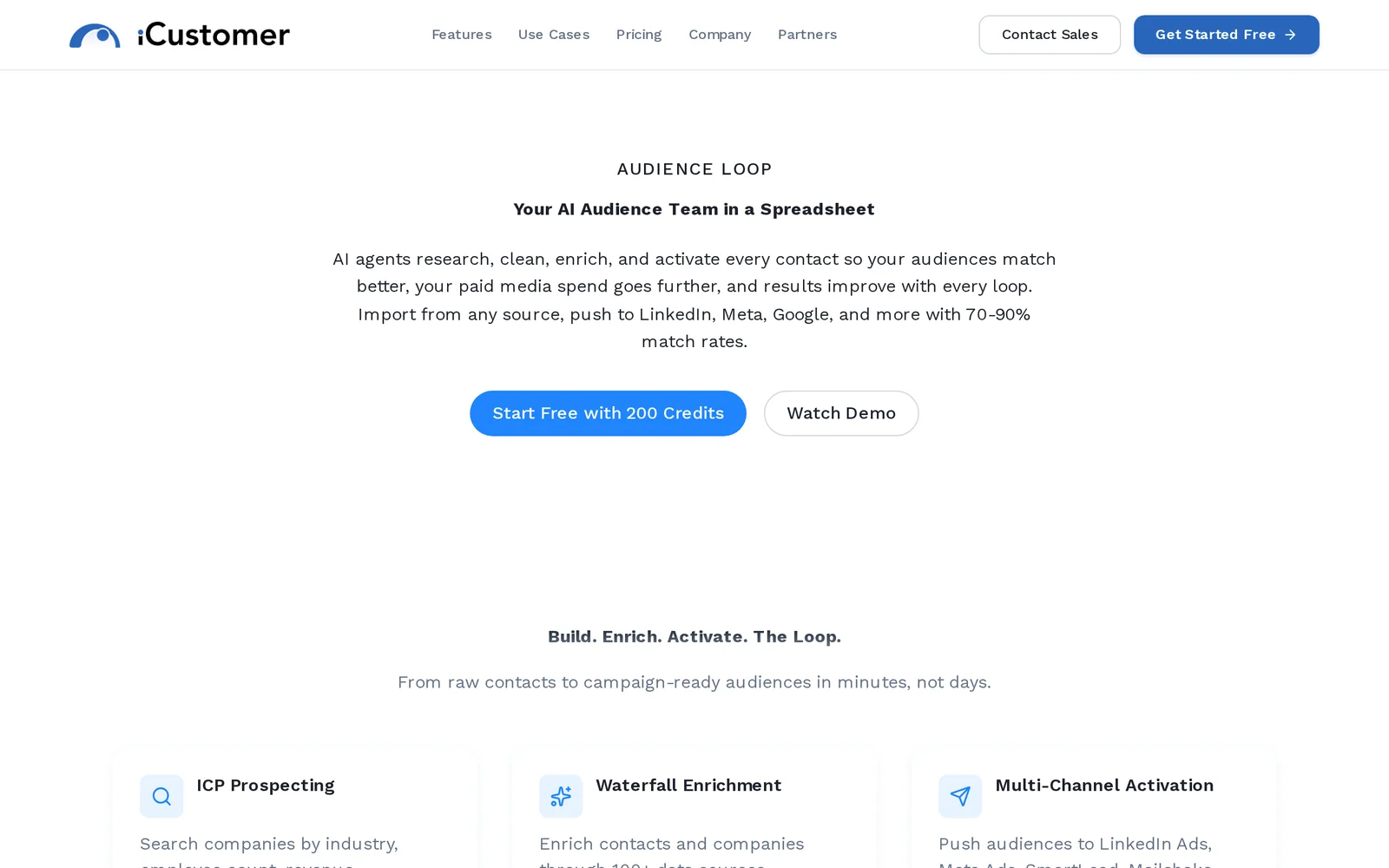
AIAn AI audience team in a spreadsheet that enriches, matches, and syncs audiences to Meta, Google, LinkedIn, and TikTok to boost match rates.
Audience Loop
An AI audience team in a spreadsheet that enriches, matches, and syncs audiences to Meta, Google, LinkedIn, and TikTok to boost match rates.
About Audience Loop
AudienceLoop provides a spreadsheet-first workflow to prepare and deliver high-quality advertising audiences. It enriches raw customer or lead lists, performs intelligent identity matching to increase platform match rates, and syncs audiences directly to major ad platforms (Meta, Google, LinkedIn, TikTok) for fast campaign activation. The tool is designed to lower customer acquisition cost (CAC) and accelerate campaign launches by turning messy lists into ready-to-use audiences without complex engineering.
Screenshots
Key Features
Use Cases



Frequently asked questions about Audience Loop
What is Audience Loop?
Audience Loop is an AI-driven audience management tool that operates within a spreadsheet format. It enriches, matches, and syncs audience data across platforms like Meta, Google, LinkedIn, and TikTok, significantly enhancing audience match rates for targeted advertising campaigns.
Key Points
- AI-Driven Technology: Utilizes artificial intelligence to optimize audience data management.
- Cross-Platform Integration: Seamlessly connects with major advertising platforms.
- Enhanced Match Rates: Increases the effectiveness of audience targeting for advertisers.
Detailed Explanation
Audience Loop empowers marketers by streamlining audience data management through a user-friendly spreadsheet interface. This innovative tool leverages AI algorithms to analyze audience characteristics and behaviors, allowing for more precise targeting.
How It Works:
- Data Enrichment: Audience Loop enhances existing audience lists by appending additional information, such as demographics and interests. This enriched data provides deeper insights into audience segments.
- Data Matching: The tool matches enriched audience data against user databases from platforms like Meta, Google, LinkedIn, and TikTok. This ensures that advertisers reach the right people with their campaigns.
- Syncing: Once matched, audience segments are synced back to the respective advertising platforms, allowing for immediate use in campaigns. This synchronization helps maintain up-to-date audience information across multiple channels.
Use Case Example:
Consider a retail brand launching a new product. Using Audience Loop, the brand can enrich its customer database with data from social media interactions, match that to potential customers on Facebook and Instagram, and then sync these audiences for targeted ads. This approach can lead to higher engagement and conversion rates.
Best Practices / Tips
- Regular Updates: Keep your audience data updated to ensure maximum effectiveness in targeting.
- Utilize AI Features: Leverage the full capabilities of AI for audience segmentation and targeting.
- Monitor Performance: Continuously track the performance of your campaigns across platforms to refine your strategies.
Additional Resources
How does Audience Loop work?
Audience Loop is an AI-driven platform designed to streamline daily workflows by integrating advanced artificial intelligence capabilities. It helps users automate tasks, analyze data efficiently, and enhance decision-making processes, ultimately improving productivity and operational efficiency.
Key Points
- AI Integration: Combines multiple AI technologies for seamless workflow automation.
- User-Friendly Interface: Intuitive design makes it accessible for all users, regardless of technical expertise.
- Real-Time Analytics: Provides actionable insights through data analysis, enhancing business strategy.
Detailed Explanation
Audience Loop leverages various AI technologies, such as machine learning and natural language processing, to enhance users' productivity in daily tasks. By automating repetitive tasks, it allows users to focus on strategic activities, thereby increasing overall efficiency.
For example, a marketing team can use Audience Loop to analyze customer behaviors and preferences through AI-driven insights. This can help them tailor their campaigns more effectively, leading to improved customer engagement and higher conversion rates. The platform also offers real-time analytics, meaning users can access up-to-date insights that inform their decisions instantly.
Use Cases:
- Marketing Automation: Automate email campaigns and social media postings based on user engagement data.
- Customer Support: Use AI chatbots to handle common inquiries, freeing human agents for complex issues.
- Sales Optimization: Analyze sales data to identify trends and areas for growth, allowing for targeted strategies.
Best Practices / Tips
- Leverage AI Features: Take advantage of all AI capabilities offered by Audience Loop, such as predictive analytics and machine learning models, to maximize efficiency.
- Regular Updates: Keep the platform updated to benefit from the latest features and security enhancements.
- Training Resources: Invest time in training sessions or webinars to fully understand how to utilize all functionalities effectively.
Additional Resources
- Audience Loop Official Documentation
- AI Workflow Automation Best Practices
- Case Studies on Audience Loop Success
By employing Audience Loop effectively, users can transform their day-to-day operations, leveraging AI to drive better results and foster innovation.
What are the main features of Audience Loop?
Audience Loop offers a suite of powerful features, primarily centered around advanced AI capabilities. Key functionalities include real-time audience insights, personalized content recommendations, and automated engagement tracking, making it a comprehensive tool for marketers aiming to enhance audience interaction and drive conversions.
Key Points
- Real-Time Audience Insights: Gain immediate data on audience behavior.
- Personalized Content Recommendations: Tailor content to individual preferences.
- Automated Engagement Tracking: Monitor interactions effortlessly.
Detailed Explanation
Audience Loop is designed to empower marketers and businesses by leveraging advanced AI technologies. Its real-time audience insights feature allows users to analyze audience behavior patterns instantly, enabling quick decision-making. For example, marketers can see which content resonates most with their audience, allowing for immediate adjustments to campaigns.
The personalized content recommendations feature utilizes machine learning algorithms to suggest tailored content to users based on their past interactions. This capability enhances user experience by providing relevant information that keeps the audience engaged. For instance, if a user frequently interacts with articles about digital marketing, Audience Loop will prioritize similar content in their feed.
Furthermore, automated engagement tracking simplifies the process of monitoring user interactions across platforms. This feature automatically collects data on how users engage with content, allowing marketers to focus on strategy rather than manual data collection. Reports can detail engagement metrics, such as click-through rates and time spent on content, providing insights that can inform future marketing efforts.
Best Practices / Tips
- Utilize Real-Time Data: Regularly check audience insights to adapt strategies quickly.
- Segment Your Audience: Use the data provided to create targeted campaigns for different audience segments.
- Test and Optimize: Continuously test content recommendations and engagement strategies to find what works best.
Additional Resources
Who is Audience Loop for?
Audience Loop is designed for businesses, marketers, and content creators looking to enhance their daily AI workflows. It is particularly beneficial for those who want to streamline data management, improve audience targeting, and leverage AI for better decision-making and efficiency in their operations.
Key Points
- Target Audience: Businesses, marketers, and content creators.
- Workflow Enhancement: Streamlines day-to-day AI tasks.
- Data Management: Improves audience targeting and decision-making.
Detailed Explanation
Audience Loop serves a diverse range of users primarily within marketing and business sectors. Companies looking to leverage AI technology can utilize Audience Loop for various functions, including:
- Data Analysis: Audience Loop simplifies the analysis of customer data, enabling businesses to identify trends and insights that can inform marketing strategies.
- Audience Segmentation: Marketers can create highly targeted campaigns by segmenting audiences based on behavior, preferences, and demographics.
- Content Optimization: Content creators can optimize their material using AI-driven insights, ensuring that their messaging resonates with the intended audience.
For example, a retail company can use Audience Loop to analyze customer purchase history and tailor promotions specifically to different segments, ultimately increasing conversion rates.
Best Practices / Tips
- Regularly Update Data: Ensure your audience data is current to maximize the effectiveness of your marketing strategies.
- Leverage AI Insights: Use the insights provided by Audience Loop to inform your content creation and campaign strategies.
- Test and Iterate: Regularly test different audience segments and campaigns to see what works best, and iterate based on performance metrics.
Common Pitfalls to Avoid
- Ignoring Data Privacy: Always ensure compliance with data protection regulations when handling customer data.
- Overlooking Audience Feedback: Incorporate audience feedback into your strategies to refine your approach and enhance customer satisfaction.
Additional Resources
How much does Audience Loop cost?
Audience Loop offers a free tier suitable for basic needs, while its paid plans start at approximately $99 per month. These plans unlock advanced features such as enhanced analytics, custom integrations, and priority support, making it suitable for businesses seeking to optimize audience engagement.
Key Points
- Audience Loop provides a free tier for basic users.
- Paid plans begin at around $99 per month.
- Advanced features include enhanced analytics and custom integrations.
Detailed Explanation
Audience Loop is a data-driven marketing platform designed to help businesses understand and engage their audience effectively. The free tier allows users to access fundamental features, making it ideal for startups or small businesses looking to test the platform without financial commitment.
For users seeking more advanced capabilities, Audience Loop offers paid plans starting at approximately $99 per month. These plans provide access to features such as:
- Enhanced Analytics: Gain deeper insights into audience behavior and performance metrics.
- Custom Integrations: Connect Audience Loop with other tools and platforms your business uses, enhancing functionality.
- Priority Support: Receive faster response times and dedicated assistance for any inquiries or issues.
This tiered pricing structure allows businesses of different sizes to find a suitable plan that meets their specific needs, whether they are just starting or looking to scale their operations.
Best Practices / Tips
- Evaluate Your Needs: Assess the features you require before selecting a plan. The free tier may suffice for basic analysis, while larger organizations might benefit from the paid options.
- Take Advantage of Trials: If available, utilize any trial periods for paid plans to explore advanced features before committing financially.
- Monitor Usage: Regularly review your usage and engagement statistics to determine if you need to upgrade to a higher plan for additional resources.
Additional Resources
These resources can provide further insights into how to leverage Audience Loop effectively for your audience engagement strategies.
How do I get started with Audience Loop?
To get started with Audience Loop, visit iCustomer AI's Audience Loop page to sign up. Create an account, explore the features, and leverage the platform for audience engagement and data-driven marketing strategies.
Key Points
- Easy Sign-Up Process: Rapid registration and onboarding.
- Comprehensive Features: Tools for audience segmentation and insights.
- User-Friendly Interface: Navigate and utilize features with ease.
Detailed Explanation
To begin using Audience Loop effectively, follow these steps:
- Visit the Website: Go to iCustomer AI's Audience Loop.
- Create an Account: Click on the sign-up button. You will need to provide basic information such as your name, email, and password. The process is straightforward and typically takes just a few minutes.
- Explore the Dashboard: Once registered, log in to your account. The dashboard provides an overview of features such as audience segmentation, analytics, and engagement tools.
- Set Up Your First Campaign: Use the platform’s templates or create a custom campaign tailored to your audience. For instance, you can segment users based on behavior, demographics, or interests.
- Utilize Analytics: Track the performance of your campaigns through the analytics dashboard. Metrics such as engagement rates and audience growth will help you refine your strategies.
Audience Loop is designed for marketers looking to enhance their audience engagement through data insights. By leveraging its capabilities, you can create targeted campaigns that resonate with your audience.
Best Practices / Tips
- Start Small: Begin with a single campaign to familiarize yourself with the platform’s features before expanding your efforts.
- Utilize Segmentation: Take advantage of the audience segmentation tools to tailor messages for different user groups.
- Regularly Monitor Performance: Consistently check analytics to adjust campaigns for better results.
- Seek Support: Don’t hesitate to reach out to the customer support team for assistance with any features that seem challenging.
Additional Resources
- Audience Loop Official Documentation
- iCustomer AI Blog - Insights and updates on best practices.
- Webinars and Tutorials - Free resources to help you maximize Audience Loop.
Explore more AI Ai Models tools
Browse all Ai Models tools →Compare Audience Loop: vs Mouse-1 · vs Milliseconds.ai · vs SWE-2 · vs Desert Ant Labs