

App Store
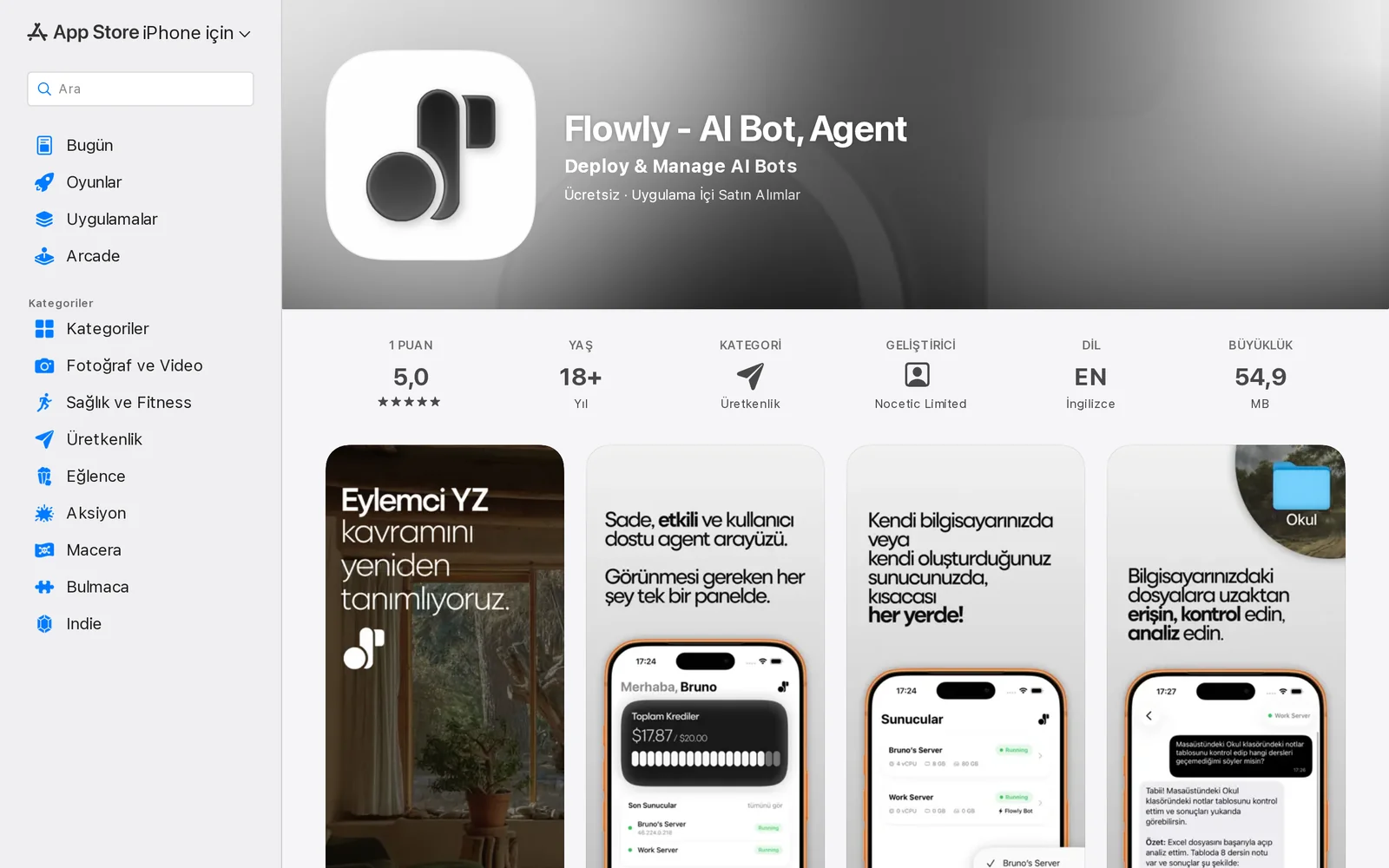
AISelf-host and run private AI agents on your server with real-time chat, platform integrations, scheduling, SSH access, and on-server data privacy.
App Store
Self-host and run private AI agents on your server with real-time chat, platform integrations, scheduling, SSH access, and on-server data privacy.
About App Store
Flowly enables users to deploy and run private AI agents on their own cloud servers or computers in minutes. Users can choose from multiple models (e.g., GPT-4o, Claude, Gemini), interact via real-time chat supporting text, images and documents, and connect the agent to platforms like WhatsApp, Telegram, Discord, Gmail, Slack and Trello. The app provides scheduled tasks for automating recurring messages and reports, direct SSH terminal access for server management, and a privacy-first design that keeps all data processed on the user's own server. Multilingual support and theme options make it usable across languages and environments, targeting developers, businesses automating support, and individuals wanting a personal 24/7 assistant.
Screenshots
Key Features
Use Cases



Frequently asked questions about App Store
What is App Store?
The App Store is a digital distribution platform created by Apple Inc. that allows users to browse and download applications for iOS devices. It features various apps, including games, productivity tools, and utilities, which can be installed directly from the store.
Key Points
- Platform: The App Store is specifically for iOS devices like iPhones and iPads.
- Variety of Apps: Offers millions of applications across multiple categories.
- User Reviews: Features ratings, user comments, and screenshots to aid decision-making.
Detailed Explanation
The App Store serves as the primary marketplace for iOS applications, making it essential for developers and users alike. Launched in July 2008, it revolutionized how users access software, providing a secure environment for app downloads.
Features:
- Diverse App Categories: Users can find apps categorized into games, education, health, finance, and more, making it easy to discover new tools that suit their needs.
- User Engagement: The App Store encourages user engagement through ratings and reviews. Users can share their experiences, enabling others to make informed choices.
- Regular Updates: Developers frequently update their apps to enhance functionality and user experience, which can be tracked through the App Store.
Example Use Cases:
- Downloading Flowly: For instance, to download the Flowly - AI Bot application by Nocetic Limited, simply open the App Store, search for "Flowly," and tap the download button.
- App Discovery: Users can explore new apps via the "Today" tab, which features curated content, app highlights, and promotional offers.
Best Practices / Tips
- Search Effectively: Use specific keywords related to your interests when searching for apps to yield better results.
- Check Compatibility: Ensure the app is compatible with your device’s iOS version before downloading.
- Read Reviews: Always read user reviews and check ratings to gauge the app's quality and performance.
Additional Resources
How does App Store work?
The App Store operates as a digital marketplace where users can browse, purchase, and download applications for their devices. It utilizes core AI capabilities to enhance user experience, recommending apps based on individual preferences and usage patterns, thereby streamlining everyday tasks and workflows.
Key Points
- Digital Marketplace: A centralized platform for apps.
- AI Recommendations: Personalized app suggestions for users.
- User Engagement: Promotes user interaction through ratings and reviews.
Detailed Explanation
The App Store is an integral part of devices like iOS and macOS, serving as a hub for millions of applications, ranging from games to productivity tools. When users access the App Store, they can navigate through various categories such as Top Charts, New Releases, and curated collections, making it easy to discover new apps.
AI Integration
One of the standout features of the App Store is its integration of artificial intelligence. The App Store employs machine learning algorithms to analyze user behavior, preferences, and installation history. This data is then used to provide personalized app recommendations, enhancing user satisfaction and engagement. For example, if a user frequently downloads fitness apps, they might receive suggestions for the latest workout trackers or health monitoring tools.
User Reviews and Ratings
User engagement is further encouraged through a robust system of ratings and reviews. After downloading an app, users can rate it from one to five stars and leave written feedback. This not only helps other users make informed decisions but also provides developers with valuable insights for improving their applications.
Secure Transactions
The App Store ensures a secure purchasing environment. Users can buy apps and in-app purchases using their Apple ID, which stores payment information securely. The platform also offers a refund policy for unsatisfactory purchases, enhancing user trust.
Best Practices / Tips
- Explore Categories: Regularly check different categories to discover hidden gems.
- Read Reviews: Always read user reviews before downloading to gauge app quality.
- Manage Permissions: Be mindful of app permissions to protect your privacy.
- Update Regularly: Keep your apps updated to benefit from the latest features and security patches.
Additional Resources
What are the main features of App Store?
The main features of the App Store include a vast selection of apps, user-friendly design, robust security measures, and core AI capabilities that enhance personalization and recommendations. These features make it a leading platform for both developers and users seeking quality applications.
Key Points
- Extensive App Selection: Thousands of applications across various categories.
- User-Friendly Interface: Intuitive design for easy navigation.
- Security and Privacy: Strong measures to protect user data.
Detailed Explanation
The App Store is renowned for its extensive app selection, offering millions of applications across categories such as games, productivity, health, and education. This diversity allows users to find apps that suit their specific needs and interests.
The user-friendly interface simplifies the app discovery process. Features like tailored recommendations, featured lists, and easy search functionality help users quickly locate what they need. For example, the "Today" tab showcases daily app highlights and promotions, enhancing user engagement.
Furthermore, robust security and privacy measures are integral to the App Store's appeal. Apple employs strict app review processes to minimize malicious software and ensure that user data is safeguarded. Regular updates and transparent privacy policies allow users to understand how their information is used.
The core AI capabilities of the App Store enhance the overall user experience. AI algorithms analyze user behavior to provide personalized app suggestions, making it easier for users to discover new applications that align with their preferences.
Best Practices / Tips
- For Users: Regularly check the "Updates" section to keep your apps secure and optimized. Enable automatic updates to ensure you always have the latest features and security improvements.
- For Developers: Focus on creating a unique value proposition for your app to stand out in a competitive market. Utilize App Store Optimization (ASO) techniques, such as keyword-rich descriptions and engaging visuals, to improve visibility.
- Common Pitfalls: Avoid using overly generic keywords in your app description, as this can dilute your app's discoverability. Ensure that your app complies with all App Store guidelines to prevent rejection during the review process.
Additional Resources
Who is App Store for?
The App Store is designed for a wide range of users, including individuals, businesses, and developers who are interested in enhancing their daily workflows with AI tools. It caters to anyone looking to improve productivity, creativity, and efficiency through the integration of innovative applications.
Key Points
- Target Audience: Individuals, businesses, and developers.
- Use Cases: Productivity, creativity enhancement, and workflow optimization.
- Accessibility: Available on multiple platforms, making it user-friendly.
Detailed Explanation
The App Store is a versatile resource for anyone seeking to integrate AI into their everyday tasks. Whether you are a student using educational apps, a small business owner looking for tools to manage operations, or a developer creating custom solutions, the App Store has something to offer.
For individuals, the App Store provides applications that streamline daily activities, such as project management tools, personal assistants, and creative software. For example, productivity apps like Notion or Trello can help users organize their tasks efficiently. Businesses benefit significantly from AI-driven tools that analyze data, automate customer service through chatbots, and optimize marketing strategies.
Developers can also explore the App Store to find APIs and SDKs that enable them to create innovative applications tailored to specific needs. The platform supports a range of industries, including healthcare, finance, education, and entertainment, making it a valuable resource for diverse user groups.
Best Practices / Tips
- Explore Categories: Spend time browsing various categories in the App Store to discover tools that fit your needs.
- Read Reviews: Check user reviews and ratings to gauge the effectiveness of apps before downloading.
- Stay Updated: Regularly revisit the App Store to keep track of new releases and updates that can enhance your workflows.
- Utilize Free Trials: Leverage free trials of premium applications to assess their suitability for your specific requirements.
Additional Resources
How much does App Store cost?
The App Store does not charge users for browsing or downloading free apps. However, paid apps typically range from $0.99 to $999, depending on the app's features and functionality. For accurate and updated pricing information, visit the official App Store website.
Key Points
- The App Store offers both free and paid apps.
- Paid app prices range from $0.99 to $999.
- Pricing may vary based on app updates and features.
Detailed Explanation
The Apple App Store is a digital distribution platform where users can download apps for their iOS devices. While many apps are available for free, others require payment. The pricing structure for paid apps can vary significantly based on several factors, including:
-
App Category: Games, productivity tools, and utilities can have different price points. For example, high-quality games often cost more due to development and ongoing support.
-
In-App Purchases: Many free apps may offer in-app purchases, which can range from a few cents to over $100. This model allows users to download the app for free but pay for additional features or content.
-
Subscription Services: Some apps operate on a subscription basis (e.g., music streaming, video services), charging users monthly or annually, typically between $4.99 and $19.99 per month.
For example, a gaming app may cost $4.99 upfront, while a fitness app might require a $9.99 monthly subscription for premium features. Always check the App Store for the most current pricing and available promotions.
Best Practices / Tips
- Check Regularly: App prices can change frequently due to promotions or updates. Regularly check the App Store for the best deals.
- Read Reviews: Before purchasing, read user reviews to ensure the app meets your needs and expectations.
- Look for Alternatives: If an app is too expensive, consider looking for free or less expensive alternatives that offer similar features.
Additional Resources
How do I get started with App Store?
To get started with the App Store, visit this link to sign up and explore the platform. You'll need an Apple ID, which allows you to download apps, make purchases, and access various services.
Key Points
- Create an Apple ID: Essential for accessing the App Store.
- Browse and Download Apps: Explore categories and popular apps.
- Manage Your Purchases: Keep track of downloads and subscriptions.
Detailed Explanation
To effectively get started with the App Store, follow these steps:
-
Create an Apple ID:
- If you don’t already have an Apple ID, go to the App Store on your device and tap on "Sign In" > "Create New Apple ID."
- Follow the prompts to enter your email address, password, and other necessary information.
-
Explore the App Store:
- Once signed in, navigate through various categories like Games, Productivity, or Health & Fitness.
- Use the search bar to find specific apps or browse through featured recommendations.
-
Download and Install Apps:
- Tap on an app to view its details, including ratings and reviews.
- Press the "Get" or price button to download the app. If it's a paid app, confirm your payment method via your Apple ID.
-
Manage Your Purchases:
- Access your account settings to view your purchase history, manage subscriptions, and update payment information.
- You can also update app settings, allowing for automatic updates or notifications.
Best Practices / Tips
- Keep Your Apple ID Secure: Use a strong password and enable two-factor authentication for added security.
- Regularly Update Apps: Ensure your apps are updated for the best performance and security features.
- Read Reviews and Ratings: Before downloading, check user feedback to gauge app reliability and functionality.
- Explore Free Trials: Many subscription-based apps offer free trials; utilize these to assess their value before committing.
Additional Resources
Explore more AI Ai Agents tools
Browse all Ai Agents tools →Browse by use case: Chatbots & Assistants · Automation & Productivity
Compare App Store: vs Mycel · vs Proto-Mind · vs Ami · vs Duvi