
AI Jingle Maker
AIEasy, affordable web tool to create audio jingles like DJ drops, station IDs and podcast intros quickly.
AI Jingle Maker
Easy, affordable web tool to create audio jingles like DJ drops, station IDs and podcast intros quickly.
About AI Jingle Maker
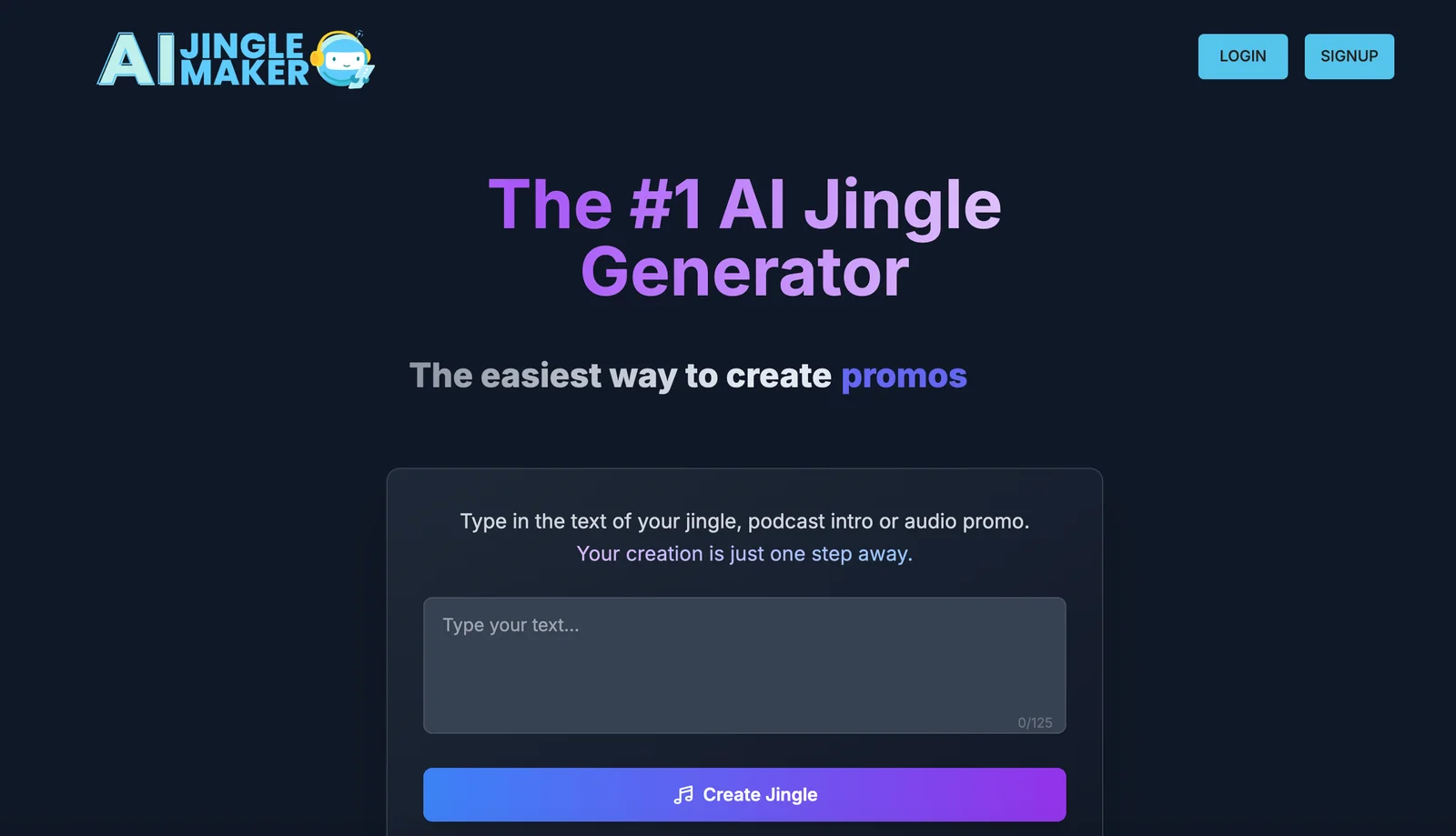
AI JingleMaker is an AI-powered web service for rapidly producing short branded audio pieces such as jingles, DJ drops, station IDs and podcast intros. The platform provides ready-made templates, selectable voice styles and music beds so users can customize tone, tempo and branding without audio production experience. Its value is in fast, cost-effective creation and export of finished audio assets for creators, broadcasters and marketers who need polished audio branding quickly.
Screenshots
Key Features
Use Cases


Frequently asked questions about AI Jingle Maker
What pricing options are available for AI Jingle Maker?
AI Jingle Maker provides a freemium model featuring a free tier for basic access and customizable paid plans tailored for advanced features. For specific pricing details, users must contact the vendor directly, as prices may vary based on features and usage.
Key Points
- Freemium Model: Access basic features without cost.
- Customizable Paid Plans: Tailored options for advanced tools and functionalities.
- Direct Vendor Contact Required: Specific pricing details are available only through direct communication.
Detailed Explanation
AI Jingle Maker is an innovative tool designed to create catchy jingles for various purposes, such as advertisements, podcasts, or social media. The platform offers a freemium model, allowing users to start for free with basic features that include a selection of jingles and minimal customization options.
For users seeking more advanced capabilities, AI Jingle Maker provides customizable paid plans. These plans typically include features like enhanced melody options, voice customization, and additional export formats. Pricing for these paid features is not publicly available on their website; therefore, users interested in specific plans must reach out directly to the vendor to obtain a tailored quote.
Use Cases for AI Jingle Maker
- Small Businesses: Ideal for startups looking to create promotional jingles without significant investment.
- Content Creators: Podcasters and video creators can enhance their projects with unique soundtracks.
- Marketing Agencies: Agencies can leverage the tool to offer high-quality jingles to their clients.
Best Practices / Tips
- Start with the Free Tier: Experiment with the free version to understand the platform's capabilities before committing to a paid plan.
- Contact for Custom Quotes: If your needs are unique, don’t hesitate to request a quote to ensure you get the best plan for your requirements.
- Explore All Features: Take advantage of trial periods or demos offered by the vendor to explore all available features and find the best fit for your project.
Additional Resources
What are the key features of AI Jingle Maker?
AI Jingle Maker offers quick jingle generation, customizable voice styles, a variety of music bed selections, and simple export options. These features enable users to create professional-quality audio jingles effortlessly, making it an ideal tool for marketers, content creators, and businesses seeking to enhance brand recognition.
Key Points
- Quick Jingle Generation: Create jingles in minutes.
- Customizable Voice Styles: Choose from various voice options to match your brand.
- Music Bed Selection: Access a library of tracks to suit different moods and themes.
Detailed Explanation
AI Jingle Maker stands out due to its user-friendly interface and powerful features.
-
Quick Jingle Generation: With just a few clicks, users can generate catchy jingles tailored to their needs. This feature is particularly useful for busy marketers or content creators who need to produce audio quickly.
-
Customizable Voice Styles: Users can select from a variety of voice styles, including male, female, and even character voices. This flexibility allows brands to match the jingle's tone with their overall messaging, enhancing emotional connection with their audience.
-
Music Bed Selection: The platform provides an extensive library of music beds across different genres. Whether you need a cheerful tune for a children's product or a sophisticated melody for a corporate brand, AI Jingle Maker has you covered.
-
Simple Export Options: Once your jingle is created, exporting it in multiple formats (MP3, WAV) is straightforward, making it easy to share on various platforms or integrate into marketing campaigns.
Best Practices / Tips
- Define Your Audience: Before creating a jingle, identify your target audience to choose the right voice and music style.
- Keep It Short and Catchy: Aim for jingles that are memorable but concise, ideally between 15-30 seconds long.
- Test Different Styles: Don’t hesitate to experiment with different voice styles and music beds to find what resonates best with your audience.
Additional Resources
How do I get started with AI Jingle Maker?
To get started with AI Jingle Maker, visit the official website, sign up for an account, and explore various templates for DJ drops or podcast intros. The user-friendly interface will guide you step-by-step through the jingle creation process, making it easy to produce catchy audio clips.
Key Points
- Easy Account Creation: Sign up quickly to access features.
- Template Variety: Choose from DJ drops, podcast intros, and more.
- User-Friendly Interface: Navigate the jingle creation process effortlessly.
Detailed Explanation
Getting started with AI Jingle Maker is straightforward. Here’s a step-by-step guide:
-
Visit the Official Website: Start by navigating to the AI Jingle Maker website. Look for the “Sign Up” button prominently displayed on the homepage.
-
Create an Account: Click on the “Sign Up” button, which will redirect you to a registration form. Fill in your details, including your name, email address, and password. Some services may offer social media integrations for quicker sign-ups.
-
Explore Templates: Once your account is created, you’ll find a dashboard featuring a variety of templates tailored for different audio needs, such as DJ drops, podcast intros, and advertising jingles. Browse through the options and select a template that fits your project.
-
Customize Your Jingle: Use the intuitive interface to personalize your jingle. You can select music styles, add text, and adjust the audio effects according to your preferences. The platform often provides sample audio to help you envision your final product.
-
Preview and Edit: After customizing, listen to a preview of your jingle. Make any necessary adjustments to ensure it meets your expectations.
-
Download Your Jingle: Once satisfied, click the download button to save your jingle in your desired audio format, ready for use in your projects.
Best Practices / Tips
- Experiment with Templates: Try different templates to find the one that resonates best with your audience.
- Keep It Short and Catchy: A good jingle should be memorable; aim for short clips that capture attention quickly.
- Use Quality Audio: Ensure the music and voiceovers you choose are high quality to maintain a professional sound.
- Test with Your Audience: Before finalizing, consider testing your jingle with a small audience to gather feedback.
Additional Resources
What technical requirements are there for using AI Jingle Maker?
AI Jingle Maker is a web-based tool that requires only a standard internet connection and a compatible browser, such as Chrome, Firefox, or Safari. No special software or hardware is necessary, making it accessible for anyone looking to create jingles effortlessly.
Key Points
- Web-Based Accessibility: No downloads or installations required.
- Compatible Browsers: Works with popular browsers like Chrome, Firefox, and Safari.
- Standard Internet Connection: A stable connection ensures seamless usage.
Detailed Explanation
AI Jingle Maker is designed for ease of use, prioritizing accessibility for users of all technical backgrounds. To get started, users simply visit the website on a compatible browser. Here’s how to ensure a smooth experience:
-
Browser Compatibility: Ensure you are using an updated version of a supported browser. While most modern browsers will work, sticking to the latest versions of Chrome, Firefox, or Safari will enhance performance and security.
-
Internet Connection: A reliable internet connection (at least 5 Mbps download speed) is recommended to avoid interruptions while creating jingles. Slow connections may lead to lag or difficulty loading features.
-
User Interface: The intuitive interface is designed for users without technical expertise. Once on the platform, you can easily navigate through options to create, edit, and save your jingles.
Example Use Case
For instance, a small business owner can access AI Jingle Maker from their laptop using Chrome. They can create catchy jingles for their advertising campaigns without needing to install any additional software, saving time and resources.
Best Practices / Tips
- Regular Updates: Always keep your browser updated to the latest version for optimal performance and security.
- Device Compatibility: While most modern devices will work, using a desktop or laptop is recommended for a better experience than mobile devices.
- Experiment with Features: Take advantage of all features offered by the AI Jingle Maker, such as various genres and tones, to create unique jingles tailored to your brand.
Additional Resources
By following these guidelines, you'll ensure an optimal experience while using AI Jingle Maker, allowing you to focus on creating the perfect jingle for your project.
How does AI Jingle Maker compare to other jingle creation tools?
AI Jingle Maker distinguishes itself from other jingle creation tools through its affordability and user-friendly interface, making it ideal for non-experts. While competitors may boast additional features, they often come with higher costs and increased complexity, which may not be necessary for casual users or small businesses.
Key Points
- Affordability: AI Jingle Maker is budget-friendly compared to competitors.
- User-Friendly: Designed for non-experts, making jingle creation accessible to everyone.
- Basic Features vs. Advanced Tools: Other tools may provide extensive features, but often at a higher price and complexity.
Detailed Explanation
AI Jingle Maker offers a streamlined experience for users looking to create catchy jingles without the need for extensive technical knowledge. This tool is particularly beneficial for small business owners, marketers, or content creators who require quick and effective audio branding solutions.
Affordability
Many jingle creation tools can cost upwards of $50 to $200 per month, depending on their capabilities. In contrast, AI Jingle Maker typically offers subscription plans starting at around $10 per month, making it a cost-effective solution for startups and individuals.
User-Friendly Interface
The intuitive design of AI Jingle Maker allows users to easily navigate its features. With simple prompts and guided steps, even those with no musical background can create professional-sounding jingles quickly. Users can select genres, adjust tempos, and customize lyrics without needing advanced audio editing skills.
Basic Features vs. Advanced Tools
While tools like Soundtrap and GarageBand provide extensive audio editing features, they may overwhelm users seeking straightforward solutions. AI Jingle Maker focuses on essential functionalities, allowing users to generate jingles quickly. This makes it a preferred option for those needing fast results.
Best Practices / Tips
- Know Your Audience: Tailor your jingle to resonate with your target demographic for maximum impact.
- Keep It Short: Effective jingles are typically 15-30 seconds long, making them memorable and easy to recall.
- Test Variations: Experiment with different melodies and lyrics to find the most engaging combination.
- Use Keywords: Incorporate relevant keywords into your jingle to enhance brand recognition and SEO.
Additional Resources
Explore more AI Ai Services tools
Browse all Ai Services tools →Browse by use case: Voice & Audio · Automation & Productivity
Compare AI Jingle Maker: vs BAND for Developers · vs NitroStack · vs GBrain · vs MentionBird