

AgentPulse by Rectify
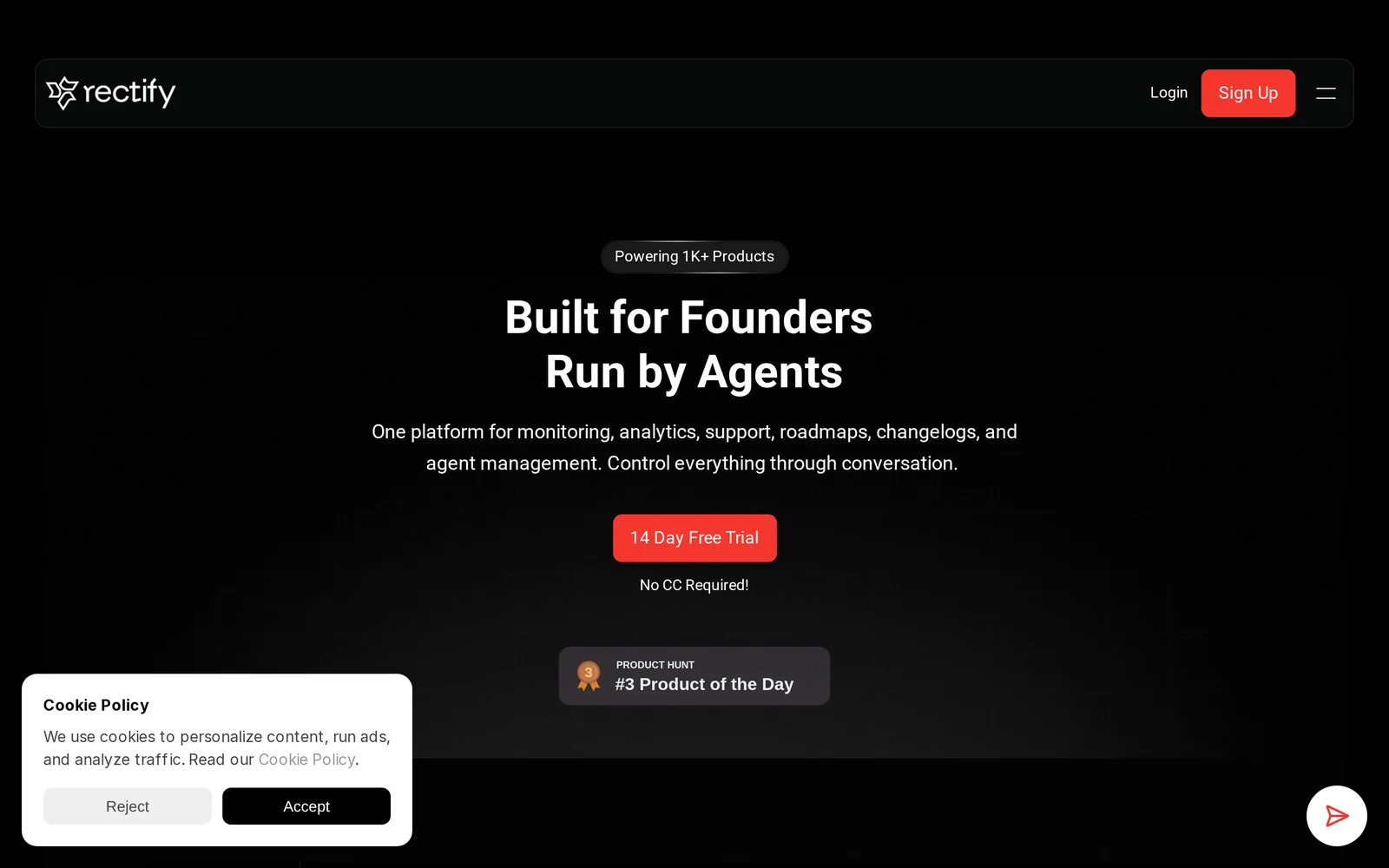
AIAgent-driven operations platform for SaaS combining session replay, monitoring, support, code scanning, roadmap and changelogs in one visual UI.
AgentPulse by Rectify
Agent-driven operations platform for SaaS combining session replay, monitoring, support, code scanning, roadmap and changelogs in one visual UI.
About AgentPulse by Rectify
AgentPulse (by Rectify) is an agent-driven operations platform designed for SaaS teams and founders. It combines session replay, infrastructure and application monitoring, customer support tooling, automated code scanning, product roadmap management, and changelogs into a single visual workspace. Autonomous agents power data collection, alerting, and routine workflows so teams can correlate user sessions with errors, code issues, and release notes to reduce mean-time-to-resolution and streamline product operations. The platform emphasizes a unified, visual experience to centralize observability, support, and product communications for faster decision-making.
Screenshots
Key Features
Use Cases



Frequently asked questions about AgentPulse by Rectify
What is AgentPulse by Rectify?
AgentPulse by Rectify is an agent-driven operations platform designed for SaaS companies. It integrates features such as session replay, real-time monitoring, support tools, code scanning, and management of roadmaps and changelogs, all presented in a single, intuitive visual interface.
Key Points
- Comprehensive Integration: Combines multiple operational tools into one platform.
- User-Friendly Interface: Offers a visual UI for easy navigation and access to features.
- Supports SaaS Businesses: Tailored specifically for software as a service companies.
Detailed Explanation
AgentPulse streamlines operations for SaaS businesses by consolidating essential tools into one platform. With session replay, teams can analyze user behavior to improve product functionality and customer satisfaction. Real-time monitoring allows for swift identification and resolution of issues, enhancing the overall user experience.
The platform also provides robust support features, including ticketing and chat, ensuring that customer inquiries are addressed promptly. Code scanning capabilities help developers identify vulnerabilities and maintain code quality, while management of roadmaps and changelogs ensures that teams stay aligned on project updates and feature releases.
For example, a SaaS product team can utilize AgentPulse to track user interactions through session replay, identify patterns that indicate usability issues, and deploy fixes quickly. Additionally, a consolidated changelog within the platform keeps all stakeholders informed about new features and updates, fostering transparency and collaboration.
Best Practices / Tips
- Utilize Session Replay: Regularly review session replays to gain insights into user interactions and improve product design.
- Monitor Performance Metrics: Leverage monitoring tools to track key performance indicators (KPIs) and adjust strategies accordingly.
- Maintain Updated Documentation: Keep your roadmap and changelogs current to ensure all team members and users are aware of product changes.
- Engage with Support Features: Make full use of the support tools to enhance customer engagement and satisfaction.
Additional Resources
How does AgentPulse by Rectify work?
AgentPulse by Rectify enhances productivity by integrating advanced AI functionalities to streamline daily workflows. It assists users in automating repetitive tasks, analyzing data, and providing insights that improve decision-making processes, ultimately leading to greater efficiency and effectiveness in various business operations.
Key Points
- Automation of Repetitive Tasks: AgentPulse automates mundane tasks, freeing up valuable time for users.
- Data Analysis and Insights: It provides powerful analytics to help users make informed decisions based on data trends.
- User-Friendly Interface: Designed with usability in mind, making it accessible for users with varying tech skills.
Detailed Explanation
AgentPulse leverages artificial intelligence to transform how users engage with their daily tasks. By utilizing machine learning algorithms, it can predict user needs, automate routine processes, and generate actionable insights.
Use Cases:
- Customer Support: AgentPulse can automate responses to frequently asked questions, allowing support teams to focus on more complex inquiries.
- Sales Optimization: It analyzes past sales data to predict trends and suggest strategies, enhancing sales performance.
- Project Management: The tool automates task assignments and deadline reminders, ensuring project timelines are met.
To utilize AgentPulse effectively, users can integrate it with existing tools and platforms, enabling seamless data flow and collaboration across departments.
Best Practices / Tips
- Start Small: Begin with automating one or two processes to evaluate effectiveness before scaling.
- Regular Updates: Keep the software updated to take advantage of new features and enhancements.
- Training and Integration: Invest time in training for your team to maximize the tool’s potential and ensure a smooth integration into workflows.
Additional Resources
What are the main features of AgentPulse by Rectify?
AgentPulse by Rectify offers advanced AI capabilities, including real-time analytics, automated insights, customizable dashboards, and seamless integration with various platforms. These features enhance user experience and empower businesses to make data-driven decisions efficiently.
Key Points
- Real-Time Analytics: Monitor performance metrics instantly.
- Automated Insights: Receive actionable recommendations without manual analysis.
- Customizable Dashboards: Tailor the interface to fit specific business needs.
Detailed Explanation
AgentPulse is designed to streamline operations and enhance productivity through its robust AI features.
-
Real-Time Analytics: Users can track key performance indicators (KPIs) and metrics instantly, allowing for quick adjustments and strategic decisions. For instance, if sales drop, the system can instantly alert users to investigate the cause.
-
Automated Insights: One of the standout features is its ability to analyze data trends and provide actionable insights automatically. This means businesses don’t have to spend hours sifting through data; instead, they receive notifications or reports highlighting significant changes and potential action points.
-
Customizable Dashboards: AgentPulse allows users to create personalized dashboards that display metrics most relevant to their business objectives. This flexibility ensures that teams can focus on what matters most, enhancing productivity and decision-making efficiency.
-
Seamless Integration: The platform easily integrates with other tools and systems, such as CRM and ERP solutions, enhancing data flow and usability across different departments.
-
User-Friendly Interface: The intuitive design ensures that even non-technical users can navigate the platform easily, making it accessible for everyone in the organization.
Best Practices / Tips
- Regularly Update Dashboards: Ensure that your dashboards reflect the latest KPIs to make informed decisions.
- Utilize Automated Insights: Leverage automated insights to stay ahead of trends and adjust strategies promptly.
- Training Sessions: Conduct training for team members to maximize the use of AgentPulse features effectively.
- Monitor Integration Performance: Regularly check the performance of integrated tools to ensure data accuracy and efficiency.
Additional Resources
Who is AgentPulse by Rectify for?
AgentPulse by Rectify is designed for professionals and teams looking to enhance their daily AI workflows. This tool is particularly beneficial for businesses, marketers, and project managers seeking to streamline tasks, improve efficiency, and leverage AI capabilities for better decision-making in their day-to-day operations.
Key Points
- Target Audience: Professionals, teams, and businesses.
- Use Cases: Marketing, project management, and workflow automation.
- Benefits: Increased efficiency, improved decision-making, and enhanced collaboration.
Detailed Explanation
AgentPulse is a versatile AI tool that caters to a wide range of users, including small businesses, large enterprises, marketers, and project managers. Here are some specific use cases:
-
Marketing Teams:
- Automate content creation, social media scheduling, and data analysis.
- Use AI-driven insights to tailor marketing strategies, improving ROI.
-
Project Managers:
- Streamline project tracking and reporting with AI-generated progress updates.
- Enhance collaboration through automated task assignments and reminders.
-
Customer Support:
- Implement AI chatbots to handle inquiries, freeing up human agents for complex issues.
- Use AI analytics to identify common customer pain points and improve service delivery.
By integrating AgentPulse into their workflows, users can significantly reduce time spent on repetitive tasks, allowing them to focus on strategic initiatives that drive growth.
Best Practices / Tips
- Start Small: Begin by integrating AgentPulse into one or two specific workflows to measure impact before a full rollout.
- Customize Workflows: Tailor the tool to fit your unique business needs. Leverage its flexibility to create workflows that align with your operational goals.
- Regular Training: Ensure your team is well-trained on how to use AgentPulse effectively to maximize its benefits and avoid underutilization.
- Monitor Performance: Regularly assess the tool’s impact on productivity and adjust settings as necessary to optimize performance further.
Additional Resources
- AgentPulse Official Website
- User Guide for AgentPulse
- Case Studies showcasing successful implementations of AgentPulse in various industries.
How much does AgentPulse by Rectify cost?
AgentPulse by Rectify is a subscription-based product, with pricing that varies based on the selected plan. To get the most current pricing, features, and subscription options, it is best to visit the official Rectify website directly.
Key Points
- Subscription-Based Pricing: AgentPulse requires a subscription for access.
- Variable Plans: Pricing depends on the plan you choose.
- Official Website for Current Rates: Always check the official site for the latest pricing details.
Detailed Explanation
AgentPulse offers multiple subscription tiers designed to cater to various business needs. Each plan provides different features, which may include advanced analytics, customer support, and integration capabilities. For example, the basic plan may start at around $29 per month, while premium options could cost upwards of $99 per month, depending on the number of users and additional functionalities.
Use Cases
- Small Businesses: A basic plan allows small teams to manage customer interactions efficiently.
- Large Enterprises: Larger organizations may benefit from premium plans that include extensive reporting and analytics tools.
- Trial Periods: Often, AgentPulse provides a trial period for new users to explore features before committing to a subscription.
Best Practices / Tips
- Evaluate Your Needs: Determine what features are essential for your team before selecting a plan.
- Consider Future Growth: Choose a plan that allows for scalability as your business expands.
- Check for Discounts: Look for promotional deals or annual payment options that might save you money.
Additional Resources
- AgentPulse Official Pricing Page - Find the most accurate and up-to-date pricing.
- Rectify Support Center - Get help with any questions regarding features or billing.
How do I get started with AgentPulse by Rectify?
To get started with AgentPulse by Rectify, visit Rectify's official website to sign up. Once registered, you can explore the features and functionalities of AgentPulse, allowing you to optimize your agent interactions effectively.
Key Points
- Easy Registration: Sign up directly on the website.
- Explore Features: Familiarize yourself with the platform.
- Integration Options: Discover how to integrate with existing systems.
Detailed Explanation
Starting with AgentPulse is straightforward. First, navigate to Rectify's website. Here, you will find the option to create an account. Click on the “Sign Up” button and fill out the necessary information, such as your email address and a password. After confirming your email, you can log in to your account.
Once logged in, take advantage of the user-friendly dashboard that AgentPulse provides. The platform offers various tools designed to enhance agent performance by analyzing customer interactions. For example, you can utilize sentiment analysis to gauge customer satisfaction levels.
Additionally, explore the integration options available. AgentPulse can seamlessly connect with CRM systems, chat applications, and other customer service tools, allowing for a cohesive workflow.
Best Practices / Tips
- Familiarize with Tutorials: Spend time going through the tutorials available on the website. They provide valuable insights into maximizing the tool’s capabilities.
- Utilize Analytics: Regularly review analytics to identify trends in customer interactions, which can inform training for your agents.
- Engage with Support: If you encounter issues, don’t hesitate to reach out to Rectify’s customer support for assistance.
Additional Resources
By following these steps and utilizing the resources available, you can effectively harness the power of AgentPulse to improve your customer service operations.
Explore more AI Ai Agents tools
Browse all Ai Agents tools →Browse by use case: Automation & Productivity
Compare AgentPulse by Rectify: vs Hacktron · vs Ninjō AI · vs Phoenix.vu · vs Dropstone