
A.(Adot)
AIFreeA. (에이닷) is SK Telecom’s downloadable personal AI assistant that helps simplify daily tasks and information needs.
A.(Adot)
A. (에이닷) is SK Telecom’s downloadable personal AI assistant that helps simplify daily tasks and information needs.
About A.(Adot)
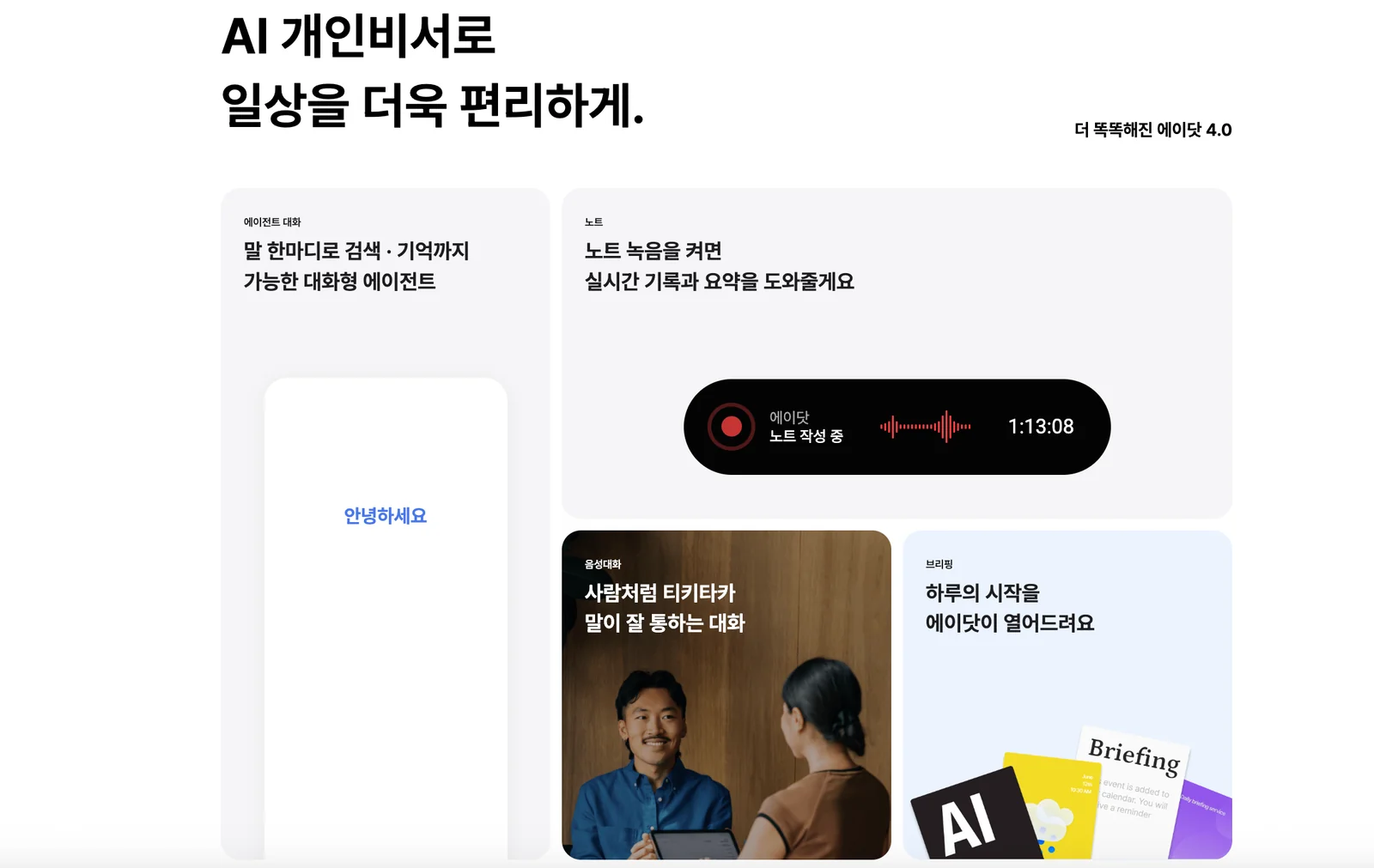
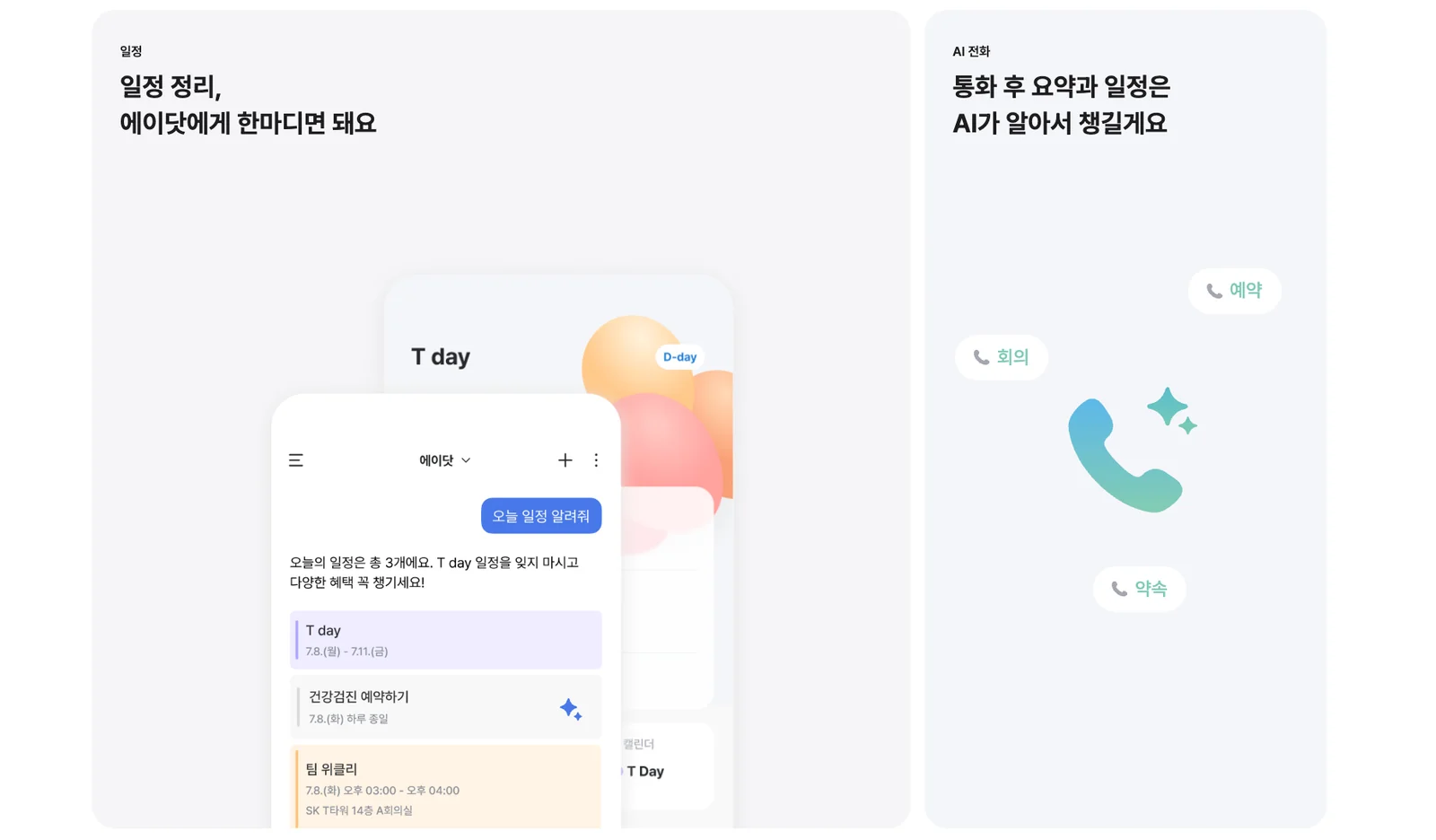
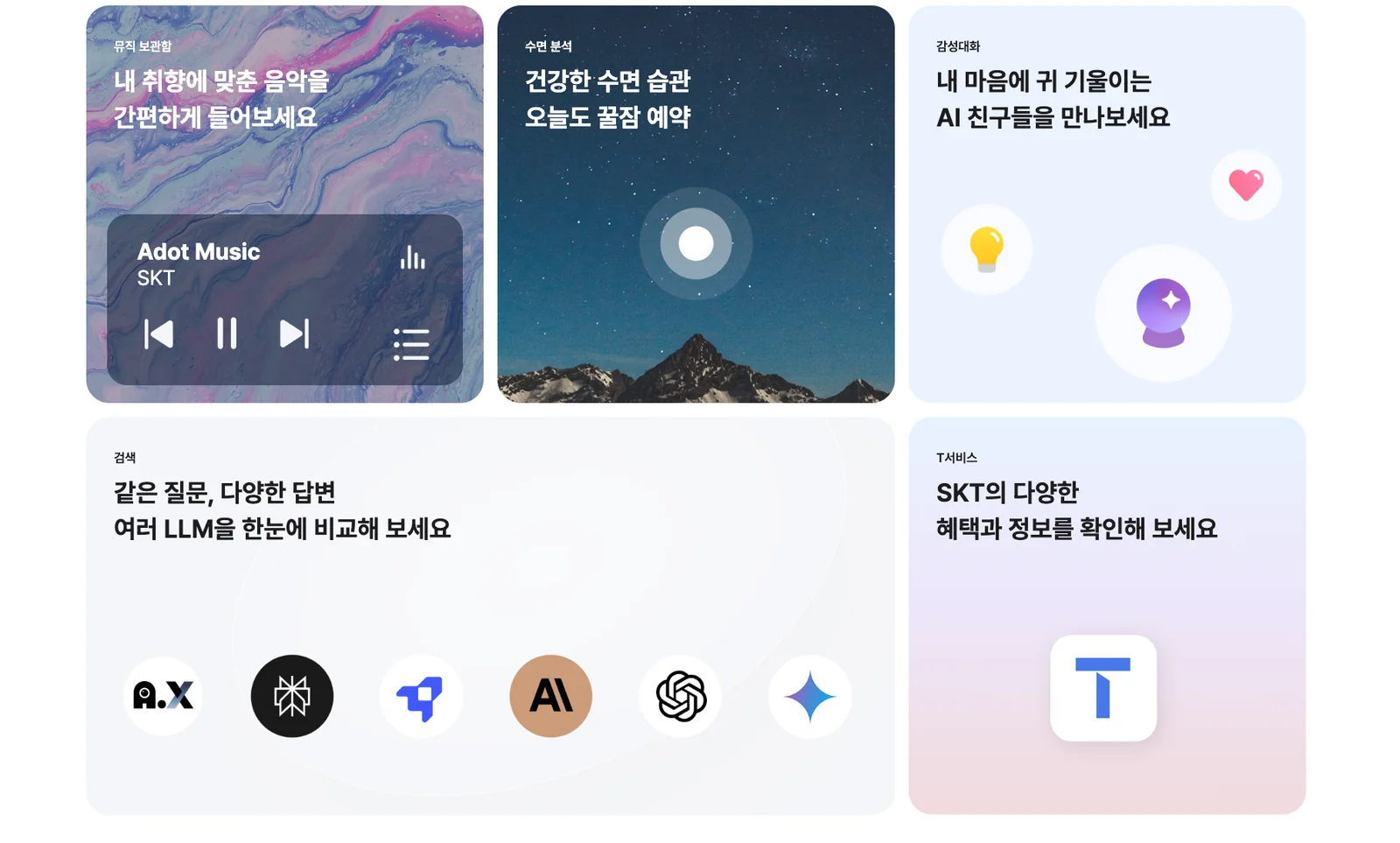
A. (Adot) is a mobile personal AI assistant from SK Telecom designed to make everyday life more convenient by providing conversational assistance, task management, and personalized information. The service offers natural-language interactions in Korean, contextual responses based on user data and preferences, and integrates with smartphone features to help with scheduling, reminders, and quick information retrieval. A. aims to centralize daily digital tasks — from answering questions and summarizing information to managing appointments and delivering location- or preference-based recommendations — into a single downloadable app.
Screenshots
Key Features
Use Cases



Frequently asked questions about A.(Adot)
Is A.(Adot) free to use?
Yes, A.(Adot) is completely free to download and use. Users can access a variety of core personal assistant features at no cost, as outlined on the official website. Additional premium features might be available but are not necessary for basic functionality.
Key Points
- Completely Free: A.(Adot) does not charge users for downloading or basic usage.
- Core Features Available: The app offers essential personal assistant capabilities at no charge.
- Potential Premium Features: Some advanced functionalities might be available for a fee.
Detailed Explanation
A.(Adot) is designed as a user-friendly personal assistant app that prioritizes accessibility. Users can download the app from the official site or popular app stores without any upfront cost.
Core Features
The app includes several essential features that enhance daily productivity:
- Task Management: Set reminders and manage tasks effectively.
- Voice Recognition: Utilize voice commands for hands-free operation.
- Calendar Integration: Sync with existing calendars to keep track of events and deadlines.
By offering these features for free, A.(Adot) helps users streamline their daily routines without financial constraints.
Premium Features
While the core functionalities are free, users may encounter optional premium features that enhance the app's capabilities. These may include:
- Advanced AI Insights: Personalized recommendations based on usage patterns.
- Customizable Themes: Options to change the app's appearance for a personalized experience.
Best Practices / Tips
- Maximize Core Features: Familiarize yourself with the free features to get the most out of A.(Adot).
- Consider Premium Upgrades: Evaluate if premium features align with your needs for enhanced productivity.
- Stay Updated: Regularly check for app updates to benefit from new features and improvements.
Additional Resources
What are the main features of A.(Adot)?
A.(Adot) features a conversational assistant, personal life management tools, contextual personalization, and advanced information retrieval capabilities. These features are designed to simplify daily tasks, enhance productivity, and provide tailored experiences for users, making it a versatile tool for personal and professional use.
Key Points
- Conversational Assistant: Engages users through natural dialogue.
- Personal Life Management: Helps organize tasks, schedules, and reminders.
- Contextual Personalization: Adapts to user preferences and habits.
Detailed Explanation
A.(Adot) serves as a powerful AI-driven tool that integrates various features to enhance user experience.
Conversational Assistant
A.(Adot) utilizes AI to engage users in meaningful conversations, allowing for seamless interaction. This feature includes voice recognition and natural language processing, enabling users to ask questions or give commands naturally. For instance, users can simply say, "Adot, remind me to call John at 3 PM," and the assistant will set a reminder without needing complex commands.
Personal Life Management
The personal life management aspect of A.(Adot) helps users streamline their daily routines. It can manage calendars, set appointments, and send reminders. This feature is particularly useful for busy professionals juggling multiple tasks. For example, users can integrate A.(Adot) with their calendar to receive notifications about upcoming meetings or deadlines, ensuring they never miss important events.
Contextual Personalization
A.(Adot) excels in contextual personalization, analyzing user behavior to provide tailored suggestions. For example, if a user frequently requests coffee shop recommendations, A.(Adot) will prioritize similar queries in the future. This feature enhances user satisfaction by making interactions more relevant and efficient.
Information Retrieval
With its advanced information retrieval capabilities, A.(Adot) can quickly fetch information from the web or internal databases. Users can ask factual questions like, "What is the weather today?" or "Find me the best Italian restaurant nearby," and receive accurate, instant responses.
Best Practices / Tips
- Utilize Voice Commands: Leverage the voice recognition feature for hands-free operation.
- Regularly Update Preferences: Ensure that A.(Adot) is updated with your latest preferences for better personalization.
- Explore Integration Options: Connect A.(Adot) with other apps for a more cohesive experience, such as syncing it with your email or task management tools.
Additional Resources
How do I start using A.(Adot)?
To start using A.(Adot), download the app from the official SK Telecom site or your device's app store. After installation, follow the on-screen instructions to set up your personal assistant, customize your preferences, and connect to your devices for optimal usage.
Key Points
- Download the app from the official SK Telecom site or app store.
- Follow the on-screen setup instructions.
- Customize your preferences and connect devices for enhanced functionality.
Detailed Explanation
Step 1: Download the App
To begin, visit the official SK Telecom website or your device's app store (Google Play Store for Android or Apple App Store for iOS). Search for "A.(Adot)" and download the application. Ensure that you have sufficient storage space and a stable internet connection for a smooth download.
Step 2: Installation and Setup
Once downloaded, open the app. You will be greeted with an introductory screen guiding you through the setup process. This typically includes granting necessary permissions for microphone access, location services, and notifications to enable full functionality of A.(Adot) as your personal assistant.
Step 3: Personalize Your Experience
After installation, you will have the option to customize your A.(Adot) experience. This includes setting your preferred language, choosing voice options, and linking compatible smart devices (like your smart home appliances, calendars, or music services).
Example Use Cases
- Smart Home Control: Connect A.(Adot) to smart devices in your home for voice-activated control of lighting, temperature, and security systems.
- Schedule Management: Use A.(Adot) to sync with your calendar, manage appointments, and send reminders.
- Information Retrieval: Ask A.(Adot) for news updates, weather forecasts, or answers to general knowledge questions.
Best Practices / Tips
- Regular Updates: Keep the app updated to access the latest features and security improvements.
- Voice Training: Spend time training A.(Adot) to recognize your voice and preferences for improved accuracy.
- Explore Features: Take advantage of tutorials within the app to explore all functionalities, ensuring you're utilizing A.(Adot) to its fullest potential.
Additional Resources
- Official A.(Adot) User Guide for detailed instructions and troubleshooting.
- Community Forums for user experiences, tips, and additional support.
- Tech Support for assistance with any technical issues you may encounter.
Does A.(Adot) have an API for integration?
Currently, there is no publicly available information regarding an API for A.(Adot) integration. Users interested in integrating A.(Adot) into their systems should contact SK Telecom directly for the most accurate and updated details regarding potential API access.
Key Points
- No public API for A.(Adot) integration is available.
- Users should reach out to SK Telecom for inquiries.
- Integration options may evolve; stay updated with official announcements.
Detailed Explanation
A.(Adot) is a platform developed by SK Telecom, primarily aimed at enhancing various digital services. While the absence of a public API may limit immediate integration options for developers, there could be alternative methods to utilize A.(Adot) features. For example, businesses can explore existing SDKs or third-party platforms that may offer indirect integration through their services.
If you're looking to integrate A.(Adot), consider the following steps:
-
Contact SK Telecom: Directly reaching out to SK Telecom's support or sales team can provide you with tailored information regarding integration capabilities.
-
Explore Documentation: If any SDKs or developer resources are available, reviewing these can offer insights into potential integration workflows.
-
Stay Informed: Follow SK Telecom’s updates through their official website or social media channels to catch any announcements about API releases or new features.
-
Community Engagement: Join forums or networks related to A.(Adot) to share experiences and gain insights from other users who may have undertaken similar integration efforts.
Best Practices / Tips
- Document Your Needs: Clearly outline your integration requirements to communicate effectively with SK Telecom.
- Be Proactive: Regularly check for updates on the official SK Telecom website, as API offerings can change rapidly.
- Explore Alternative Solutions: If A.(Adot) integration is critical for your business, consider looking into alternative platforms offering similar functionalities with available APIs.
Additional Resources
- SK Telecom Official Website
- Developer Support for A.(Adot) - Contact Page
- Industry Forums for A.(Adot) Users
By following these guidelines and keeping abreast of developments, you can effectively navigate the integration landscape for A.(Adot) despite the current lack of a public API.
How does A.(Adot) compare to other AI assistants?
A.(Adot) excels in personalized task management and local recommendations, prioritizing everyday convenience. Unlike other AI assistants such as Siri or Google Assistant, A.(Adot) focuses on tailoring its responses to individual preferences, making it a unique choice for users seeking a more customized experience.
Key Points
- Personalization: A.(Adot) offers tailored recommendations based on user preferences.
- Local Focus: It emphasizes local insights and task management, enhancing everyday convenience.
- Different Use Cases: While other assistants serve general queries, A.(Adot) specializes in niche tasks.
Detailed Explanation
A.(Adot) stands out in the crowded AI assistant market by emphasizing personalization and context-aware recommendations. Unlike Siri or Google Assistant, which are designed for broad queries and general assistance, A.(Adot) utilizes advanced AI algorithms to understand user behavior and preferences.
For instance, A.(Adot) can help manage daily tasks such as grocery shopping by suggesting local stores based on previous purchases or current promotions. Users can ask, "What are the best local coffee shops?" and receive tailored results based on their tastes, location, and even time of day. This local focus not only saves time but also enhances user satisfaction by providing relevant suggestions.
In contrast, Siri and Google Assistant may offer more generic responses that lack the depth of personalization. They are excellent for setting reminders, managing schedules, or controlling smart home devices but may not provide the same level of local insight that A.(Adot) offers.
Best Practices / Tips
- Engage with A.(Adot): Use the assistant regularly to allow it to learn your preferences more effectively.
- Provide Feedback: Give feedback on recommendations to help improve its accuracy and relevance.
- Explore Local Features: Take advantage of A.(Adot)'s local recommendations for events, restaurants, and services in your area.
Additional Resources
By understanding these key differences and leveraging A.(Adot)'s personalized features, users can significantly enhance their daily productivity and decision-making.
Explore more AI Ai Agents tools
Browse all Ai Agents tools →Browse by use case: Chatbots & Assistants
Compare A.(Adot): vs Mycel · vs Proto-Mind · vs Ami · vs Duvi