

Voice Studio Companion
AImacOS menu-bar app that converts text to professional ElevenLabs voices with drag-and-drop integration for editors and secure API key storage.
Voice Studio Companion
macOS menu-bar app that converts text to professional ElevenLabs voices with drag-and-drop integration for editors and secure API key storage.
About Voice Studio Companion
Voice Studio Companion is a native macOS menu-bar application that converts typed text into professional-quality speech using ElevenLabs' TTS technology. Users choose from 20+ built-in voices, generate audio in seconds, and preview output before exporting. The app supports drag-and-drop delivery of generated audio into Final Cut Pro, DaVinci Resolve, Premiere Pro, Logic Pro, GarageBand, Keynote, PowerPoint, and any app that accepts audio files, streamlining editorial and presentation workflows. It requires the user to supply an ElevenLabs API key which is stored securely in macOS Keychain; all audio synthesis runs on ElevenLabs' servers with no local storage of input. Additional conveniences include keyboard shortcuts, recent-voice selection, cache management, and a native SwiftUI interface optimized for performance.
Screenshots
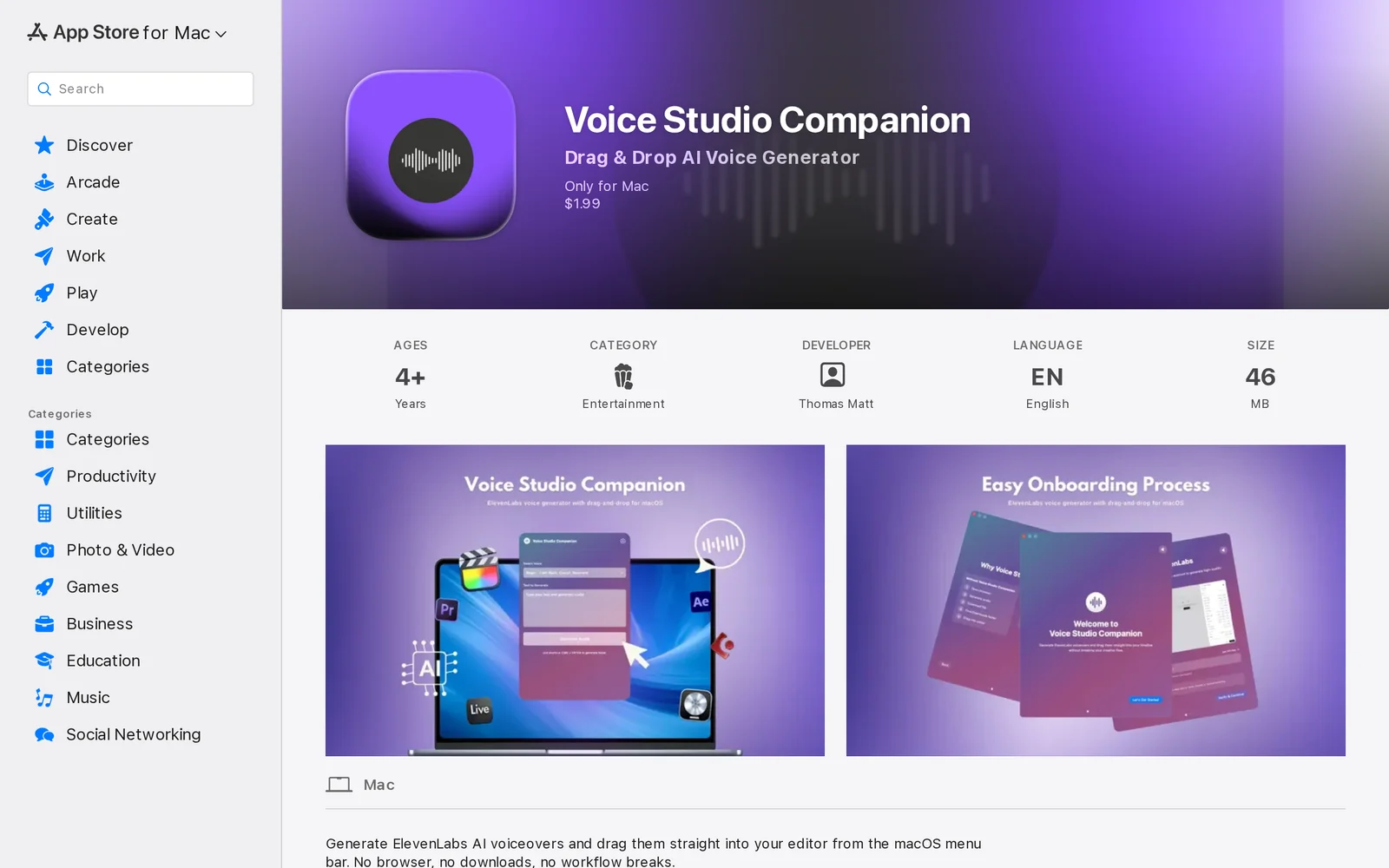
Key Features
Use Cases



Frequently asked questions about Voice Studio Companion
What is Voice Studio Companion?
Voice Studio Companion is a macOS menu-bar application that enables users to convert text into high-quality, professional voices from ElevenLabs. It features drag-and-drop integration for editors and securely stores API keys, making it an essential tool for content creators and developers looking to enhance their audio production workflow.
Key Points
- User-Friendly Interface: Simplifies the text-to-speech process.
- Seamless Integration: Offers drag-and-drop functionality for easy editing.
- Secure API Management: Ensures safe storage of API keys for user convenience.
Detailed Explanation
Voice Studio Companion provides a powerful solution for converting written content into spoken audio, utilizing ElevenLabs' advanced voice synthesis technology. The application is designed for macOS users, functioning smoothly in the menu bar for quick access. Here’s how it works:
- Text Input: Users can input text directly into the app or drag and drop text files for conversion.
- Voice Selection: The app offers a variety of high-quality voices, allowing users to choose the tone and style that best fits their project.
- Secure API Key Storage: Users can securely store their ElevenLabs API keys, ensuring that sensitive information is protected while still being easily accessible.
- Export Options: Once the audio is generated, users can export it in various formats for use in podcasts, videos, or other multimedia projects.
This tool is ideal for content creators, educators, and developers who need to produce professional-grade audio quickly and efficiently.
Best Practices / Tips
- Experiment with Voices: Try different voices to find the most suitable match for your content. This can enhance the listener's experience significantly.
- Use Clear Text: Make sure your input text is well-structured and free of errors, as this will improve the quality of the generated audio.
- Regular Updates: Keep the app updated to access the latest features and improvements from ElevenLabs.
- Test Audio Quality: Before finalizing your project, listen to the generated audio to ensure it meets your standards.
Additional Resources
How does Voice Studio Companion work?
Voice Studio Companion functions by integrating advanced AI technologies to streamline daily workflows for users. By automating repetitive tasks and providing intelligent suggestions, it enhances productivity and creativity in various applications, making it an invaluable tool for content creators and professionals alike.
Key Points
- AI Integration: Combines multiple AI technologies for enhanced functionality.
- Workflow Automation: Streamlines repetitive tasks, saving users time.
- User-Friendly Interface: Designed for ease of use, catering to various skill levels.
Detailed Explanation
Voice Studio Companion leverages a suite of AI tools that work together to optimize user workflows. For instance, it can automate tasks such as voice recognition, transcription, and content generation. This is particularly beneficial for podcasters, musicians, and content creators who often juggle multiple responsibilities.
Key Features:
- Voice Recognition: Converts spoken language into text, making it easier to draft scripts or notes for audio projects.
- Content Generation: Utilizes AI algorithms to suggest content ideas or even generate text, saving time in the brainstorming phase.
- Transcription Services: Provides accurate transcriptions of recorded audio, ensuring that users have a written record of their work.
Use Cases:
- Podcast Production: Streamlines the process from recording to editing and publishing.
- Music Composition: Assists in lyric writing by suggesting phrases or rhymes based on existing themes.
- Content Creation: Aids bloggers and marketers by generating optimized content ideas and drafts.
Best Practices / Tips
- Utilize Voice Commands: Take full advantage of voice recognition features for hands-free operation.
- Explore Templates: Use pre-built templates for common tasks to enhance efficiency.
- Stay Updated: Regularly check for updates to ensure access to the latest features and improvements.
Common Pitfalls:
- Over-Reliance on Automation: While AI tools are powerful, maintaining a personal touch in content creation is crucial.
- Ignoring User Feedback: Engage with user suggestions to enhance the tool's functionality and adaptability.
Additional Resources
What are the main features of Voice Studio Companion?
Voice Studio Companion offers a suite of advanced features, including AI-driven voice synthesis, customizable voice profiles, and real-time collaboration tools. These capabilities enable users to create high-quality audio content efficiently, making it an essential tool for content creators and businesses alike.
Key Points
- AI-Driven Voice Synthesis: Generate natural-sounding speech.
- Customizable Voice Profiles: Tailor voices to match specific brand identities.
- Real-Time Collaboration Tools: Facilitate teamwork across projects.
Detailed Explanation
Voice Studio Companion leverages cutting-edge artificial intelligence to provide users with powerful voice synthesis capabilities. This feature allows for the generation of high-quality, lifelike voices that can be used in various applications, from podcasting to marketing videos.
-
AI-Driven Voice Synthesis: The core functionality allows users to input text, which the AI transforms into speech. This synthesis is highly customizable, offering multiple voice options and accents to suit different audiences or branding needs. For example, a marketing team can create promotional content in a voice that resonates with their target demographic.
-
Customizable Voice Profiles: Users can create unique voice profiles that embody the personality of their brand. This feature is particularly useful for businesses that want to maintain a consistent auditory identity. Brands can adjust tone, pitch, and pace, ensuring that the voice aligns perfectly with their marketing and communication strategies.
-
Real-Time Collaboration Tools: Voice Studio Companion enhances team productivity by allowing multiple users to work on projects simultaneously. This real-time collaboration feature supports comments, edits, and sharing, making it easier for teams to refine their audio content collectively. For instance, a content team can draft scripts and provide immediate feedback during the voice synthesis process, streamlining production timelines.
Best Practices / Tips
- Experiment with Voice Options: Take advantage of the various voice models available. Test different profiles to find the one that best matches your project’s tone and audience.
- Utilize Collaboration Features: Encourage team members to actively engage in the project. This can significantly improve the quality of the final output.
- Optimize Scripts for AI: Write scripts with clear language and natural phrasing to enhance the AI’s speech output, making it sound more human-like.
Additional Resources
- Voice Studio Companion Official Documentation
- Voice Synthesis Techniques
- Custom Voice Creation Guide
By leveraging these features and following best practices, users can maximize the effectiveness of Voice Studio Companion in their audio production efforts.
Who is Voice Studio Companion for?
Voice Studio Companion is designed for musicians, producers, and anyone involved in audio production who seeks to enhance their AI-driven workflows. It caters to both beginners and experienced professionals looking to streamline their creative processes and improve productivity in daily tasks.
Key Points
- Target Audience: Musicians, audio engineers, producers, content creators.
- Use Cases: Streamlining workflow, enhancing creativity, optimizing audio production.
- AI Features: Automation, smart suggestions, real-time collaboration tools.
Detailed Explanation
Voice Studio Companion is an innovative tool that integrates artificial intelligence into the audio production workflow, making it an invaluable asset for a diverse audience.
-
Musicians: Whether you're a solo artist or part of a band, Voice Studio Companion helps musicians compose, arrange, and produce music efficiently. Its AI-driven suggestions can inspire new melodies or harmonies, making the creative process smoother.
-
Producers: Producers can utilize the software to manage multiple projects simultaneously. Features such as real-time collaboration enable seamless communication with artists and team members, leading to quicker project completion. AI algorithms can suggest mixing techniques or sound enhancements based on genre-specific characteristics.
-
Content Creators: For podcasters and video creators, Voice Studio Companion offers tools to improve audio quality and streamline editing. It can reduce background noise, adjust levels automatically, and provide instant feedback on audio clarity, ensuring a polished final product.
In practical terms, users can expect a user-friendly interface that allows for easy navigation between features. The built-in tutorials and support documentation make it accessible for those new to audio production.
Best Practices / Tips
- Maximize AI Features: Regularly explore new AI features and updates to stay ahead in your projects.
- Customize Workflows: Tailor the software to your specific needs by setting preferences that align with your production style.
- Engage with the Community: Join forums or online groups to share experiences and learn from other users, enhancing your overall skills.
Additional Resources
- Voice Studio Companion Official Website
- Getting Started Guide
- AI in Music Production: A Comprehensive Guide
By leveraging Voice Studio Companion, users can enhance their creativity, streamline production processes, and ultimately produce high-quality audio content.
How much does Voice Studio Companion cost?
Voice Studio Companion offers a free tier with basic functionality, while its premium plans start at $10 per month, providing advanced features tailored for professional voice work. Users can choose from multiple pricing options based on their needs, ensuring flexibility for different budgets.
Key Points
- Free tier available for basic features
- Paid plans starting at $10 per month
- Advanced features tailored for professional use
Detailed Explanation
Voice Studio Companion is designed to meet the needs of both amateurs and professionals in voice recording and editing.
-
Free Tier: The free version allows users to explore fundamental features like basic recording, editing, and export options. This is perfect for beginners who want to test the platform without financial commitment.
-
Paid Plans:
- The basic paid plan starts at $10 per month, which includes additional features such as enhanced audio quality, advanced editing tools, and access to a broader range of sound effects.
- There are also higher-tier plans that range from $20 to $50 per month, providing features like cloud storage, collaborative tools, and priority customer support.
-
Use Cases:
- Hobbyists can enjoy the free tier to create personal projects.
- Independent voice actors may benefit from the basic paid plan to enhance their portfolios.
- Professional studios can opt for the premium plans to access collaborative features and high-quality outputs.
Best Practices / Tips
- Start with the Free Tier: If you're new to voice recording, begin with the free version to familiarize yourself with the platform's interface and basic functions.
- Compare Plans: Review the features included in each paid plan to determine which one aligns best with your needs. Consider your usage patterns and whether you need collaborative tools or cloud storage.
- Utilize Trials: If available, take advantage of any trial periods for premium plans to evaluate features before committing financially.
Additional Resources
Explore Voice Studio Companion today to find a pricing plan that fits your voice recording and editing needs!
How do I get started with Voice Studio Companion?
To get started with Voice Studio Companion, visit the official app page at Voice Studio Companion on Apple. Sign up for an account to explore its features, and enhance your voice recording and editing experience.
Key Points
- Easy Registration: Quick sign-up process to access features.
- User-Friendly Interface: Intuitive design for seamless navigation.
- Feature-Rich Tools: A variety of tools for professional voice recording.
Detailed Explanation
Voice Studio Companion is designed for both novice and experienced voice artists. To begin, simply go to the Voice Studio Companion app page and click on the "Download" button. Once installed, follow the prompts to create your account.
The app features a user-friendly interface that allows for easy navigation through its various tools. You can utilize the built-in voice recorder, apply effects, and even edit audio tracks directly within the app. For example, you might explore functionalities like noise reduction, pitch adjustment, and multi-track editing to elevate your recordings.
Best Practices / Tips
- Explore Tutorials: Take advantage of any tutorials or help sections within the app to familiarize yourself with its features.
- Regular Updates: Keep the app updated to benefit from new features and enhancements.
- Experiment: Don’t hesitate to try different tools and settings to find your unique sound. Avoid sticking to default settings if you want to stand out.
Additional Resources
- Voice Studio Companion Official Documentation
- YouTube Tutorials on Voice Studio Companion for visual guidance on using the app.
- Community Forums and User Groups for tips and shared experiences from other users.
By following these steps and utilizing the features of Voice Studio Companion, you'll be well on your way to creating high-quality voice recordings that resonate with your audience.
Explore more AI Ai Services tools
Browse all Ai Services tools →Browse by use case: Voice & Audio
Compare Voice Studio Companion: vs Switchyard · vs Router by Ramp · vs Supernova · vs bitdrift