
CatDoes v3
AINo-code AI mobile app builder that turns plain text descriptions into mobile apps for businesses and personal use.
CatDoes v3
No-code AI mobile app builder that turns plain text descriptions into mobile apps for businesses and personal use.
About CatDoes v3
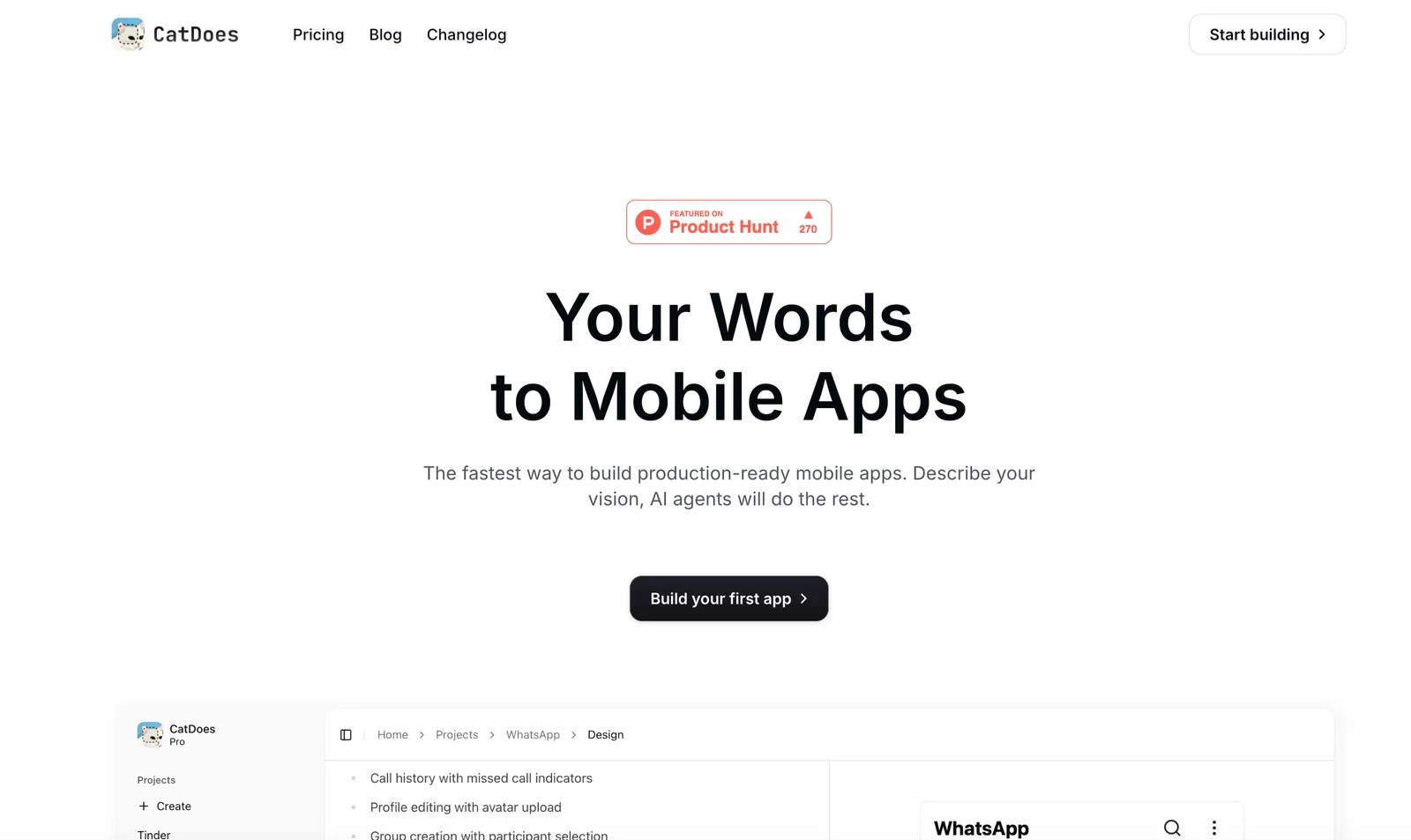
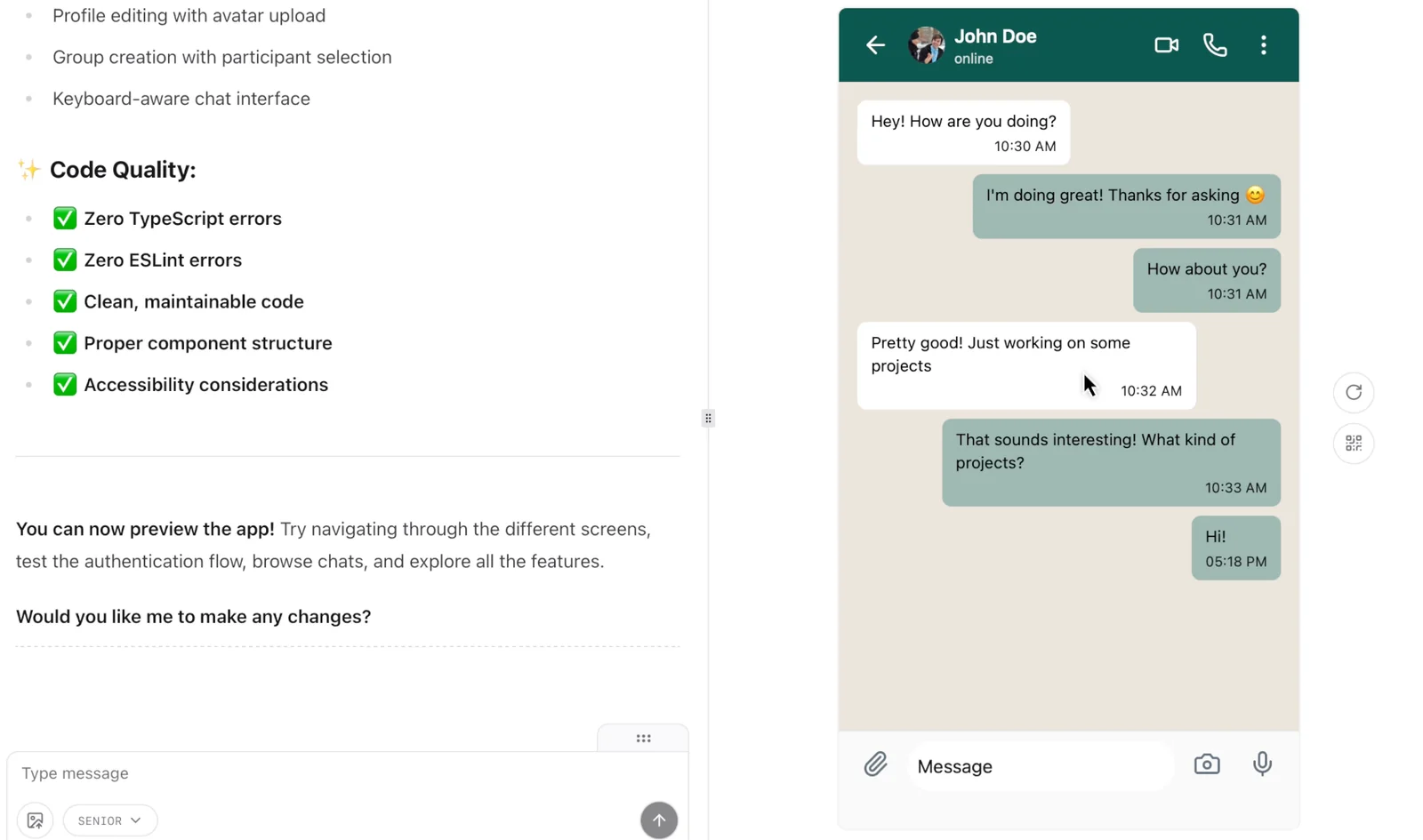
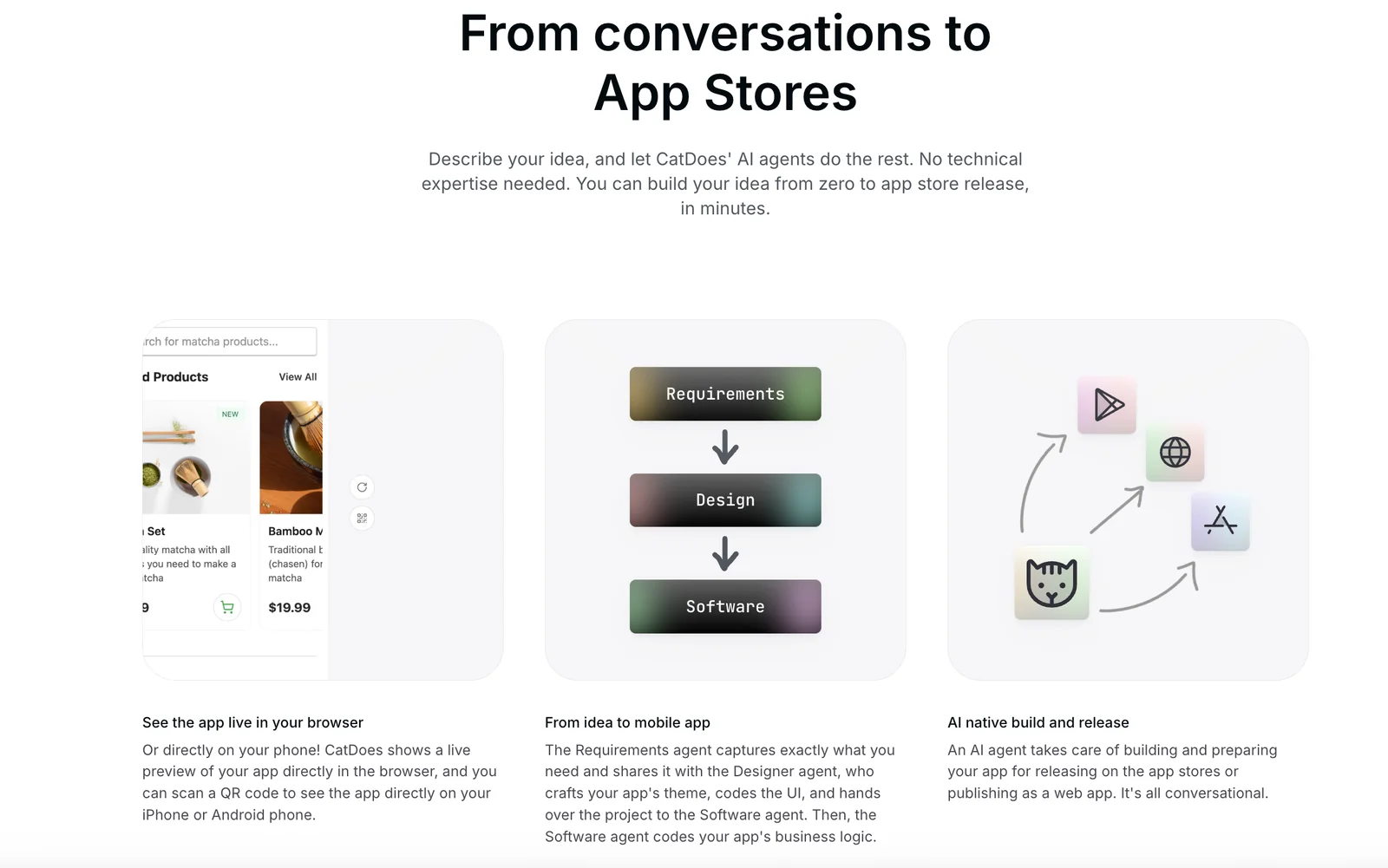
CatDoes is a no-code mobile app builder that uses AI to enable users to create mobile applications from written descriptions. It targets non-technical users and small businesses, allowing them to define app functionality in natural language and receive working mobile app prototypes or builds. The platform's value is in reducing development time and cost by eliminating the need for programming skills, enabling rapid prototyping and app creation for business or personal projects.
Screenshots
Key Features
Use Cases



Frequently asked questions about CatDoes v3
What is the pricing structure for CatDoes v3?
CatDoes v3 uses a freemium pricing model, offering a free Starter plan for users. While specific pricing for Pro, Business, and Enterprise plans is not publicly available, interested users should reach out to CatDoes for the latest pricing details or to schedule a demo.
Key Points
- Freemium Model: CatDoes v3 provides a free Starter plan.
- Tiered Plans: Pro, Business, and Enterprise plans are available but not publicly priced.
- Direct Contact Required: Users must contact CatDoes for the most current pricing information.
Detailed Explanation
CatDoes v3 operates under a freemium model, making it accessible for users to start with the free Starter plan. This plan allows individuals or small teams to explore the features of CatDoes without financial commitment.
For users requiring more advanced functionalities, CatDoes offers tiered plans: Pro, Business, and Enterprise. However, the specific pricing details for these plans are not listed on the website. This approach is common in SaaS (Software as a Service) platforms, allowing potential customers to tailor their choices based on their organizational needs.
To obtain the latest pricing information, users are encouraged to contact CatDoes directly. This can typically be done through their official website where you can request a demo or access customer support. Engaging with the sales team can also provide insights into how the plans can be customized to fit specific business requirements.
Best Practices / Tips
- Evaluate Your Needs: Before contacting CatDoes, assess your requirements to determine which plan might be best for you.
- Request a Demo: Take advantage of demo requests to see firsthand how CatDoes v3 can meet your needs and justify the investment.
- Stay Updated: Pricing and features may change, so periodically check in with CatDoes or subscribe to their newsletter for updates.
Additional Resources
How does CatDoes v3 compare to other no-code app builders?
CatDoes v3 distinguishes itself from other no-code app builders by offering natural-language app generation and business-centric templates, enabling users without technical skills to create mobile apps effortlessly. It prioritizes rapid prototyping and extensive customization, making it an ideal choice for entrepreneurs and small businesses.
Key Points
- Natural-Language Processing: Users can describe their app needs in plain language.
- Business-Focused Templates: Pre-designed templates tailored for various industries.
- Rapid Prototyping: Quickly test and iterate app designs without coding.
Detailed Explanation
CatDoes v3 uses advanced natural-language processing to transform user input into functional app components. This feature allows users to simply describe their desired app, and the platform generates the necessary code and design elements. For instance, if you say, “I need an e-commerce app for handmade crafts,” CatDoes v3 will provide you with a suitable template and relevant features like product listings and payment processing.
Business-Focused Templates
Unlike many competitors that offer generic templates, CatDoes v3 provides industry-specific templates designed for various sectors, including retail, healthcare, and education. This ensures that users can start with a framework that meets their business needs right from the outset. For example, a healthcare provider can choose a template that includes patient management features, making it easier to customize.
Rapid Prototyping
With CatDoes v3, users can quickly create and test app prototypes, speeding up the development process significantly. This is particularly beneficial for startups looking to validate their ideas before investing in full-scale development. The platform allows for easy modifications, enabling users to iterate based on feedback.
Best Practices / Tips
- Leverage Templates: Start with a pre-designed template to save time and effort.
- Utilize Feedback Loops: Gather user feedback during the prototyping stage to make necessary adjustments.
- Explore Integrations: Make use of various integrations offered by CatDoes v3 to enhance app functionality, such as payment gateways or analytics tools.
Additional Resources
How can I get started using CatDoes v3?
To get started using CatDoes v3, visit the official website, create a free account, and follow the user-friendly workflow to describe your app idea in plain text. The platform will guide you step-by-step in transforming your description into a fully functional mobile app.
Key Points
- User-Friendly Interface: CatDoes v3 is designed to be intuitive for all users.
- No Coding Required: You can create apps without any programming knowledge.
- Step-by-Step Guidance: The platform provides a structured workflow for app development.
Detailed Explanation
CatDoes v3 is a revolutionary platform that allows anyone to create mobile applications effortlessly. Here’s how to start:
- Visit the Official Website: Go to CatDoes.com to access the platform.
- Create a Free Account: Click on “Sign Up” and provide your email and password. A free account grants you access to basic features.
- Describe Your App Idea: Once logged in, you will enter a simple text box where you can input your app idea. Be as descriptive as possible to get the best results.
- Follow the Workflow: The platform will guide you through a series of prompts, helping you refine your concept. You will choose features, design elements, and functionality.
- Preview and Launch: After finalizing your app, you can preview it and make any necessary adjustments before launching.
Example Use Cases
- Small Businesses: Owners can create apps to streamline services or improve customer engagement.
- Educators: Teachers can develop apps for interactive learning experiences.
- Entrepreneurs: Startups can quickly prototype their ideas without heavy investment in development.
Best Practices / Tips
- Be Specific: Clearly articulate your app’s purpose and target audience to enhance the accuracy of the final product.
- Iterate: Use the feedback provided during the workflow to refine your app concept.
- Utilize Resources: Take advantage of tutorials and FAQs on the website to familiarize yourself with features and functionalities.
Additional Resources
By following these steps, you can effectively leverage CatDoes v3 to bring your app idea to life, regardless of your technical background.
Can CatDoes v3 integrate with existing business systems?
Currently, CatDoes v3 does not explicitly outline its integration capabilities with existing business systems. For tailored integration solutions, it’s advisable to contact CatDoes support to explore potential compatibility with your specific business systems or APIs.
Key Points
- CatDoes v3 lacks detailed public information on integration.
- Direct support contact is recommended for integration inquiries.
- Compatibility may vary based on system specifications.
Detailed Explanation
CatDoes v3 is a versatile tool designed for various applications, but its integration features are not extensively documented. Businesses looking to leverage CatDoes v3 alongside their existing systems should consider the following:
-
Understanding Compatibility: Integration capabilities often depend on the specific APIs or systems in use. It’s critical to identify the platforms you want to connect with CatDoes v3, such as CRM systems, project management tools, or accounting software.
-
Contacting Support: For precise information, reaching out to CatDoes support is essential. They can provide insights into whether your systems can work with CatDoes v3 and any necessary steps for integration. Prepare to discuss your current setup and any specific needs you may have.
-
Potential Use Cases: Consider scenarios where integration would enhance workflow efficiency. For instance, linking CatDoes v3 with a project management tool can streamline task assignments, while integration with a CRM can facilitate better customer interactions and data management.
Best Practices / Tips
- Document Your Needs: Before contacting support, make a list of the features you require from the integration, including any specific functionalities or data flows.
- Keep an Open Mind: Sometimes, indirect integrations (like using middleware) can enable compatibility where direct integration isn't available.
- Test Thoroughly: If integration is possible, ensure that you conduct thorough testing to confirm that data flows correctly and both systems operate seamlessly together.
Additional Resources
- CatDoes Support Page - For direct inquiries and support.
- API Documentation - Access technical documentation relevant to integration.
- Integration Best Practices - Learn more about effective integration strategies with CatDoes v3.
What types of apps can I create with CatDoes v3?
With CatDoes v3, you can create a wide range of applications, such as customer-facing mobile apps for bookings, catalogs, and promotions, as well as internal tools for data collection and workflow management, all without any coding required.
Key Points
- Customer-Facing Mobile Applications: Ideal for engaging customers.
- Internal Tools: Efficient for data collection and workflow management.
- No Coding Required: Accessible for users without technical expertise.
Detailed Explanation
CatDoes v3 empowers users to build diverse applications effortlessly. Here’s a breakdown of the types of apps you can create:
-
Customer-Facing Mobile Applications:
- Bookings: Businesses can develop apps for service scheduling, allowing customers to book appointments directly from their smartphones. For example, a salon can let clients choose services, select times, and receive confirmations instantly.
- Catalogs: Showcase products or services in a visually appealing format. For instance, a restaurant can present its menu with enticing images, descriptions, and pricing, enhancing the customer experience.
-
Promotional Apps:
- Create applications that feature special offers, loyalty programs, or notifications about sales and events. This capability allows businesses to engage with customers in real-time, driving sales and increasing customer retention.
-
Internal Tools:
- Data Collection: Apps can streamline data entry processes, allowing employees to gather information quickly and efficiently. For example, a field team could use an app to input survey results or customer feedback on-site.
- Workflow Management: Build applications that facilitate task assignments, project tracking, and team communication, enhancing productivity within an organization.
Best Practices / Tips
- Define Your Objective: Clearly outline what you want to achieve with your app. This will guide your design and functionality.
- User Experience Matters: Ensure your app is intuitive and user-friendly to promote engagement.
- Test Thoroughly: Before launching, conduct beta tests to gather feedback and make necessary adjustments.
Additional Resources
Explore more AI Ai Agents tools
Browse all Ai Agents tools →Browse by use case: Automation & Productivity
Compare CatDoes v3: vs Apache Maka · vs Construct Computer · vs ShogunAI · vs fx