

Kling AI
AICreative studio for generating imaginative images and videos using state-of-the-art generative models.
Kling AI
Creative studio for generating imaginative images and videos using state-of-the-art generative models.
About Kling AI
Kling AI provides tools for creating imaginative images and videos based on contemporary generative methods. The platform appears to support image and video generation workflows, including interpolation between images to produce motion, and is referenced alongside multimodal research (Kling-Foley) for video-to-audio synthesis. Kling is distributed as a suite of tools and versions (e.g., Kling 1.6) and is integrated into third-party toolchains and MCP-style servers, enabling programmatic video generation and automation within larger pipelines.
Screenshots
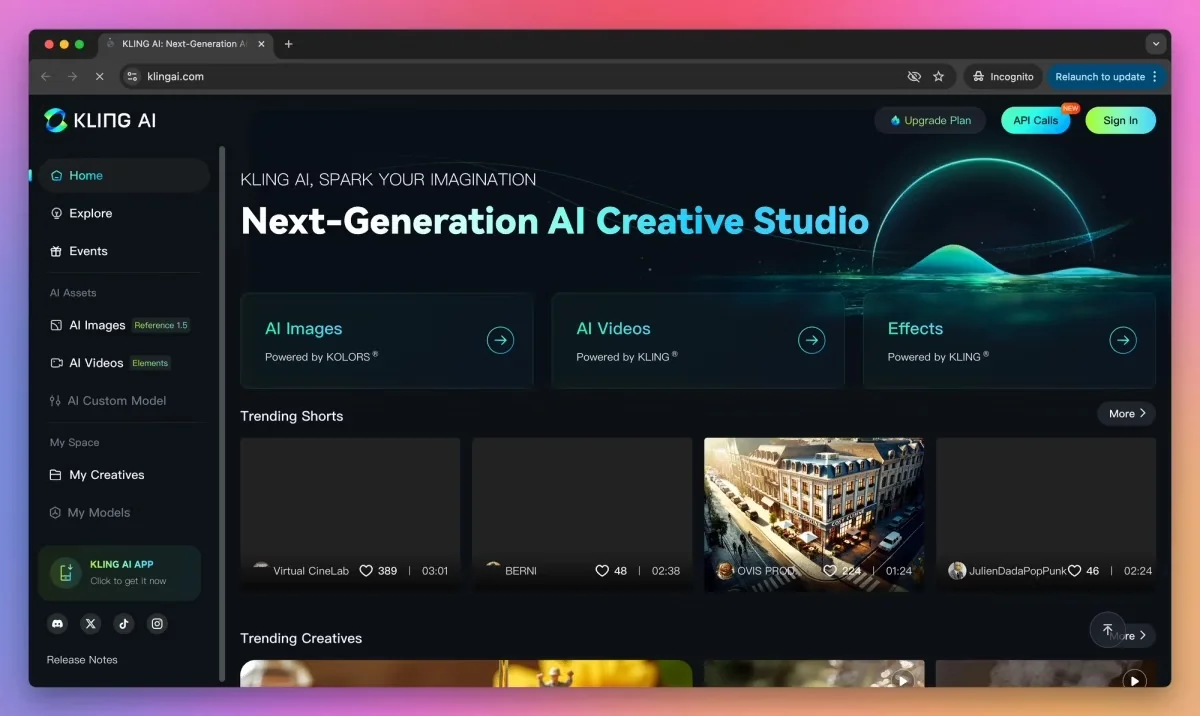
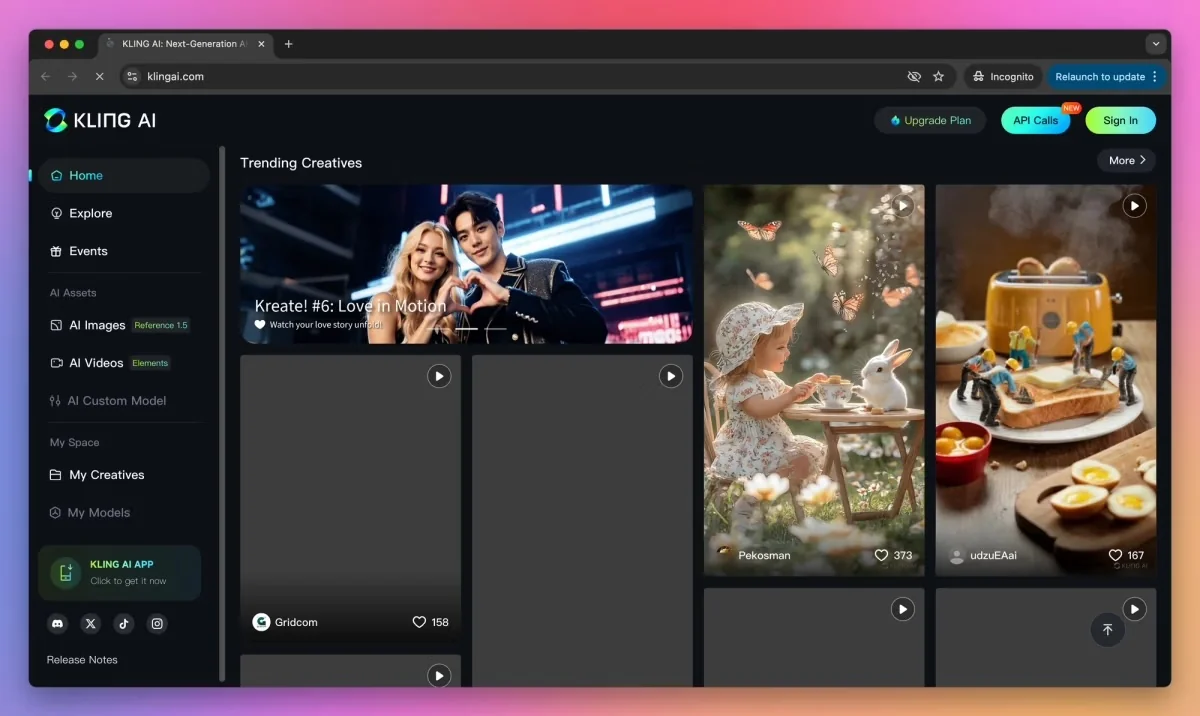
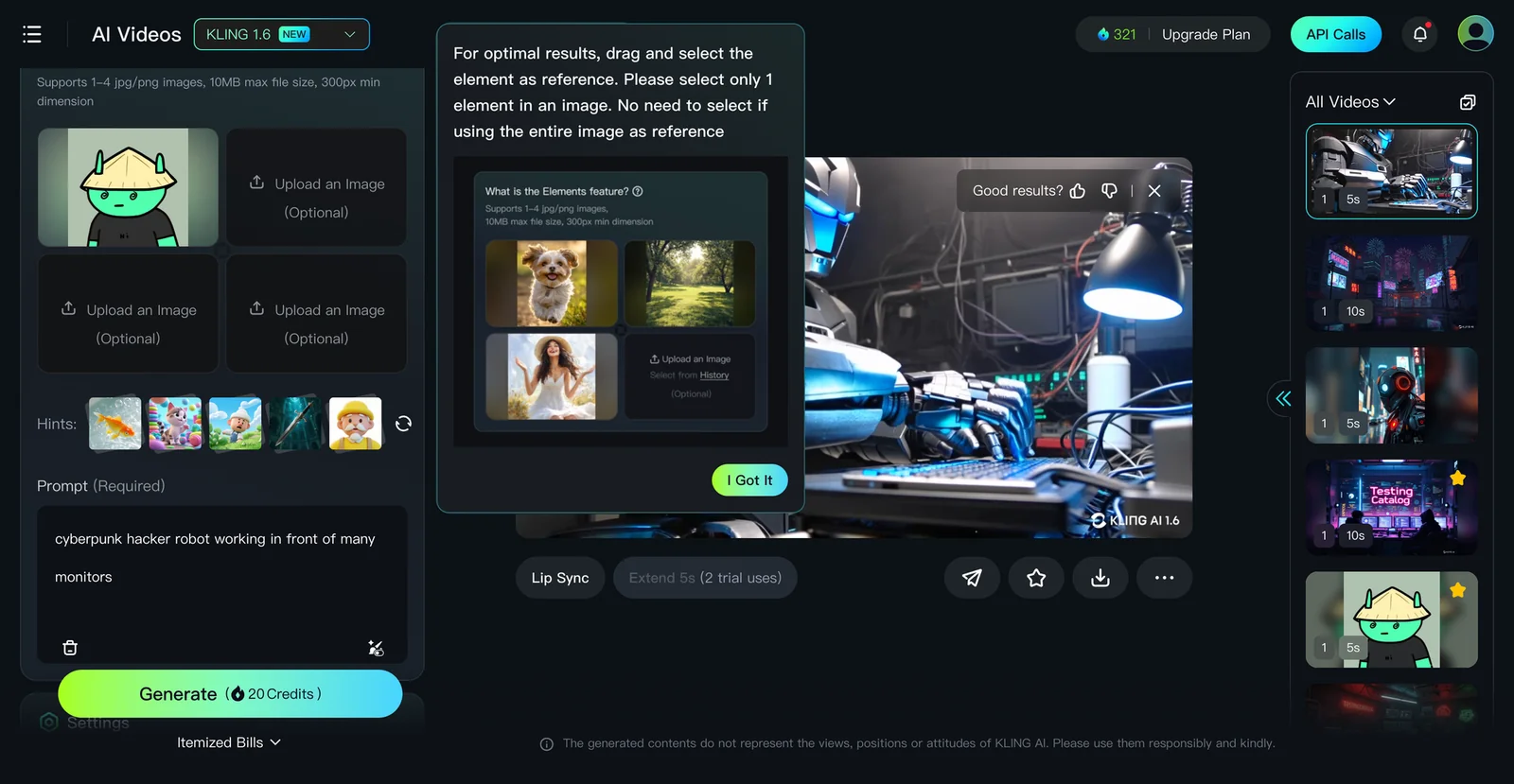
Key Features
Use Cases



Frequently asked questions about Kling AI
What is the pricing structure for Kling AI?
Kling AI utilizes a freemium pricing model featuring multiple tiers: Free ($0/month), Basic ($6.99/month), Standard (approximately $10/month), Pro ($25.99/month), and Premier ($64.99/month). Each tier provides distinct features and credit allocations, catering to various user needs and budgets.
Key Points
- Freemium Model: Offers free and paid tiers to accommodate diverse users.
- Tiered Pricing: Five distinct tiers with varying features and credits.
- Feature Allocation: Each tier includes specific functionalities and limits on usage.
Detailed Explanation
Kling AI’s pricing structure is designed to cater to users ranging from casual to advanced, providing flexibility and scalability.
-
Free Tier: Ideal for beginners or those wanting to explore Kling AI’s capabilities without financial commitment. This tier offers limited features, allowing users to get familiar with the platform.
-
Basic Tier ($6.99/month): This plan includes additional features and a higher credit allocation, making it suitable for individuals or small teams that need more than the free version offers.
-
Standard Tier (approximately $10/month): A balanced option for regular users, the Standard tier provides enhanced features and credits, facilitating more extensive use cases and applications.
-
Pro Tier ($25.99/month): Designed for businesses or professionals, this tier includes advanced functionalities, priority support, and a significant increase in credit usage, perfect for demanding projects.
-
Premier Tier ($64.99/month): The most comprehensive plan, offering maximum features, credits, and premium support, catering to enterprises and heavy users requiring robust resources.
Example Use Cases
- Freelancers may start with the Free or Basic tier to manage small projects.
- Small businesses could benefit from the Standard or Pro tiers for enhanced collaboration and productivity.
- Large enterprises will find the Premier tier essential for extensive operations and support needs.
Best Practices / Tips
- Evaluate Your Needs: Before choosing a tier, assess your specific requirements. Start with the Free tier to gauge Kling AI’s functionality.
- Monitor Usage: Keep track of your credit usage to avoid unexpected charges, especially if you opt for a paid tier.
- Upgrade Strategically: As your needs grow, consider upgrading to a tier that aligns with your usage patterns and feature requirements.
Additional Resources
What are the pricing options for Kling AI?
Kling AI provides a freemium pricing model with five tiers: Free ($0/month), Basic ($6.99/month), Standard (approximately $10/month), Pro ($25.99/month), and Premier (around $64.99/month). Each tier offers varying credit allocations and features tailored to different user needs, making it suitable for individuals or businesses.
Key Points
- Freemium Model: Offers a Free tier for basic use.
- Tiered Pricing: Five different subscription levels cater to various needs.
- Feature Variation: Each tier includes unique features and credit allocations.
Detailed Explanation
Kling AI's pricing structure is designed to accommodate a wide range of users, from casual individuals to professional teams.
-
Free Tier: Ideal for beginners or those wanting to explore the platform's basic functionality without any financial commitment. Users can access limited features and credits, allowing them to understand the capabilities of Kling AI.
-
Basic Tier ($6.99/month): This tier unlocks additional features and a higher credit limit, making it suitable for casual users or freelancers. It includes features like enhanced customer support and limited access to advanced tools.
-
Standard Tier (approximately $10/month): This option is tailored for small businesses or users who require more resources. It provides additional credits, advanced analytics, and some automation features, helping users optimize their workflows.
-
Pro Tier ($25.99/month): Targeted at medium to large businesses, the Pro tier offers significantly more credits and advanced tools, such as API access, team collaboration features, and priority support, ensuring users can scale their operations effectively.
-
Premier Tier (around $64.99/month): This is the most comprehensive package designed for enterprises needing extensive resources and advanced functionalities. It includes unlimited credits, custom solutions, and dedicated account management.
Best Practices / Tips
- Choose the Right Tier: Assess your requirements before selecting a tier. Consider your usage frequency and the features that align with your goals.
- Utilize the Free Tier: Explore the Free tier to gauge the platform's fit for your needs before committing to a paid plan.
- Monitor Usage: Keep track of your credit usage and upgrade tiers if you consistently exceed your limits.
- Stay Updated: Follow Kling AI for any promotional offers or changes in pricing to ensure you’re getting the best value.
Additional Resources
How can I start using Kling AI for generating images?
To start using Kling AI for generating images, visit the official Kling AI website, create a free account, and explore the basic image generation features. You can use your limited free credits to experiment with the service and understand its capabilities.
Key Points
- Free Account Creation: Sign up easily for free.
- Basic Features: Access limited image generation tools.
- Experiment with Credits: Use free credits to test functionalities.
Detailed Explanation
To begin generating images with Kling AI, follow these steps:
-
Visit the Official Website: Go to Kling AI's website to find all the tools and resources you need.
-
Sign Up: Click on the sign-up button to create a free account. You’ll need to provide your email address and create a password. Check your inbox for a verification email to confirm your account.
-
Access Image Generation Features: After logging in, navigate to the image generation section. Here, you’ll find various tools designed for creating images based on text prompts, styles, and themes.
-
Utilize Free Credits: Kling AI offers a limited number of free credits for new users. Use these credits to experiment with different image styles. For instance, you can input descriptive prompts like "a futuristic city at sunset" to see how the AI interprets your request.
-
Explore Advanced Features: Once you're comfortable, consider upgrading to a paid plan for advanced functionalities, such as higher resolution images and more customization options.
Best Practices / Tips
-
Craft Clear Prompts: The quality of generated images depends significantly on the clarity of your prompts. Be specific about colors, styles, and themes.
-
Experiment Regularly: Use your free credits to try various prompts and settings. This will help you understand how different inputs affect outcomes.
-
Stay Updated: Follow Kling AI’s blog or social media for updates on new features, tips, and community examples to enhance your experience.
-
Avoid Overloading Prompts: While detailed prompts can yield interesting results, overly complex requests may lead to unexpected or low-quality outputs.
Additional Resources
How do I start using Kling AI for image generation?
To start using Kling AI for image generation, visit their official website at klingai.com, create an account, and select a pricing plan that meets your requirements. After that, you can easily generate images and videos using textual prompts.
Key Points
- Visit the official Kling AI website.
- Create a user account.
- Choose an appropriate pricing tier.
Detailed Explanation
Starting with Kling AI is straightforward. First, navigate to the Kling AI website. The homepage offers a user-friendly interface with clear options for account creation.
Step-by-Step Guide:
-
Account Creation: Click on the "Sign Up" button. You will be prompted to enter your email and create a password. Alternatively, you can sign up using social media accounts for quicker access.
-
Select Pricing Tier: After your account is created, you’ll need to choose a pricing plan. Kling AI typically offers several tiers, which may include:
- Free Trial: Test the platform with limited features.
- Basic Plan: Ideal for individuals, offering essential features.
- Pro Plan: For professionals needing advanced functionalities and higher usage limits.
- Enterprise Solutions: Custom plans for businesses, including bulk access and dedicated support.
-
Generating Images: Once your account is set up, navigate to the image generation section. Enter your textual prompt in the designated input field. Kling AI uses advanced algorithms to interpret your text and create corresponding visuals or videos.
Use Cases:
- Creative Projects: Generate unique images for artwork, marketing, or social media.
- Business Presentations: Create visuals that enhance your presentations or reports.
- Personal Use: Design custom graphics for events or personal branding.
Best Practices / Tips
- Be Descriptive: The more details you include in your prompts, the better the generated images will match your vision. For example, instead of "dog," try "a fluffy golden retriever playing in a sunny park."
- Experiment with Styles: Test different styles and formats to see what works best for your needs. Kling AI may allow you to specify artistic styles, such as "watercolor" or "digital art."
- Review Licensing Terms: Ensure you understand the image usage rights, especially if you plan to use the generated images commercially.
Additional Resources
- Kling AI Documentation for detailed guidance on features.
- Pricing Page to compare plans.
- User Community for tips and shared experiences from other users.
What are the main features of Kling AI?
Kling AI offers innovative features such as imaginative image generation, comprehensive text-to-video and text-to-image workflows, image-to-video interpolation, and synchronized audio synthesis through Kling-Foley. These tools are designed to meet diverse creative requirements, making Kling AI a powerful asset for artists, content creators, and marketers.
Key Points
- Imaginative Image Generation: Create unique visuals based on textual prompts.
- Text-to-Video and Text-to-Image Workflows: Seamlessly convert written content into engaging multimedia formats.
- Image-to-Video Interpolation: Transform static images into dynamic video sequences.
Detailed Explanation
Kling AI’s capabilities are tailored for modern creative demands.
-
Imaginative Image Generation: Users can input descriptive text, and the AI generates corresponding images. This feature is particularly useful for artists looking for inspiration or marketers creating visuals for campaigns. For example, a prompt like "a serene mountain landscape at sunset" can yield stunning imagery in seconds.
-
Text-to-Video and Text-to-Image Workflows: This feature allows users to convert scripts or storyboards directly into videos or images. Content creators can streamline their production processes, reduce time spent on manual editing, and enhance their storytelling with dynamic visuals. For instance, a blog post about travel can be transformed into a captivating video by simply inputting the text.
-
Image-to-Video Interpolation: This innovative feature enables users to create videos from still images. By selecting keyframes, the AI generates smooth transitions and motion effects, ideal for animating illustrations or enhancing visual presentations.
-
Synchronized Audio Synthesis with Kling-Foley: Kling AI also excels in audio generation, allowing users to create soundscapes that complement their visuals. This feature is especially beneficial for filmmakers and game developers who require seamless audio-visual synchronization.
Best Practices / Tips
- Experiment with Prompts: Utilize diverse and detailed prompts to achieve unique results in image and video generation.
- Combine Features: For maximum effect, combine text-to-video and audio synthesis to produce engaging multimedia content.
- Quality Over Quantity: Focus on creating a few high-quality outputs rather than numerous lower-quality ones; this enhances your brand's overall appeal.
- Stay Updated: Regularly check for updates and new features from Kling AI to leverage the latest tools and improvements.
Additional Resources
What unique features does Kling AI offer compared to other AI tools?
Kling AI distinguishes itself from other AI tools with innovative features like imaginative image generation, seamless image-to-video interpolation, and synchronized audio synthesis. These capabilities are tailored for creative professionals seeking to produce high-quality visual and auditory content efficiently and effectively.
Key Points
- Imaginative Image Generation: Create unique visuals from textual prompts.
- Image-to-Video Interpolation: Transform static images into dynamic video sequences.
- Synchronized Audio Synthesis: Generate audio that perfectly aligns with generated visuals.
Detailed Explanation
Kling AI is designed to meet the unique needs of creative professionals across various fields.
-
Imaginative Image Generation: This feature utilizes advanced algorithms to convert textual descriptions into stunning images, allowing users to visualize concepts that may not yet exist. For example, a graphic designer can input a description of a futuristic cityscape and receive multiple artistic interpretations.
-
Image-to-Video Interpolation: Kling AI’s ability to animate images is particularly useful in marketing and storytelling. By selecting key images, users can create video clips that smoothly transition between stills, perfect for engaging content on social media platforms. For instance, an illustrator can animate their artwork for a captivating promotional video.
-
Synchronized Audio Synthesis: This feature enables users to produce audio tracks that match the mood and tone of the visuals. Whether it's background music or voiceovers, Kling AI ensures that auditory elements enhance the overall experience. A filmmaker can leverage this to create compelling soundscapes that elevate their projects.
Best Practices / Tips
- Experiment with Descriptions: When using imaginative image generation, try varying your textual prompts to explore different artistic styles and outcomes.
- Utilize Templates: For video interpolation, begin with templates to streamline the process and ensure a professional finish.
- Test Audio Settings: Adjust audio settings to find the best synchronization with visuals, enhancing viewer engagement.
Additional Resources
With these unique features, Kling AI empowers creatives to innovate and produce exceptional content efficiently.
How does Kling AI compare to other AI image generation tools?
Kling AI distinguishes itself from other AI image generation tools by offering synchronized audio generation alongside video content, enhancing multimedia projects. Its advanced image-to-video capabilities and a comprehensive suite of creative tools make it a versatile choice for content creators looking to elevate their visual storytelling.
Key Points
- Synchronized Audio Generation: Kling AI generates audio that perfectly matches the visuals, creating a cohesive multimedia experience.
- Image-to-Video Capabilities: Users can convert images into dynamic video content, adding an extra layer of creativity.
- Comprehensive Creative Tools: The platform includes a wide range of features for multimedia projects, setting it apart from competitors.
Detailed Explanation
Kling AI’s unique feature of synchronized audio generation allows users to create videos where the audio complements the visuals seamlessly. This is particularly useful for marketers, educators, and content creators aiming to deliver engaging presentations or advertisements. For instance, a user can upload a static image of a product and generate a video that showcases its features while narrating key benefits.
The image-to-video capability enables users to take a single image and transform it into a short video clip. This is not just limited to static images; Kling AI supports various formats and can add motion effects, transitions, and animations to create visually appealing content. This is ideal for social media marketers looking to enhance engagement with eye-catching visuals.
In addition to these features, Kling AI offers a broader suite of creative tools, including customizable templates, stock media libraries, and easy integration with existing workflows. This makes it a go-to solution for professionals in various industries, from advertising to education.
Best Practices / Tips
- Utilize Templates: Start with pre-designed templates to save time and maintain a professional look.
- Experiment with Features: Explore all features like text overlays, music libraries, and effects to enhance your videos.
- Optimize for SEO: When sharing videos online, include relevant keywords in titles and descriptions to improve visibility.
- Test Audio Synchronization: Always preview audio and video together to ensure they align perfectly before finalizing your project.
Additional Resources
Does Kling AI provide an API for integration with other applications?
Yes, Kling AI provides a robust API for seamless integration with other applications. This functionality enables developers to incorporate Kling AI's advanced video generation capabilities into various platforms, facilitating automated content creation workflows tailored to diverse business needs.
Key Points
- Robust API Support: Kling AI offers comprehensive API documentation.
- Seamless Integration: Easily embed video generation features into existing applications.
- Automated Workflows: Tailor content creation processes to specific business requirements.
Detailed Explanation
Kling AI's API allows developers to integrate the platform's video generation technology into their applications, enhancing functionality and user experience. The API is designed to be user-friendly, with well-documented endpoints that simplify the integration process.
Use Cases
- E-Learning Platforms: Educational institutions can use the API to generate instructional videos dynamically, making learning more engaging.
- Marketing Automation Tools: Businesses can automate video content creation for campaigns, ensuring timely delivery and personalized messaging.
- Social Media Applications: Developers can integrate Kling AI's video generation capabilities directly into social media platforms, allowing users to create videos on-the-fly.
Step-by-Step Guidance
- Access the API Documentation: Start by reviewing the official Kling AI API documentation to understand endpoints and authentication methods.
- Set Up an API Key: Register for an account and obtain your unique API key to access the services.
- Make Your First API Call: Use tools like Postman or cURL to test the API endpoints, ensuring you can generate a video from text inputs.
- Integrate into Your Application: Embed the API calls into your application’s backend to automate video generation based on user inputs or triggers.
Best Practices / Tips
- Optimize API Calls: Minimize the number of API calls by batching requests where possible to improve performance.
- Error Handling: Implement robust error handling to manage API response errors, ensuring a smooth user experience.
- Monitor Usage: Regularly track your API usage to avoid hitting rate limits and to optimize performance.
Additional Resources
Does Kling AI offer an API for integration?
Yes, Kling AI offers an API for seamless integration into MCP-style toolchains and third-party workflows. This API enables developers to automate various image and video generation processes, enhancing their applications' capabilities and efficiency.
Key Points
- Seamless Integration: Kling AI's API is designed for easy integration with existing systems.
- Automation: Automate image and video generation processes to save time and resources.
- Flexibility: Adapt the API for various applications across industries.
Detailed Explanation
Kling AI's API provides robust capabilities for developers looking to enhance their applications with advanced image and video generation features. By integrating this API, businesses can streamline creative processes, allowing for faster production times and improved workflow efficiency.
Use Cases
- E-commerce Platforms: Integrate the API to generate product images automatically, helping online retailers keep their catalogs updated with minimal manual effort.
- Social Media Management Tools: Use the API to create engaging video content for social media posts, tailored to specific audience demographics.
- Marketing Campaigns: Automate the generation of promotional graphics, allowing marketing teams to quickly adapt to changing trends or campaigns.
Example Workflow
- Authenticate: Developers first authenticate with the Kling AI API using an API key.
- Send Requests: They can then send requests to generate images or videos based on predefined templates or custom parameters.
- Receive Output: The API returns the generated content, ready for use within the application.
Best Practices / Tips
- Understand API Limits: Familiarize yourself with the API's rate limits to avoid service disruptions.
- Use Caching: Implement caching strategies to store frequently requested images or videos, reducing API calls and improving loading times.
- Test Thoroughly: Conduct thorough testing in a development environment before deploying API integrations in production to identify potential issues early.
Additional Resources
- Kling AI API Documentation - Comprehensive guide on API setup and usage.
- Getting Started with Kling AI - Step-by-step instructions for integrating Kling AI into your applications.
- Kling AI Blog - Articles on best practices and innovative use cases for AI in image and video generation.
What are the pros and cons of using Kling AI for video creation?
Kling AI offers advanced generative capabilities for video creation, making it suitable for various users with its flexible pricing tiers. However, potential drawbacks include watermarking in free versions and inconsistent feature availability across different subscription plans.
Key Points
- Advanced Generative Capabilities: Kling AI leverages sophisticated algorithms for video content generation.
- Flexible Pricing Tiers: Different subscription models cater to a range of budgets and needs.
- Watermarking in Free Versions: The free plan may include watermarks, limiting professional use.
Detailed Explanation
Kling AI stands out in the realm of video creation tools due to its advanced generative capabilities. It can produce high-quality videos using AI-driven technology, allowing users to generate engaging content efficiently. For example, businesses can create promotional videos or social media clips without needing extensive video editing experience.
The flexible pricing tiers make Kling AI accessible to a broad audience, from individual creators to large enterprises. Pricing typically starts with a free tier that provides basic functionalities, while premium plans offer enhanced features like HD output and additional editing tools. This structure allows users to choose a plan that aligns with their specific needs and budget.
However, users should be aware of the watermarking in free versions. Free-tier videos often come with watermarks, which may not be suitable for commercial use. Additionally, features may vary across pricing tiers, with some advanced options only available in higher-priced plans, potentially limiting functionality for users on a budget.
Best Practices / Tips
- Evaluate Your Needs: Before choosing a pricing tier, assess your specific video creation needs to ensure you select the right plan.
- Try the Free Version: Experiment with the free version to understand Kling AI's capabilities and limitations before committing to a paid plan.
- Stay Updated: Regularly check for updates or new features in Kling AI, as they may introduce enhancements that can benefit your video creation process.
Additional Resources
Explore more AI Ai Models tools
Browse all Ai Models tools →Browse by use case: Video Generation
Compare Kling AI: vs Mouse-1 · vs Milliseconds.ai · vs SWE-2 · vs Desert Ant Labs