

Kiro
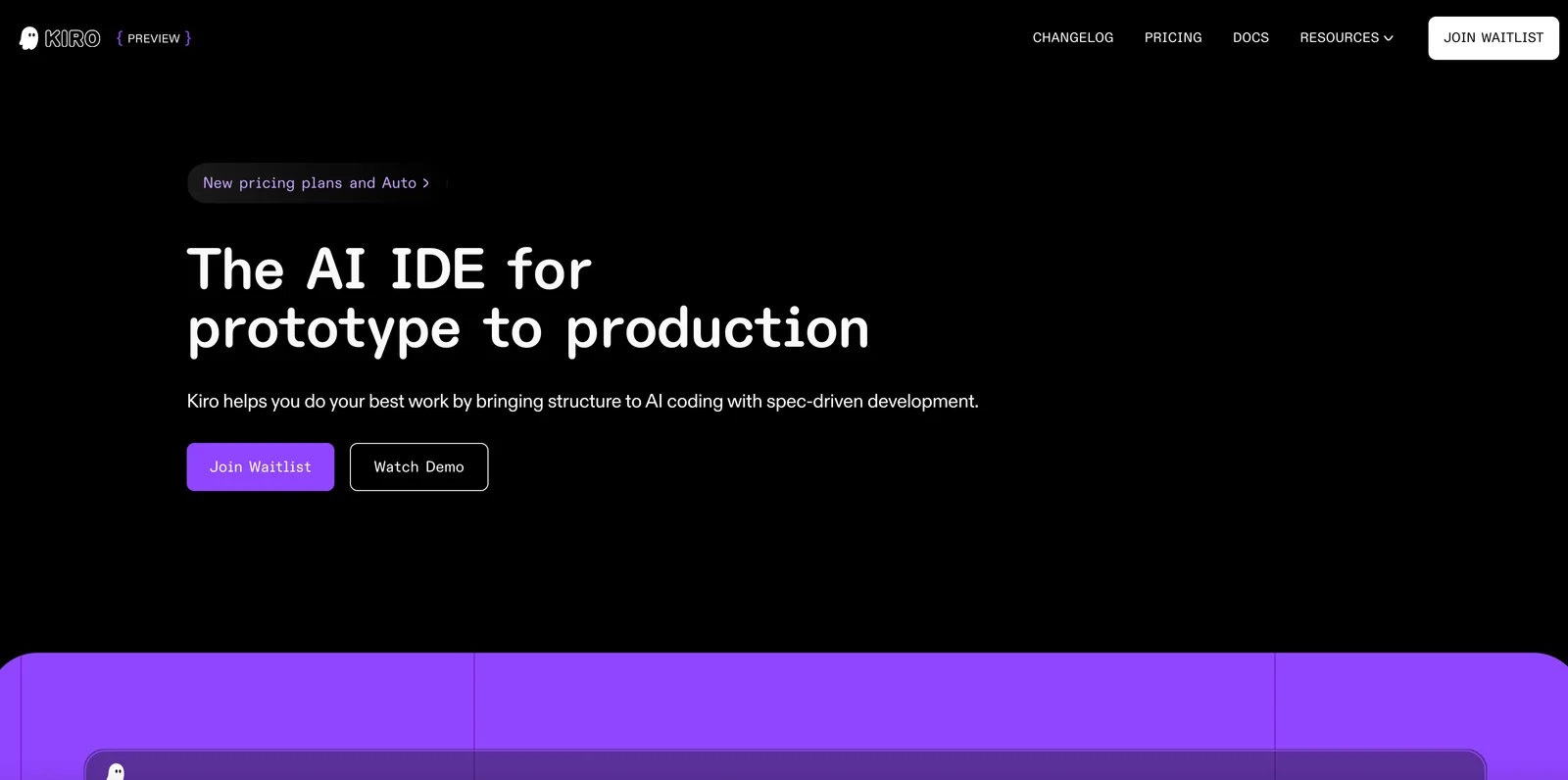
AIAgentic IDE that uses spec-driven development to turn prototypes into production-ready code and deployments.
Kiro
Agentic IDE that uses spec-driven development to turn prototypes into production-ready code and deployments.
About Kiro
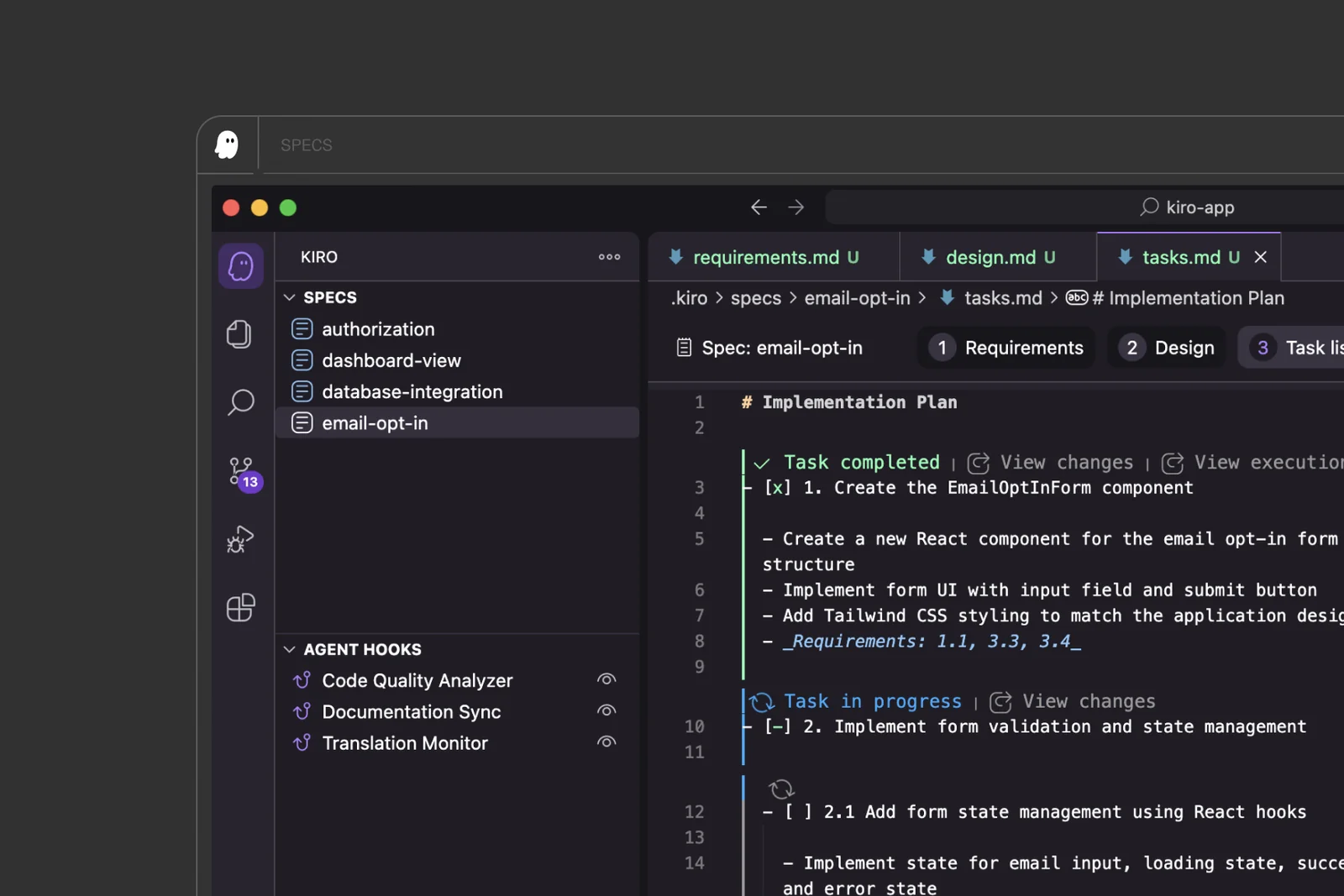
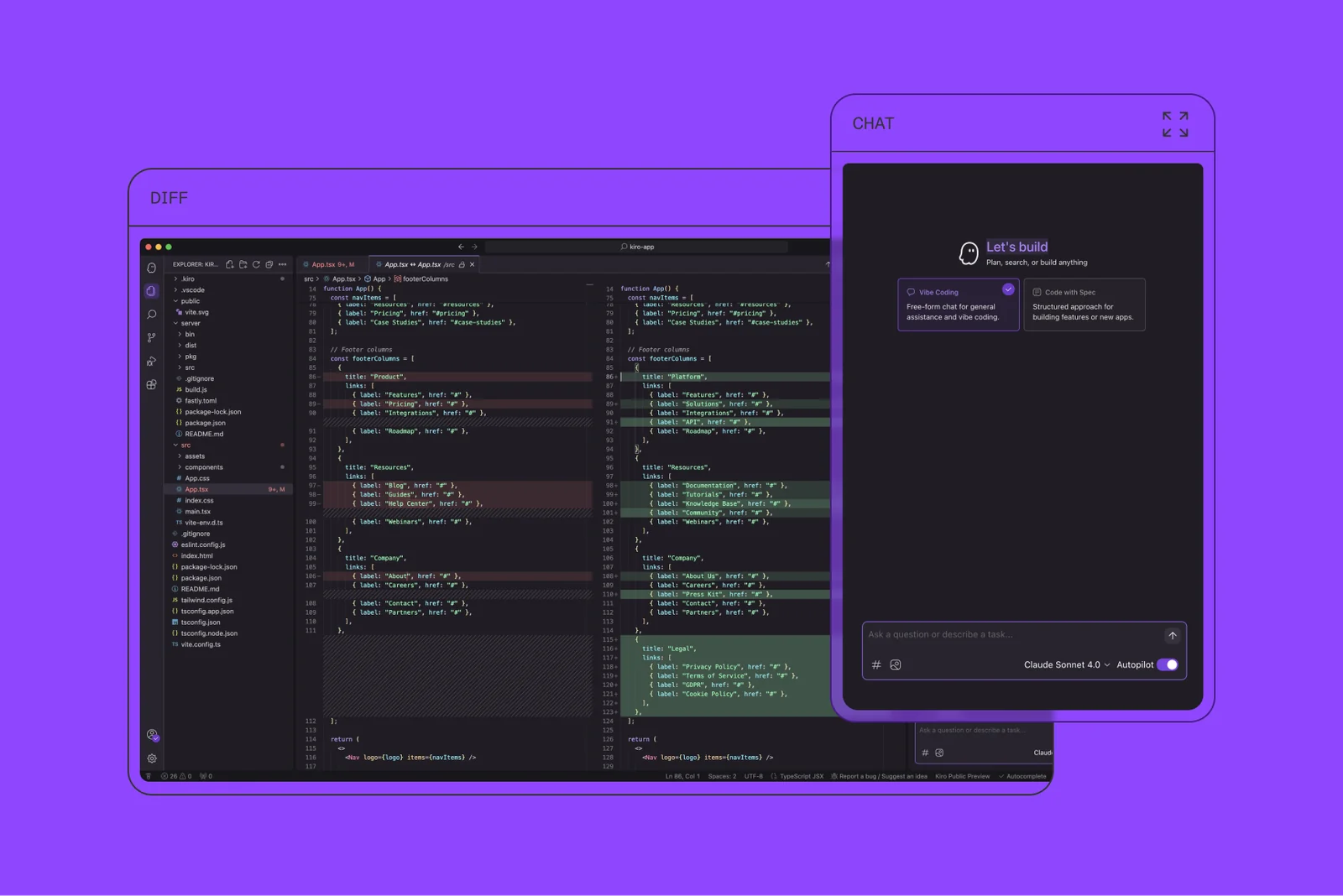
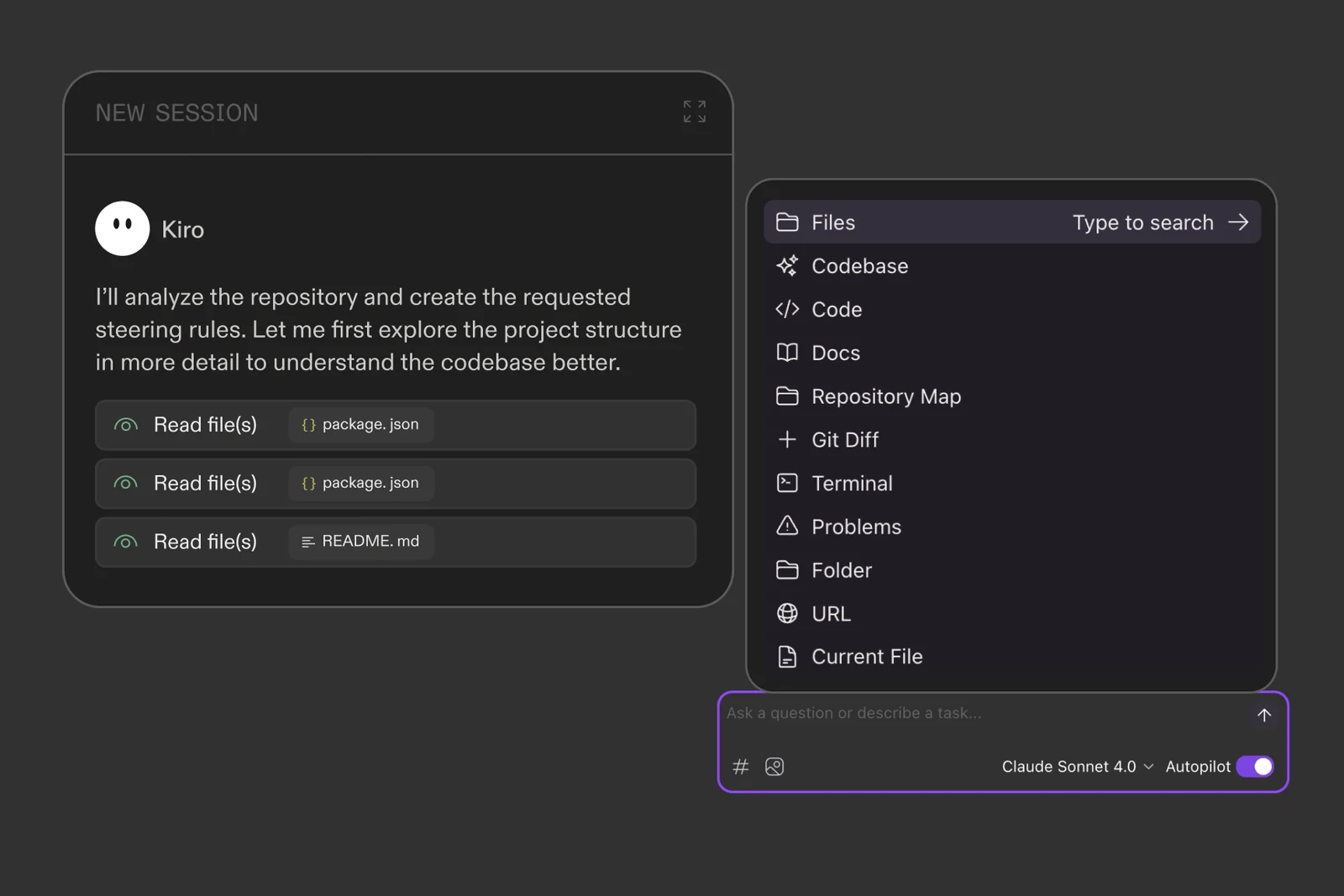
Kiro is an agentic integrated development environment (IDE) that guides developers from specification to production using natural-language specs and autonomous agents. Users write system and component specifications; Kiro interprets those specs, performs similarity searches against a project vector database, generates and edits code, runs tests, and assists with infrastructure and deployment. It emphasizes contextual reasoning, source attribution, and memory (context injection) so agents remain accurate across large codebases. Kiro's value is in automating repetitive engineering tasks, reducing token/API costs via targeted retrieval, and delivering production-ready artifacts through a spec-driven workflow and extensible hooks/agents.
Screenshots
Key Features
Use Cases



Frequently asked questions about Kiro
What are the pricing options for Kiro?
Kiro offers multiple pricing options to accommodate different user needs: a free tier with 50 monthly credits, a 14-day trial with 500 credits, and paid plans starting at $20/month for the Pro tier. The Pro tier provides additional credits and advanced features, making it suitable for more extensive usage.
Key Points
- Free Tier: 50 credits per month with no cost.
- Trial Period: 14-day free trial offering 500 credits.
- Paid Plans: Starting at $20/month for enhanced features.
Detailed Explanation
Kiro provides a flexible pricing structure designed to cater to both casual users and professionals. The Free Tier allows users to explore the platform with 50 credits each month, suitable for basic tasks or testing the software.
The 14-Day Free Trial is an excellent way for potential customers to evaluate Kiro's full capabilities, offering 500 credits to explore advanced features without any initial investment. This trial period is particularly beneficial for users who want to assess the platform's effectiveness for their specific needs.
For users requiring more extensive usage, Kiro's Paid Plans start at $20 per month, which unlocks the Pro Tier. This plan offers a significantly increased number of credits and additional features, such as priority customer support and access to premium tools. As users scale their needs, they can also explore higher-tier plans that provide even more credits and functionalities.
Best Practices / Tips
- Evaluate Your Needs: Before selecting a plan, assess your usage patterns to choose the most cost-effective option.
- Take Advantage of the Trial: Use the 14-day free trial to explore features and understand how Kiro can benefit your workflow.
- Monitor Credit Usage: Keep track of your credit consumption to avoid running out unexpectedly, especially if you are on a free or lower-tier plan.
- Consider Upgrading: If you find yourself frequently hitting credit limits, it may be wise to upgrade to a paid plan for uninterrupted service.
Additional Resources
How do I get started using Kiro?
To start using Kiro, visit the official website at kiro.dev, sign up for a free account, and explore its core features. You can also opt for a 14-day free trial to access Pro features, enabling you to fully experience the platform.
Key Points
- Sign up for a free account at kiro.dev.
- Explore core features immediately upon registration.
- Take advantage of the 14-day free trial for Pro features.
Detailed Explanation
Kiro is an innovative platform designed to streamline workflows and enhance productivity. To get started, follow these steps:
-
Visit the Website: Go to kiro.dev in your web browser. The homepage has clear navigation to guide you through the signup process.
-
Create an Account: Click on the “Sign Up” button. You’ll need to provide your email address and create a secure password. A verification email will be sent to confirm your registration.
-
Explore Core Features: Once logged in, you can access essential tools such as workflow automation, project management, and collaboration features. Take some time to familiarize yourself with the dashboard and user interface.
-
Try Pro Features: If you’re interested in advanced functionalities, consider starting the 14-day free trial of Kiro Pro. This trial gives you access to premium features like enhanced analytics, team collaboration tools, and priority support.
-
Utilize Learning Resources: Kiro offers tutorials and documentation that can help you maximize the tool’s capabilities. Explore the knowledge base for tips on best practices.
Best Practices / Tips
- Explore Tutorials: Kiro provides an array of tutorials that can help you understand how to utilize various features effectively. This is particularly useful during your trial period.
- Engage with the Community: Join Kiro’s user forums or social media groups to connect with other users. Sharing experiences can provide insights and tips.
- Feedback and Support: Don’t hesitate to reach out to Kiro’s support team if you encounter issues or have questions about features. Their support is responsive and helpful.
Additional Resources
By following these steps and resources, you can successfully get started with Kiro and leverage its features to enhance your productivity.
What are the key features of Kiro?
Kiro's key features include spec-driven development, autonomous agent modes, contextual memory, integrated code operations, and infrastructure assistance, all designed to enhance the efficiency of code generation and deployment. These capabilities empower developers to create robust applications with minimal manual input, streamlining the software development lifecycle.
Key Points
- Spec-Driven Development: Facilitates precise coding based on specifications.
- Autonomous Agent Modes: Enables AI-driven operations without constant human oversight.
- Contextual Memory: Remembers past interactions to improve future code suggestions.
Detailed Explanation
Kiro is an advanced AI development tool that significantly optimizes the coding process. Here’s a closer look at its key features:
Spec-Driven Development
Kiro's spec-driven development feature allows developers to create applications that align closely with defined specifications. This reduces ambiguity in coding, ensuring that the final product meets user requirements precisely. For instance, if a developer outlines a feature set that includes user authentication and data storage, Kiro can generate the necessary code snippets automatically.
Autonomous Agent Modes
The autonomous agent modes enable Kiro to operate independently, executing tasks without continuous human intervention. This feature is particularly beneficial for repetitive or time-consuming tasks, allowing developers to focus on more complex issues. For example, Kiro can automatically test code and provide feedback on potential bugs, thus accelerating the debugging process.
Contextual Memory
With contextual memory, Kiro retains information from previous coding sessions, enhancing its ability to provide relevant suggestions. This feature not only saves time but also improves the overall coding experience. As developers work on a project, Kiro can suggest code snippets that align with previously utilized functions or libraries, facilitating a more cohesive development process.
Integrated Code Operations
Kiro integrates various code operations seamlessly, allowing for smoother transitions between writing, testing, and deploying code. This integration helps reduce the friction commonly experienced when switching between different development tools or environments. For instance, once code is written, Kiro can assist in deploying it to cloud services directly from the integrated development environment (IDE).
Infrastructure Assistance
Kiro's infrastructure assistance feature offers guidance on setting up and managing the project’s underlying infrastructure. This includes recommendations for server configurations, database setups, and deployment strategies, which can be crucial for new developers or teams unfamiliar with specific technologies.
Best Practices / Tips
- Utilize Spec Templates: When starting a new project, use Kiro's spec templates to ensure all necessary features are defined upfront.
- Leverage Autonomous Modes Strategically: Use the autonomous agent modes for tasks that are repetitive but critical, such as code audits.
- Regularly Review Contextual Memory: Periodically check what Kiro remembers to ensure it aligns with your current project goals. This can help in refining suggestions.
- Stay Updated: Keep an eye on Kiro’s updates and new features to maximize the tool's potential in your development workflow.
Additional Resources
How does Kiro compare to other AI development tools?
Kiro distinguishes itself among AI development tools through its spec-driven development approach and autonomous agent modes. Unique features such as contextual memory and integrated operations enhance its capabilities, setting it apart from other platforms that may lack these advanced functionalities.
Key Points
- Spec-Driven Development: Kiro’s methodology allows developers to create AI models based on precise specifications.
- Autonomous Agent Modes: Offers intelligent agents that perform tasks independently, enhancing efficiency.
- Contextual Memory: This unique feature enables the AI to remember past interactions, improving user experience.
Detailed Explanation
Kiro’s spec-driven development framework allows users to define clear specifications for their AI projects, ensuring the end product aligns with their vision. Unlike many traditional AI tools, Kiro focuses on a structured approach where every aspect of the development process is informed by these specifications. This reduces ambiguity, making it easier for teams to collaborate and iterate on projects.
The autonomous agent modes are particularly noteworthy. Kiro's agents can perform complex tasks without requiring constant human oversight. This feature is ideal for businesses looking to automate repetitive processes, such as customer support or data analysis. For example, an autonomous agent can handle FAQs on a customer service platform, learning from interactions to provide increasingly accurate responses.
Moreover, Kiro’s contextual memory feature allows the AI to retain and utilize information from previous interactions. This means that the AI can provide personalized experiences, adapting its responses based on user history. For instance, if a user previously asked about a specific product, Kiro can reference that inquiry in future interactions, creating a seamless and engaging user experience.
Best Practices / Tips
- Define Clear Specifications: Start your project with well-defined goals and specifications to fully leverage Kiro’s capabilities.
- Utilize Autonomous Agent Features: Identify repetitive tasks in your workflow that can be automated using Kiro’s agents, enhancing productivity.
- Leverage Contextual Memory: Encourage users to interact with the AI regularly to maximize the benefits of contextual memory, improving the personalization of responses.
Additional Resources
Does Kiro provide an API for integration?
Yes, Kiro provides an API that enables developers to seamlessly integrate its functionalities into their applications, improving development workflows and enhancing user experiences. This API supports various features, making it a valuable resource for developers seeking to leverage Kiro's capabilities.
Key Points
- Robust API Functionality: Kiro’s API offers various features for integration.
- Ease of Use: The API is designed for developers of all skill levels.
- Improved Workflows: Integration enhances overall application performance and user experience.
Detailed Explanation
Kiro’s API is a versatile tool that allows developers to incorporate a range of functionalities into their applications. This includes features such as data retrieval, real-time updates, and user authentication. The API is RESTful, making it compatible with various programming languages and platforms, including JavaScript, Python, and Ruby.
Example Use Case
For instance, a developer building a financial application can use Kiro's API to enable users to access real-time transaction data, which can significantly enhance the user experience. They can pull in data from Kiro’s platform directly into their app, providing users with up-to-date information at their fingertips.
Step-by-Step Guidance
- Access the API Documentation: Start by reviewing Kiro's API documentation to understand the available endpoints and functionalities.
- Obtain API Keys: Sign up on Kiro’s platform to get your API keys, which are required for authentication.
- Make API Calls: Use appropriate HTTP methods (GET, POST, etc.) to interact with the API endpoints.
- Handle Responses: Implement error handling to manage API responses effectively, ensuring a smooth user experience.
Best Practices / Tips
- Thoroughly Test Your Integration: Before going live, ensure that your API calls are returning the expected results and that errors are handled gracefully.
- Optimize for Performance: Minimize the number of API calls by caching data where applicable, which can significantly enhance application responsiveness.
- Stay Updated: Regularly check for updates to Kiro’s API documentation, as features and best practices may evolve over time.
Additional Resources
Explore more AI Ai Agents tools
Browse all Ai Agents tools →Browse by use case: Code Generation · Automation & Productivity
Compare Kiro: vs Phoenix.vu · vs Dropstone · vs Apache Maka · vs Construct Computer