

Effie
AIA minimalist AI-powered workspace combining notes, lists, mindmaps and outlining for focused productivity.
Effie
A minimalist AI-powered workspace combining notes, lists, mindmaps and outlining for focused productivity.
About Effie
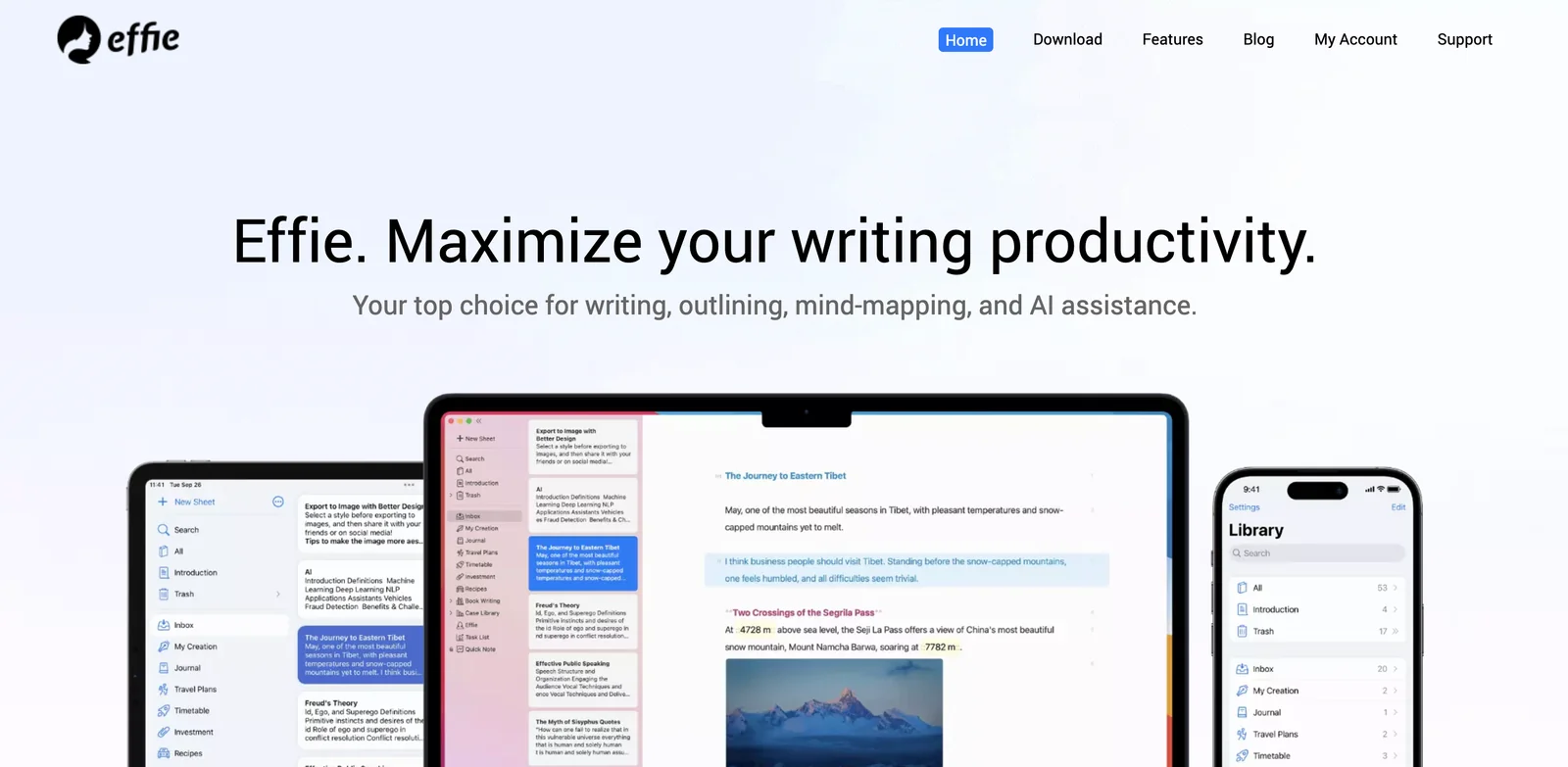
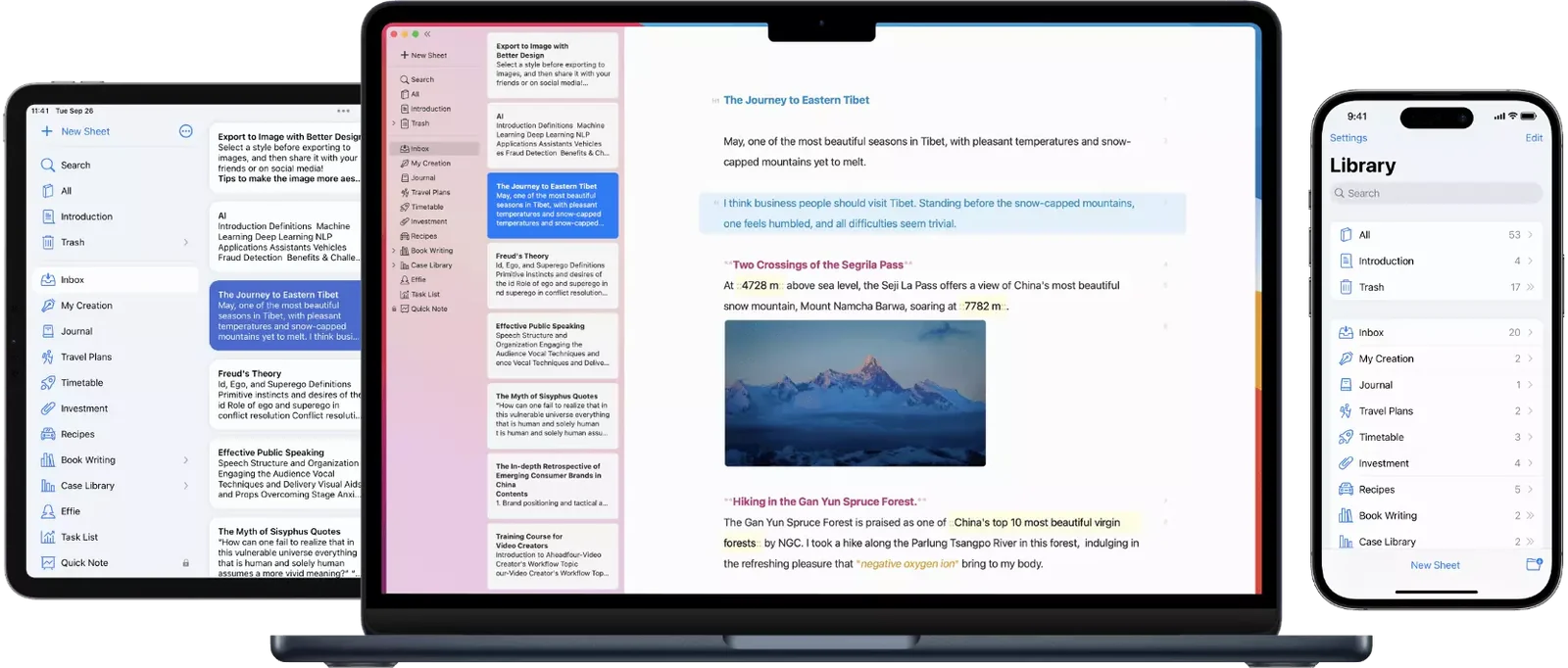
Effie is an AI-enhanced note-taking workspace that combines plain notes, list management, outlining and mindmapping in a single minimalist interface. It helps users capture ideas, structure thoughts into outlines, and visualize relationships through integrated mindmaps while keeping the UI uncluttered to support focused work. The product emphasizes fast writing, simple organization, and lightweight workflows for personal productivity and creative planning.
Screenshots
Key Features
Use Cases



Frequently asked questions about Effie
What are the pricing options for Effie?
Effie offers a freemium model with a free tier that includes basic features. Pro plans range from $4.99 to $8 per month, with annual subscriptions priced between $29.99 and $48. Additionally, specialized AI plans start at $7.99 monthly, catering to users seeking enhanced features.
Key Points
- Freemium Model: Basic features available for free.
- Pro Plans: Monthly fees from $4.99 to $8.
- AI-Specific Plans: Starting at $7.99 monthly.
Detailed Explanation
Effie’s pricing structure is designed to accommodate various user needs, making it accessible for both casual users and professionals.
-
Freemium Model: The free version of Effie provides essential tools like task management and basic scheduling. This allows users to explore the platform without any financial commitment, making it ideal for those who are just starting or on a tight budget.
-
Pro Plans: For those looking for more advanced features, Effie offers Pro plans. The monthly pricing ranges from $4.99 to $8 based on the features selected. These plans typically include enhanced capabilities such as custom templates, premium support, and additional integrations, which can significantly improve productivity.
-
AI-Specific Plans: Recognizing the growing demand for AI tools, Effie provides specialized plans starting at $7.99 per month. These plans offer advanced features like AI-driven insights, automated suggestions, and machine learning capabilities that help users optimize their workflows and improve efficiency.
Best Practices / Tips
- Assess Your Needs: Determine which features you require before selecting a plan. If you're a casual user, starting with the free version is advisable.
- Annual Savings: Consider opting for an annual subscription if you plan to use Effie long-term, as it offers significant savings compared to paying monthly.
- Trial Periods: Take advantage of any trial periods offered for Pro or AI plans. This allows you to explore advanced features without immediate commitment.
Additional Resources
This comprehensive overview of Effie's pricing options should help you make an informed decision on which plan best suits your needs.
How does Effie's AI-assisted writing feature work?
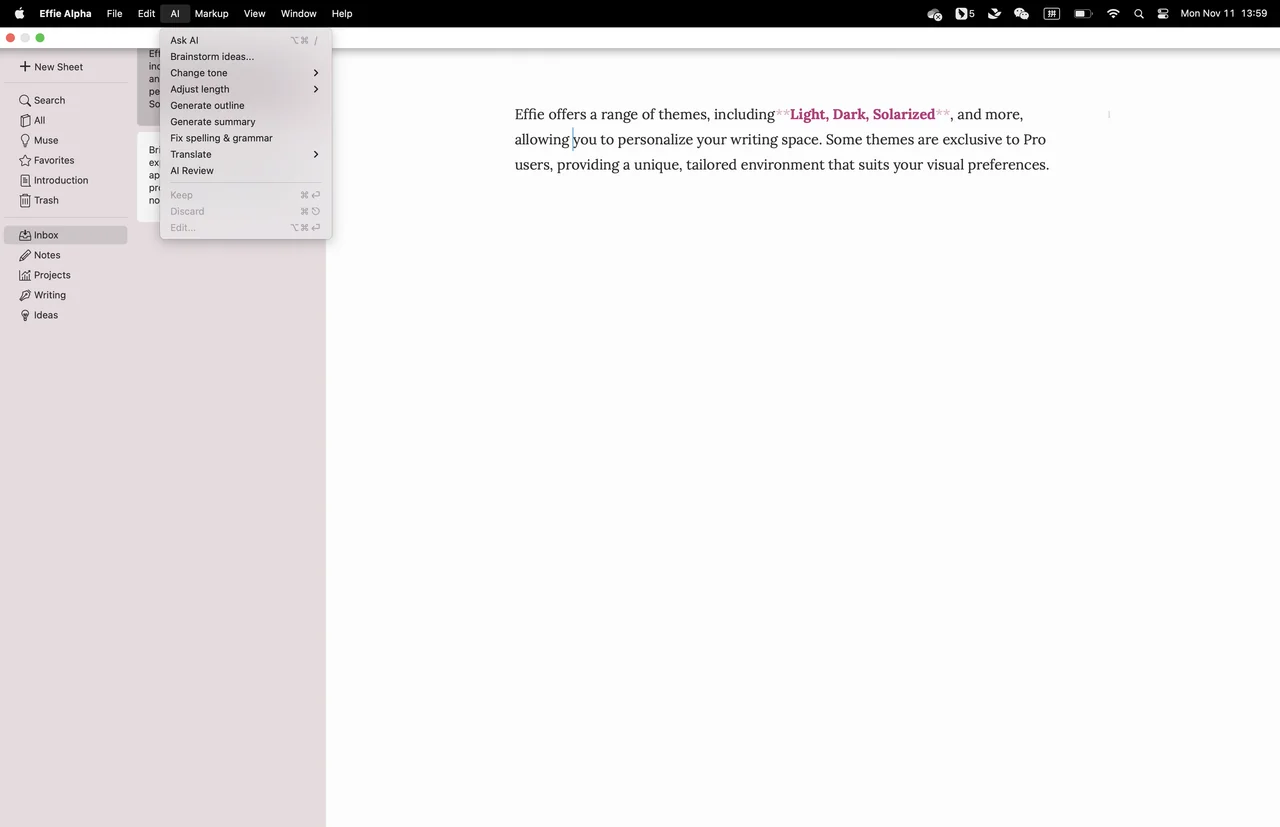
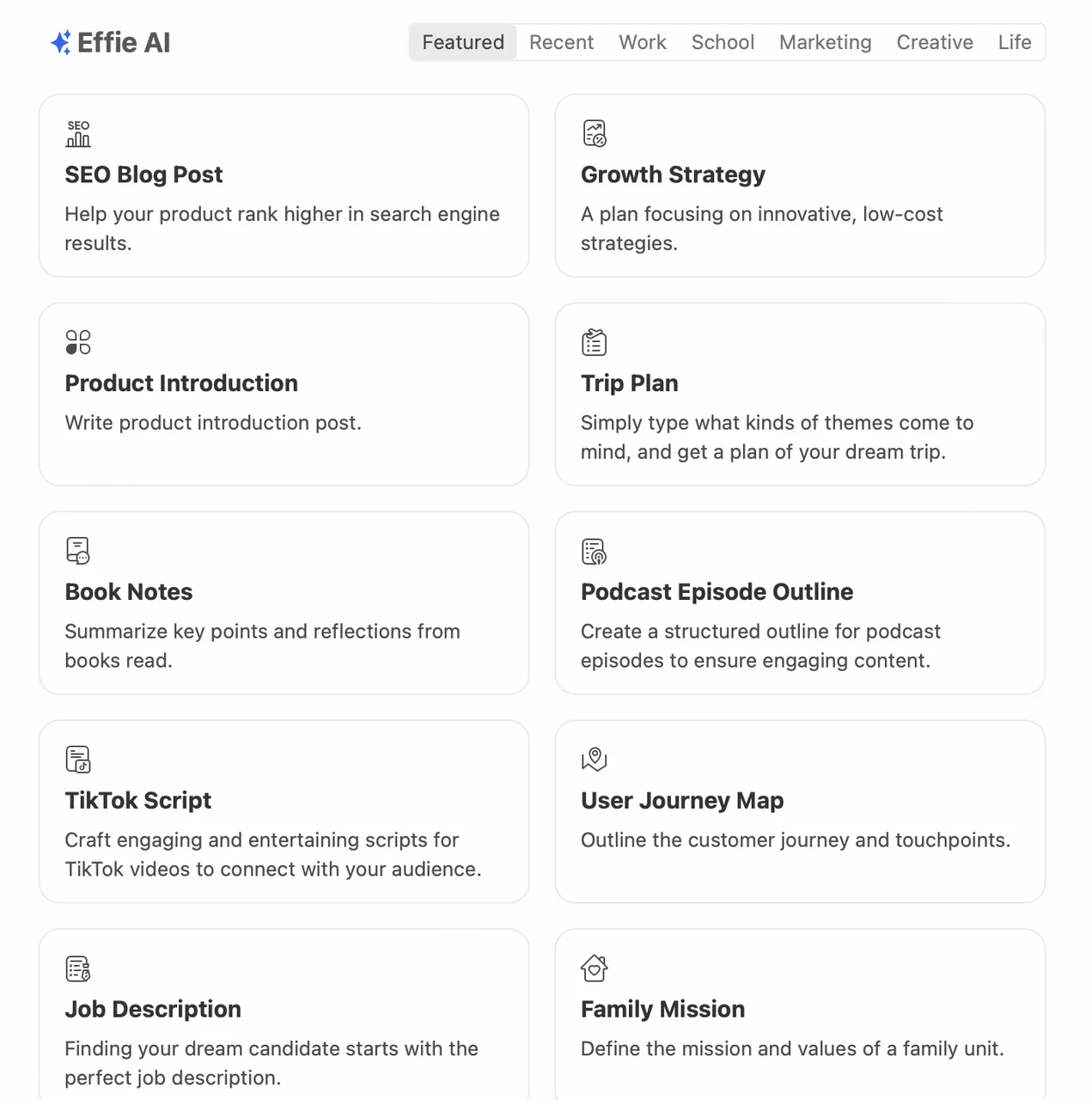
Effie's AI-assisted writing feature leverages advanced algorithms to provide real-time suggestions and restructuring options, significantly enhancing the process of organizing notes and outlines. This functionality streamlines the creation and refinement of high-quality content, making it an invaluable tool for writers and content creators.
Key Points
- Real-Time Suggestions: Offers instant feedback to improve writing quality.
- Restructuring Options: Provides alternatives for better organization and flow.
- User-Friendly Interface: Easy to navigate, suitable for all skill levels.
Detailed Explanation
Effie's AI-assisted writing feature utilizes machine learning to analyze your text and offers tailored suggestions that enhance clarity and coherence. For example, if you're drafting an article, Effie's AI will identify complex sentences or jargon and suggest simpler alternatives, improving readability.
Additionally, it can propose different structures for your outlines, enabling you to see various ways to organize your ideas effectively. This is particularly useful during the brainstorming phase, where multiple perspectives can lead to richer, more engaging content.
Here's how the feature works in a practical scenario:
- Input Your Notes: Start by typing or pasting your rough notes into the Effie platform.
- Receive Suggestions: As you write, Effie analyzes your content and highlights areas for improvement.
- Explore Restructuring Options: Click on suggested edits to see alternative phrasings or structural changes, allowing you to choose the best fit for your writing style.
- Refine and Finalize: Use the feedback to enhance your draft, ensuring it's polished and ready for publication.
Best Practices / Tips
- Utilize the Suggestions: Regularly review and implement the suggestions offered by Effie's AI to continuously improve your writing skills.
- Experiment with Structures: Don’t hesitate to try different organizational methods suggested by the AI; this can lead to discovering a unique voice or style.
- Review Before Finalizing: Always double-check the AI's recommendations to ensure they align with your intended message and tone.
Additional Resources
How do I get started with Effie?
To get started with Effie, visit the official website at effie.pro, create an account, and select a plan that fits your needs. The platform's user-friendly interface enables you to begin taking notes, creating lists, or designing mind maps immediately.
Key Points
- User-Friendly Interface: Effie is designed for ease of use, making it accessible for users of all levels.
- Flexible Plans: Various pricing options are available to cater to different user needs.
- Versatile Features: Effie supports note-taking, list-making, and mind mapping, enhancing productivity.
Detailed Explanation
Getting started with Effie is straightforward and designed to encourage productivity. Here’s how you can do it:
- Visit the Website: Head over to effie.pro to access the platform.
- Create an Account: Click on the sign-up button, where you will need to provide your email and create a password. You may also have the option to sign up using social media accounts for quicker access.
- Choose Your Plan: Effie offers several plans, including a free trial. Evaluate the features available in each plan—such as storage limits, collaboration tools, and premium features—to select one that aligns with your needs.
- Explore the Interface: Once logged in, take a few minutes to familiarize yourself with the dashboard. Effie's intuitive layout allows you to easily navigate through options for note-taking, list creation, and mind mapping.
- Start Using Features: Begin by creating your first note or mind map. Use templates if available, or dive straight into creating your unique content. Effie’s tools are designed to enhance your organizational skills and streamline your workflow.
Best Practices / Tips
- Utilize Templates: If Effie offers templates for lists or mind maps, make use of them to save time and ensure a structured format.
- Regular Backups: Regularly export your notes or lists to avoid data loss, especially if you’re using a free plan with storage limits.
- Explore Collaboration Features: If you're working on projects with others, explore the sharing and collaboration tools to enhance teamwork.
- Stay Updated: Check for updates or new features regularly, as Effie may introduce tools that can improve your user experience.
Additional Resources
- Effie Help Center - Access tutorials and FAQs for in-depth guidance.
- Effie Blog - Read about tips, tricks, and updates related to productivity and organization.
- User Community Forum - Connect with other users to share experiences, tips, and best practices.
Does Effie have an API for integration?
Currently, Effie does not provide a public API or developer documentation for integration purposes. For any specific integration needs or technical inquiries, it is advisable to reach out directly to Effie's support team for further assistance and detailed information.
Key Points
- Effie lacks a public API for third-party integrations.
- No developer documentation is available at this time.
- Direct support contact is recommended for specific integration queries.
Detailed Explanation
Effie, known for its innovative solutions, currently does not support a public API, which means developers cannot access its functionalities programmatically or integrate it with other software platforms. This limitation can impact businesses looking to automate workflows or connect Effie with other tools.
For instance, if your organization relies on software like CRMs, project management tools, or other automation platforms, the absence of an API could hinder streamlined operations. While Effie’s features can be accessed through its interface, API integration is vital for tasks such as real-time data syncing, user management, and custom application development.
If you have specific technical requirements, contacting Effie’s support team is the best course of action. They can provide insights into potential future API availability or assist with alternative integration methods that may suit your needs.
Best Practices / Tips
- Contact Support: Always reach out to Effie’s support for clarity on integration options.
- Document Your Needs: Clearly define your integration requirements before contacting support to get precise guidance.
- Explore Alternatives: Consider third-party integration platforms or services that might bridge the gap until an API is available.
Additional Resources
Feel free to explore these links for more detailed guidance on Effie's functionalities and support options.
How does Effie compare to other productivity tools?
Effie is distinguished by its minimalist interface and integrated mind-mapping features, making it a top choice for focused productivity. While it provides unique AI-assisted writing capabilities, it may lack some advanced functionalities that other complex productivity tools offer, such as extensive integrations or detailed analytics.
Key Points
- User-Friendly Design: Effie's minimalist interface enhances user experience and productivity.
- AI Writing Assistance: Offers innovative AI tools for improved writing efficiency.
- Mind Mapping Integration: Facilitates brainstorming and idea organization seamlessly.
Detailed Explanation
Effie is designed for users who prioritize simplicity and efficiency in their productivity tools. Its clean interface allows users to focus on tasks without distractions. Unlike many competitors, which may overwhelm users with complex features, Effie emphasizes a streamlined approach.
Unique Features
-
AI-Assisted Writing: Effie leverages AI to assist users in drafting content, suggesting edits, and improving writing quality. This feature is particularly beneficial for content creators and marketers seeking to enhance their output without spending excessive time on revisions.
-
Mind Mapping: Integrated mind-mapping capabilities enable users to visualize ideas and concepts effectively. This functionality is crucial for project planning and brainstorming sessions, allowing teams to collaborate more efficiently.
Comparisons with Competitors
While tools like Trello or Asana offer extensive project management features, they can become cumbersome for users who prefer a straightforward approach. Effie's focus on core functionalities allows users to maintain high productivity without navigating through unnecessary complexity.
Best Practices / Tips
- Maximize AI Features: Take full advantage of Effie’s AI writing tools by regularly utilizing them in your workflow to save time and improve output quality.
- Utilize Mind Mapping: Regularly create mind maps for projects to visualize the connections between ideas, which can lead to more innovative solutions.
- Balance with Other Tools: If you require advanced analytics or integrations, consider using Effie in conjunction with other tools for a more comprehensive productivity solution.
Additional Resources
Explore more AI Ai Agents tools
Browse all Ai Agents tools →Compare Effie: vs Apache Maka · vs Construct Computer · vs ShogunAI · vs fx