
Stickerbox
AIVoice-powered creative tool that instantly transforms spoken ideas into stickers you can color, share, and collect.
Stickerbox
Voice-powered creative tool that instantly transforms spoken ideas into stickers you can color, share, and collect.
About Stickerbox
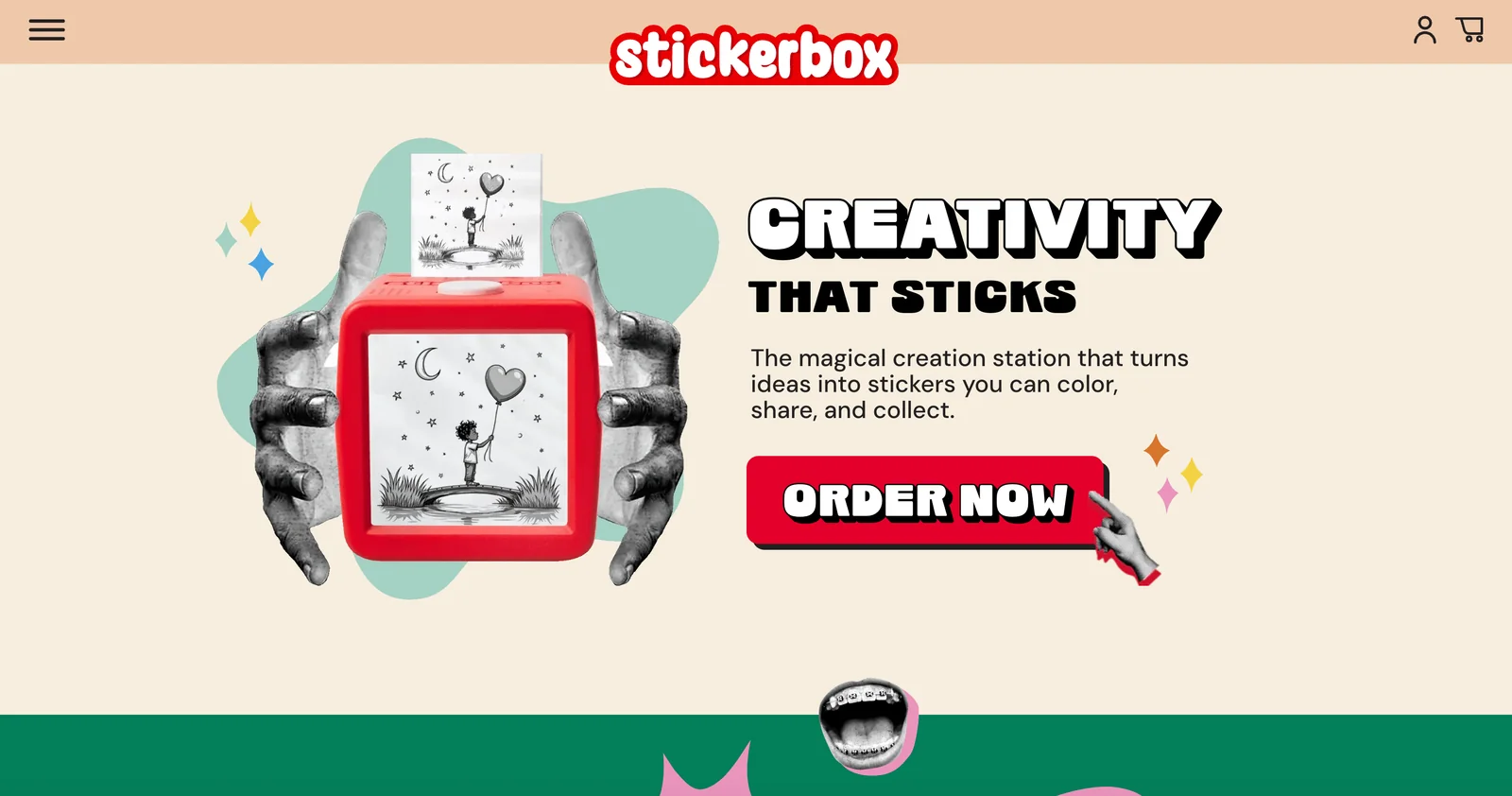
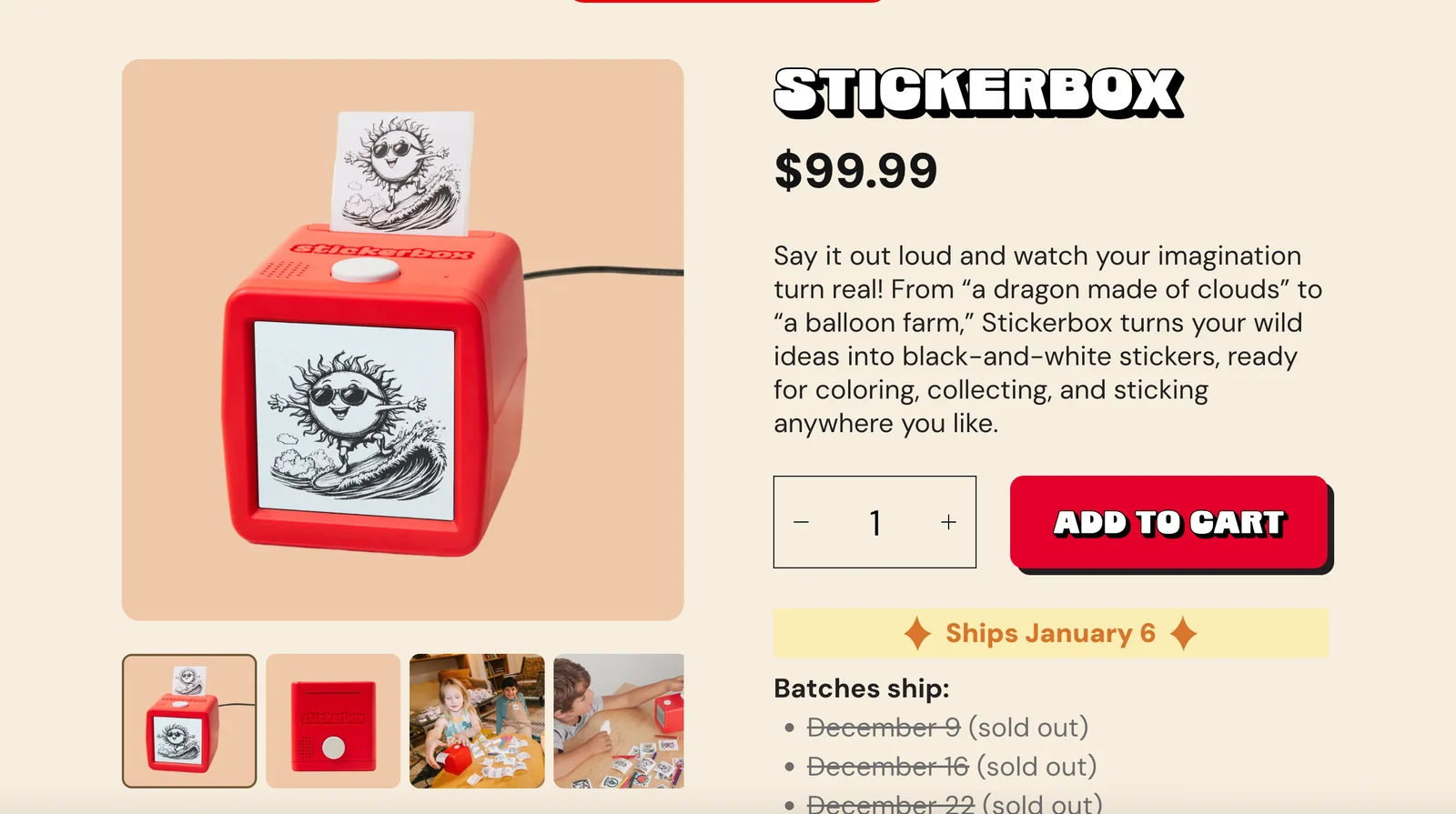
Stickerbox is a voice-powered creative app that converts spoken ideas into sticker artwork users can color, personalize, share, and collect. It removes the friction of typing or manual drawing by letting users speak a concept and receive an instantly generated sticker which can be edited for color and style. The product is positioned for casual creators, messaging users, and social sharing—making rapid idea-to-art workflows simple and social. Its unique value is the combination of voice input with immediate visual sticker output and lightweight editing and collection features.
Screenshots
Key Features
Use Cases



Frequently asked questions about Stickerbox
How do I get started with Stickerbox?
To get started with Stickerbox, purchase the Stickerbox Device Starter Kit for $99.99, which includes all necessary components to create custom stickers. Next, download the companion app from your device's app store to manage your sticker designs, and follow the setup instructions included in the kit.
Key Points
- Purchase the Starter Kit: The Stickerbox Device Starter Kit is essential for your sticker-making journey.
- Download the Companion App: The app is crucial for managing and creating your stickers.
- Follow Setup Instructions: Proper setup ensures optimal use of your Stickerbox.
Detailed Explanation
Getting started with Stickerbox is straightforward. First, acquire the Stickerbox Device Starter Kit, priced at $99.99, which includes the Stickerbox device, adhesive sticker sheets, and a user manual. This kit provides everything you need to begin creating custom stickers right away.
After purchasing the kit, download the Stickerbox Companion App from the App Store or Google Play Store. This app is designed to enhance your sticker-making experience by allowing you to design stickers digitally, manage your projects, and send them directly to the Stickerbox device for printing.
Once the app is installed, follow the setup instructions provided in the kit. This typically involves connecting the Stickerbox device to your Wi-Fi network and pairing it with the app on your mobile device. Make sure to create an account or log in to access all features.
Best Practices / Tips
- Explore Design Features: Familiarize yourself with the app’s design tools, including templates and customization options, to create unique stickers.
- Use Quality Images: For the best results, use high-resolution images in your sticker designs.
- Regularly Update the App: Keep the companion app updated to benefit from new features and improvements.
- Practice Safety: When handling the Stickerbox device and materials, ensure you follow safety guidelines, particularly with sharp tools.
Additional Resources
What are the main features of Stickerbox?
Stickerbox offers innovative features such as voice-powered sticker generation, instant artwork creation, customizable coloring options, and efficient sticker sharing and organization. This app is ideal for quick creative expression and managing personal sticker collections, making it a must-have for art enthusiasts and casual users alike.
Key Points
- Voice-Powered Sticker Generation: Create stickers using voice commands.
- Instant Artwork Creation: Generate unique designs in seconds.
- Customizable Coloring Options: Personalize your stickers with various colors.
Detailed Explanation
Stickerbox stands out with its voice-powered sticker generation, allowing users to simply speak their ideas and have them transformed into unique stickers. This feature is particularly useful for those who want to brainstorm creatively without manually drawing or searching for existing images.
With instant artwork creation, Stickerbox enables users to produce original designs rapidly. Users can choose templates or start from scratch, making it perfect for social media posts, messages, or personal projects. The app is user-friendly, catering to both beginners and experienced artists.
The customizable coloring options allow users to modify sticker colors easily, ensuring that creations match their personal style or thematic requirements. Users can select from a wide palette, making it simple to personalize stickers for any occasion or mood.
Additionally, Stickerbox provides functionalities for sharing and organizing stickers, helping users manage their collections effectively. Stickers can be categorized into folders for easy access, and sharing options facilitate quick distribution across social media platforms or direct messaging apps.
Best Practices / Tips
- Explore Voice Commands: Familiarize yourself with the voice commands to streamline your sticker creation process.
- Use Templates: Take advantage of pre-designed templates to save time and inspire creativity.
- Organize Regularly: Regularly categorize your stickers into folders to maintain an easily navigable collection.
- Experiment with Colors: Don’t hesitate to try various color combinations to enhance the visual appeal of your stickers.
Additional Resources
By leveraging Stickerbox’s features effectively, users can maximize their creative potential and enjoy a seamless sticker-making experience.
Is there a free option for using Stickerbox?
Yes, Stickerbox offers a free option through the Stickerbox Club, which grants members a complimentary 3-pack of paper rolls and early access to product updates. However, to use the main Stickerbox device, you will need to make a one-time payment of $99.99.
Key Points
- Join the Stickerbox Club for free benefits.
- Receive a complimentary 3-pack of paper rolls.
- Main device requires a one-time payment of $99.99.
Detailed Explanation
Stickerbox provides a unique platform for those looking to enhance their creative projects with customizable stickers. By joining the Stickerbox Club for free, users gain several advantages, including:
- Free 3-Pack of Paper Rolls: New members receive a complimentary pack, which allows them to get started without any initial investment.
- Early Access to Product Updates: Club members are prioritized for updates, ensuring they are the first to know about new features and products.
- Community Engagement: Joining the club also gives access to a community of Stickerbox users, where members can share ideas, tips, and creative uses for their stickers.
Although the club membership is free, the main Stickerbox device, essential for creating stickers, requires a one-time payment of $99.99. This cost covers the device's technology, which integrates seamlessly with the Stickerbox app to create custom stickers on demand.
Best Practices / Tips
- Maximize Your Free Benefits: Take full advantage of your free 3-pack by experimenting with different designs and uses for your stickers.
- Stay Updated: Regularly check for product updates and community tips to enhance your Stickerbox experience.
- Share Your Creations: Engage with the Stickerbox community by sharing your sticker designs. This can provide inspiration and feedback for future projects.
Additional Resources
What technical requirements are needed to use Stickerbox?
Stickerbox requires a compatible smartphone or tablet with Bluetooth capabilities to connect with the Stickerbox device. Additionally, ensure your device is running the latest version of the companion app, which is essential for seamless operation. The Stickerbox device also comes with a power cord for straightforward setup.
Key Points
- Compatibility: Smartphone or tablet required.
- Bluetooth Requirement: Must support Bluetooth connectivity.
- App Version: Latest version of the companion app is necessary.
Detailed Explanation
To effectively use Stickerbox, you need a compatible smartphone or tablet. Most modern devices, including iOS and Android smartphones, meet this requirement. Ensure your device has Bluetooth capabilities, as this is crucial for connecting to the Stickerbox device. You can typically find Bluetooth settings in your device's settings menu.
Setup Steps
- Download the Companion App: Visit the App Store or Google Play Store to download the Stickerbox companion app.
- Check Bluetooth Settings: Make sure Bluetooth is enabled on your device. If not, navigate to Settings > Bluetooth and toggle it on.
- Connect to Stickerbox: Power on your Stickerbox device using the provided power cord. Open the app and follow the instructions to connect your device via Bluetooth.
- Update the App: Ensure that you’re using the latest version of the app for optimal performance. Updates often include new features and bug fixes.
Best Practices / Tips
- Keep Your Device Updated: Regularly check for updates for both your smartphone and the Stickerbox app to avoid connectivity issues.
- Maintaining Battery Life: Ensure that your smartphone or tablet has a sufficient battery charge during use to prevent disconnections.
- Troubleshooting: If you encounter connection issues, try restarting both your device and the Stickerbox device. Check that Bluetooth is functioning properly on your smartphone.
Additional Resources
How does Stickerbox compare to other sticker creation tools?
Stickerbox is unique among sticker creation tools due to its innovative voice-powered feature, enabling users to create stickers from spoken ideas instantly. This makes it faster and more engaging than traditional design tools, catering perfectly to casual users, educators, and those looking for a fun, efficient design experience.
Key Points
- Voice-Powered Creation: Create stickers by speaking ideas.
- User-Friendly Interface: Designed for casual users and educators.
- Quick and Playful: Faster than traditional design tools, enhancing creativity.
Detailed Explanation
Stickerbox revolutionizes sticker creation with its voice-powered technology. Users can simply articulate their ideas, and the tool instantly generates stickers based on those spoken inputs. This feature is particularly beneficial for educators who can quickly create teaching materials or for casual users who want to express their creativity without the steep learning curve typical of other design software.
In contrast to conventional sticker design tools, which often require extensive knowledge of graphic design principles and software skills, Stickerbox prioritizes accessibility. Users can easily navigate its intuitive interface, allowing them to focus on creativity rather than technical skills. For example, a teacher can say, "Create a sticker of a smiling apple with glasses," and within seconds, Stickerbox generates the requested design.
Additionally, Stickerbox's playful nature encourages experimentation. Users can combine various elements, colors, and styles effortlessly, making it suitable for both personal projects and educational purposes. This flexibility and ease of use position Stickerbox as an excellent choice for anyone looking to add a creative touch to their communications.
Best Practices / Tips
- Experiment with Voice Commands: Utilize different phrases to see how Stickerbox interprets your ideas. This can lead to unique sticker designs.
- Engage Students: Encourage students to use Stickerbox for creative projects, making learning more interactive and fun.
- Combine Designs: Use multiple stickers in one project to create themed sets or series, enhancing visual storytelling.
Additional Resources
Explore more AI Ai Services tools
Browse all Ai Services tools →Browse by use case: Voice & Audio
Compare Stickerbox: vs Claude Academy · vs Switchyard · vs Router by Ramp · vs Supernova