

ClawTick
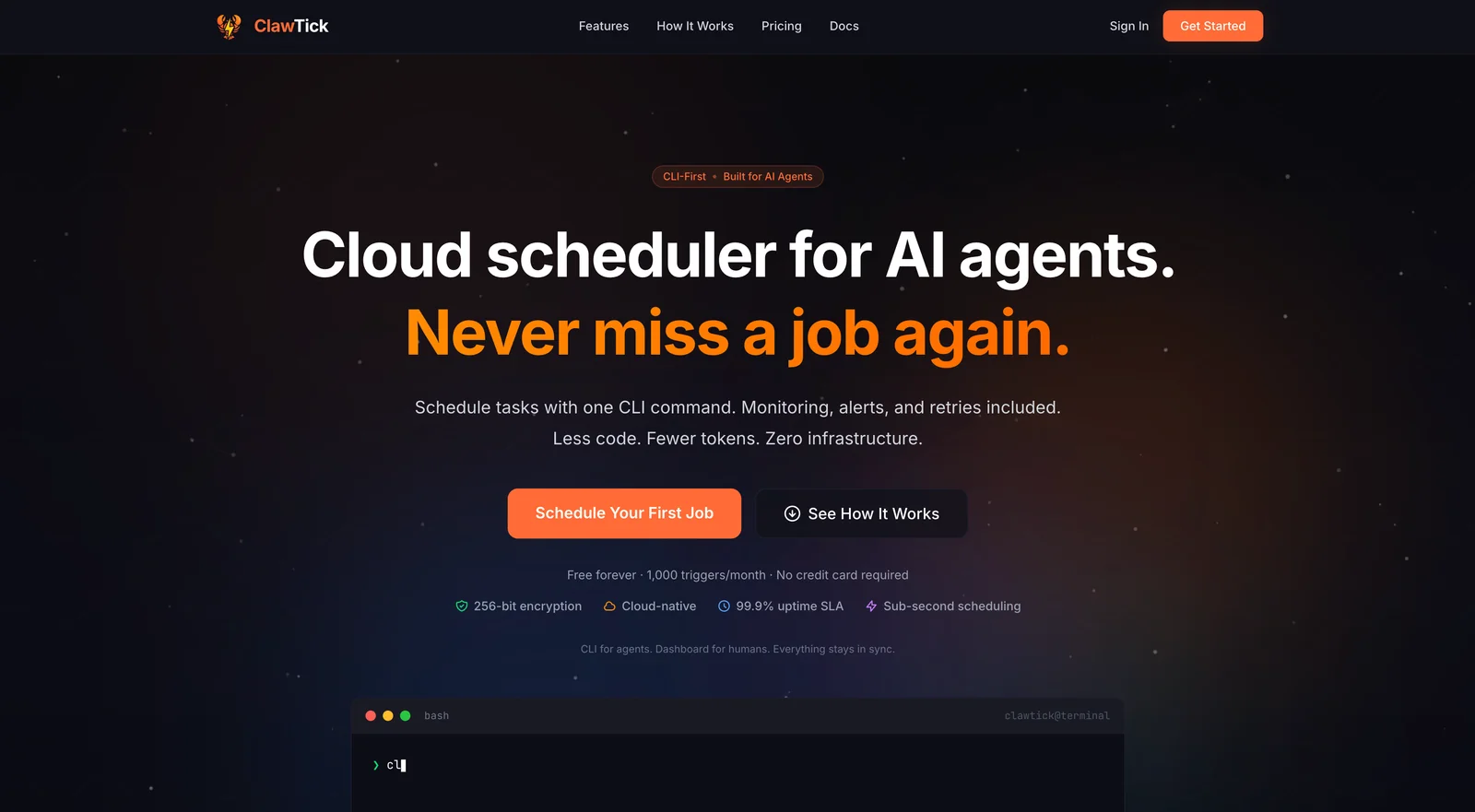
AIAI agent automation platform to schedule LangChain, CrewAI and custom agent tasks via CLI with built-in monitoring, alerts, and logs.
ClawTick
AI agent automation platform to schedule LangChain, CrewAI and custom agent tasks via CLI with built-in monitoring, alerts, and logs.
About ClawTick
ClawTick is an AI-agent-focused automation platform that schedules and orchestrates agent tasks (LangChain, CrewAI, and custom agents) via a CLI-first workflow. It provides built-in monitoring, centralized logs, and alerting to track agent runs and failures, while optimizing token usage and reducing boilerplate code to prevent context rot. ClawTick is designed for developers and ML engineers who need reliable, repeatable scheduling and observability for production agent pipelines without extensive infrastructure overhead.
Screenshots
Key Features
Use Cases



Frequently asked questions about ClawTick
What is ClawTick?
ClawTick is an AI agent automation platform that enables users to schedule tasks with LangChain, CrewAI, and custom agents through a command-line interface (CLI). It features built-in monitoring, alerts, and logs, allowing for efficient task management with less code and reduced token usage, while avoiding context rot.
Key Points
- AI Agent Automation: Simplifies the scheduling of various AI tasks.
- Command-Line Interface: Provides a user-friendly CLI for efficient task management.
- Built-in Monitoring: Offers real-time alerts and logs for better oversight.
Detailed Explanation
ClawTick is designed to streamline the automation of AI agents, making it an essential tool for developers and businesses using AI technologies. The platform allows users to:
- Schedule Tasks: Easily schedule tasks with popular AI frameworks such as LangChain and CrewAI. Users can also create custom agents tailored to their specific needs.
- Utilize CLI: The command-line interface simplifies the process of managing and scheduling tasks without requiring extensive coding knowledge. This feature is particularly beneficial for those looking for quick solutions to automate repetitive tasks.
- Monitor Performance: ClawTick comes with built-in monitoring capabilities that provide real-time alerts and logs. This ensures that users can track the performance of their tasks and quickly address any issues that arise.
Use Cases
- Automating Customer Support: Businesses can deploy AI agents to handle customer inquiries efficiently, reducing response times and improving customer satisfaction.
- Data Processing: Automating data entry or analytics tasks, allowing teams to focus on more strategic initiatives.
- Content Creation: Use AI agents to generate content, schedule posts, and analyze engagement metrics.
Best Practices / Tips
- Choose the Right Framework: When scheduling tasks, consider the specific capabilities of LangChain and CrewAI to maximize efficiency.
- Regular Monitoring: Make use of the monitoring features to keep an eye on task performance and adjust schedules as necessary to optimize efficiency.
- Minimize Token Usage: Be mindful of token consumption by structuring tasks to be as efficient as possible; this can lead to cost savings, especially in large-scale deployments.
Additional Resources
How does ClawTick work?
ClawTick leverages advanced artificial intelligence to streamline everyday workflows for users. By integrating machine learning, natural language processing, and automation, ClawTick enhances productivity and simplifies complex tasks, making it an essential tool for professionals seeking efficiency in their daily operations.
Key Points
- AI Integration: ClawTick incorporates machine learning and natural language processing.
- Workflow Automation: It automates repetitive tasks, freeing up time for users.
- User-Friendly Interface: Designed for ease of use, making it accessible to all skill levels.
Detailed Explanation
ClawTick operates by utilizing several core AI capabilities that enhance user productivity. Here’s how it works:
-
AI Integration: ClawTick employs machine learning algorithms that analyze user behavior and preferences. This allows the tool to provide personalized suggestions and adapt to individual workflows. For instance, if you frequently use certain templates for reports, ClawTick will prioritize those options for you.
-
Workflow Automation: One of ClawTick's standout features is its ability to automate routine tasks. This includes scheduling, data entry, and content generation. For example, if you often send follow-up emails, ClawTick can automate this process by using pre-set templates and timing, ensuring nothing slips through the cracks.
-
User-Friendly Interface: ClawTick is designed with a focus on simplicity. Its intuitive dashboard allows users to easily navigate through features without requiring extensive training. This accessibility means that professionals from various fields, regardless of technical proficiency, can harness the power of AI to improve their workflows.
Best Practices / Tips
- Explore Customization Options: Take advantage of ClawTick’s customization features to tailor the tool to your specific needs. This could include setting up personalized templates or adjusting notification settings.
- Regularly Update Features: Keep an eye on updates and new features released by ClawTick to maximize its potential. Regularly check the official website or user forums for tips and tricks.
- Avoid Over-Automation: While automation can save time, be cautious not to automate every task. Some activities require a personal touch, especially in client communications or creative work.
Additional Resources
By following these insights, users can effectively leverage ClawTick to enhance their productivity and streamline their daily tasks.
What are the main features of ClawTick?
ClawTick features advanced AI capabilities, intuitive user interfaces, customizable workflows, and robust analytics tools. These functionalities empower users to streamline their processes, enhance productivity, and gain deep insights into their operations, making it a versatile tool for various industries.
Key Points
- Advanced AI Capabilities: Integrates machine learning for improved decision-making.
- User-Friendly Interface: Designed for easy navigation and accessibility.
- Customizable Workflows: Adaptable features to meet specific business needs.
Detailed Explanation
ClawTick stands out in the marketplace due to its advanced AI capabilities. It leverages machine learning algorithms to analyze data patterns, enabling businesses to make informed decisions. For instance, users can automate data entry and predictive analytics, which enhances operational efficiency.
The user-friendly interface allows users of all technical levels to navigate the platform effortlessly. This means that even those with minimal tech experience can quickly learn to use ClawTick effectively. The design includes drag-and-drop functionalities, intuitive dashboards, and context-sensitive help to streamline user experience.
One of ClawTick’s most powerful features is its customizable workflows. Businesses can tailor processes to fit their unique requirements, allowing for flexibility in operations. For example, organizations can set specific triggers for notifications, automated reports, or task assignments based on their operational needs.
Additionally, ClawTick provides robust analytics tools that offer real-time insights into business performance. Users can create detailed reports that visualize key metrics, helping teams identify trends and areas for improvement. This analytical capability supports data-driven decision-making across various departments.
Best Practices / Tips
- Leverage AI Tools: Utilize ClawTick’s AI features to automate repetitive tasks, freeing up time for more strategic work.
- Customize Your Dashboard: Personalize your dashboard to display the most relevant metrics, enhancing your workflow efficiency.
- Regular Training: Ensure team members are familiar with the platform through regular training sessions to maximize usage and minimize errors.
Additional Resources
Who is ClawTick for?
ClawTick is designed for professionals, businesses, and individuals seeking to streamline their daily workflows with AI tools. It caters to educators, marketers, data analysts, and anyone eager to enhance productivity through automation and efficient task management.
Key Points
- Target Audience: Professionals and individuals in various fields.
- Primary Use Cases: Workflow automation, task management, and productivity enhancement.
- Benefits: Time-saving, increased efficiency, and ease of use.
Detailed Explanation
ClawTick serves a diverse range of users including educators, marketers, and data analysts. For educators, it can simplify lesson planning and grading processes by automating repetitive tasks. Marketers benefit from ClawTick by automating campaign management and data analysis, enabling them to focus on creative strategies instead of mundane details. Data analysts can leverage its capabilities to streamline data processing and visualization, making insights more accessible.
For example, a small business owner can use ClawTick to automate customer service responses, freeing up time to engage in strategic growth initiatives. By integrating ClawTick into daily operations, users can reduce workload and improve overall efficiency.
Best Practices / Tips
- Start Small: Begin by automating simple tasks before scaling up to more complex workflows.
- Utilize Templates: Leverage ClawTick’s pre-built templates to quickly set up common workflows.
- Regularly Review: Continuously assess and refine your workflows to adapt to changing needs and technologies.
Additional Resources
By understanding who ClawTick is for and how it can be utilized, users can maximize their productivity and harness the full potential of AI-driven workflows.
How much does ClawTick cost?
ClawTick offers a free tier that allows users to access basic features, while paid plans start at $10 per month for advanced functionalities. Pricing may vary based on the specific features and user needs, making it suitable for both individuals and teams.
Key Points
- ClawTick has a free tier for basic usage.
- Paid plans start at $10 per month.
- Pricing may change based on selected features.
Detailed Explanation
ClawTick provides users with a flexible pricing model designed to cater to various needs. The free tier allows users to utilize essential features, making it ideal for individuals or small teams just getting started. This tier often includes basic project management tools, limited integrations, and basic support.
For users seeking more advanced capabilities, such as enhanced reporting, priority support, or team collaboration features, ClawTick offers paid plans. These plans typically begin at $10 per month, allowing access to additional functionalities like advanced analytics, custom integrations, and increased storage. Businesses may find value in these features to streamline their workflows and improve team productivity.
For larger teams or enterprises, ClawTick may provide custom plans tailored to specific requirements. This could include bulk pricing discounts or additional user accounts at a negotiated rate, ensuring that organizations get the best value for their investment.
Best Practices / Tips
- Evaluate Your Needs: Before choosing a plan, assess your current and future needs. If you’re just starting, the free tier might suffice; however, if you envision growth, consider a paid plan.
- Take Advantage of Trials: If available, utilize free trials of paid features to determine their value before committing financially. This helps in making an informed decision.
- Stay Updated: Pricing and features can change, so regularly check ClawTick’s official website for the latest updates and special offers that may suit your needs.
Additional Resources
- ClawTick Pricing Plans - Official pricing page for detailed information.
- ClawTick Features - Explore the specific features included in each plan.
- Customer Support - Access support resources and contact information for assistance.
How do I get started with ClawTick?
To get started with ClawTick, simply visit ClawTick's official website to create an account. After signing up, you can explore its features and tools to enhance your project management and productivity.
Key Points
- User Registration: Create an account easily through the website.
- Feature Exploration: Familiarize yourself with ClawTick's tools.
- Community Engagement: Connect with other users for shared insights.
Detailed Explanation
Getting started with ClawTick involves a few straightforward steps:
- Visit the Website: Go to ClawTick.com.
- Sign Up: Click on the “Sign Up” button, and fill in your details, including your email address and a secure password. You may also have the option to sign up using social media accounts for quicker access.
- Explore Features: Once registered, take a tour of ClawTick’s dashboard. Key features include task management, team collaboration tools, and project timelines. Utilize the tutorial videos and user guides available on the site to maximize your understanding.
- Customize Your Workspace: Adjust settings to suit your workflow. You can set up project categories, assign tasks to team members, and establish deadlines.
- Engage with the Community: Join forums or ClawTick’s community pages to learn best practices from other users. This can enhance your experience and provide new ideas for using the platform effectively.
Best Practices / Tips
- Regularly Update Your Tasks: Keep your task list current to improve accountability and transparency.
- Utilize Integrations: ClawTick supports integration with various productivity tools like Slack, Google Calendar, and Trello. Leverage these to streamline your workflow.
- Set Reminders: Use the reminder feature to ensure deadlines are met and tasks are completed on time.
- Participate in Training: Attend webinars or training sessions offered by ClawTick to deepen your understanding of advanced features.
Additional Resources
- ClawTick Documentation - Access detailed user manuals and FAQs.
- ClawTick Community Forum - Join discussions and share tips with other users.
- ClawTick Blog - Read articles on productivity and project management strategies.
Explore more AI Ai Agents tools
Browse all Ai Agents tools →Browse by use case: Code Generation · Automation & Productivity
Compare ClawTick: vs Apache Maka · vs Construct Computer · vs ShogunAI · vs fx