

Reindeer
AICursor-like AI IDE for databases that understands schemas, generates production-ready SQL, autocompletes, and fixes queries to boost productivity.
Reindeer
Cursor-like AI IDE for databases that understands schemas, generates production-ready SQL, autocompletes, and fixes queries to boost productivity.
About Reindeer
Reindeer is an AI-powered, Cursor-style integrated environment for managing databases. It analyzes your database schema to provide context-aware completions, generates production-ready SQL queries in seconds, and offers automated fixes and suggestions without forcing you to leave your development environment. The tool aims to reduce context switching, accelerate query development, and lower the chance of SQL errors by providing intelligent, schema-informed assistance directly where developers work.
Screenshots
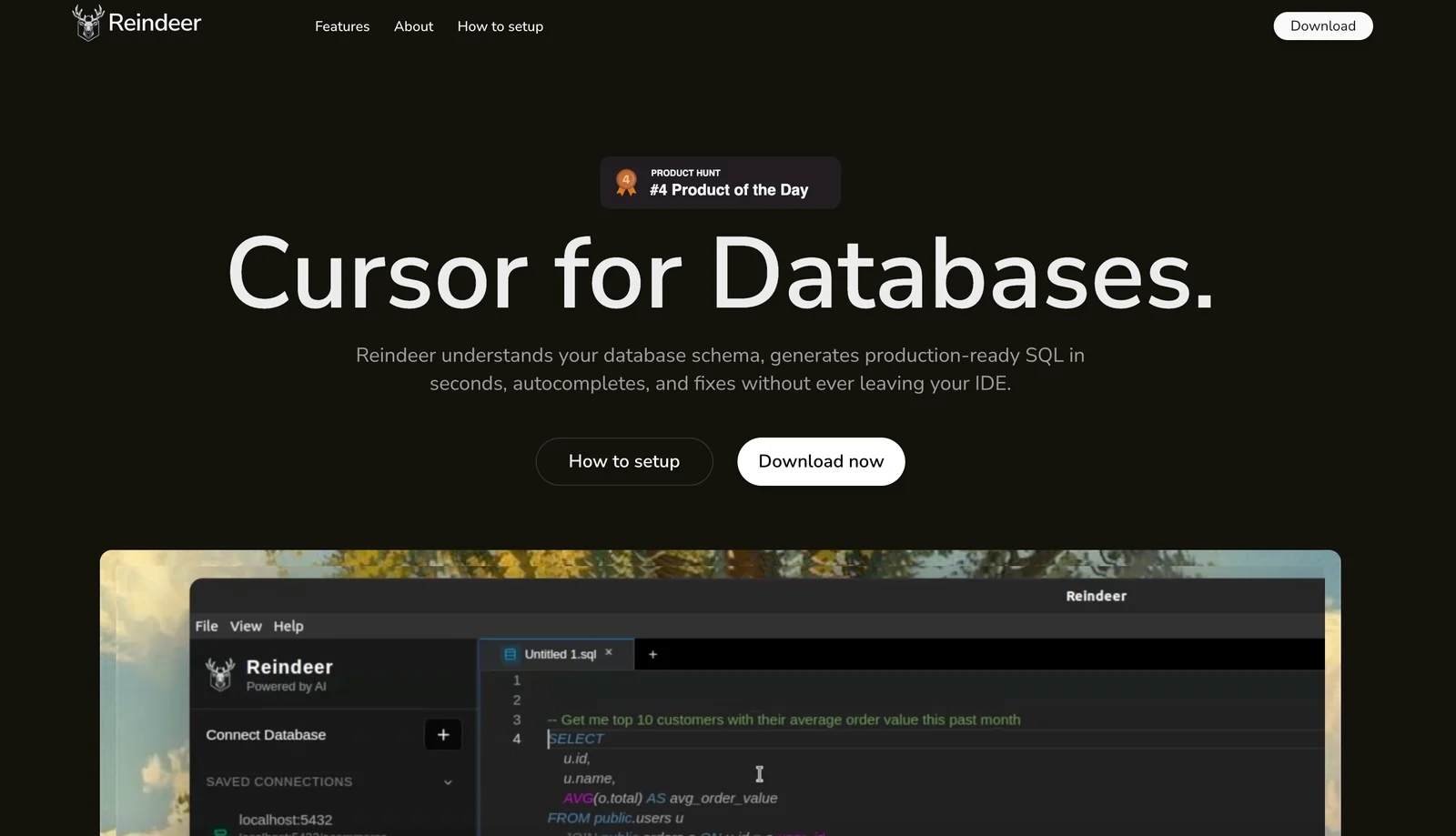

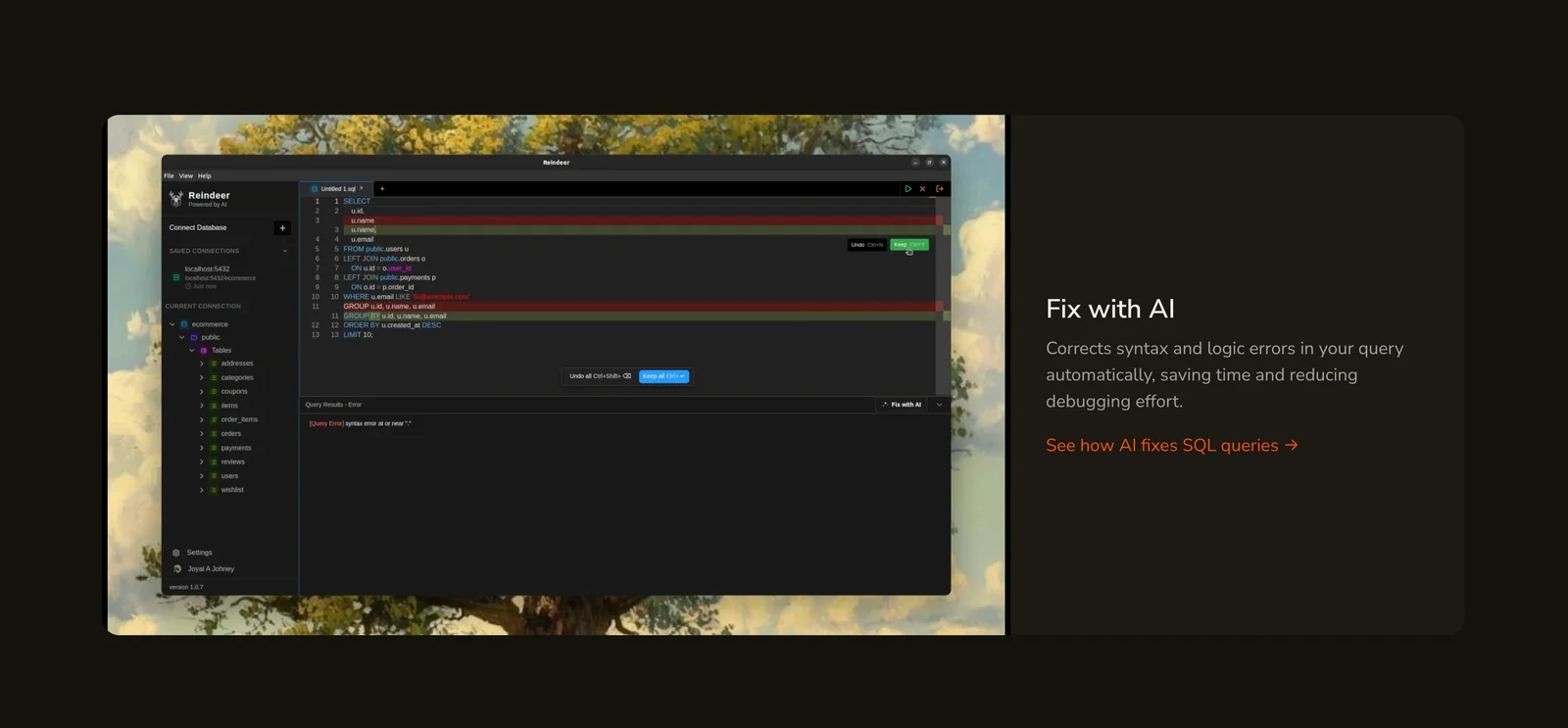
Key Features
Use Cases



Frequently asked questions about Reindeer
What pricing options are available for Reindeer?
Reindeer offers a freemium pricing model, including a free tier that provides essential features, along with custom pricing options for Pro and Enterprise plans. For specific pricing details tailored to your needs, it is recommended to contact Reindeer directly.
Key Points
- Freemium Model: Offers a free tier with core functionalities.
- Pro and Enterprise Plans: Custom pricing available for advanced needs.
- Contact for Pricing: Specific pricing details require direct inquiry.
Detailed Explanation
Reindeer’s pricing structure is designed to cater to various user needs, from casual users to large enterprises. The freemium model allows users to start with a free account, which includes essential features such as project management tools, basic analytics, and collaboration options. This tier is ideal for individuals or small teams looking to test the platform without any financial commitment.
For organizations with more complex requirements, Reindeer offers Pro and Enterprise plans. These plans include advanced functionalities like custom integrations, enhanced analytics, priority support, and dedicated account management. The pricing for these plans is not publicly listed, as it varies based on the organization’s size, needs, and the specific features selected.
To get the most accurate and tailored pricing information, users should reach out directly to Reindeer’s sales team. This ensures that you receive a plan that aligns perfectly with your specific use case and budget.
Best Practices / Tips
- Evaluate Your Needs: Before contacting Reindeer, assess your team's requirements to ensure you select the right plan.
- Utilize the Free Tier: Take full advantage of the free tier to understand the platform's capabilities.
- Inquire About Discounts: Ask about potential discounts for annual billing or non-profit organizations when discussing Pro or Enterprise pricing.
Additional Resources
What are the key features of Reindeer for database management?
Reindeer is a powerful database management tool featuring schema understanding, production-ready SQL generation, intelligent autocompletion, real-time query fixes, and an integrated IDE experience. These features significantly enhance developer productivity and streamline the process of managing and querying databases.
Key Points
- Schema Understanding: Automatically interprets database structures.
- Production-Ready SQL Generation: Creates optimized SQL code for efficient execution.
- Intelligent Autocompletion: Offers context-aware code suggestions.
Detailed Explanation
Reindeer is designed to simplify database management for developers by providing a robust set of features.
-
Schema Understanding: Reindeer automatically analyzes and understands the schema of your databases, allowing users to visualize relationships and data types. This feature helps in avoiding common errors related to data integrity and enhances the overall database design process.
-
Production-Ready SQL Generation: The tool generates SQL queries that are not only syntactically correct but also optimized for performance. This means that developers can focus on functionality without worrying about the efficiency of their queries, which is crucial for maintaining fast and responsive applications.
-
Intelligent Autocompletion: With intelligent autocompletion, Reindeer predicts what you are trying to write based on the context of your work. This feature saves time and reduces coding errors, making it easier for both novice and experienced developers to write complex SQL queries.
-
Real-Time Query Fixes: As you write SQL queries, Reindeer provides real-time feedback and corrections. This feature helps identify syntax errors or logical issues instantly, enabling developers to fix problems before executing their queries.
-
Integrated IDE Experience: Reindeer offers an integrated development environment (IDE) that combines all these features into a single platform. This integration means developers can work more efficiently, moving seamlessly between writing, testing, and optimizing their SQL queries.
Best Practices / Tips
- Leverage Schema Understanding: Regularly review the schema insights provided by Reindeer to optimize your database structure.
- Utilize SQL Generation: Always use the production-ready SQL generation feature to ensure your queries are optimized before execution.
- Practice Real-Time Query Fixes: Make a habit of addressing the real-time feedback provided by Reindeer to enhance your coding skills and reduce errors.
- Explore the Integrated IDE: Familiarize yourself with the IDE features to take full advantage of Reindeer’s capabilities.
Additional Resources
How can I start using Reindeer for SQL query generation?
To start using Reindeer for SQL query generation, visit the official Reindeer website and sign up for the free tier. Once registered, you can immediately access core functionalities, including SQL generation and schema understanding, allowing you to optimize your database queries effectively.
Key Points
- Sign Up for Free: Access the free tier to explore Reindeer’s features.
- Core Functionalities: Utilize SQL generation and schema understanding tools.
- User-Friendly Interface: Experience an intuitive dashboard for easy navigation.
Detailed Explanation
Reindeer is designed to simplify SQL query generation for both beginners and experienced users. Here’s how to get started:
- Visit the Official Website: Go to Reindeer’s website to begin the registration process.
- Create an Account: Click on the sign-up button and enter your details. You can choose the free tier, which provides access to essential features.
- Explore the Dashboard: Upon logging in, you will see a user-friendly dashboard. This interface allows you to navigate through various functionalities, including:
- SQL Query Generation: Use natural language prompts to generate complex SQL queries effortlessly. For example, typing "Show me all customers from New York" can automatically create the necessary SQL command.
- Schema Understanding: Input your database schema, and Reindeer will help you understand relationships and generate queries based on the structure.
- Experiment with Features: The free tier includes features like query optimization suggestions and examples. You can test different queries to see how Reindeer interprets your requests.
Best Practices / Tips
- Leverage Tutorials: Check out Reindeer’s tutorials and guides for tips on maximizing SQL generation capabilities.
- Use Clear Language: When typing natural language for queries, clarity is key. The more specific you are, the better the generated SQL will be.
- Stay Updated: Keep an eye on new features or updates in Reindeer to utilize enhancements that can improve your experience.
Additional Resources
- Reindeer Official Documentation
- Getting Started Guide
- Community Forum for user discussions and support.
What are the technical requirements for integrating Reindeer into my development environment?
Reindeer integrates seamlessly into various development environments, but detailed technical specifications such as supported IDEs, programming languages, and system requirements are not publicly available. For precise integration details tailored to your setup, it’s best to contact Reindeer directly.
Key Points
- Integration Compatibility: Works with multiple development environments.
- Lack of Public Specifications: Specific details on IDEs and languages are limited.
- Direct Support: Contacting Reindeer is necessary for tailored guidance.
Detailed Explanation
Reindeer is designed to enhance development workflows by integrating with existing tools and environments. However, the specifics regarding its compatibility with popular Integrated Development Environments (IDEs) like Visual Studio Code, IntelliJ IDEA, or Eclipse have not been disclosed. This means that potential users may need to conduct preliminary assessments to determine if Reindeer can be effectively integrated into their current setups.
Supported Languages and Frameworks
While Reindeer does not list specific programming languages or frameworks, it is essential to evaluate your existing environment. For instance, if your projects are primarily in Python, JavaScript, or Java, it would be prudent to inquire directly about compatibility with these languages.
Use Cases
Consider a scenario where a team is using Reindeer for project management in a Node.js application. In this case, understanding whether Reindeer supports Node.js and the specific version would be crucial for a successful integration.
Best Practices / Tips
- Contact Support: Always reach out to Reindeer’s support team for the most accurate and up-to-date information regarding integration.
- Test in a Sandbox Environment: If possible, set up a sandbox environment to trial the integration before implementing it in a live project.
- Stay Updated: Follow Reindeer’s official channels for updates on supported environments and features.
Additional Resources
How does Reindeer compare to other SQL query tools?
Reindeer differentiates itself from other SQL query tools by offering a cursor-like IDE experience, schema-aware query generation, and advanced autocompletion features. These enhancements significantly improve the efficiency and effectiveness for developers, making it a compelling choice compared to traditional SQL tools.
Key Points
- Cursor-like IDE Experience: Offers a seamless, interactive interface.
- Schema-aware Query Generation: Automatically understands database structure.
- Advanced Autocompletion Features: Reduces coding time and errors.
Detailed Explanation
Reindeer is designed to enhance the SQL query experience, particularly for developers who require speed and accuracy. Its cursor-like IDE experience allows users to navigate through queries much like they would in a text editor, facilitating a more intuitive workflow. This interface makes it easy to write, test, and debug SQL queries without constantly switching contexts.
The schema-aware query generation is another standout feature. Unlike traditional tools that require users to manually remember database structures, Reindeer automatically recognizes the schema. This means users can generate queries that are not only syntactically correct but also optimized for performance, reducing the risk of runtime errors.
Advanced autocompletion enhances productivity by suggesting possible query completions based on context. This feature is particularly useful for complex queries, where remembering every table name and column can be challenging. For instance, if a user types "SELECT * FROM", Reindeer can suggest available tables in the current database, streamlining the development process.
Best Practices / Tips
- Utilize Autocompletion: Take full advantage of Reindeer’s autocompletion to speed up query writing.
- Explore Schema Features: Familiarize yourself with the schema-aware capabilities to improve query accuracy and efficiency.
- Test Queries: Regularly test your SQL queries within the IDE to catch errors early in the development cycle.
Additional Resources
By leveraging these features and following best practices, developers can maximize their productivity and effectiveness when using Reindeer compared to other SQL query tools.
Explore more AI Ai Agents tools
Browse all Ai Agents tools →Compare Reindeer: vs Expertise AI · vs ify · vs Hacktron · vs Ninjō AI