

Claude Cowork
AIDesktop agent interface that brings Claude Code’s agentic capabilities to local files, long tasks, and parallel workflows in a secure VM.
Claude Cowork
Desktop agent interface that brings Claude Code’s agentic capabilities to local files, long tasks, and parallel workflows in a secure VM.
About Claude Cowork
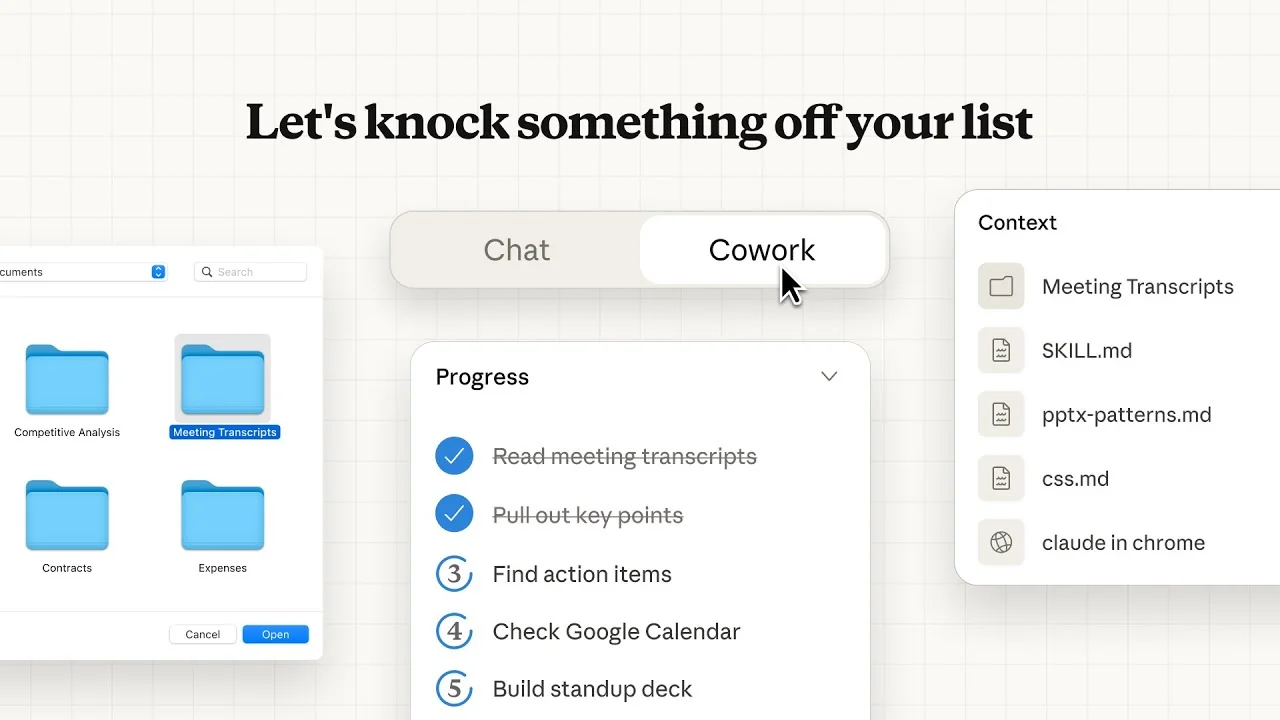
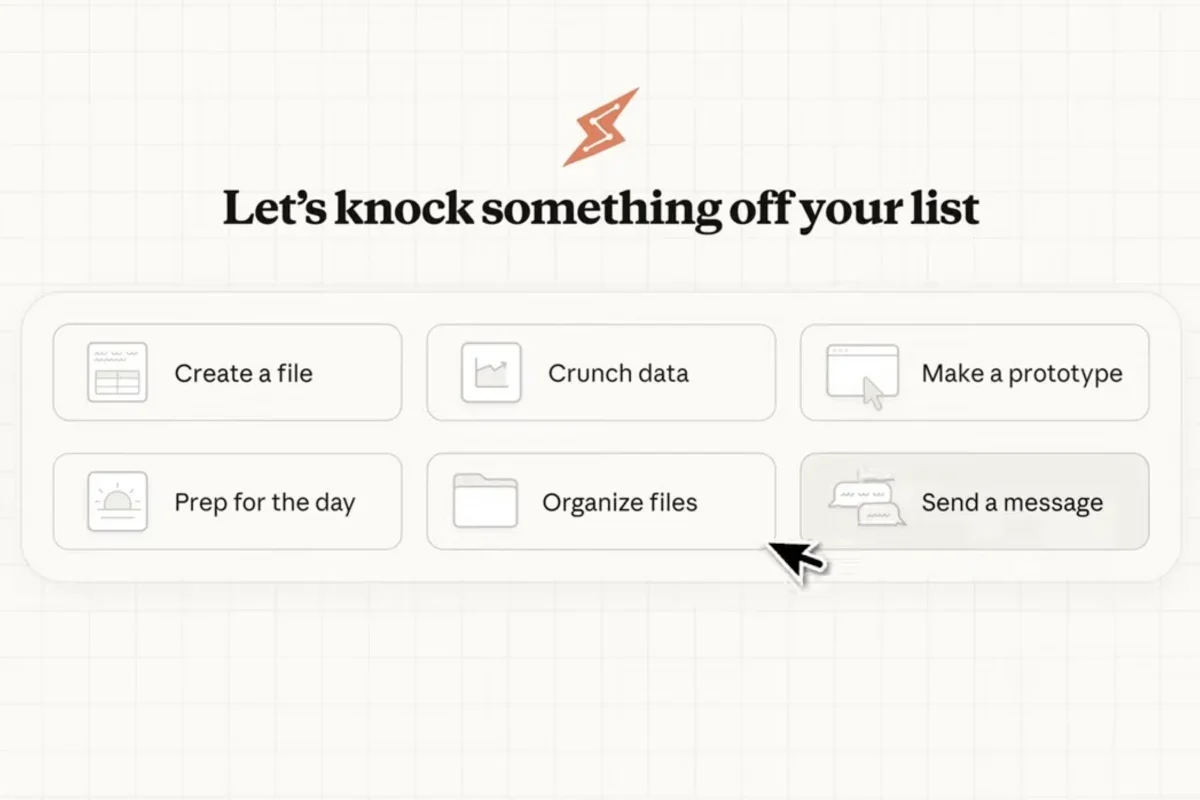
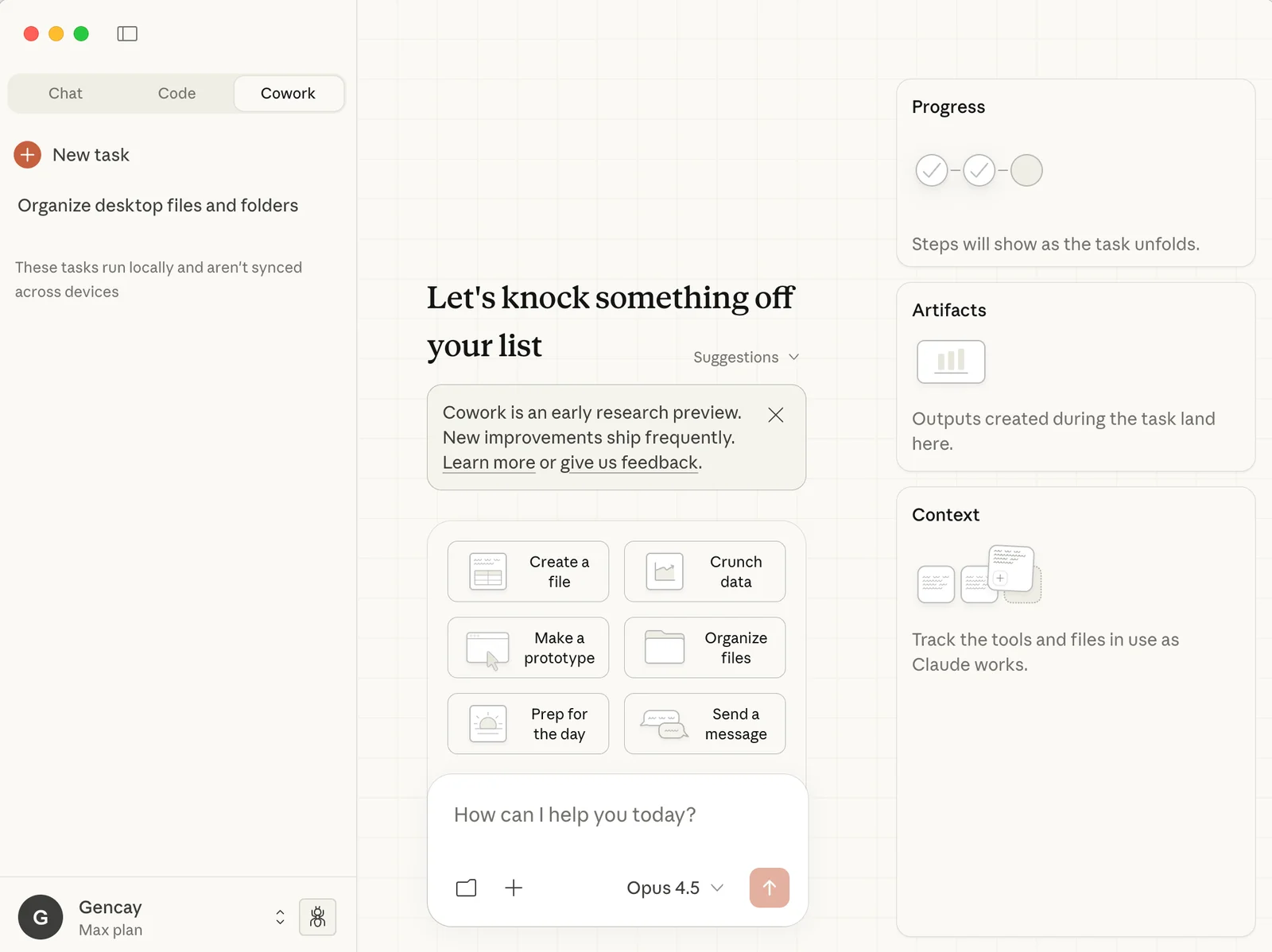
Claude Cowork brings Claude Code’s agentic, multi-step automation capabilities to a visual desktop experience, letting Claude access and operate on local files, organize documents, synthesize research, and run development workflows without manual uploads. Cowork runs in an isolated virtual machine on the user’s computer with controlled file and network access, provides real-time streaming output and tool-call visualizations, and enforces explicit permission controls for sensitive actions. It is fully compatible with Claude Code configurations (reusing ~/.claude/settings.json), and is available as a research preview to paid Claude plans while open-source community implementations exist.
Screenshots
Key Features
Use Cases



Frequently asked questions about Claude Cowork
What is the pricing structure for Claude Cowork?
Claude Cowork features a tiered pricing structure that includes a free community option, a Pro plan priced at $20 per month, and Max plans ranging from $100 to $200 per month. Each plan offers varying features and usage quotas tailored to different user needs.
Key Points
- Free Community Option: Access basic features at no cost.
- Pro Plan: Priced at $20/month, ideal for individual users.
- Max Plans: Premium options from $100 to $200/month, designed for teams and businesses.
Detailed Explanation
Claude Cowork offers a well-structured pricing model to cater to diverse user requirements.
-
Free Community Option: This plan provides users with access to essential features, making it perfect for those who want to explore the platform without financial commitment. Users can join discussions, access basic resources, and interact with other community members.
-
Pro Plan: At $20 per month, the Pro plan enhances the user experience with additional features such as advanced collaboration tools, increased storage, and priority support. This plan is suitable for freelancers or small teams looking to optimize their workflow and productivity.
-
Max Plans: The Max plans are available in two tiers—$100 and $200 per month. These plans are tailored for larger teams or organizations that require extensive usage quotas, enhanced security features, and customized support. They include advanced analytics, integration options, and collaboration tools that streamline team projects.
Each pricing tier is designed to maximize value while accommodating the specific needs of different users, whether they are individual freelancers or large enterprises.
Best Practices / Tips
- Evaluate Your Needs: Before choosing a plan, assess your usage requirements. The free option may be sufficient for casual users, while teams may benefit from the collaborative features of the Max plans.
- Trial Periods: Take advantage of any trial periods offered to test features and ensure they meet your expectations. This will help you make an informed decision.
- Consider Future Growth: If you anticipate scaling your team, opt for a Max plan to avoid the hassle of switching later.
Additional Resources
What unique features does Claude Cowork provide for local file management?
Claude Cowork offers unique local file management features, allowing direct access to local files for reading, writing, and organizing documents without manual uploads. Additionally, it supports long-running tasks and parallel workflows in a secure virtual machine (VM) environment, enhancing productivity and collaboration.
Key Points
- Direct Local File Access: Users can easily manage files without uploading.
- Support for Long-Running Tasks: Ideal for complex projects requiring extended processing.
- Parallel Workflows: Enables multiple tasks to occur simultaneously, boosting efficiency.
Detailed Explanation
Claude Cowork's file management capabilities simplify the way users interact with their documents. By enabling direct access to local files, Claude eliminates the need for cumbersome uploads, which can be time-consuming and prone to errors. Users can seamlessly read, edit, and organize their documents as if they were operating on their local machine.
Use Cases
- Collaborative Projects: Teams can work on shared documents in real-time, making updates and changes without worrying about file synchronization issues.
- Data Analysis: Professionals dealing with large datasets can run long-running tasks within Claude’s secure VM, allowing for in-depth analysis without interruptions.
- Content Creation: Writers can draft, revise, and finalize documents directly, enhancing workflow efficiency.
Claude’s secure VM environment ensures that all data interactions remain protected. This is particularly crucial for businesses handling sensitive information, as it provides an added layer of security against data breaches.
Best Practices / Tips
- Utilize Parallel Workflows: Take advantage of Claude's parallel processing capabilities to manage multiple projects simultaneously, enhancing productivity.
- Organize Files Efficiently: Create a structured file hierarchy within Claude to easily locate documents and streamline your workflow.
- Regularly Backup Data: Even with Claude's secure environment, maintaining regular backups of critical files ensures data integrity and recovery options.
Additional Resources
How do I get started with using Claude Cowork?
To get started with Claude Cowork, subscribe to either the Pro or Max plan, download the Claude Desktop app, and explore the research preview features that allow you to manage local files and execute various tasks efficiently.
Key Points
- Subscription Plans: Choose between Pro and Max.
- Download the App: Install the Claude Desktop app.
- Explore Features: Utilize research preview functions for task management.
Detailed Explanation
Starting with Claude Cowork is straightforward. First, visit the official Claude Cowork website and select your preferred subscription plan—either the Pro plan for essential features or the Max plan for advanced functionalities. The Pro plan typically starts at $19.99 per month, while the Max plan may offer additional capabilities suitable for teams at a higher price point.
Once you’ve subscribed, download the Claude Desktop app, available for both Windows and macOS. The installation process is simple: just follow the on-screen instructions. After installation, open the app and log in with your credentials.
The research preview features are a highlight of Claude Cowork. They enable users to manage local files effectively and execute various tasks, such as organizing documents or collaborating with team members. For example, you can create folders for different projects and quickly access relevant files, enhancing productivity.
Best Practices / Tips
- Choose the Right Plan: Evaluate your needs before selecting a subscription plan. If you’re unsure, start with the Pro plan and upgrade later.
- Explore Tutorials: Take advantage of any tutorials or walkthroughs available in the app to familiarize yourself with its features.
- Utilize Customer Support: If you encounter issues, reach out to Claude Cowork’s customer support for assistance.
- Regular Updates: Ensure your app is always updated to access the latest features and improvements.
Additional Resources
How does Claude Cowork compare to other AI models in terms of functionality?
Claude Cowork differentiates itself from other AI models by enabling local file access and executing tasks within an isolated virtual machine (VM). It features advanced session management and agentic capabilities, which significantly boost user productivity compared to alternative AI solutions.
Key Points
- Local File Access: Claude Cowork allows users to interact with files directly from their system.
- Isolated Virtual Machine: Tasks are executed in a secure and contained environment.
- Enhanced Session Management: Offers unique session control for better task organization.
Detailed Explanation
Claude Cowork's functionality is designed to maximize productivity through several innovative features.
-
Local File Access: Unlike many AI models that operate purely in the cloud, Claude Cowork permits direct interaction with local files. This capability is essential for users who need to manage sensitive data without compromising security. For instance, a user can analyze a CSV file stored on their device, allowing for quicker insights and decision-making.
-
Isolated Virtual Machine (VM): This feature ensures that tasks are executed in a secure environment, minimizing the risk of external interference or data leaks. For example, if a developer is running tests on sensitive applications, the isolated VM provides a protective barrier against potential vulnerabilities.
-
Session Management: Claude Cowork’s unique session management allows users to maintain and switch between various tasks seamlessly. Users can create distinct sessions for different projects, enhancing focus and efficiency. This is particularly useful in collaborative environments where teams need to manage multiple workflows simultaneously.
Overall, these functionalities not only set Claude Cowork apart from its competitors but also provide a streamlined experience that caters to diverse user needs.
Best Practices / Tips
- Utilize Local File Features: Take full advantage of the local file access to enhance data analysis and reporting tasks.
- Regularly Update Sessions: Keep your sessions organized and updated to improve efficiency. Create labels or tags for easy retrieval.
- Leverage VM Security: Always run sensitive tasks in the isolated VM to safeguard your data and applications from potential threats.
Additional Resources
What technical requirements are needed for running Claude Cowork?
Claude Cowork requires macOS for its desktop application and operates within an isolated virtual machine for improved security. It is also compatible with existing Claude Code configurations, allowing for a smooth integration process for users transitioning to this coworking platform.
Key Points
- Operating System: Compatible with macOS only.
- Security Features: Utilizes an isolated virtual machine for enhanced security.
- Integration: Works seamlessly with existing Claude Code setups.
Detailed Explanation
Claude Cowork is designed specifically for macOS users, ensuring that the application runs smoothly on Apple's operating system. The isolated virtual machine is a critical feature, as it enhances security by creating a contained environment where the application operates, reducing the risk of malware or data breaches.
This setup is particularly beneficial for developers and teams that rely on Claude Code, as it allows for seamless integration. Users can easily migrate their existing configurations to Claude Cowork without needing extensive reconfiguration, making the transition efficient and user-friendly.
Key Technical Requirements:
- Operating System: macOS version 10.15 (Catalina) or later is required for optimal performance.
- Hardware Specifications: At least 8 GB of RAM and a multi-core processor are recommended to handle multiple tasks efficiently.
- Storage Space: A minimum of 10 GB of free disk space is necessary for installation and operation.
Best Practices / Tips
- System Updates: Ensure your macOS is up to date to benefit from the latest security patches and compatibility improvements.
- Backup Configurations: Before migrating to Claude Cowork, back up your Claude Code configurations to avoid data loss.
- Test Environment: Consider running a test environment first to familiarize yourself with new features and changes in Claude Cowork without disrupting your main workflow.
Additional Resources
- Claude Cowork Official Documentation
- Claude Code Integration Guide
- Best Practices for macOS Security
By adhering to these requirements and recommendations, users can ensure a successful experience with Claude Cowork, leveraging its features for enhanced productivity and collaboration.
Explore more AI Ai Agents tools
Browse all Ai Agents tools →Browse by use case: Automation & Productivity
Compare Claude Cowork: vs Playad · vs Concierge by Juniors AI · vs Scout by Fini · vs Ruflo