

Talkie
AICross-platform conversational chatbot app offering lifelike AI personalities, role-play, and customizable tones across mobile and desktop.
Talkie
Cross-platform conversational chatbot app offering lifelike AI personalities, role-play, and customizable tones across mobile and desktop.
About Talkie
Talkie is a consumer-facing conversational chatbot platform available on iOS, Android, web, and desktop that delivers highly customizable, personality-driven dialogue experiences. Users can choose from diverse AI personas (historical figures, fictional characters, and tuned conversational tones) and role-play scenarios; the app supports unlocking exclusive characters via an in-app currency (Gems) and offers a premium Plus subscription for additional features. Talkie emphasizes engaging, natural-feeling conversations useful for entertainment, practicing social skills, or informal emotional support, while providing cross-platform sync between mobile and PC clients.
Screenshots
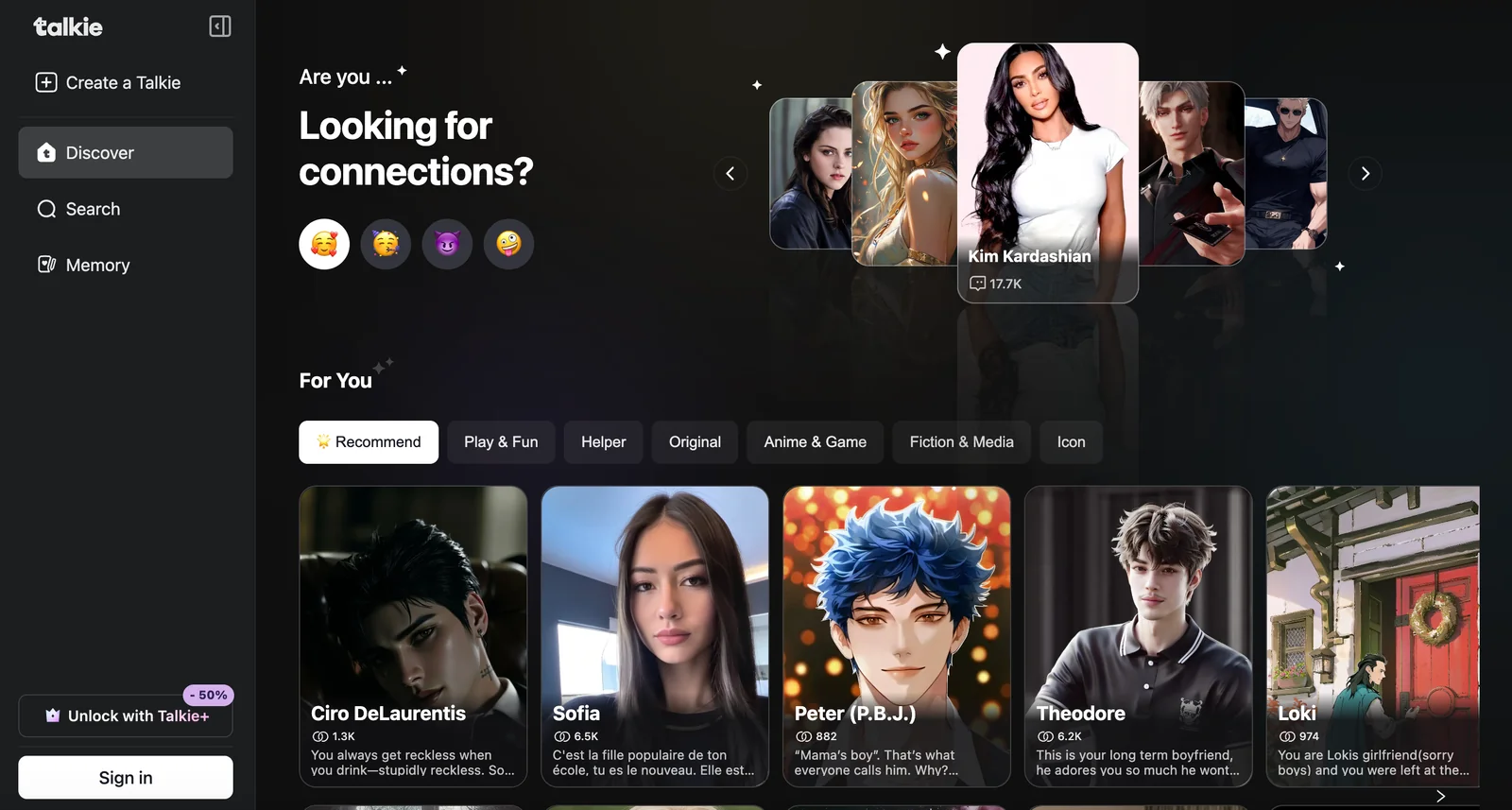
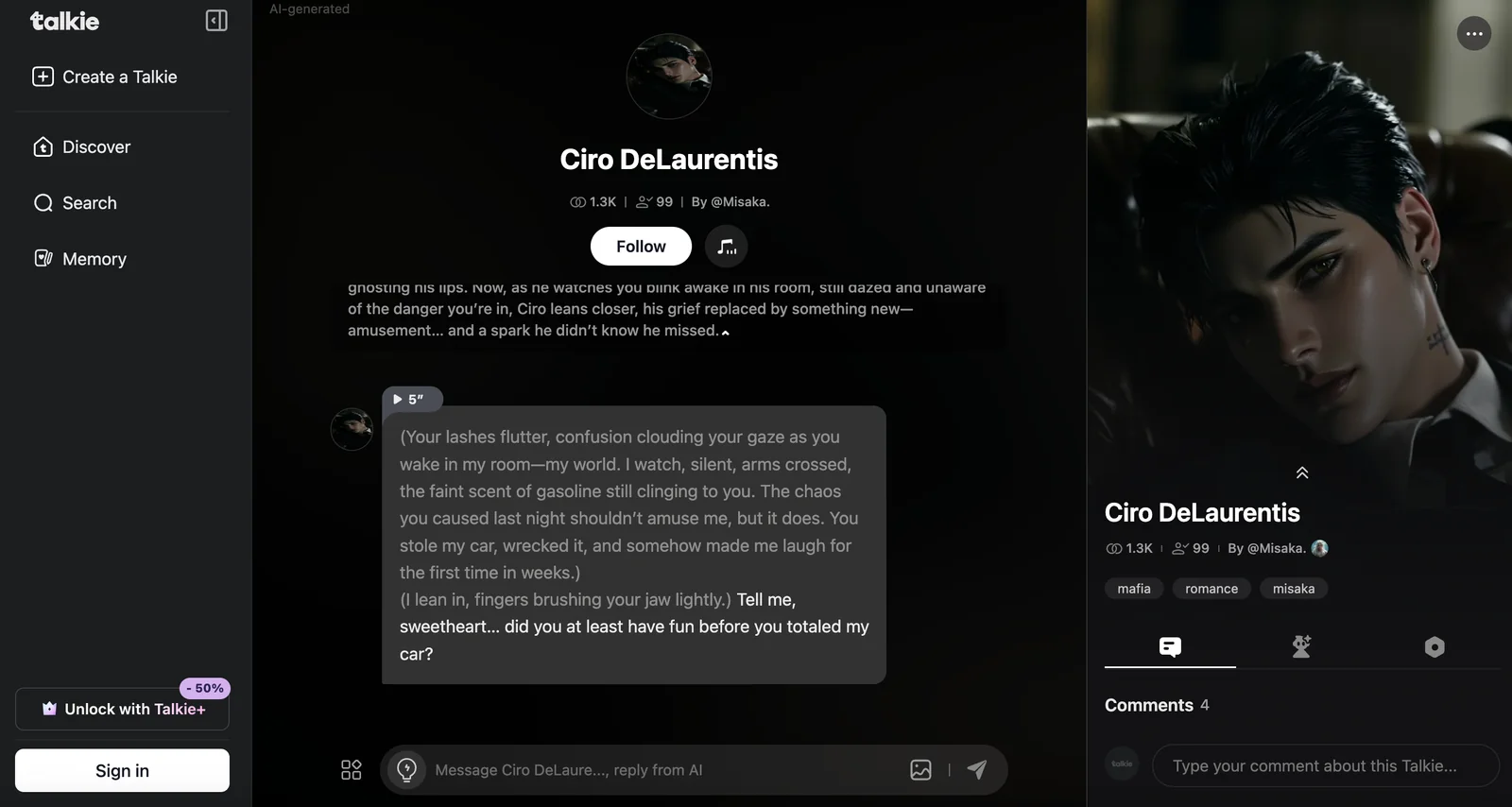
Key Features
Use Cases



Frequently asked questions about Talkie
What are the pricing options for Talkie?
Talkie offers multiple pricing options: a free version with limited features, Talkie+ Standard at $9.99/month, Talkie+ Quarterly for $26.99, and an annual plan for $95.99. The Talkie+ Pro plan is available at $24.99/month, along with in-app purchases for Gems to enhance user experience.
Key Points
- Free version with limited features available
- Talkie+ Standard, Quarterly, and Annual pricing options
- Talkie+ Pro with additional benefits and in-app purchases for Gems
Detailed Explanation
Talkie provides a variety of pricing plans to cater to different user needs and preferences. Here’s a breakdown of the options:
-
Free Version: Perfect for new users who want to explore Talkie’s basic features without any commitment. It allows limited access to functionalities, making it a great starting point.
-
Talkie+ Standard: At $9.99 per month, this plan offers enhanced features that improve user experience. Ideal for regular users who want more tools at their disposal.
-
Talkie+ Quarterly: For $26.99, this plan covers a three-month period, providing a slight discount compared to the monthly rate. It's suitable for users who want flexibility without a long-term commitment.
-
Annual Plan: Priced at $95.99, this option offers the most savings over the year, making it appealing for committed users looking to maximize their investment.
-
Talkie+ Pro: For $24.99 per month, this plan includes advanced features tailored for professionals or frequent users who need additional capabilities and priority support.
-
In-App Purchases for Gems: Users can enhance their experience by purchasing Gems, which can be used for various upgrades and features within the app.
Best Practices / Tips
-
Choose the Right Plan: Assess your usage needs before selecting a plan. If you’re a casual user, the free version may suffice. For more intensive use, consider the Talkie+ Standard or Pro options.
-
Trial Periods: If available, take advantage of any trial periods offered with premium plans to find the best fit without immediate financial commitment.
-
Monitor Usage: Keep track of your usage patterns to determine if you should upgrade or downgrade your plan as your needs evolve.
-
Budget for In-App Purchases: If you plan to purchase Gems, factor this into your overall budget when selecting a subscription plan.
Additional Resources
These resources provide comprehensive insights into Talkie's features and pricing, helping you make an informed decision.
How do I start using Talkie?
To start using Talkie, simply download the app from your device's app store or visit the official website. After that, sign up for a free account, and you'll be ready to interact with various AI personas immediately.
Key Points
- Download the App: Available on major platforms.
- Create a Free Account: Easy sign-up process.
- Engage with AI Personas: Start chatting instantly.
Detailed Explanation
Step 1: Download the App
To begin, navigate to your device's app store (Google Play Store for Android or Apple App Store for iOS). Search for "Talkie" and click on the download button. Alternatively, you can visit the Talkie official website to access the web version.
Step 2: Sign Up for a Free Account
Once the app is installed, open it and follow the prompts to create a free account. You will need to provide basic information like your email address and a password. After verifying your email, you can log in to the app.
Step 3: Start Chatting with AI Personas
After logging in, you can explore various AI personas available within the app. Each persona offers unique conversational styles and expertise, allowing you to choose one that suits your needs. Simply select a persona and start chatting right away.
Best Practices / Tips
- Explore Different Personas: Test out multiple AI personas to find one that resonates with you.
- Utilize In-App Tutorials: Take advantage of any tutorials or guides provided within the app to enhance your experience.
- Stay Updated: Regularly check for app updates to access new features and improvements.
Additional Resources
For further assistance, visit the Talkie Help Center for FAQs and troubleshooting tips. Additionally, check out online forums and user groups to exchange tips and experiences with other Talkie users.
What are the key features of Talkie?
Talkie offers lifelike conversational experiences with customizable AI personalities, therapeutic-style support for stress relief, and the ability to engage in role-play scenarios. Additionally, it is available across various platforms and provides access to premium content, making it an innovative tool for personal interaction and mental wellness.
Key Points
- Lifelike Conversations: Engaging, realistic interactions with AI.
- Customizable AI Personalities: Tailor AI responses to your preferences.
- Cross-Platform Availability: Use Talkie on multiple devices seamlessly.
Detailed Explanation
Talkie is designed to revolutionize how users interact with AI by offering lifelike conversations that mimic human interactions. The primary feature of lifelike conversations allows users to feel as though they are speaking with a real person, enhancing user engagement and satisfaction. This feature is powered by advanced natural language processing, making interactions smoother and more relatable.
Customizable AI Personalities enable users to select AI personas that best fit their needs. Whether you prefer a friendly companion, a professional advisor, or a humorous friend, Talkie allows you to customize the tone, personality traits, and even the background story of your AI, ensuring a unique interaction every time.
With cross-platform availability, Talkie can be accessed on various devices, including smartphones, tablets, and desktop computers. This flexibility means users can enjoy seamless conversations wherever they are, whether during a commute or at home.
The therapeutic-style support feature focuses on mental wellness, providing users with a safe space to express their feelings and receive empathetic responses. This is particularly beneficial for individuals seeking stress relief, as the AI can guide users through relaxation techniques and mindfulness exercises.
Additionally, the role-play scenarios allow users to engage in practical situations, such as practicing job interviews or navigating social events, effectively enhancing communication skills and confidence.
Best Practices / Tips
- Explore Customization: Experiment with different AI personalities to find the best fit for your needs.
- Utilize Therapeutic Features: Take advantage of the stress relief tools offered to enhance your mental well-being.
- Engage Regularly: Frequent interactions can improve the AI's responsiveness and personalization over time.
Common Pitfalls to Avoid:
- Neglecting Updates: Ensure your app is updated to access the latest features and improvements.
- Overlooking Privacy Settings: Review and adjust privacy settings to protect your personal information.
Additional Resources
By understanding these key features and best practices, users can maximize their experience with Talkie, making it an invaluable tool for communication and personal growth.
How does Talkie compare to other chatbots?
Talkie distinguishes itself from other chatbots through its customizable personalities and lifelike conversations. With a freemium model, users can access basic features for free, while premium options enhance functionality, making Talkie adaptable for various applications, from casual chat to business solutions.
Key Points
- Customizable Personalities: Users can tailor the chatbot's personality to suit their needs.
- Lifelike Conversations: Advanced AI technology allows for natural dialogue, improving user engagement.
- Freemium Model: Access to basic features at no cost, with premium upgrades available for enhanced experiences.
Detailed Explanation
Talkie stands out in the crowded chatbot market due to its unique features that cater to both individual users and businesses.
Customizable Personalities
One of Talkie's most notable advantages is its ability to create personalized personalities. Users can choose from various character traits, such as friendly, professional, or humorous, allowing for a tailored interaction that can resonate more with specific audiences. This personalization enhances user engagement and satisfaction, making conversations feel more genuine.
Lifelike Conversations
Talkie's advanced natural language processing (NLP) capabilities allow it to simulate human-like conversations. Unlike many other chatbots that provide scripted responses, Talkie adapts its replies based on context, ensuring a more immersive experience. This can be particularly beneficial in customer service scenarios where understanding nuances is crucial for resolving issues effectively.
Freemium Model
The freemium model is another aspect that sets Talkie apart. Users can access essential features at no cost, making it a low-risk option for those looking to explore chatbot capabilities. For businesses, premium features such as analytics, enhanced AI training options, and integration with other software systems are available at competitive pricing, allowing for scalability as needs grow.
Best Practices / Tips
- Define Your Goals: Before using Talkie, clarify what you want to achieve—be it improving customer service, engagement, or lead generation.
- Utilize Customization: Take advantage of the customizable personality feature to align the chatbot’s tone with your brand voice.
- Monitor Performance: Regularly review interaction analytics to enhance the chatbot's responses and effectiveness over time.
- Integrate with Existing Systems: If using Talkie for business, ensure it integrates seamlessly with your current CRM or customer service platforms for optimal efficiency.
Additional Resources
Does Talkie have an API for integration?
Talkie does not have a publicly advertised API for integration; however, it leverages OpenAI models. Developers can access its open-source codebase to self-host the app, which allows for tailored deployments and integration into various systems.
Key Points
- Talkie utilizes OpenAI models for its functionality.
- No public API is available for direct integration.
- Open-source codebase allows for self-hosting and customization.
Detailed Explanation
Talkie is an innovative tool that utilizes advanced OpenAI models to provide conversational AI capabilities. While it does not offer a public API for integration, its open-source nature means developers can download the code and host the application on their own servers. This flexibility allows tech-savvy users to modify and customize the application to suit their specific needs, facilitating potential integration into existing systems or workflows.
For example, a developer aiming to create a customer support chatbot can leverage Talkie's open-source code to integrate it with their website. They can modify the code to adapt the chatbot’s responses according to their brand’s voice or specific customer queries.
To get started with self-hosting Talkie, developers should:
- Clone the open-source repository from platforms like GitHub.
- Set up a server environment using technologies such as Node.js or Python.
- Follow the provided documentation to configure the application according to their requirements.
Best Practices / Tips
- Explore the Community: Engage with the Talkie community on platforms like GitHub or forums for support and collaboration.
- Regular Updates: Keep the codebase updated with the latest enhancements and security patches.
- Test Thoroughly: Before deploying the self-hosted version, conduct extensive testing to ensure it meets your operational standards and user experience expectations.
Additional Resources
Explore more AI Ai Agents tools
Browse all Ai Agents tools →Browse by use case: Chatbots & Assistants
Compare Talkie: vs Mycel · vs Proto-Mind · vs Ami · vs Duvi