

Slidesgo
AIA library of free and premium Google Slides and PowerPoint templates and themes for creating polished presentations.
Slidesgo
A library of free and premium Google Slides and PowerPoint templates and themes for creating polished presentations.
About Slidesgo
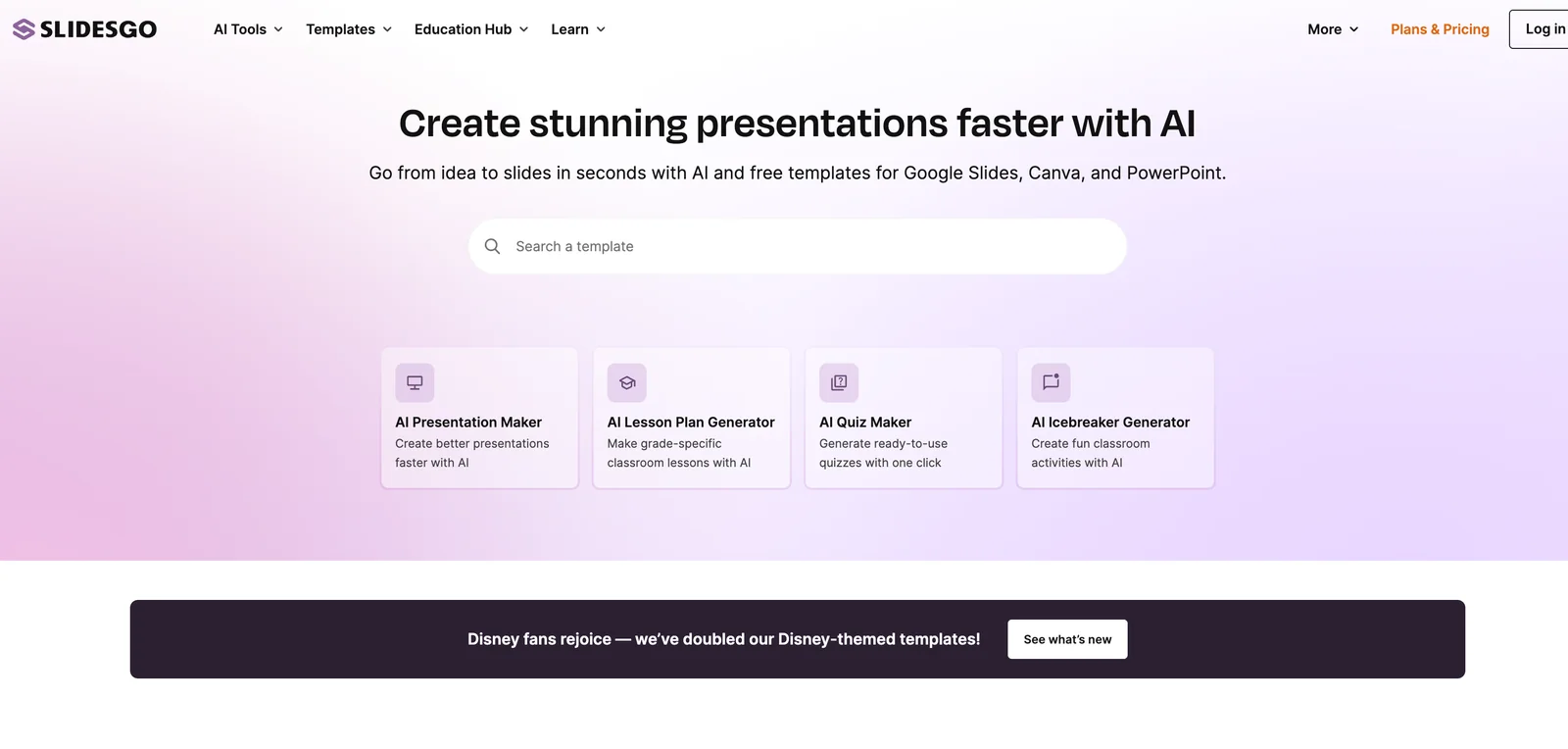
Slidesgo provides a catalog of customizable Google Slides and PowerPoint templates and themes for a wide range of presentation needs. Users can browse themed collections, download templates, and edit them in Google Slides or PowerPoint to create professional-looking presentations quickly. The platform offers both free templates and paid tiers with additional premium content and resources, speeding up slide creation for educators, students, marketers, and business professionals.
Screenshots
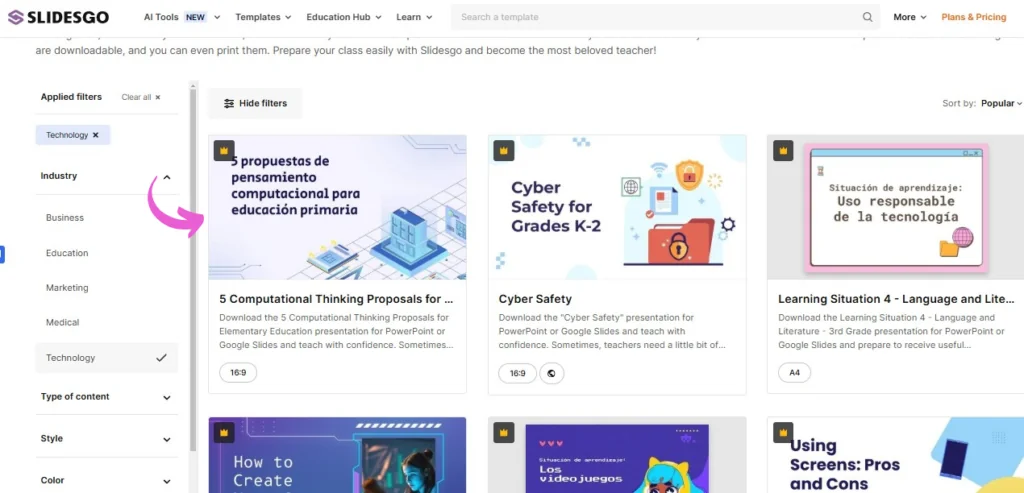
Key Features
Use Cases



Frequently asked questions about Slidesgo
What are the pricing options for Slidesgo?
Slidesgo offers a FREEMIUM pricing model with a Free plan that provides limited access to templates and a Premium plan that allows unlimited downloads and access to advanced features. The Premium plan requires inquiry for specific pricing details, which can vary based on the user's needs.
Key Points
- FREEMIUM Model: Access to both free and premium templates.
- Free Plan: Limited selection of templates for basic use.
- Premium Plan: Unlimited downloads and additional features available upon inquiry.
Detailed Explanation
Slidesgo's pricing structure is designed to cater to a wide range of users, from casual presenters to professional designers.
-
Free Plan: This option offers users access to a limited number of templates. It’s ideal for those who need basic presentation tools without any financial commitment. Users can download templates in Google Slides and PowerPoint formats, allowing for flexibility in editing.
-
Premium Plan: The Premium plan is tailored for users who require more extensive resources. It offers unlimited downloads, access to premium templates, and additional features such as advanced customization options. Pricing for this plan is not listed directly on the website, as it can vary. Interested users can contact Slidesgo directly to receive a personalized quote based on their specific needs.
-
Usage Scenarios: For educators, marketers, and business professionals, Slidesgo provides templates that can simplify the creation of engaging presentations. Whether you are preparing a lesson plan, marketing strategy, or business proposal, the templates can save time and enhance presentation quality.
Best Practices / Tips
- Evaluate Your Needs: Assess whether the Free plan meets your requirements before considering the Premium plan.
- Contact for Pricing: Since Premium pricing varies, reach out to Slidesgo for tailored plans that fit your budget and needs.
- Explore Template Variety: Make use of the diverse template categories (e.g., education, business, creative) to find the best fit for your presentation style.
- Stay Updated: Regularly check for promotional offers or new templates that may be added to either plan, enhancing your options.
Additional Resources
How can I use Slidesgo templates for my presentations?
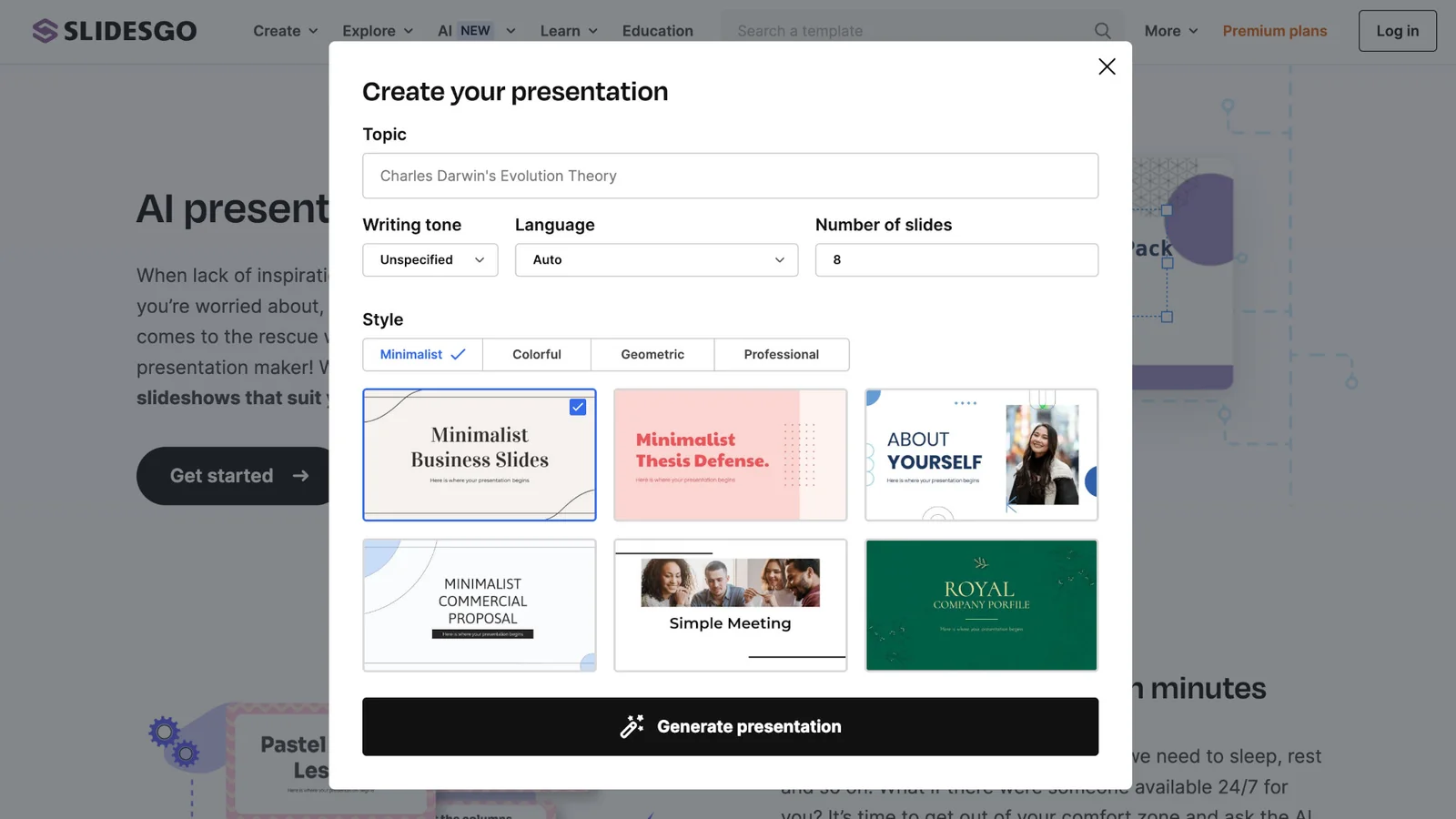
To use Slidesgo templates for your presentations, visit the Slidesgo website, browse through its extensive library of templates, and select one that fits your needs. You can edit the chosen template in Google Slides directly or download it as a PPTX file for use in PowerPoint.
Key Points
- Diverse Template Library: Browse a wide range of categories.
- Easy Editing Options: Modify templates online or download them.
- Free and Premium Options: Access both free and paid templates.
Detailed Explanation
Slidesgo offers a user-friendly platform for creating visually appealing presentations. Here’s how to effectively use Slidesgo templates:
- Visit the Website: Go to Slidesgo.com to access the library.
- Browse the Library: Use categories such as Business, Education, or Creative to find a template that suits your presentation topic. You can also use the search bar for specific keywords.
- Select a Template: Click on a template thumbnail to view a preview. Check for features like animations, color schemes, and slide layouts to ensure it meets your needs.
- Choose Your Editing Method:
- Online Editing in Google Slides: Click the "Use as Google Slides Template" button. This opens the template in Google Slides, where you can customize text, images, and colors directly.
- Download as PPTX: If you prefer to work offline or use PowerPoint, click the "Download" button and select the PPTX format. Open the file in PowerPoint to start editing.
- Save and Share: Once you’re satisfied with your edits, save your presentation. You can share it directly from Google Slides or export it from PowerPoint.
Best Practices / Tips
- Customize for Your Audience: Tailor the template’s content and design to resonate with your intended audience. This enhances engagement and understanding.
- Use High-Quality Images: Replace stock images with high-resolution visuals that align with your topic for a professional look.
- Limit Text on Slides: Keep text concise to maintain audience attention. Use bullet points and visuals to convey your message effectively.
- Check for Consistency: Ensure that fonts, colors, and styles are consistent throughout the presentation to maintain a cohesive appearance.
Additional Resources
Using Slidesgo templates can significantly enhance your presentation quality while saving you time. With diverse options and easy editing tools, you can create stunning presentations that captivate your audience.
What are the key features of Slidesgo templates?
Slidesgo offers an extensive library of customizable templates for Google Slides and PowerPoint, organized by various categories. Users can choose from both free and premium designs, featuring editable layouts, icons, charts, and infographics, making it easy to create visually appealing presentations.
Key Points
- Diverse Template Library: Thousands of templates across numerous categories.
- Customization Options: Editable elements like text, graphics, and layouts.
- Free and Premium Access: Availability of both free templates and premium subscription options.
Detailed Explanation
Slidesgo provides a vast array of templates tailored for Google Slides and PowerPoint, making it an essential tool for students, educators, and professionals alike. With over 1,000 templates, users can find designs suitable for various themes, such as business, education, and marketing.
Template Categories
- Business: Ideal for corporate presentations, including pitch decks and project proposals.
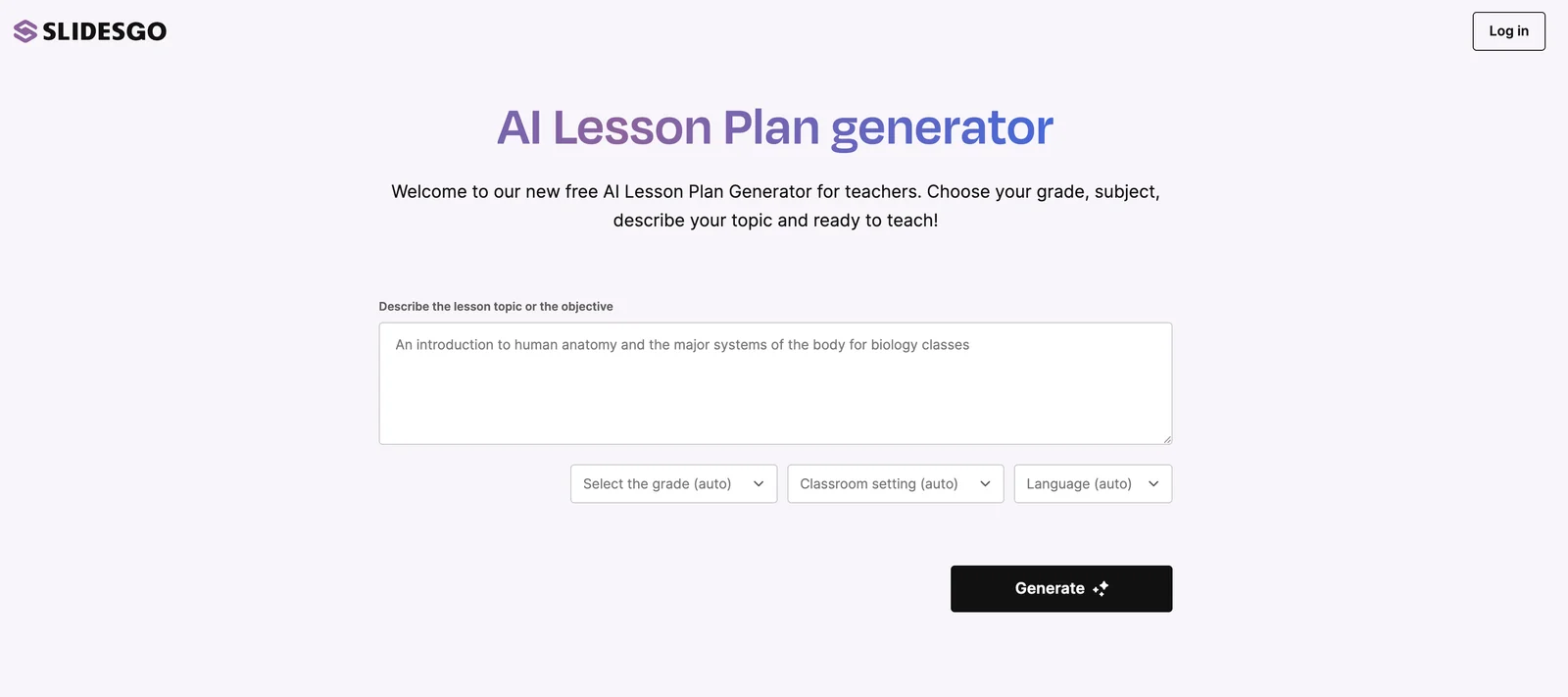
- Education: Engaging designs for lesson plans, class presentations, and student projects.
- Creative: Unique templates for creative industries, perfect for showcasing portfolios or artistic projects.
Customization Features
Slidesgo templates are highly customizable. Users can:
- Edit Text: Easily modify fonts and sizes to match their branding.
- Change Colors: Apply different color schemes to align with presentation themes.
- Add Icons and Charts: Include visual elements to enhance clarity and engagement.
For instance, if you select a business template, you can adjust the charts to reflect your company's data, ensuring a personalized touch.
Best Practices / Tips
- Choose the Right Template: Select a template that aligns with your presentation's purpose and audience.
- Utilize Customization: Don’t hesitate to modify elements to suit your specific needs; this enhances the overall impact.
- Preview Before Finalizing: Always preview your presentation to ensure that all elements are well-aligned and visually appealing.
Common Pitfalls
- Overloading Information: Avoid cluttering slides with excessive text or images; stick to key points.
- Ignoring Branding: Ensure that colors and fonts match your or your company’s branding for consistency.
Additional Resources
How does Slidesgo compare to other presentation tools?
Slidesgo distinguishes itself from other presentation tools with its vast library of free templates and user-friendly interface, allowing users to create professional presentations swiftly. Its blend of free and premium options caters specifically to educational and business needs, making it a versatile choice for diverse audiences.
Key Points
- Extensive Template Library: Slidesgo offers thousands of free and premium templates.
- User-Friendly Interface: Simple drag-and-drop functionality enhances usability.
- Targeted Options: Templates designed for both educational and business contexts.
Detailed Explanation
Slidesgo provides an impressive array of over 6,000 templates, which can be easily customized to fit various presentation styles. Users benefit from a straightforward drag-and-drop interface that streamlines the design process, making it accessible even for those with limited design experience.
Compared to other presentation tools like Canva or Google Slides, Slidesgo excels in its niche by focusing on thematic templates that cater to both educational and corporate audiences. For instance, educators can find templates specifically crafted for lesson plans, while businesses can access stylish pitch decks and reports.
The platform also integrates seamlessly with Google Slides and PowerPoint, allowing users to choose their preferred software for presentation delivery. Additionally, Slidesgo frequently updates its template offerings, ensuring users have access to current design trends.
Best Practices / Tips
- Utilize Filters: Use the template filtering options to quickly find designs that suit your specific theme or industry.
- Incorporate Branding: Customize templates with your brand colors and logos to maintain consistency and professionalism.
- Practice Presentation Skills: Even with great templates, effective delivery is key. Rehearse your presentation multiple times for confidence.
Additional Resources
Does Slidesgo have an API for integrations?
Slidesgo currently does not provide a public API or official developer documentation for integrations. Users can primarily access the service through a web browser, allowing them to browse and edit presentation templates directly without any integration capabilities.
Key Points
- Slidesgo lacks a public API for third-party integrations.
- Access is limited to web-based browsing and editing.
- No official developer documentation is available.
Detailed Explanation
Slidesgo is a popular platform known for offering a wide range of visually appealing presentation templates. However, as of now, it does not support any public APIs, which means developers cannot create integrations with other software or platforms. Users must rely on the web interface to access and utilize Slidesgo’s resources.
Current Features
- Template Access: Users can browse a collection of free and premium templates directly through the Slidesgo website.
- Editing Tools: The platform allows users to edit templates in Google Slides and PowerPoint, but this is done through their user interface rather than an API.
- User Experience: The web browser-based service ensures that users have a straightforward experience without the complexity of API integrations.
Use Cases
For individuals and businesses looking to create impactful presentations, Slidesgo remains a valuable resource. However, those needing automated solutions or integrations must seek alternative methods, such as downloading templates and uploading them manually to their preferred presentation software.
Best Practices / Tips
- Manual Downloads: If you require specific templates for integration into other systems, download them manually and customize them in your preferred software.
- Stay Updated: Regularly check Slidesgo’s website or blog for any announcements regarding API developments or new feature releases.
- Community Forums: Engage in forums or user communities to share insights and workarounds related to using Slidesgo effectively without API support.
Additional Resources
- Slidesgo Official Website
- Slidesgo Blog for updates and tips on using templates effectively.
Explore more AI Ai Agents tools
Browse all Ai Agents tools →Compare Slidesgo: vs Phoenix.vu · vs Dropstone · vs Apache Maka · vs Construct Computer