

Seedance 2.0
AIByteDance Seedance 2.0 is a multimodal video-generation model for text→video and image→video with prompt controls and production templates.
Seedance 2.0
ByteDance Seedance 2.0 is a multimodal video-generation model for text→video and image→video with prompt controls and production templates.
About Seedance 2.0
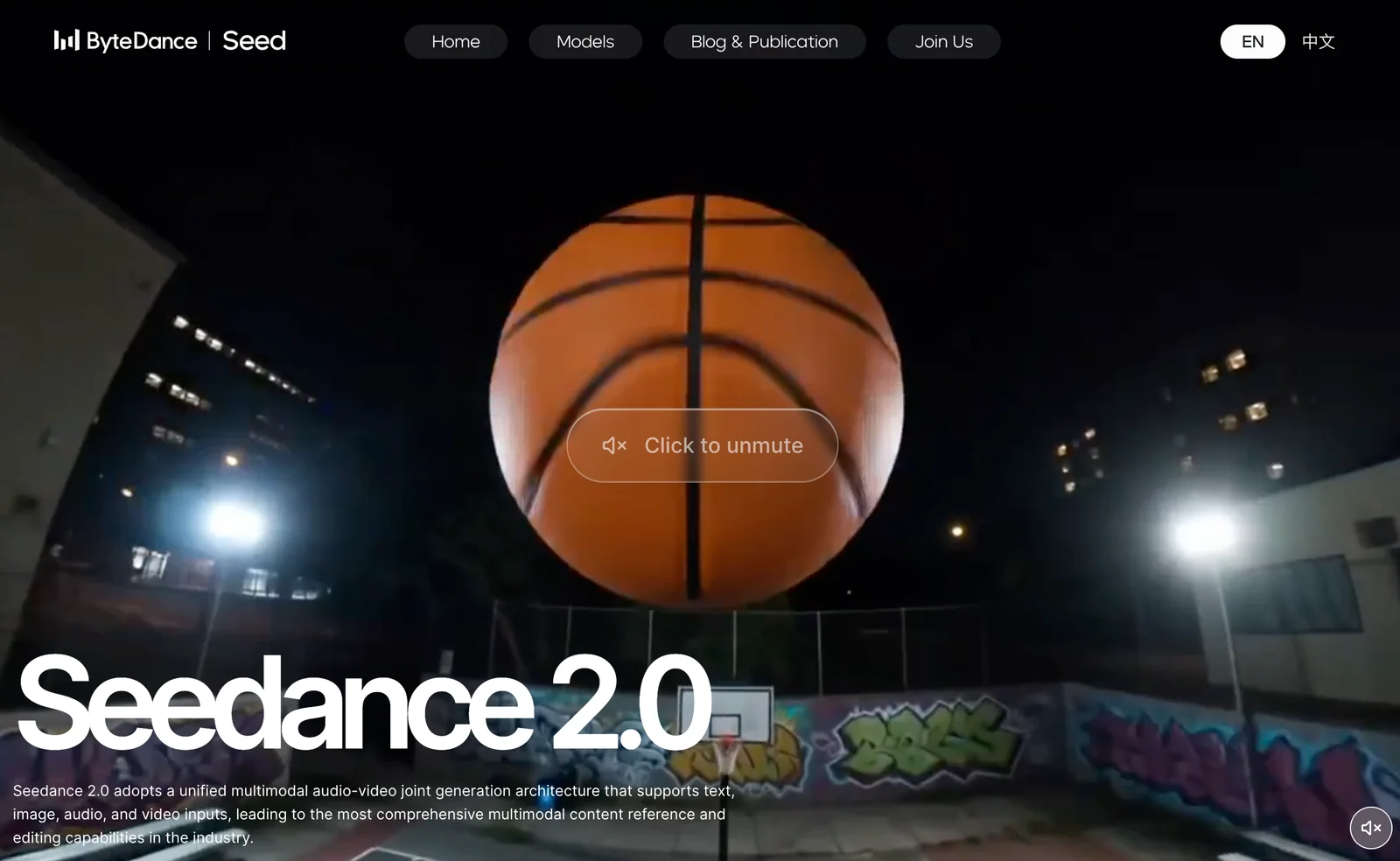
Seedance 2.0 (by ByteDance Seed Team) is a multimodal video generation model that generates short videos from text prompts and images, with fine-grained prompt controls and production-oriented templates. It accepts multimodal input, supports structured prompt syntax (including @ references and camera-language directives), and exposes parameters for seeds, aspect ratio, duration and other generation controls. The ecosystem includes authored prompt guides and ready-to-use templates for ads, dramas, music videos, dance imitation, and educational clips; partners and third-party integrations are preparing API access and developer tooling. Access availability is region- and partner-dependent (Jimeng/Dreamina/Cyberbara routes have been documented), and an official global API rollout has been documented as part of partner integrations.
Screenshots
Key Features
Use Cases


Frequently asked questions about Seedance 2.0
What are the different pricing tiers for Seedance 2.0?
Seedance 2.0 offers multiple pricing tiers: a free tier with limited daily credits, a trial for ¥1 lasting seven days, and monthly subscriptions ranging from ¥69 to ¥299, based on features and points allowance. This structure caters to diverse user needs, from casual to advanced users.
Key Points
- Free Tier: Limited daily credits for basic use.
- Trial Offer: ¥1 for a 7-day access to explore features.
- Monthly Memberships: Ranging from ¥69 to ¥299 based on the selected package.
Detailed Explanation
Seedance 2.0 is designed to accommodate various user needs through its structured pricing tiers.
-
Free Tier: This entry-level option provides users with limited daily credits, allowing them to explore Seedance's features without any financial commitment. It’s ideal for those who want to test the platform's functionalities before investing.
-
Trial Offer: For a nominal fee of ¥1, users can access a comprehensive 7-day trial. This tier is perfect for new users who want to experience premium features without a long-term commitment. During this week, users can fully utilize the platform and assess its value.
-
Monthly Memberships: The subscription plans are tailored for different needs:
- Basic Plan (¥69/month): Suitable for beginners, offering a set number of points and essential features.
- Standard Plan (¥149/month): Designed for regular users, this tier includes additional points and extra functionalities.
- Premium Plan (¥299/month): Best for power users, this plan provides the highest points allowance, exclusive features, and priority support.
Best Practices / Tips
- Evaluate Your Needs: Before choosing a plan, assess how often you’ll use Seedance and what features you need. If you’re uncertain, starting with the free tier or trial is advisable.
- Utilize the Trial: Make the most of the ¥1 trial by exploring every feature. This will help you decide if the premium plans are worth the investment.
- Stay Updated on Promotions: Occasionally, Seedance may offer promotional discounts or additional features. Keep an eye on their official communications for any updates.
Additional Resources
How does Seedance 2.0's text-to-video generation work?
Seedance 2.0’s text-to-video generation works by transforming descriptive text prompts into animated videos. Users can customize key parameters such as seed, duration, and aspect ratio, allowing for tailored outputs suitable for diverse applications, including advertisements, educational content, and social media marketing.
Key Points
- Text to Video Conversion: Utilizes AI to generate videos from textual descriptions.
- Customization Options: Users can adjust seed, duration, and aspect ratio for personalized results.
- Versatile Applications: Ideal for advertising, education, and social media content.
Detailed Explanation
Seedance 2.0 employs advanced artificial intelligence algorithms to convert user-provided text prompts into dynamic animated videos. The process involves several stages:
-
Input Text Prompt: Users input a descriptive text prompt that outlines the desired video content. For example, a prompt could be "a serene beach sunset with waves gently crashing."
-
AI Processing: The AI analyzes the text to understand the context, emotions, and visual elements. It breaks down the prompt into key components, determining the necessary graphics and animations to create a coherent video.
-
Customization: Users have the flexibility to customize the video output. Parameters include:
- Seed: Adjusts the randomness of the generated content.
- Duration: Sets the length of the video, which can range from a few seconds to several minutes.
- Aspect Ratio: Allows users to choose the frame size, making it suitable for specific platforms (e.g., square for Instagram, widescreen for YouTube).
-
Output Generation: After processing, Seedance 2.0 compiles the visuals, animations, and any suggested audio to produce the final video, which can be previewed and edited if necessary.
Use Cases
- Advertisements: Businesses can create compelling video ads tailored to their brand message, enhancing customer engagement.
- Educational Content: Educators can generate informative videos for lessons, making complex topics more accessible and engaging for students.
- Social Media Marketing: Marketers can quickly produce eye-catching videos that resonate with their target audience.
Best Practices / Tips
- Be Specific in Prompts: The more precise your text prompt, the better the output. Include specific details like colors, themes, and desired visuals.
- Experiment with Parameters: Play around with different seeds and aspect ratios to see what works best for your content and audience.
- Preview Before Finalizing: Always preview your videos to ensure they align with your expectations and intended message.
Additional Resources
Is there a tutorial available for beginners to use Seedance 2.0?
Yes, Seedance 2.0 offers extensive tutorials and guides on its official website, making it easy for beginners to learn video generation techniques and effectively utilize its features. These resources are designed to help users navigate the platform and enhance their video creation experience.
Key Points
- Comprehensive tutorials available on the official website.
- Step-by-step guides tailored for beginners.
- Features detailed explanations of video generation tools.
Detailed Explanation
Seedance 2.0 is an innovative video generation platform that aims to simplify video creation for users of all skill levels. Beginners can access a variety of resources directly on the Seedance website, including:
-
Getting Started Guide: This section introduces new users to the interface and basic functionalities. It covers account setup, navigation tips, and initial project creation.
-
Video Generation Tutorials: These are step-by-step instructions that walk users through the process of creating videos from scratch. Each tutorial includes screenshots and examples, ensuring clarity and ease of understanding.
-
Feature Highlights: Users can explore various features like automatic script generation, customizable templates, and AI-driven editing tools. Each feature is explained with practical examples to help users leverage Seedance 2.0's capabilities effectively.
-
FAQs and Troubleshooting: A dedicated FAQ section addresses common beginner challenges, providing solutions and tips to overcome hurdles.
Best Practices / Tips
- Start with Tutorials: Always begin with the beginner tutorials to familiarize yourself with the platform.
- Experiment with Features: Don’t hesitate to explore different tools and features; practice is key to mastering video creation.
- Join Online Communities: Engaging with other Seedance users can provide additional insights and tips.
- Stay Updated: Regularly check the website for new tutorials and updates to keep your skills current.
Additional Resources
By taking advantage of these resources, beginners can quickly become proficient at using Seedance 2.0 and create engaging videos.
What are the technical requirements for integrating Seedance 2.0's API?
The Seedance 2.0 API requires a programmatic integration setup with usage-based billing that varies depending on the resolution selected. Full integration guidelines will be released following the API's launch in February 2026, ensuring developers have the necessary tools for effective implementation.
Key Points
- Programmatic integration is essential for using Seedance 2.0 API.
- Billing is based on usage and varies by resolution.
- Detailed integration guidelines will be available post-launch.
Detailed Explanation
Integrating the Seedance 2.0 API involves several technical requirements that developers must meet. The API is designed to provide flexible access to its features, allowing users to integrate its capabilities seamlessly into their applications.
Technical Specifications:
- Authentication: Developers will need to implement OAuth 2.0 for secure access to the API. This ensures that only authorized applications can make requests.
- Endpoints: The API will feature multiple endpoints tailored for different functionalities, including data retrieval and real-time analytics.
- Data Formats: The API will primarily support JSON for data exchange, making it easier for developers to parse and utilize the data effectively.
Pricing Structure:
The pricing model is based on usage metrics, particularly focusing on the resolution of the data accessed. This means costs will vary:
- Standard Resolution: Lower cost per call, suitable for basic applications.
- High Resolution: Increased pricing for higher quality data, appropriate for applications requiring detailed analytics or high-definition outputs.
Example Use Cases:
- A video streaming service could integrate the Seedance 2.0 API to enhance user experience by providing real-time analytics on viewer interactions.
- Developers creating data visualization tools can leverage the API to pull high-resolution datasets for more insightful graphical representations.
Best Practices / Tips
- Plan for Scalability: As your application grows, ensure your integration can handle increased API calls without performance degradation.
- Monitor Usage: Regularly review your API usage to manage costs effectively and optimize your billing plan.
- Stay Updated: Follow Seedance's official channels to receive updates on API changes or new features that could enhance your integration.
Additional Resources
- Seedance 2.0 API Documentation: Access comprehensive guides and reference materials post-launch.
- OAuth 2.0 Overview: Learn more about implementing secure authentication for API integrations.
- Usage-Based Billing Explained: Understand how to manage costs associated with varying resolution usage.
How does Seedance 2.0 compare to other video generation tools?
Seedance 2.0 distinguishes itself from other video generation tools with its multimodal capabilities, enabling both text-to-video and image-to-video creation. Its advanced prompt controls and user-friendly interface offer greater versatility and customization, setting it apart from many competitors in the ever-evolving video generation landscape.
Key Points
- Multimodal Functionality: Supports both text-to-video and image-to-video.
- Advanced Prompt Controls: Offers granular customization for video content.
- User-Friendly Interface: Simplifies video creation for users of all skill levels.
Detailed Explanation
Seedance 2.0 is a cutting-edge video generation tool that excels in generating high-quality videos from textual prompts and images. This versatility is essential in today’s digital content landscape, where diverse media formats are crucial for engagement.
Multimodal Functionality
Unlike many video generation tools that focus solely on one input type, Seedance 2.0 allows users to create videos from both text and images. For instance, a user can input a script detailing a product launch, and Seedance can generate a compelling promotional video. Alternatively, users can upload a series of images, and the tool can seamlessly animate them into a story, enhancing creative flexibility.
Advanced Prompt Controls
Seedance 2.0 offers sophisticated prompt controls, enabling users to specify various parameters, such as tone, style, and pacing. This feature allows for more tailored outputs. For example, a user can generate a corporate training video that maintains a formal tone while also incorporating engaging visuals to keep viewers interested.
User-Friendly Interface
The intuitive interface of Seedance 2.0 makes it accessible for users with varying levels of technical skill. With straightforward navigation and built-in tutorials, even those new to video creation can achieve professional results quickly. This ease of use is a significant factor in its growing popularity among content creators and marketers.
Best Practices / Tips
- Leverage Templates: Use Seedance's pre-designed templates to save time and maintain consistency in branding.
- Experiment with Prompts: Test different styles and tones in your prompts to discover what resonates best with your audience.
- Optimize Video Length: Keep your videos concise; aim for 1-3 minutes to maximize viewer retention while effectively conveying your message.
Additional Resources
- Seedance Official Documentation
- Video Marketing Best Practices
- Comparative Analysis of Video Generation Tools
By utilizing these features and best practices, users can fully harness the capabilities of Seedance 2.0 and enhance their video production efforts significantly.
Explore more AI Ai Models tools
Browse all Ai Models tools →Browse by use case: Video Generation
- Soup CLI
- VibeVoice
- Laguna by Poolside
- Arena AI: The Official AI Ranking & LLM Leaderboard
- PromptLayer
- PHBench
Compare Seedance 2.0: vs Soup CLI · vs VibeVoice · vs Laguna by Poolside · vs Arena AI: The Official AI Ranking & LLM Leaderboard