

BrowserBash
AIFree, open-source CLI that turns plain-English objectives into real browser automation driven by an AI agent on local or cloud models.
BrowserBash
Free, open-source CLI that turns plain-English objectives into real browser automation driven by an AI agent on local or cloud models.
About BrowserBash
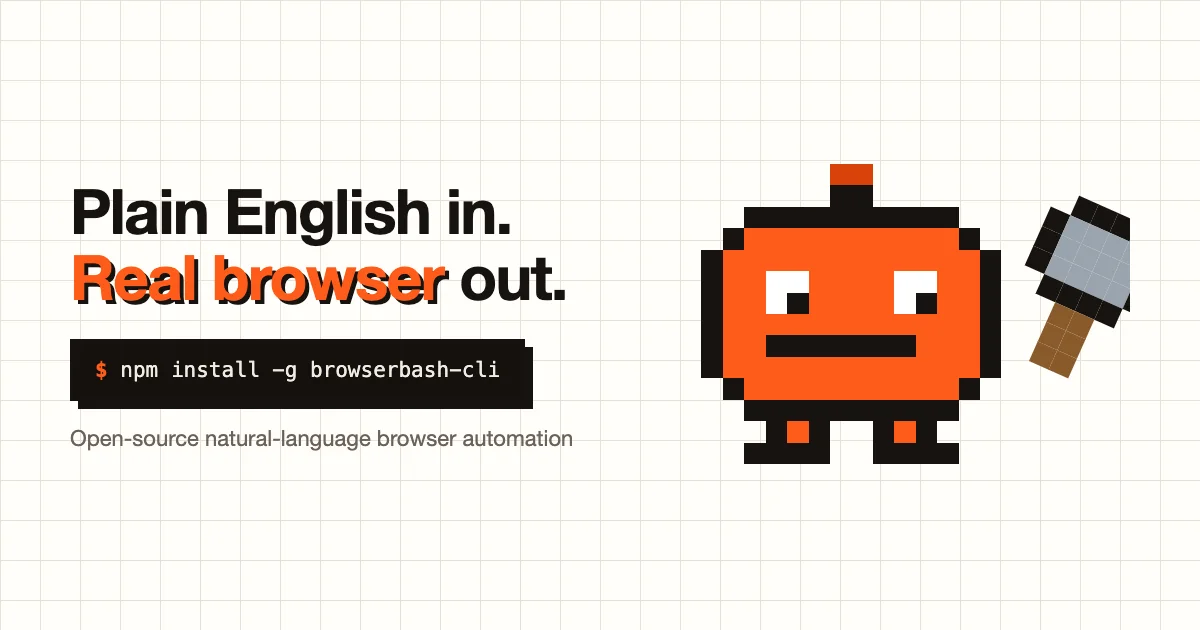
BrowserBash is a free, open-source command-line tool that turns a plain-English objective into real browser automation, with an AI agent driving an actual browser instead of brittle selectors or hand-written scripts. It runs on free local models via Ollama or free OpenRouter models, so there are no required API keys and no credit card, though you can bring an Anthropic or OpenRouter key if you prefer. Each run emits a structured NDJSON event stream that CI pipelines and AI agents can consume, and a free account adds a dashboard with run history, video recordings, and per-run replays. Released under the Apache-2.0 license, it is aimed at testers and developers who want natural-language end-to-end tests without flaky locators. You install it with a single npm command and can automate any site in seconds.
Screenshots
Key Features
Use Cases



Frequently asked questions about BrowserBash
What is BrowserBash?
BrowserBash is a free, open-source command-line interface (CLI) that transforms plain-English objectives into real browser automation. It utilizes an AI agent, allowing users to automate tasks on local machines or cloud-based models, streamlining workflows and enhancing productivity.
Key Points
- Open-Source: BrowserBash is freely available for anyone to use and modify.
- AI-Driven Automation: It employs AI to interpret user commands and execute browser actions.
- Versatile Deployment: Users can run BrowserBash on local systems or in the cloud.
Detailed Explanation
BrowserBash is designed for developers, testers, and anyone needing browser automation without extensive programming knowledge. By using plain English commands, users can easily instruct the AI agent to perform various tasks.
How It Works
- Installation: Download BrowserBash from its official repository on GitHub. Follow the installation instructions tailored for your operating system (Windows, macOS, or Linux).
- Command Structure: Use simple, conversational commands. For example, typing "Open Google and search for latest AI news" allows the AI to interpret and execute the command in a web browser.
- Local vs. Cloud Models: Users can choose to run BrowserBash locally on their machines for privacy or opt for cloud execution for scalability and remote access.
Use Cases
- Web Testing: Automate repetitive testing tasks for web applications.
- Data Scraping: Collect data from websites without manual effort.
- Task Automation: Set up workflows that require multiple browser interactions.
Best Practices / Tips
- Start Small: Begin with simple commands to understand how BrowserBash interprets instructions.
- Use Clear Language: The more precise your command, the better the AI can execute it.
- Monitor Performance: Regularly check logs to ensure commands are executed as expected.
- Stay Updated: Follow the official GitHub repository for updates and community support to leverage new features.
Additional Resources
How does BrowserBash work?
BrowserBash automates browser testing by transforming plain-English commands into executable tests, utilizing free local or cloud models, and streaming structured events for CI integration. It features a dashboard for video replays and is open-source, making it easy to install and use without complex coding.
Key Points
- Natural-language automation: Converts plain-English sentences into browser tests.
- Free models: Operates on Ollama or OpenRouter models without needing API keys.
- NDJSON event stream: Emits structured run events for CI and AI agents.
Detailed Explanation
BrowserBash simplifies the process of end-to-end browser testing by allowing users to write tests in plain English. For example, instead of writing complex code, a user can input a sentence like "Click the login button and enter my username and password." BrowserBash processes this command and executes it in a real browser environment.
It operates using free local or cloud models, such as those provided by Ollama or OpenRouter. This means users can run tests without the need for expensive API keys, making it accessible for teams of all sizes. The NDJSON event stream feature is particularly beneficial for Continuous Integration (CI) pipelines, allowing developers to integrate automated UI checks seamlessly.
The dashboard provides a user-friendly interface to monitor your tests. With a free account, users can access run history, video recordings of their test executions, and the ability to replay these runs to identify and debug flaky web flows. This replay feature is crucial for understanding where tests may have failed and for ensuring the reliability of web applications.
Additionally, BrowserBash is fully open-source under the Apache-2.0 license, allowing users to install it quickly via a single npm command. This open-source nature encourages community contributions and ensures that the tool evolves based on user feedback.
Best Practices / Tips
- Start Simple: Begin with straightforward commands to familiarize yourself with BrowserBash's capabilities before moving to more complex scenarios.
- Utilize the Dashboard: Regularly check the dashboard for test histories and recordings to help diagnose issues effectively.
- Integrate with CI/CD: Take advantage of the NDJSON event stream by incorporating BrowserBash into your CI/CD pipelines to automate browser tests continuously.
- Stay Updated: Keep an eye on updates in the BrowserBash community for new features and enhancements that can improve your testing workflow.
Additional Resources
- BrowserBash GitHub Repository - Access the source code and documentation.
- Ollama - Learn more about the models used.
- OpenRouter - Explore cloud model options.
- Continuous Integration Best Practices - Understand how to effectively integrate BrowserBash into CI/CD workflows.
What are the main features of BrowserBash?
BrowserBash offers several key features that enable users to automate browser testing effortlessly. These include natural-language automation, free model options, an NDJSON event stream, a detailed dashboard with replays, and an open-source framework, making it accessible and user-friendly for developers and testers alike.
Key Points
- Natural-language automation: Converts plain-English sentences into executable browser tests without needing code.
- Free local or cloud models: Compatible with Ollama or OpenRouter models, eliminating the need for API keys.
- NDJSON event stream: Provides structured run events for continuous integration and AI applications.
Detailed Explanation
BrowserBash stands out for its natural-language automation, allowing users to write tests in simple English. For instance, a user can input "click the login button," and BrowserBash will interpret this instruction to perform the action in a browser test. This feature significantly reduces the learning curve for new users and speeds up the testing process.
The platform supports free local or cloud models through Ollama or OpenRouter, which means users can run tests without the overhead of API keys. This flexibility is particularly beneficial for small teams or individual developers looking to minimize costs while accessing powerful tools.
Another notable feature is the NDJSON event stream, which emits structured run events in a format that can be consumed directly by Continuous Integration (CI) systems and AI agents. This capability enables seamless integration into existing workflows, enhancing automation and real-time feedback.
BrowserBash also includes a dashboard with replays, where users can view their run history, access video recordings of test runs, and replay specific tests. This feature is invaluable for debugging and performance analysis, allowing teams to pinpoint issues and improve test accuracy.
Lastly, being open-source under the Apache-2.0 license means BrowserBash can be freely modified and shared, promoting collaboration and continuous improvement within the developer community. Installation is straightforward, requiring just a single npm command, making it accessible for developers of all skill levels.
Best Practices / Tips
- Utilize natural language: When writing tests, use clear and concise language to maximize BrowserBash’s natural-language capabilities.
- Leverage the dashboard: Regularly review your dashboard for insights into test performance and to identify recurring issues.
- Integrate with CI tools: Make full use of the NDJSON event stream to connect BrowserBash with your CI pipeline for automated testing.
Additional Resources
Who is BrowserBash for?
BrowserBash is designed for developers, QA testers, and automation enthusiasts who want to write end-to-end browser tests in plain English, automate UI checks within CI pipelines, utilize AI agents for web tasks, and simplify debugging of flaky web flows without the need for complex selectors.
Key Points
- Target Users: Developers, QA testers, and automation specialists.
- Core Features: End-to-end browser testing, AI-driven automation, and CI integration.
- Usability: Simplifies debugging and reduces the need for intricate coding.
Detailed Explanation
BrowserBash is particularly beneficial for professionals looking to enhance their web testing efficiency. Here are some specific use cases:
-
End-to-End Browser Testing: Users can write tests using plain English descriptions, making it accessible for those who may not be well-versed in programming. For instance, a user can write "User logs in and checks the dashboard" as a test case.
-
Automated UI Checks: Integrating BrowserBash within a Continuous Integration (CI) pipeline allows teams to run automated UI checks seamlessly. This ensures that every code change is validated against the user interface, catching issues early in the development cycle.
-
AI Agents for Web Tasks: Leveraging AI capabilities, BrowserBash can drive real browsers to perform routine tasks, such as filling out forms or scraping data from websites. This feature is especially useful for businesses that require data collection or testing repetitive workflows.
-
Recording and Replaying Runs: The ability to record and replay browser actions helps in debugging flaky web flows. By capturing the exact sequence of actions, developers can identify where things go wrong and make necessary adjustments.
-
No Selector Coding Required: One of the standout features of BrowserBash is its ability to automate repetitive tasks without the complexity of writing selectors. This is particularly advantageous for teams that need to quickly set up tests without extensive coding experience.
Best Practices / Tips
- Start Simple: Begin with basic tests and gradually introduce complexity as you become familiar with BrowserBash.
- Leverage AI Features: Utilize the AI-driven automation to handle mundane tasks, freeing up resources for more critical development work.
- Regularly Update Tests: Keep your tests updated to reflect changes in your web application, ensuring they remain relevant and effective.
- Collaborate with Teams: Encourage collaboration between developers and QA testers to create a shared understanding of test scenarios and outcomes.
Additional Resources
- BrowserBash Official Documentation
- Automated UI Testing Best Practices
- Continuous Integration Strategies
By understanding and implementing BrowserBash effectively, users can significantly streamline their testing processes, enhance collaboration, and ultimately improve their web application quality.
How much does BrowserBash cost?
BrowserBash is completely free to use, providing users with a robust platform for browser testing and automation without any subscription fees or hidden costs. This makes it an ideal choice for developers and testers looking for efficient tools without financial commitment.
Key Points
- Cost-Free Usage: BrowserBash does not charge any fees.
- Open Access: It is accessible to all users, including developers and QA professionals.
- Feature-Rich: Despite being free, it offers a comprehensive suite of tools for browser testing.
Detailed Explanation
BrowserBash is a versatile tool designed for web developers and testers, enabling them to automate browser interactions and conduct thorough testing on various web applications. The free model allows users to take full advantage of its features without the burden of subscription fees.
Key Features:
- Cross-Browser Testing: BrowserBash supports multiple browsers, ensuring your web applications function correctly across platforms.
- Automation Capabilities: Users can script complex interactions, simulate user behavior, and run tests seamlessly.
- Intuitive Interface: The user-friendly interface makes it easy even for beginners to navigate and utilize the tool effectively.
For instance, a developer can use BrowserBash to run automated tests on a new web application, checking its functionality on Chrome, Firefox, and Safari without incurring any costs. This capability significantly speeds up the development cycle and improves product quality.
Best Practices / Tips
- Explore Documentation: Familiarize yourself with BrowserBash’s documentation to maximize its features.
- Utilize Community Support: Engage with the BrowserBash community for tips, tricks, and troubleshooting advice.
- Regular Updates: Keep an eye on updates and new features that may enhance your testing capabilities.
Common pitfalls include neglecting to test across all supported browsers or failing to write comprehensive test scripts. Leveraging BrowserBash’s capabilities effectively can improve testing accuracy and application performance.
Additional Resources
Explore these resources to deepen your understanding of BrowserBash and enhance your web testing strategies.
How do I get started with BrowserBash?
To get started with BrowserBash, visit browserbash.com and create an account. After signing up, you can explore various features and tools that BrowserBash offers for enhanced browsing experiences.
Key Points
- Sign-Up Process: Create a free or paid account.
- Feature Exploration: Discover tools available for effective web automation.
- Community Engagement: Join forums or groups for tips and support.
Detailed Explanation
Step-by-Step Guide to Getting Started with BrowserBash
- Visit the Website: Open your browser and go to browserbash.com.
- Sign Up: Click on the “Sign Up” button. You can choose between a free trial and a premium subscription. Fill out the required personal information, such as your email and password, and agree to the terms of service.
- Email Verification: After signing up, check your email for a verification link. Click on the link to verify your account.
- Explore the Dashboard: Once verified, log in to your new account. The dashboard provides access to various features, including automation scripts and browser tools.
- Utilize Tutorials: Browse the tutorials section for guidance on using BrowserBash effectively. These tutorials cover everything from basic features to advanced automation techniques.
- Join the Community: Engage with the BrowserBash community through forums or social media groups. This will help you learn from experienced users and share your own tips.
Use Cases
- Automating repetitive tasks, such as filling out forms or scraping data.
- Testing web applications to ensure functionality across different browsers.
- Enhancing productivity for developers and marketers by streamlining workflows.
Best Practices / Tips
- Start Small: Begin with simple automation tasks to familiarize yourself with the interface.
- Utilize Resources: Make use of BrowserBash’s documentation and user forums for troubleshooting and advanced tips.
- Regular Updates: Keep your BrowserBash account updated to access the latest features and security patches.
- Experiment Safely: Use a test environment to try out new scripts before deploying them in live settings to avoid disruptions.
Additional Resources
By following these steps, you can effectively harness the power of BrowserBash and enhance your web browsing tasks.
Explore more AI Ai Agents tools
Browse all Ai Agents tools →Compare BrowserBash: vs Phoenix.vu · vs Dropstone · vs Apache Maka · vs Construct Computer