
Microsoft Agent Framework
AIOpen SourceFreeOpen-source SDK for building, orchestrating, and deploying multi-agent systems in .NET and Python with Azure integrations.
Microsoft Agent Framework
Open-source SDK for building, orchestrating, and deploying multi-agent systems in .NET and Python with Azure integrations.
About Microsoft Agent Framework
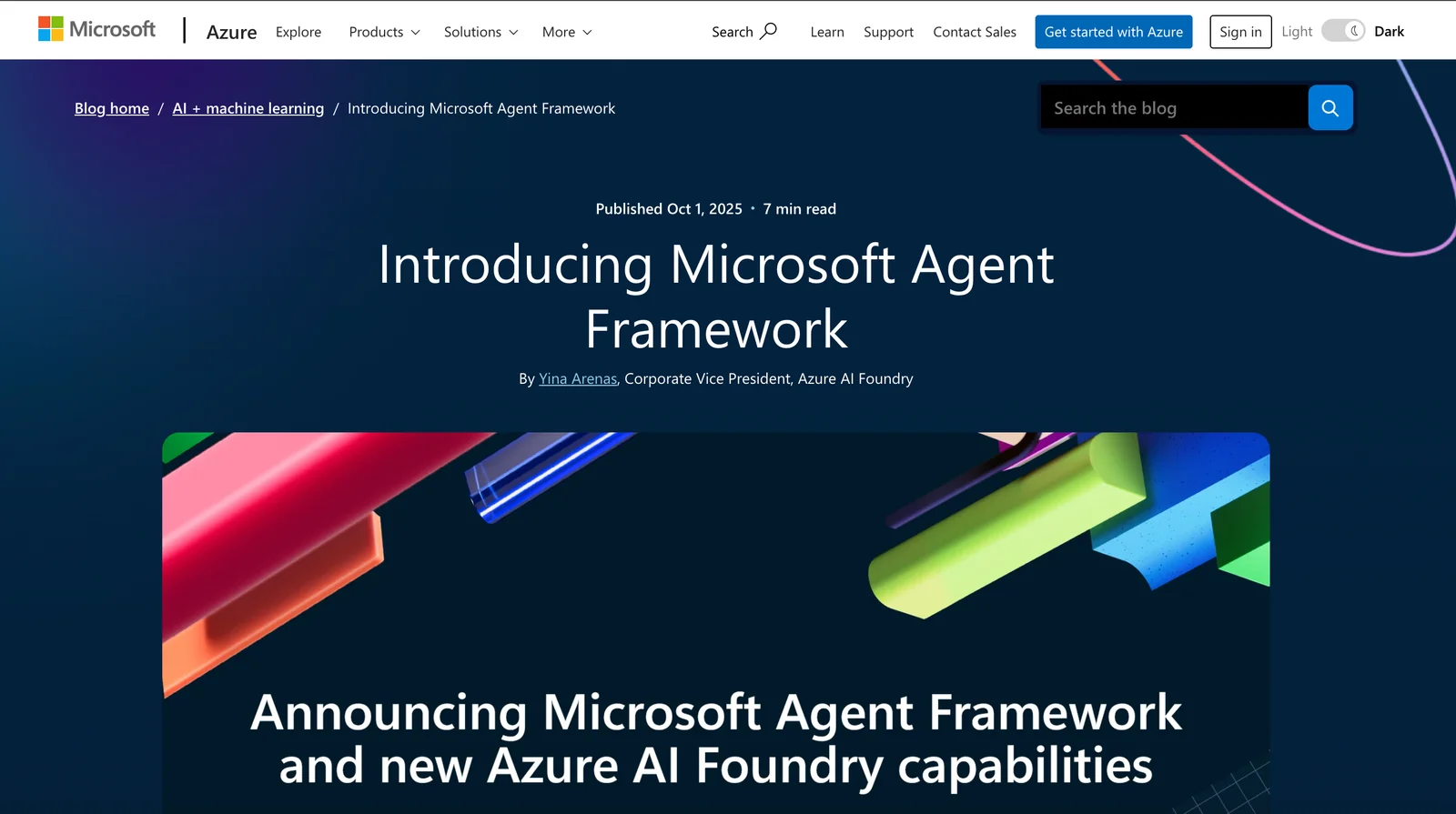
Microsoft Agent Framework is an open-source, multi-language SDK that provides a unified foundation for building single and multi-agent AI applications in .NET and Python. It combines and extends ideas from Semantic Kernel and AutoGen to deliver graph-based orchestration, standard agent abstractions, and built-in integrations for Azure OpenAI, Copilot Studio, and other Azure services. The framework simplifies agent lifecycle management, enables composition of heterogeneous agents and workflows, and is designed for extensibility, backward compatibility, and enterprise deployment scenarios while encouraging community contributions on GitHub.
Screenshots
Key Features
Use Cases



Frequently asked questions about Microsoft Agent Framework
Is Microsoft Agent Framework free to use?
Yes, the Microsoft Agent Framework is open-source and free to use. However, users might encounter costs associated with Azure services or third-party integrations when deploying agents. It’s essential to understand these potential expenses to plan your budget effectively.
Key Points
- Open-Source Accessibility: The Microsoft Agent Framework is fully open-source, allowing developers to utilize and modify the code freely.
- Potential Costs: While the framework itself is free, users may incur charges for Azure services and third-party tools during implementation.
- Wide Compatibility: The framework is compatible with various platforms, enhancing its utility for developers.
Detailed Explanation
The Microsoft Agent Framework is a powerful tool that enables developers to create intelligent agents capable of performing tasks through natural language processing and machine learning. It is hosted on platforms like GitHub, making it accessible for anyone interested in developing AI-driven applications.
Key Features:
- Open Source: Being open-source means that developers can access and modify the source code to fit their specific needs, fostering innovation and customization.
- Integration with Azure: Although the framework is free, deploying agents typically involves Azure services, which can incur costs based on usage, such as computing resources, storage, and data processing.
- Third-Party Services: Many developers use third-party APIs and services to enhance their agents, which can also lead to additional charges depending on the service provider.
Use Cases:
- Customer Support: Companies can deploy chatbots powered by the Microsoft Agent Framework to automate customer service inquiries, improving response times and efficiency.
- Personal Assistants: Developers can create personalized voice-activated assistants that help users manage tasks, schedule appointments, and provide information.
Best Practices / Tips
- Budget Planning: Before diving into development, estimate your potential costs by analyzing Azure pricing and any third-party services you plan to use.
- Start Small: Begin with simple projects to familiarize yourself with the framework and its capabilities before scaling up to more complex implementations.
- Community Engagement: Participate in forums and GitHub discussions to learn from other developers’ experiences and share your insights.
Additional Resources
What are the key features of Microsoft Agent Framework?
The Microsoft Agent Framework includes essential features such as multi-language SDKs for .NET and Python, graph-based orchestration for efficient workflows, and built-in Azure integrations to significantly enhance agent capabilities and streamline development processes.
Key Points
- Multi-language SDKs: Supports .NET and Python.
- Graph-based Orchestration: Enables efficient workflow management.
- Built-in Azure Integrations: Enhances capabilities with cloud services.
Detailed Explanation
The Microsoft Agent Framework is designed to simplify the development of intelligent agents by providing a robust set of features.
Multi-language SDKs
The framework supports development in multiple programming languages, including .NET and Python. This flexibility allows developers to choose the language they are most comfortable with, facilitating faster project execution and broader adoption across various development teams.
Graph-based Orchestration
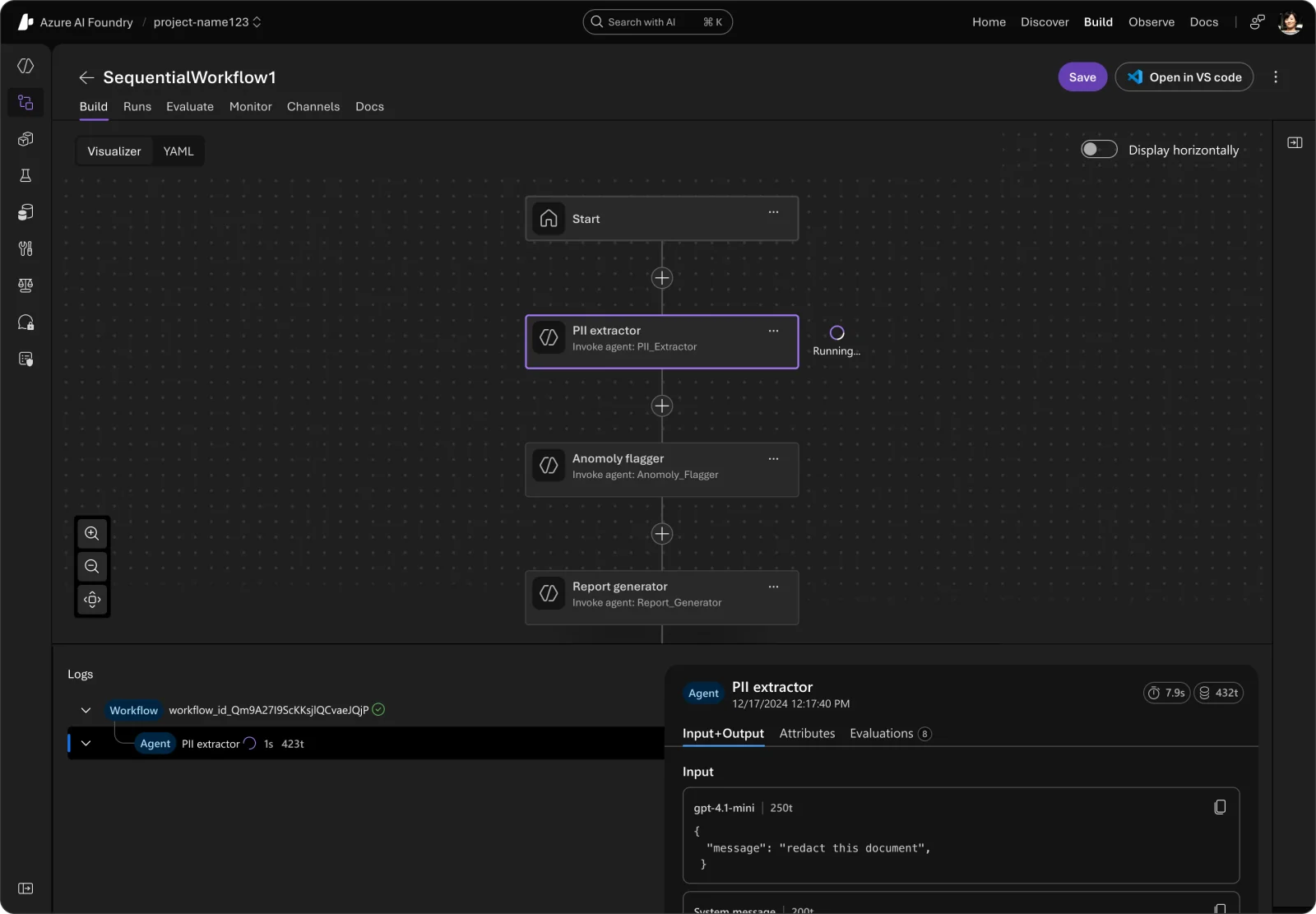
Graph-based orchestration is a powerful feature that allows developers to visualize and manage complex workflows easily. This visual approach helps in designing, testing, and deploying agent tasks in a more intuitive manner. For instance, a customer service agent can be orchestrated to handle queries based on a predefined flowchart, ensuring consistent and efficient responses.
Built-in Azure Integrations
Integrating with Azure services such as Azure Bot Service and Azure Cognitive Services enhances the capabilities of agents. Developers can leverage advanced AI functionalities, such as natural language processing and machine learning, directly within their applications. For example, an e-commerce agent can use Azure's AI to personalize product recommendations based on user behavior, significantly improving user engagement.
Best Practices / Tips
- Choose the Right SDK: Select the appropriate SDK (either .NET or Python) based on your team's expertise and project requirements.
- Design with Scalability in Mind: Utilize graph-based orchestration to build scalable workflows that can adapt to increased user demand.
- Leverage Azure Services: Integrate relevant Azure services to enhance your agent's capabilities, such as using Azure Functions for serverless execution of tasks.
- Test Rigorously: Always test workflows thoroughly to ensure they perform as expected under various conditions.
Additional Resources
How do I get started with Microsoft Agent Framework?
To get started with Microsoft Agent Framework, visit the official GitHub repository, where you'll find comprehensive documentation, practical examples, and detailed installation guides for both .NET and Python. This framework enables developers to build intelligent agents with ease.
Key Points
- GitHub Repository: Central hub for documentation and resources.
- Supported Languages: Installation guides for .NET and Python.
- Community Support: Access to forums and discussions for troubleshooting.
Detailed Explanation
Microsoft Agent Framework is designed to facilitate the development of conversational agents and smart applications. To begin:
- Visit the GitHub Repository: Go to Microsoft Agent Framework GitHub for resources.
- Installation: Follow the installation guides tailored for .NET or Python. Ensure you have the required development environment set up:
- For .NET: Install .NET SDK and Visual Studio.
- For Python: Make sure you have Python 3.x installed along with pip for package management.
- Explore Documentation: Delve into the documentation to understand the core concepts, including agent lifecycle, natural language processing, and state management. Each section provides code snippets and explanations to help you grasp the framework's functionality.
Use Case Example: If you're building a customer service chatbot, utilize the framework's natural language processing capabilities to understand user queries and respond appropriately.
Best Practices / Tips
- Start Small: Begin with a simple agent to familiarize yourself with the framework before adding complex features.
- Utilize Community Resources: Engage in forums and communities for tips and troubleshooting.
- Keep Updated: Regularly check the GitHub repository for updates and new features to leverage the latest enhancements.
Additional Resources
- Microsoft Documentation
- Agent Framework Examples
- Community Forums for discussions and support.
Does Microsoft Agent Framework integrate with Azure services?
Yes, the Microsoft Agent Framework seamlessly integrates with Azure services, including Azure OpenAI and Azure AI Foundry. This integration enhances agent capabilities, enabling developers to create intelligent, responsive applications that leverage Azure's powerful cloud computing resources.
Key Points
- Integration with Azure Services: Connects to Azure OpenAI and Azure AI Foundry.
- Enhanced Functionality: Provides advanced AI capabilities for agents.
- Scalability: Leverages Azure's infrastructure for scalable applications.
Detailed Explanation
The Microsoft Agent Framework is built to facilitate a smooth integration with Azure's suite of services. This includes:
-
Azure OpenAI: Developers can utilize OpenAI's powerful models to create agents capable of understanding and generating human-like text. This can be particularly beneficial for customer support bots or virtual assistants that require natural language understanding.
-
Azure AI Foundry: This platform allows developers to build, train, and deploy custom AI models. By integrating the Agent Framework with AI Foundry, organizations can tailor their agents to specific business needs, enhancing performance and user satisfaction.
-
Scalability and Performance: Azure's cloud infrastructure ensures that applications built with the Microsoft Agent Framework can scale according to demand. This means businesses can handle increased user traffic without performance degradation.
Example Use Cases
- Customer Service Bots: Companies can deploy chatbots that not only answer FAQs but also handle complex inquiries by utilizing AI models from Azure OpenAI.
- Personalized User Experiences: By integrating with Azure AI Foundry, businesses can create agents that learn from user interactions, adapting responses based on individual preferences.
Best Practices / Tips
- Utilize Azure Resources: Take advantage of Azure's documentation and tutorials to get started with integration.
- Optimize Performance: Regularly monitor the performance of your agents and make adjustments based on user feedback and analytics.
- Security Considerations: Ensure that all data handled by your agents complies with privacy regulations, leveraging Azure’s security features.
Additional Resources
How does Microsoft Agent Framework compare to other AI tools?
Microsoft Agent Framework excels compared to other AI tools due to its open-source model, robust Azure integrations, and capability to support complex multi-agent workflows. These features enhance flexibility, scalability, and collaboration, making it a superior choice for developers and businesses looking to build intelligent applications.
Key Points
- Open-Source Model: Facilitates customization and community contributions.
- Azure Integrations: Leverages Microsoft's cloud services for enhanced functionality.
- Multi-Agent Support: Enables complex interactions and collaboration between agents.
Detailed Explanation
The Microsoft Agent Framework is designed to support developers in creating sophisticated AI applications. Here’s a detailed look at how it compares to other AI tools:
-
Open-Source Model:
- Unlike many proprietary AI platforms, the Microsoft Agent Framework is open-source. This allows developers to modify the codebase, create custom features, and contribute to the community. Open-source frameworks encourage innovation and can lead to faster problem-solving through community collaboration.
-
Azure Integrations:
- The framework seamlessly integrates with Microsoft Azure services. For instance, it utilizes Azure Cognitive Services for natural language processing and machine learning. This integration allows developers to harness powerful AI capabilities without extensive infrastructure investment. Additionally, Azure's scalability ensures that applications can grow with business needs.
-
Multi-Agent Support:
- The ability to manage multiple agents simultaneously is a standout feature. Developers can create complex systems where agents interact and collaborate, enabling more dynamic and responsive applications. For example, a customer service application might use multiple agents to handle inquiries, process transactions, and provide personalized recommendations simultaneously.
Best Practices / Tips
- Start Small: Initially, focus on a single agent implementation before expanding to multi-agent systems to understand core functionalities.
- Utilize Azure Services: Leverage Azure’s machine learning and cognitive tools for enhanced capabilities.
- Engage with the Community: Participate in forums and contribute to projects to learn best practices and avoid common pitfalls.
Additional Resources
Explore more AI Ai Agents tools
Browse all Ai Agents tools →Browse by use case: Automation & Productivity
Compare Microsoft Agent Framework: vs Hacktron · vs Ninjō AI · vs Phoenix.vu · vs Dropstone