

Typeless for iOS
AITransforms natural speech into polished, ready-to-send text across applications with no keyboard required.
Typeless for iOS
Transforms natural speech into polished, ready-to-send text across applications with no keyboard required.
About Typeless for iOS
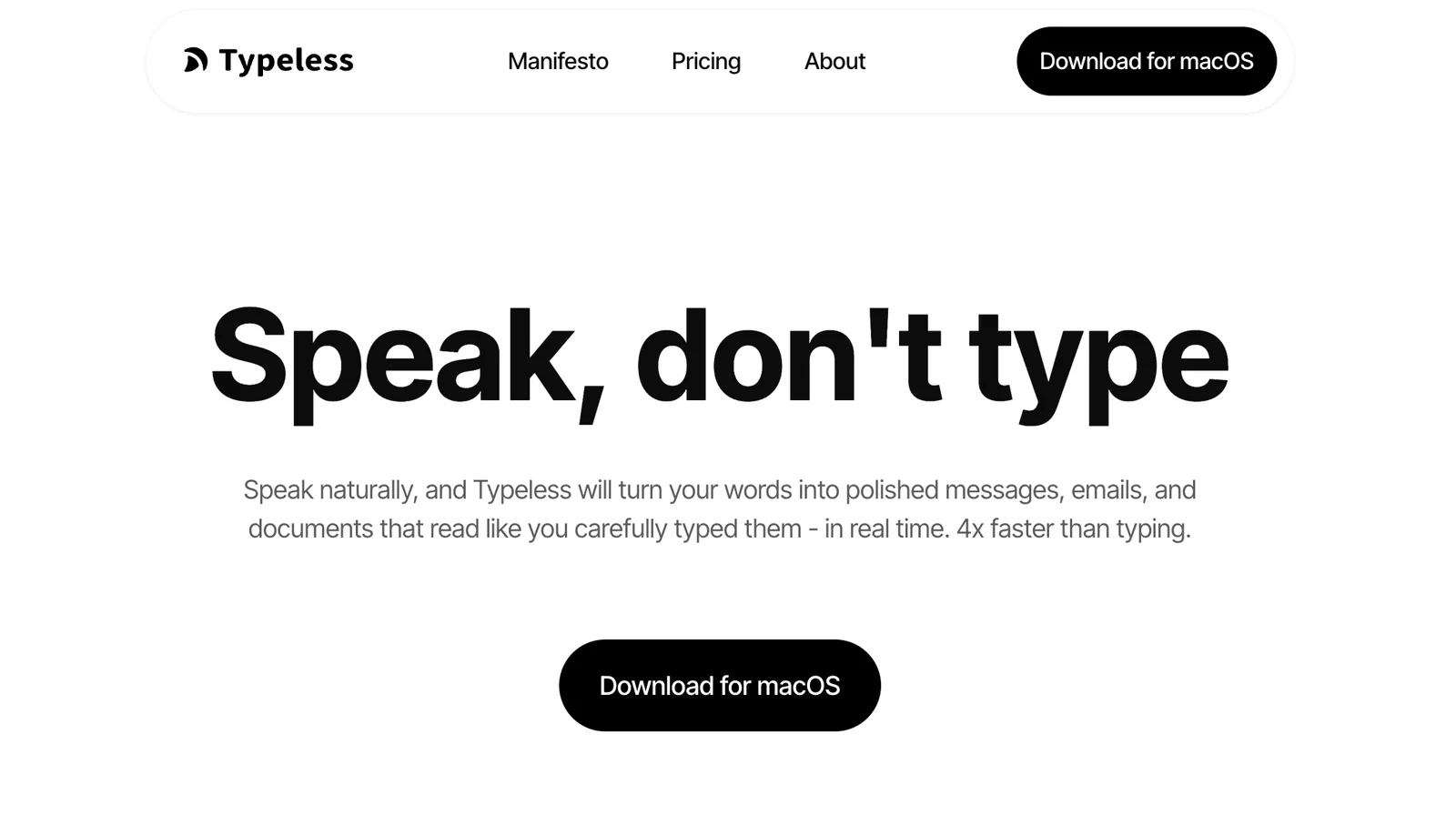
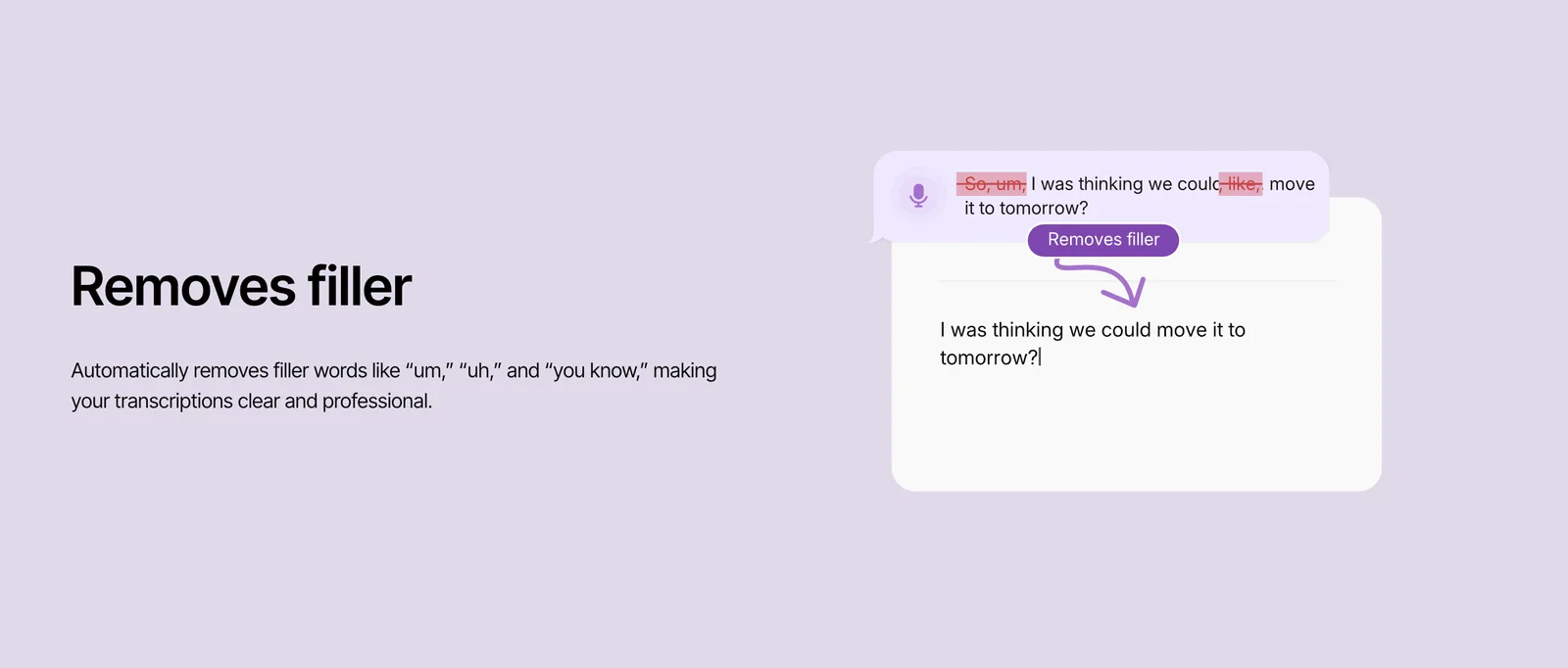
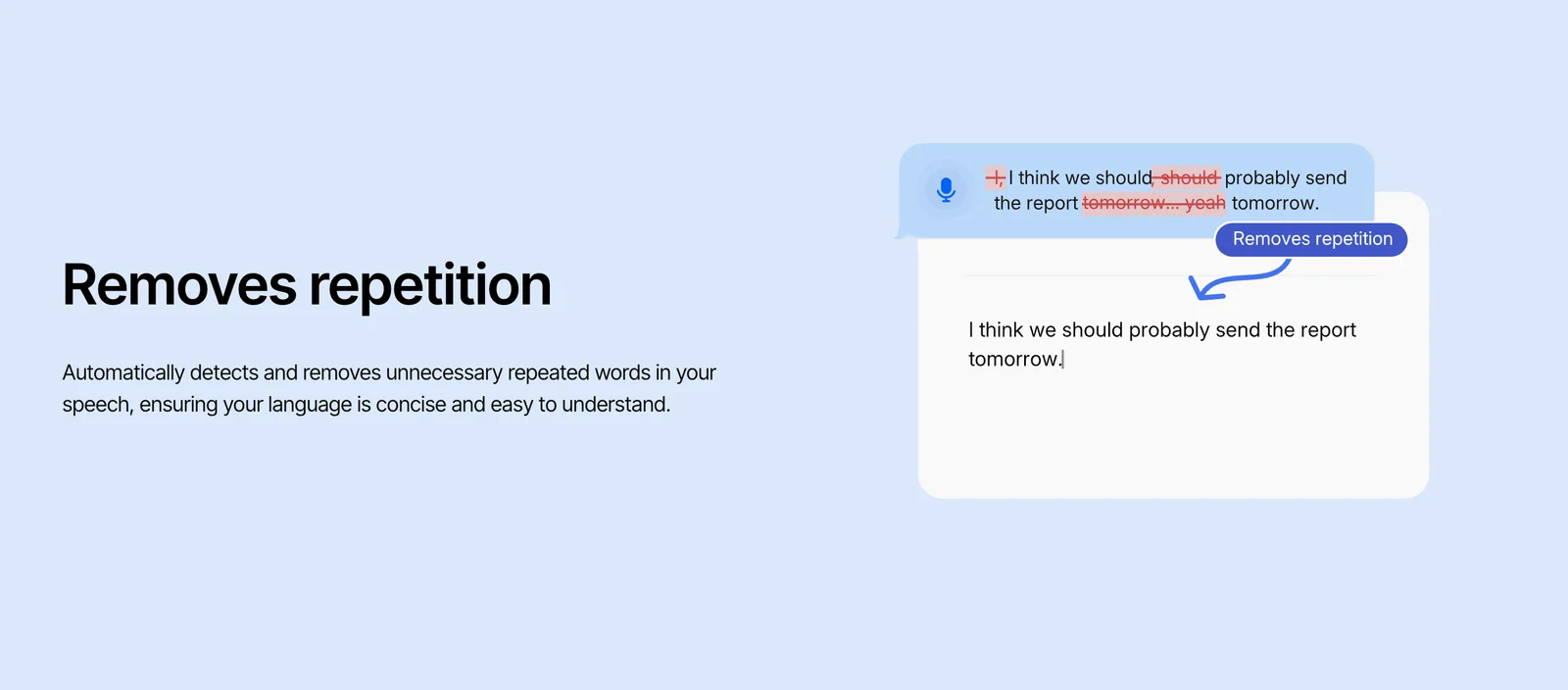
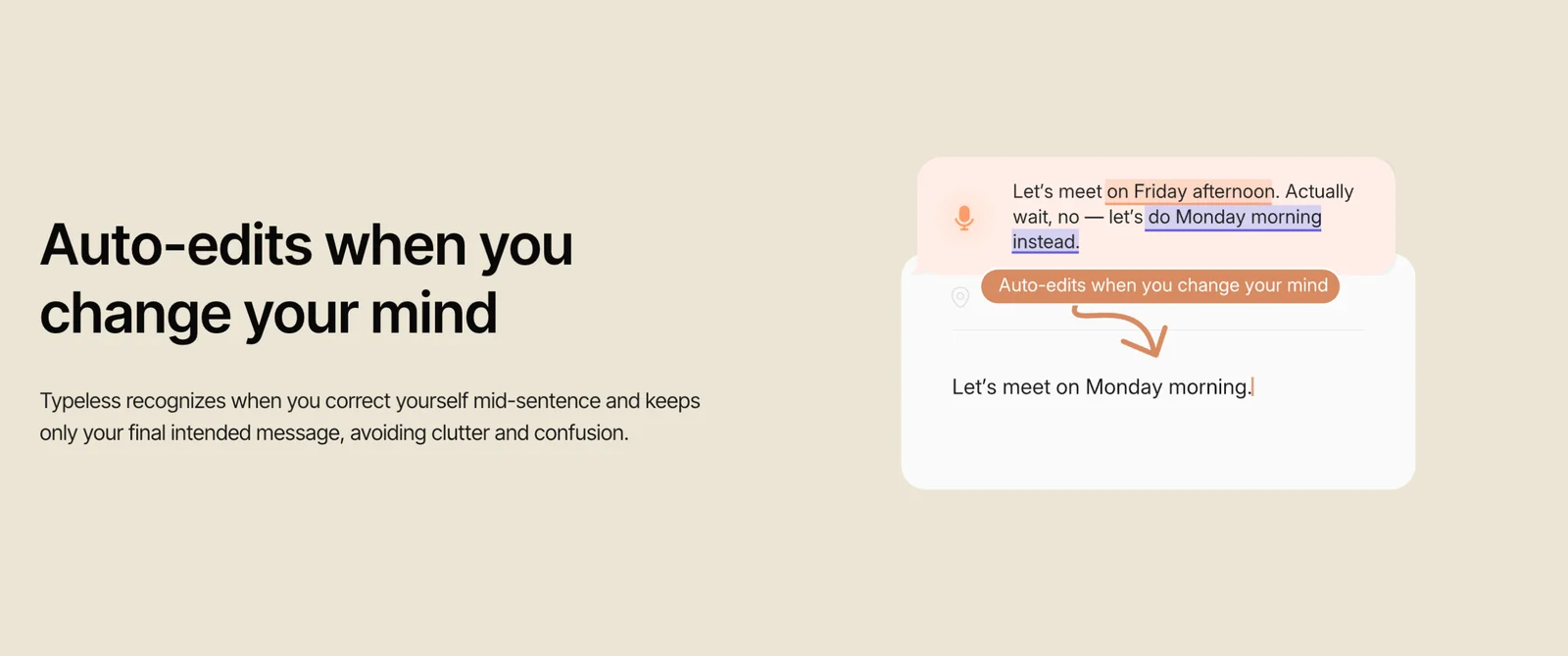
Typeless converts naturally spoken words into polished messages, emails, and documents that read as if they were carefully typed. It works across applications, allowing users to compose text without a keyboard and claims up to 4x faster composition than typing. The tool focuses on producing readable, well-formatted output from conversational speech, reducing editing time and enabling hands-free text creation.
Screenshots
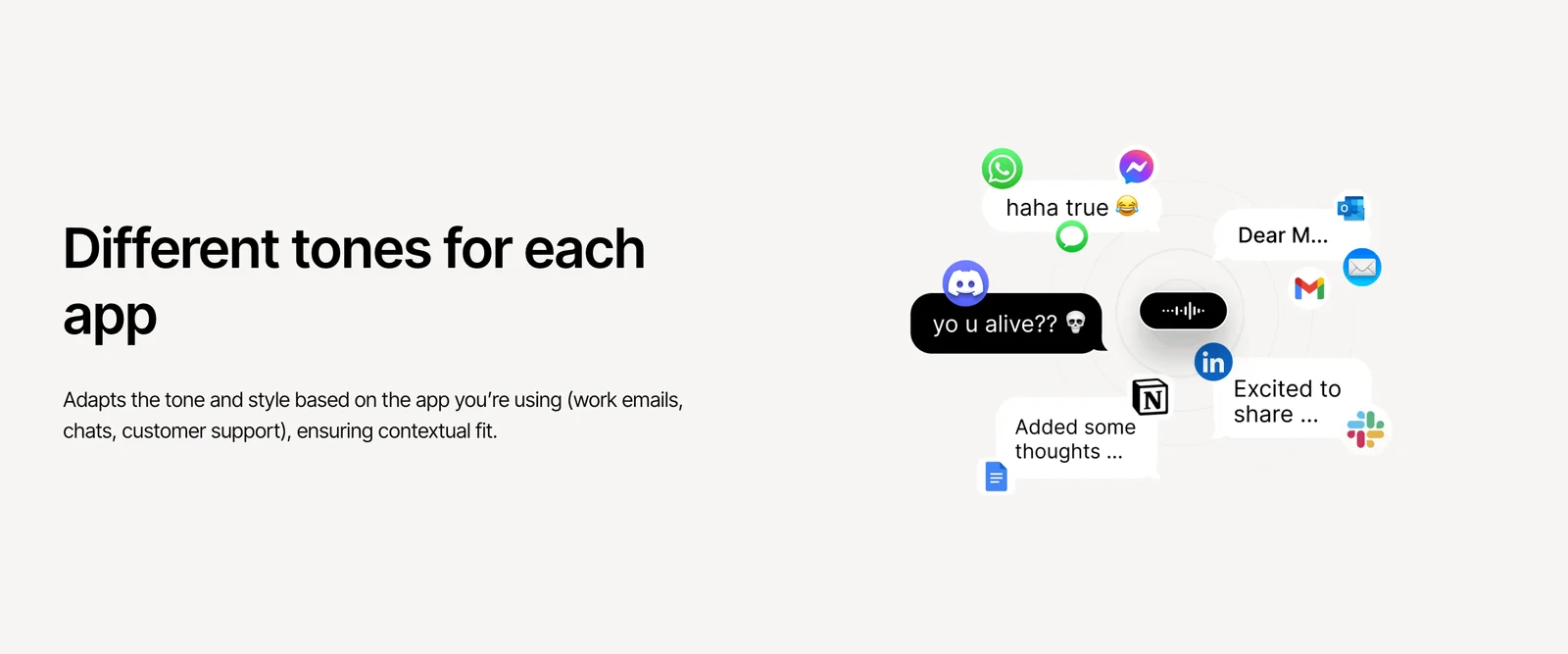
Key Features
Use Cases


Frequently asked questions about Typeless for iOS
What are the pricing options available for Typeless for iOS?
Typeless for iOS employs a freemium pricing model that includes a free tier featuring basic voice-to-text functionality and refined text exports. Users can unlock additional features through Pro subscriptions or in-app purchases, though specific details are not provided on the official website.
Key Points
- Freemium Model: Basic features are available for free.
- Pro Subscriptions: Enhanced functionality through paid options.
- In-App Purchases: Additional features can be unlocked as needed.
Detailed Explanation
Typeless for iOS offers a versatile freemium pricing model designed to meet varying user needs. The free tier allows access to essential voice-to-text features, making it suitable for casual users who want to convert speech into text without incurring costs. This basic functionality includes polished text exports, which enhance the quality of the output.
For those looking for more advanced features, Typeless offers Pro subscriptions. These subscriptions typically include enhanced capabilities such as improved voice recognition accuracy, extensive export formats, and advanced editing tools. While the specific pricing for Pro subscriptions may fluctuate, users can expect various tiers that cater to both occasional users and professionals who require robust voice processing solutions.
In addition to Pro subscriptions, Typeless allows users to make in-app purchases for specific features. This flexibility enables users to tailor their experience based on individual needs without committing to an ongoing subscription plan. For example, a user may purchase additional export formats or special editing tools as required.
Best Practices / Tips
- Evaluate Your Needs: Before opting for a Pro subscription, assess how often you will use the advanced features to ensure it is worth the investment.
- Explore Free Features: Take full advantage of the free tier to familiarize yourself with Typeless's capabilities before deciding on any purchases.
- Stay Updated: Regularly check the official Typeless website or app for any promotional offers, updates, or changes to the pricing structure.
Additional Resources
How can I use Typeless for iOS to compose emails hands-free?
To compose emails hands-free with Typeless for iOS, activate the app and dictate your message naturally. Typeless will convert your spoken words into polished text, allowing you to send emails via any application without using a keyboard, streamlining your email composition process.
Key Points
- Voice Activation: Easily start composing by activating Typeless.
- Natural Dictation: Speak your message as you would in conversation.
- Cross-Application Compatibility: Send emails through any email app seamlessly.
Detailed Explanation
Using Typeless for iOS to compose emails hands-free is an efficient way to manage your communications without the hassle of typing. Here's a step-by-step guide on how to get started:
-
Download and Install Typeless: First, download Typeless from the App Store and install it on your iOS device. Ensure your device is compatible with the latest version of the app for optimal performance.
-
Activate the App: Open Typeless and grant it the necessary permissions to access your microphone. This allows the app to capture your voice accurately.
-
Dictate Your Message: Begin speaking your email content clearly and at a steady pace. Typeless uses advanced speech recognition technology to convert your spoken words into written text. You can dictate subject lines, greetings, body text, and sign-offs, just as you would in a typical email.
-
Review and Edit: After dictating, quickly review the text for any errors or adjustments. Typeless provides a polished output, but it’s always good to double-check before sending.
-
Send via Email App: Once satisfied with your email, you can choose to send it directly through Typeless or copy the text and paste it into your preferred email application, such as Apple Mail, Gmail, or Outlook.
Best Practices / Tips
- Speak Clearly: To improve accuracy, articulate your words clearly and maintain a moderate pace.
- Use Punctuation Commands: Include commands like "comma," "period," or "new line" to enhance the structure of your email. For example, you can say, "Hello, how are you? New line I hope this message finds you well."
- Familiarize with Voice Commands: Spend some time learning the various voice commands that Typeless recognizes. This can significantly improve your efficiency.
- Avoid Background Noise: For best results, use Typeless in a quiet environment to minimize distractions and interference.
Additional Resources
What key features set Typeless for iOS apart from other voice-to-text tools?
Typeless for iOS differentiates itself from other voice-to-text tools with its natural language dictation, context-preserving conversion, and hands-free composition capabilities. It features real-time transcription, polished text formatting, and seamless integration with various applications, enhancing productivity for tasks like composing emails and documents.
Key Points
- Natural Language Dictation: Understands conversational speech.
- Context-Preserving Conversion: Maintains the meaning behind words.
- Hands-Free Composition: Allows users to dictate without touching the device.
Detailed Explanation
Typeless for iOS utilizes advanced speech recognition technology to convert spoken language into text accurately and efficiently. One of its standout features is natural language dictation, which allows users to speak as they naturally would, without needing to pause for punctuation or formatting cues. This feature is particularly beneficial for users who need to transcribe thoughts quickly, such as writers or professionals on the go.
Another significant aspect is context-preserving conversion. This ensures that the app understands the context of the spoken words, thereby reducing errors and improving the coherence of the transcribed text. For instance, if a user dictates "I love apple pie," Typeless recognizes that "apple" refers to the fruit and not a tech company, thanks to its advanced algorithms.
Additionally, Typeless excels in hands-free composition. Users can engage in dictation without having to touch their devices, making it ideal for multitasking scenarios. Whether you’re cooking, exercising, or driving, you can easily compose emails or notes just by speaking.
The app also features real-time transcription, ensuring that users see their words appear on the screen instantaneously. This is particularly useful for editing as it allows immediate feedback on what has been dictated. Furthermore, Typeless formats the text professionally, ensuring that the final output is polished and ready for sharing, which is crucial for business communications.
Best Practices / Tips
- Speak Clearly: Articulate your words to improve accuracy.
- Use Natural Pacing: Dictate as you would in conversation to leverage natural language processing.
- Review Transcriptions: Always check your text for any errors or misinterpretations.
- Explore Integrations: Utilize the app's integration with email and document applications for seamless workflow.
Additional Resources
What technical requirements are needed to run Typeless for iOS?
Typeless for iOS requires an iOS device running the latest operating system, a functional microphone, and a stable internet connection for optimal performance. This application works independently and does not have specific API requirements, making it user-friendly for various devices.
Key Points
- Requires the latest iOS version.
- Needs a functional microphone.
- Stable internet connection is essential.
Detailed Explanation
To successfully run Typeless on your iOS device, ensure that you have updated to the latest version of the iOS operating system. This is crucial as newer software versions provide improved security and compatibility with applications.
Device Compatibility
Typeless is compatible with a wide range of iOS devices, including iPhones and iPads. Check if your device meets the following criteria:
- iOS Version: Ensure that your device is updated to at least iOS 14 or later.
- Microphone: A built-in microphone is necessary for voice recognition features. If your device has external microphones, ensure they are properly connected and working.
- Internet Connection: A reliable internet connection (Wi-Fi or cellular data) is essential for downloading the app and accessing its features.
Use Cases
Typeless can be used for various purposes, such as speech-to-text transcription, voice commands for accessibility, or creating notes hands-free. The application’s design caters to users who prefer a seamless, voice-driven experience without the need for complex setups.
Best Practices / Tips
- Regular Updates: Keep your iOS device updated to the latest version for optimal performance and security.
- Test Microphone: Before using Typeless, test your microphone to ensure it captures your voice clearly. Use the built-in Voice Memos app to check audio quality.
- Check Internet Speed: A faster internet connection improves response times and overall user experience. Use speed tests to ensure you have a stable connection.
Additional Resources
How does Typeless for iOS compare to other voice recognition apps?
Typeless for iOS stands out among voice recognition apps due to its exceptional speed and accuracy, transcribing speech up to four times faster than traditional typing. With unique polishing features that produce natural-sounding text, it's an ideal choice for professionals seeking efficiency and clarity in their communications.
Key Points
- Superior Speed: Transcribes speech up to 4x faster than typing.
- Enhanced Accuracy: Offers high precision in transcription.
- Polishing Features: Creates more natural-sounding text compared to competitors.
Detailed Explanation
Typeless for iOS is designed specifically for users who need reliable and efficient voice recognition capabilities. Unlike many other voice recognition apps that can struggle with complex phrases or background noise, Typeless utilizes advanced algorithms to deliver accurate transcriptions quickly.
Speed Comparison
For example, while traditional typing might take several minutes to document a spoken presentation, Typeless can capture and transcribe that same content in a fraction of the time. This feature is crucial for professionals such as journalists, academics, and business executives who work under tight deadlines.
Accuracy and Natural Text
Moreover, Typeless incorporates unique polishing features that enhance the readability of the transcribed text. This means that not only is the transcription fast, but it also appears more polished and natural. For instance, it can adjust punctuation and phrasing to match the context of the speech, something that many standard voice recognition tools fail to do.
Best Practices / Tips
- Speak Clearly: For optimal results, articulate your words clearly and at a moderate pace.
- Use in Quiet Environments: Minimize background noise to improve transcription accuracy.
- Regular Updates: Keep the app updated to benefit from the latest features and improvements.
Additional Resources
Explore more AI Ai Services tools
Browse all Ai Services tools →Browse by use case: Voice & Audio
Compare Typeless for iOS: vs Claude Academy · vs Switchyard · vs Router by Ramp · vs Supernova