

Command Center
AIA post-IDE platform to manage AI agents and protect codebases from unwanted automated changes.
Command Center
A post-IDE platform to manage AI agents and protect codebases from unwanted automated changes.
About Command Center
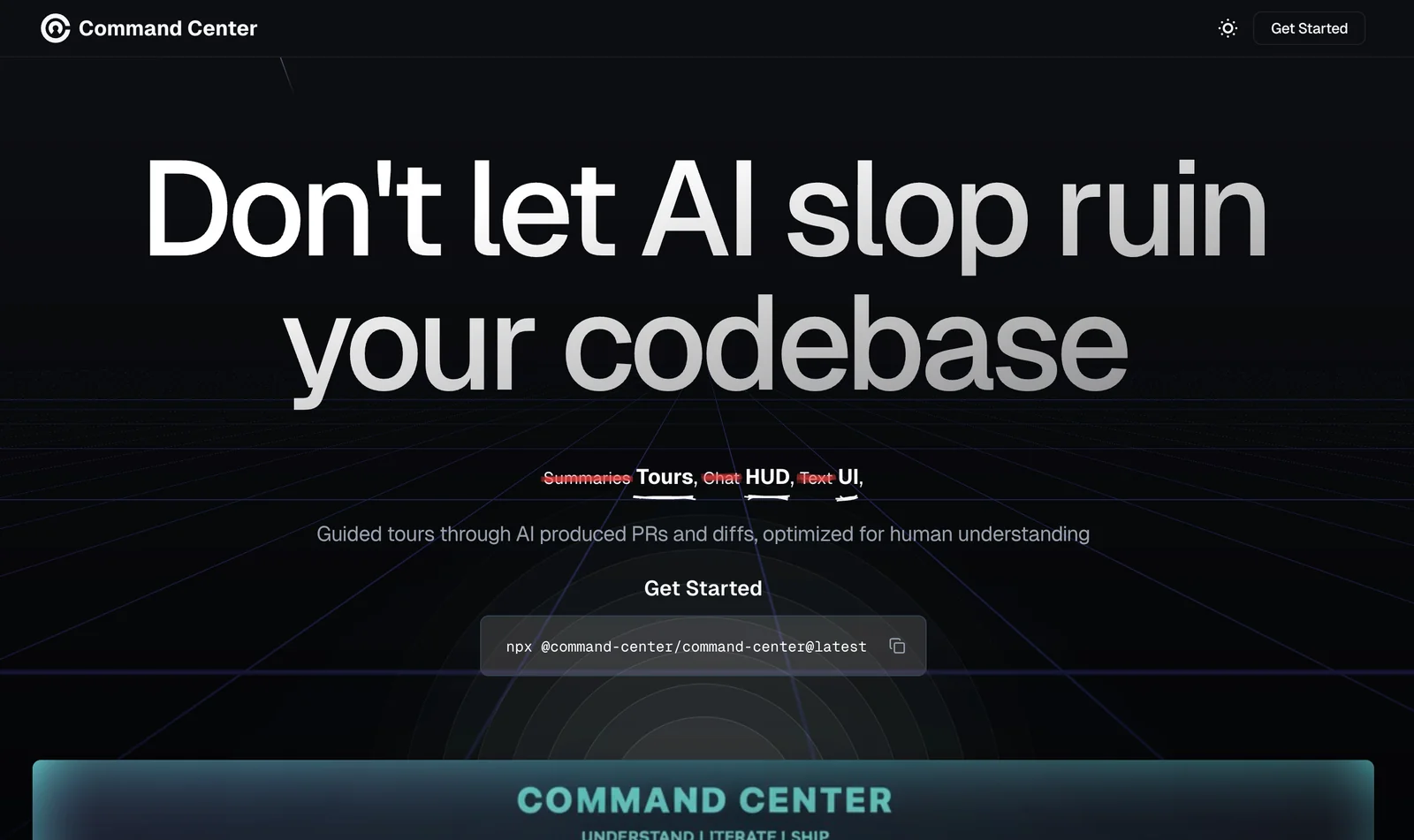
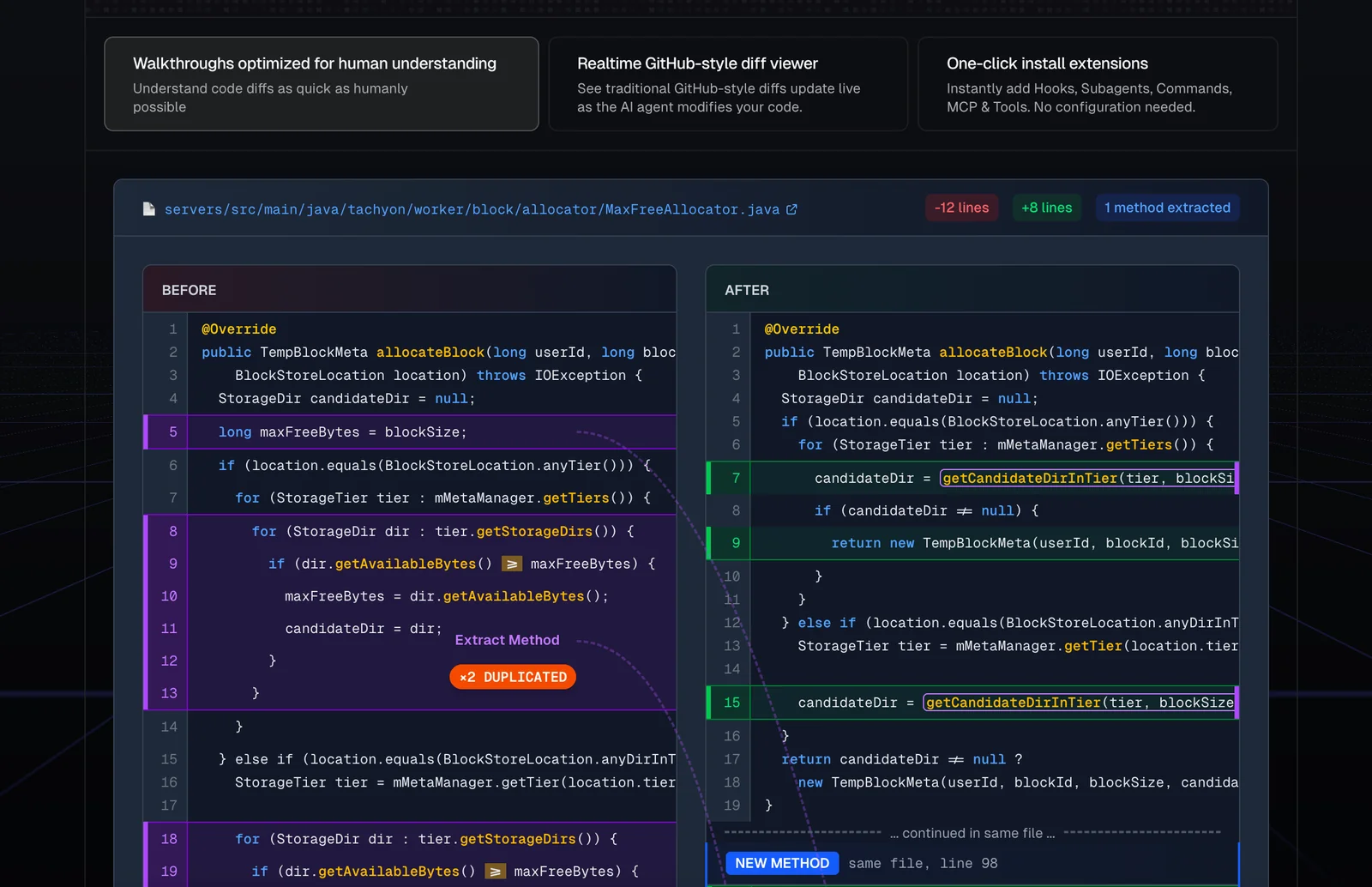
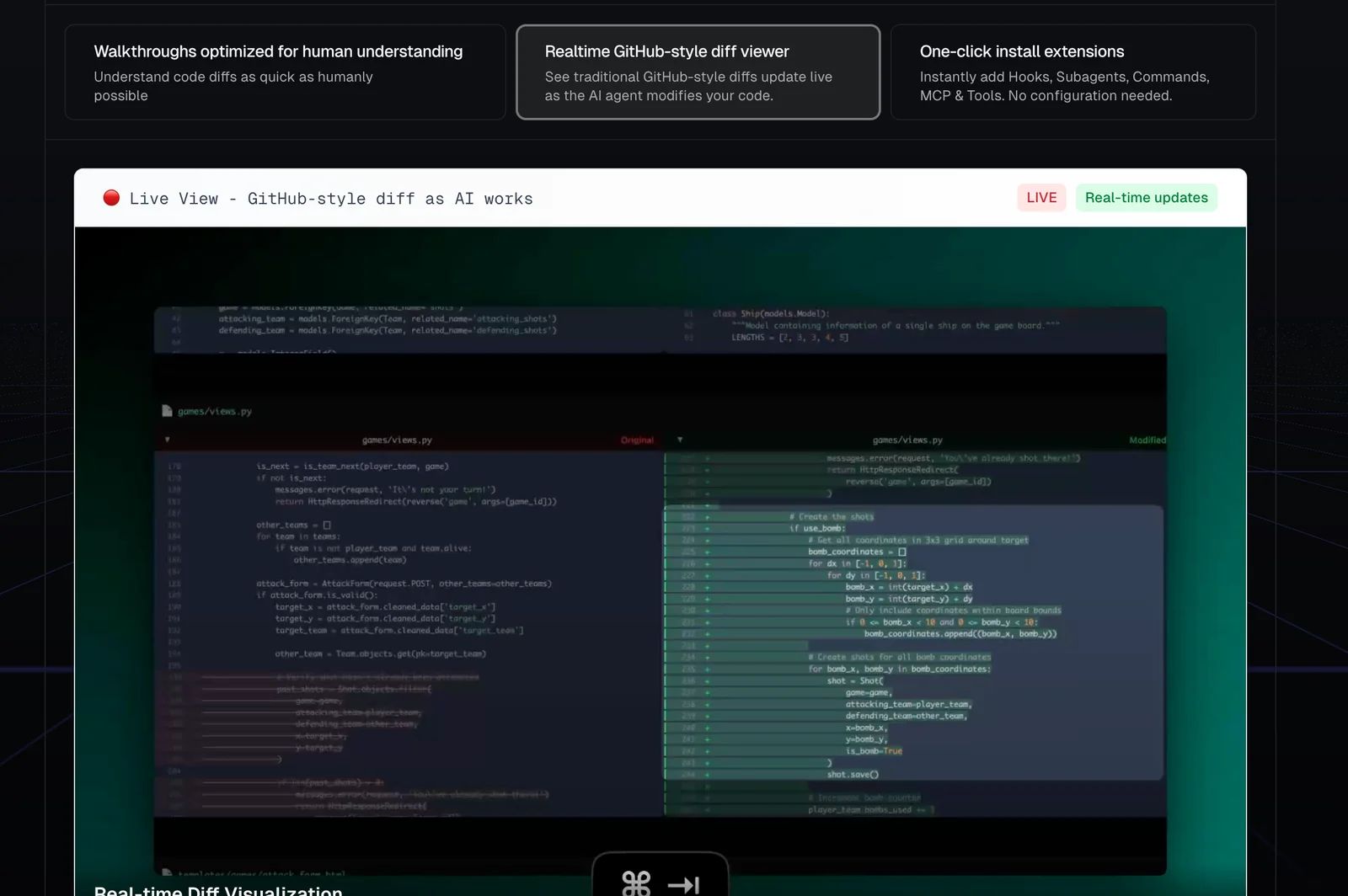
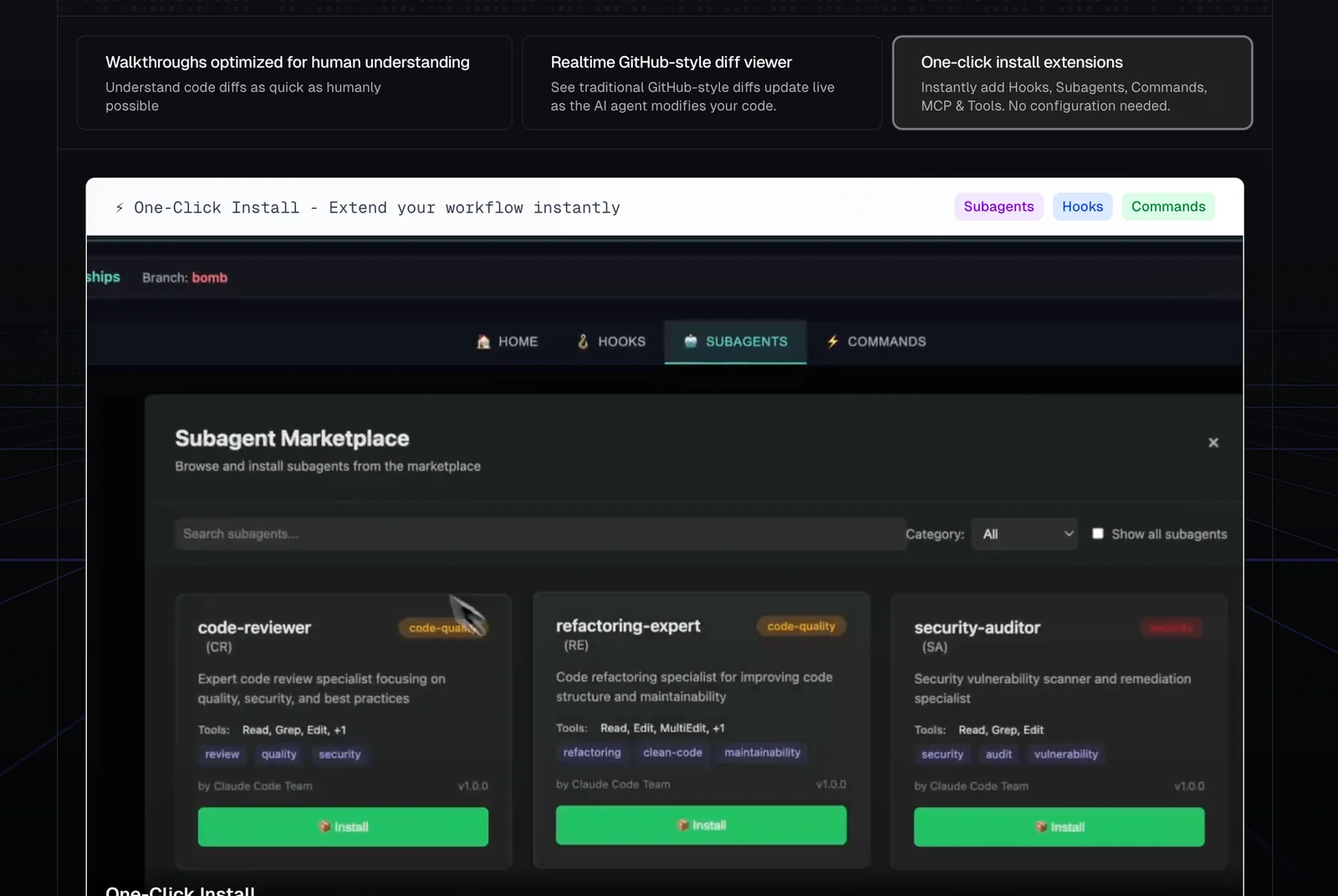
Command Center (branded as "The Post-IDE for AI agents") is a platform designed to centralize and manage AI-driven agent workflows while preventing accidental or low-quality modifications to codebases. It provides a single control plane for running, orchestrating, and governing multiple AI agents, applying guardrails and review workflows so generated changes are safe and auditable. Command Center integrates with developer repositories and tooling to ensure agent actions are traceable, reviewable, and constrained to project policies, reducing risk from automated code edits.
Screenshots
Key Features
Use Cases



Frequently asked questions about Command Center
What are the pricing options for Command Center?
Command Center offers a freemium pricing model that includes a free tier with essential features. For advanced functionalities, users must contact the sales team to discuss custom paid plans, as no public pricing details are available.
Key Points
- Freemium Model: Access to basic features at no cost.
- Custom Paid Plans: Tailored pricing based on specific needs.
- Contact Sales for Details: No standard pricing publicly shared.
Detailed Explanation
Command Center is designed to cater to diverse user needs through its freemium model. The free tier allows users to explore core functionalities, making it an attractive option for individuals and small teams. Users can benefit from essential features such as monitoring, reporting, and basic analytics without any financial commitment.
For organizations requiring more advanced capabilities, such as enhanced analytics, integrations with other tools, or expanded user access, Command Center provides custom paid plans. These plans are tailored based on individual business needs, and interested users should reach out to the sales team for a personalized quote. This approach ensures that companies only pay for the features they truly require, making it a flexible solution for various budgets.
Best Practices / Tips
- Evaluate Your Needs: Before opting for a paid plan, assess your team's requirements to determine which features are essential.
- Utilize the Free Tier: Take full advantage of the free tier to familiarize yourself with the platform and its capabilities before committing to a paid plan.
- Contact Sales Early: If you anticipate needing advanced features, reach out to the sales team early in your evaluation process to understand potential costs and options.
Additional Resources
How can I use Command Center to manage AI agents?
To manage AI agents using Command Center, first, sign up for an account on the official website. After that, you can create and schedule AI agents through its user-friendly interface and leverage workflow templates for repetitive tasks to enhance efficiency.
Key Points
- User-Friendly Interface: Command Center offers an intuitive UI for easy navigation.
- AI Agent Scheduling: You can create and schedule multiple AI agents efficiently.
- Workflow Templates: Utilize pre-built templates to streamline standard tasks.
Detailed Explanation
Command Center is designed to empower users with seamless management of AI agents. To get started, visit the official Command Center website and create an account. Once registered, log in to access the dashboard where you can easily create AI agents tailored to your specific needs.
-
Creating AI Agents:
- Navigate to the "Agents" section in the dashboard.
- Click on "Create New Agent" and fill in the necessary details:
- Agent Name: Choose a name that reflects the agent's function.
- Purpose: Define what tasks the agent will perform.
- AI Model Selection: Choose from various AI models based on your requirements.
-
Scheduling Agents:
- After creating your agent, you can schedule it to operate at specific times.
- Use the "Scheduling" feature to set the frequency and duration of the agent's tasks, ensuring that it runs when needed.
-
Utilizing Workflow Templates:
- Command Center offers a library of workflow templates for common tasks, such as customer support or data analysis.
- Select a template that suits your needs and customize it to fit your workflow.
For example, if you are managing a customer support bot, you can schedule it to respond to inquiries during peak hours, ensuring prompt service.
Best Practices / Tips
- Start Simple: Begin with a basic setup to familiarize yourself with the tools before scaling up.
- Monitor Performance: Regularly check the performance analytics of your AI agents to optimize their effectiveness.
- Use Templates Wisely: Don’t hesitate to modify existing templates; adapt them to your unique business needs for better results.
Additional Resources
By following these steps and best practices, you can effectively manage AI agents using Command Center to streamline your operations and enhance productivity.
What are the key features of Command Center?
Command Center features agent orchestration, code guardrails, repository integration, audit logging, and workflow templates. These elements work together to facilitate the safe and efficient management of AI-driven tasks, enhancing productivity and ensuring compliance with industry standards.
Key Points
- Agent Orchestration: Streamlines task management across AI agents.
- Code Guardrails: Ensures safe coding practices and mitigates errors.
- Repository Integration: Seamlessly connects with version control systems.
Detailed Explanation
Command Center is designed to optimize the management of AI-driven workflows. Here’s a deeper look into its key features:
Agent Orchestration
This feature enables users to coordinate multiple AI agents efficiently. By managing how agents interact and perform tasks, businesses can ensure that processes are streamlined, reducing redundancy and improving overall productivity. For instance, in customer service, various agents can handle queries based on their specialization, leading to faster resolution times.
Code Guardrails
Code guardrails are essential for maintaining quality and security in AI development. They provide pre-defined coding standards and practices that developers must adhere to, which minimizes the risk of bugs and vulnerabilities. For example, if a developer tries to deploy code that does not meet established criteria, the guardrails will prevent it, ensuring only high-quality code is executed.
Repository Integration
Command Center supports seamless integration with popular version control systems like GitHub and GitLab. This allows teams to manage their code repositories effectively, facilitating better collaboration and version tracking. By integrating with these repositories, users can pull the latest code and push updates directly from the Command Center interface.
Audit Logging
Audit logging tracks every action taken within the Command Center. This feature is crucial for compliance and security, as it provides a complete history of changes made to workflows and code. Organizations can review logs to ensure adherence to policies and protocols, making it easier to conduct audits and maintain accountability.
Workflow Templates
Pre-built workflow templates simplify the design and implementation of AI tasks. Users can select from a variety of templates tailored to specific industries or needs, which can significantly reduce setup time. For example, a template for automating customer feedback analysis can help businesses quickly deploy solutions without starting from scratch.
Best Practices / Tips
- Regularly Review Audit Logs: Conduct frequent audits of your logs to identify unusual activity or potential security threats.
- Utilize Workflow Templates: Take advantage of the provided templates to save time and ensure best practices in workflow design.
- Stay Updated on Integrations: Regularly check for updates in repository integrations to leverage new features and improvements.
Additional Resources
How does Command Center compare to other AI management tools?
Command Center is distinguished by its strong emphasis on code protection and structured approval workflows, setting it apart from other AI management tools. Many competitors lack such comprehensive safety features, making Command Center a preferred choice for organizations prioritizing secure code changes and collaboration.
Key Points
- Robust Code Protection: Command Center offers advanced security features for code management.
- Approval Workflows: Streamlined processes ensure that all changes are reviewed before implementation.
- User-Friendly Interface: Intuitive design facilitates user adoption and management efficiency.
Detailed Explanation
Command Center integrates state-of-the-art security mechanisms designed to protect code integrity, minimizing the risk of unauthorized changes. Its approval workflow system mandates that all code modifications receive formal approval, which not only enhances security but also fosters collaboration among development teams.
For example, in a scenario where multiple developers are contributing to a project, Command Center's workflow ensures that every change is logged and approved. This is particularly beneficial for organizations that must comply with regulatory standards, as it provides an audit trail of all code changes.
In contrast, many other AI management tools may provide basic code management functionalities without the added layers of security or the structured approval processes offered by Command Center. This makes Command Center especially appealing to industries like finance and healthcare, where data integrity is paramount.
Best Practices / Tips
- Utilize the Approval Workflows: Ensure that all team members are trained to use the approval features effectively to maintain code security.
- Regularly Update Security Protocols: Stay informed about the latest security threats and update your Command Center settings accordingly.
- Employ Version Control: Always maintain a version history of code changes for accountability and rollback capabilities.
Additional Resources
Does Command Center offer API integration?
Yes, Command Center offers API integration, enabling seamless connectivity with various source control systems. It can be further enhanced with plugins or connectors, allowing for tailored workflows that improve usability across different operational environments.
Key Points
- API Integration: Connects with source control systems for streamlined workflows.
- Custom Plugins: Extend functionality with plugins tailored to specific needs.
- Enhanced Usability: Supports diverse environments, improving user experience.
Detailed Explanation
Command Center's API integration is designed to enhance collaboration and efficiency within development workflows. By connecting with popular source control systems like Git and Subversion, it allows teams to manage their code repositories directly within the Command Center interface.
For instance, integration with Git enables real-time updates, version control, and collaborative coding efforts, all accessible from a single platform. This eliminates the need for switching between tools, saving time and reducing errors.
Use Cases
-
Continuous Integration/Continuous Deployment (CI/CD): Automate deployment processes by connecting Command Center with CI/CD tools. This integration allows teams to push code changes directly from the Command Center, triggering automated testing and deployment pipelines.
-
Custom Workflows: Organizations can create tailored workflows by developing plugins that integrate with their existing tools and systems. For example, a company may need to integrate with a project management tool like Jira to track issues and progress directly from Command Center.
-
Monitoring and Reporting: Use API connections to pull data into Command Center for analytics and reporting. This helps teams assess performance metrics and identify areas for improvement.
Best Practices / Tips
- Documentation: Always refer to the official Command Center API documentation for the latest guidelines and examples on implementing integrations.
- Version Control: Regularly update your plugins and connectors to maintain compatibility with the latest API changes and enhancements.
- Testing: Before deploying any new integration, conduct thorough testing in a staging environment to ensure all workflows function as expected.
Additional Resources
Explore more AI Ai Tools tools
Browse all Ai Tools tools →Browse by use case: Code Generation · Automation & Productivity
Compare Command Center: vs Agents Never Sleep · vs Port Radar for macOS · vs SubtitleGenerator · vs Zero