

Brand24
AIReal-time social listening and media monitoring to track mentions across social media, news, blogs, forums, podcasts and reviews.
Brand24
Real-time social listening and media monitoring to track mentions across social media, news, blogs, forums, podcasts and reviews.
About Brand24
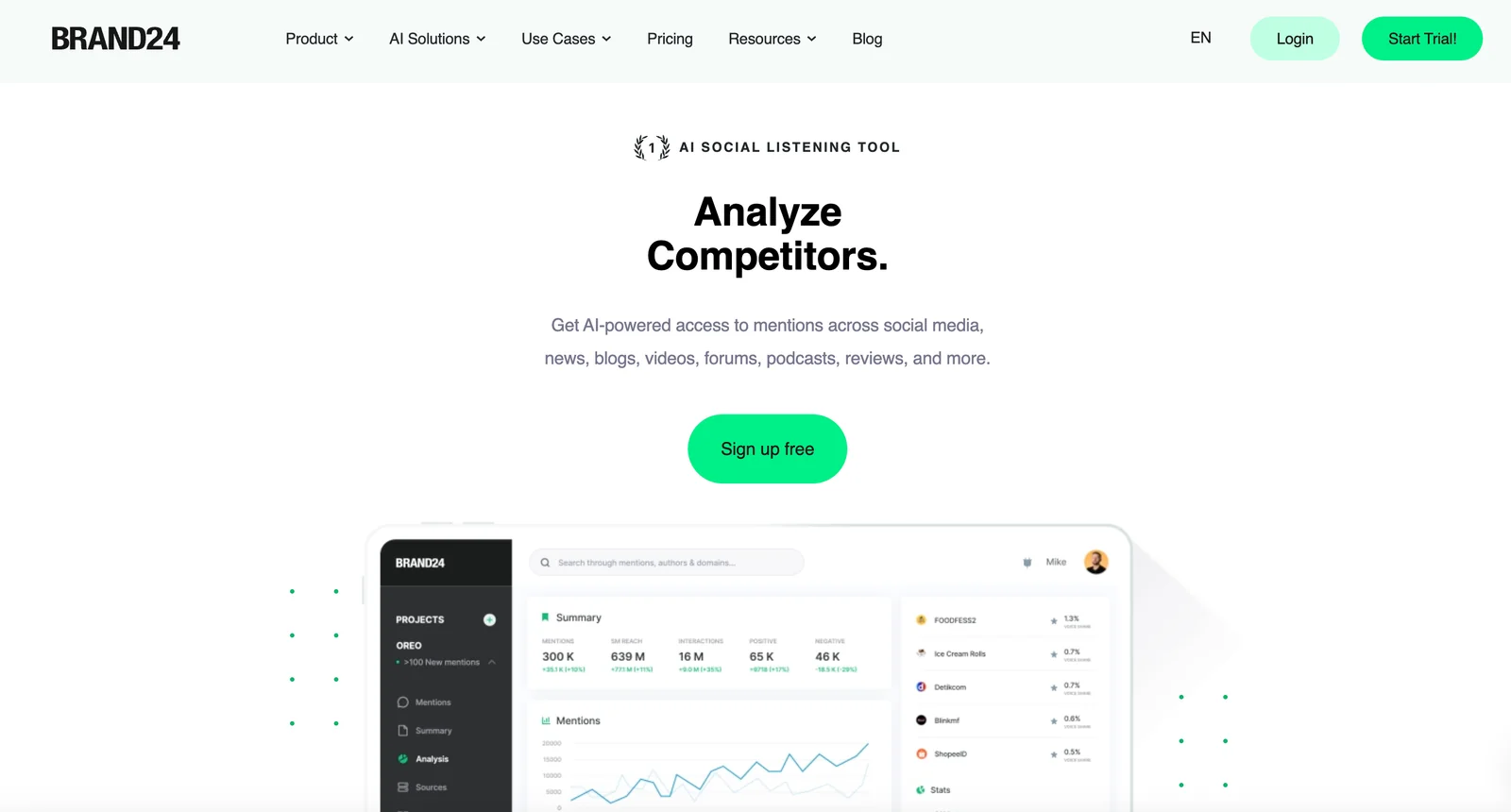
Brand24 is a cloud-based social listening and media monitoring tool that collects mentions and insights from social media, news sites, blogs, forums, podcasts, reviews and more. It provides real-time monitoring, sentiment analysis, influencer identification, and customizable reporting to help teams track brand reputation, respond to mentions quickly, and measure campaign impact. Brand24 also exposes APIs and integrations for programmatic access and supports multilingual data sources and corpora for broader coverage. The platform is positioned for marketing, PR, and customer service teams seeking timely alerts, actionable analytics, and influencer discovery.
Screenshots
Key Features
Use Cases



Frequently asked questions about Brand24
What is the pricing for Brand24?
Brand24 offers a 14-day free trial, followed by several paid plans: $99/month for the Individual plan, $179/month for the Team plan, $249/month for the Pro plan, and $499/month for the Enterprise plan, which includes custom pricing options based on specific needs.
Key Points
- Free Trial: 14-day trial available for all new users.
- Tiered Pricing: Various plans available to cater to different user needs.
- Custom Solutions: Tailored pricing for enterprises based on requirements.
Detailed Explanation
Brand24 is a powerful social media monitoring and analytics tool that provides insights into brand mentions, sentiment analysis, and engagement metrics. The pricing structure is designed to serve a wide range of users from individuals to large organizations.
-
Free Trial: Users can sign up for a 14-day free trial, allowing them to explore all features without commitment. This is ideal for assessing the platform's capabilities in real-time.
-
Individual Plan ($99/month): Designed for solo entrepreneurs or freelancers, this plan includes essential features like real-time monitoring, sentiment analysis, and basic reporting tools.
-
Team Plan ($179/month): Suitable for small to medium-sized teams, this plan offers collaborative tools, advanced analytics, and the ability to monitor multiple projects simultaneously.
-
Pro Plan ($249/month): Aimed at larger teams or businesses that require comprehensive tracking and reporting features, the Pro plan includes additional analytics, integration options, and priority support.
-
Enterprise Plan ($499/month): This plan is customizable based on the organization’s specific needs, offering dedicated support, advanced features, and a tailored analytics dashboard.
Best Practices / Tips
- Utilize the Free Trial: Make the most of the 14-day trial by testing all features applicable to your needs.
- Choose the Right Plan: Assess your requirements before selecting a plan. Consider factors like team size, frequency of social media monitoring, and specific features needed.
- Monitor ROI: Keep track of how Brand24 impacts your marketing efforts to justify the investment and optimize usage.
Additional Resources
What are the key features of Brand24?
Brand24 is an advanced social listening and media monitoring tool that offers key features such as real-time mention tracking, sentiment analysis, influencer identification, customizable dashboards, alerts, and multilingual coverage. These features empower brands to monitor their online presence effectively and engage with their audience.
Key Points
- Real-Time Mention Tracking: Instantly see what’s being said about your brand.
- Sentiment Analysis: Understand public perception through positive, negative, or neutral sentiment breakdown.
- Influencer Identification: Discover key influencers who are discussing your brand or relevant topics.
Detailed Explanation
Brand24 provides a robust platform for businesses seeking to enhance their online reputation and engagement.
Real-Time Mention Tracking
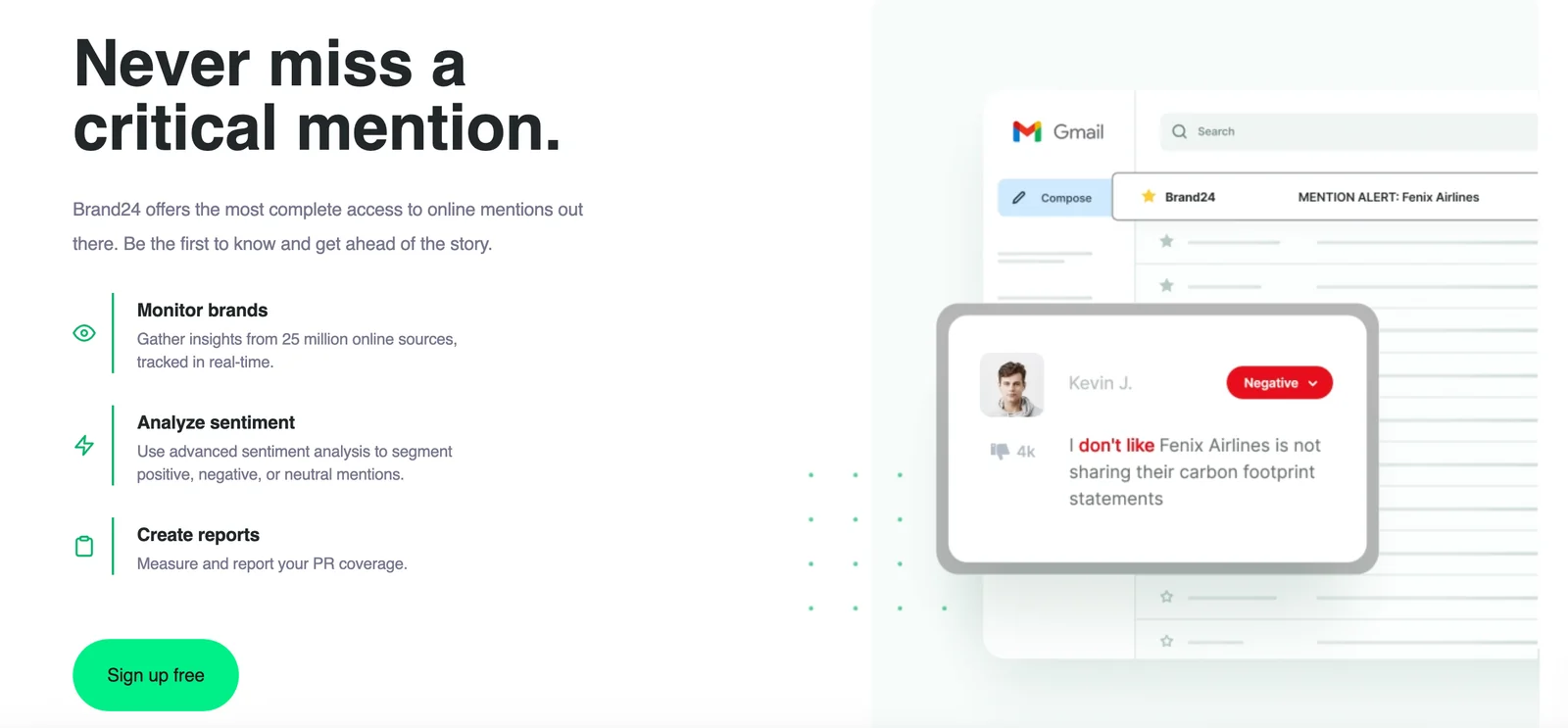
With Brand24, users can track brand mentions across various platforms, including social media, blogs, forums, and news sites. This feature allows businesses to respond promptly to customer inquiries or feedback, enhancing customer satisfaction. For example, if a user tweets about your product, Brand24 alerts you instantly, enabling you to engage in real-time.
Sentiment Analysis
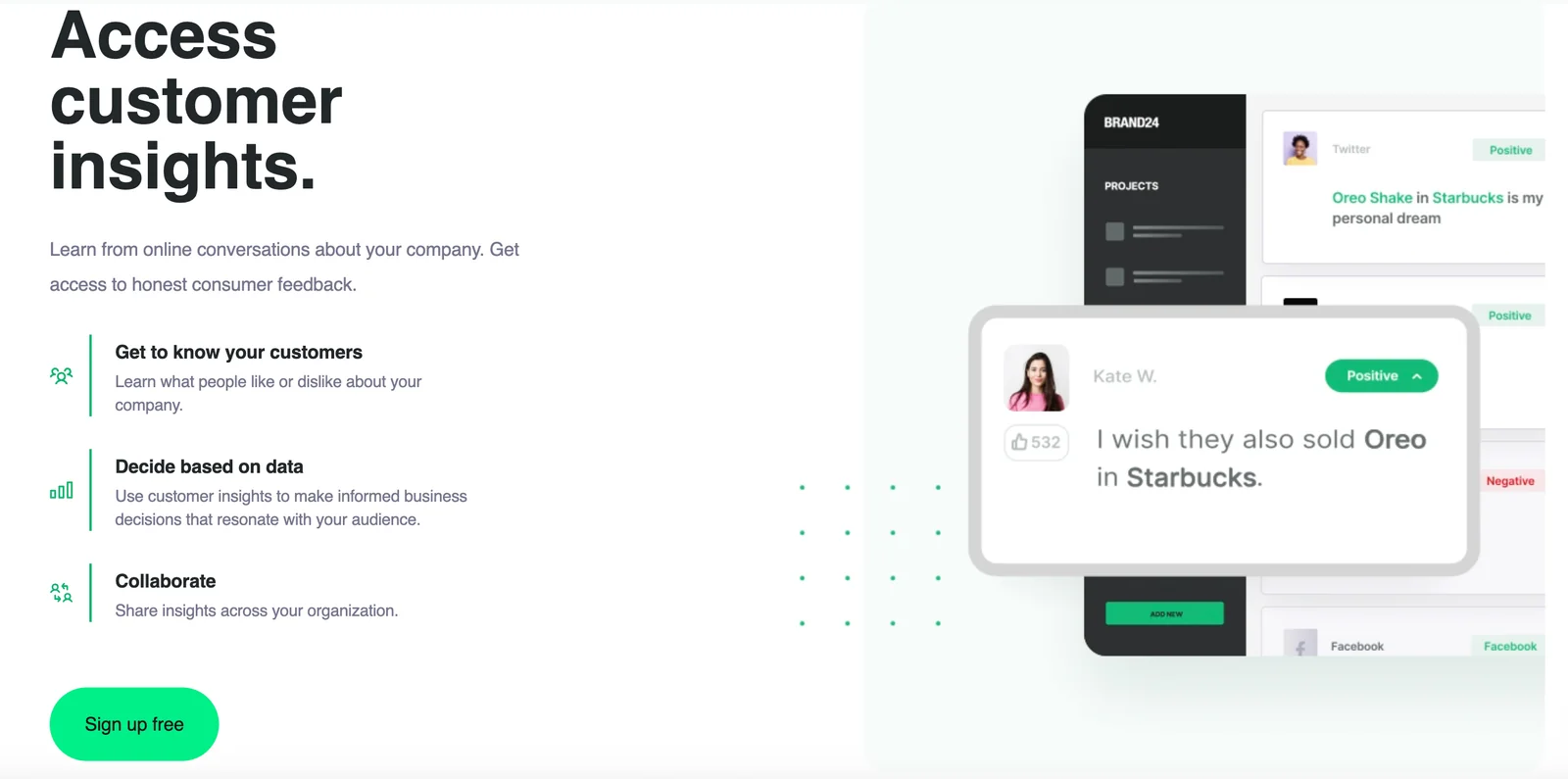
Sentiment analysis is crucial for understanding how people feel about your brand. Brand24 uses advanced algorithms to categorize mentions as positive, negative, or neutral. This insight helps businesses gauge public reaction to marketing campaigns or product launches. For instance, if a product receives a high number of negative mentions, a company can investigate the underlying issues and adjust their strategy accordingly.
Influencer Identification
Identifying key influencers is vital for marketing success. Brand24 enables businesses to find and engage with influencers who are discussing relevant topics or brands. By leveraging these influencers for partnerships or promotions, brands can significantly increase their reach and credibility. The tool provides metrics on influencer engagement, helping businesses prioritize their outreach efforts effectively.
Customizable Dashboards
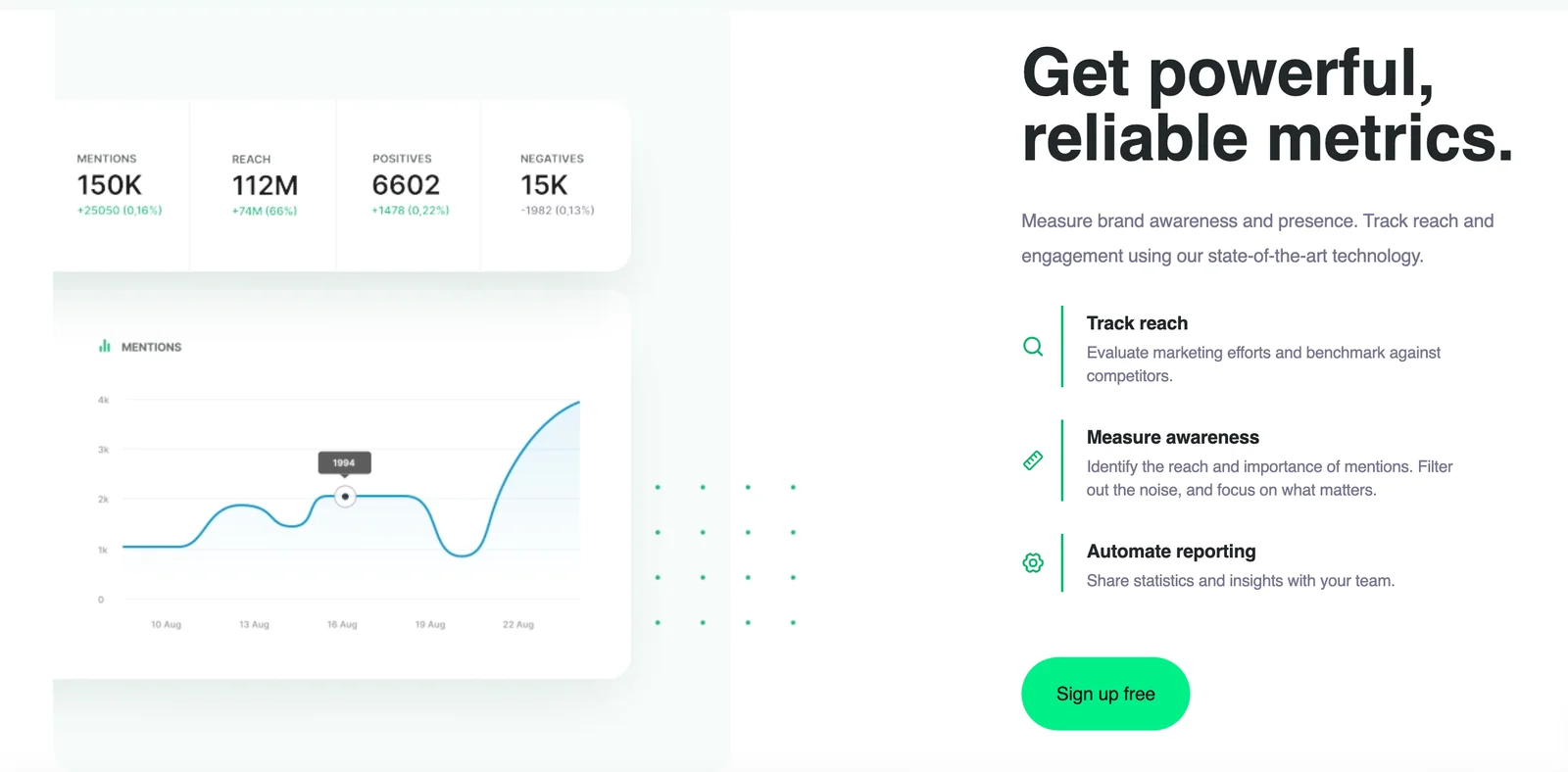
Brand24 allows users to create personalized dashboards that display critical metrics and data points. This customization helps businesses focus on the most relevant information, improving their monitoring and decision-making processes. Users can track KPIs such as engagement rates, reach, and sentiment over time to analyze trends.
Alerts and Multilingual Coverage
Brand24 sends alerts via email or mobile notifications when specific keywords or phrases are mentioned. This feature ensures that businesses never miss important conversations. Additionally, the tool supports multiple languages, making it suitable for global brands looking to monitor their presence in diverse markets.
Best Practices / Tips
- Set Up Relevant Keywords: Use specific keywords related to your industry and brand to refine tracking.
- Regularly Review Analytics: Schedule weekly or monthly reviews of your Brand24 dashboard to track progress and adjust strategies.
- Engage with Influencers: Don’t just identify influencers; actively engage with them to build lasting relationships.
Additional Resources
Does Brand24 have an API for integrations?
Yes, Brand24 provides a community-supported API that enables programmatic access to its data. This allows users to seamlessly integrate Brand24 with internal workflows and business intelligence tools, enhancing overall functionality and data utilization for effective brand monitoring and analysis.
Key Points
- Brand24 API facilitates data integration with various applications.
- Community-supported, ensuring continuous updates and improvements.
- Enhances functionality for business intelligence and reporting.
Detailed Explanation
Brand24's API allows developers and businesses to programmatically access monitoring data, making it an essential tool for those who want to incorporate social media analytics and brand mentions into their existing systems. With this API, users can:
- Automate Data Retrieval: Fetch brand mentions, sentiment analysis, and other metrics programmatically, enabling real-time insights without manual intervention.
- Custom Integrations: Connect Brand24 data with internal tools such as CRM systems, data visualization platforms, or custom dashboards, enhancing decision-making processes.
- Enhanced Reporting: Create tailored reports that combine Brand24 data with other analytics sources, providing a comprehensive view of brand performance.
For example, a marketing team might use the API to pull in data about social media mentions and integrate it with their CRM to track customer interactions and improve engagement strategies.
Best Practices / Tips
- Understand API Limits: Familiarize yourself with any rate limits and data quotas to optimize your integration without exceeding the allowed usage.
- Use API Documentation: Leverage the official API documentation provided by Brand24 to ensure you are implementing the API correctly and utilizing all available endpoints.
- Test Integrations Thoroughly: Before deploying any integrations into a live environment, make sure to conduct thorough testing to ensure data accuracy and functionality.
Additional Resources
- Brand24 API Documentation – Official documentation for detailed API usage.
- Brand Monitoring with Brand24 – Insights on how to effectively use Brand24 for brand monitoring and analysis.
- Community Forums – Engage with other users for tips, support, and shared experiences regarding API integrations.
Explore more AI Ai Agents tools
Browse all Ai Agents tools →Browse by use case: Automation & Productivity
Compare Brand24: vs Expertise AI · vs ify · vs Hacktron · vs Ninjō AI