

Seedream 4.5
AIA high-fidelity image generation model from ByteDance focused on production-ready, high-resolution and batch-consistent image synthesis.
Seedream 4.5
A high-fidelity image generation model from ByteDance focused on production-ready, high-resolution and batch-consistent image synthesis.
About Seedream 4.5
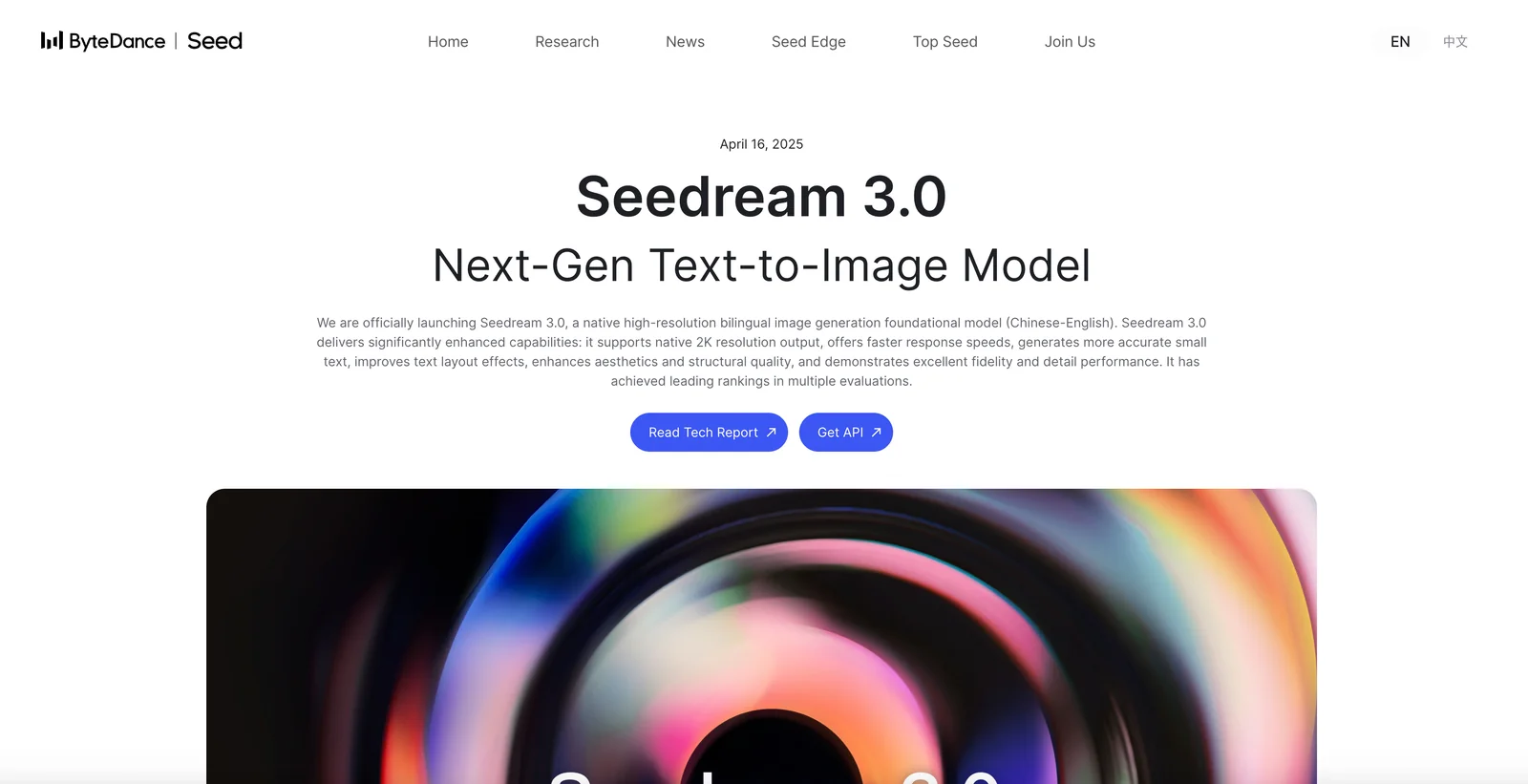
Seedream 4.5 is an image-generation foundation model developed by ByteDance Seed, optimized for high-resolution fidelity, consistent batch outputs, and production pipeline integration. It follows complex prompts well, improves in-image text rendering, and builds on prior Seedream iterations that added bilingual prompt understanding and RLHF-based alignment to better match human preferences. Seedream 4.5 is positioned for creators, designers, marketers, and production teams requiring brand-safe, repeatable assets and can be deployed via platform endpoints or integrated into automated pipelines.
Screenshots

Key Features
Use Cases


Frequently asked questions about Seedream 4.5
What is the pricing structure for Seedream 4.5?
Seedream 4.5 features a flexible pricing structure that includes a custom enterprise model, free access through community playgrounds, and a pay-per-image API priced at $0.04 per generated image when accessed through third-party providers. This variety caters to different user needs and budgets.
Key Points
- Custom Enterprise Model: Tailored solutions for large organizations.
- Community Playgrounds: Free access for users to explore features.
- Pay-Per-Image API: Cost-effective pricing at $0.04 per image.
Detailed Explanation
Seedream 4.5 caters to users with diverse needs through its well-defined pricing structure.
-
Custom Enterprise Model: For businesses requiring extensive usage or unique features, Seedream offers a custom enterprise model. This model provides tailored solutions, including dedicated support and additional functionalities. Pricing is typically negotiated based on the specific requirements of the organization, ensuring that larger teams can effectively utilize the platform without constraints.
-
Community Playgrounds: Seedream encourages exploration and experimentation by offering free access through community playgrounds. Users can create and test images without incurring costs, making it an excellent opportunity for individuals and small businesses to familiarize themselves with the tool before committing to a paid option.
-
Pay-Per-Image API: For developers and businesses looking for flexible usage, Seedream’s pay-per-image API is a cost-efficient option. At just $0.04 per generated image, this pricing model allows users to only pay for what they need. This is particularly beneficial for projects with varying demands, as it provides scalability without high upfront costs.
Best Practices / Tips
- Evaluate Your Needs: Before choosing a pricing model, assess your usage requirements. If you anticipate high usage, the custom enterprise model might offer better value.
- Utilize Community Playgrounds: Take advantage of free access to explore Seedream’s capabilities. This will help you understand how to maximize its features for your projects.
- Monitor API Usage: If you opt for the pay-per-image API, keep track of your generated images to avoid unexpected costs. Set a budget based on anticipated usage to manage expenses effectively.
Additional Resources
By considering these aspects, users can choose the most suitable pricing model for their needs while maximizing the benefits of Seedream 4.5.
What unique features does Seedream 4.5 provide for image generation?
Seedream 4.5 offers unique features for image generation, including high-fidelity output, batch consistency for multiple images, enhanced text rendering capabilities, bilingual prompt understanding, and instruction-based editing. These features cater to a wide range of creative workflows, making Seedream 4.5 a versatile tool for artists and designers.
Key Points
- High-Fidelity Image Generation: Produces stunning, detailed images.
- Batch Consistency: Ensures uniformity across generated series.
- Bilingual Prompt Understanding: Supports multiple languages for diverse users.
Detailed Explanation
Seedream 4.5 stands out in the AI image generation landscape due to its high-fidelity output, which captures intricate details and vibrant colors, making it ideal for professional projects. For instance, artists can use this feature to create marketing materials that require high-resolution images.
The batch consistency feature allows users to generate multiple images with similar styles or themes, ensuring a cohesive look for projects such as social media campaigns or product catalogs. This is particularly helpful for businesses that need a series of images that align visually.
Enhanced text rendering capabilities enable the tool to create images that incorporate written language with clarity. This is beneficial for graphic designers aiming to include text in their visuals, such as infographics or promotional banners.
The bilingual prompt understanding allows users to input commands in different languages, broadening accessibility and usability for a global audience. This feature is particularly useful for non-English speakers, encouraging creativity without language barriers.
Finally, instruction-based editing provides users with the ability to make specific adjustments to images post-generation. For example, if a user wants to change a color or modify an object within the image, they can simply input their instructions, leading to highly customizable outputs.
Best Practices / Tips
- Experiment with Prompts: Use varied prompts to see how the model responds and generates images.
- Leverage Bilingual Support: If you're multilingual, try using prompts in different languages to explore varied outputs.
- Utilize Batch Features: For projects requiring multiple images, always use the batch consistency feature to save time and maintain uniformity.
- Refine Instructions: Be specific in your instruction-based editing requests to achieve desired results quickly.
Additional Resources
How can I start using Seedream 4.5 for my projects?
To start using Seedream 4.5, you can access the free browser-based playground or integrate the API for commercial applications. For detailed setup instructions and additional resources, visit the official Seedream website.
Key Points
- Free access through the browser-based playground.
- API integration available for commercial projects.
- Comprehensive documentation provided on the official website.
Detailed Explanation
Seedream 4.5 offers both a free, user-friendly browser-based playground and a robust API for developers looking to implement AI capabilities in their projects. To begin, simply navigate to the Seedream website and select the playground option for immediate use. Here, you can test various features, run sample projects, and familiarize yourself with the platform without any upfront costs.
For those interested in commercial applications, integrating the Seedream API allows you to harness advanced AI functionalities directly within your applications. Follow these steps to get started with the API:
- Sign Up: Create an account on the Seedream website to access the API.
- API Key: Once registered, obtain your unique API key, which is essential for authentication.
- Documentation: Review the comprehensive API documentation available on the site. This includes endpoints, request formats, and response examples.
- Implementation: Use the API key in your application code to make requests to Seedream’s services.
For example, if you're developing a chatbot, you can call the Seedream API to generate responses based on user input, enhancing the interaction quality.
Best Practices / Tips
- Explore the Playground: Spend time in the browser playground to test various features before committing to API integration.
- Read the Documentation Thoroughly: Understanding the API structure and capabilities is crucial for successful implementation.
- Monitor Usage: Keep track of your API usage to avoid exceeding any rate limits that may incur additional costs.
- Test in a Staging Environment: Always test your integration in a safe environment before deploying to production.
Additional Resources
- Seedream Official Website
- API Documentation
- Community Forum for support and shared experiences.
What technical requirements are needed to integrate Seedream 4.5 into my application?
Integrating Seedream 4.5 into your application requires compatible API endpoints and access to hosted models such as Volcano Engine. Ensure that your environment supports RESTful API calls and meets the necessary performance specifications for seamless integration.
Key Points
- Compatible API Endpoints: Integrate with specific APIs for functionality.
- Access to Hosted Models: Use services like Volcano Engine for processing.
- RESTful API Support: Ensure your application can handle RESTful calls.
Detailed Explanation
To successfully integrate Seedream 4.5, start by verifying that your application can communicate with the necessary API endpoints. These endpoints are essential for data exchange and invoking Seedream's features. The API documentation provided by Seedream outlines the endpoints required, the data formats supported (like JSON), and the methods (GET, POST) for interaction.
Next, ensure you have access to hosted models, particularly the Volcano Engine. This engine provides the computational power needed for real-time processing and model execution. You may need a subscription or account setup with the hosting service, which might involve costs depending on usage and model size.
Your environment must support RESTful API calls, which enable your application to send requests and receive responses in a standardized manner. This ensures optimal performance and reliability. Check that your programming environment, whether it's a web application, mobile app, or backend service, is configured for handling RESTful calls. Libraries and frameworks like Axios (for JavaScript) or Requests (for Python) can simplify this process.
Example Use Case
Imagine you’re developing an e-commerce application that uses Seedream 4.5 for personalized product recommendations. By integrating the API, your application can send user behavior data to Seedream, which processes it through its models hosted on Volcano Engine and returns tailored recommendations in real-time.
Best Practices / Tips
- Test Your Integration: Before going live, conduct extensive testing in a development environment to ensure all API calls work as expected.
- Monitor Performance: Keep an eye on response times and error rates. Use logging to detect issues early.
- Optimize Data Handling: Minimize the amount of data sent in API requests to improve performance. Only send necessary information.
- Stay Updated: Regularly check for updates in the API documentation, as Seedream may introduce new features or changes.
Additional Resources
How does Seedream 4.5 compare to other AI image generation models?
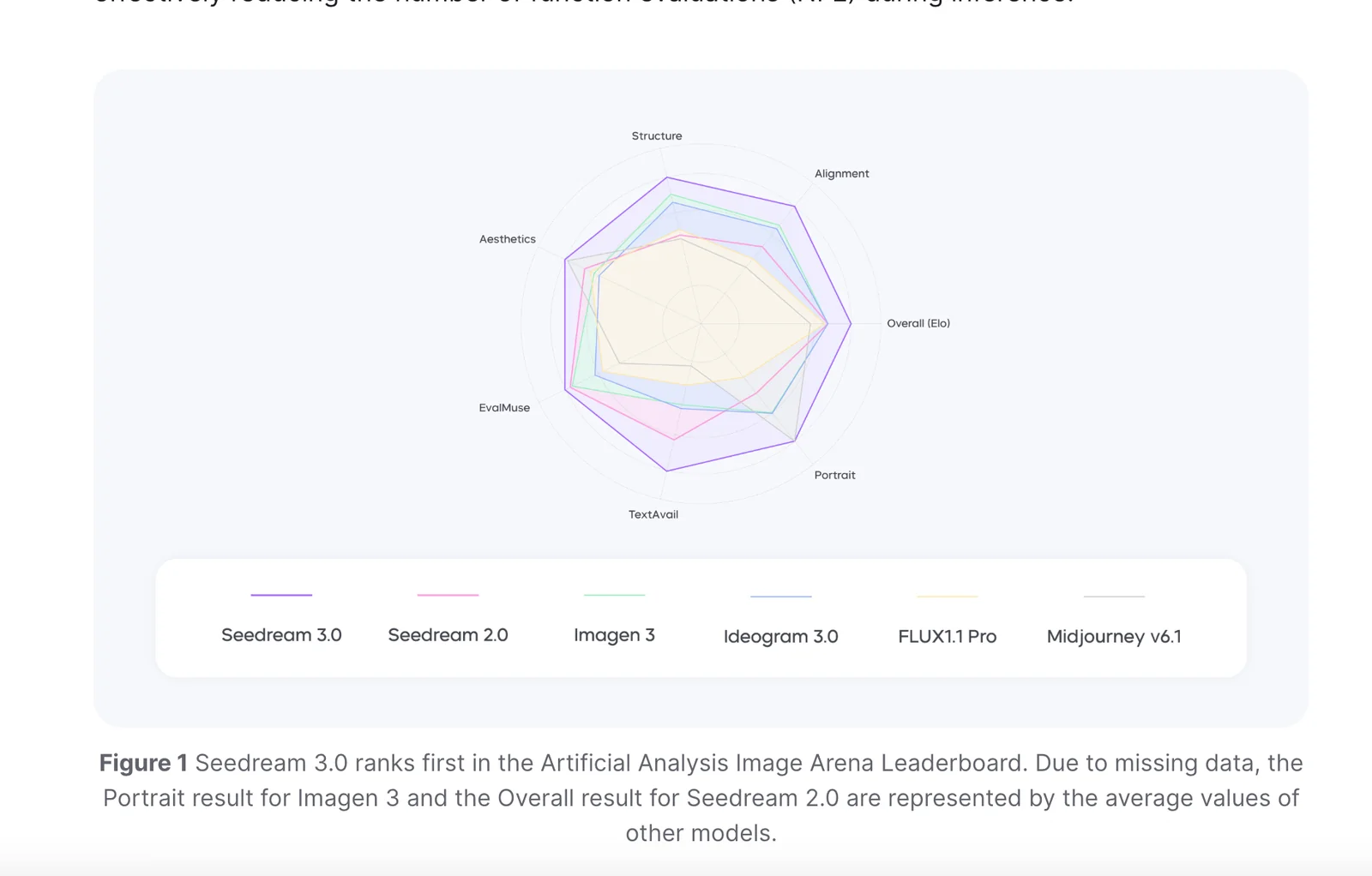
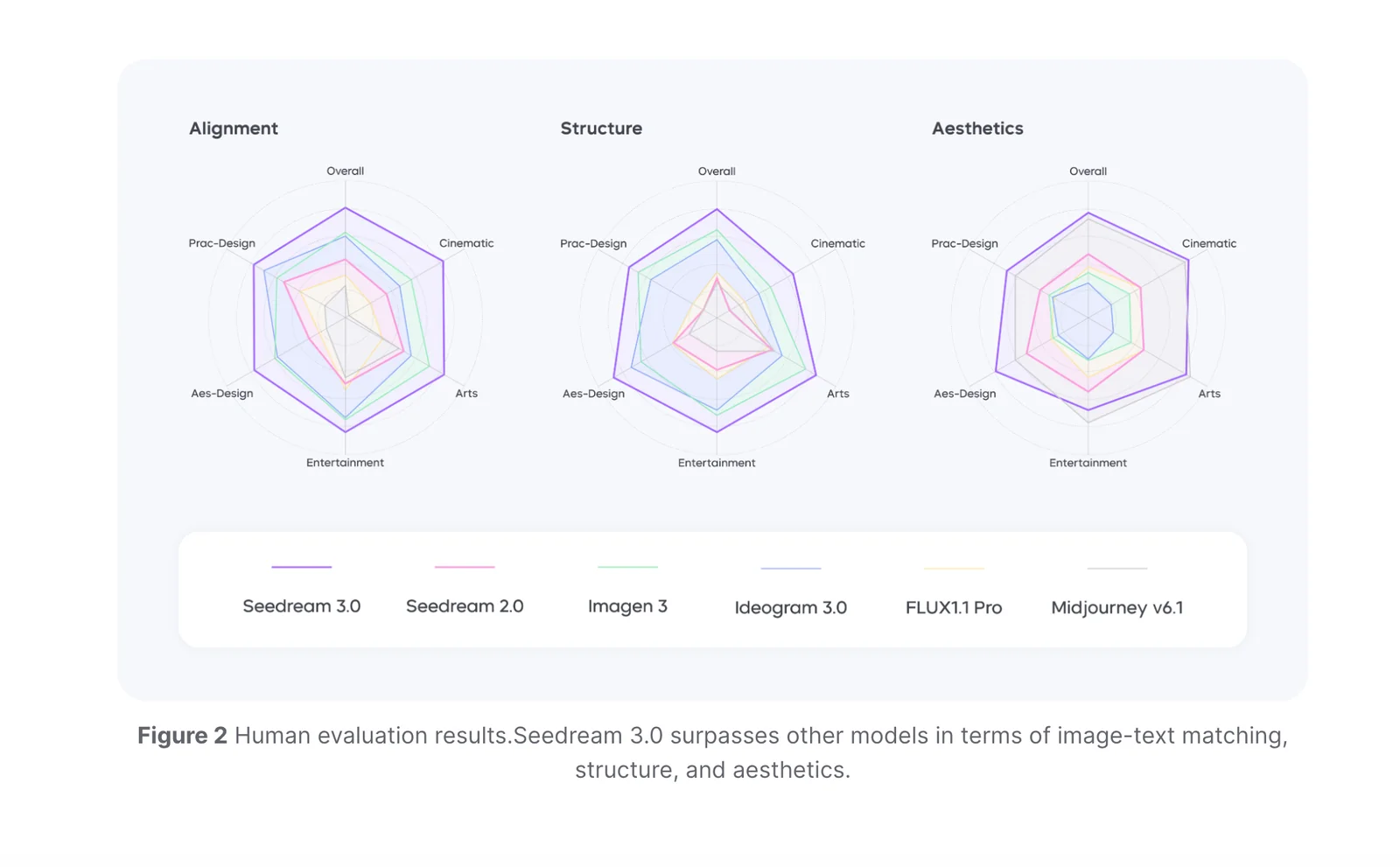
Seedream 4.5 distinguishes itself from other AI image generation models with its superior high-resolution outputs, consistent batch processing, and enhanced text rendering capabilities, making it an ideal choice for production environments. These features provide users with exceptional quality and reliability that set it apart from competitors.
Key Points
- High-Resolution Outputs: Seedream 4.5 delivers images with impressive detail, suitable for professional use.
- Batch Consistency: Maintains uniformity across multiple images, crucial for projects requiring cohesive visuals.
- Improved Text Rendering: Generates clearer and more accurate text within images, enhancing usability.
Detailed Explanation
Seedream 4.5 is at the forefront of AI image generation technology, offering features that cater to both creative professionals and businesses.
-
High-Resolution Outputs: Unlike many models that cap output resolution, Seedream 4.5 produces images at resolutions up to 8K. This is particularly beneficial for industries such as advertising and gaming, where high-definition visuals are essential.
-
Batch Consistency: One of the standout features is its ability to generate multiple images in a single batch while maintaining visual consistency. This is vital for projects like product catalogs or social media campaigns, where a unified style is necessary. Users report up to a 95% consistency rate across batches.
-
Improved Text Rendering: Many AI models struggle with rendering text accurately within images. Seedream 4.5 excels in this area, producing clear and legible text, which is advantageous for graphic design applications, infographics, and marketing materials where text integration is key.
Best Practices / Tips
- Utilize High-Resolution Options: Always select the highest resolution available when generating images for print or large displays to ensure clarity and detail.
- Test Batch Output: Before committing to a large project, run a small batch test to evaluate consistency and quality.
- Leverage Text Features: Use the improved text rendering capability for projects that require textual elements, ensuring your designs are both attractive and informative.
Additional Resources
Explore more AI Ai Models tools
Browse all Ai Models tools →Browse by use case: Image Generation
- Soup CLI
- VibeVoice
- Laguna by Poolside
- Arena AI: The Official AI Ranking & LLM Leaderboard
- PromptLayer
- PHBench
Compare Seedream 4.5: vs Soup CLI · vs VibeVoice · vs Laguna by Poolside · vs Arena AI: The Official AI Ranking & LLM Leaderboard