

MetaGPT
AIOpen SourceFreeAn open-source multi-agent framework that orchestrates LLM-based roles to turn requirements into plans, code, and documentation.
MetaGPT
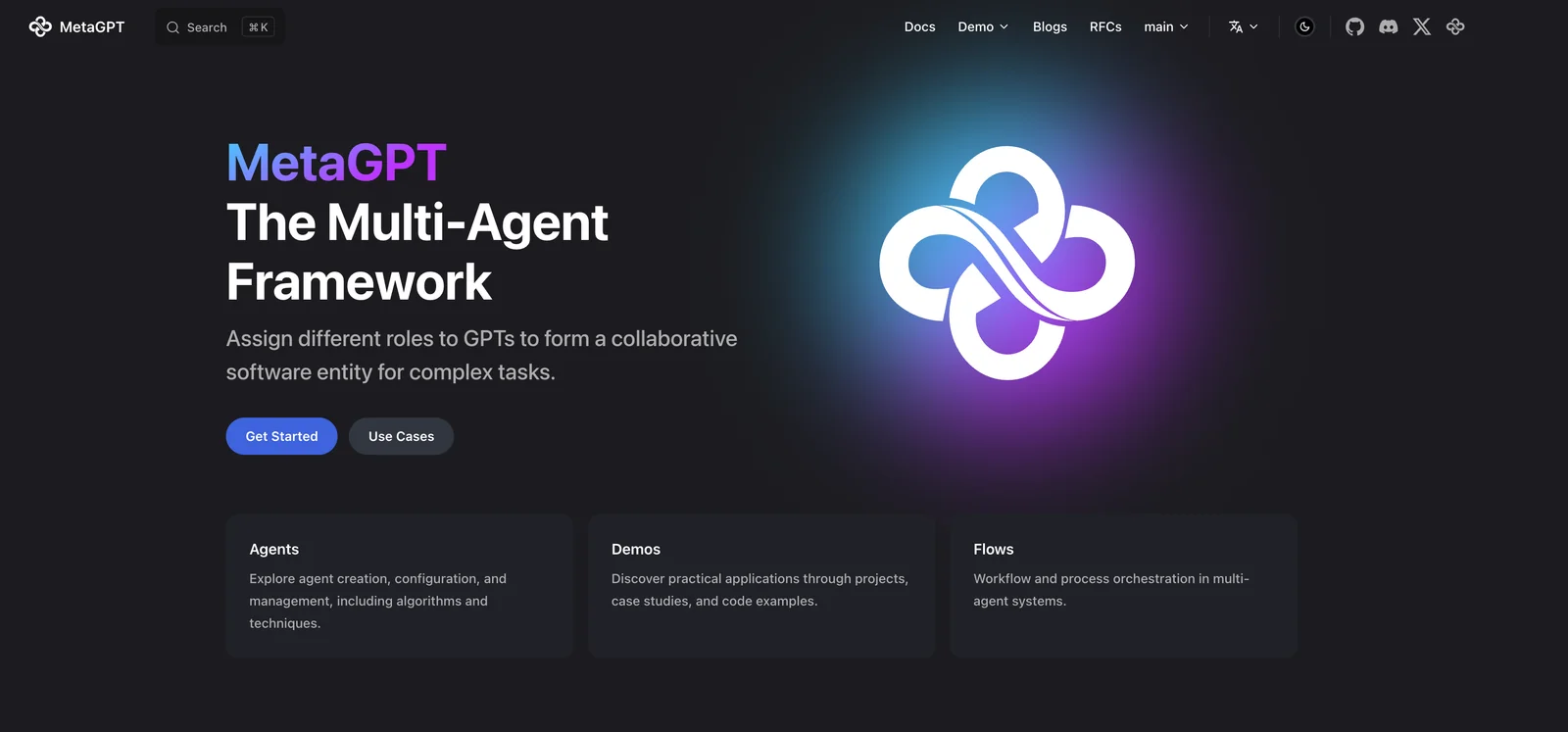
An open-source multi-agent framework that orchestrates LLM-based roles to turn requirements into plans, code, and documentation.
About MetaGPT
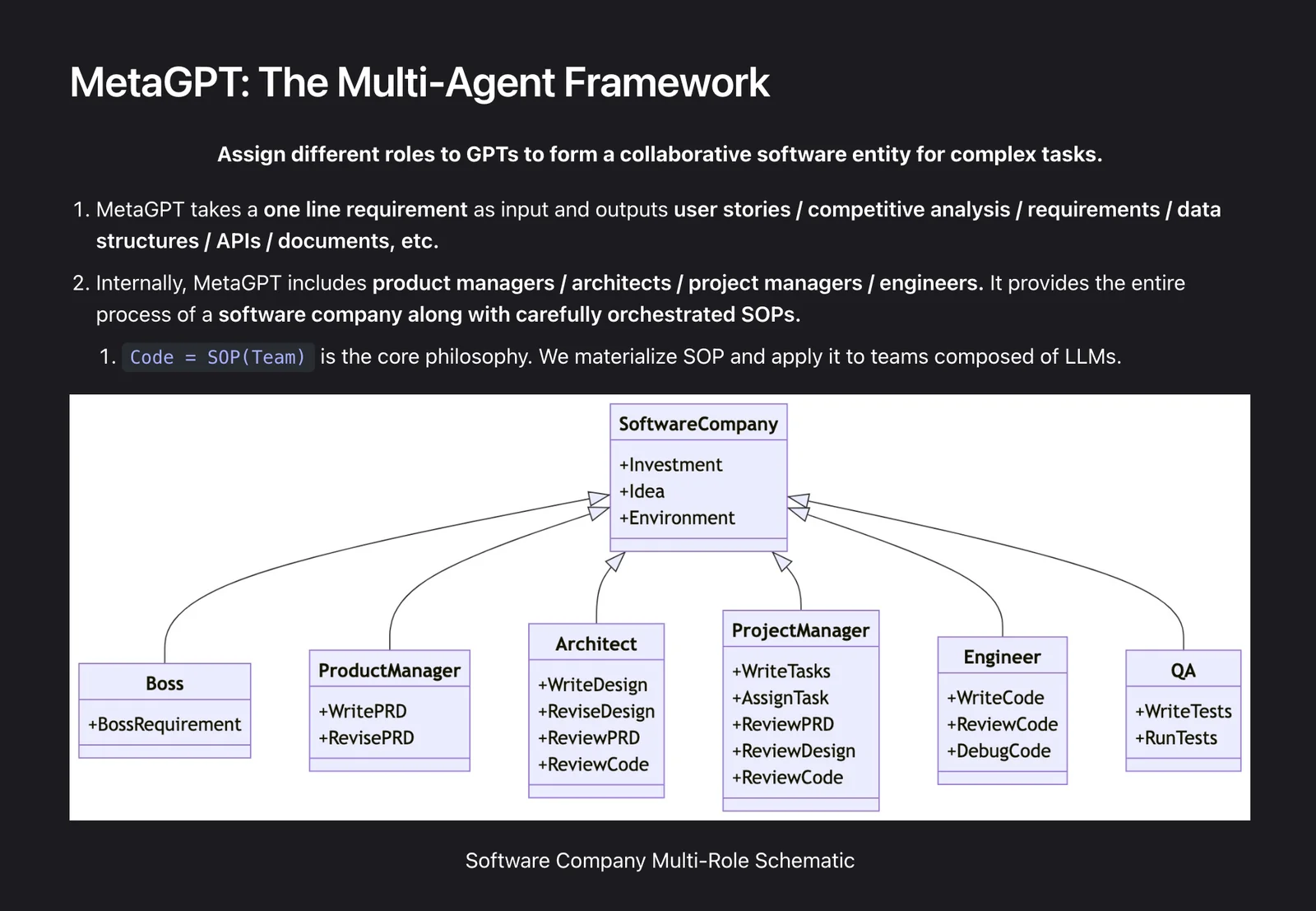
MetaGPT is a multi-agent collaboration framework that composes specialized LLM roles (e.g., product managers, architects, engineers) to automate the software development lifecycle from a one-line requirement. It applies a philosophy of "Code = SOP(Team)": formalizing standard operating procedures as orchestrated agent behaviors to generate user stories, competitive analysis, requirements, data structures, APIs, code scaffolding, and documentation. MetaGPT is configurable to work with different LLM backends, includes ready-made role templates and SOPs, and is distributed as an open-source project with examples, configuration, and deployment assets so teams can self-host and extend agent behaviors for product planning, coding, and project orchestration.
Screenshots
Key Features
Use Cases



Frequently asked questions about MetaGPT
What are the pricing options for MetaGPT?
MetaGPT provides various pricing options, including a free open-source version. Paid plans start at $20 per month for the Pro 20 plan, which includes 10 million monthly credits, with additional tiers available for users requiring higher usage and features.
Key Points
- Free open-source version available
- Paid plans begin at $20/month for 10M credits
- Higher tiers offer additional features and credits
Detailed Explanation
MetaGPT's pricing structure is designed to accommodate different user needs, from casual developers to enterprise-level users. The free open-source option allows individuals and small teams to experiment with the platform without any financial commitment.
The Pro 20 plan, priced at $20 per month, is ideal for small businesses or developers who require more resources. This plan offers 10 million monthly credits, which can be used for API calls, model training, or other functionalities.
For larger organizations or developers with higher demands, MetaGPT offers additional tiers, which include Pro 50 and Pro 100 plans. These plans provide escalating amounts of monthly credits, advanced features such as priority support, and enhanced performance metrics. For instance, the Pro 50 plan might offer 50 million credits for $50/month, while the Pro 100 plan could provide 100 million credits for $100/month.
MetaGPT also frequently updates its offerings, so checking their official website for the latest pricing and features is advisable.
Best Practices / Tips
- Assess Your Needs: Evaluate your usage requirements before selecting a plan. If you’re just starting, the free version may suffice.
- Monitor Usage: Keep track of your monthly credits to avoid unexpected overage charges. Upgrade your plan as needed.
- Stay Updated: Regularly check for new features or promotional pricing that MetaGPT may offer.
Additional Resources
How can I start using MetaGPT for my projects?
To start using MetaGPT for your projects, visit the official MetaGPT website to access comprehensive documentation. You can utilize the open-source version by self-hosting it, and explore various examples and templates to effectively kickstart your AI-powered applications.
Key Points
- Access the official MetaGPT website for resources.
- Self-host the open-source version for customization.
- Utilize provided examples and templates to accelerate project development.
Detailed Explanation
MetaGPT is a powerful tool designed for various applications, from chatbots to content generation. Here’s how you can effectively start using it:
-
Visit the Official Website: Go to MetaGPT's official site where you will find essential resources, including the latest updates, features, and community forums.
-
Documentation Access: Navigate to the documentation section. Here, you will find a detailed guide on installation, setup, and usage. This resource is crucial for understanding the capabilities of MetaGPT and how to implement them in your projects.
-
Self-Hosting Options: If you prefer to have more control, you can self-host the open-source version of MetaGPT. This involves downloading the repository from GitHub and setting it up on your own server. Follow the installation instructions provided in the documentation to configure it properly.
-
Explore Examples and Templates: To get started quickly, check out the examples and templates available on the website. These resources provide practical use cases, demonstrating how to implement various features of MetaGPT. For instance, you might find templates for building a customer support chatbot or generating SEO-optimized content.
Best Practices / Tips
- Start Small: Begin with simple projects to familiarize yourself with MetaGPT’s features before tackling more complex applications.
- Leverage Community Support: Join forums and community discussions to share insights and gain tips from other users.
- Regular Updates: Keep your installation updated to benefit from new features and security improvements.
- Test and Iterate: Continuously test your applications to understand how they perform and make iterative improvements based on user feedback.
Additional Resources
By following these steps and utilizing the available resources, you can effectively leverage MetaGPT for your projects, enhancing both productivity and innovation.
What are the key features of MetaGPT?
MetaGPT offers a role-based agent architecture, a requirement-to-artifact pipeline, and automated project scaffolding. These features enable structured outputs, including user stories and code generation, effectively transforming simple requirements into actionable artifacts for software development.
Key Points
- Role-Based Agent Architecture: Facilitates specialized functionalities.
- Requirement-to-Artifact Pipeline: Streamlines the transition from needs to deliverables.
- Automated Project Scaffolding: Simplifies project setup and organization.
Detailed Explanation
MetaGPT is designed to enhance the software development lifecycle through its innovative features.
-
Role-Based Agent Architecture: This allows developers to define specific roles for agents within the system, such as a project manager, developer, or tester. Each role can execute tailored tasks, ensuring that the output aligns with the project's needs. For example, a developer agent can focus on coding, while a project manager agent can handle timelines and resource allocation.
-
Requirement-to-Artifact Pipeline: This feature transforms high-level requirements into structured artifacts like user stories, acceptance criteria, and code snippets. By using natural language processing, MetaGPT can interpret user inputs and generate meaningful outputs. For instance, if a user types "Create a login feature," the system can automatically generate user stories, define acceptance criteria, and even provide code templates.
-
Automated Project Scaffolding: By automating the initial setup of projects, MetaGPT saves developers significant time. It creates the necessary file structures, configuration files, and initial code, allowing teams to focus on functionality rather than setup tasks. This is particularly useful in agile environments where rapid iterations are key.
Best Practices / Tips
- Define Clear Requirements: The more specific your input, the better the output. Use detailed descriptions and examples.
- Utilize Role-Specific Agents: Assign roles based on team strengths to maximize productivity and accuracy in outputs.
- Iterate on Outputs: Don’t hesitate to refine and iterate on the generated artifacts to align them with project goals.
Additional Resources
How does MetaGPT compare to other AI models?
MetaGPT distinguishes itself from other AI models through its innovative multi-agent framework, enabling users to simulate an entire development team. Additionally, it offers open-source access, allowing for extensive customization and automation capabilities that many competitors lack.
Key Points
- Multi-Agent Framework: Simulates a full development team.
- Open-Source Access: Encourages customization and flexibility.
- Automation Capabilities: Streamlines processes and enhances efficiency.
Detailed Explanation
MetaGPT's multi-agent framework allows users to create various AI agents, each specialized in different tasks, mimicking the dynamics of a real development team. This is particularly beneficial for businesses looking to automate project management or software development tasks effectively.
For instance, a startup can deploy MetaGPT to manage code reviews, generate documentation, and even conduct testing simultaneously using different agents. This level of simulation provides a more holistic approach to AI project management compared to traditional single-agent models.
Furthermore, open-source access sets MetaGPT apart. Users can modify the underlying code to tailor functionalities to their specific needs. This flexibility is crucial for developers who require unique solutions that proprietary models cannot provide. Companies can leverage community contributions to enhance features or fix bugs, fostering a collaborative environment.
MetaGPT's automation capabilities also play a vital role. By automating repetitive tasks, such as bug tracking or code deployment, teams can focus on higher-level decision-making and innovation. This not only boosts productivity but also reduces the likelihood of human error.
Best Practices / Tips
- Experiment with Customization: Take advantage of MetaGPT's open-source nature by customizing it to fit your workflow. Start with small modifications before scaling.
- Utilize Automation Wisely: Identify repetitive tasks that can be automated to maximize efficiency without sacrificing quality.
- Engage with the Community: Collaborate with other MetaGPT users to share insights and improvements.
Additional Resources
What are the technical requirements for integrating MetaGPT?
MetaGPT requires users to configure their environment to integrate LLM APIs effectively. Essential technical requirements include Python 3.7 or higher, necessary libraries, and access to the MetaGPT documentation for detailed setup instructions. Proper configuration ensures optimal performance and functionality of the tool.
Key Points
- Environment Setup: Python 3.7 or higher is mandatory.
- Dependencies: Users must install specific libraries as outlined in the documentation.
- Documentation: Comprehensive setup instructions are available on the official MetaGPT website.
Detailed Explanation
Integrating MetaGPT starts with setting up the right environment. Here are the technical requirements you need to consider:
-
Python Version: Ensure you have Python 3.7 or newer installed. This is crucial as older versions may not support necessary features or libraries.
-
Library Dependencies: You will need to install several Python libraries. Common dependencies include:
transformers: for working with LLM APIs.requests: to handle API calls efficiently.numpy: for numerical operations. To install these, you can use pip, as shown:
pip install transformers requests numpy -
API Access: Ensure you have access to the LLM API you intend to use. This may involve registering for an API key and ensuring your usage complies with the API provider's terms.
-
Documentation Review: MetaGPT offers extensive documentation on their official website. Reviewing this documentation is vital for understanding how to configure your API integrations and utilize features effectively.
Best Practices / Tips
- Virtual Environments: Consider using a virtual environment (e.g.,
venvorconda) to manage dependencies without affecting your global Python installation. - Stay Updated: Regularly check for updates in both Python and the libraries you are using. This ensures compatibility and access to the latest features.
- Test Your Setup: After installation, run sample scripts provided in the documentation to ensure everything is functioning correctly before moving to production use.
Additional Resources
Explore more AI Ai Agents tools
Browse all Ai Agents tools →Browse by use case: Code Generation · Automation & Productivity
Compare MetaGPT: vs Hacktron · vs Ninjō AI · vs Phoenix.vu · vs Dropstone