

LangChain
AIOpen SourceFramework for building LLM-powered applications with chains, agents, integrations, retrieval, and vector store support.
LangChain
Framework for building LLM-powered applications with chains, agents, integrations, retrieval, and vector store support.
About LangChain
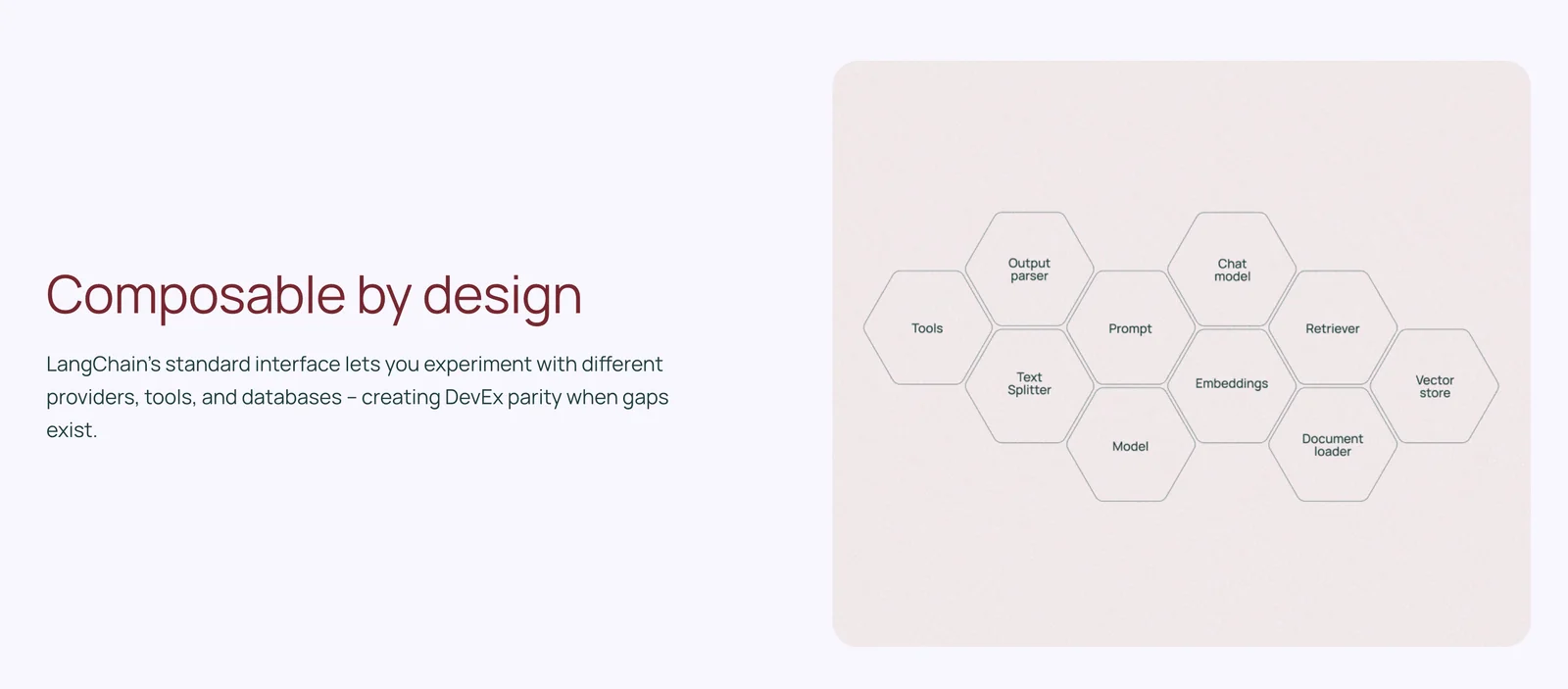
LangChain is an open-source developer framework that simplifies building applications powered by large language models. It provides standard abstractions and interoperable components for models, embeddings, vector stores, chains, agents, and retrieval-augmented generation (RAG). LangChain integrates with many LLM providers, vector databases, and third-party tools, and includes higher-level tooling (like LangGraph) for orchestrating controllable agent workflows and multi-step reasoning. Its value is in enabling developers to connect LLMs to external data, APIs, and application logic in a modular, production-ready way that supports multi-language SDKs and community extensions.
Screenshots
Key Features
Use Cases


Frequently asked questions about LangChain
What are the pricing plans for LangChain?
LangChain offers a freemium pricing model that includes three main tiers: Developer at $0/month, Plus at $39/user/month for small teams, and a customizable Enterprise plan. Each tier is designed to cater to different user needs, providing features that scale with your requirements.
Key Points
- Developer Plan: Free for individuals and hobbyists.
- Plus Plan: $39/user/month, ideal for small teams.
- Enterprise Plan: Custom pricing with tailored features.
Detailed Explanation
LangChain's pricing structure is designed to accommodate a wide range of users, from independent developers to large organizations.
-
Developer Plan: This tier is free and offers essential features for those just starting with LangChain. It allows users to experiment with the platform, develop applications, and integrate basic functionalities without any financial commitment. Ideal for solo developers, students, or anyone wanting to explore AI without upfront costs.
-
Plus Plan: At $39 per user per month, this plan is tailored for small teams looking for more advanced capabilities. It includes features like enhanced API access, priority support, and collaboration tools that facilitate teamwork. This plan is beneficial for startups or small businesses that need to leverage LangChain's capabilities more effectively.
-
Enterprise Plan: The Enterprise option is customizable, allowing organizations to define their needs and receive tailored solutions. Pricing varies based on the features and scale required, making it suitable for larger businesses or complex applications. Additional benefits may include dedicated support, advanced security options, and integration assistance.
Best Practices / Tips
- Evaluate Your Needs: Consider your team's size and project requirements before selecting a plan. The Developer Plan is great for testing, while the Plus and Enterprise plans are better for growth.
- Trial First: Use the Developer Plan to familiarize yourself with LangChain’s features before committing to a paid plan.
- Keep Scalability in Mind: If your project is likely to grow, consider starting with the Plus Plan to avoid switching costs later.
Additional Resources
- LangChain Pricing Page
- Official Documentation
- Community Forums for user discussions and support.
How do I start using LangChain?
To start using LangChain, visit the official website and access the extensive documentation. You can sign up for the free Developer tier, which includes essential features tailored for individual developers looking to leverage AI-driven applications.
Key Points
- Visit the official LangChain website.
- Access comprehensive documentation for guidance.
- Sign up for the free Developer tier.
Detailed Explanation
LangChain is an innovative framework designed for building applications that integrate with language models. Here’s how you can get started:
-
Visit the Official Website: Go to LangChain's official website to familiarize yourself with the platform and its offerings.
-
Access Documentation: The documentation is crucial for understanding how to implement LangChain effectively. It covers various aspects, including installation, integration, and best practices. Key sections include:
- Getting Started: A step-by-step guide to install LangChain and set up your first project.
- Core Concepts: Learn about chains, agents, and tools, which are the building blocks of LangChain applications.
- Examples: There are numerous examples showcasing different use cases, from chatbots to data analysis applications.
-
Sign Up for Developer Tier: To access the features, create an account and select the free Developer tier. This tier provides essential capabilities, including:
- Access to basic models and tools
- Community support
- Limited usage quotas, perfect for personal projects and experimentation
Best Practices / Tips
- Start Small: Begin with simple applications to understand the framework. For instance, create a basic chatbot before scaling up to more complex projects.
- Utilize Community Resources: Engage with the LangChain community through forums and social media platforms. This can provide invaluable support and insights.
- Experiment with Examples: Modify existing examples in the documentation to see how changes affect functionality. This hands-on approach enhances learning.
Additional Resources
By following these steps, you can effectively start using LangChain and unlock the potential of AI-driven applications.
What are the key features of LangChain?
LangChain is a powerful framework designed for large language model (LLM) applications, featuring unified model abstractions, modular workflow chains, an agent framework for autonomous tasks, and support for retrieval-augmented generation (RAG). These features enhance the flexibility and performance of AI solutions, making LangChain a versatile tool for developers.
Key Points
- Unified Model Abstractions: Simplifies integration of various LLMs.
- Modular Workflow Chains: Enables the creation of complex workflows easily.
- Agent Framework: Facilitates autonomous task execution.
Detailed Explanation
LangChain is built to streamline the development and deployment of applications powered by large language models. Here’s a breakdown of its key features:
Unified Model Abstractions
LangChain provides a consistent interface for integrating multiple LLMs, allowing developers to switch between models without rewriting code. This feature is particularly useful for testing different models or optimizing performance based on specific tasks.
Modular Workflow Chains
With LangChain’s chains, developers can create modular workflows that combine multiple steps of processing, from initial input handling to final output generation. For instance, a developer can create a chain that first retrieves data from a database, processes it through a language model, and then formats the output, all within a single cohesive workflow.
Agent Framework
The agent framework allows developers to build autonomous agents capable of executing tasks based on user input or environmental data. This capability is essential for applications such as chatbots and virtual assistants, which can operate independently and make decisions in real-time, enhancing user interaction and efficiency.
Retrieval-Augmented Generation (RAG)
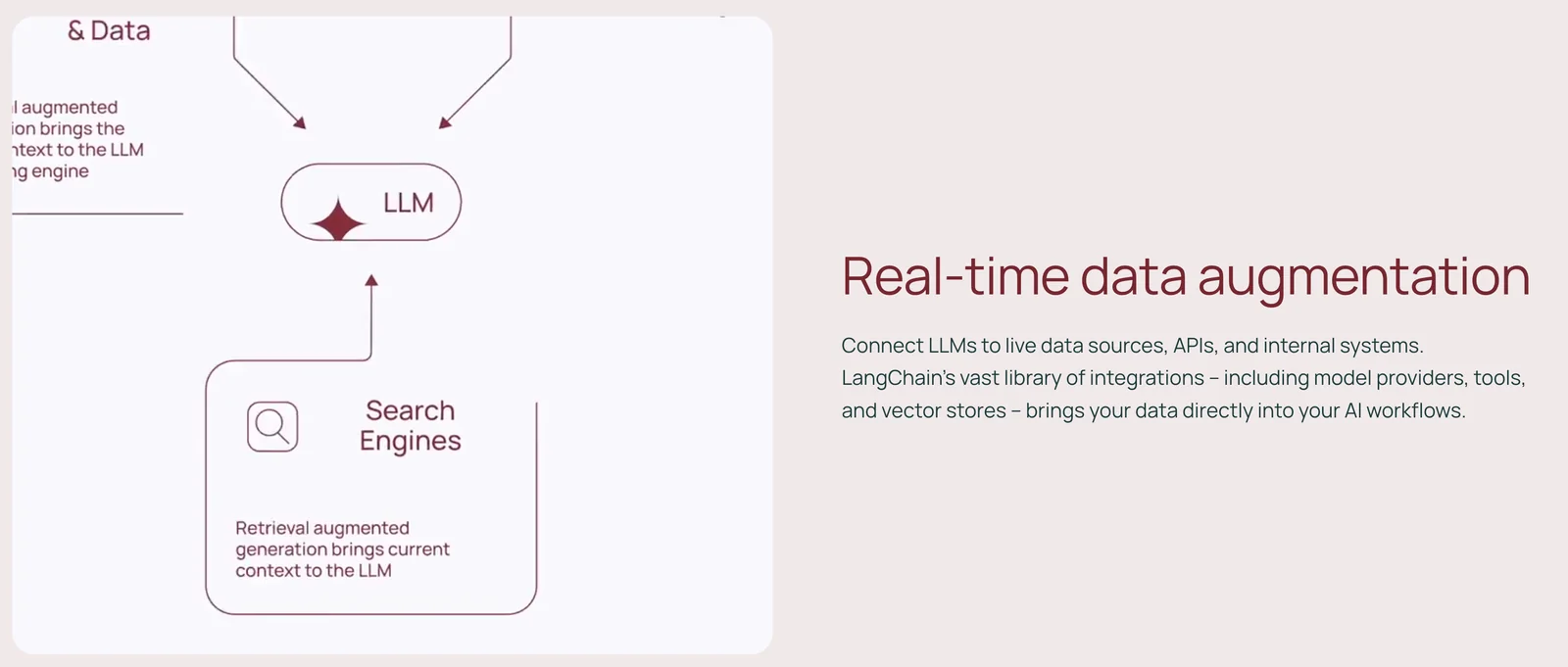
LangChain supports RAG, which combines traditional retrieval systems with generative models. This means that an application can pull in relevant documents or data and then use an LLM to generate contextually rich responses. For example, in a customer support scenario, the system can retrieve past tickets and generate personalized responses based on this information.
Best Practices / Tips
- Start Simple: Begin with basic chains and gradually incorporate more complex functionalities as you become familiar with LangChain.
- Leverage Documentation: Utilize the official LangChain documentation for detailed guidance and examples.
- Test Different Models: Experiment with various models to find the optimal solution for your specific use case.
- Monitor Performance: Regularly evaluate the performance of your chains and agents to ensure they meet user expectations and adapt as necessary.
Additional Resources
How does LangChain compare to other AI tools?
LangChain stands out among AI tools for its exceptional integration capabilities and modular architecture. It supports a wide range of large language model (LLM) providers and allows users to build intricate workflows, providing unmatched flexibility and functionality compared to its competitors like OpenAI and Hugging Face.
Key Points
- Integration Capabilities: LangChain connects seamlessly with various LLM providers.
- Modular Architecture: Its design allows for easy customization and workflow creation.
- User Flexibility: Users can tailor solutions to specific needs without extensive coding.
Detailed Explanation
LangChain differentiates itself from other AI tools through its robust integration capabilities. It supports multiple LLM providers, including OpenAI, Google, and Cohere, allowing users to switch between models effortlessly based on their specific requirements. This flexibility is crucial for businesses that need to adapt quickly to changing AI landscapes.
The modular architecture of LangChain enables users to create complex workflows with minimal effort. For example, developers can easily integrate data retrieval, processing, and response generation into a single pipeline. This modularity is advantageous for creating sophisticated applications, such as chatbots, recommendation systems, and automated content generation tools.
Furthermore, LangChain’s user-friendly interface and extensive documentation make it accessible to users with varying levels of technical expertise. Whether you are a seasoned developer or a business professional, you can leverage LangChain’s features to enhance productivity and innovation.
Best Practices / Tips
- Explore Integrations: Take advantage of LangChain's ability to integrate with multiple LLMs to optimize performance based on your needs.
- Utilize Documentation: Make full use of LangChain’s comprehensive documentation and tutorials to get started and troubleshoot effectively.
- Test Workflows: Regularly test and iterate on your workflows to ensure they meet user demands and perform efficiently.
Additional Resources
By understanding these aspects, users can fully leverage LangChain's capabilities to create tailored AI solutions that stand out in a competitive landscape.
Does LangChain support API integrations?
Yes, LangChain supports various API integrations, enabling developers to connect with third-party tools and services effortlessly. This functionality enhances applications by allowing them to perform complex tasks and streamline workflows, making LangChain a powerful choice for building sophisticated AI-driven applications.
Key Points
- Wide Range of Integrations: LangChain is compatible with numerous APIs, including those for databases, cloud services, and machine learning platforms.
- Enhanced Functionality: API integrations allow seamless interaction between LangChain applications and external services, boosting productivity and capabilities.
- User-Friendly Setup: LangChain provides straightforward documentation and examples for easy integration, making it accessible for developers of all skill levels.
Detailed Explanation
LangChain's support for API integrations is a standout feature that allows developers to enhance their applications significantly. With this capability, you can effortlessly connect to a variety of third-party services, such as:
- Database APIs: Integrate with databases like MongoDB or PostgreSQL to fetch, store, and manipulate data dynamically.
- Cloud Services: Connect to cloud platforms like AWS or Google Cloud for scalable processing and storage solutions.
- Machine Learning APIs: Utilize popular ML APIs, such as OpenAI or Hugging Face, to incorporate pre-trained models into your applications.
Example Use Case
Suppose you are building a chatbot application. By integrating LangChain with a service like Twilio, you can easily send and receive messages via SMS. Additionally, connecting to a natural language processing API can enhance the bot's ability to understand user queries and deliver accurate responses.
Step-by-Step Integration
- Identify Requirements: Determine which APIs your application needs based on its functionalities.
- Review Documentation: Check LangChain's official documentation for specific integration guides related to the APIs you want to use.
- Implement API Calls: Use LangChain's built-in classes and methods to make API calls efficiently.
- Test Connections: Ensure that the integrations work as expected by running tests and debugging any issues that arise.
- Monitor Performance: After deployment, keep an eye on the performance of your integrations to ensure they are functioning optimally.
Best Practices / Tips
- Start Small: Begin with one API integration to understand the process before scaling up.
- Utilize Caching: Implement caching strategies to reduce API call frequency and improve response times.
- Error Handling: Incorporate robust error handling to manage API failures gracefully.
- Stay Updated: Regularly check for updates from both LangChain and the integrated APIs to leverage new features and improvements.
Additional Resources
By leveraging LangChain's API integration capabilities, developers can create versatile applications that harness the power of external services efficiently.
Explore more AI Ai Models tools
Browse all Ai Models tools →Browse by use case: Automation & Productivity
- Soup CLI
- VibeVoice
- Laguna by Poolside
- Arena AI: The Official AI Ranking & LLM Leaderboard
- PromptLayer
- PHBench
Compare LangChain: vs Soup CLI · vs VibeVoice · vs Laguna by Poolside · vs Arena AI: The Official AI Ranking & LLM Leaderboard