

10Web
AIAI-powered WordPress platform for automated site generation, managed hosting, speed optimization and Elementor-based site editing.
10Web
AI-powered WordPress platform for automated site generation, managed hosting, speed optimization and Elementor-based site editing.
About 10Web
10Web is an AI website builder ecosystem that automates creation, recreation, hosting, optimization and maintenance of WordPress sites. It uses an AI site generator to build a complete WordPress site in minutes, pairs that with Elementor-based editing for pixel-perfect customization, and provides managed Google Cloud hosting with CDN, backups and security. 10Web's unique value is bundling AI-driven site generation with performance tooling (automated PageSpeed optimizations, image compression, caching) and managed infrastructure to replace multiple plugins and third-party hosting services.
Screenshots


Key Features
Use Cases



Frequently asked questions about 10Web
What are the pricing options for 10Web?
10Web offers a freemium model, with basic features available for free. Paid plans start at $10 per month for the Starter plan, while custom pricing is available for Enterprise solutions, catering to businesses with specific needs.
Key Points
- Freemium model with free basic features
- Paid plans beginning at $10/month
- Custom pricing options for Enterprise solutions
Detailed Explanation
10Web provides a variety of pricing options tailored to different user needs. The freemium model allows users to access fundamental features without any financial commitment, making it an attractive choice for individuals or small businesses just starting out.
-
Starter Plan: Starting at $10 per month, this plan is ideal for freelancers or small businesses that need essential features such as website hosting, automated backups, and a basic set of plugins.
-
Business Plan: For $20 per month, users can access additional features like enhanced performance, premium themes, and advanced SEO tools, making it suitable for growing businesses looking to improve their online presence.
-
Pro Plan: At $40 per month, this plan offers advanced capabilities, including custom branding options and priority support, which is particularly beneficial for agencies managing multiple client websites.
-
Enterprise Solutions: For larger organizations, 10Web offers custom pricing based on specific requirements. This can include tailored features, dedicated support, and scalability options to accommodate extensive websites or applications.
Best Practices / Tips
- Assess Your Needs: Before choosing a plan, evaluate your specific requirements. If you’re just starting, the free version may suffice; however, for growing businesses, investing in a paid plan could enhance your site’s functionality and performance.
- Take Advantage of Free Trials: If available, utilize any trial periods for paid plans to test features before committing financially. This can help you understand which plan fits your needs best.
- Monitor Your Usage: As your site grows, keep an eye on your bandwidth and storage usage. Upgrading your plan proactively can help maintain optimal performance.
Additional Resources
How do I start using 10Web for my WordPress site?
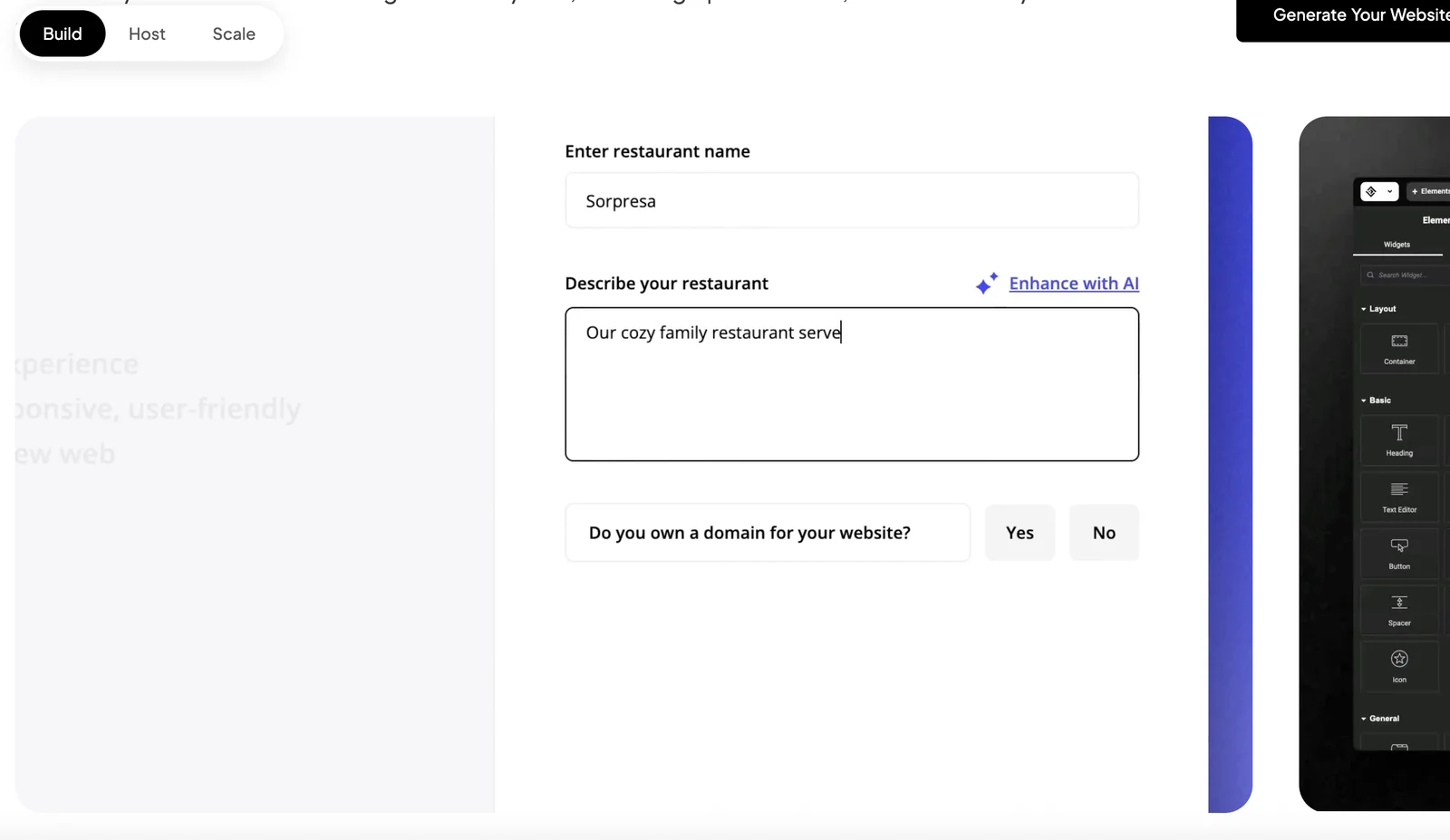
To start using 10Web for your WordPress site, visit the 10Web website, sign up for a free account, and complete a brief questionnaire to automatically generate your WordPress site. This streamlined process allows you to quickly set up your site with powerful features.
Key Points
- Sign Up for a Free Account: Begin by creating a 10Web account.
- Questionnaire Completion: Fill out a short questionnaire to customize your site.
- Automatic Site Generation: Enjoy the convenience of automatic WordPress site creation.
Detailed Explanation
Starting with 10Web is a straightforward process designed to enhance your WordPress experience. Here’s a step-by-step guide:
- Visit the 10Web Website: Go to 10Web.io to access their platform.
- Create an Account: Click on the “Sign Up” button. You can register using your email or social media accounts for easy access.
- Complete the Questionnaire: After signing up, you’ll be prompted to fill out a brief questionnaire. This step includes questions about your site's purpose, preferred design styles, and essential features you want to integrate.
- Site Generation: Once you submit the questionnaire, 10Web will automatically generate your WordPress site based on your preferences. This includes selecting a theme, configuring essential plugins, and setting up hosting.
10Web’s automated approach saves you time and effort, allowing you to focus on content creation and site management rather than technical setups.
Best Practices / Tips
- Choose the Right Theme: Consider your site's niche when selecting a theme during the questionnaire. A well-suited theme enhances user experience and engagement.
- Explore Additional Features: After your site is generated, explore 10Web's extensive features like performance optimization, backups, and security tools.
- Regularly Update Content: Keep your site fresh by regularly updating content and plugins to maintain optimal performance and security.
Additional Resources
What features does 10Web offer for website optimization?
10Web offers a comprehensive suite of website optimization features, including automated PageSpeed optimization, managed Google Cloud hosting, an intuitive Elementor-based editing interface, and built-in security with regular backups. These tools work together to significantly enhance site performance and user experience.
Key Points
- Automated PageSpeed Optimization
- Managed Google Cloud Hosting
- Elementor-Based Editing Interface
- Built-In Security and Backups
Detailed Explanation
10Web's automated PageSpeed optimization ensures that your website meets the best performance standards. This feature automatically optimizes images, minimizes CSS and JavaScript files, and leverages browser caching, resulting in faster load times. Websites optimized through 10Web often achieve scores above 90 on Google PageSpeed Insights, which can lead to improved SEO rankings.
The managed Google Cloud hosting provides a reliable and scalable environment for your website. With 10Web, you benefit from high uptime, fast server response times, and automatic scaling based on your web traffic. This is particularly useful for businesses that experience fluctuating visitor levels. The hosting plan starts at $10 per month, which includes resources optimized for WordPress.
The Elementor-based editing interface allows users to create stunning web pages without coding knowledge. With drag-and-drop functionality and a wide array of pre-designed templates, users can build responsive websites quickly. Additionally, it integrates seamlessly with various plugins, enhancing customization options.
Lastly, built-in security and backups protect your site from malware and data loss. 10Web performs automatic backups daily, ensuring that you can restore your website to a previous state with just a few clicks. The security suite includes firewalls, malware scanning, and vulnerability detection, making it easier to maintain a secure online presence.
Best Practices / Tips
- Regularly monitor your website's PageSpeed score using tools like Google PageSpeed Insights to ensure continued optimization.
- Utilize the backup feature regularly to safeguard your content — consider creating manual backups before major changes.
- Familiarize yourself with Elementor’s advanced features, such as custom CSS and dynamic content, to fully leverage its potential.
- Always keep your plugins and themes updated to protect against vulnerabilities.
Additional Resources
How does 10Web compare to other WordPress tools?
10Web differentiates itself from other WordPress tools by integrating AI-powered site generation and hosting in a single platform. This combination simplifies website management, enhances performance, and reduces the need for multiple plugins, making it an ideal choice for users seeking efficiency and ease of use.
Key Points
- AI-Powered Site Generation: 10Web uses artificial intelligence to streamline the website creation process.
- Integrated Hosting: Offers reliable hosting services tailored for WordPress, ensuring faster load times and better performance.
- User-Friendly Interface: Simplifies the user experience with intuitive design and easy navigation.
Detailed Explanation
10Web leverages advanced AI technology to facilitate automatic website generation. Users can create a fully functional WordPress site within minutes, simply by answering a few questions about their needs. This feature significantly reduces setup time compared to traditional methods.
Additionally, 10Web provides integrated hosting, which is optimized specifically for WordPress. This means that sites hosted on 10Web experience improved speed and uptime, crucial factors for SEO and user retention. For instance, 10Web’s hosting includes automated backups, SSL certificates, and performance optimization tools, all bundled into one plan, which can cost around $10 per month.
Moreover, the platform is designed with user experience in mind. Its dashboard is clean and intuitive, allowing even beginners to manage their sites effectively without a steep learning curve. This usability is a significant advantage over other tools that may require extensive technical knowledge.
Best Practices / Tips
- Utilize AI Features: Take full advantage of 10Web's AI site generation to save on design time and ensure a modern look.
- Regular Backups: Even with automated backups, manually back up your site periodically to prevent data loss.
- Optimize for SEO: Use the built-in SEO tools provided by 10Web to improve your site’s visibility in search results.
Additional Resources
Does 10Web provide API access for developers?
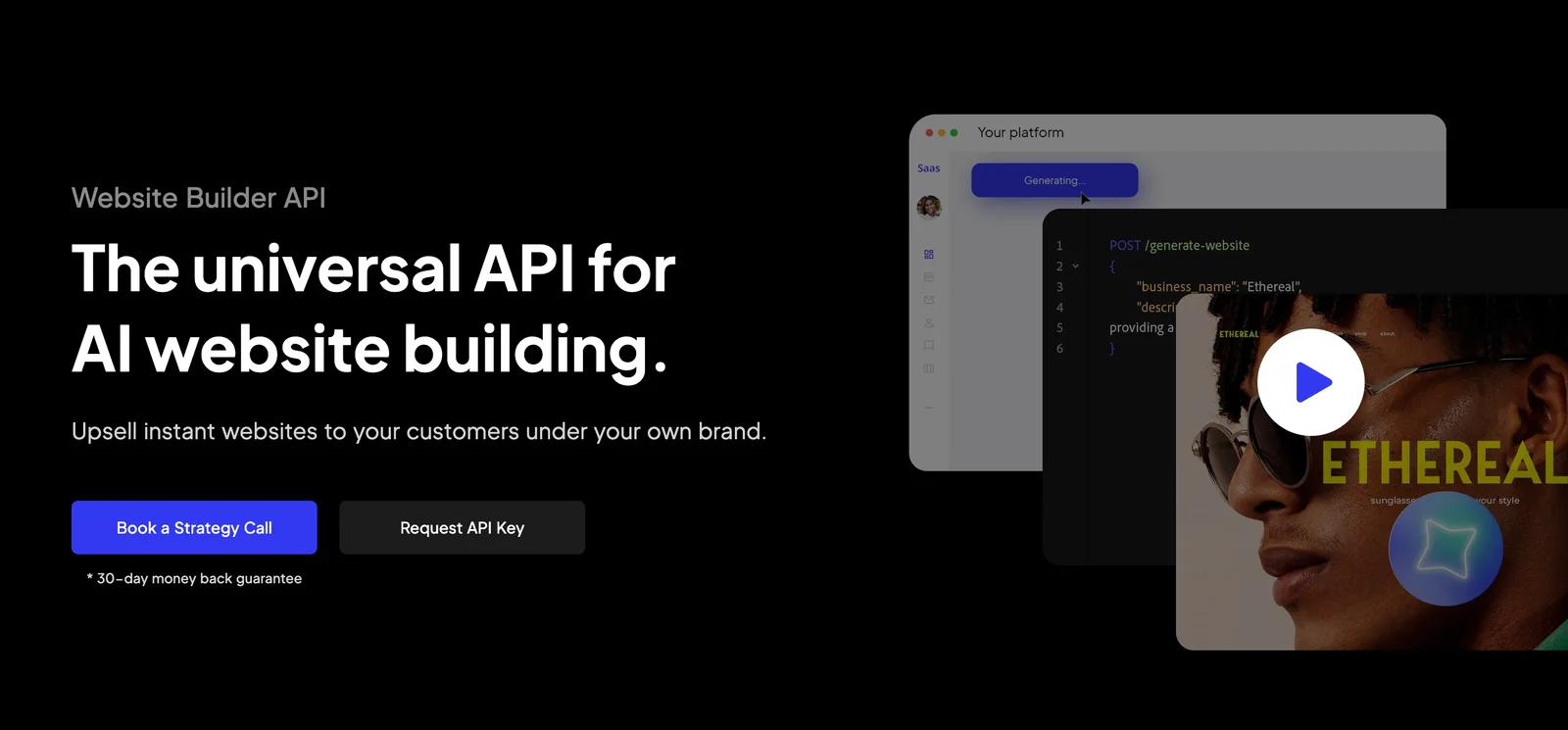
Yes, 10Web provides API access as part of its higher-tier plans, allowing developers to seamlessly integrate and extend platform functionality to meet their specific project requirements. This feature enhances the customization and adaptability of 10Web for various applications.
Key Points
- API Access Availability: Offered in higher-tier plans.
- Integration Capabilities: Enables seamless functionality extensions.
- Developer-Focused Features: Tailored for custom project needs.
Detailed Explanation
10Web's API access is a powerful tool for developers looking to enhance their website functionality. The API allows for custom integrations, making it easier to connect 10Web with other applications or services. For instance, developers can use the API to automate tasks such as content updates or user management.
Use Cases
- Custom Integrations: If your website needs to pull data from other services (like CRMs or inventory systems), the API can facilitate this.
- Automated Workflows: Developers can create scripts that trigger specific actions, such as sending notifications when a new user registers.
- Enhanced Analytics: By integrating third-party analytics tools via the API, you can track user behavior more effectively.
To access the API, developers must subscribe to one of 10Web's higher-tier plans. Once subscribed, they can find comprehensive documentation in the 10Web developer portal, which includes detailed instructions on authentication, request/response formats, and endpoint descriptions.
Best Practices / Tips
- Understand Your Needs: Before diving into API integrations, clearly outline what functionalities you want to achieve.
- Read the Documentation: Familiarize yourself with the API documentation to understand the capabilities and limitations of the API.
- Start Small: Begin with simple API calls to test functionality before moving on to more complex integrations.
- Monitor API Usage: Keep track of your API calls to ensure you stay within any usage limits set by your plan.
Additional Resources
Explore more AI Ai Agents tools
Browse all Ai Agents tools →Browse by use case: Automation & Productivity
Compare 10Web: vs Apache Maka · vs Construct Computer · vs ShogunAI · vs fx