
Blackbox
AIA developer-first, API-driven AI agent platform designed to transform how people work and learn, trusted by millions and Fortune 500s.
Blackbox
A developer-first, API-driven AI agent platform designed to transform how people work and learn, trusted by millions and Fortune 500s.
About Blackbox
Blackbox (Blackbox.ai) is an AI agent platform that aims to transform work and learning by providing conversational and task-oriented agent capabilities. The product is positioned as developer-first and API-driven, enabling builders and teams to integrate agent functionality into applications and workflows. Blackbox emphasizes enterprise readiness and large-scale adoption, claiming usage by over 10 million users and deployment within Fortune 500 companies. Its value proposition centers on embedding intelligent automation and learning assistance into developer and business tooling via extensible APIs and platform support.
Screenshots



Key Features
Use Cases



Frequently asked questions about Blackbox
What is the pricing for Blackbox?
Blackbox offers flexible pricing plans starting at $6.67 per month when billed annually. They also provide a free trial for temporary access to features and custom pricing options for enterprise solutions. For more detailed information, visit their official website.
Key Points
- Entry-level plan at $6.67/month (billed annually)
- Free trial available for new users
- Custom enterprise pricing for larger teams
Detailed Explanation
Blackbox’s pricing model is designed to accommodate a range of users, from individual freelancers to large enterprises. Here’s a breakdown of the available plans:
-
Entry Plan:
- Priced at $6.67 per month, this plan is billed annually, making it a cost-effective choice for users looking to access Blackbox's core features without a significant financial commitment.
- Users gain access to essential functionalities, making it suitable for startups and small businesses.
-
Free Trial:
- Blackbox offers a free trial for potential customers. This trial allows users to explore the platform's features without any financial commitment.
- Providing temporary access enables users to gauge the tool's effectiveness for their needs before making a purchase decision.
-
Custom Enterprise Solutions:
- For larger organizations, Blackbox provides tailored solutions with custom pricing.
- This plan is designed to meet specific business needs, which may include advanced features or higher usage limits, ideal for teams needing extensive collaboration tools.
Best Practices / Tips
- Evaluate Needs: Before choosing a plan, assess your specific requirements and how frequently you plan to use the platform. The entry-level plan may suffice for occasional users, while enterprises should consider custom solutions.
- Utilize the Free Trial: Take full advantage of the free trial to explore features, ensuring that the platform meets your expectations and requirements.
- Budget Wisely: If opting for the annual plan, consider the upfront cost versus the monthly billing plan to ensure it aligns with your budget.
Additional Resources
What are the key features of Blackbox?
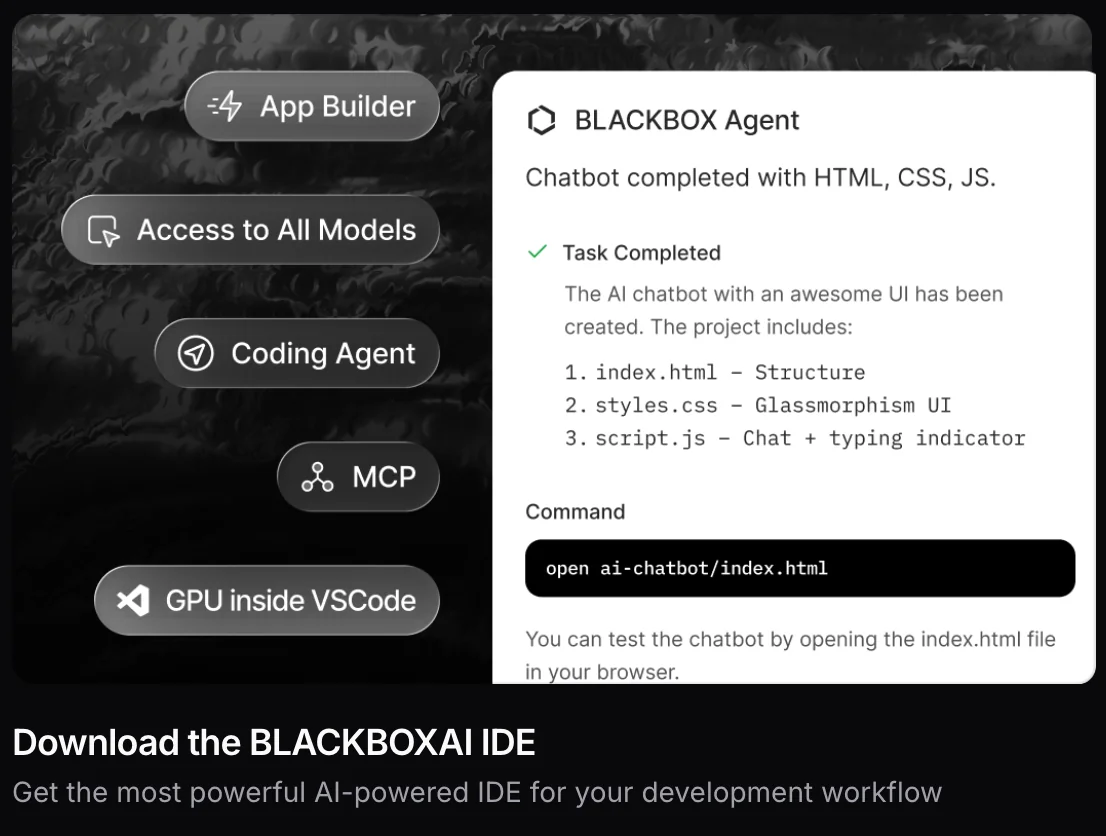
Blackbox is an AI agent platform that offers powerful features such as task automation, a coding assistant, seamless VS Code integration, and customizable APIs. Tailored for developers and enterprises, it boasts a scalable infrastructure that enhances productivity and streamlines workflows.
Key Points
- Task Automation: Automate repetitive tasks effortlessly.
- Coding Assistant: Receive coding help and suggestions in real-time.
- VS Code Integration: Work seamlessly within Visual Studio Code.
Detailed Explanation
Blackbox stands out with its task automation capabilities, allowing users to automate mundane tasks like code deployment, testing, and data management. This feature reduces manual effort and minimizes errors, enabling developers to focus on high-value activities.
The coding assistant utilizes AI to provide real-time suggestions, debugging help, and code snippets tailored to your specific needs. For instance, if you're stuck on a coding problem, Blackbox can analyze your context and propose relevant solutions, significantly speeding up the development process.
With its VS Code integration, Blackbox allows for a smooth workflow by embedding its functionalities directly into one of the most popular code editors. This integration means you don't have to leave your coding environment to access powerful AI tools, enhancing your efficiency.
Moreover, Blackbox's customizable APIs enable enterprises to tailor the platform according to their specific requirements. This flexibility allows businesses to integrate Blackbox with existing systems or workflows, ensuring a seamless user experience.
Best Practices / Tips
- Leverage Task Automation: Identify repetitive tasks in your workflow that can be automated to save time and reduce errors.
- Utilize the Coding Assistant: Don’t hesitate to ask for help from the coding assistant; it can provide valuable insights and reduce debugging time.
- Explore Custom APIs: Take advantage of customizable APIs to integrate Blackbox into your existing platform, enhancing overall productivity.
Additional Resources
How do I get started with Blackbox?
To get started with Blackbox, visit their website and sign up for a free trial. This trial provides temporary access to premium features, allowing you to explore its full capabilities without any long-term commitment or upfront costs.
Key Points
- Sign up for a free trial on the Blackbox website.
- Experience all premium features temporarily.
- No long-term commitment required.
Detailed Explanation
Blackbox is a powerful AI tool designed to streamline various tasks such as content generation, data analysis, and project management. To begin, navigate to the Blackbox website and locate the free trial option, usually displayed prominently on the homepage.
-
Create an Account: Click on the "Free Trial" button. You will need to enter your email address and create a password. Ensure the email you use is valid, as you’ll receive a confirmation link.
-
Email Verification: After signing up, check your inbox for a verification email from Blackbox. Click the verification link to activate your account.
-
Explore Features: Once your account is active, log in to access the dashboard. You can explore various features such as AI-assisted writing, project management tools, and data analytics options.
-
Utilize Resources: Take advantage of tutorials and documentation available in the user support section. These resources can help you maximize your trial experience.
-
Feedback and Support: If you encounter issues, use the support chat feature or consult the FAQ section for quick assistance.
Best Practices / Tips
- Set Goals: Before starting your trial, outline what you want to achieve with Blackbox. This will help you focus on specific features that align with your objectives.
- Utilize Tutorials: Spend some time going through Blackbox tutorials to fully grasp its capabilities. This can significantly enhance your experience and productivity.
- Monitor Usage: Keep track of how frequently you use the features. This can inform whether you’ll want to continue with a paid subscription after the trial ends.
Additional Resources
- Blackbox Official Documentation
- Getting Started with Blackbox Video Tutorial
- Community Forum for User Tips
By following these steps and tips, you'll be well-equipped to make the most out of your Blackbox free trial and decide if it meets your needs for future projects.
How can I integrate Blackbox with my applications?
Blackbox can be integrated into your applications using its API-driven integration points, which allow you to seamlessly embed its agent capabilities. For in-depth guidance, refer to the official documentation that provides detailed API guidelines and practical examples for effective integration.
Key Points
- API-Driven Integration: Utilize Blackbox's APIs for seamless embedding.
- Official Documentation: Access comprehensive guidelines and examples.
- Versatile Use Cases: Integrate across various applications and platforms.
Detailed Explanation
Integrating Blackbox into your applications primarily involves leveraging its robust API. Here’s a step-by-step guide to facilitate this process:
-
Obtain API Keys: Start by signing up at the Blackbox developer portal. Once registered, generate your unique API keys, which are essential for authenticating requests.
-
Explore the API Documentation: The official Blackbox documentation provides a wealth of resources, including endpoint specifications, request and response formats, and example use cases. Familiarize yourself with this material to understand how to effectively utilize the APIs.
-
Choose Your Integration Method: Depending on your application architecture, you can integrate Blackbox via RESTful APIs. This allows for flexible communication between your app and Blackbox's services.
-
Implement API Calls: Use your preferred programming language (Python, JavaScript, etc.) to implement API calls. For example, you can use a simple HTTP GET request to fetch data from Blackbox or POST to send data for processing.
fetch('https://api.blackbox.com/integration', { method: 'POST', headers: { 'Authorization': `Bearer YOUR_API_KEY`, 'Content-Type': 'application/json' }, body: JSON.stringify({ /* your data here */ }) }) .then(response => response.json()) .then(data => console.log(data)); -
Test the Integration: After implementing the API calls, perform thorough testing to ensure that data is transmitted correctly and that your application responds as expected.
-
Monitor and Optimize: Post-integration, keep an eye on the performance metrics of your API calls. Use logging and analytics to optimize the integration for better user experience.
Best Practices / Tips
- Thoroughly Read Documentation: Always start with the official documentation to avoid common mistakes.
- Error Handling: Implement robust error handling to manage API response failures gracefully.
- Use Caching: If applicable, cache frequent API responses to improve application performance.
- Stay Updated: Regularly check the Blackbox updates or changelog for any modifications in API endpoints or features.
Additional Resources
This comprehensive approach will ensure a smooth integration of Blackbox into your applications, enhancing functionality and user experience.
How does Blackbox compare to other AI tools?
Blackbox distinguishes itself from other AI tools with its developer-centric approach, offering seamless API accessibility and robust enterprise support. Unique features like Figma to code conversion and sophisticated task automation set it apart, making it an ideal choice for developers and organizations looking to streamline workflows.
Key Points
- Developer-Centric Design: Focused on meeting the needs of developers.
- API Accessibility: Easy integration with existing systems and workflows.
- Unique Features: Figma to code conversion and advanced automation capabilities.
Detailed Explanation
Blackbox is designed specifically for developers, providing tools that enhance productivity and streamline the coding process. Unlike many AI platforms that cater to a broader audience, Blackbox emphasizes customization and flexibility.
Developer-Centric Design
Blackbox's interface and functionalities are tailored for developers, offering a clean, intuitive experience. This focus allows developers to easily navigate and utilize the platform, making it suitable for both novice and experienced users.
API Accessibility
The API accessibility in Blackbox enables developers to integrate AI functionalities into their existing applications seamlessly. This means you can leverage AI capabilities without extensive rewrites to your codebase. This flexibility is crucial for businesses looking to enhance their software solutions without disrupting operations.
Unique Features
One of the standout features of Blackbox is its Figma to code conversion. This functionality allows designers to export their designs from Figma directly into functional code, significantly speeding up the development process. Additionally, Blackbox offers advanced task automation, which can handle repetitive coding tasks, freeing up developers to focus on more complex problems.
Best Practices / Tips
- Utilize API Documentation: Leverage Blackbox's comprehensive API documentation to fully exploit integration capabilities. This will allow you to maximize the tool's potential.
- Experiment with Automation: Start with simple tasks for automation to understand how it can streamline your development process. Gradually move to more complex automation as you become familiar with the tool.
- Engage with Community: Join forums and community groups focused on Blackbox to share insights and learn from other users’ experiences.
Additional Resources
Explore more AI Ai Agents tools
Browse all Ai Agents tools →Browse by use case: Code Generation · Automation & Productivity
Compare Blackbox: vs Expertise AI · vs ify · vs Hacktron · vs Ninjō AI