

Wan 2.6
AIWan 2.6 is Wan's multimodal video-generation model for text-to-video, image-to-video, text-to-image, image-to-image, and image editing.
Wan 2.6
Wan 2.6 is Wan's multimodal video-generation model for text-to-video, image-to-video, text-to-image, image-to-image, and image editing.
About Wan 2.6
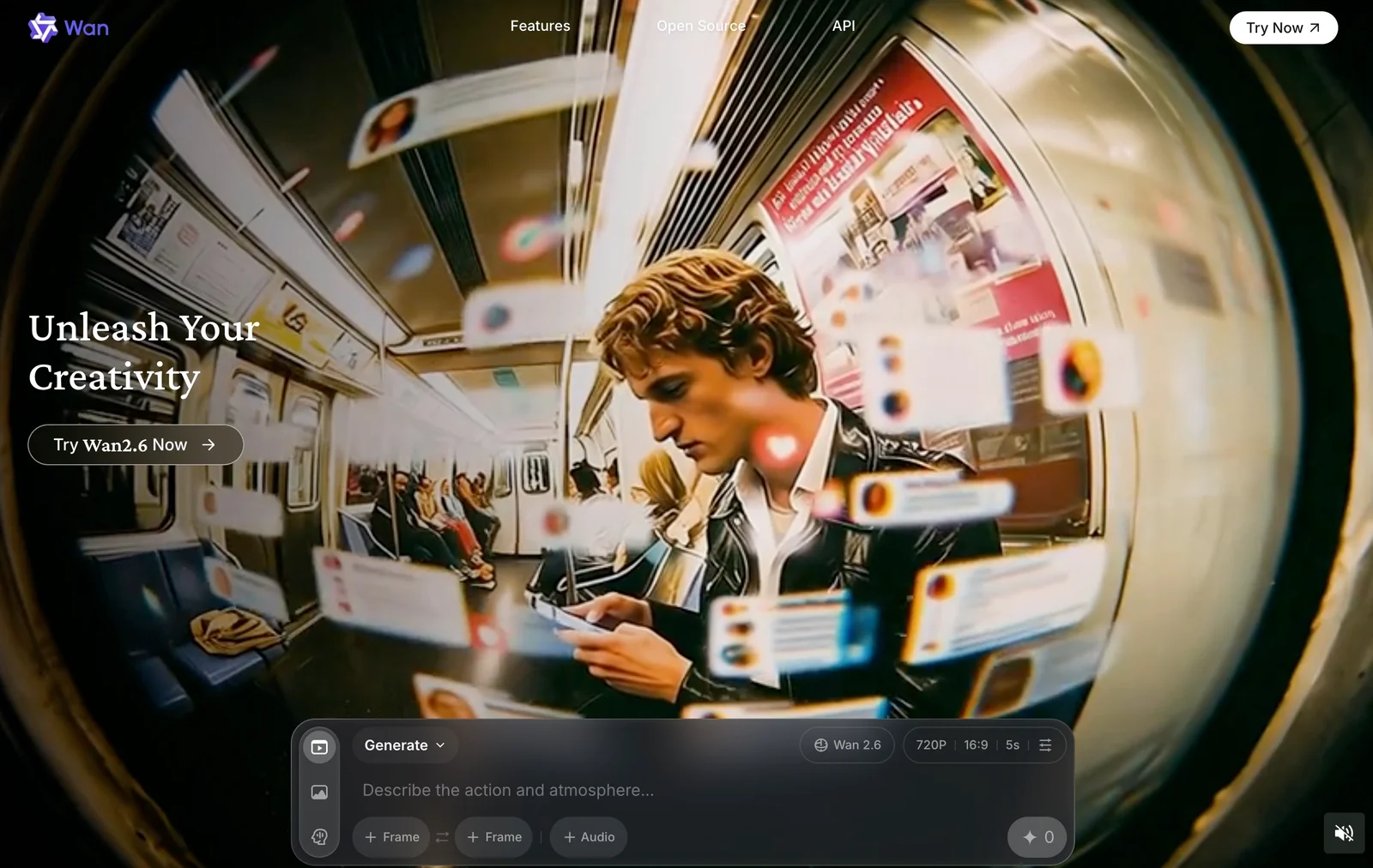
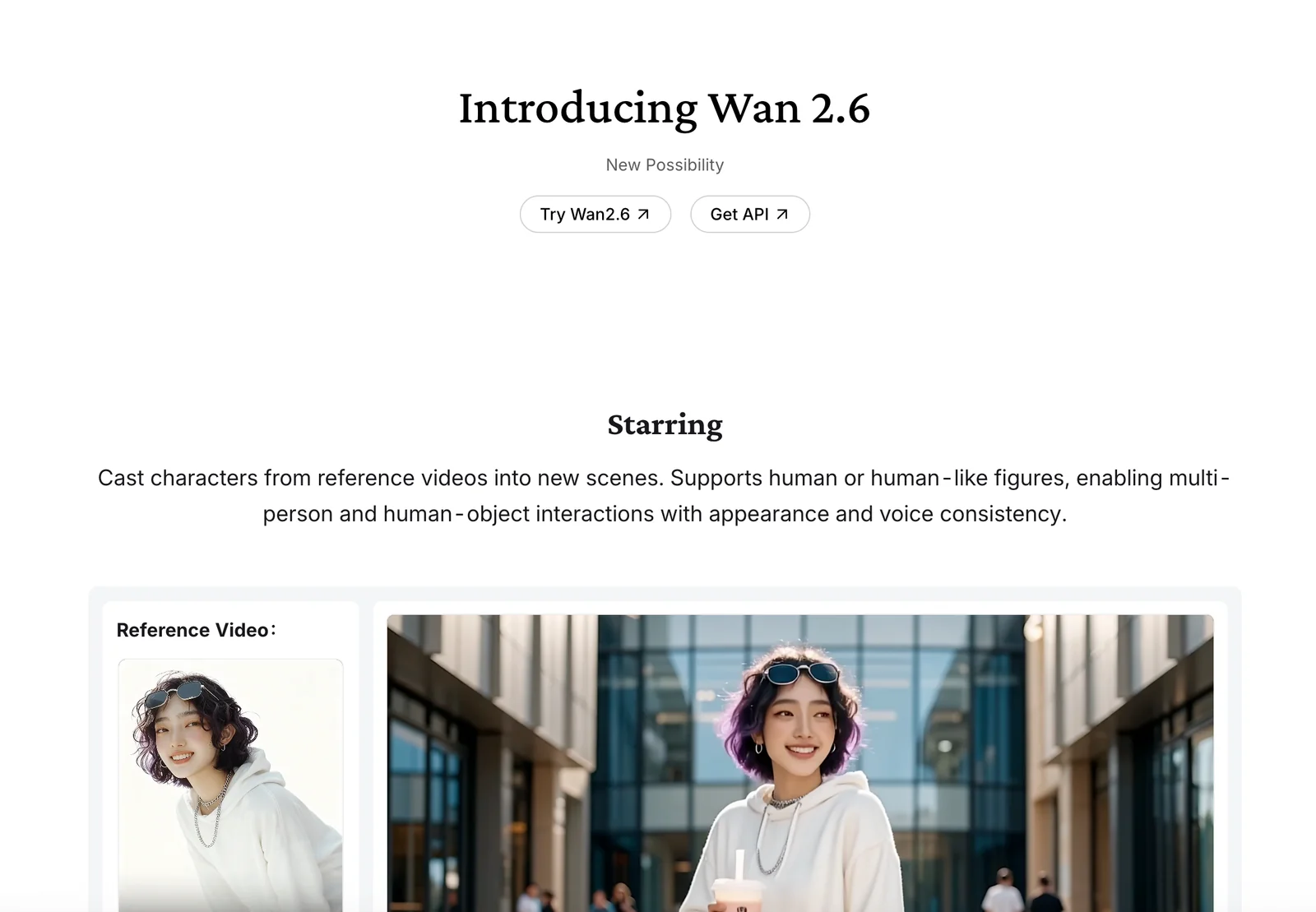
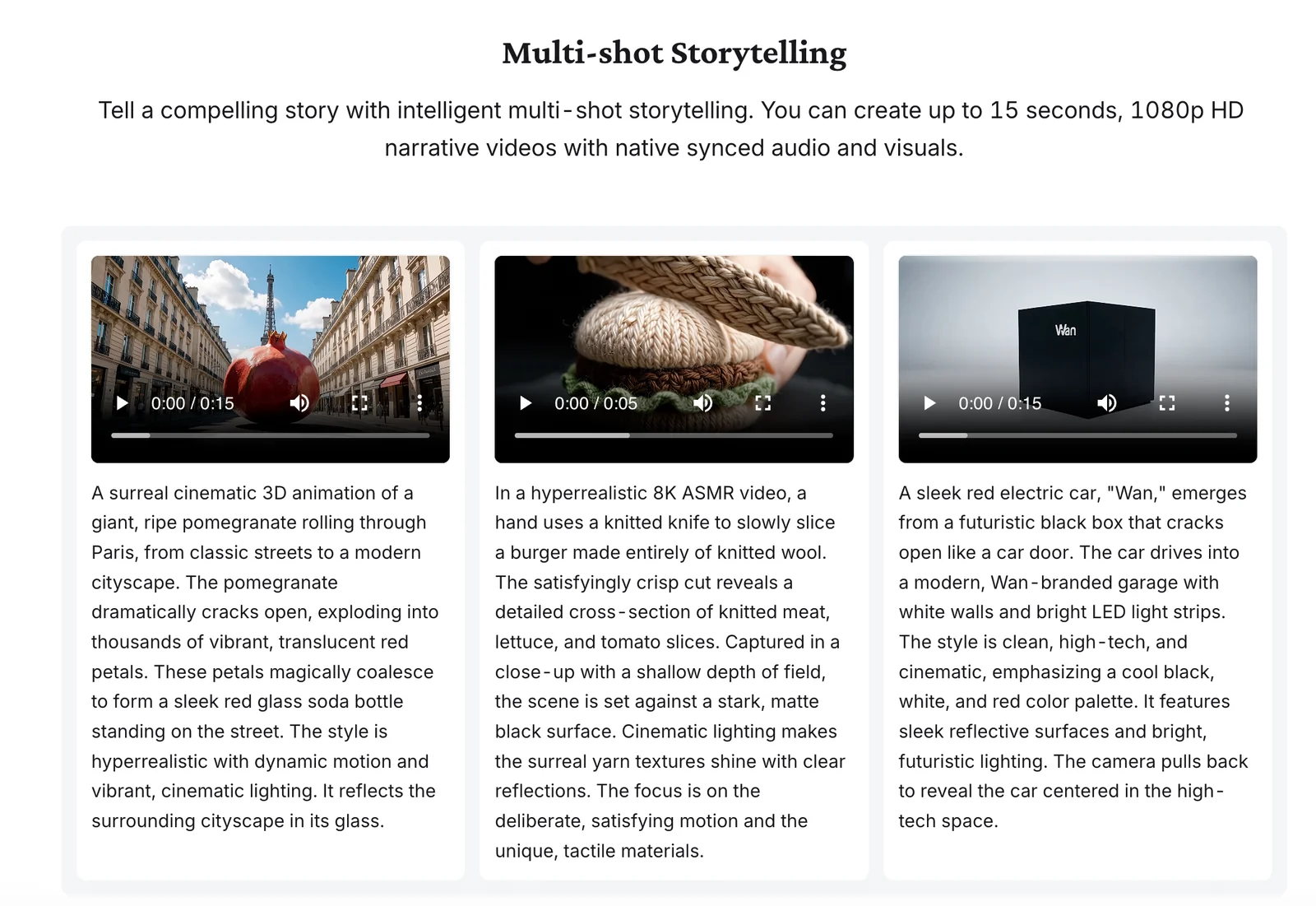
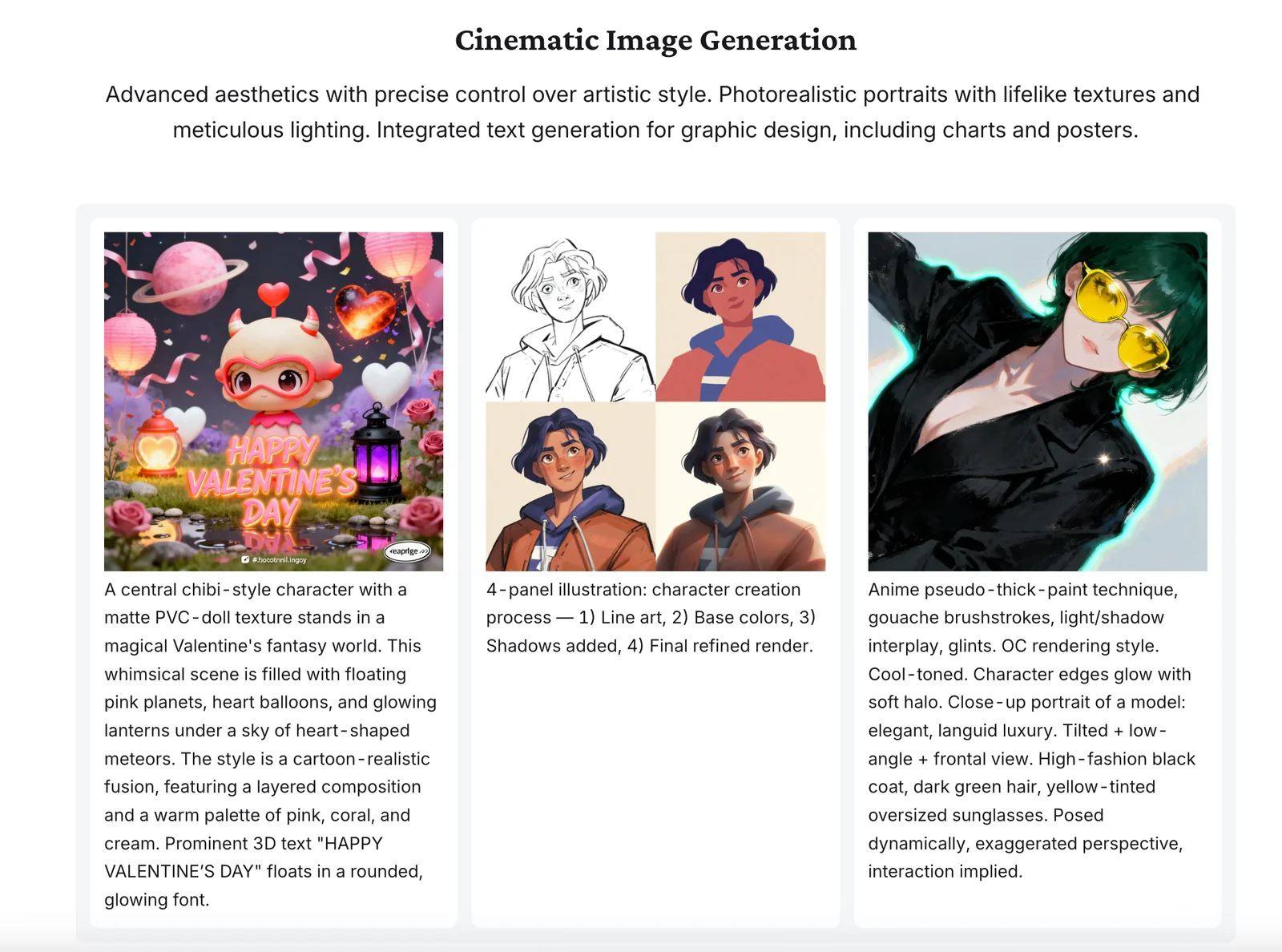
Wan 2.6 is a multimodal creative model from Wan that enables generation and editing of visual content from text and images. It supports text-to-video, image-to-video, text-to-image, image-to-image and image editing workflows, lowering the barrier for creators to produce high-quality visual assets. The model is positioned as part of an integrated creative platform, aimed at accelerating concepting, prototyping, and content production by translating prompts and visual inputs into refined outputs.
Screenshots
Key Features
Use Cases


Frequently asked questions about Wan 2.6
What is the pricing structure for Wan 2.6?
Wan 2.6 operates on a freemium pricing model. Users can access a free version with limited core tools, while the Pro and Enterprise tiers provide custom pricing options for enhanced features and higher usage limits. For precise pricing details, it's best to contact Wan directly.
Key Points
- Freemium Model: Offers both free and paid tiers.
- Pro and Enterprise Tiers: Custom pricing for advanced features.
- Contact for Details: Direct inquiries are encouraged for specific pricing.
Detailed Explanation
Wan 2.6's pricing structure is designed to cater to a wide range of users, from individual freelancers to large enterprises. The freemium model allows users to explore basic functionalities without any financial commitment.
-
Free Version: This version includes essential tools, suitable for small-scale projects or testing purposes. Users can get a feel for the platform's capabilities without spending money.
-
Pro Tier: Ideal for professionals or small businesses, the Pro version includes advanced features such as increased storage, priority customer support, and access to premium tools. Pricing typically starts at around $15 to $30 per month, depending on user needs and specific features chosen.
-
Enterprise Tier: Tailored for larger organizations, the Enterprise tier offers custom pricing based on the scale of operations and specific requirements. This includes unlimited access to features, dedicated account management, and comprehensive data security measures. Prospective customers are encouraged to contact Wan directly for a personalized quote that aligns with their organizational needs.
Best Practices / Tips
- Assess Your Needs: Before deciding on a tier, evaluate your project requirements and team size to ensure you choose the right plan.
- Take Advantage of the Free Version: Use the free version to understand the platform's capabilities and determine if it suits your needs.
- Contact Sales for Custom Solutions: If your needs are unique or complex, reaching out to Wan’s sales team can lead to tailored solutions that best fit your budget and requirements.
Additional Resources
What are the key features of Wan 2.6?
Wan 2.6 features multimodal capabilities such as text-to-video, image-to-video, and a suite of image editing tools, enhancing creative workflows. It facilitates rapid prototyping and enables users to generate visual assets efficiently from text or image inputs, making it ideal for content creators and marketers.
Key Points
- Multimodal Capabilities: Supports text-to-video and image-to-video conversions.
- Image Editing Tools: Offers advanced features for manipulating images.
- Creative Workflow Enhancement: Streamlines prototyping and asset generation.
Detailed Explanation
Wan 2.6 revolutionizes content creation with its multimodal capabilities. Users can convert text into engaging videos, allowing for dynamic storytelling that captures audience attention. For instance, a social media manager can input a script, and the tool will generate a video that visually represents the narrative, complete with animations.
In addition, the image-to-video feature allows users to transform static images into animated content, which is particularly useful for marketing campaigns. For example, a product image can be animated to showcase various features, making it more appealing to potential customers.
The suite of image editing tools includes cropping, filtering, and special effects, enabling users to enhance their visuals without needing separate software. This integration simplifies the creative process, allowing for seamless transitions between editing and asset generation.
Best Practices / Tips
- Explore All Features: Take time to familiarize yourself with each tool in Wan 2.6 to maximize its potential.
- Utilize Templates: Use pre-designed templates for text-to-video projects to save time and maintain consistency.
- Optimize for Platforms: Tailor video formats and dimensions based on the specific requirements of different social media platforms for better engagement.
- Stay Updated: Regularly check for updates to the software, as new features may enhance your workflow even further.
Additional Resources
- Wan Official Documentation - Comprehensive guides and tutorials on using Wan 2.6.
- Video Marketing Strategies - Tips on leveraging video content for marketing success.
- Image Editing Best Practices - Techniques for enhancing your visual assets effectively.
How do I get started with Wan 2.6?
To get started with Wan 2.6, visit the official website, create an account, and access the core tools directly from the platform. New users can benefit from available tutorials and user guides that help navigate the features and maximize their experience effectively.
Key Points
- Create an account on the official Wan 2.6 website.
- Access core tools directly from the platform.
- Utilize tutorials and user guides for support.
Detailed Explanation
Starting with Wan 2.6 is straightforward. Follow these steps:
-
Visit the Official Website: Navigate to the Wan 2.6 official site. Ensure that you are on the correct site to avoid phishing scams or outdated versions.
-
Create an Account: Click on the "Sign Up" or "Create Account" button. Fill in your personal details such as your name, email address, and a secure password. Verify your email to activate your account.
-
Explore Core Tools: Once logged in, you will have immediate access to the core tools offered by Wan 2.6. Familiarize yourself with the dashboard, where you can find quick links to various functionalities.
-
Utilize Tutorials and User Guides: The platform provides a wealth of resources. Access the tutorials section to find video guides and step-by-step instructions on how to use specific features effectively. These resources are invaluable for new users.
-
Join the Community: Consider joining forums or community groups related to Wan 2.6. Engaging with other users can provide insights, tips, and troubleshooting advice.
Best Practices / Tips
- Regularly Check for Updates: Ensure that you are using the latest version of Wan 2.6 to benefit from new features and security enhancements.
- Leverage Support Resources: Don’t hesitate to reach out to customer support for any issues. They can offer personalized assistance.
- Practice with Tutorials: Spend time on tutorials before diving into complex tasks. This will help you build confidence and competence quickly.
- Stay Engaged: Participate in user forums or feedback sessions to stay informed about best practices and upcoming features.
Additional Resources
These resources will help you deepen your understanding and maximize your use of Wan 2.6 effectively.
Can Wan 2.6 integrate with existing creative tools?
Yes, Wan 2.6 can integrate with existing creative tools, though specific integration capabilities may vary. For comprehensive details on API integration options and compatibility, it is recommended to consult Wan's official support resources or documentation for the most accurate information.
Key Points
- Integration Flexibility: Wan 2.6 offers various integration options for creative tools.
- Consult Documentation: Detailed API and compatibility information is available through official channels.
- Streamlined Workflows: Designed to enhance productivity by connecting with existing tools.
Detailed Explanation
Wan 2.6 is engineered to enhance creative workflows by integrating seamlessly with various existing tools. While the exact integration capabilities can differ based on the tools being used, Wan 2.6 typically supports popular software such as Adobe Creative Suite, Figma, and others via APIs.
For instance, if you are using Adobe Photoshop or Illustrator, Wan 2.6 can help streamline processes like asset management and version control. Users can import or export files directly, facilitating a smoother transition between design and execution phases.
To determine the specific tools that can be integrated, users should explore the API documentation provided by Wan. This documentation often includes step-by-step guides on how to set up integrations, along with code snippets for developers. By leveraging these resources, teams can ensure they are maximizing the potential of Wan 2.6 in their creative processes.
Best Practices / Tips
- Explore API Documentation: Before starting integration, thoroughly read through the API documentation to understand capabilities and limitations.
- Test Integrations: After setting up an integration, conduct tests to ensure everything functions smoothly and data flows correctly.
- Stay Updated: Keep an eye on Wan’s updates and new features that may enhance integration capabilities or introduce new tools.
Additional Resources
How does Wan 2.6 compare to other video generation tools?
Wan 2.6 distinguishes itself from other video generation tools through its multimodal capabilities, enabling users to create videos from both text and images. This flexibility, combined with features for rapid prototyping and creative iteration, makes it particularly valuable for designers and marketers seeking efficient content creation solutions.
Key Points
- Multimodal Capabilities: Text-to-video and image-to-video generation.
- Rapid Prototyping: Quick iterations enhance productivity.
- User-Friendly Interface: Designed for both designers and marketers.
Detailed Explanation
Wan 2.6 offers a unique multimodal approach that sets it apart from other video generation tools like Adobe Premiere Pro or Animaker. By supporting both text-to-video and image-to-video creation, it allows users to easily generate engaging video content from various input forms. For instance, marketers can quickly turn blog posts into videos or transform static images into dynamic video presentations.
The rapid prototyping feature is particularly beneficial in fast-paced environments. This tool enables users to create, review, and revise video content swiftly, making it ideal for campaigns that require quick turnaround times. Designers can experiment with different styles and formats without the overhead associated with traditional video editing software.
Additionally, the user-friendly interface of Wan 2.6 caters to both novice users and seasoned professionals. This accessibility broadens its appeal, allowing teams with varied skill levels to collaborate effectively on video projects.
Best Practices / Tips
- Experiment with Input Types: Utilize both text and images to maximize creativity.
- Leverage Rapid Prototyping: Take advantage of quick iterations to refine your videos based on feedback.
- Stay Updated: Regularly check for software updates to ensure access to the latest features and improvements.
Additional Resources
Explore more AI Ai Models tools
Browse all Ai Models tools →Browse by use case: Image Generation · Video Generation · Automation & Productivity
- Soup CLI
- VibeVoice
- Laguna by Poolside
- Arena AI: The Official AI Ranking & LLM Leaderboard
- PromptLayer
- PHBench
Compare Wan 2.6: vs Soup CLI · vs VibeVoice · vs Laguna by Poolside · vs Arena AI: The Official AI Ranking & LLM Leaderboard