
Spellar - AI Meeting Note Taker
AIBot-free meeting assistant that records meetings, generates transcripts, smart summaries, action items, and integrates with popular tools.
Spellar - AI Meeting Note Taker
Bot-free meeting assistant that records meetings, generates transcripts, smart summaries, action items, and integrates with popular tools.
About Spellar - AI Meeting Note Taker
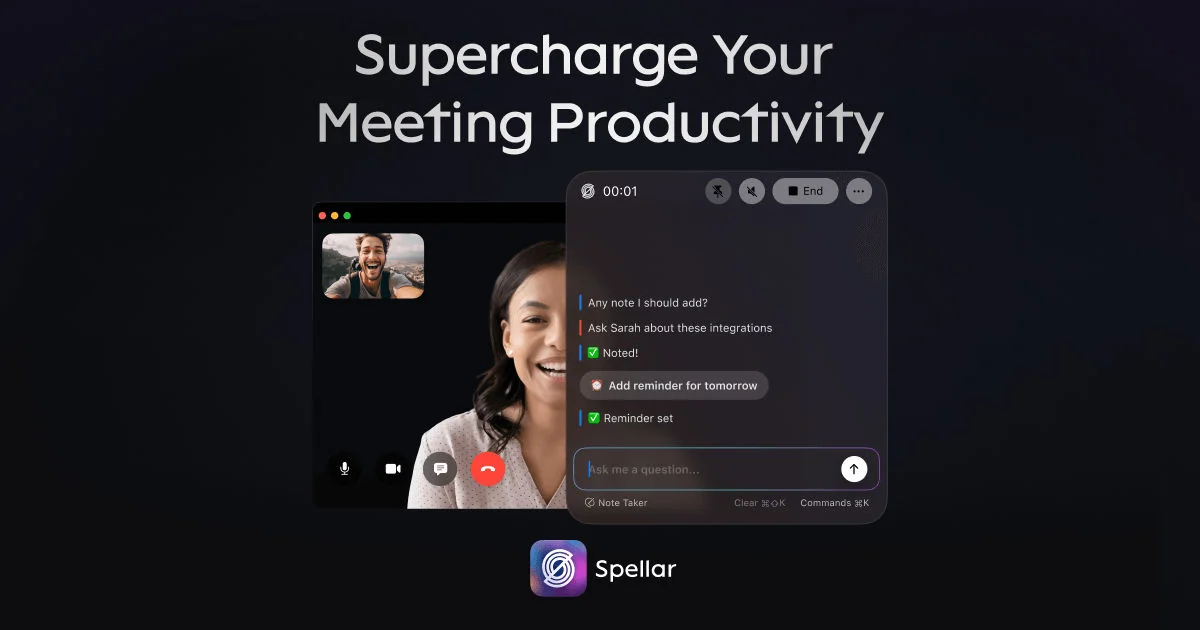
Spellar is a meeting note taker available on Mac, iPhone, iPad and Web that records meetings and automatically delivers concise meeting summaries, full transcripts, and action-item lists. It offers an AI copilot, supports 100+ languages, and connects with over 18 integrations (Notion, Jira, Linear, Google, etc.) to push notes and tasks into existing workflows. Features like customizable meeting presets, a floating interface, and cross-device synchronization aim to reduce manual note-taking and streamline follow-ups for teams and professionals.
Screenshots
Key Features
Use Cases



Frequently asked questions about Spellar - AI Meeting Note Taker
What is Spellar - AI Meeting Note Taker?
Spellar is an AI-powered meeting note taker designed for Mac, iPhone, iPad, and web platforms. It provides smart summaries, acts as an AI copilot, supports over 100 languages, and integrates with more than 18 popular applications, including Notion, Jira, Linear, and Google Workspace.
Key Points
- Multiplatform Access: Available on Mac, iPhone, iPad, and web browsers.
- Smart Summaries: Generates concise meeting notes automatically.
- Wide Integration: Connects seamlessly with tools like Notion, Jira, and Google Workspace.
Detailed Explanation
Spellar revolutionizes the way meetings are documented by utilizing advanced AI technology. With its user-friendly interface, users can easily capture essential discussion points without the hassle of manual note-taking.
Features
-
Smart Summaries: Spellar's AI analyzes conversations in real-time, providing summaries that highlight key decisions and action items. This feature saves time and ensures that no important point is overlooked.
-
Multilingual Support: The tool supports over 100 languages, making it ideal for global teams. Whether your team speaks English, Spanish, or Mandarin, Spellar can accommodate everyone's needs.
-
Extensive Integrations: With more than 18 integrations, including popular platforms like Notion, Jira, and Google Workspace, users can easily import data and export notes, enhancing productivity and streamlining workflows.
Use Cases
- Remote Teams: For distributed teams, Spellar helps maintain clear communication and documentation across different time zones.
- Project Management: Integrate with tools like Jira and Linear to keep track of tasks and deadlines directly from your meeting notes.
- Educational Settings: Teachers and students can benefit from automatic note-taking during lectures or study groups.
Best Practices / Tips
- Set Clear Objectives: Before the meeting, outline key topics you want Spellar to capture. This helps the AI focus on the most relevant information.
- Regularly Review Notes: After meetings, review the generated notes to ensure all important points are captured and to add any additional context.
- Utilize Integrations: Take full advantage of Spellar’s integrations to streamline your workflow. For instance, sync your notes with task managers to convert action items directly into tasks.
Additional Resources
By leveraging these features and best practices, users can enhance their meeting efficiency and ensure that valuable insights are never missed.
How does Spellar - AI Meeting Note Taker work?
Spellar - AI Meeting Note Taker simplifies the process of capturing and organizing meeting notes by utilizing advanced AI technologies. It transcribes conversations in real-time, summarizes key points, and generates actionable tasks, enhancing productivity for users in various professional environments.
Key Points
- Real-Time Transcription: Captures spoken content instantly.
- Summarization: Extracts essential information for quick reference.
- Actionable Tasks: Identifies and highlights follow-up items.
Detailed Explanation
Spellar operates by integrating natural language processing (NLP) and machine learning algorithms to provide a seamless note-taking experience. Here's how it works in detail:
-
Real-Time Transcription: During meetings, Spellar listens and transcribes conversations with high accuracy. This feature is particularly useful for remote teams who rely on video conferencing tools. For instance, while using Zoom or Microsoft Teams, Spellar can run in the background to capture dialogue without requiring manual input.
-
Summarization: After the meeting, Spellar analyzes the transcribed text to summarize discussions and highlight critical points. This process saves time by providing users with concise notes rather than lengthy verbatim transcripts. Users can quickly review the summary to grasp important decisions or topics discussed.
-
Actionable Tasks: Spellar goes a step further by identifying tasks or action items mentioned during the meeting. For example, if a team member is assigned a project, Spellar automatically flags this as a task, allowing teams to keep track of responsibilities without additional effort.
Additionally, Spellar's interface is user-friendly. Users can easily edit notes, add comments, or share summaries with team members, making collaboration more effective.
Best Practices / Tips
- Integration: To maximize functionality, integrate Spellar with your preferred project management tools like Trello or Asana for seamless workflow management.
- Customize Settings: Adjust the audio quality settings and speaker identification features to improve transcription accuracy, especially in meetings with multiple participants.
- Regular Updates: Ensure you're using the latest version of Spellar for improved features and security enhancements.
Additional Resources
Using Spellar can dramatically enhance your meeting productivity, ensuring that essential information is captured and actionable insights are easily accessible.
What are the main features of Spellar - AI Meeting Note Taker?
Spellar - AI Meeting Note Taker offers powerful features such as automatic transcription, intelligent summarization, action item tracking, and integration with popular collaboration tools. These capabilities enhance productivity by ensuring that crucial meeting details are captured and easily accessible, allowing teams to focus on decision-making and execution.
Key Points
- Automatic Transcription: Converts spoken words into text seamlessly.
- Intelligent Summarization: Extracts key points and insights from discussions.
- Action Item Tracking: Identifies and assigns tasks during meetings.
Detailed Explanation
Spellar is designed to streamline the note-taking process in meetings, making it highly efficient for professionals.
-
Automatic Transcription: Spellar uses advanced speech recognition technology to transcribe meetings in real-time. This feature ensures that every word is captured accurately, which is vital for creating reliable records. For example, in a one-hour meeting, Spellar can transcribe discussions in less than a minute.
-
Intelligent Summarization: After transcription, Spellar employs AI algorithms to analyze the text and generate concise summaries. This allows users to quickly grasp the key takeaways without sifting through lengthy notes. For instance, if a meeting covers five different topics, Spellar can summarize each topic in just a few bullet points.
-
Action Item Tracking: Spellar automatically identifies action items during meetings and assigns them to participants. This eliminates the risk of overlooking tasks and ensures accountability. Users can easily review and manage their tasks through an integrated dashboard, improving team collaboration.
Best Practices / Tips
- Test Transcription Accuracy: Before relying on Spellar for important meetings, conduct a test with a smaller group to ensure transcription accuracy, especially in environments with background noise.
- Utilize Summaries: Encourage team members to read the intelligent summaries before meetings to foster better preparation and engagement.
- Regularly Review Action Items: Set aside time at the beginning of each meeting to review outstanding action items captured by Spellar, ensuring progress is tracked and responsibilities are clear.
Additional Resources
Who is Spellar - AI Meeting Note Taker for?
Spellar - AI Meeting Note Taker is designed for professionals, teams, and organizations seeking to streamline their meeting workflows. It benefits anyone involved in regular meetings, project management, or collaborative work by enhancing productivity and ensuring accurate note-taking with AI-driven features.
Key Points
- Target Audience: Professionals, teams, and organizations.
- Use Cases: Project management, remote work, and collaborative discussions.
- Benefits: Increased productivity, accurate documentation, and streamlined workflows.
Detailed Explanation
Spellar - AI Meeting Note Taker is an innovative tool tailored for various users, including business professionals, project managers, educators, and remote teams. It utilizes advanced AI algorithms to transcribe and summarize meetings in real-time, ensuring that no crucial detail is lost.
Use Cases
- Business Meetings: For corporate teams, Spellar automatically captures discussions, decisions, and action items, reducing the need for manual note-taking.
- Remote Collaboration: In a remote work environment, it helps distributed teams stay aligned by providing a clear record of virtual meetings.
- Educational Settings: Educators can use Spellar to record lectures or discussions, making it easier for students to focus on learning rather than note-taking.
Example Workflow
- Integrate with Calendar Apps: Users can sync Spellar with their calendar to automatically join meetings and start taking notes.
- Real-Time Transcription: As the meeting progresses, Spellar transcribes spoken content and highlights key points.
- Post-Meeting Summary: After the meeting, users receive a concise summary with action items, making follow-ups straightforward.
Best Practices / Tips
- Ensure Clear Audio: For optimal transcription accuracy, use high-quality microphones and minimize background noise.
- Customize Settings: Tailor Spellar’s settings to suit your specific needs, such as adjusting the verbosity of summaries.
- Regularly Review Updates: Stay informed about new features and updates to maximize the tool’s potential.
Additional Resources
With Spellar - AI Meeting Note Taker, professionals can significantly enhance their meeting efficiency, ensuring that every discussion is accurately documented and actionable.
How much does Spellar - AI Meeting Note Taker cost?
Spellar - AI Meeting Note Taker offers a range of pricing options depending on the features and number of users. For the latest and most detailed pricing information, visit the official Spellar website.
Key Points
- Pricing varies based on user needs and features.
- Subscription plans may include free trials or tiered pricing.
- Discounts may be available for annual subscriptions.
Detailed Explanation
Spellar - AI Meeting Note Taker provides flexible pricing models to accommodate different user requirements. Typically, they offer several subscription tiers, including a basic plan that might be free or low-cost, which includes essential features like automated note-taking and summary generation.
Higher-tier plans could include advanced functionalities such as integration with calendar apps, real-time collaboration tools, and enhanced security features. For instance, a mid-tier subscription might cost around $10-$15 per user per month and include options for team collaboration and cloud storage.
Many services also provide a free trial period, allowing users to test the product before committing to a paid plan. This is beneficial for teams wanting to evaluate the tool's effectiveness in their workflow.
Example Pricing Structure
- Basic Plan: Free or $5/month for individual users with limited features.
- Pro Plan: $10-$15/user/month, including additional integrations and features.
- Enterprise Plan: Custom pricing for larger organizations, often including tailored features, dedicated support, and bulk discounts.
Best Practices / Tips
- Evaluate Your Needs: Before choosing a plan, assess your team's size and specific requirements.
- Take Advantage of Trials: Use free trials to explore features and ensure the tool meets your expectations.
- Stay Updated on Promotions: Keep an eye on the official website for seasonal discounts or promotional offers.
Additional Resources
How do I get started with Spellar - AI Meeting Note Taker?
To get started with Spellar - AI Meeting Note Taker, visit Spellar's website to sign up for an account. Once registered, you can explore its features, customize settings, and begin taking efficient meeting notes powered by AI technology.
Key Points
- Simple sign-up process on the official website.
- User-friendly interface for note-taking and organization.
- Integration capabilities with popular meeting platforms.
Detailed Explanation
Getting started with Spellar is straightforward. First, navigate to Spellar's website and click on the "Sign Up" button. You'll need to provide your email address and create a password. After confirming your email, log in to your new account.
Once logged in, you’ll find a user-friendly dashboard that allows you to customize your experience. Here are the essential steps to get the most out of Spellar:
- Connect Your Calendar: Integrate Spellar with your Google Calendar or Outlook to automatically pull in your meetings.
- Set Up Meeting Preferences: Customize how you want your notes to be organized. You can choose formats, highlight important points, and set reminders for follow-ups.
- Start Taking Notes: During your meetings, use the AI-powered features to automatically capture notes. Spellar can transcribe discussions, categorize key points, and even summarize action items.
For example, if you have a weekly team meeting, Spellar can help you capture decisions made and tasks assigned, ensuring everyone is aligned.
Best Practices / Tips
- Explore Features: Spend some time exploring all features, such as voice recognition and tagging, to optimize your note-taking.
- Regular Updates: Keep your Spellar app updated to benefit from the latest features and bug fixes.
- Feedback Loop: Provide feedback to Spellar for enhancements, as user input can help improve the tool.
Avoid common pitfalls like neglecting to set up integrations, which can limit the tool’s effectiveness. Also, ensure you familiarize yourself with the settings to maximize your note-taking efficiency.
Additional Resources
- Spellar Official Documentation
- Spellar Blog for tips and best practices
- User Community for discussions and support
Explore more AI Ai Tools tools
Browse all Ai Tools tools →Compare Spellar - AI Meeting Note Taker: vs Agents Never Sleep · vs Port Radar for macOS · vs SubtitleGenerator · vs Zero