

PyTorch
AIOpen SourceFreeOpen-source deep learning framework and ecosystem for research, development, and production deployment of neural networks.
PyTorch
Open-source deep learning framework and ecosystem for research, development, and production deployment of neural networks.
About PyTorch
PyTorch is an open-source deep learning framework and ecosystem maintained by the PyTorch Foundation. It provides tensor operations with strong GPU acceleration, a dynamic computation graph and automatic differentiation (autograd) that make prototyping and research fast and intuitive, plus tools for optimizing and serializing models (TorchScript) for production. PyTorch also offers a C++ frontend (libtorch), extensive community examples and tutorials, and a growing ecosystem of libraries (e.g., TorchVision, PyTorch Lightning, PyTorch Geometric) that extend functionality for vision, distributed training, graph learning, and model serving. Its combination of researcher-friendly APIs and production-oriented tooling helps teams iterate quickly and scale models to multi-GPU and multi-node environments.
Screenshots
Key Features
Use Cases


Frequently asked questions about PyTorch
Is PyTorch free to use?
Yes, PyTorch is completely free to use and open-source under an MIT-style license. This allows developers and researchers to utilize, modify, and distribute the framework without any restrictions, making it a popular choice for machine learning and deep learning projects.
Key Points
- Open Source: PyTorch is developed and maintained by a community of contributors.
- MIT License: The permissive MIT license enables flexibility in usage and modification.
- No Cost: Users incur no fees for downloading or using PyTorch.
Detailed Explanation
PyTorch is a highly versatile machine learning library that supports deep learning applications. As an open-source framework, it allows users to access the source code, enabling them to customize and adapt it to their specific needs. This flexibility is particularly beneficial for academic research and commercial applications alike.
The MIT license under which PyTorch is released is one of the most permissive licenses, allowing users to:
- Use: Integrate PyTorch into proprietary or commercial products without any licensing fees.
- Modify: Customize the library to enhance features or adapt it for unique requirements.
- Distribute: Share the modified or unmodified versions with others, promoting collaboration and improvement in the community.
Popular use cases for PyTorch include natural language processing, computer vision, and reinforcement learning. For instance, researchers often utilize PyTorch for developing neural networks due to its dynamic computation graph, which allows for more intuitive model building and debugging.
Best Practices / Tips
- Stay Updated: Regularly check for updates and new releases of PyTorch to leverage the latest features and improvements.
- Explore Community Resources: Utilize forums, GitHub repositories, and documentation to gain insights and troubleshoot issues.
- Follow Licensing Guidelines: While the MIT license allows for broad usage, ensure compliance with attribution requirements when distributing the software.
Additional Resources
What are the main features of PyTorch?
PyTorch is a powerful open-source machine learning framework that features dynamic autograd for automatic differentiation, GPU acceleration for improved performance, distributed training for scalability, and a rich ecosystem of libraries tailored for various AI applications, making it ideal for both research and production environments.
Key Points
- Dynamic Autograd: Facilitates automatic differentiation for complex models.
- GPU Acceleration: Leverages hardware to enhance computational capabilities.
- Distributed Training: Supports large-scale model training across multiple devices.
Detailed Explanation
PyTorch stands out due to its dynamic autograd system, allowing developers to build and modify neural networks interactively. This feature is particularly beneficial for research, where flexibility is often required for experimentation. For example, when working on a custom neural network architecture, users can easily adjust layer parameters and immediately see the impact on training.
GPU acceleration is another cornerstone of PyTorch, enabling seamless utilization of NVIDIA GPUs. This capability significantly speeds up the training of deep learning models, which can be crucial for time-sensitive projects. By taking advantage of CUDA, PyTorch allows for faster computation of tensor operations, which is essential for handling large datasets.
The distributed training feature allows researchers and developers to scale their training processes across multiple GPUs and nodes. This is particularly useful when training large models, as it can drastically reduce training times. PyTorch provides built-in support for distributed data parallelism, so users can effectively manage large-scale training.
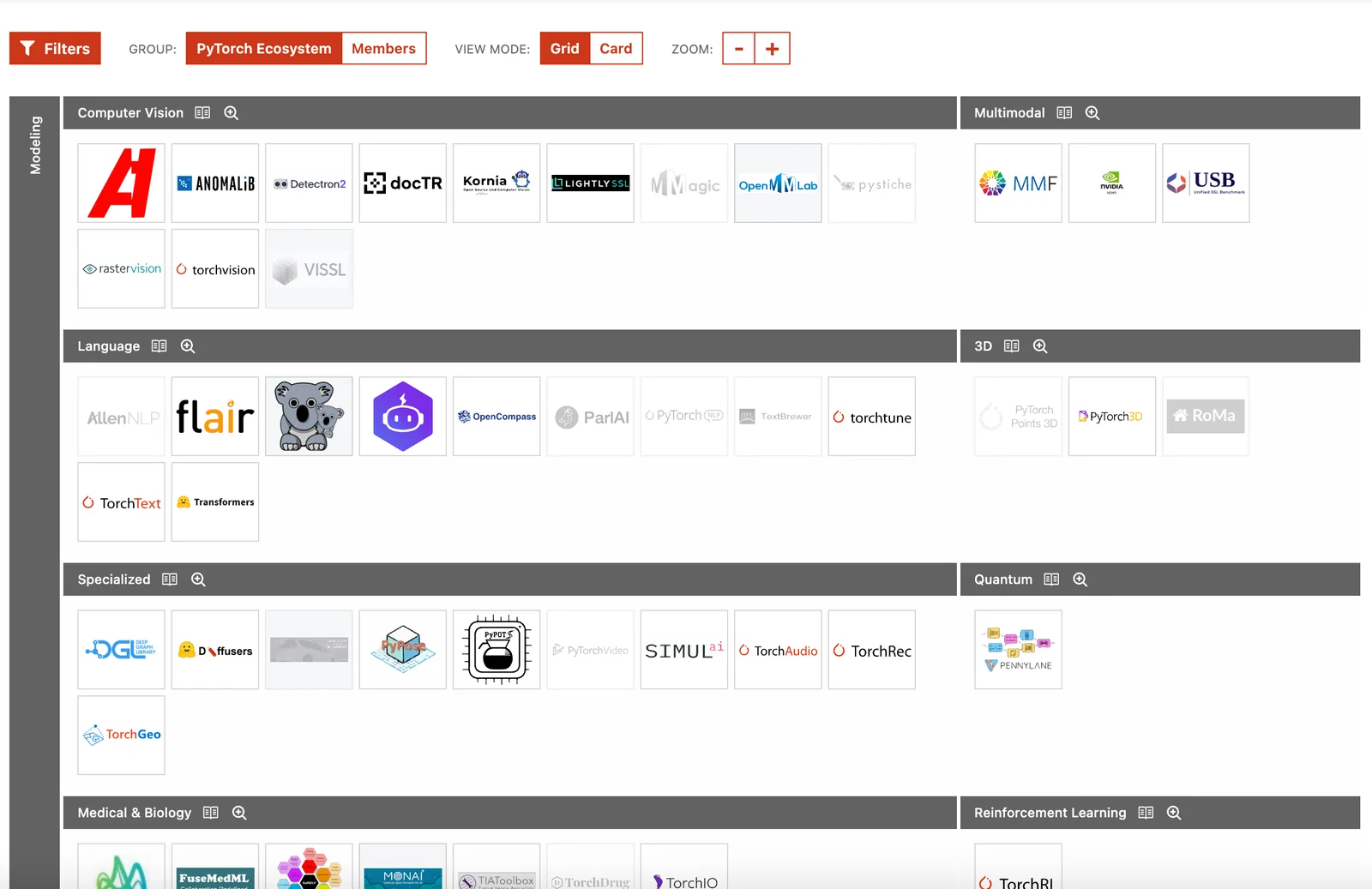
Additionally, PyTorch boasts an extensible ecosystem that includes libraries such as TorchVision for computer vision, TorchText for natural language processing, and many others. This modular approach enables developers to integrate additional functionalities tailored to their specific applications, enhancing productivity and innovation.
Best Practices / Tips
- Start Simple: When learning PyTorch, begin with basic models and gradually explore more complex architectures.
- Leverage Pre-trained Models: Utilize libraries like TorchVision to access pre-trained models, which can save time and resources.
- Monitor Resource Usage: Use tools like NVIDIA’s Nsight Systems to track GPU usage during training to optimize performance.
- Stay Updated: Regularly check for PyTorch updates and enhancements to make use of the latest features and bug fixes.
Additional Resources
How do I get started with PyTorch?
To get started with PyTorch, visit the official PyTorch website, where you'll find comprehensive documentation, tutorials, and examples designed for both beginners and advanced users. Install PyTorch using pip or conda, and explore the interactive tutorials to build your first deep learning model.
Key Points
- Official documentation provides foundational knowledge.
- Installation options are available via pip or conda.
- Interactive tutorials help in practical learning.
Detailed Explanation
PyTorch is an open-source machine learning library widely used for applications such as natural language processing (NLP) and computer vision. To begin your journey with PyTorch, follow these steps:
-
Visit the Official Website: Go to pytorch.org. Here, you will find a wealth of resources including installation guides, tutorials, and community forums.
-
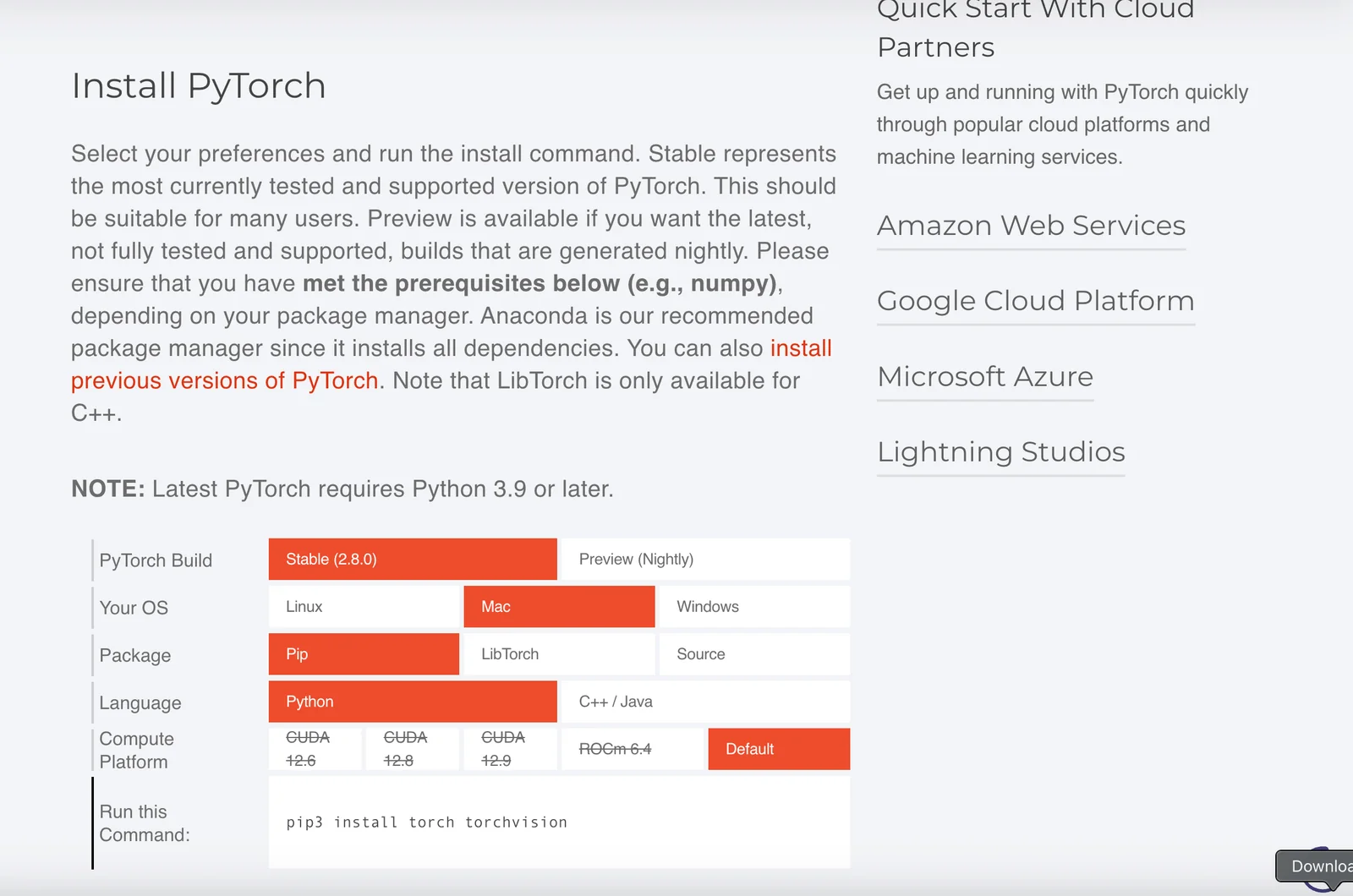
Install PyTorch: Choose between the two popular package managers, pip and conda. Use the command:
- For pip:
pip install torch torchvision torchaudio - For conda:
conda install pytorch torchvision torchaudio -c pytorch
- For pip:
-
Explore Tutorials: After installation, explore the tutorial section. Start with "Deep Learning with PyTorch: A 60 Minute Blitz" to get hands-on experience. This tutorial covers tensors, autograd, and building neural networks.
-
Build Your First Model: Follow example projects on the website, such as image classification with CNNs (Convolutional Neural Networks) or text classification using RNNs (Recurrent Neural Networks).
-
Engage with the Community: Join forums and discussion groups to ask questions, share knowledge, and troubleshoot common issues.
Best Practices / Tips
- Start Small: Focus on simple projects before tackling complex problems. This builds a solid foundation.
- Leverage Documentation: The official documentation is exhaustive. Make it a habit to refer back to it for clarifications.
- Utilize GPU Acceleration: If available, use a GPU to speed up model training. PyTorch makes it easy to switch between CPU and GPU.
- Version Control: Keep your code organized and use version control systems like Git to manage your projects.
Additional Resources
- PyTorch Documentation
- PyTorch Tutorials
- Deep Learning with Python - A recommended book for practical learning.
What is the PyTorch API and its integration capabilities?
The PyTorch API provides robust integration capabilities with various libraries and frameworks, such as TorchScript for model serialization and libtorch for deploying C++ applications. This flexibility enables developers to create versatile machine learning applications across different environments and platforms efficiently.
Key Points
- Integration with TorchScript: Allows for model serialization and optimization.
- Support for C++ with libtorch: Facilitates high-performance deployments.
- Compatibility with other libraries: Works seamlessly with NumPy, SciPy, and more.
Detailed Explanation
The PyTorch API is designed to be flexible and user-friendly, making it a preferred choice for researchers and developers in the AI and machine learning space. Here are some key integration capabilities:
-
TorchScript:
- TorchScript is a powerful feature that enables you to serialize and optimize your PyTorch models. It uses a subset of Python to create a representation of the model that can be run independently from Python, making it suitable for production environments.
- Example: You can convert a PyTorch model into a TorchScript model using
torch.jit.trace()ortorch.jit.script(), allowing for faster inference and easier deployment.
-
libtorch:
- libtorch is the C++ distribution of PyTorch, allowing developers to integrate PyTorch models into C++ applications. This is particularly useful for performance-critical applications where Python overhead may not be acceptable.
- Use Case: A robotics application could leverage libtorch to run a trained model for real-time decision-making on embedded systems.
-
Integration with Other Libraries:
- PyTorch is compatible with a range of scientific computing libraries, including NumPy and SciPy. This integration allows developers to leverage existing Python code and libraries easily.
- Example: You can utilize NumPy arrays as input data for your PyTorch models, enhancing interoperability between various data processing tools.
Best Practices / Tips
- Use TorchScript for Production: When deploying models, prefer using TorchScript to ensure compatibility and performance.
- Explore libtorch for C++ Applications: If your project requires C++ performance, familiarize yourself with libtorch to take full advantage of PyTorch’s capabilities.
- Keep Libraries Updated: Regularly update your PyTorch and its dependencies to benefit from the latest features and performance improvements.
- Test Integration Thoroughly: Always test your integrations in various environments to ensure that they work seamlessly without issues.
Additional Resources
- PyTorch Documentation
- TorchScript Documentation
- libtorch Documentation
- PyTorch Tutorials for practical examples and use cases.
How does PyTorch compare to TensorFlow?
PyTorch is preferred for its dynamic computation graphs, which facilitate easier prototyping and experimentation. In contrast, TensorFlow excels by providing robust production tools and comprehensive deployment options, making both frameworks suitable for different deep learning applications, depending on project requirements and user experience.
Key Points
- Dynamic Computation Graphs: PyTorch’s flexibility allows for on-the-fly modifications.
- Production Readiness: TensorFlow offers extensive tools for deploying models at scale.
- Community and Ecosystem: Both frameworks have strong support communities and extensive libraries.
Detailed Explanation
Dynamic Computation Graphs in PyTorch
PyTorch utilizes dynamic computation graphs, or "define-by-run" architecture, allowing developers to change the network architecture during runtime. This feature is especially beneficial for researchers and developers who frequently experiment with different model designs. For example, if you are building a recurrent neural network (RNN) that requires variable input lengths, PyTorch makes it straightforward to adjust the model on the fly.
TensorFlow's Static Graphs and Production Tools
On the other hand, TensorFlow employs static computation graphs, which can enhance performance through optimizations before execution. This is particularly advantageous for production environments. TensorFlow's TensorBoard allows for visualization of model training, while TensorFlow Serving enables easy deployment of models in production. An example use case would be deploying a trained model for real-time inference in a web application.
Use Cases
- PyTorch: Ideal for research projects, quick prototypes, and applications requiring rapid iterations. Examples include natural language processing (NLP) models, where frequent adjustments are often necessary.
- TensorFlow: Better suited for large-scale applications, such as image classification or recommendation systems, where the model needs to be robust and easily scalable.
Best Practices / Tips
- Choosing the Right Framework: Assess your project needs. If rapid prototyping is essential, start with PyTorch. For scalable, production-ready models, consider TensorFlow.
- Community Engagement: Join forums or groups related to your chosen framework. Both PyTorch and TensorFlow have active communities that can provide support and resources.
- Experimentation: Don’t hesitate to prototype in PyTorch and later convert to TensorFlow for deployment, leveraging tools like ONNX for model interoperability.
Additional Resources
Explore more AI Ai Models tools
Browse all Ai Models tools →- Soup CLI
- VibeVoice
- Laguna by Poolside
- Arena AI: The Official AI Ranking & LLM Leaderboard
- PromptLayer
- PHBench
Compare PyTorch: vs Soup CLI · vs VibeVoice · vs Laguna by Poolside · vs Arena AI: The Official AI Ranking & LLM Leaderboard