
Maia
AIAI teammate for business automation that builds workflows, connects apps, and automates repeatable operations across your company.
Maia
AI teammate for business automation that builds workflows, connects apps, and automates repeatable operations across your company.
About Maia
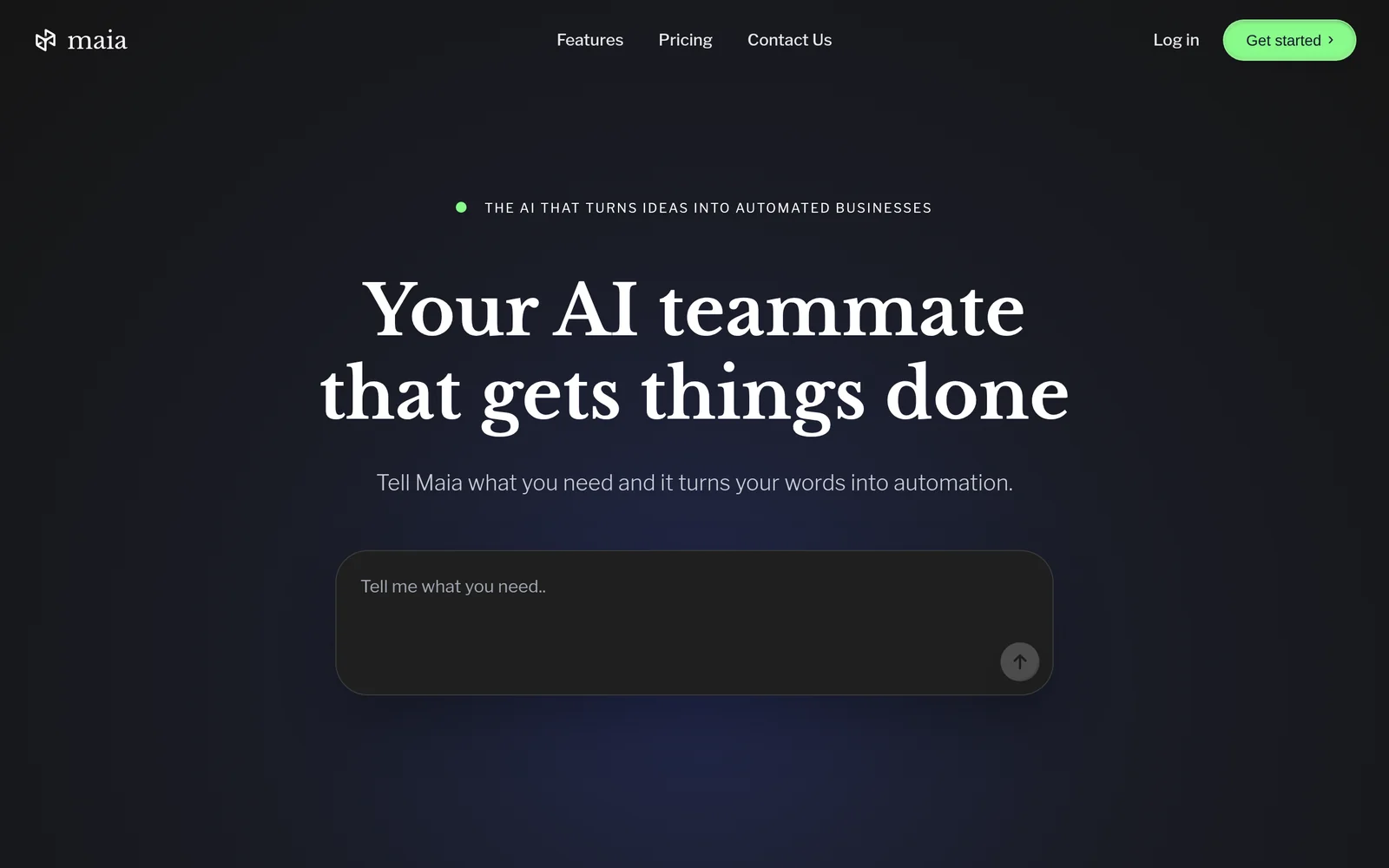
Maia is an AI teammate designed to build automation workflows, connect applications, and automate repeatable business operations. It enables teams to orchestrate tasks across multiple tools by creating AI-driven workflows and linking app actions and data. Maia's value lies in reducing manual, repetitive work and streamlining operational processes through connected, reusable automation flows.
Screenshots
Key Features
Use Cases



Frequently asked questions about Maia
What is Maia?
Maia is an advanced AI tool designed to streamline project management by automating tasks and enhancing collaboration. By understanding your work requirements, Maia takes care of repetitive tasks, allowing you to focus on higher-level strategic activities and improving overall productivity.
Key Points
- Automation: Maia automates routine project management tasks.
- Collaboration: Enhances team communication and collaboration.
- Productivity: Frees up time for strategic thinking and decision-making.
Detailed Explanation
Maia operates as a digital assistant for project managers and teams. By utilizing AI algorithms, it can analyze project requirements and execute tasks such as scheduling meetings, sending reminders, tracking deadlines, and generating reports. For example, if you input project milestones, Maia can automatically update your team on progress and send notifications for upcoming deadlines. This reduces the burden of manual tracking and ensures everyone is on the same page.
Moreover, Maia's capabilities extend to integrating with various tools and platforms, such as Slack, Trello, and Microsoft Teams, allowing for seamless communication and data sharing. This integration means that project updates can be communicated in real-time, which is crucial for agile project management environments.
Use Cases
- Project Scheduling: Input key dates, and Maia will generate a timeline and reminders for all stakeholders.
- Team Collaboration: Use Maia to facilitate discussions and document decisions made during team meetings.
- Performance Tracking: Analyze project performance metrics and receive suggestions for improvement based on data collected.
Best Practices / Tips
- Define Clear Objectives: Ensure that you input clear project goals into Maia for optimal task automation.
- Regular Updates: Frequently update project details to keep Maia informed and provide accurate information to your team.
- Utilize Integrations: Take full advantage of Maia's integration capabilities to centralize communication and project management efforts.
Additional Resources
Using Maia effectively can significantly enhance your project management efficiency, allowing you to focus on what truly matters—leading your team to success.
How does Maia work?
Maia operates by integrating advanced AI capabilities, enabling users to automate and streamline daily workflows. Its intuitive interface and smart algorithms facilitate tasks such as data analysis, content generation, and project management, making it an essential tool for enhancing productivity and efficiency in various professional environments.
Key Points
- Integration of AI Technologies: Maia combines machine learning, natural language processing, and automation.
- User-Centric Design: The platform is designed for ease of use, catering to both tech-savvy and non-technical users.
- Wide Range of Applications: Maia supports various workflows, including marketing, project management, and customer service.
Detailed Explanation
Maia leverages several core AI technologies to enhance user productivity.
-
Machine Learning: Maia continuously learns from user interactions, improving its recommendations and task management capabilities over time. For example, if a user frequently analyzes certain types of data, Maia will prioritize those datasets in future analyses.
-
Natural Language Processing (NLP): This feature allows users to interact with Maia using everyday language. For instance, users can ask Maia to draft an email or generate a report simply by typing a request. This makes the platform accessible to users without technical expertise.
-
Automation of Repetitive Tasks: Maia can automate mundane tasks such as scheduling meetings or sending follow-up emails, saving users valuable time. Users can set triggers to automate processes, like sending reminders based on deadlines.
-
Customizable Workflows: Users can tailor workflows to fit their specific needs. For instance, marketing teams can use Maia to automate social media posting schedules, while project managers can create task lists that update automatically as team members complete assignments.
Best Practices / Tips
- Regularly Update Usage Preferences: To enhance the learning algorithm, update your preferences and frequently used commands.
- Explore Tutorials: Maia offers various tutorials and guides. Engaging with these resources can help you maximize its potential.
- Leverage Automation Features: Identify repetitive tasks in your workflow and automate them using Maia’s built-in tools to save time and reduce errors.
- Collaborate and Share: Use Maia's collaboration tools to share workflows and insights with your team, enhancing collective productivity.
Additional Resources
What are the main features of Maia?
Maia offers a range of advanced features, including natural language processing, machine learning algorithms, and integration capabilities. These core AI functionalities enable users to automate tasks, analyze data, and enhance decision-making processes, making Maia a powerful tool for businesses seeking to leverage artificial intelligence effectively.
Key Points
- Natural Language Processing: Understands and generates human language.
- Machine Learning Algorithms: Learns from data to improve accuracy.
- Integration Capabilities: Seamlessly connects with other tools and platforms.
Detailed Explanation
Maia's Natural Language Processing (NLP) enables it to interpret and respond to human queries effectively, making it ideal for customer service applications. For example, organizations can deploy chatbots powered by Maia to handle customer inquiries 24/7, thereby improving response times and customer satisfaction.
The machine learning algorithms utilized by Maia allow the system to analyze large datasets, identify patterns, and make predictions. This feature is particularly beneficial for industries such as finance, where analyzing market trends can lead to better investment decisions. For instance, Maia can automatically adjust trading strategies based on real-time data analysis.
Maia's integration capabilities ensure that it can connect with various platforms, including CRM systems, social media, and analytics tools. This interoperability enhances workflow efficiency by allowing users to access all necessary data and tools from a single interface. For example, integrating Maia with Salesforce can streamline lead scoring and enhance sales forecasting.
Best Practices / Tips
- Leverage NLP for Customer Interactions: Implement AI-driven chatbots to handle FAQs, allowing human agents to focus on complex queries.
- Train Machine Learning Models Regularly: Continuously update your datasets to improve the accuracy of predictions and insights.
- Ensure Seamless Integrations: Regularly check and update integrations to avoid data silos and enhance system performance.
Additional Resources
Who is Maia for?
Maia is an AI tool designed for individuals and teams who want to streamline their daily workflows, enhance productivity, and leverage artificial intelligence for various tasks. It is particularly beneficial for professionals, entrepreneurs, and anyone keen on integrating AI to optimize their everyday activities.
Key Points
- Target Users: Professionals, entrepreneurs, and teams looking for AI solutions.
- Functionality: Enhances productivity by automating tasks and workflows.
- Versatility: Suitable for various industries and applications, from marketing to project management.
Detailed Explanation
Maia serves a wide range of users, including business professionals, content creators, and project managers. It can significantly improve efficiency by automating repetitive tasks such as data entry, scheduling, and customer interactions.
For example, marketers can use Maia to analyze consumer trends and generate reports quickly, while project managers can automate task assignments and follow-ups. By integrating machine learning, Maia learns user preferences over time, providing tailored recommendations for optimizing workflows.
Use Cases:
- Content Creation: Generate blog posts, social media content, or marketing materials faster.
- Data Analysis: Quickly interpret large datasets and visualize trends, aiding decision-making.
- Customer Support: Automate responses to FAQs, improving response times and customer satisfaction.
Best Practices / Tips
- Define Clear Objectives: Determine specific tasks you want to automate with Maia to maximize its effectiveness.
- Regular Updates: Keep the tool updated to benefit from the latest features and improvements.
- Monitor Performance: Track how Maia impacts your productivity and adjust settings accordingly for optimal results.
Common Pitfalls to Avoid:
- Over-Reliance: While Maia is powerful, ensure that human oversight is maintained, especially in critical decision-making.
- Neglecting Training: Spend time training the AI on your specific needs to enhance its effectiveness.
Additional Resources
- Maia Official Documentation - Comprehensive user guide and tutorials.
- AI Workflow Best Practices - Tips on integrating AI into daily operations.
- Productivity Tools Comparison - Evaluate Maia against other AI tools in the market.
How much does Maia cost?
Maia's pricing varies based on the plan selected, with details available on the official Maia website. Generally, costs may include monthly subscriptions and tiered pricing for different features, so it’s best to check directly for the most accurate and up-to-date information.
Key Points
- Subscription Plans: Maia offers various subscription tiers to accommodate different user needs.
- Free Trial: Many users can start with a free trial to explore features.
- Additional Costs: Some advanced features may incur extra fees.
Detailed Explanation
Maia is a versatile AI tool that provides several pricing plans tailored to different user requirements. The pricing structure typically includes:
- Basic Plan: Ideal for individuals or small teams, this plan often includes essential features at a competitive monthly rate.
- Professional Plan: Designed for larger teams or businesses, this plan usually offers enhanced functionalities, including advanced analytics and priority support.
- Enterprise Solutions: Custom pricing is available for organizations needing tailored solutions, including dedicated account management and extensive integrations.
For example, small businesses might start with the Basic Plan to test Maia's capabilities. If they find the AI solutions beneficial, they can easily upgrade to the Professional Plan to access additional features.
To ensure you select the right plan, visit the Maia official website to review current pricing, which may change based on promotions or new services.
Best Practices / Tips
- Take Advantage of Free Trials: Always start with a free trial if available. This allows you to evaluate the software without upfront costs.
- Assess Your Needs: Before choosing a plan, analyze your specific requirements and usage patterns to select the most cost-effective option.
- Stay Updated on Promotions: Keep an eye on the Maia website for any seasonal discounts or special offers that could reduce costs.
Additional Resources
How do I get started with Maia?
To get started with Maia, simply visit maia.is and sign up for an account. Once registered, you can explore the platform's features, tools, and capabilities designed for enhancing productivity and collaboration.
Key Points
- Quick and easy registration process
- Access to powerful AI tools and features
- User-friendly interface for seamless navigation
Detailed Explanation
Getting started with Maia is straightforward. First, head to maia.is. On the homepage, you’ll find a prominent “Sign Up” button. Click on it and fill out the registration form, which typically requires your email address, a password, and possibly some basic information about your usage intentions.
After signing up, check your email for a confirmation link to activate your account. Once activated, you can log in to Maia. The platform offers various AI-driven tools designed to boost productivity, such as automated task management, project tracking, and collaborative features. Spend some time familiarizing yourself with the dashboard, which is designed to be intuitive, allowing you to easily access different tools and functionalities.
Maia also provides a variety of tutorials and guides within the platform. These resources help you learn how to leverage the tools effectively for tasks such as data analysis, content generation, and project planning. Explore the community forums and FAQs for additional support and tips shared by other users.
Best Practices / Tips
- Explore the Tutorials: Make sure to utilize the tutorials available on the platform. They provide valuable insights into maximizing Maia's features.
- Set Clear Goals: Before diving in, outline specific goals you wish to achieve using Maia, whether it’s improving team collaboration or streamlining project management.
- Engage with the Community: Join the Maia community forums to ask questions, share experiences, and learn best practices from other users.
- Regularly Update Your Skills: As Maia evolves, stay updated on new features and improvements to make the most out of your experience.
Additional Resources
By following these steps and tips, you will be well on your way to effectively utilizing Maia for enhanced productivity and collaboration.
What is Maia Executives?
Maia Executives is an AI-driven executive assistant platform that streamlines business operations by managing tasks, scheduling, and communication. By automating routine processes, it allows professionals to focus on strategic initiatives, ultimately enhancing productivity and efficiency in the workplace.
Key Points
- AI-Powered Task Management: Automates scheduling and communication.
- Increased Productivity: Frees up time for strategic tasks.
- User-Friendly Interface: Simple setup and integration with existing tools.
Detailed Explanation
Maia Executives leverages advanced artificial intelligence to provide a seamless executive assistant experience. This platform is designed for busy professionals who require efficient task management and organizational support.
How Maia Works
- Task Automation: Maia manages your calendar, schedules meetings, and sends reminders, reducing the cognitive load on users.
- Communication Management: It handles emails and messages, allowing users to prioritize important communications while minimizing distractions.
- Integration with Tools: Maia integrates smoothly with popular tools like Google Calendar, Microsoft Outlook, and Slack, ensuring a cohesive workflow.
For example, suppose you are preparing for an upcoming meeting. Maia can automatically gather necessary documents, send invites, and follow up with attendees, allowing you to focus on preparation rather than logistics.
Best Practices / Tips
- Set Clear Objectives: Define what tasks you want Maia to manage for optimal performance.
- Regular Updates: Keep your preferences and schedules updated to ensure Maia adjusts to your changing needs.
- Feedback Loop: Utilize Maia's feedback feature to improve its performance and tailor it further to your preferences.
By following these best practices, users can maximize the benefits of Maia Executives, leading to a more organized and efficient workday.
Additional Resources
Embracing AI tools like Maia Executives can revolutionize the way you manage your professional responsibilities, ultimately leading to greater success and work-life balance.
How does Maia Executives work?
Maia Executives operates by leveraging advanced artificial intelligence capabilities to streamline and enhance daily workflows for users. It integrates various AI tools to automate tasks, improve productivity, and facilitate decision-making across multiple business functions.
Key Points
- AI Integration: Combines different AI technologies for seamless workflow management.
- User-Centric Design: Tailors solutions to meet specific user needs and preferences.
- Automation and Efficiency: Focuses on automating repetitive tasks to save time and resources.
Detailed Explanation
Maia Executives is a sophisticated AI platform designed to assist users in managing their daily workflows efficiently. By integrating various core AI capabilities, it allows users to automate mundane tasks, thereby freeing up time for more strategic activities. For example, Maia can automate scheduling, data entry, and report generation, which are typically time-consuming processes.
How It Works:
-
Data Integration: Maia connects with existing business applications, pulling relevant data to streamline workflows. This could involve linking with CRM systems, project management tools, or communication platforms.
-
Task Automation: Users can set up workflows where repetitive tasks are automatically executed by the AI. For instance, Maia can automatically send reminders or follow up on tasks based on preset parameters.
-
Decision Support: The AI analyzes data trends and provides actionable insights, aiding users in making informed decisions. This feature is particularly useful in sales forecasting and resource allocation.
-
User Customization: Maia allows users to customize their dashboard and workflows, ensuring that the tools and information they need are readily accessible. This personalization enhances user experience and productivity.
Best Practices / Tips
- Regular Updates: Keep the platform updated to take advantage of the latest AI features and improvements.
- Training and Onboarding: Invest time in training users to maximize the utility of Maia’s features, ensuring they understand how to leverage AI effectively.
- Performance Monitoring: Regularly assess the performance of automated workflows to identify areas for optimization or adjustment.
Additional Resources
What are the main features of Maia Executives?
Maia Executives offers advanced AI capabilities, including predictive analytics, natural language processing, and automated decision-making. These features enhance operational efficiency, improve data-driven insights, and streamline workflows, making it an essential tool for companies looking to leverage AI for strategic growth.
Key Points
- Predictive Analytics: Anticipates trends and outcomes.
- Natural Language Processing (NLP): Understands and processes human language.
- Automated Decision-Making: Facilitates faster, data-driven decisions.
Detailed Explanation
Maia Executives is built around several core AI capabilities that significantly enhance business operations:
-
Predictive Analytics: This feature enables businesses to forecast future trends based on historical data. For instance, a retail company can analyze past sales data to predict inventory needs for the upcoming season, optimizing stock levels and reducing waste.
-
Natural Language Processing (NLP): The NLP capabilities allow the platform to understand and interpret human language. This is particularly useful in customer service, where Maia can analyze customer feedback, sentiment, and inquiries to provide tailored responses or automate support tasks, enhancing customer satisfaction.
-
Automated Decision-Making: By integrating data analysis with machine learning algorithms, Maia Executives enables businesses to automate complex decision-making processes. For example, in finance, it can assess risk factors autonomously, allowing for quicker loan approvals based on real-time data analysis.
Best Practices / Tips
- Leverage Predictive Analytics: Regularly update your data sets to improve the accuracy of forecasts. This can significantly enhance strategic planning and resource allocation.
- Utilize NLP for Customer Engagement: Implement NLP tools to analyze customer interactions, improving response times and satisfaction. Training your staff to understand these insights can foster better customer relationships.
- Monitor Automated Decisions: Regularly review the outcomes of automated decisions to ensure they align with business objectives. Adjust algorithms as needed to adapt to changing market conditions.
Additional Resources
Who is Maia Executives for?
Maia Executives is designed for professionals, teams, and organizations looking to streamline their daily AI workflows. It is particularly beneficial for project managers, data analysts, and business leaders who want to enhance productivity, improve decision-making, and leverage AI tools effectively in their operations.
Key Points
- Target Audience: Professionals across various sectors.
- Use Cases: Enhancing productivity and decision-making.
- AI Integration: Seamlessly incorporates AI tools into daily tasks.
Detailed Explanation
Maia Executives serves a wide range of users, including project managers, data scientists, and business executives. These individuals often face the challenge of managing large amounts of data and optimizing workflows. By utilizing Maia Executives, they can automate repetitive tasks, analyze data more efficiently, and make informed decisions faster.
For example, project managers can use Maia Executives to schedule tasks, allocate resources, and track project progress using AI-driven insights. Data analysts can leverage its capabilities to analyze complex datasets, uncover trends, and generate reports without manual data processing. Business leaders can enhance their decision-making processes by utilizing real-time data and predictive analytics provided by Maia Executives.
Use Cases:
- Project Management: Automate task assignments and update project timelines with AI insights.
- Data Analysis: Streamline data processing and visualization for better reporting.
- Decision Support: Use predictive analytics to forecast business outcomes and strategy planning.
Best Practices / Tips
- Integrate with Existing Tools: Ensure Maia Executives works alongside your current software tools for seamless transitions.
- Regular Training: Invest time in training staff to maximize the benefits and capabilities of the AI tools.
- Monitor Performance: Continuously track the effectiveness of AI workflows and adjust strategies as needed to enhance productivity.
Additional Resources
How do I get started with Maia Executives?
To get started with Maia Executives, simply visit maia.is to sign up. You’ll gain access to advanced AI-driven executive support tools, allowing you to enhance productivity and streamline tasks effectively.
Key Points
- Easy Sign-Up Process: Register in minutes.
- AI-Driven Tools: Leverage advanced technology for executive support.
- User-Friendly Interface: Navigate easily through the platform.
Detailed Explanation
Maia Executives is designed for professionals seeking efficient administrative support through AI technology. Here’s how to get started:
-
Visit the Website: Go to maia.is and click on the "Sign Up" button prominently displayed on the homepage.
-
Create an Account: Fill in your details, including your name, email address, and a secure password. You may also have the option to sign in using social media accounts for quicker access.
-
Explore the Dashboard: Once registered, familiarize yourself with the user-friendly dashboard. It contains various tools and resources tailored for executive functions.
-
Utilize AI Tools: Start using the AI-driven tools to manage calendars, automate scheduling, and optimize your daily tasks. These features can significantly enhance your productivity by saving time and allowing you to focus on strategic initiatives.
-
Access Support: If you encounter any issues or have questions, Maia Executives offers a support section where you can find FAQs or contact customer service for personalized assistance.
Best Practices / Tips
- Maximize Your Trial: If Maia Executives offers a free trial, use this period to explore all features thoroughly.
- Integrate Tools: Take advantage of integrations with other applications like Google Calendar and Slack to streamline your workflow further.
- Regularly Update Preferences: Keep your settings updated to ensure that the AI tools provide you with the most relevant support based on your evolving needs.
Additional Resources
Explore more AI Ai Tools tools
Browse all Ai Tools tools →Browse by use case: Automation & Productivity
Compare Maia: vs Agents Never Sleep · vs Port Radar for macOS · vs SubtitleGenerator · vs Zero