

LangSmith
AIPlatform to debug, evaluate, monitor, and optimize LLM applications with SDKs, integrations, prompt management, and observability.
LangSmith
Platform to debug, evaluate, monitor, and optimize LLM applications with SDKs, integrations, prompt management, and observability.
About LangSmith
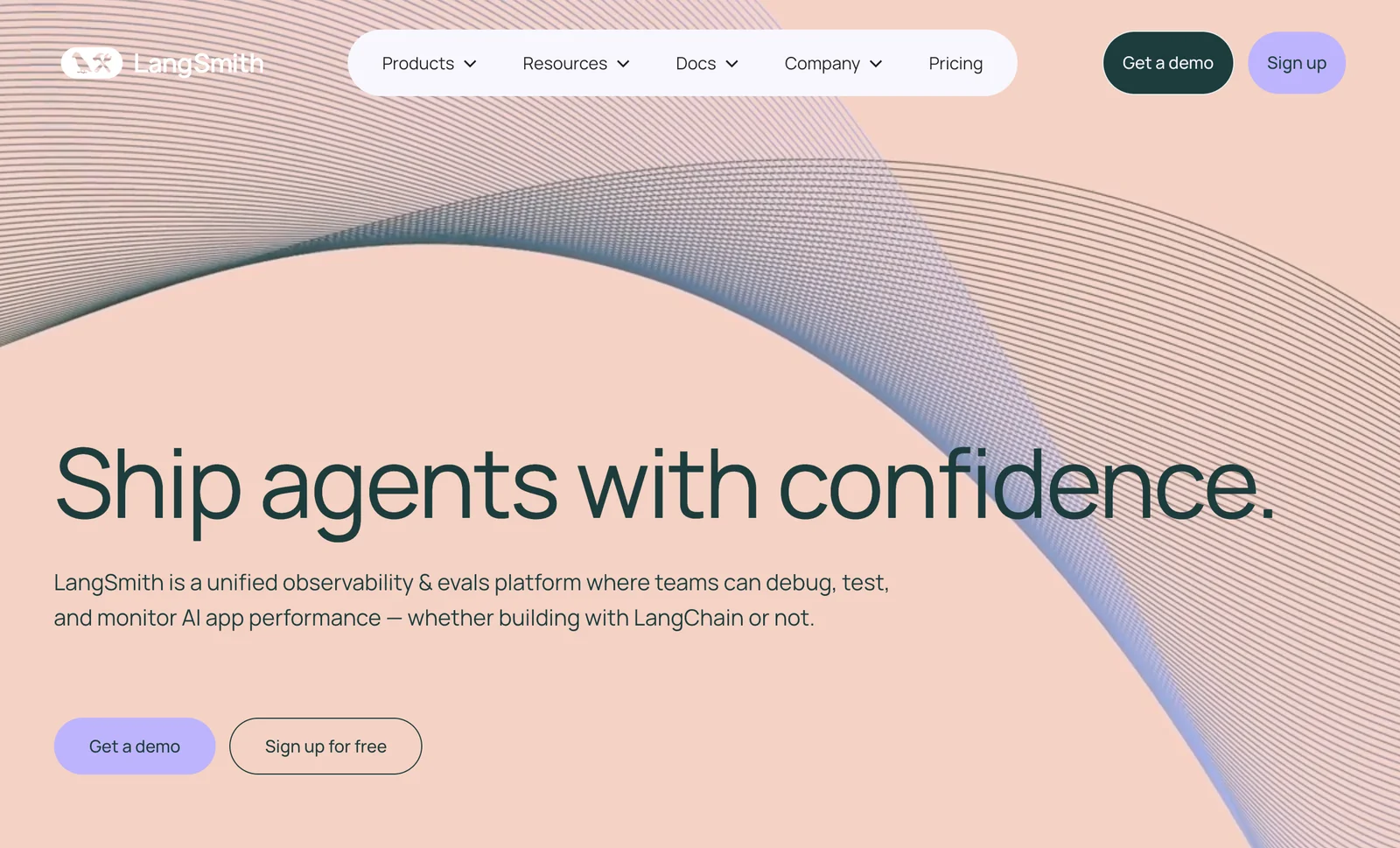
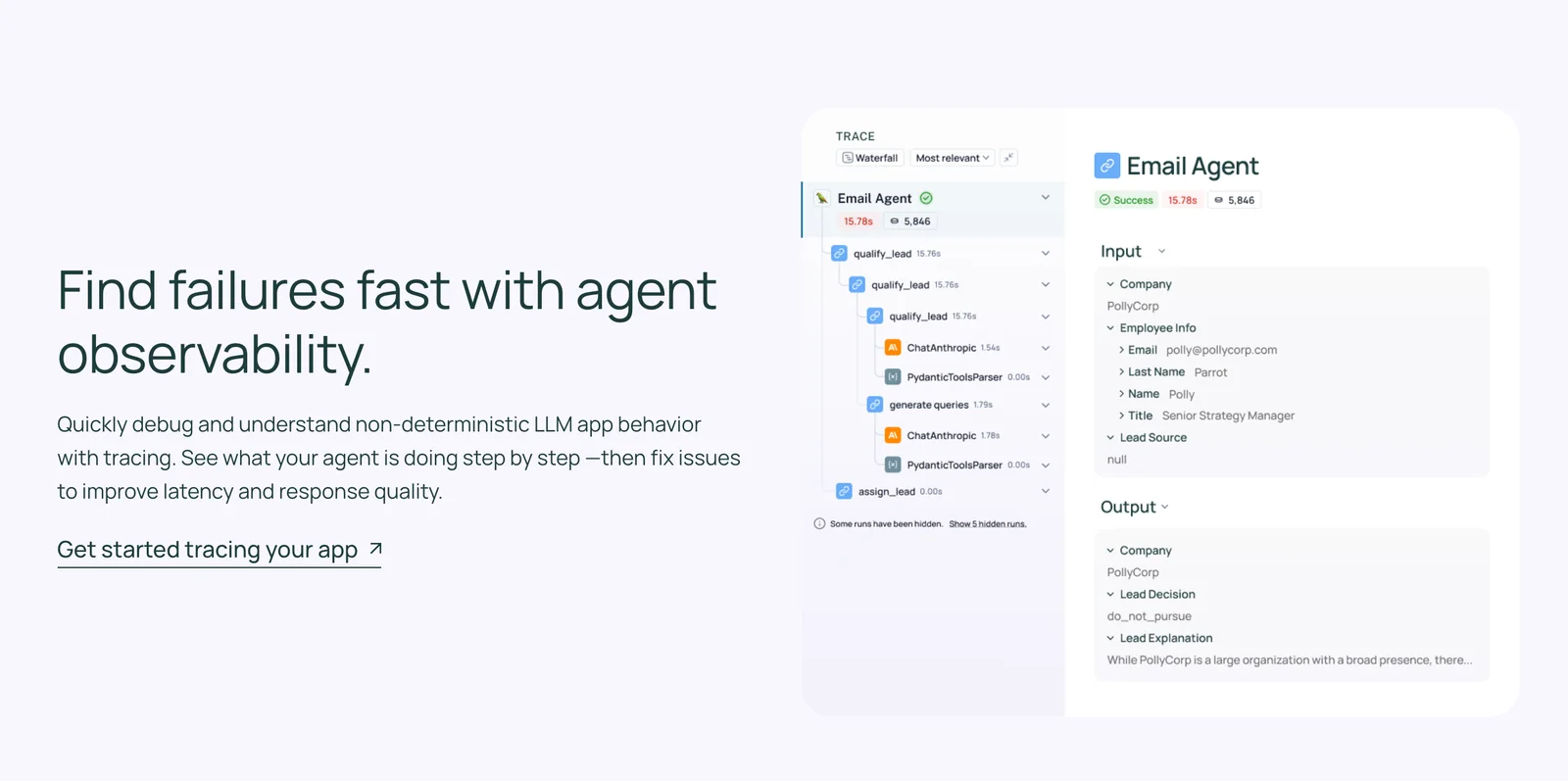
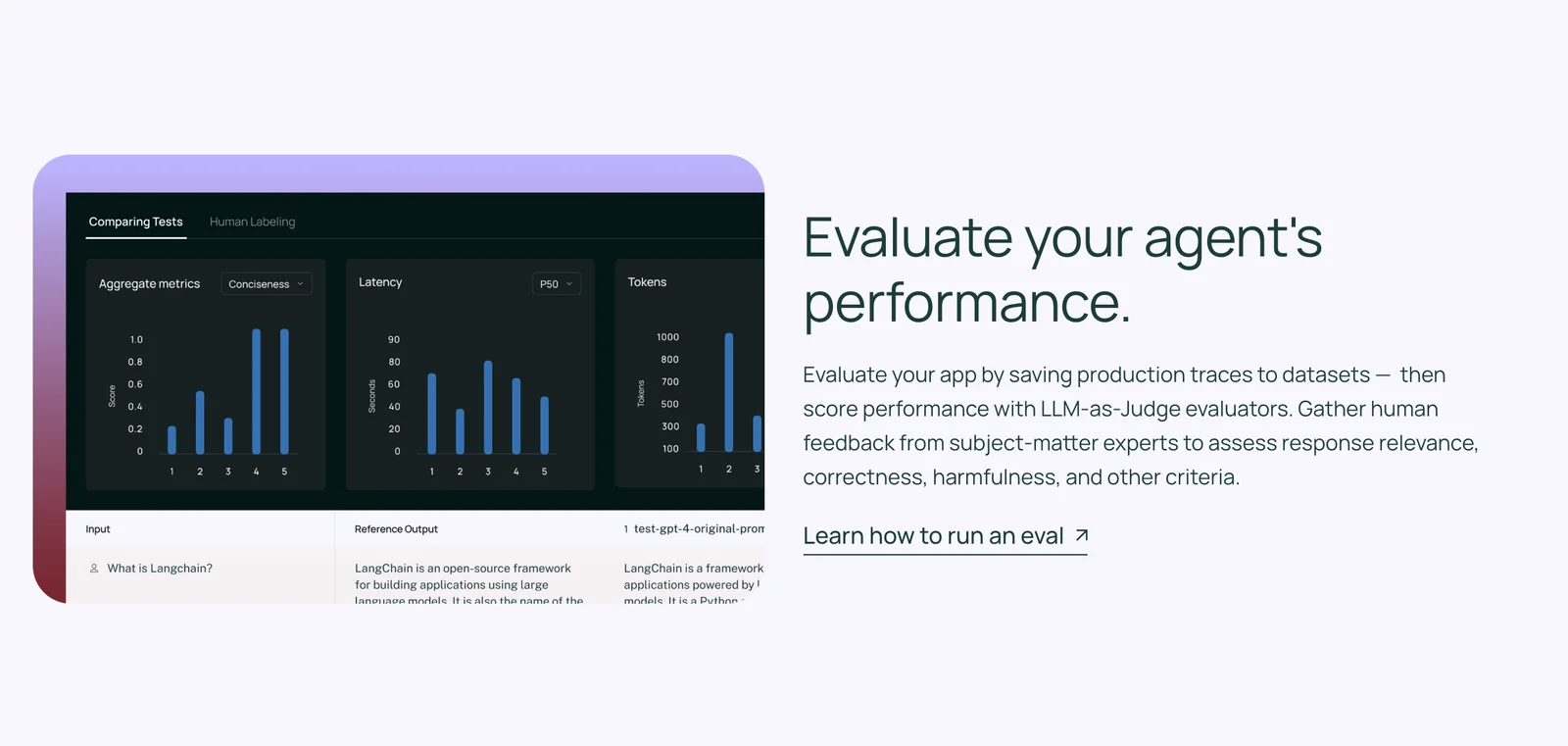
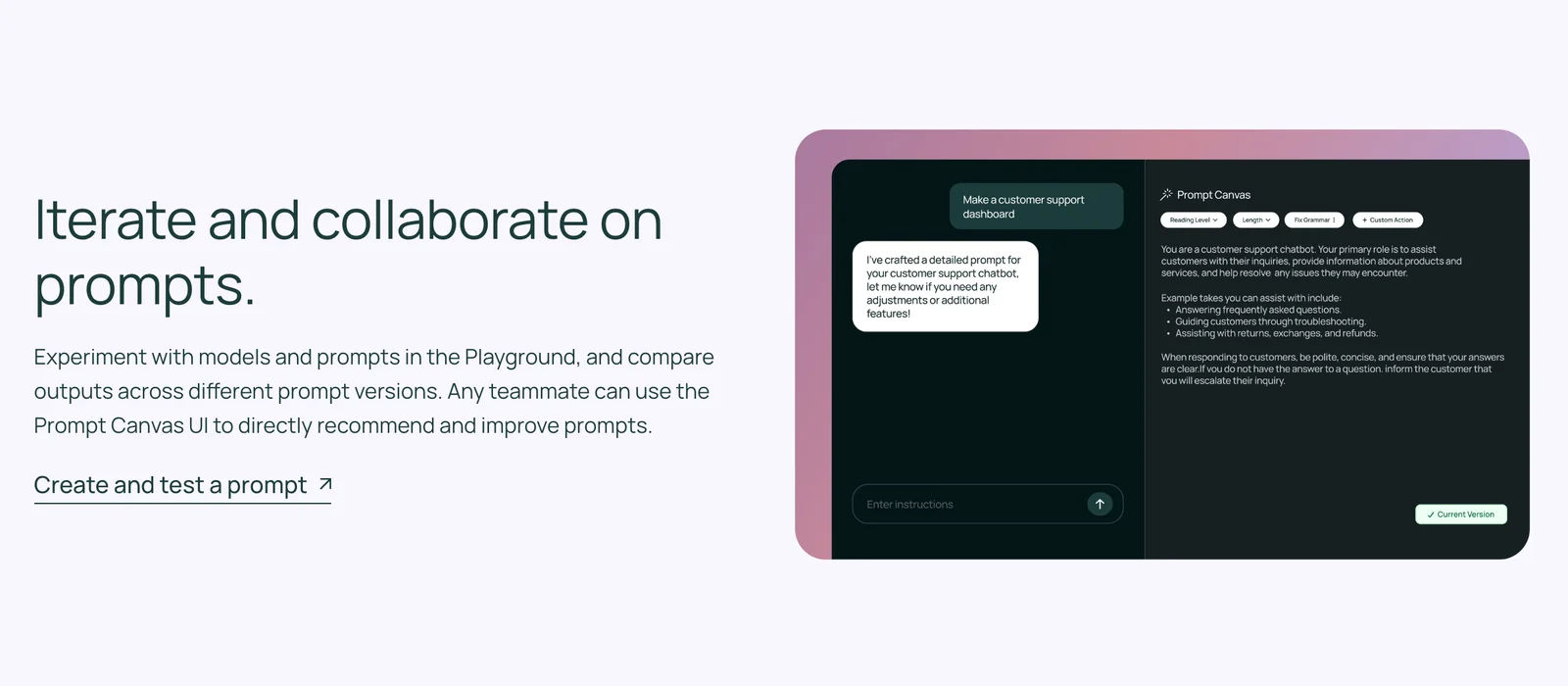
LangSmith is a platform for observability, debugging, evaluation, and monitoring of language models and intelligent agents. It provides client SDKs (Python and JavaScript), CLI tools, and server components to collect traces, store run metadata, manage prompts, run evaluations and experiments, and analyze model/agent behavior. LangSmith integrates natively with the LangChain ecosystem but is designed to work with any LLM application, enabling teams to track conversations, version and fetch prompts, run automated evaluations with datasets and judges, and self-host or configure custom endpoints for data residency and regional deployments.
Screenshots
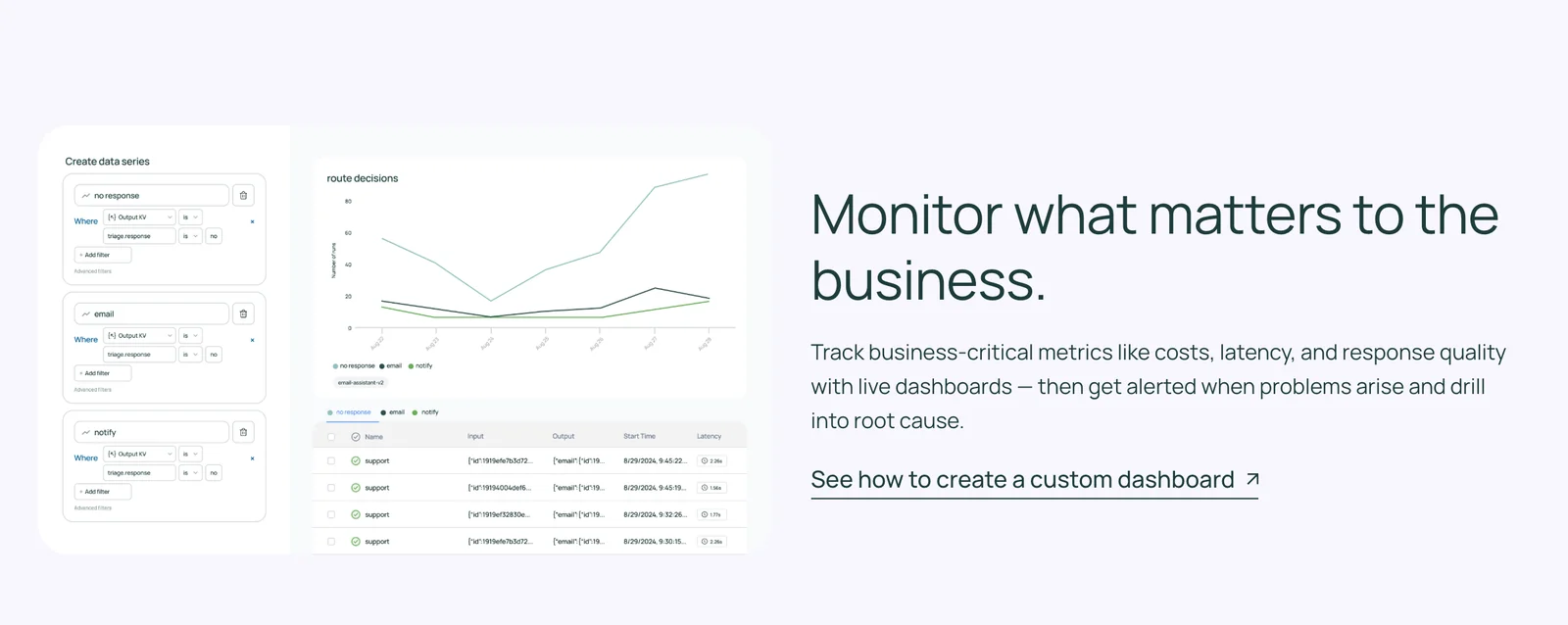
Key Features
Use Cases


Frequently asked questions about LangSmith
Is LangSmith free to use?
Yes, LangSmith offers a free tier called Developer, which allows one user to access essential tools such as tracing, monitoring, and evaluation features, albeit with limited trace retention. This option is ideal for individuals or small teams starting to explore LangSmith’s capabilities without financial commitment.
Key Points
- Free Tier Availability: LangSmith provides a no-cost Developer tier.
- User Limit: The free plan supports a single user.
- Feature Access: Includes tracing, monitoring, and evaluation tools.
Detailed Explanation
LangSmith’s Developer tier is designed for developers and small teams to begin using its advanced AI monitoring tools without incurring costs. This tier includes:
- Tracing Tools: Users can trace the performance of AI applications, allowing them to identify bottlenecks and optimize workflows.
- Monitoring Features: Continuous monitoring provides real-time insights into application performance, critical for maintaining high availability and reliability.
- Evaluation Tools: Users can evaluate their models and algorithms, ensuring they meet desired performance metrics.
Despite the free tier's limitations, such as restricted trace retention, it serves as a robust entry point for developers looking to experiment with AI tracing and monitoring.
Best Practices / Tips
- Maximize the Free Tier: Make full use of the tracing and monitoring tools available in the Developer tier. Experiment with different configurations to understand how to optimize your AI applications.
- Stay Updated on Features: Regularly check for updates from LangSmith as they may enhance the free tier or introduce new features that could benefit your projects.
- Plan for Growth: If your needs expand beyond the Developer tier, consider upgrading to one of the paid plans that offer more comprehensive features and support for multiple users.
Additional Resources
What are the main features of LangSmith?
LangSmith is a powerful tool for managing large language model (LLM) applications, offering features such as end-to-end tracing, evaluation and experimentation, prompt management, and conversation history retrieval. These capabilities enhance debugging, optimization, and overall efficiency in developing AI-driven solutions.
Key Points
- End-to-End Tracing: Track the flow of data and decisions within LLM applications.
- Evaluation and Experimentation: Assess model performance and test variations in prompts.
- Prompt Management: Organize and optimize prompts for better output quality.
- Conversation History Retrieval: Access past interactions to improve user experiences.
Detailed Explanation
End-to-End Tracing
LangSmith's end-to-end tracing allows developers to visualize the journey of data through their LLM applications. This feature helps in identifying bottlenecks, understanding model behavior, and ensuring that all components are functioning correctly. For example, a developer can trace how a specific input leads to an output, thereby pinpointing any issues in the model's reasoning process.
Evaluation and Experimentation
The evaluation and experimentation feature enables users to systematically test and compare different model configurations and prompts. By utilizing A/B testing, developers can fine-tune their models to achieve optimal performance. For instance, if a company is developing a chatbot, they can evaluate various conversational styles to find the most engaging approach.
Prompt Management
Prompt management simplifies the process of creating, storing, and refining prompts. This feature allows users to categorize prompts based on use cases, making it easier to deploy the most effective ones. Effective prompt management can lead to improved responses from the model, enhancing user satisfaction significantly.
Conversation History Retrieval
Retrieving conversation history is crucial for understanding user interactions over time. LangSmith allows developers to access previous dialogues, which can inform updates to the model and provide insights into user preferences. For example, in customer service applications, analyzing past conversations helps tailor future interactions based on user history.
Best Practices / Tips
- Leverage Tracing: Regularly use end-to-end tracing to catch and resolve issues early in the development process.
- Conduct Regular Evaluations: Routinely evaluate your models to ensure they adapt to changing user needs and preferences.
- Organize Prompts: Maintain a well-organized prompt library to facilitate quick access and updates, ensuring that your application remains responsive and relevant.
- Analyze Historical Data: Use conversation history to identify trends and improve the overall user experience.
Additional Resources
How do I get started with LangSmith?
To get started with LangSmith, sign up for a free Developer account on their official website. After registration, access the SDKs and comprehensive documentation to seamlessly integrate LangSmith into your large language model (LLM) applications for enhanced functionality.
Key Points
- Free Developer Account: Sign up to access resources.
- SDKs and Documentation: Essential tools for integration.
- LLM Applications: Use LangSmith to enhance your AI solutions.
Detailed Explanation
LangSmith is a powerful platform designed for developers looking to leverage large language models in their applications. To initiate your journey with LangSmith, follow these steps:
-
Create Your Account:
- Visit the LangSmith website.
- Click on “Sign Up” and fill in your details to create a free Developer account. This gives you access to all essential resources.
-
Explore SDKs:
- After logging in, navigate to the SDK section. LangSmith provides Software Development Kits (SDKs) for various programming languages, including Python, JavaScript, and more, which facilitate integration into your existing applications.
-
Read Documentation:
- Access the comprehensive documentation available on the platform. This includes tutorials, API references, and best practices to help you understand how to effectively utilize LangSmith for your specific needs.
-
Integrate into Your Application:
- Follow the integration guides relevant to your chosen SDK. These guides offer step-by-step instructions for embedding LangSmith's capabilities into your LLM applications.
-
Experiment and Build:
- Use the example projects and sample codes from the documentation to experiment and build your own applications. This hands-on approach will deepen your understanding of the platform.
Best Practices / Tips
- Start Small: Begin with basic integrations to familiarize yourself with the SDKs and documentation before moving to complex implementations.
- Utilize Community Support: Engage with the LangSmith community forums for support and share your experiences. This can provide valuable insights and solutions.
- Stay Updated: Regularly check for updates in the documentation and SDKs to leverage new features and improvements.
- Test Your Integrations: Thoroughly test your applications in a controlled environment before deploying them to production to ensure everything functions as expected.
Additional Resources
Can I integrate LangSmith with my existing applications?
Yes, you can integrate LangSmith with your existing applications. LangSmith provides Software Development Kits (SDKs) for Python and JavaScript, allowing for easy integration, along with API key-based authentication to ensure secure access and functionality within your systems.
Key Points
- SDK Availability: LangSmith offers SDKs for Python and JavaScript.
- API Key Authentication: Ensures secure access to the LangSmith services.
- Cross-Platform Compatibility: Integrate seamlessly with various existing applications.
Detailed Explanation
LangSmith is designed to enhance your applications with advanced language processing capabilities. By utilizing its SDKs for Python and JavaScript, developers can easily implement features such as natural language understanding and text generation.
Integration Steps
- Download the SDK: Start by downloading the LangSmith SDK for your preferred programming language—Python or JavaScript.
- Set Up Authentication: Use the provided API key for secure access. You can obtain your API key from the LangSmith dashboard.
- Implement Features: Refer to the documentation for specific API endpoints and methods. For example, if you’re using Python, you can utilize the
langsmithlibrary to call functions that analyze user input.
Example Use Cases
- Chatbots: Integrate LangSmith to enhance conversational AI capabilities in chatbots, providing more context-aware responses.
- Content Creation: Use the language generation features to assist in automated content creation for blogs or marketing materials.
- Data Analysis: Implement language processing for analyzing customer feedback or social media sentiment.
Best Practices / Tips
- Test Thoroughly: Always run tests in a development environment before going live to ensure functionality and performance.
- Secure Your API Key: Never expose your API key in public repositories or client-side code to prevent unauthorized access.
- Monitor Performance: Regularly check the performance of the integration to ensure it meets user expectations and responds efficiently.
Additional Resources
By following these guidelines, you can effectively integrate LangSmith into your applications, unlocking powerful AI capabilities while ensuring security and functionality.
How does LangSmith compare to other AI model monitoring tools?
LangSmith distinguishes itself from other AI model monitoring tools by offering advanced tracing and evaluation capabilities that facilitate in-depth analysis and optimization of large language model (LLM) applications. This level of detail is often lacking in competitor solutions, making LangSmith a preferred choice for developers and researchers.
Key Points
- Comprehensive Tracing: LangSmith provides detailed tracking of model interactions, enabling users to identify performance bottlenecks.
- Robust Evaluation Metrics: The platform includes various metrics for assessing model accuracy, responsiveness, and user satisfaction.
- User-Friendly Interface: LangSmith features an intuitive dashboard that simplifies the monitoring process for both technical and non-technical users.
Detailed Explanation
LangSmith's primary advantage lies in its comprehensive tracing capabilities. This feature allows users to monitor every interaction that a language model has with input data, providing insights into how the model processes information. For example, users can trace specific queries and responses, helping to pinpoint why a model may generate incorrect or biased outputs.
Additionally, LangSmith offers a suite of robust evaluation metrics. These metrics evaluate aspects such as accuracy, latency, and user engagement. Users can customize their metrics based on specific project needs, making it an agile solution for various applications, from chatbots to complex data analysis tools.
The user-friendly interface of LangSmith is another significant advantage. It allows both data scientists and product managers to access insights without deep technical expertise. This accessibility ensures that stakeholders can make informed decisions based on real-time data, enhancing collaboration across teams.
Best Practices / Tips
- Regular Monitoring: Schedule frequent evaluations of your AI models to ensure they remain effective and relevant.
- Customize Metrics: Tailor evaluation metrics to align with your business goals for more actionable insights.
- Utilize Tracing Features: Make the most of LangSmith's tracing capabilities to continuously refine model performance based on user interactions.
Additional Resources
Explore more AI Ai Models tools
Browse all Ai Models tools →- Soup CLI
- VibeVoice
- Laguna by Poolside
- Arena AI: The Official AI Ranking & LLM Leaderboard
- PromptLayer
- PHBench
Compare LangSmith: vs Soup CLI · vs VibeVoice · vs Laguna by Poolside · vs Arena AI: The Official AI Ranking & LLM Leaderboard