

Gemini 2.5 Pro
AIPopularGoogle DeepMind's advanced multimodal 'thinking' model optimized for complex reasoning, coding, long-context, and transcription tasks.
Gemini 2.5 Pro
Google DeepMind's advanced multimodal 'thinking' model optimized for complex reasoning, coding, long-context, and transcription tasks.
About Gemini 2.5 Pro
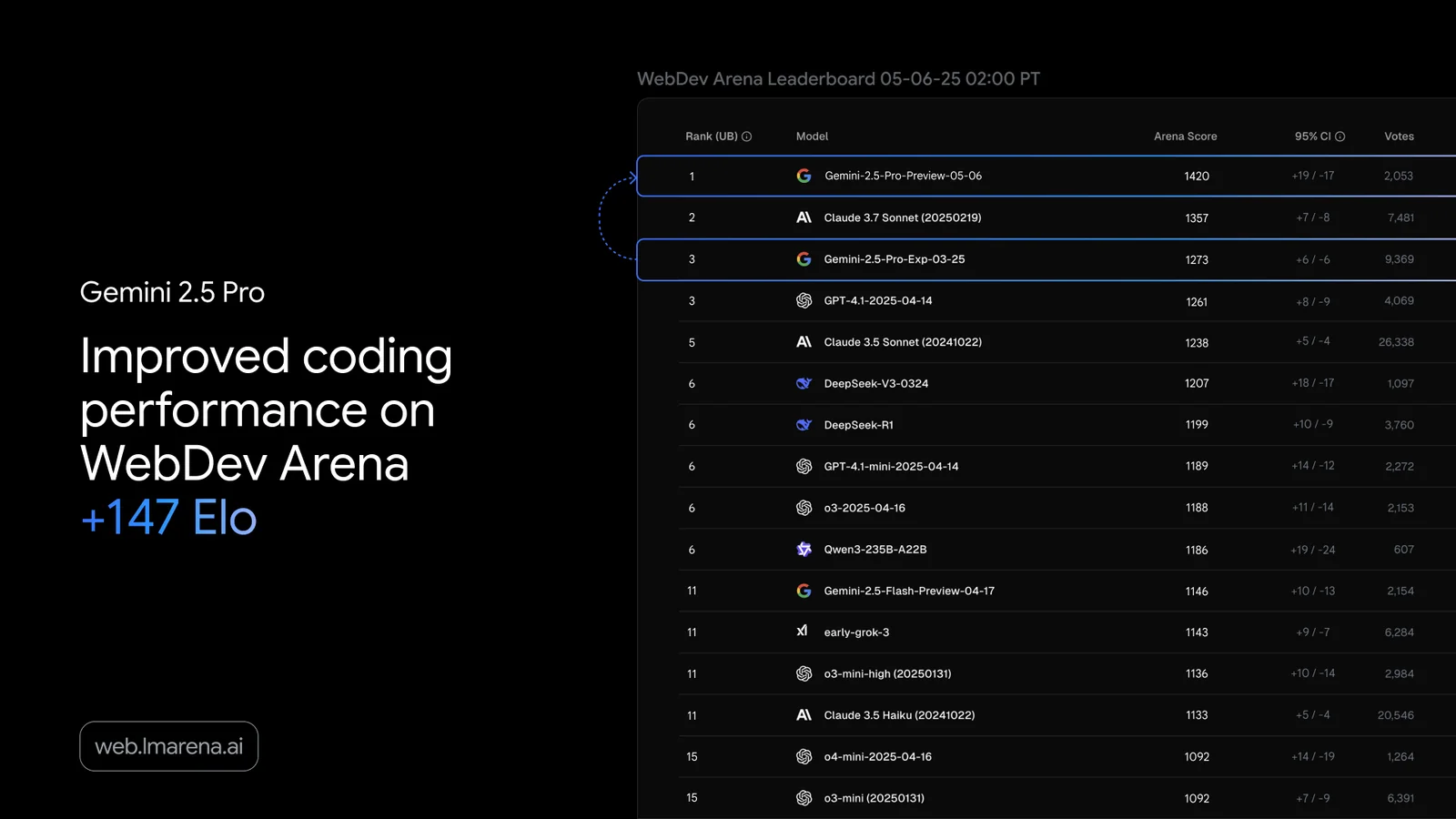
Gemini 2.5 Pro is a top-tier multimodal large language model from Google DeepMind designed for complex reasoning, robust code generation, and long-context understanding. It natively supports multimodal inputs, large context windows (commonly reported as 1M tokens, with some builds/reporting indicating higher windows), built-in function calling, and grounding integrations. The model is available through multiple integration surfaces (Gemini CLI, Gemini API key, and Vertex AI) and supports developer workflows with tools like file ops, shell command execution, web fetching, Google Search grounding, and MCP extensibility. It's used for coding assistance, long-form document comprehension, audio transcription and diarization, and production deployments via Vertex AI with usage-based billing.
Screenshots
Key Features
Use Cases


Frequently asked questions about Gemini 2.5 Pro
What are the pricing options for Gemini 2.5 Pro?
Gemini 2.5 Pro provides a freemium pricing model that includes a free tier for limited access and a pay-as-you-go API starting at $1.25 per million tokens. For detailed pricing options and features, you can visit their official website.
Key Points
- Freemium Model: Offers a free tier for limited use.
- Pay-As-You-Go API: Costs $1.25 per million tokens.
- Flexible Access: Tailored options to meet diverse user needs.
Detailed Explanation
Gemini 2.5 Pro's pricing structure is designed to accommodate various users, from casual developers to enterprise-level clients. The freemium model allows individuals to access basic functionalities without any cost, making it ideal for testing and small projects. Users can experiment with the features and determine whether the tool meets their needs before committing financially.
For those requiring more extensive use, the pay-as-you-go API is an attractive option. Starting at $1.25 per million tokens, this pricing allows users to scale their usage based on demand. This flexibility is beneficial for businesses that may experience fluctuating workloads or seasonal spikes in usage.
In addition to these options, Gemini 2.5 Pro offers various subscription plans that may provide additional benefits such as enhanced support, advanced features, and discounts for higher usage. Users can compare these plans to find the best fit for their requirements. It's also worth noting that users who frequently utilize the service may find it more cost-effective to opt for a subscription plan rather than the pay-as-you-go model.
Best Practices / Tips
- Evaluate Your Needs: Before selecting a pricing plan, assess your usage patterns. The free tier may suffice for small projects, while frequent users should consider the pay-as-you-go option.
- Monitor Token Usage: Keep track of your token consumption to avoid unexpected costs. Tools and dashboards provided by Gemini can help you stay informed.
- Leverage Discounts: If available, explore subscription options for potential discounts on bulk token purchases.
Additional Resources
How can I get started with Gemini 2.5 Pro?
To get started with Gemini 2.5 Pro, sign up for the free tier through Gemini Studio or set up an API key for development purposes. For a smooth onboarding experience, refer to the detailed guides available on the official Gemini website.
Key Points
- Sign Up for Free Tier: Access Gemini Studio for a no-cost entry point.
- API Key Setup: Essential for developers looking to integrate Gemini into applications.
- Official Documentation: Comprehensive guides ensure proper usage and troubleshooting.
Detailed Explanation
Starting with Gemini 2.5 Pro is straightforward. First, visit the Gemini Studio website and create a free account. This tier allows you to explore basic features and functionalities without financial commitment.
Once registered, you can access tutorials and documentation tailored for beginners. If you are a developer, obtaining an API key is crucial. This key facilitates integration into your applications, enabling you to harness Gemini's advanced features programmatically.
-
Creating an Account:
- Go to the Gemini Studio homepage.
- Click on the "Sign Up" button and provide your email and password.
- Confirm your email address to activate your account.
-
Obtaining an API Key:
- After logging in, navigate to the developer section.
- Click on “API Keys” and select “Create New Key”.
- Follow the prompts to generate your key, which you’ll need for application development.
-
Utilizing Resources:
- Explore the official documentation for comprehensive guides on usage.
- Check out community forums for tips and shared experiences from other users.
Best Practices / Tips
- Start Small: Utilize the free tier to familiarize yourself with the interface and capabilities before committing to a paid plan.
- Read the Documentation: Understanding the API and its endpoint usage can save you time and reduce errors.
- Engage with the Community: Join forums or social media groups related to Gemini to share your experiences and learn from others.
Additional Resources
By following these steps, you'll be well on your way to effectively utilizing Gemini 2.5 Pro for your projects.
What features does Gemini 2.5 Pro offer?
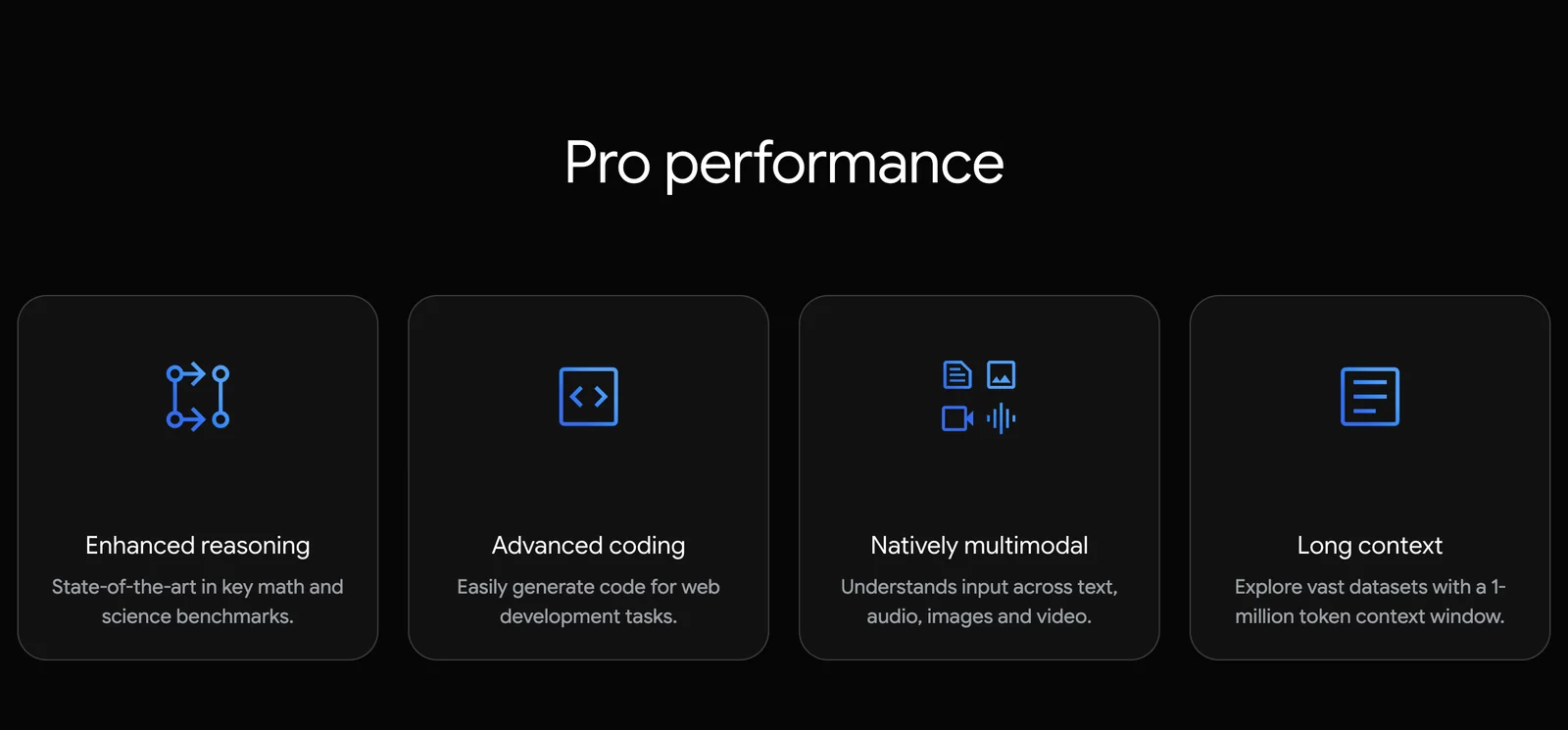
Gemini 2.5 Pro offers advanced multimodal capabilities, a context window of up to 1 million tokens, and built-in function calling support, significantly improving logical reasoning and content generation. These features make it a powerful tool for developers and content creators, enhancing productivity and creativity.
Key Points
- Advanced Multimodal Capabilities: Integrates various data types seamlessly.
- Large Context Window: Supports up to 1 million tokens for extensive content processing.
- Built-in Function Calling: Enhances logical reasoning and automation.
Detailed Explanation
Gemini 2.5 Pro is designed to elevate user experience through its advanced features.
Advanced Multimodal Capabilities
This feature enables Gemini 2.5 Pro to process and generate content from various input types, such as text, images, and audio. For instance, a developer can create applications that interpret images alongside text, making it ideal for industries like e-commerce and education where visual data is essential.
Large Context Window
With the ability to handle up to 1 million tokens, Gemini 2.5 Pro excels in managing large documents or complex datasets. This capability allows users to maintain context over extended conversations or large texts, making it particularly useful for applications like chatbots or long-form content creation.
Built-in Function Calling
The built-in function calling support allows developers to automate tasks more efficiently. For example, users can create scripts that call functions directly from the AI model, optimizing workflows in applications ranging from data analysis to automated report generation.
Best Practices / Tips
- Utilize Multimodal Features: Combine text and visual data to enhance user engagement.
- Leverage the Context Window: Use long texts or documents to create comprehensive insights or reports.
- Implement Function Calling: Streamline processes by integrating function calls into your applications for improved efficiency.
Additional Resources
How does the Gemini API integrate with other tools?
Gemini 2.5 Pro's API seamlessly integrates with a variety of tools, empowering developers to harness its capabilities for tasks such as coding, transcription, and data analysis. Comprehensive documentation is available online, enabling users to implement these integrations efficiently and effectively.
Key Points
- Supports integration with multiple external applications.
- Enhances capabilities for coding, transcription, and more.
- Detailed API documentation aids developers in implementation.
Detailed Explanation
The Gemini API is designed to facilitate integration with numerous third-party tools and services. This flexibility allows developers to use the API in diverse applications, such as:
-
Coding Assistance: Integrate Gemini with IDEs (Integrated Development Environments) to provide real-time coding suggestions, error checking, and debugging assistance.
-
Transcription Services: Use the API to connect with transcription tools, enabling automated voice-to-text conversion, which can be particularly useful for content creators, podcasters, and businesses needing accurate transcription of meetings or lectures.
-
Data Analysis: Developers can integrate the API with data visualization tools to analyze large datasets efficiently, making it easier to derive insights and trends.
To get started, developers can refer to the comprehensive documentation provided by Gemini, which includes step-by-step guides, example code snippets, and best practices for various integrations. This resource is invaluable for ensuring smooth implementation and maximizing the potential of the API.
Best Practices / Tips
-
Understand the API Rate Limits: Familiarize yourself with the API's usage limits to avoid disruptions in service. This ensures that your applications run smoothly without exceeding the allowed number of requests.
-
Error Handling: Implement robust error handling in your integrations. This will help you manage unexpected responses from the API and maintain a good user experience.
-
Testing: Rigorously test your integrations in a safe environment before deploying them in production. This will help identify any issues early on and ensure that the integration meets your needs.
-
Stay Updated: Regularly check for updates in the API documentation to leverage new features and enhancements. This keeps your applications current and improves their functionality.
Additional Resources
How does Gemini 2.5 Pro compare to other AI models?
Gemini 2.5 Pro excels in complex reasoning and coding tasks due to its innovative multimodal architecture and extensive context window. Compared to other AI models like ChatGPT, it offers enhanced performance, making it particularly suitable for diverse applications requiring deep understanding and intricate problem-solving abilities.
Key Points
- Multimodal Capabilities: Gemini 2.5 Pro processes both text and visual data.
- Large Context Window: Supports longer inputs, enabling better comprehension.
- Advanced Reasoning: Superior performance in coding and logical tasks compared to competitors.
Detailed Explanation
Gemini 2.5 Pro's multimodal architecture allows it to understand and generate not just text but also images and possibly audio, setting it apart from traditional models like ChatGPT, which primarily focus on text. This feature is particularly beneficial in fields such as education, where visual aids can enhance learning experiences.
Context Window
The large context window of Gemini 2.5 Pro, estimated at around 32,000 tokens, enables it to handle extensive datasets and conversations without losing track of information. This is crucial for applications that involve detailed technical documentation or long-form content creation, where maintaining context is essential.
Performance in Reasoning and Coding
When it comes to complex reasoning tasks, Gemini 2.5 Pro consistently outperforms its competitors. For instance, in coding exercises, it can analyze and debug code more effectively, providing accurate solutions and suggestions. Use cases include software development, AI-assisted programming, and even educational tools that require code explanations.
Best Practices / Tips
- Utilize Multimodal Features: Leverage the ability to integrate visuals when applicable, enhancing user engagement.
- Maximize Context Utilization: Provide detailed prompts to take advantage of the large context window for better outputs.
- Iterate on Outputs: Regularly refine prompts based on the responses received to improve the quality of interactions.
Additional Resources
- Gemini 2.5 Pro Official Documentation - Explore comprehensive guides and updates.
- Comparative Analysis of AI Models - In-depth reviews of various AI models including ChatGPT and others.
- Use Cases for AI in Coding - Learn how AI tools are transforming the coding landscape.
Explore more AI Ai Models tools
Browse all Ai Models tools →Browse by use case: Image Generation · Video Generation · Code Generation
- Soup CLI
- VibeVoice
- Laguna by Poolside
- Arena AI: The Official AI Ranking & LLM Leaderboard
- PromptLayer
- PHBench
Compare Gemini 2.5 Pro: vs Soup CLI · vs VibeVoice · vs Laguna by Poolside · vs Arena AI: The Official AI Ranking & LLM Leaderboard