

AutoGen
AIOpen SourceFreeA Microsoft-developed framework for building, prototyping, and benchmarking multi-agent AI applications that act autonomously or with humans.
AutoGen
A Microsoft-developed framework for building, prototyping, and benchmarking multi-agent AI applications that act autonomously or with humans.
About AutoGen
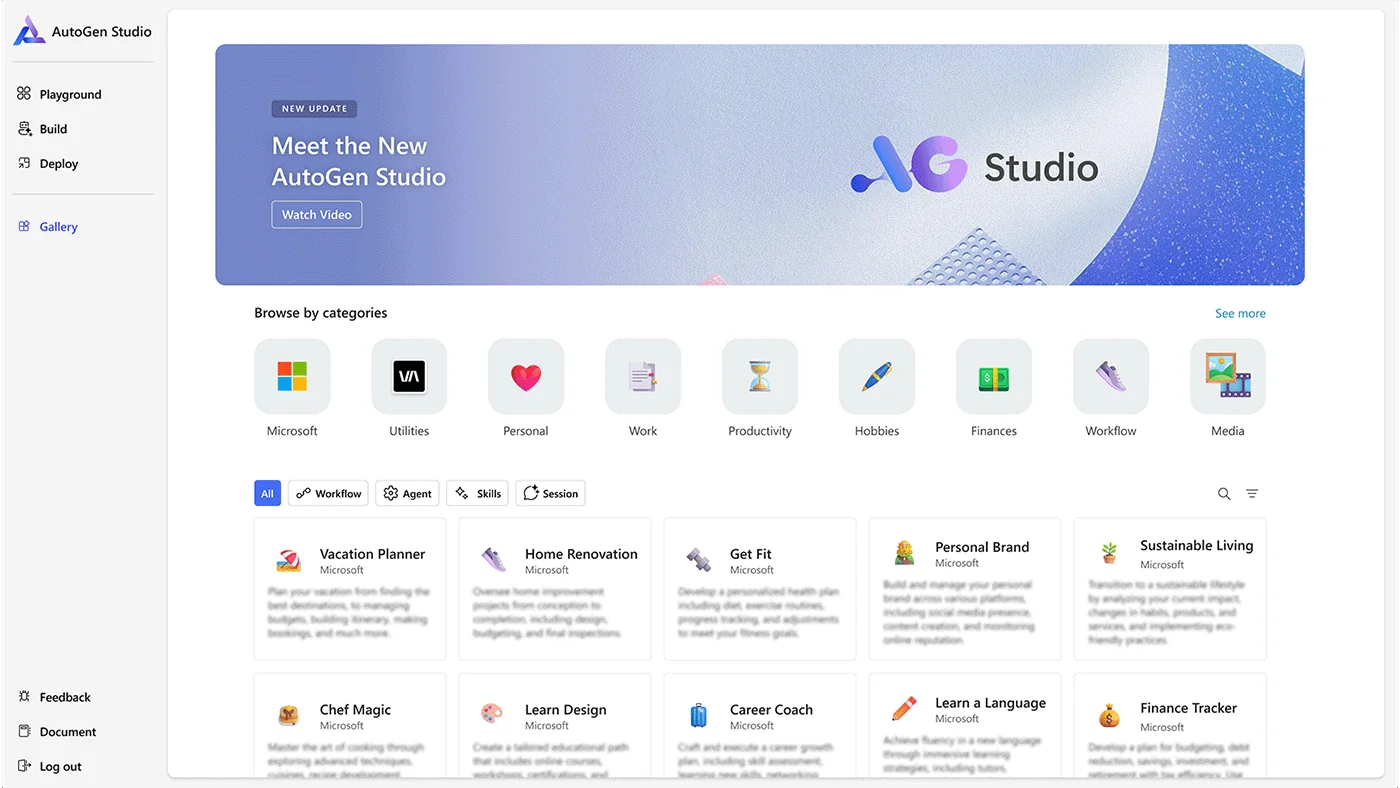
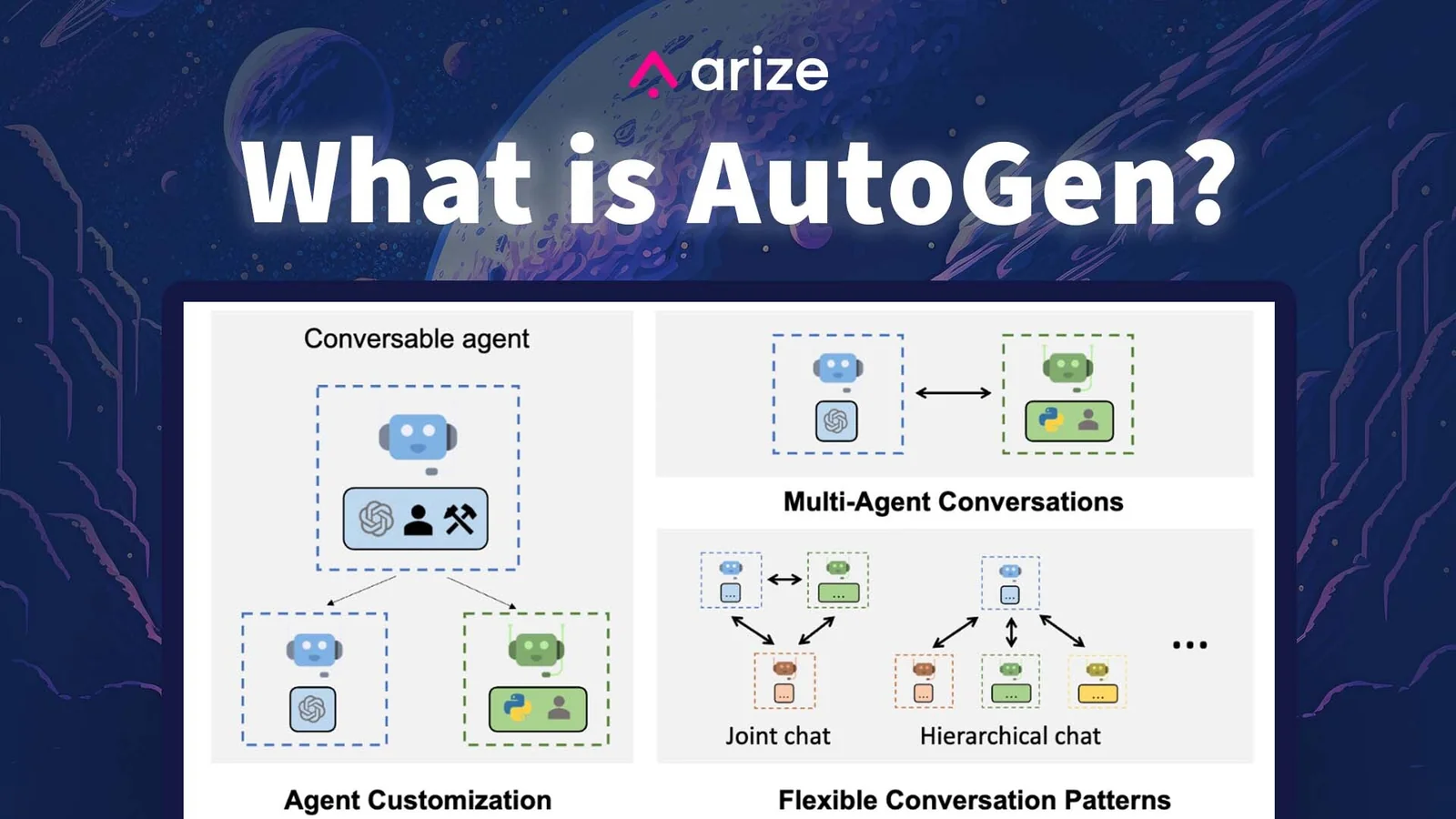
AutoGen is an open-source framework for creating multi-agent, agentic AI applications that can operate autonomously or collaborate with humans. It uses a layered, extensible architecture so developers can work at high-level APIs for rapid prototyping or dive into low-level components for fine-grained control. The ecosystem includes developer tools such as AgentChat for orchestrating multi-agent workflows, AutoGen Studio for no-code prototyping and debugging, and AutoGen Bench for performance benchmarking. AutoGen integrates with model client extensions (for example OpenAI clients) and targets Python 3.10+, enabling researchers and engineers to iterate quickly on agentic patterns, multi-agent coordination, and evaluation workflows.
Screenshots
Key Features
Use Cases



Frequently asked questions about AutoGen
Is AutoGen free to use, or are there any costs involved?
AutoGen is free to use as it operates under an open-source framework. However, users may incur operational costs depending on third-party large language model (LLM) APIs or compute resources, which are typically usage-based and vary according to the provider.
Key Points
- AutoGen is an open-source framework, making it free to use.
- Additional costs can arise from third-party LLM APIs.
- Usage-based pricing from providers can lead to variable operational expenses.
Detailed Explanation
AutoGen is designed to be a cost-effective solution for developers and businesses looking to leverage AI capabilities. As an open-source framework, it allows users to access and modify the software without any initial purchase costs. This open-source nature fosters innovation and collaboration within the community.
However, while the framework itself is free, users should be aware of potential operational costs. For instance, if you opt to utilize third-party LLM APIs from providers like OpenAI or Google Cloud AI, these services often come with a pricing model based on usage. This means that the more requests you make or the more data you process, the higher your costs will be.
A practical example is OpenAI's GPT-3 API, which charges based on the number of tokens processed. Users should estimate their expected usage to budget accordingly. Similarly, compute resources, such as cloud-based servers, may also incur costs based on the duration and type of services used.
Best Practices / Tips
- Estimate Usage: Before implementing AutoGen with third-party APIs, calculate expected usage to avoid unexpected costs.
- Monitor Resources: Regularly track your API usage and cloud resource consumption to manage expenses effectively.
- Explore Alternatives: Consider using local models or less expensive alternatives to third-party APIs if budget constraints are a concern.
- Stay Updated: Keep an eye on pricing changes from cloud providers and API services, as costs can fluctuate frequently.
Additional Resources
- AutoGen GitHub Repository - Explore the official documentation and community contributions.
- OpenAI Pricing - Check the latest pricing for GPT-3 and other APIs.
- Cloud Provider Comparison - Compare different cloud services to find the best pricing for your needs.
What are the key features of AutoGen?
AutoGen features a robust layered architecture for fast prototyping, a user-friendly no-code interface called AutoGen Studio, and a comprehensive benchmarking suite for assessing agent performance. Additionally, it includes pluggable extensions that accommodate various model providers, enhancing versatility and usability in AI development.
Key Points
- Layered Architecture: Facilitates rapid prototyping and development.
- AutoGen Studio: A no-code GUI for user-friendly design.
- Benchmarking Suite: Evaluates agent performance to ensure efficiency.
Detailed Explanation
AutoGen is designed to streamline AI application development through its innovative features:
-
Layered Architecture: This modular framework allows developers to build and test different components of AI applications independently. For example, you can create a data processing layer that interacts seamlessly with a machine learning model layer, speeding up the overall development process.
-
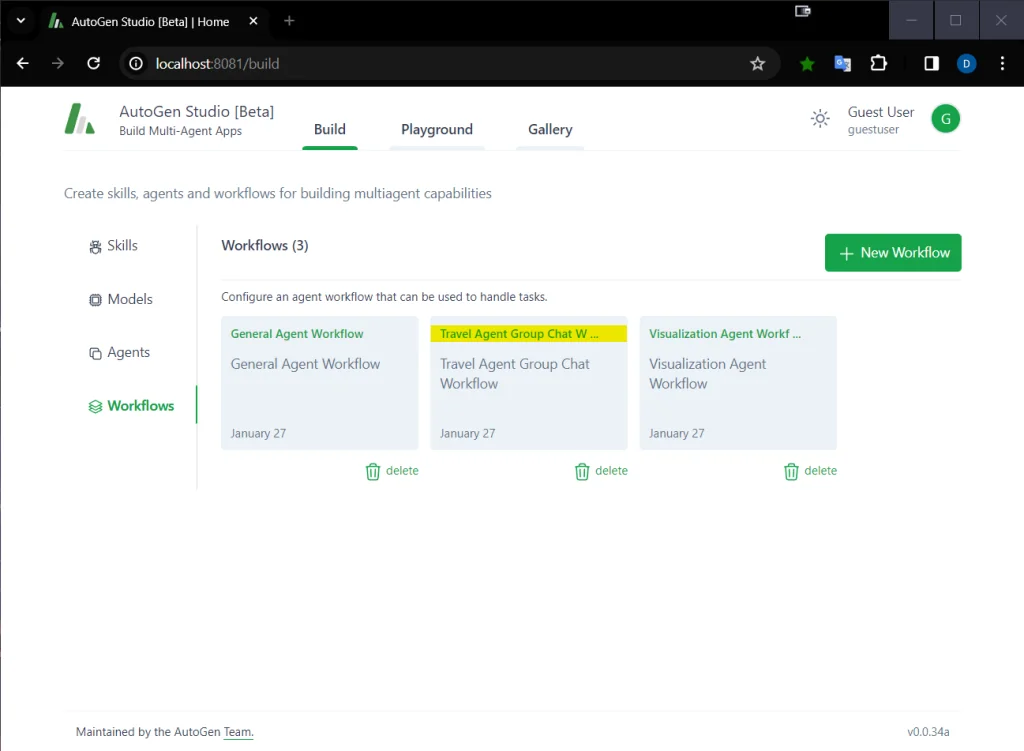
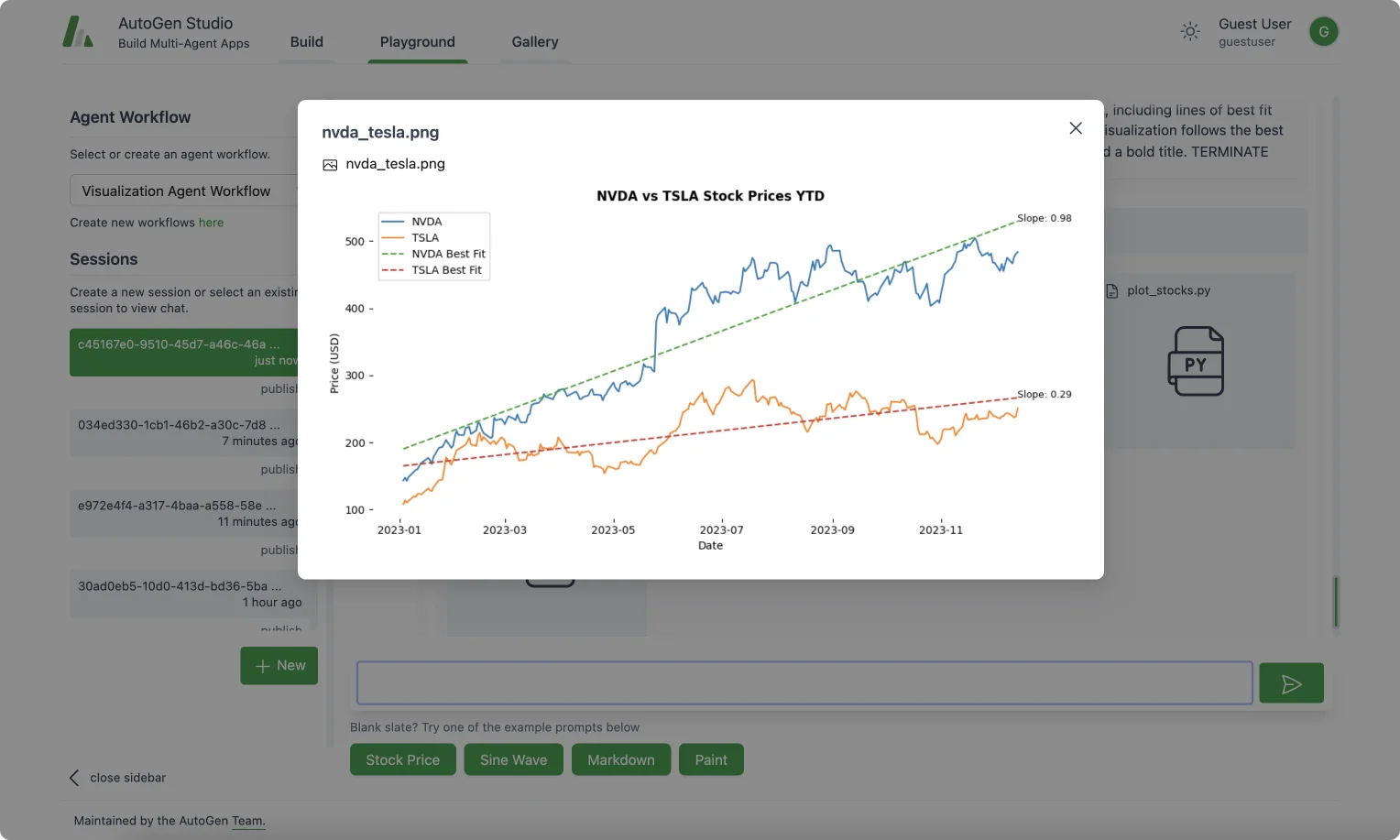
AutoGen Studio: This intuitive no-code interface empowers users to design AI agents without needing extensive programming knowledge. Users can drag and drop components, define workflows, and visualize the system architecture, making it accessible to non-technical stakeholders and accelerating project timelines.
-
Benchmarking Suite: AutoGen includes tools for measuring the performance of AI agents against specific metrics. Users can conduct tests to evaluate speed, accuracy, and resource consumption. This is particularly useful for teams aiming to optimize their AI solutions based on real-world performance data.
-
Pluggable Extensions: AutoGen’s architecture supports various model providers, allowing developers to integrate different AI models easily. This flexibility means users can switch or combine models to find the best fit for their applications, enhancing adaptability in a rapidly evolving AI landscape.
Best Practices / Tips
- Maximize AutoGen Studio: Take full advantage of the no-code interface by experimenting with different layouts and configurations. This not only speeds up the design process but also helps identify the most effective workflows.
- Regularly Benchmark: Utilize the benchmarking suite at different stages of development. Frequent testing can help catch performance bottlenecks early, facilitating timely adjustments.
- Explore Extensions: Regularly check for new pluggable extensions and updates from various model providers. Integrating newer models can significantly enhance your application's capabilities.
Additional Resources
How do I get started with AutoGen?
To get started with AutoGen, visit the official website for comprehensive documentation and tutorials. You can clone the GitHub repository to access the framework, and utilize the no-code AutoGen Studio for prototyping workflows easily and efficiently.
Key Points
- Access documentation and tutorials on the AutoGen official website.
- Clone the GitHub repository for hands-on experience.
- Use AutoGen Studio for user-friendly workflow prototyping.
Detailed Explanation
AutoGen is a versatile tool designed to simplify the development of AI-driven applications. To begin your journey with AutoGen, follow these steps:
-
Visit the Official Website: The first step is to navigate to AutoGen's official website. Here, you will find extensive documentation, including user manuals, video tutorials, and FAQs that cover everything from installation to advanced usage.
-
Clone the GitHub Repository: For hands-on experience, clone the AutoGen GitHub repository. Open your terminal and run:
git clone https://github.com/autogen-ai/autogenThis gives you access to the latest code and features, enabling you to experiment with the framework directly.
-
Explore AutoGen Studio: The no-code AutoGen Studio is an intuitive platform where you can prototype workflows without needing extensive programming knowledge. The studio allows you to create, test, and deploy AI models seamlessly. To start, simply drag and drop components, customize settings, and initiate your workflow.
Use Cases:
- Rapid Prototyping: Create MVPs (Minimum Viable Products) quickly using the AutoGen Studio.
- AI Model Testing: Test various AI models in a controlled environment to assess their performance.
- Collaboration: Work in teams by sharing workflows and model configurations easily through the platform.
Best Practices / Tips
- Follow Tutorials: Start with beginner tutorials to understand the basic functionalities of AutoGen.
- Join Community Forums: Engage with the AutoGen community on platforms like GitHub and Discord for tips, troubleshooting, and collaboration.
- Regular Updates: Keep your cloned repository updated by pulling the latest changes regularly:
git pull origin main - Documentation Reference: Frequently refer back to the official documentation to ensure you're utilizing features to their fullest potential.
Additional Resources
Does AutoGen support API integrations with other platforms?
Yes, AutoGen supports API integrations with various platforms by offering model client extensions. This functionality allows developers to seamlessly integrate with different large language model (LLM) providers, such as OpenAI, enabling flexible backend model substitution to improve application performance and scalability.
Key Points
- Diverse Model Support: AutoGen integrates with multiple LLM providers.
- Enhanced Performance: Backend model substitution optimizes application efficiency.
- Flexible Development: Developers can choose models based on specific project needs.
Detailed Explanation
AutoGen is designed for versatility, allowing developers to enhance their applications through API integrations with various platforms. With its model client extensions, AutoGen ensures compatibility with popular LLM providers, including OpenAI, Google Cloud AI, and others. This flexibility enables developers to switch between different models easily, depending on their application's requirements.
For instance, if a specific project demands a high level of contextual understanding, developers might choose OpenAI's GPT-4 model. Conversely, if they need a more cost-effective solution for simpler tasks, they could opt for a different provider. This adaptability not only streamlines the development process but also allows for improved performance and reduced latency in applications.
Use Case Example
A common use case for AutoGen’s API integration is in customer support chatbots. By leveraging various LLMs, a chatbot can provide nuanced responses, drawing from the best-suited model based on the complexity of the inquiry. This means that for straightforward questions, a lighter model can be used, while more complex queries can trigger a switch to a more advanced LLM.
Best Practices / Tips
- Evaluate Model Performance: Regularly assess the performance of different LLMs to ensure optimal user experience.
- Monitor API Costs: Different models may have varying costs associated with usage; keep track of expenses to manage budgets effectively.
- Test Integrations Thoroughly: Before deploying your application, conduct comprehensive testing of the integrations to ensure seamless functionality.
Additional Resources
How does AutoGen compare to similar AI frameworks?
AutoGen differentiates itself from similar AI frameworks with its no-code prototyping capabilities, a layered extensible architecture, and robust community-driven support. It is completely free to use, although users may incur operational costs for model usage, making it an attractive option for developers and businesses alike.
Key Points
- No-Code Prototyping: Simplifies the development process.
- Layered Extensible Architecture: Facilitates customization and scalability.
- Community-Driven Support: Enhances user experience and troubleshooting.
Detailed Explanation
AutoGen excels in several key areas that make it a standout choice among AI frameworks:
-
No-Code Prototyping: AutoGen allows users to create AI models without any coding experience. This feature is particularly beneficial for entrepreneurs and small businesses that may lack technical resources. Users can quickly transform their ideas into functional prototypes, reducing the time-to-market significantly.
-
Layered Extensible Architecture: The architecture of AutoGen is designed to be modular and extensible. This means that developers can easily add new functionalities or modify existing ones without disrupting the entire system. For example, if a user needs to integrate a new machine learning model, they can do so seamlessly, enhancing the framework's capabilities.
-
Community-Driven Support: Unlike many proprietary AI frameworks that offer limited customer support, AutoGen harnesses the power of its community. Users can access a wealth of resources, from forums to shared projects, making troubleshooting and learning more accessible. This collaborative environment fosters innovation and continuous improvement.
Best Practices / Tips
- Utilize Community Resources: Engage with forums and discussion groups to enhance your understanding and solve issues quickly.
- Start Small: When prototyping, begin with a simple concept and gradually introduce complexity. This approach allows for easier testing and iterations.
- Monitor Operational Costs: While AutoGen is free, be aware of operational costs associated with model usage. Regularly assess your usage to avoid unexpected expenses.
Additional Resources
Explore more AI Ai Agents tools
Browse all Ai Agents tools →Browse by use case: Code Generation · Automation & Productivity
Compare AutoGen: vs Hacktron · vs Ninjō AI · vs Phoenix.vu · vs Dropstone