
X-Design 2.0
AICreative AI agent and photo editor that instantly generates logos, brand guidelines, posters, social media assets, and product visuals.
X-Design 2.0
Creative AI agent and photo editor that instantly generates logos, brand guidelines, posters, social media assets, and product visuals.
About X-Design 2.0
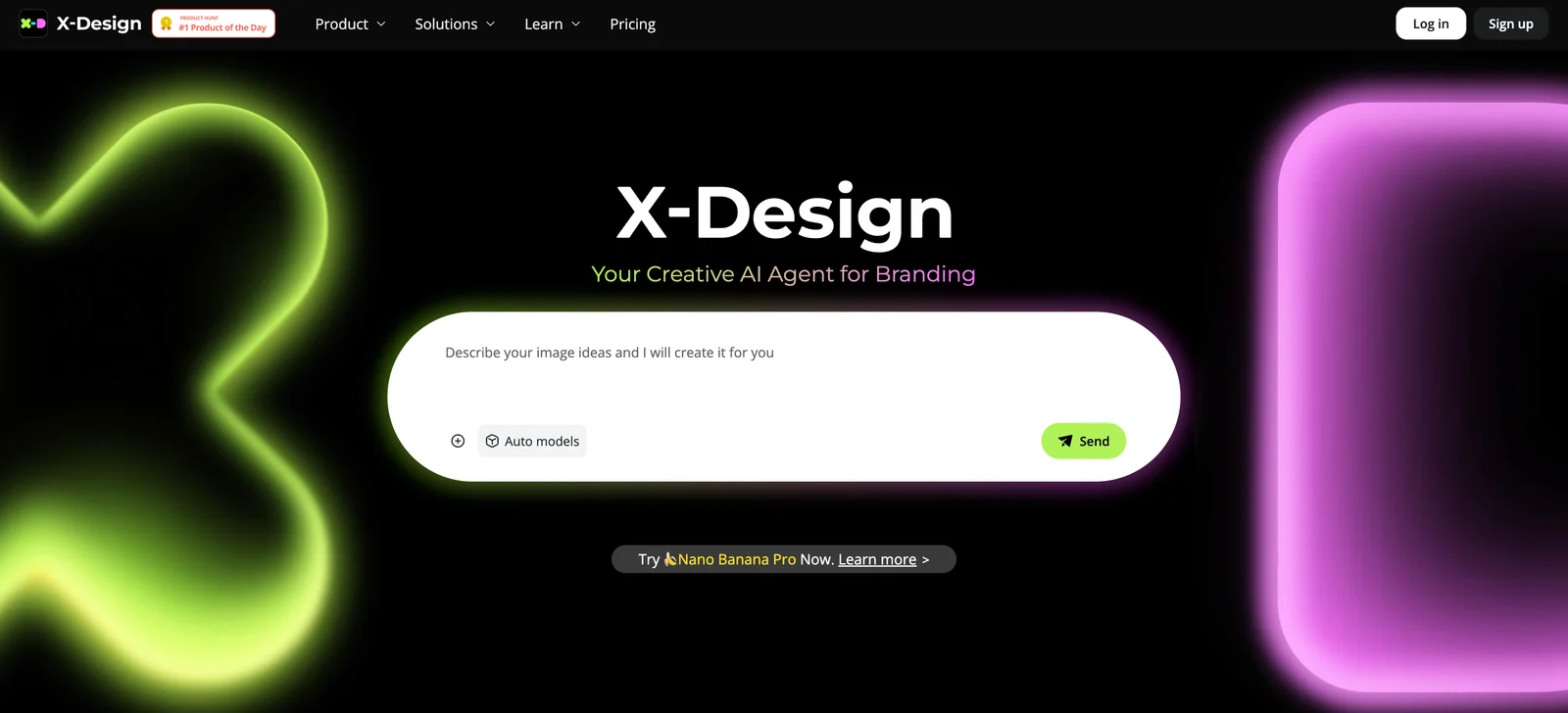
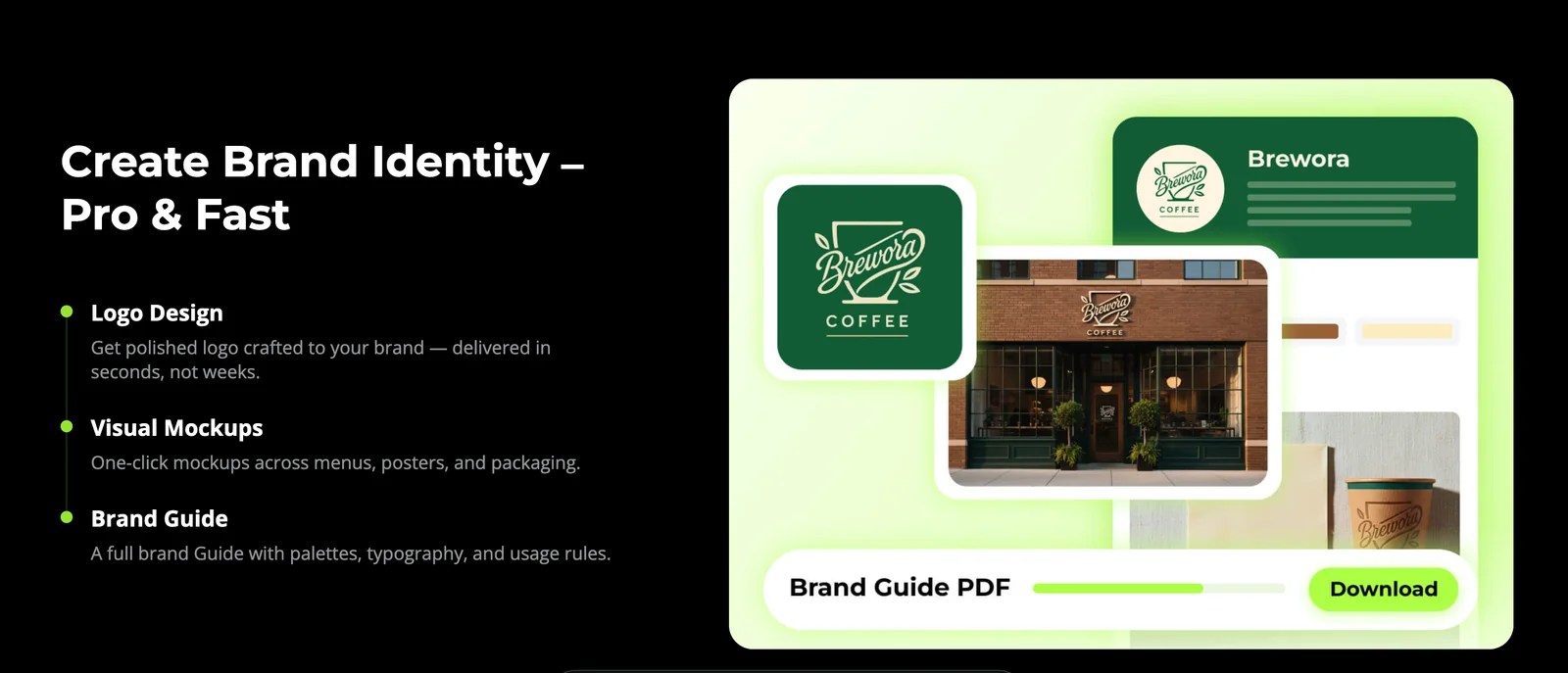
X-Design is a creative AI agent and AI-powered photo editor focused on helping small businesses turn ideas into professional visual identities and marketing assets. It can generate logos, assemble complete brand guidelines, and produce posters, social media graphics, and product visuals optimized for business use. The product also includes a free, AI-enhanced photo editor to prepare and refine images for those assets, streamlining the workflow from concept to export.
Screenshots
Key Features
Use Cases



Frequently asked questions about X-Design 2.0
What pricing options are available for X-Design 2.0?
X-Design 2.0 offers a flexible pricing structure that includes a FREEMIUM model, a basic free tier, a Pro plan priced at $12.99 per month, an annual Pro plan for approximately $4.17 per month, and tailored pricing solutions for enterprise clients.
Key Points
- FREEMIUM Model: Access to basic features at no cost.
- Pro Plan Options: Monthly and annual subscription rates.
- Enterprise Solutions: Custom pricing for larger organizations.
Detailed Explanation
X-Design 2.0 is designed to cater to a variety of users, from individual freelancers to large enterprises. The FREEMIUM model allows users to explore essential features without any financial commitment. This is perfect for those who want to test the waters before investing in premium features.
Pro Plan
For users seeking advanced functionality, the Pro plan is available at $12.99 per month. This plan unlocks additional tools, such as advanced design capabilities, enhanced collaboration features, and priority customer support. Alternatively, users can opt for the annual Pro plan, which effectively lowers the monthly cost to approximately $4.17, making it a cost-effective option for long-term users.
Enterprise Solutions
For organizations needing customized solutions to meet their specific requirements, X-Design 2.0 offers custom pricing for enterprise solutions. This is ideal for teams that require bulk user licenses, advanced security features, and tailored integration options. Interested enterprises should contact X-Design 2.0’s sales team for a personalized quote.
Best Practices / Tips
- Evaluate Your Needs: Consider starting with the free tier to assess whether the Pro features are necessary for your work.
- Annual Savings: If you commit to using X-Design 2.0 long-term, the annual Pro plan offers significant savings compared to the monthly plan.
- Contact Sales for Custom Solutions: If you're part of a larger organization, reach out for custom pricing and features that fit your operational needs.
Additional Resources
What key features does X-Design 2.0 provide for branding?
X-Design 2.0 provides essential branding features such as instant logo generation, comprehensive brand guideline creation, social media asset generation, AI-powered photo editing, and product visuals creation. These tools collectively enhance branding and marketing efforts, making it easier for businesses to establish a strong brand identity.
Key Points
- Instant Logo Generation: Quickly create unique logos.
- Brand Guideline Creation: Develop consistent branding standards.
- Social Media Asset Generation: Produce tailored visuals for various platforms.
Detailed Explanation
X-Design 2.0 offers several features that streamline the branding process:
-
Instant Logo Generation: Users can generate custom logos in minutes. By utilizing AI technology, X-Design 2.0 enables businesses to explore a variety of styles, colors, and fonts. For example, a startup can input its name and industry, and the tool will provide several logo options tailored to its market.
-
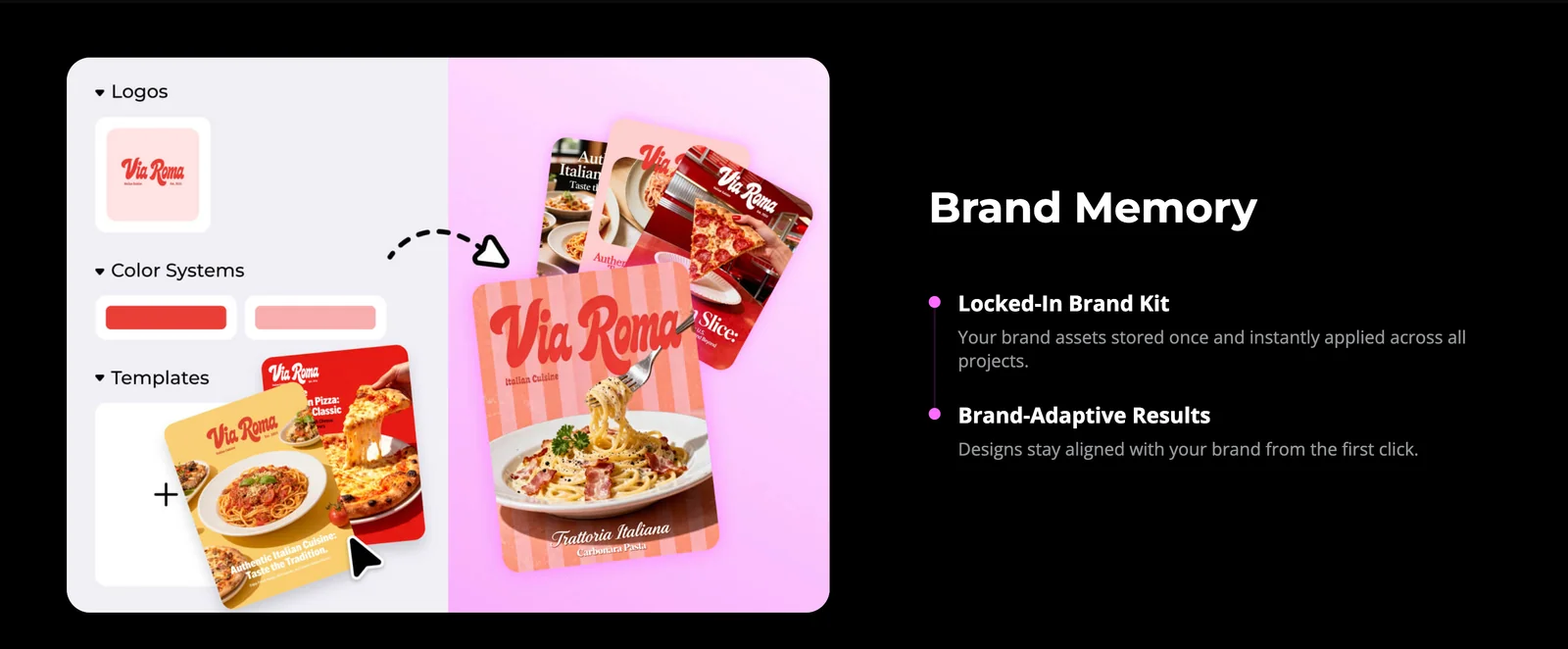
Brand Guideline Creation: Consistency is crucial for branding. X-Design 2.0 allows you to create brand guidelines that include logo usage, color palettes, and typography. This ensures that all team members and external partners adhere to the same standards, reinforcing brand identity across all platforms.
-
Social Media Asset Generation: The platform automatically generates optimized assets for social media platforms, such as Facebook, Instagram, and Twitter. This feature saves time and ensures that your brand maintains a cohesive look across different channels. For instance, you can quickly create profile pictures, cover images, and promotional posts.
-
AI-Powered Photo Editing: Enhance your images with X-Design 2.0's advanced photo editing tools. These AI features can automatically adjust lighting, remove backgrounds, and apply filters, making it easier to create high-quality visuals for marketing materials or online presence.
-
Product Visuals Creation: Showcase your products effectively with professional-grade visuals. X-Design 2.0 enables users to create stunning product images that can be used in e-commerce listings, advertisements, and social media promotions. This can significantly increase engagement and sales.
Best Practices / Tips
- Utilize Templates: Take advantage of available templates for various branding needs to ensure consistency.
- Regular Updates: Keep your branding materials fresh by regularly updating logos and guidelines as your business evolves.
- Seek Feedback: Before finalizing logos and brand guidelines, gather input from stakeholders to ensure alignment with business goals and audience preferences.
- Optimize for SEO: Use relevant keywords in your brand materials to ensure they are discoverable online.
Additional Resources
How do I get started using X-Design 2.0 for logo creation?
To get started with X-Design 2.0 for logo creation, sign up for a free account on the official website. After registering, access the logo generation tool, enter your ideas or prompts, and explore the various generated logo concepts tailored to your specifications.
Key Points
- Free Account Setup: Easy registration process.
- User-Friendly Interface: Intuitive tools for logo design.
- Customization Options: Modify generated logos to fit your brand.
Detailed Explanation
To begin using X-Design 2.0, follow these steps:
-
Sign Up: Visit the X-Design 2.0 website and click on the "Sign Up" button. Fill in your details to create a free account.
-
Access the Logo Tool: Once logged in, navigate to the logo generation tool. This section is clearly marked and user-friendly, making it easy for newcomers.
-
Input Ideas or Prompts: Enter keywords, phrases, or concepts that reflect your brand's identity. For example, if you’re starting a coffee shop, you might input “organic coffee” or “modern café.”
-
Explore Generated Concepts: After submitting your ideas, X-Design 2.0 will generate a variety of logo designs. Browse through the options, and click on any design to see it in full detail.
-
Customization: Select a logo you like and use the editing tools to tweak colors, fonts, and layouts. This allows you to craft a unique logo that resonates with your audience.
-
Download Your Logo: Once satisfied with your design, download the logo in various formats suitable for web and print.
Best Practices / Tips
- Be Descriptive: When entering prompts, use descriptive terms that encapsulate your brand’s personality. This helps the AI generate more relevant designs.
- Experiment with Styles: Don’t hesitate to try different styles and color schemes. The tool allows for rapid iteration, so explore various options.
- Seek Feedback: Share your generated logos with friends or colleagues to gather opinions. Constructive feedback can refine your final choice.
- Keep it Simple: A clean, memorable logo often outperforms intricate designs. Aim for clarity and versatility across different sizes and platforms.
Additional Resources
Does X-Design 2.0 integrate with other design tools or APIs?
Currently, X-Design 2.0 does not provide explicit integrations with other design tools or APIs. However, users can export assets in standard formats like PNG, SVG, and PDF, allowing for seamless use in various design applications such as Adobe Illustrator, Figma, and Sketch.
Key Points
- No direct integrations with other design tools or APIs.
- Supports asset export in standard formats.
- Compatible with popular design applications.
Detailed Explanation
X-Design 2.0 focuses on user-friendly design features while maintaining flexibility. While it lacks built-in integrations with other design tools or APIs, the ability to export assets in widely accepted formats ensures compatibility with many platforms.
For instance, if you're creating a logo in X-Design 2.0, you can export your design as a PNG or SVG file. This allows you to easily import your logo into applications like Adobe Illustrator for further refinement or into a web design tool like Figma for website mockups.
Additionally, since many design teams use multiple tools, exporting in standard formats mitigates the challenges of tool compatibility. Users can also automate their workflows by combining exported assets with other tools through scripts or manual processes.
Best Practices / Tips
- Export Formats: Always choose the correct export format based on your needs. Use SVG for scalable graphics and PNG for images with transparency.
- File Organization: Keep your exported files organized by naming them clearly and storing them in dedicated folders to enhance workflow efficiency.
- Check Compatibility: Before exporting, ensure that the target application supports the format you chose. This will prevent any conversion issues during the import process.
- Stay Updated: Regularly check for updates from X-Design 2.0, as future versions may introduce new integrations or features that enhance workflow compatibility.
Additional Resources
How does X-Design 2.0 compare to other AI design tools in the market?
X-Design 2.0 surpasses other AI design tools by offering an extensive range of branding features, an intuitive user interface, and competitive pricing tailored for small businesses seeking efficient design solutions. Its combination of functionality and affordability makes it a preferred choice among users.
Key Points
- Comprehensive Features: X-Design 2.0 provides tools for branding, graphics, and templates.
- User-Friendly Interface: The platform is designed for ease of use, catering to both novices and professionals.
- Cost-Effective Pricing: Competitive pricing structures make it accessible for small businesses and startups.
Detailed Explanation
X-Design 2.0 stands out in a crowded market of AI design tools due to its unique blend of capabilities. For instance, branding features include logo creation, color palette generators, and customizable templates that allow users to maintain brand consistency effortlessly. Unlike other tools, which may require extensive design knowledge, X-Design 2.0's user-friendly interface is intuitive, enabling users to drag and drop elements or utilize AI suggestions for quick adjustments.
Pricing is another area where X-Design 2.0 excels. With subscription plans starting as low as $15 per month, it provides significant value compared to competitors that may charge upwards of $50 per month for similar features. This affordability makes it especially appealing to small businesses and freelancers who need high-quality design solutions without a hefty investment.
Additionally, X-Design 2.0 integrates seamlessly with social media platforms and website builders, enhancing its usability. Customers can easily create graphics optimized for Facebook, Instagram, and other platforms directly within the tool, streamlining their workflow.
Best Practices / Tips
- Explore All Features: Take advantage of tutorials and guides available within the platform to understand all functionalities fully.
- Utilize Templates: Start with templates to save time and ensure a professional look, then customize them to fit your brand.
- Stay Updated: Regularly check for new features or updates to maximize the tool’s potential and keep your designs fresh.
- Avoid Overcrowding: Keep designs simple and focused to maintain clarity and impact.
Additional Resources
Explore more AI Ai Agents tools
Browse all Ai Agents tools →Compare X-Design 2.0: vs Phoenix.vu · vs Dropstone · vs Apache Maka · vs Construct Computer