

Talo
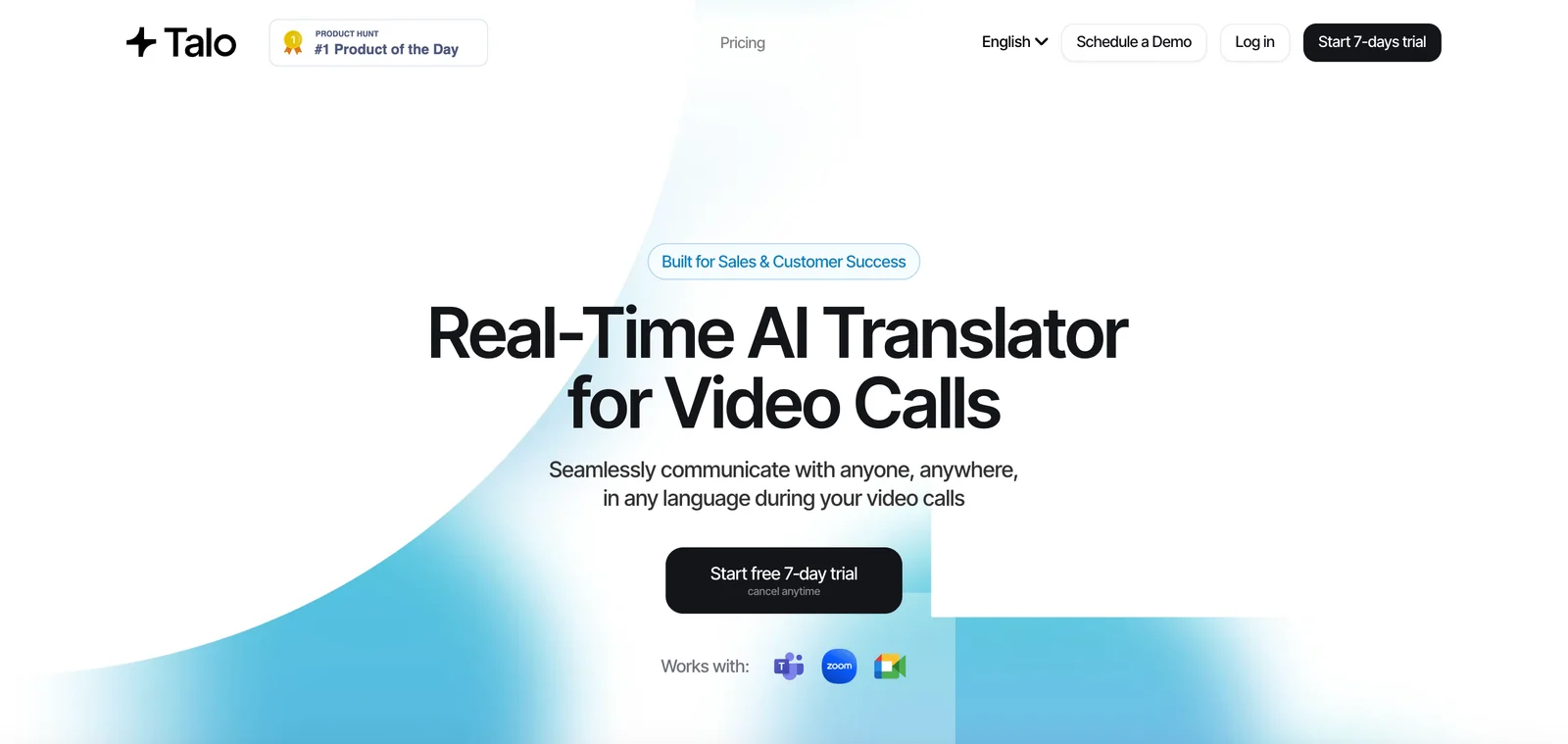
AIReal-time AI translator that provides instant, accurate translations and captions for video calls to break language barriers.
Talo
Real-time AI translator that provides instant, accurate translations and captions for video calls to break language barriers.
About Talo
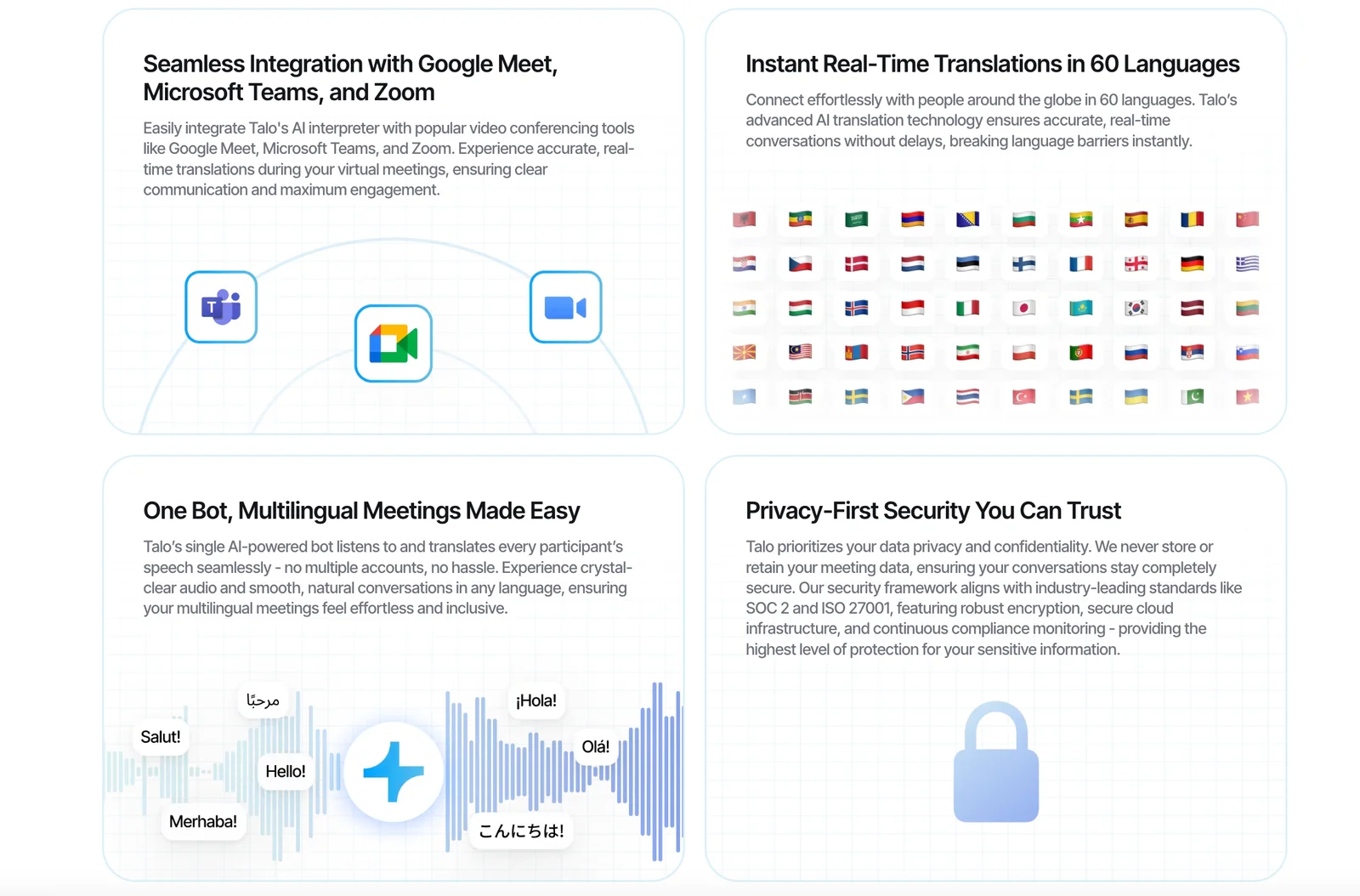
Talo provides real-time translation and captioning for video calls, enabling participants who speak different languages to communicate seamlessly. It transcribes spoken audio, translates it instantly into the participant's preferred language, and displays captions or translated text during live meetings. Talo is positioned for business use—helping international teams, customer support, and webinar hosts connect globally without language friction.
Screenshots
Key Features
Use Cases


Frequently asked questions about Talo
What are the pricing options available for Talo?
Talo offers a flexible pricing structure, including a 7-day free trial with 200 minutes per month, a standard monthly subscription for $50, and tailored pricing solutions for enterprise clients. All plans support five languages and integrate seamlessly with Google Meet.
Key Points
- 7-Day Free Trial: Access to 200 minutes/month.
- Monthly Subscription: Priced at $50 for individual users.
- Custom Enterprise Solutions: Tailored pricing for larger organizations.
Detailed Explanation
Talo provides three distinct pricing options to cater to various user needs:
-
Free Trial: The 7-day free trial allows potential users to explore Talo's features without any financial commitment. During this period, users can utilize 200 minutes per month, which is ideal for testing out the platform’s capabilities. This is a great way to assess whether Talo meets your needs for AI-driven meetings and transcription services.
-
Monthly Subscription: For those who find value in Talo during the trial, the monthly subscription is available for $50. This plan offers unlimited access to the platform, making it suitable for professionals and small teams who frequently conduct meetings and require transcription services. The monthly plan also includes support for five languages, enhancing accessibility for international teams.
-
Custom Enterprise Solutions: Larger organizations or teams with specific requirements may opt for custom pricing options. Talo’s enterprise solutions provide tailored features and higher minute limits, ensuring that businesses can scale their usage according to their needs. Enterprises often benefit from additional integrations and dedicated support.
Best Practices / Tips
- Utilize the Free Trial: Make the most of the 7-day free trial by testing all features, including language support and Google Meet integration. This will help you understand how Talo can fit into your workflow.
- Evaluate Your Needs: Before committing to the monthly plan or an enterprise solution, assess your team's size and meeting frequency to choose the most cost-effective option.
- Stay Updated: Regularly check Talo’s website or subscribe to their newsletter for potential updates on pricing or new features that could benefit your organization.
Additional Resources
How do I get started using Talo for video calls?
To get started using Talo for video calls, sign up for the 7-day free trial on the official Talo website. Next, integrate Talo with Google Meet and follow the provided setup instructions for real-time translation features to enhance your video conferencing experience.
Key Points
- Sign up for a 7-day free trial on the Talo website.
- Integrate Talo with Google Meet for enhanced functionality.
- Follow setup instructions to enable real-time translations.
Detailed Explanation
Getting started with Talo is straightforward.
-
Sign Up: Visit the official Talo website and register for a 7-day free trial. You will need to provide basic information, including your email address and a password.
-
Integration with Google Meet: After signing up, you can integrate Talo with Google Meet. This integration is essential for utilizing Talo’s capabilities during your video calls. To do this:
- Log into your Google account.
- Go to the Google Workspace Marketplace and search for Talo.
- Click on the “Install” button and follow the prompts to authorize the integration.
-
Setup Instructions: Once Talo is integrated, follow the setup guide provided in your account dashboard. This typically involves:
- Selecting the languages for real-time translation.
- Adjusting audio and video settings to ensure optimal performance.
- Testing the setup with a sample call to familiarize yourself with the features.
By completing these steps, you’ll be ready to use Talo effectively for your video calls.
Best Practices / Tips
- Test Your Setup: Before your first important call, conduct a test call to ensure that everything works smoothly, including audio, video, and translation features.
- Explore Features: Take time to explore Talo's additional features, such as screen sharing and document collaboration, which can enhance your meetings.
- Stay Updated: Keep an eye on Talo’s updates and new features. Regularly checking user forums and the official blog can provide tips and tricks from experienced users.
Additional Resources
Does Talo support multiple languages for translation?
Yes, Talo supports translation for five languages, enabling smooth communication during international meetings and collaborations. This feature eliminates the need for switching platforms, enhancing user experience and productivity in diverse teams.
Key Points
- Talo supports translations in five languages.
- Facilitates seamless communication in international settings.
- Enhances collaboration without the need for additional tools.
Detailed Explanation
Talo's multilingual support includes five key languages: English, Spanish, French, German, and Mandarin. This feature is particularly useful for organizations operating in global markets, allowing team members from different linguistic backgrounds to communicate effectively.
Use Cases
- International Teams: Teams spread across various countries can participate in meetings without language barriers, fostering a more inclusive environment.
- Client Interactions: Businesses can engage with clients in their preferred language, improving customer satisfaction and trust.
- Cross-Border Collaborations: Organizations can easily collaborate on projects without needing separate translation tools, streamlining workflows.
Example Scenario
Imagine a project team with members in the U.S., Spain, and China. During a video conference, Talo's translation feature allows each participant to communicate in their native language. This results in clearer discussions, reduced misunderstandings, and a more cohesive team dynamic.
Best Practices / Tips
- Leverage Language Settings: Regularly update your language preferences in Talo to ensure optimal use of the translation feature.
- Encourage Multilingual Training: Provide team members with training on how to utilize Talo’s translation capabilities effectively.
- Monitor Communication Clarity: Regularly assess whether the translation feature meets your team’s needs, making adjustments as necessary.
Additional Resources
Can I integrate Talo with other conferencing platforms?
Yes, Talo offers integration options with various conferencing platforms, making it an excellent choice for businesses seeking scalable solutions. This flexibility allows teams to streamline communication and enhance collaboration across different tools, ensuring a seamless experience for remote and hybrid work environments.
Key Points
- Wide Range of Integrations: Talo supports integration with popular conferencing tools such as Zoom, Microsoft Teams, and Google Meet.
- Business-Focused Features: Designed for organizations, Talo enhances productivity through efficient meeting management and collaboration.
- Scalability: Talo's integration capabilities are suitable for both small teams and large enterprises, adapting to diverse business needs.
Detailed Explanation
Talo’s integration capabilities empower users to connect with multiple conferencing platforms, enhancing their overall communication strategies. For instance, integrating Talo with Zoom allows users to schedule and manage meetings directly from the Talo interface. This integration includes features like automatic calendar syncing, enabling reminders and updates for participants.
Another critical integration is with Microsoft Teams, which facilitates real-time collaboration and document sharing during meetings. Teams can leverage Talo's project management tools alongside Microsoft’s chat and video capabilities, creating a more cohesive working environment.
For businesses using Google Meet, Talo provides seamless connection options that allow users to initiate video calls from their project management dashboard. This is particularly useful for organizations that rely on Google Workspace, streamlining workflows and communication.
Use Cases
- Remote Teams: Companies with distributed teams can use Talo integrated with Zoom or Microsoft Teams to ensure all members can participate in meetings, regardless of location.
- Project Management: When managing projects, integrating Talo with Google Meet allows teams to discuss tasks while reviewing documents in real-time.
- Training Sessions: Organizations can utilize Talo to set up and manage training sessions through various conferencing platforms, making it easier to onboard new employees.
Best Practices / Tips
- Evaluate Your Needs: Before integrating, assess which conferencing platform best meets your team's requirements. Consider factors such as user familiarity, features, and pricing.
- Utilize Automation: Take advantage of Talo’s automation features to schedule meetings and send reminders to attendees, reducing no-shows and improving engagement.
- Regularly Update Integrations: Keep your integrations updated to utilize new features and ensure optimal performance. Check for updates regularly to avoid compatibility issues.
Additional Resources
How does Talo compare to other AI translation tools?
Talo excels among AI translation tools due to its low-latency processing, enabling real-time speech translation and live captions, perfect for professional environments. Unlike other tools, Talo prioritizes speed and accuracy, making it an excellent choice for businesses, conferences, and multilingual meetings.
Key Points
- Real-Time Processing: Talo's low-latency feature allows instantaneous translation.
- User-Friendly Interface: Designed for ease of use in professional settings.
- High Accuracy Rates: Talo utilizes advanced AI algorithms for precise translations.
Detailed Explanation
Talo's standout feature is its real-time processing capability. This means users can speak, and the tool will translate spoken words into text or voice almost instantaneously. Unlike many traditional translation tools that require users to pause for processing, Talo ensures a seamless conversation flow.
For example, during a business meeting with international clients, Talo can provide live captions that cater to all attendees' languages. This functionality is crucial in environments where clarity and immediacy are paramount. Furthermore, Talo supports various languages, making it versatile for different regions.
Another advantage is Talo's user-friendly interface. Designed for professionals, it integrates easily with video conferencing platforms, making it accessible for users with varying tech-savviness. This ease of use is a significant factor when comparing it to competitors, which may have steep learning curves.
Talo also boasts high accuracy rates in translation, leveraging advanced machine learning algorithms. This ensures that not only are words translated, but the context and nuances of the original language are preserved. Such precision is vital in professional settings where misunderstandings can lead to costly errors.
Best Practices / Tips
- Test Before Use: Always run a few trial translations to gauge accuracy and speed.
- Check Language Support: Ensure Talo supports all languages relevant to your audience.
- Utilize Live Features: Take full advantage of Talo’s live captioning during events to enhance engagement.
Additional Resources
- Talo Official Website for product details and updates.
- User Guide for tips on maximizing Talo's features.
- Comparison of AI Translation Tools to explore other options.
Explore more AI Ai Services tools
Browse all Ai Services tools →Browse by use case: Video Generation · Voice & Audio
Compare Talo: vs Claude Academy · vs Switchyard · vs Router by Ramp · vs Supernova