
NBot
AIBuild custom AI curators that monitor the web and surface the content that matters to you.
NBot
Build custom AI curators that monitor the web and surface the content that matters to you.
About NBot
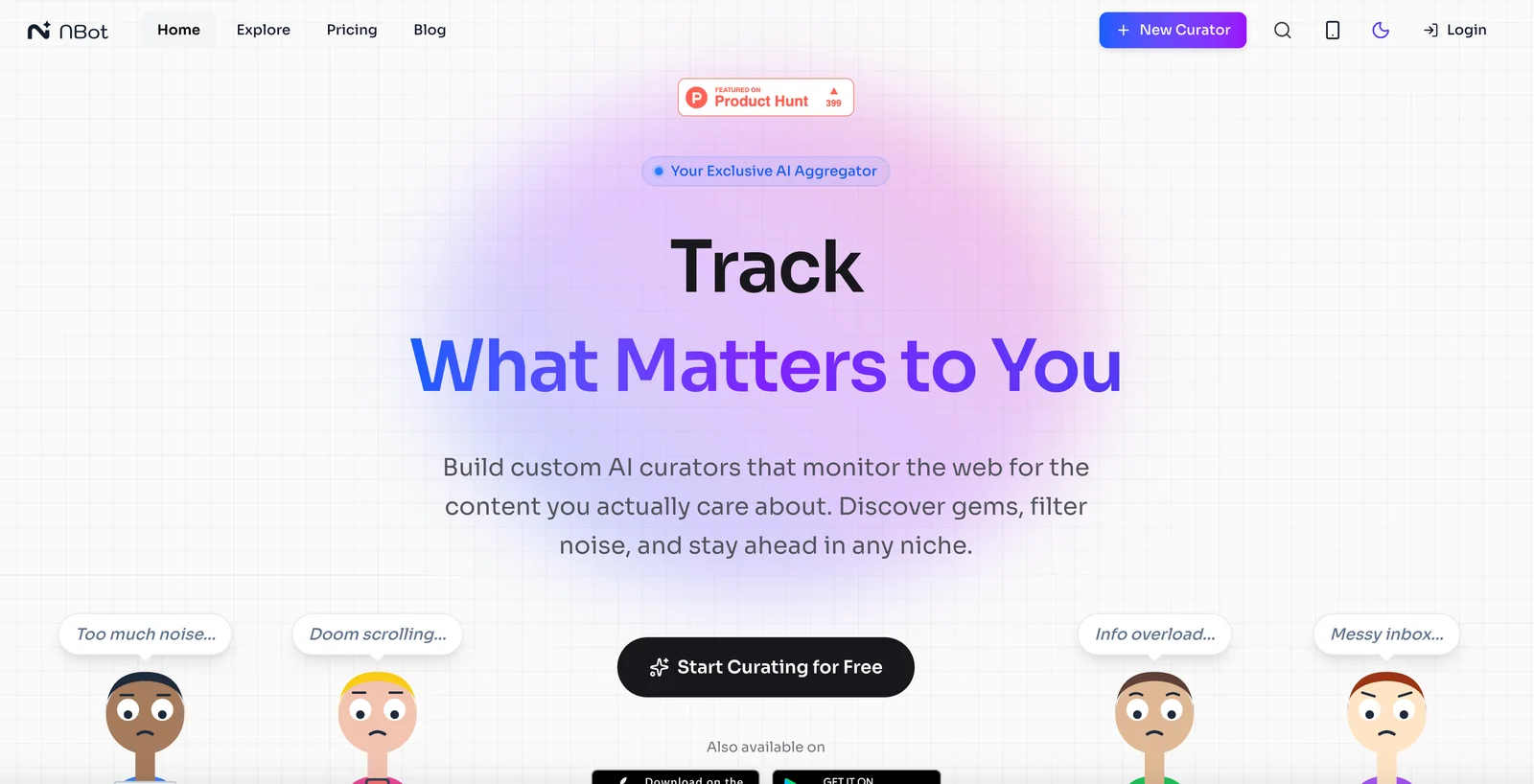
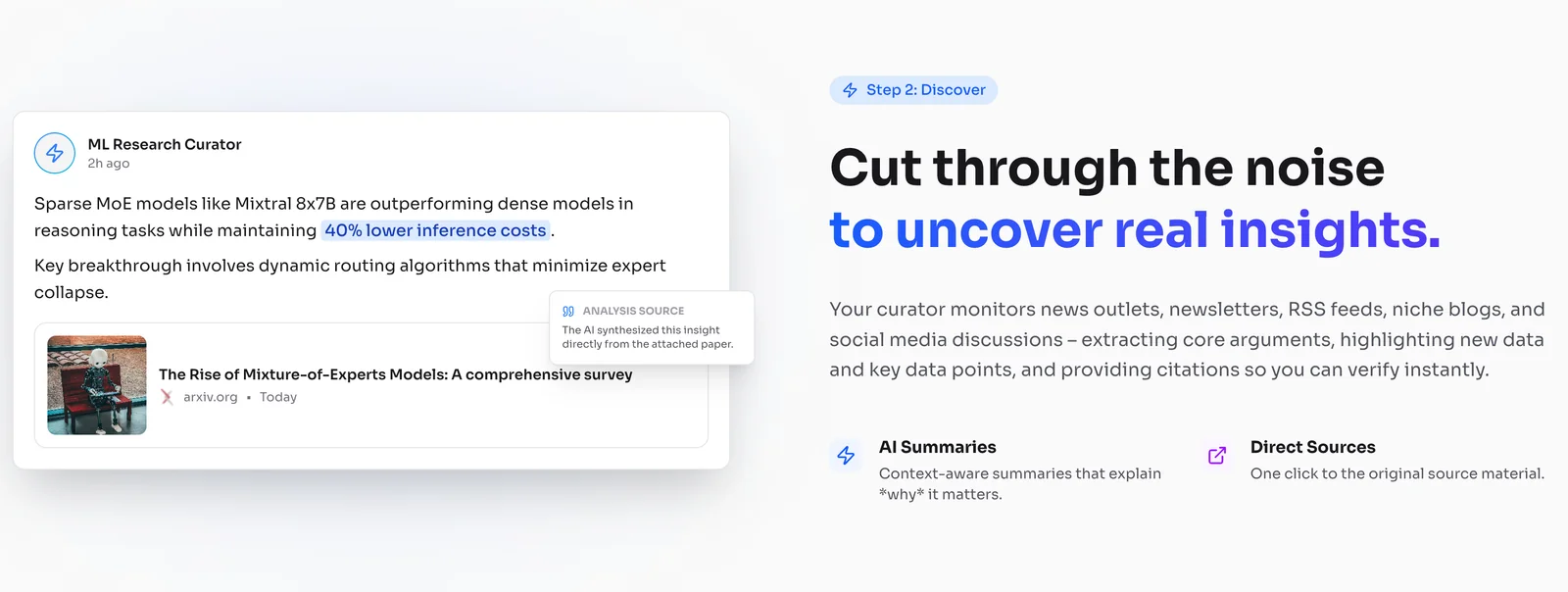
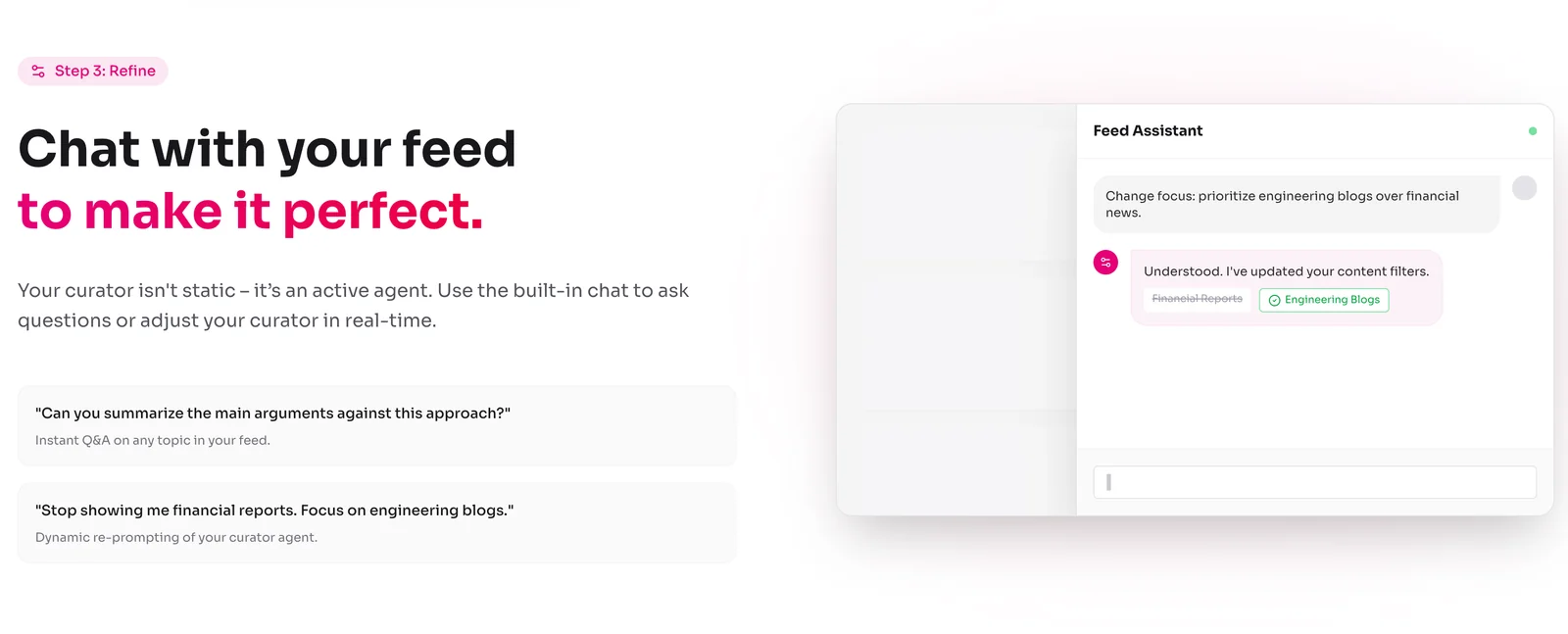
NBot is a personal AI curator and research assistant that continuously monitors the web — including news outlets, niche blogs, social media, videos and forums — to surface high-value content and filter out noise. Users define intents or topics and NBot tailors monitoring, summarization, and alerting to those specifications, delivering a personalized feed of insights and breaking events. With mobile apps and web access, NBot acts as an agent that understands user intent, helps discover overlooked gems, and reduces information overload by prioritizing what matters most.
Screenshots
Key Features
Use Cases



Frequently asked questions about NBot
What are the pricing options for NBot?
NBot offers a freemium pricing model featuring a free tier that includes basic curators, personalized feeds, and mobile app access, with no credit card required for the free version. Paid tiers provide advanced features and enhancements for users seeking more robust capabilities.
Key Points
- Freemium Model: Access to basic features without payment.
- Paid Tiers: Enhanced functionalities for advanced users.
- No Credit Card Required: Easy sign-up for the free version.
Detailed Explanation
NBot's pricing structure is designed to cater to a wide range of users, from casual to advanced. The freemium model allows users to access fundamental features like basic curators and personalized feeds at no cost. This tier is ideal for individuals wanting to experiment with the platform without any financial commitment. Notably, no credit card is needed to sign up for the free version, simplifying the onboarding process.
For users seeking additional functionalities, NBot provides paid tiers that unlock advanced features. These may include enhanced curators, deeper personalization, analytics tools, and priority customer support. Pricing for these tiers varies based on the features offered, often structured as a monthly or annual subscription. For example, many platforms offer a Standard Tier at around $9.99 per month, while a Premium Tier might cost $19.99, including all advanced features and benefits.
Best Practices / Tips
- Evaluate Your Needs: Before choosing a paid tier, assess your usage needs. If basic features suffice, the free version is a great starting point.
- Trial Periods: Take advantage of any trial periods for paid tiers to explore advanced features without immediate commitment.
- Stay Updated: Regularly check for updates or promotional offers that might reduce costs or enhance features in your chosen plan.
Additional Resources
- NBot Official Pricing Page - Detailed breakdown of all pricing tiers and features.
- User Guide - Comprehensive guide on using NBot effectively.
- FAQs - Frequently asked questions regarding NBot’s services and features.
How do I create my first AI curator with NBot?
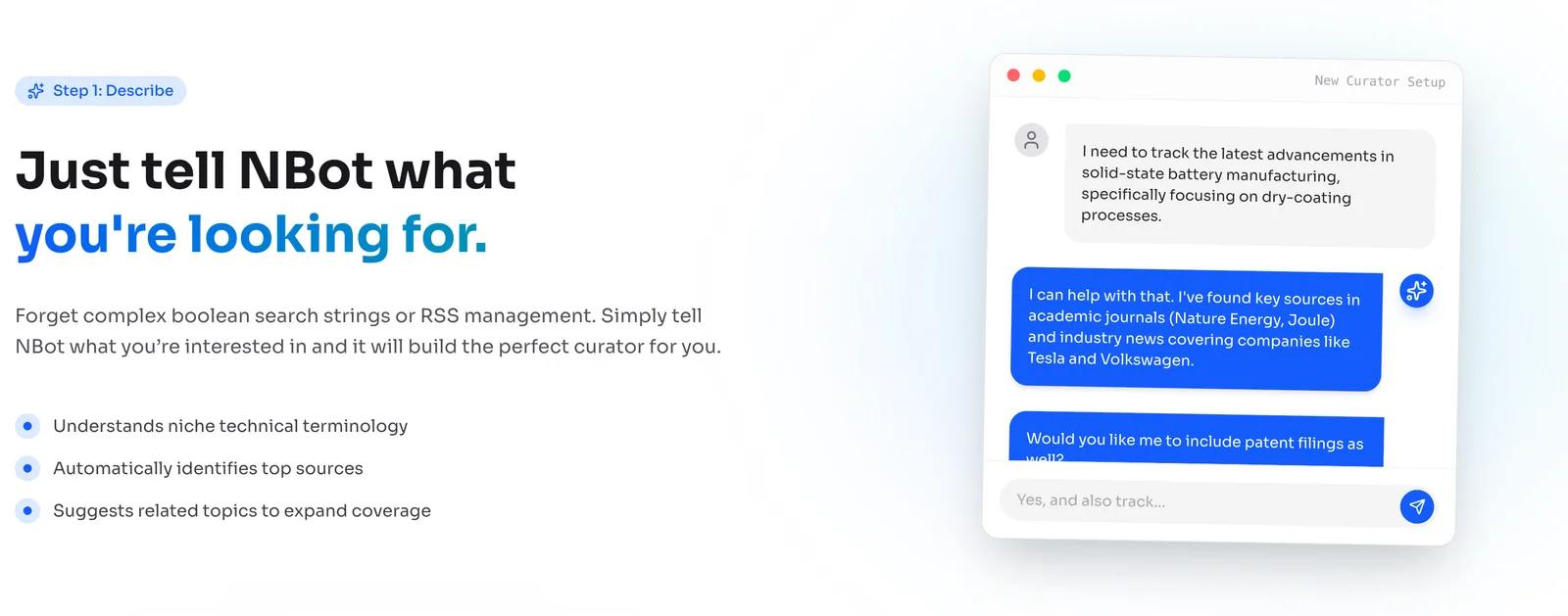
To create your first AI curator with NBot, sign up for a free account on NBot’s website. After registering, you can define your topics and intents, allowing NBot to monitor and curate relevant content tailored to your interests and needs.
Key Points
- Sign Up for an Account: Start by creating a free NBot account.
- Define Topics and Intents: Specify the subjects you want to track.
- Content Monitoring: NBot will curate content based on your selected parameters.
Detailed Explanation
Creating your first AI curator with NBot is a straightforward process that enhances your content curation capabilities. Here’s how to get started:
-
Sign Up: Visit the NBot website and click on the "Sign Up" button. Fill in the necessary details to create your free account. Registration is quick and often only requires an email address and password.
-
Define Your Topics: Once logged in, navigate to the dashboard. You’ll find an option to define your topics. Choose specific themes or niches that you want NBot to focus on. For example, if you’re interested in technology, you might select topics like AI advancements, gadget reviews, and software updates.
-
Set Your Intents: Next, specify your intents, which are the goals you want to achieve through curation. This might include discovering the latest articles, finding trending discussions, or gathering data for research.
-
Content Monitoring: After setting up your topics and intents, NBot will begin to monitor the web for relevant content. You can view curated articles, blogs, and other media directly from your dashboard.
-
Adjust and Optimize: As you use NBot, you may want to refine your topics and intents based on the content you receive. Regular adjustments will help the AI better understand your preferences.
Best Practices / Tips
- Be Specific: When defining your topics, specificity leads to better results. Instead of broad categories, choose precise subtopics.
- Regular Updates: Periodically review and update your intents to align with your evolving interests.
- Explore Filters: Utilize NBot’s filtering options to exclude irrelevant content and focus on high-quality sources.
- Engage with Content: Interact with the curated content by sharing, commenting, or saving articles, which can help improve future recommendations.
Additional Resources
By following these steps, you can effectively create and manage your first AI curator with NBot, ensuring you receive the most relevant and engaging content tailored to your interests.
Is NBot user-friendly for beginners?
Yes, NBot is user-friendly for beginners, featuring an intuitive interface that simplifies the process of creating custom curators and managing feeds. This design ensures that even those with limited technical experience can effectively utilize the tool.
Key Points
- Intuitive User Interface: NBot’s design minimizes complexity.
- Guided Setup: Step-by-step instructions aid beginners.
- Supportive Community: Access to tutorials and forums for assistance.
Detailed Explanation
NBot stands out for its user-friendly approach, particularly beneficial for beginners looking to streamline content management. The interface is clean and straightforward, allowing users to easily navigate through various features without feeling overwhelmed.
Getting Started
- Sign Up: Create an account on the NBot website.
- Dashboard Overview: Familiarize yourself with the dashboard, which highlights key functions like feed management and curator setup.
- Creating Custom Curators: Use the guided option to set up your first curator by selecting topics or keywords relevant to your interests.
- Managing Feeds: Add sources to your curator with a few clicks, ensuring that content is relevant and fresh.
For example, a beginner interested in tech news can set up a curator focused on technology by simply entering keywords like "AI," "gadgets," or "software updates." NBot will then aggregate content from various sources, simplifying the process of staying updated.
Best Practices / Tips
- Utilize Tutorials: Take advantage of NBot’s extensive tutorial library, which provides step-by-step guidance on various features.
- Experiment with Features: Don’t hesitate to explore different settings and options within NBot to find what works best for your needs.
- Stay Engaged with the Community: Join NBot forums or social media groups where you can ask questions, share experiences, and learn from other users.
Common Pitfalls to Avoid
- Overcomplicating Curators: Start simple; focus on a few key topics before expanding.
- Neglecting Source Quality: Always prioritize adding high-quality sources to ensure your feed remains valuable.
Additional Resources
What features set NBot apart from other AI curation tools?
NBot stands out from other AI curation tools with its web-scale monitoring capabilities, intent-based content curation, and personalized feeds that effectively filter out irrelevant information. This combination enhances user experience and ensures that curated content is both relevant and timely.
Key Points
- Web-Scale Monitoring: NBot continuously scans multiple sources for fresh content.
- Intent-Based Curation: It understands user preferences and context to deliver tailored results.
- Personalized Feeds: Users receive customized content while avoiding information overload.
Detailed Explanation
NBot’s web-scale monitoring feature allows it to gather data from a vast array of sources, including social media, news websites, and blogs. This extensive reach ensures that users have access to the most current and diverse content available. For instance, a marketing professional can receive updates on industry trends from various platforms in real-time, which is crucial for staying competitive.
The intent-based curation mechanism uses advanced algorithms to analyze user behavior and preferences. By understanding what users are looking for, NBot curates content that aligns with their specific interests. For example, if a user frequently engages with articles about AI advancements, NBot will prioritize similar content, improving relevance and engagement.
NBot’s personalized feeds feature filters out noise, allowing users to focus only on what matters to them. This is particularly beneficial for busy professionals who don’t have the time to sift through vast amounts of information. Users can set their preferences and receive a tailored feed that meets their needs, enhancing productivity and content consumption.
Best Practices / Tips
- Customize Your Preferences: Take advantage of NBot’s settings to fine-tune your interests and the types of content you wish to receive.
- Engage Regularly: Regular interaction with the platform helps improve the accuracy of intent-based curation.
- Utilize Analytics: Leverage insights from NBot’s analytics to understand content performance and adjust your strategy accordingly.
Additional Resources
Can I integrate NBot with other applications?
Yes, NBot can be integrated with other applications, though specific integration options may not be explicitly stated. Its web presence indicates a potential for integration. For comprehensive details and to explore available options, visit their official website.
Key Points
- NBot is likely integration-ready.
- Integration capabilities may vary by application.
- Check the official site for detailed information.
Detailed Explanation
NBot's integration capabilities are essential for users looking to enhance functionality and streamline workflows. While specific integration options aren't always listed, NBot typically supports connections with various third-party applications, including CRM, marketing tools, and social media platforms.
Common Integrations
- CRM Systems: Integrating NBot with CRM systems like Salesforce or HubSpot can help automate customer interactions and improve lead management.
- Marketing Automation: Tools like Mailchimp or Marketo can enhance your marketing efforts, allowing NBot to assist in sending targeted campaigns.
- Social Media Platforms: Connecting with platforms such as Facebook or Twitter can enable automated posting and customer engagement.
Use Cases
- Customer Support: By integrating NBot with your helpdesk software, you can automate responses to common queries, improving response times and customer satisfaction.
- E-commerce: NBot can help manage inventory updates and customer inquiries when integrated with platforms like Shopify or WooCommerce.
Best Practices / Tips
- Explore API Documentation: Check NBot’s API documentation for specific integration guidelines and capabilities.
- Test Integrations: Before full deployment, conduct tests to ensure seamless functionality and identify any potential issues.
- Monitor Performance: After integration, regularly assess the performance of NBot to optimize workflows and ensure it meets your needs.
Additional Resources
- NBot Official Website
- NBot API Documentation
- User Community Forums for tips and shared experiences on integrations.
Explore more AI Ai Agents tools
Browse all Ai Agents tools →Compare NBot: vs Phoenix.vu · vs Dropstone · vs Apache Maka · vs Construct Computer