

Hamingway App
AIA web and desktop editor that highlights readability, style, and clarity issues to make writing bold and concise.
Hamingway App
A web and desktop editor that highlights readability, style, and clarity issues to make writing bold and concise.
About Hamingway App
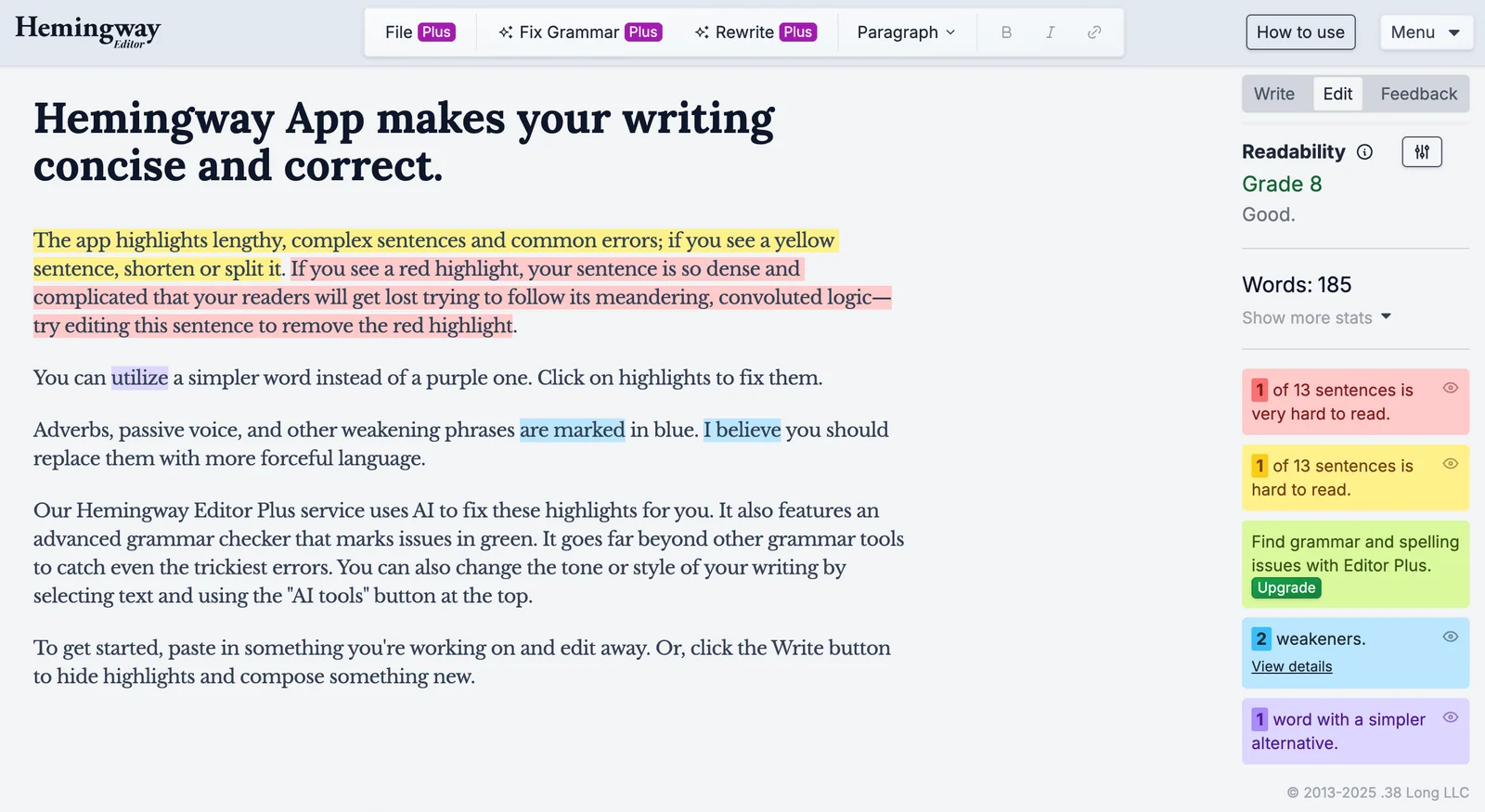
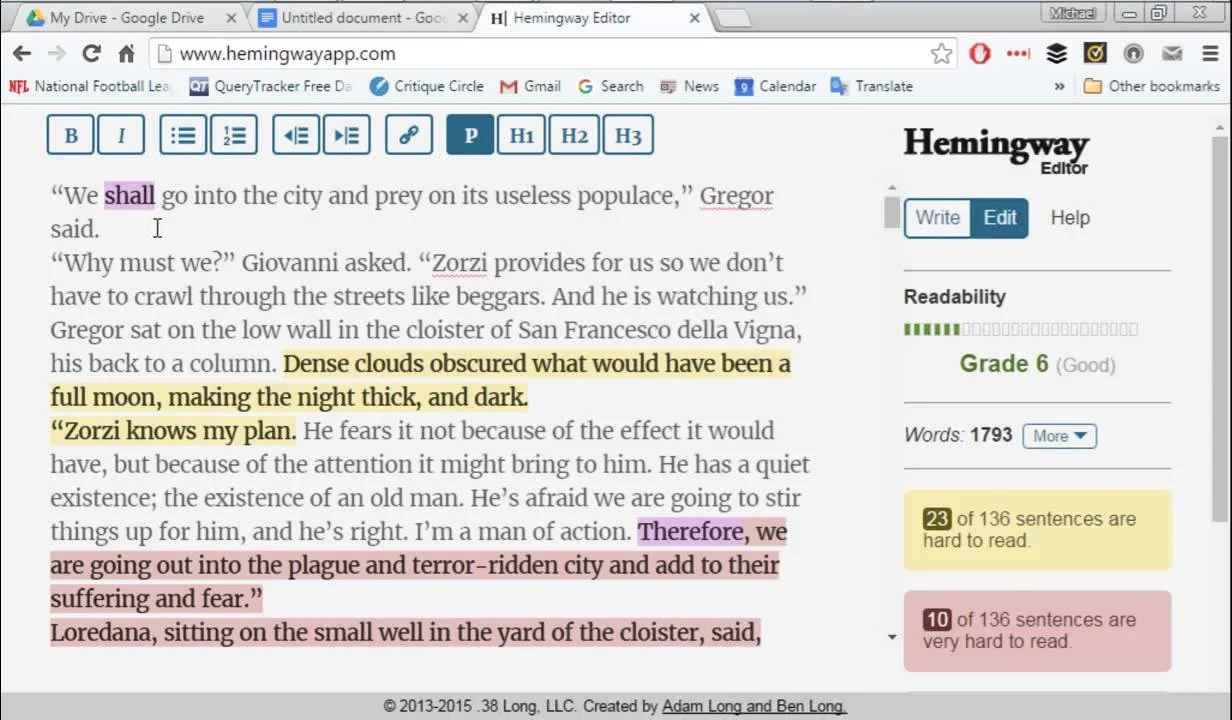
Hemingway Editor is a writing tool (web-based and paid desktop app) that analyzes prose to improve clarity, concision, and readability. It highlights long or complex sentences, passive voice, adverbs, and hard-to-read phrasing, assigns a readability grade, and offers a simplified formatting workspace for editing. The tool is designed for writers, editors, and communicators who want to make text more direct and accessible, providing immediate, color-coded feedback and simple export options for cleaned-up copy.
Screenshots
Key Features
Use Cases



Frequently asked questions about Hamingway App
What are the pricing options for Hemingway App?
Hemingway App provides three pricing options: a free online editor, a one-time purchase desktop application for $19.99, and subscription plans for AI features starting at $25 per month. This pricing structure caters to different user needs, from casual writers to professionals seeking advanced tools.
Key Points
- Free Online Editor: Accessible with no cost.
- One-Time Purchase: Desktop app available for $19.99.
- Subscription Plans: AI features start at $25 per month.
Detailed Explanation
Hemingway App is designed to enhance writing clarity and conciseness. Here’s a breakdown of its pricing options:
-
Free Online Editor: This version allows users to access basic editing features directly through their web browser. It is ideal for those who want a quick, no-cost solution to improve their writing without downloading any software.
-
One-Time Purchase Desktop App: For $19.99, users can purchase the desktop version of Hemingway App. This version provides offline access and additional features, such as the ability to save documents locally and work without an internet connection. This is suitable for writers who prefer a dedicated application on their computer.
-
Subscription Plans: Hemingway App also offers subscription plans for advanced AI features. Starting at $25 per month, these plans include enhanced editing capabilities, integration with other tools, and regular updates. This option is perfect for professional writers or businesses that require ongoing support and advanced functionalities.
Best Practices / Tips
- Utilize the Free Version: Start with the free online editor to understand how Hemingway App can assist your writing. It’s a great way to test the tool before investing in the desktop version or subscription.
- Consider Your Needs: If you write frequently and need offline access, the one-time purchase is economical. However, if you require advanced features and regular updates, a subscription may be more beneficial.
- Stay Updated: Keep an eye on Hemingway’s website for any changes in pricing or new features. Promotional offers or discounts may also be available occasionally.
Additional Resources
- Hemingway App Official Website
- Hemingway App Blog for writing tips and tool updates.
- User Reviews and Comparisons to find similar writing tools.
How do I use the Hemingway App for editing my writing?
To use the Hemingway App for editing your writing, visit the website or open the desktop app, paste your text into the editor, and review the highlighted suggestions. These suggestions focus on improving readability, style, and sentence structure, enhancing the clarity of your writing.
Key Points
- User-friendly interface: Easy to navigate and understand.
- Readability scoring: Provides a grade level score for your content.
- Style suggestions: Highlights complex sentences and passive voice.
Detailed Explanation
The Hemingway App is designed to simplify the editing process and enhance the readability of your writing. Here’s how to effectively use it:
-
Access the App:
- For online use, go to Hemingway App.
- For offline work, download the desktop version for a one-time fee of $19.99.
-
Paste Your Text:
- Copy your writing from any source (Word document, email, etc.) and paste it directly into the Hemingway editor.
-
Review Suggestions:
- The app will automatically analyze your text. Look for:
- Color-coded highlights:
- Yellow: Sentences that are hard to read.
- Red: Very hard to read sentences.
- Purple: Adverbs that may weaken your writing.
- Green: Passive voice usage.
- Color-coded highlights:
- The app will automatically analyze your text. Look for:
-
Make Edits:
- Based on the highlighted suggestions, revise your text for clarity and conciseness. The app’s goal is to help you write in a clear, simple, and engaging manner.
-
Check Readability Score:
- The right sidebar displays your content's readability score, indicating the grade level needed to understand your writing. Aim for a score between 7-8 for general audiences.
Best Practices / Tips
- Focus on Clarity: Aim for short, clear sentences. If a sentence is highlighted in yellow or red, consider shortening or simplifying it.
- Minimize Adverbs: Use strong verbs to reduce reliance on adverbs, which can clutter your writing.
- Avoid Passive Voice: Rewrite passive constructions into active voice to create more direct and impactful sentences.
- Iterate: Use the app multiple times on the same piece to refine your writing further.
Additional Resources
By following these guidelines, you can leverage the Hemingway App to enhance your writing's effectiveness, ensuring it's both engaging and accessible to your audience.
What are the key features of Hemingway App?
Hemingway App is a writing tool that enhances clarity and readability by highlighting complex sentences and passive voice. It offers a distraction-free editing environment and allows users to export polished text in various formats, making it ideal for writers aiming to improve their writing style.
Key Points
- Readability Enhancements: Flags complex sentences and passive voice.
- Distraction-Free Environment: Encourages focus on writing without interruptions.
- Export Options: Allows users to save work in multiple formats, including Word and PDF.
Detailed Explanation
Hemingway App is designed to improve writing clarity and engagement by analyzing text for readability.
-
Readability Features: The app uses a color-coded system to indicate various writing issues:
- Adverbs: Highlighted in blue, suggesting that they may weaken sentences.
- Complex Sentences: Sentences over a certain length are flagged in yellow, prompting writers to simplify their language.
- Passive Voice: Sentences written in passive voice appear in green, helping writers to adopt a more active voice, which is typically more engaging.
-
Distraction-Free Editing: The app provides a minimalist interface that removes unnecessary tools and options, allowing users to focus solely on their writing. This feature is particularly beneficial for those who may struggle with maintaining concentration amidst distractions.
-
Export Options: Once your text is polished, Hemingway App allows you to export your writing in various formats. Users can download their work as a text file, or copy it to other applications like Microsoft Word or Google Docs, ensuring versatility for different writing contexts.
Best Practices / Tips
- Use Regularly: Incorporate Hemingway App into your writing routine to consistently enhance your skills.
- Focus on One Issue at a Time: When editing, tackle one type of issue at a time (e.g., first address passive voice, then complex sentences).
- Combine with Other Tools: Use Hemingway App alongside grammar checkers like Grammarly for a comprehensive editing process.
- Set Goals: Aim for a specific readability grade level based on your target audience, adjusting your writing style accordingly.
Additional Resources
How does Hemingway App compare to other writing tools?
Hemingway App stands out for its emphasis on readability and clarity, making it ideal for simplifying complex text. Unlike Grammarly, which offers extensive grammar checks and style suggestions, Hemingway focuses primarily on enhancing the overall readability of your writing, though it lacks advanced grammar feedback.
Key Points
- Readability Focus: Hemingway App prioritizes making text clearer and more concise.
- Limited Grammar Checks: Unlike competitors, it does not provide extensive grammar or punctuation suggestions.
- User-Friendly Interface: The app features a straightforward design that encourages easy navigation and instant feedback.
Detailed Explanation
Hemingway App is designed to improve the readability of your writing by highlighting complex sentences, passive voice, and adverbs that can weaken your prose. It uses a color-coded system to indicate areas for improvement:
- Yellow Highlighting: Indicates sentences that are hard to read.
- Red Highlighting: Marks very hard-to-read sentences.
- Blue Highlighting: Shows the use of passive voice.
- Green Highlighting: Points out adverbs that can often be removed for stronger writing.
For instance, if you write a sentence like, "The committee has decided to review the proposal," Hemingway would suggest changing it to "The committee will review the proposal" to enhance clarity.
In contrast, tools like Grammarly provide comprehensive grammar checks, style suggestions, and plagiarism detection. While Grammarly may help you catch detailed errors, it may not focus as much on overall readability as Hemingway does.
Best Practices / Tips
- Combine Tools: Use Hemingway alongside Grammarly for a comprehensive writing toolset. Start with Hemingway to improve clarity, then run the text through Grammarly for grammar and style checks.
- Focus on One Aspect: When using Hemingway, concentrate on one aspect at a time (like sentence length) to avoid feeling overwhelmed.
- Regular Practice: Use Hemingway regularly to develop a habit of writing clearly and concisely, which can improve your overall writing skills.
Additional Resources
- Hemingway App Official Site
- Grammarly Official Site
- Readability Guidelines for further tips on improving clarity in writing.
Does Hemingway App offer an API or integration options?
Currently, Hemingway App does not offer an API or integration options with other software applications. It functions solely as a standalone web and desktop editor designed for direct writing and editing, making it ideal for users looking for a focused writing tool without external connectivity.
Key Points
- Hemingway App is a standalone writing tool.
- No API or integration options are available.
- Focused on enhancing writing clarity and readability.
Detailed Explanation
Hemingway App is designed to improve writing by emphasizing clarity and readability. Users can write or paste text directly into the app, where it will analyze the content for readability scores, sentence complexity, and passive voice usage. However, as of now, it does not provide an API, which means third-party developers cannot integrate it into other applications or platforms.
Using Hemingway App as a standalone tool allows writers to focus solely on their text without distractions from integration complexities. It suits various writing needs, from blog posts to academic papers. The app highlights complex sentences and adverbs, helping users simplify their writing style.
Use Cases
- Blogging: Bloggers can draft their content in Hemingway App to ensure their writing is engaging and easy to read.
- Academic Writing: Students and researchers can utilize it to refine their papers, focusing on clarity and conciseness.
- Professional Communication: Businesses can use Hemingway to improve internal communications and reports for better understanding among team members.
Best Practices / Tips
- Utilize the Readability Score: Aim for a score between 6th and 8th grade for general audiences.
- Focus on Sentence Structure: Break down overly complex sentences to enhance clarity.
- Limit Adverb Use: Replace adverbs with stronger verbs for more impactful writing.
Additional Resources
Explore more AI Ai Agents tools
Browse all Ai Agents tools →Compare Hamingway App: vs Hacktron · vs Ninjō AI · vs Phoenix.vu · vs Dropstone