
Google Whisk
AIExperimental web tool that uses images as prompts to visualize ideas and craft visual stories.
Google Whisk
Experimental web tool that uses images as prompts to visualize ideas and craft visual stories.
About Google Whisk
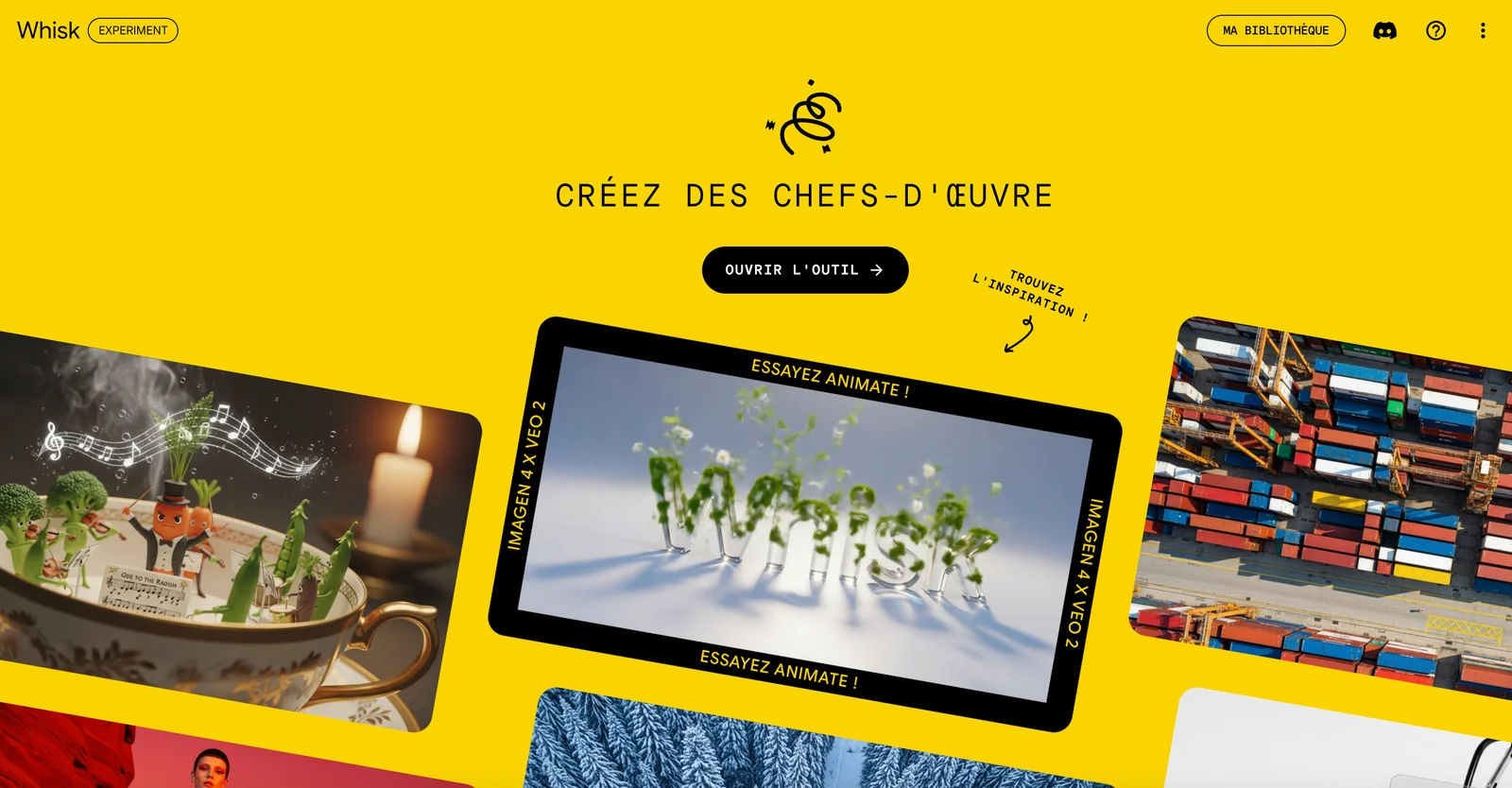
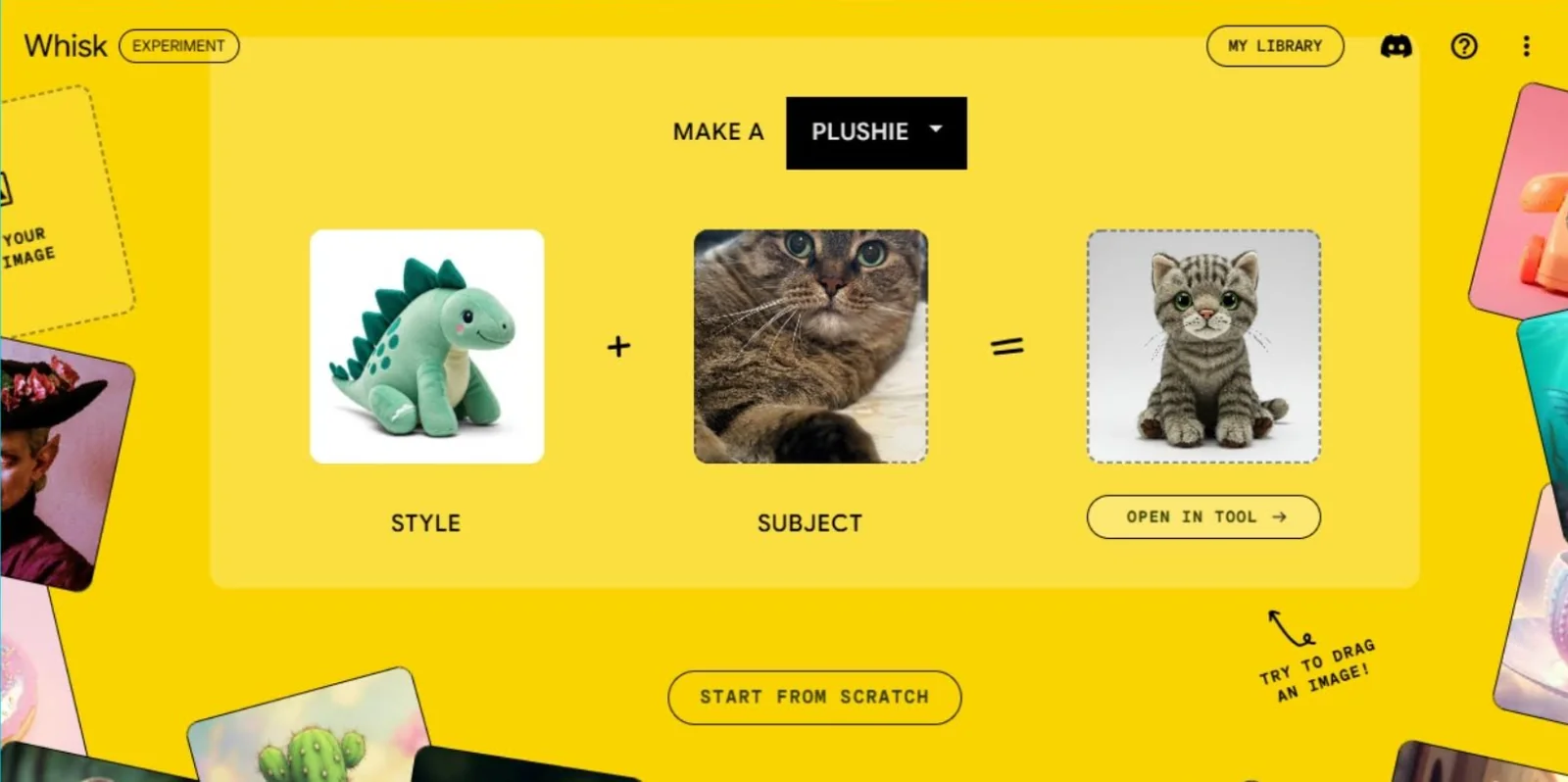
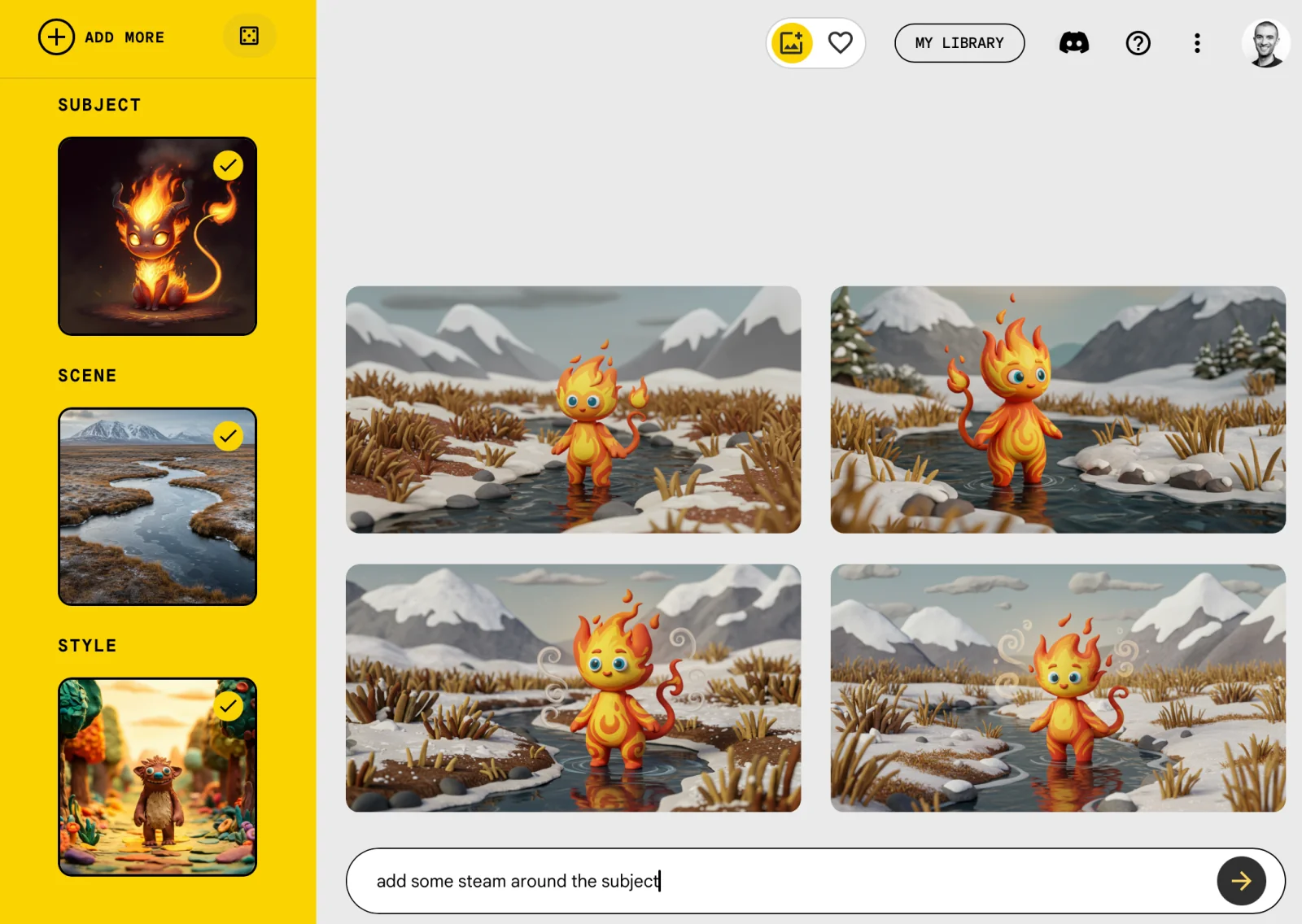
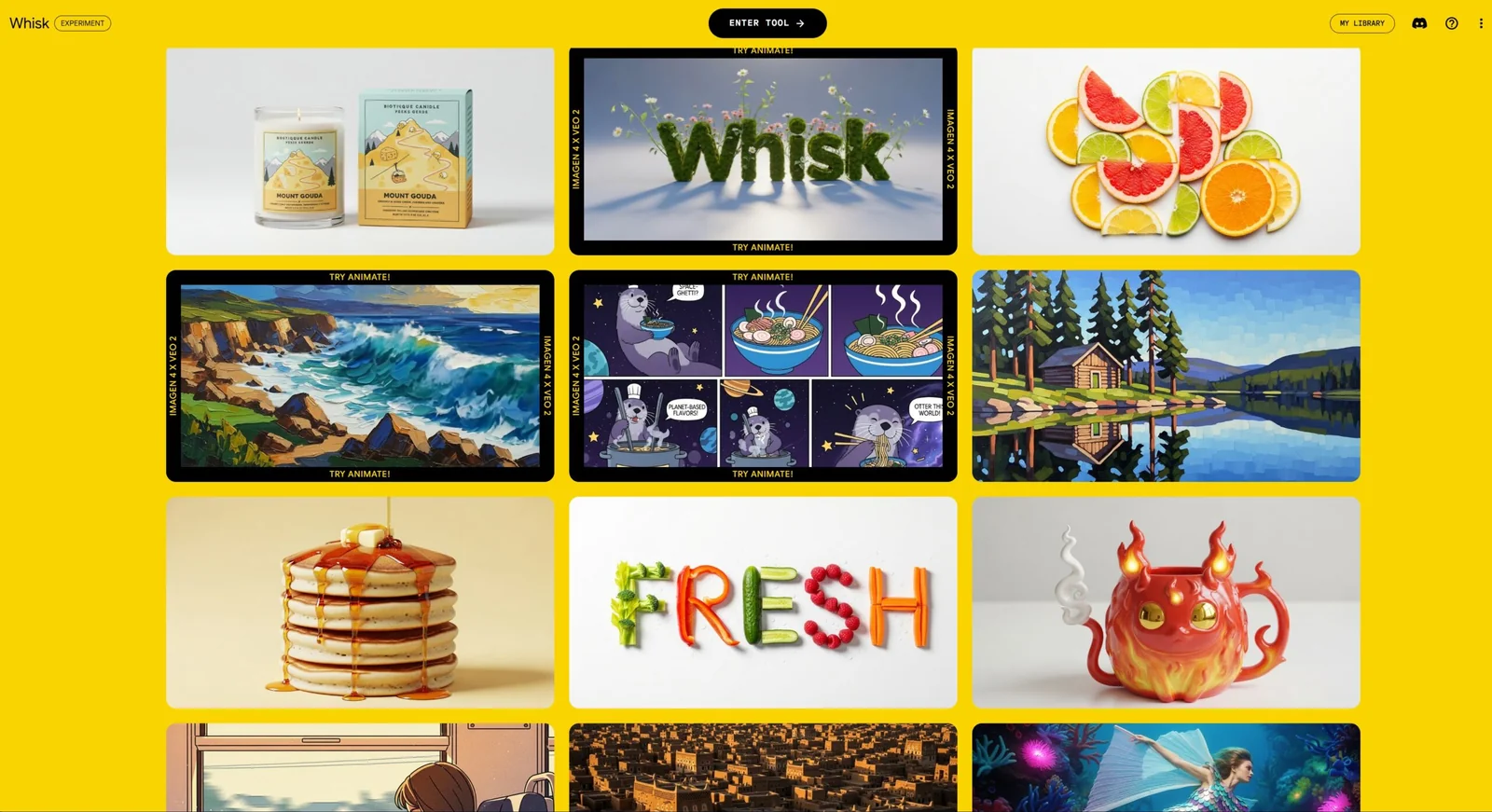
Whisk is an experimental Google Labs web tool that lets users supply images as prompts to generate visualizations and build visual narratives. It focuses on using imagery (rather than only text) to seed idea exploration, concept visualization, and storytelling. As a Labs project, Whisk emphasizes rapid prototyping and creative iteration, enabling users to experiment with image-driven prompts to communicate concepts and produce shareable visual outputs.
Screenshots
Key Features
Use Cases


Frequently asked questions about Google Whisk
Is Google Whisk free to use?
Yes, Google Whisk is a free experimental tool available through Google Labs. Users can access its innovative image-as-prompt visualizations at no cost, making it an accessible resource for those interested in exploring AI-driven creative possibilities.
Key Points
- Google Whisk is completely free for users.
- It is an experimental tool found in Google Labs.
- The tool offers unique image-as-prompt features.
Detailed Explanation
Google Whisk is designed as a user-friendly platform that allows individuals to experiment with visual prompts generated through artificial intelligence. As part of Google Labs, it serves as a testing ground for cutting-edge AI tools. Users can create visuals by uploading images that inspire creative outputs, making it ideal for artists, designers, and content creators.
For example, if a user uploads a landscape photo, Google Whisk can generate various artistic interpretations or transformations based on that image. This capability opens up endless possibilities for creative exploration, enabling users to visualize concepts that may not have been possible otherwise.
Users can access Google Whisk through their web browser without any subscription or fees. This makes it an excellent option for those looking to enhance their creative projects with AI-driven tools without financial commitment.
Best Practices / Tips
- Explore Regularly: Since Google Whisk is experimental, features may frequently change. Regularly check the platform for new updates and functionalities.
- Use High-Quality Images: The better the quality of the uploaded image, the more accurate and appealing the visual outputs will be.
- Experiment: Don’t hesitate to try various images and prompts. The AI learns from diverse inputs, leading to innovative results.
- Share Feedback: As an experimental tool, user feedback is valuable. Providing insights can help improve the tool’s features.
Additional Resources
What are the key features of Google Whisk?
Google Whisk is an innovative tool that enables users to visualize ideas with image prompts, supports narrative storytelling, and facilitates rapid prototyping through an intuitive web-based interface. It enhances creativity and collaboration, making it ideal for designers, writers, and innovators looking to streamline their creative processes.
Key Points
- Visual Idea Generation: Users can create visual prompts to inspire creativity.
- Narrative Storytelling Support: The platform helps in crafting compelling narratives.
- Rapid Prototyping: Enables quick development of ideas into tangible prototypes.
Detailed Explanation
Google Whisk combines visual creativity with storytelling and prototyping functionalities, making it a versatile tool for various users.
-
Visual Idea Generation: Users can utilize images as prompts to spark creativity. For instance, a designer may upload a picture of a landscape to brainstorm a product inspired by nature. This feature encourages out-of-the-box thinking and can be particularly useful in design workshops.
-
Narrative Storytelling Support: The platform allows creators to weave narratives around their ideas. For example, writers can develop plotlines by linking images to scenes, enhancing their storytelling with visual elements. This feature is beneficial for scriptwriters and novelists who want to visualize their stories before writing.
-
Rapid Prototyping: Google Whisk's user-friendly interface facilitates the quick transformation of ideas into prototypes. This is especially advantageous for startups and product developers looking to test concepts rapidly. By allowing users to create and share prototypes in real-time, teams can gather feedback and iterate efficiently.
Best Practices / Tips
- Leverage Image Quality: Use high-resolution images for better visualization. This enhances the overall quality of your prompts and outputs.
- Collaborate in Real-Time: Utilize the collaborative features to work with teams. Real-time feedback can significantly improve the creative process.
- Focus on Story Flow: When using the storytelling features, ensure that your narrative flows logically. This aids in keeping the audience engaged.
Additional Resources
- Google Whisk Official Documentation
- Creative Prototyping Techniques
- Visual Storytelling Best Practices
By incorporating these features and best practices, users can maximize their experience with Google Whisk, making it an essential tool in the creative arsenal.
How do I start using Google Whisk?
To start using Google Whisk, visit the official website at Google Whisk, and sign in with your Google account. Once logged in, you can explore its features, create new projects, and utilize various tools to streamline your tasks.
Key Points
- Access Google Whisk via its official website.
- Sign in with your Google account for personalized features.
- Explore various tools and functionalities offered by Google Whisk.
Detailed Explanation
Google Whisk is a powerful tool designed for developers and creatives to streamline their workflows and enhance productivity. To begin:
- Visit the Website: Go to Google Whisk to access the platform.
- Sign In: Use your existing Google account credentials to log in. If you don’t have an account, you’ll need to create one.
- Explore Features: Once logged in, familiarize yourself with the dashboard. Google Whisk offers various functionalities, such as project management, code snippets, and collaboration tools.
- Create a New Project: Click on “New Project” to initiate a workspace. Name your project and select the templates or tools you wish to use.
Use Cases
- Project Management: Organize tasks and collaborate with team members.
- Code Snippets: Store and retrieve code snippets easily for future use.
- Integrations: Connect with other Google services to enhance productivity.
Best Practices / Tips
- Regularly Save Your Work: Ensure that all changes are saved frequently to avoid data loss.
- Learn Shortcuts: Familiarize yourself with keyboard shortcuts to navigate efficiently.
- Utilize Templates: Use pre-made templates to jumpstart projects and save time.
- Stay Updated: Regularly check for updates to the Google Whisk tool for new features and enhancements.
Additional Resources
By following these steps and tips, you can maximize your experience with Google Whisk and leverage its capabilities for your projects.
Does Google Whisk have an API for integration?
Currently, Google Whisk does not provide a public API for integration. This tool is designed primarily for individual users, focusing on creative exploration rather than enterprise-level functionality. As such, it limits integration capabilities with other applications or services.
Key Points
- Google Whisk is an experimental tool.
- No public API is available for integration.
- Targeted towards individual users for creative purposes.
Detailed Explanation
Google Whisk is a unique tool developed by Google, aimed at empowering users to explore creative possibilities. It operates within a closed ecosystem, which means it does not have an open API that developers can leverage for integration with other software applications.
The absence of a public API indicates that Google Whisk is not intended for commercial or large-scale use but rather serves as a playground for individual creativity. Users can experiment with various ideas and concepts, but they cannot connect Whisk to other platforms or tools for enhanced functionality. This limitation can impact those looking to integrate their creative outputs into broader workflows or applications.
While there are many tools available with robust APIs for integration, Google Whisk’s design philosophy emphasizes user experimentation over external connectivity.
Example Use Cases
- Creative Writing: Users can generate story ideas or plot points using Whisk.
- Art Projects: Individuals can brainstorm artistic concepts without needing external tools.
- Personal Projects: Ideal for hobbyists looking to explore creative avenues without the need for integration.
Best Practices / Tips
- Explore Features: Take full advantage of Whisk's built-in features to maximize your creative output.
- Documentation: Regularly check Google’s official documentation for any updates regarding future API developments.
- Feedback: Engage with the community or Google forums for insights and tips on maximizing your use of Whisk.
Additional Resources
How does Google Whisk compare to other visual storytelling tools?
Google Whisk stands out among visual storytelling tools by emphasizing image-as-prompt workflows and rapid prototyping, making it more accessible for users. Unlike other tools that may require extensive setup or charge for advanced features, Google Whisk offers a streamlined experience ideal for quick and effective visual content creation.
Key Points
- Image-as-Prompt Workflows: Google Whisk allows users to generate content using images as prompts, simplifying the creative process.
- Rapid Prototyping: The tool is designed for swift iterations, enabling users to quickly develop and refine visual narratives.
- Cost-Effective: Unlike some competitors, Google Whisk provides essential features without hidden fees, making it budget-friendly.
Detailed Explanation
Google Whisk excels in the realm of visual storytelling tools by revolutionizing how users interact with images. By utilizing an image-as-prompt approach, it enables creators to start with visual stimuli, which can inspire unique narratives. For instance, a digital marketer can upload a product image to generate compelling ad copy, saving time and effort in brainstorming sessions.
Rapid Prototyping
The rapid prototyping feature is particularly beneficial for designers and content creators who need to test ideas quickly. Instead of laboring over complex setups, users can swiftly create and modify visual stories, ensuring they remain agile in their projects. For example, a user can create a storyboard for a marketing campaign in a matter of hours rather than days.
Cost Comparison
In contrast to other platforms like Adobe Spark or Canva, which may charge for advanced features or premium templates, Google Whisk maintains a straightforward pricing structure. It offers essential functionalities at no cost, making it an attractive option for freelancers, startups, and small businesses looking to maximize their budgets.
Best Practices / Tips
- Leverage Image Quality: Always use high-quality images as prompts to ensure the best results in content generation.
- Iterate Frequently: Make use of the rapid prototyping feature by frequently testing and iterating on your ideas to refine your visual storytelling.
- Explore Integrations: Look for ways to integrate Google Whisk with other tools you use, such as social media platforms, to streamline your workflow.
Additional Resources
Explore more AI Ai Models tools
Browse all Ai Models tools →Browse by use case: Image Generation
- Soup CLI
- VibeVoice
- Laguna by Poolside
- Arena AI: The Official AI Ranking & LLM Leaderboard
- PromptLayer
- PHBench
Compare Google Whisk: vs Soup CLI · vs VibeVoice · vs Laguna by Poolside · vs Arena AI: The Official AI Ranking & LLM Leaderboard