

Google Pomelli
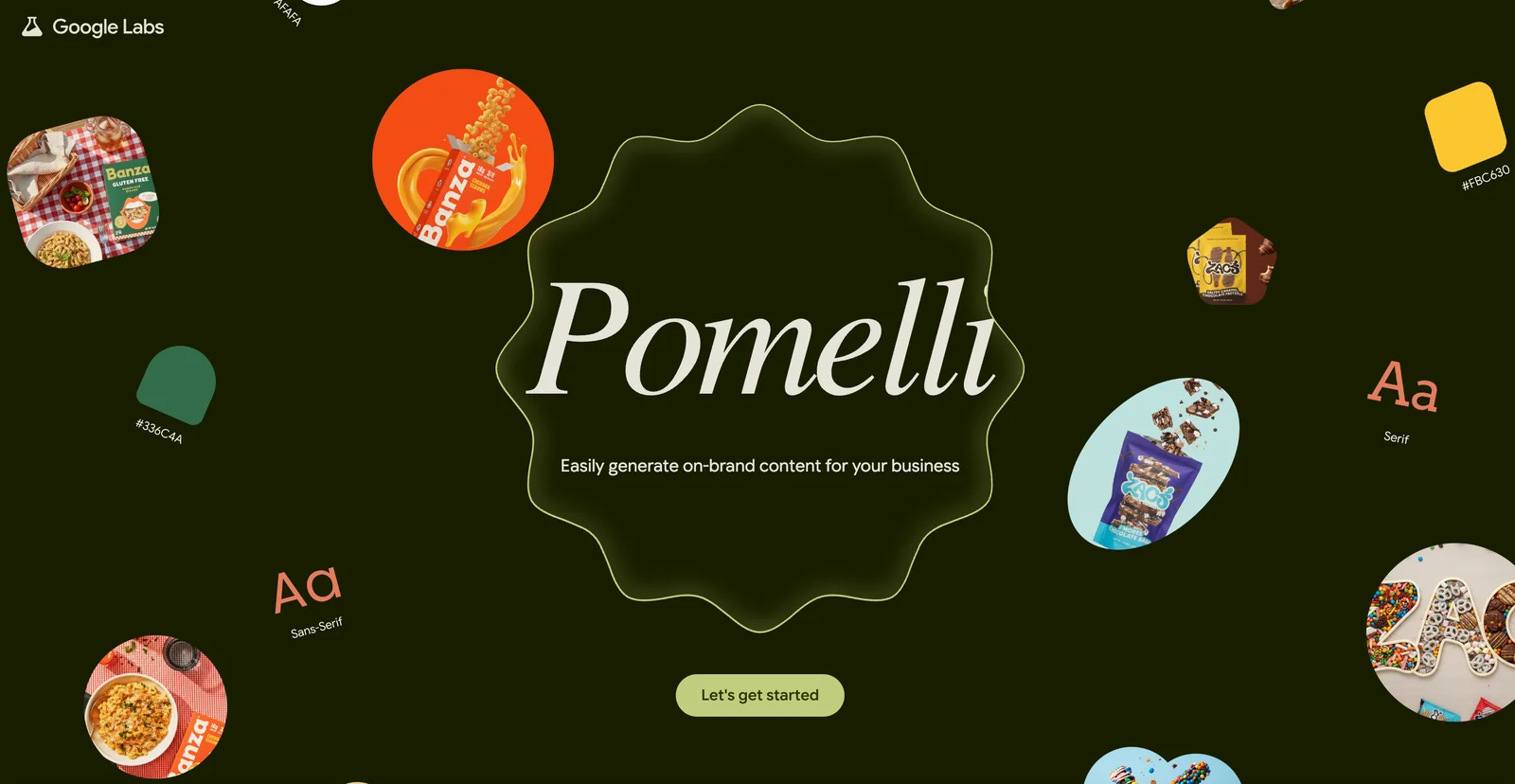
AIFreeAn experimental Google Labs tool for generating consistent, on‑brand marketing assets by combining brand metadata with visual style extraction.
Google Pomelli
An experimental Google Labs tool for generating consistent, on‑brand marketing assets by combining brand metadata with visual style extraction.
About Google Pomelli
Pomelli (by Google Labs) is an experimental marketing content generation tool that helps teams produce consistent, on‑brand creative assets at scale. It uses a metadata-driven approach to capture brand identity (often described as a layered "brand DNA"), extracts visual style from reference images, and orchestrates image- and text-generation models to produce marketing creatives aligned to that identity. Pomelli emphasizes repeatability and brand consistency across channels by using structured metadata, templates, and style extraction to constrain generation and produce cohesive outputs that integrate into marketing workflows.
Screenshots
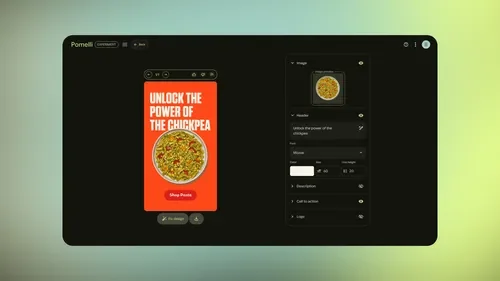
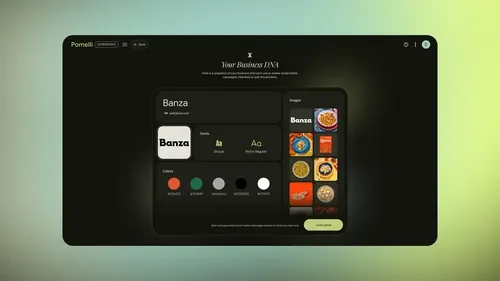
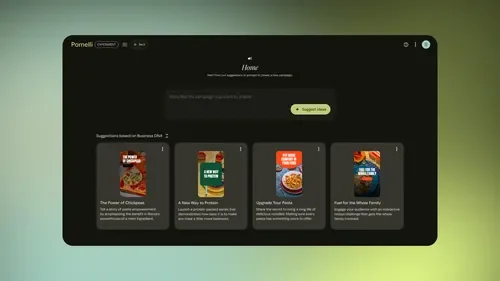

Key Features
Use Cases



Frequently asked questions about Google Pomelli
What is the pricing model for Google Pomelli?
Google Pomelli is currently available free of charge as it undergoes experimental and public beta testing. Pricing details for future commercial use have not yet been disclosed, leaving users curious about potential costs and subscription models.
Key Points
- Google Pomelli is free during its beta phase.
- No official pricing has been announced for future use.
- Users can explore features without financial commitment.
Detailed Explanation
Google Pomelli, a cutting-edge AI tool developed by Google, aims to enhance various applications, particularly in natural language processing and automation. While users can access this innovative software for free during its experimental and public beta phases, there is anticipation surrounding its eventual pricing structure once it transitions to commercial release.
As of now, the specifics of the pricing model remain under wraps. Users can currently explore Pomelli's features, such as text generation, summarization, and conversational AI capabilities, without any costs. This beta phase allows Google to gather valuable user feedback, which will likely shape the final product and its pricing strategy.
For businesses and developers eyeing this tool for future implementation, it's essential to stay informed about updates from Google. The lack of pricing details means that users should consider potential budget implications once commercial pricing is established.
Best Practices / Tips
- Stay Updated: Regularly check Google’s official blog or Pomelli’s dedicated webpage for announcements regarding pricing and features.
- Feedback Participation: Engage in the beta phase by providing feedback, as this could influence the tool's final version and pricing.
- Explore Alternatives: While waiting for Pomelli's commercial release, consider exploring other AI tools that may offer similar functionalities at different price points.
Additional Resources
What key features does Google Pomelli offer for marketers?
Google Pomelli offers marketers advanced features such as metadata-driven brand architecture, visual style extraction, template-based production, and exportable assets for seamless workflow integration, enabling efficient content creation and brand consistency across various platforms.
Key Points
- Metadata-Driven Brand Architecture: Organizes brand assets effectively.
- Visual Style Extraction: Captures and applies brand aesthetics automatically.
- Template-Based Production: Streamlines content creation with customizable templates.
Detailed Explanation
Google Pomelli is designed to enhance marketing efforts by providing tools that simplify brand management and content production.
-
Metadata-Driven Brand Architecture: This feature allows marketers to create a structured hierarchy of brand assets, ensuring that all elements are easily accessible and aligned with brand guidelines. For example, a company can categorize logos, color palettes, and fonts based on different campaign needs, making it easier to maintain brand consistency across various channels.
-
Visual Style Extraction: Pomelli automates the identification and application of a brand’s visual style by analyzing existing assets. For instance, if a company has a unique color scheme and font style, Pomelli can extract these elements and apply them to new marketing materials, ensuring that all assets reflect the brand’s identity.
-
Template-Based Production: Marketers can create and customize templates that can be used for various types of content, such as social media posts, email newsletters, and advertisements. This not only speeds up the production process but also allows for quick updates and modifications, reducing the risk of errors.
-
Exportable Assets for Workflow Integration: Once the content is created, Pomelli allows for easy export of assets in various formats, making it simple to integrate them into existing workflows or share them with team members and collaborators. This feature is particularly beneficial for teams who need to maintain high levels of collaboration and efficiency.
Best Practices / Tips
- Leverage Metadata: Regularly update your metadata to reflect changes in branding or marketing strategies. This ensures that assets remain relevant and easily retrievable.
- Utilize Templates: Create a library of templates for different types of content. This saves time and ensures brand consistency across all materials.
- Monitor Visual Consistency: Periodically review the visual style extraction results to make sure they align with the latest brand guidelines. Adjust as necessary to maintain brand integrity.
Additional Resources
By utilizing these features effectively, marketers can enhance their workflow, improve brand consistency, and streamline their content creation process, ultimately driving better engagement and results.
How can I start using Google Pomelli for my marketing campaigns?
To start using Google Pomelli for your marketing campaigns, visit the official website and sign up for access during the beta phase. Once approved, you can create on-brand assets using your brand metadata, enhancing your marketing strategy with AI-generated content.
Key Points
- Sign Up During Beta: Access is limited to beta participants.
- Utilize Brand Metadata: Create consistent and branded marketing assets.
- Explore AI Capabilities: Leverage AI tools for innovative marketing solutions.
Detailed Explanation
Google Pomelli is an innovative AI tool designed to assist marketers in creating high-quality, on-brand assets efficiently. To begin using Pomelli, follow these steps:
- Visit the Official Website: Navigate to the Google Pomelli page to learn more about its features and benefits.
- Sign Up for Beta Access: Click on the sign-up link to request access. Since it's in beta, spots may be limited, so act quickly.
- Understand Brand Metadata: Once approved, familiarize yourself with how to use brand metadata. This includes logos, color schemes, and other brand assets that help maintain brand consistency across campaigns.
- Start Creating: Use Pomelli’s interface to generate marketing materials tailored to your brand. This can include everything from social media posts to email templates.
For example, if you run a fashion brand, you can input your brand colors and logo into Pomelli, and it will automatically create promotional materials that align with your brand identity.
Best Practices / Tips
- Define Brand Guidelines: Ensure your brand guidelines are clear before uploading metadata. This will help Pomelli generate assets that truly represent your brand.
- Test Variations: Use Pomelli to create multiple variations of your marketing assets. A/B testing can help you determine which designs resonate most with your audience.
- Stay Updated: As Pomelli develops, keep an eye on new features and updates to maximize your marketing efforts.
Additional Resources
Does Google Pomelli provide an API for integration with other tools?
Currently, Google Pomelli does not publicly offer an API for integration with other tools. However, it seamlessly integrates with Google Workspace and various Google services, making future API access a possibility. Users can leverage existing integrations to enhance their workflows.
Key Points
- Google Pomelli lacks a public API.
- Integrates with Google Workspace and other Google services.
- Future updates may include API access.
Detailed Explanation
Google Pomelli is designed primarily for enhancing productivity within the Google ecosystem. While it does not currently have a publicly accessible API, it allows users to integrate with popular Google services such as Google Drive, Google Docs, and Google Sheets. This tight integration enables users to streamline their tasks without needing extensive coding knowledge.
For example, users can easily create Pomelli tasks directly from Google Docs or import calendars from Google Calendar to stay organized. Such integrations optimize work processes, enabling teams to collaborate more effectively without the need for a standalone API.
As businesses increasingly adopt AI tools for automation, the potential for Google to introduce a public API for Pomelli exists. This could allow developers to create custom applications that interact with Pomelli, expanding its functionality and usability in various workflows.
Best Practices / Tips
- Leverage Existing Integrations: Utilize the built-in features of Google Workspace to maximize productivity.
- Stay Updated: Regularly check for announcements from Google regarding API availability, as updates may occur frequently.
- Explore Third-party Tools: Use existing third-party tools that integrate with Google Workspace for extended functionality until an API is available.
Additional Resources
How does Google Pomelli compare to other marketing asset generation tools?
Google Pomelli excels compared to other marketing asset generation tools through its unique metadata-driven approach and visual style extraction capabilities. This ensures consistent, on-brand asset creation, setting it apart from traditional tools that often lack such advanced features.
Key Points
- Metadata-Driven Approach: Utilizes structured data for better alignment with branding.
- Visual Style Extraction: Automatically adapts to different design requirements.
- Consistency and Efficiency: Streamlines the asset generation process, saving time and resources.
Detailed Explanation
Google Pomelli leverages a metadata-driven approach, which means it can pull in specific brand elements, such as color palettes, typography, and imagery standards, to generate marketing assets that are not only visually appealing but also aligned with brand identity. Unlike traditional tools that may require manual adjustments for consistency, Pomelli automates this process, ensuring that every asset reflects the brand's voice and style.
For example, if a company has a set of guidelines for social media posts, Pomelli can automatically apply these guidelines to create various formats like banners, ads, and posts. This capability is particularly useful for teams managing multiple campaigns simultaneously, as it reduces the need for repetitive design work.
Additionally, the visual style extraction feature enables users to easily adapt existing assets for different platforms. Whether it’s resizing an image for Instagram or adjusting a layout for Facebook, Pomelli ensures that the final product remains on-brand and visually coherent across channels.
Best Practices / Tips
- Leverage Metadata: Always input comprehensive metadata to maximize the potential of Pomelli’s automation features.
- Maintain Brand Guidelines: Regularly update your brand assets and guidelines within Pomelli for optimal consistency.
- Test Variations: Use A/B testing to determine which asset styles resonate better with your audience.
- Explore Integrations: Integrate Pomelli with other marketing tools for a seamless workflow, enhancing overall productivity.
Additional Resources
Explore more AI Ai Agents tools
Browse all Ai Agents tools →Browse by use case: Image Generation · Automation & Productivity
Compare Google Pomelli: vs Playad · vs Concierge by Juniors AI · vs Scout by Fini · vs Ruflo