

Fei Studio
AIAn AI-native collaborative platform that unites design, product, and engineering in a shared, production-safe workflow.
Fei Studio
An AI-native collaborative platform that unites design, product, and engineering in a shared, production-safe workflow.
About Fei Studio
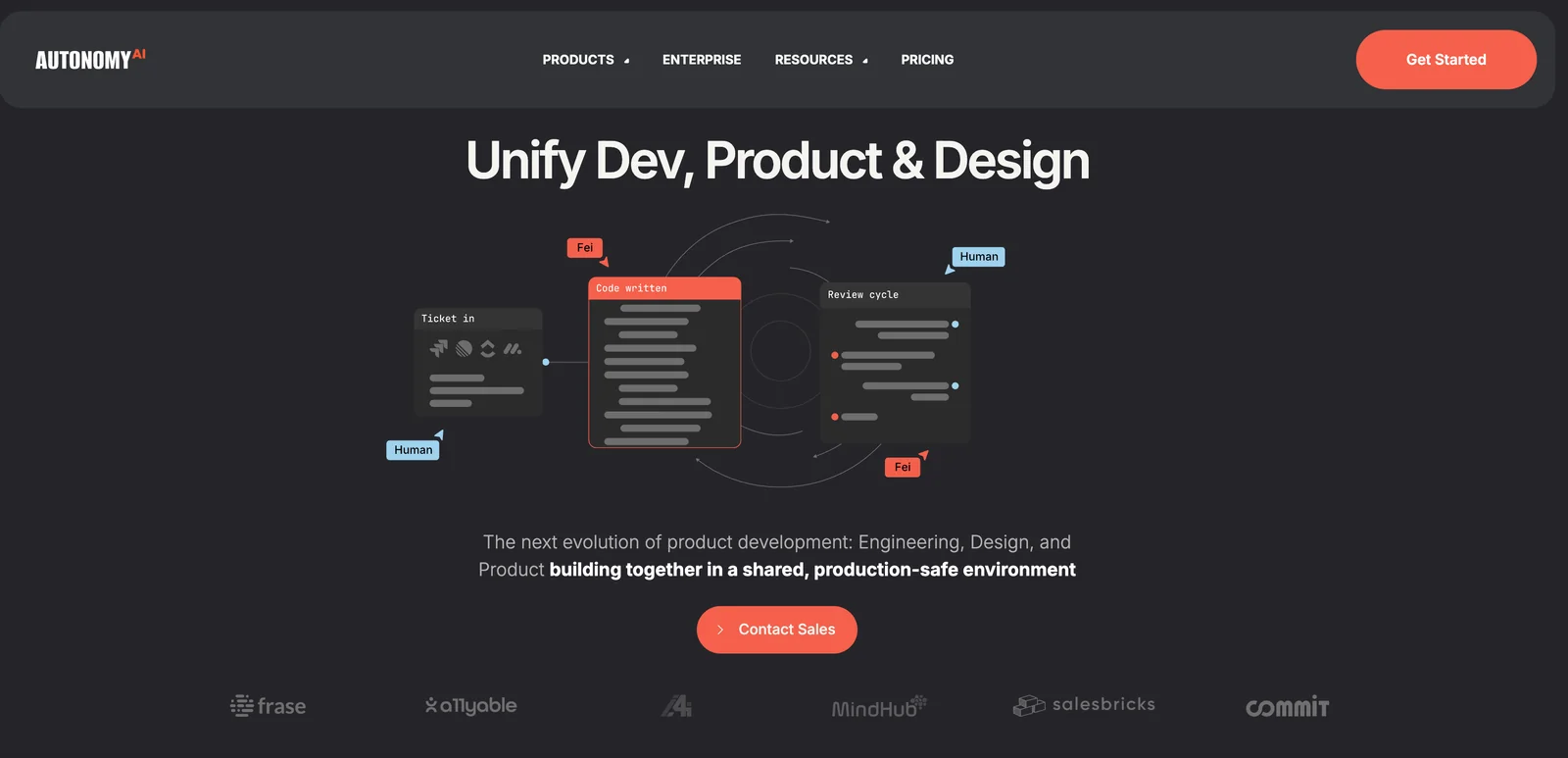
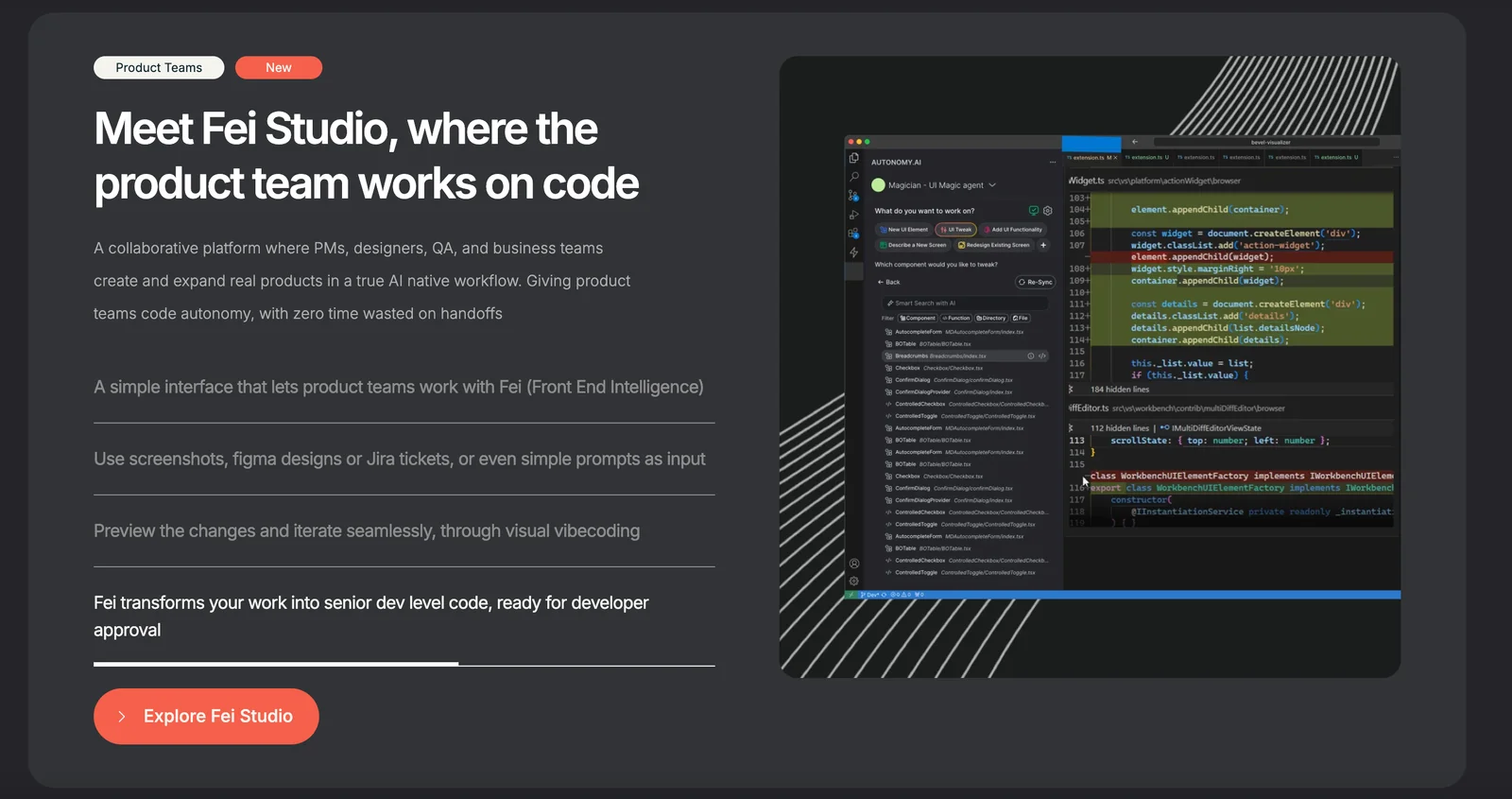
Fei (from AutonomyAI) is positioned as an AI-native product development platform that brings engineering, design, and product teams together in a single shared environment. It focuses on creating production-safe workflows so artifacts produced by design and product teams are directly usable by engineering, reducing handoffs and rework. Fei emphasizes collaboration, reproducibility, and continuity from prototype to production by embedding AI-assisted automation into design, specification, and delivery processes. The platform aims to accelerate delivery, improve cross-functional alignment, and preserve fidelity between design intent and production code.
Screenshots
Key Features
Use Cases



Frequently asked questions about Fei Studio
What are the pricing options for Fei Studio?
Fei Studio offers a flexible freemium pricing model, featuring a free version with basic functionalities and a free trial to test advanced production-grade features. For businesses with specific needs, custom enterprise plans are also available, providing tailored solutions.
Key Points
- Freemium Model: Basic features available for free.
- Free Trial: Opportunity to test premium features before committing.
- Custom Enterprise Plans: Tailored solutions for larger organizations.
Detailed Explanation
Fei Studio’s pricing structure is designed to accommodate a wide range of users, from individual creators to large enterprises.
-
Freemium Model: The free version of Fei Studio includes essential features that allow users to explore its capabilities without any financial commitment. This is ideal for beginners or those looking to experiment with AI tools.
-
Free Trial: Users can access a free trial of the premium features, allowing them to evaluate the platform's full potential. This trial typically lasts for a limited period (e.g., 14 days), giving users sufficient time to understand the advanced capabilities, such as enhanced collaboration tools and AI-driven insights.
-
Custom Enterprise Plans: For larger organizations, Fei Studio offers custom plans that cater to specific business needs. These plans can include additional features like dedicated support, advanced analytics, and higher storage options, making them suitable for teams that require extensive capabilities.
Best Practices / Tips
- Utilize the Free Trial: Make the most of the free trial by exploring all features and assessing how they align with your workflow. Document your experience to help make an informed decision later.
- Compare Features: If considering an enterprise plan, compare the features included in the different tiers. Ensure that the plan you choose provides value for your specific requirements.
- Engage with Customer Support: Reach out to customer support during the trial period to clarify any questions and understand how to optimize your use of the platform.
Additional Resources
How does Fei Studio facilitate cross-functional collaboration?
Fei Studio facilitates cross-functional collaboration by providing a shared, production-safe workspace where designers, product managers, and engineers can engage in real-time discussions and updates. This cohesive environment minimizes misalignments, enhances communication, and accelerates project delivery, ensuring all team members are aligned on goals and progress.
Key Points
- Real-Time Collaboration: Enables instant feedback and adjustments.
- Centralized Workspace: All project resources and updates are in one place.
- Enhanced Communication: Reduces misunderstandings and fosters teamwork.
Detailed Explanation
Fei Studio’s shared workspace is designed to optimize cross-functional collaboration among diverse team members, such as designers, product managers, and engineers. Here’s how it works:
-
Real-Time Collaboration: The platform allows all team members to work on the same project simultaneously. For instance, designers can update visual elements while engineers adjust the underlying code, ensuring that everyone sees the latest changes instantly.
-
Centralized Workspace: All files, design assets, and project updates are housed in a single, accessible location. This reduces the need for back-and-forth emails or multiple platforms, streamlining the workflow. For example, if a product manager needs to review a design, they can do so directly in the same space without switching applications.
-
Enhanced Communication: The platform includes tools for commenting and discussing specific elements of the project. This feature minimizes the chances of miscommunication. For example, if a designer wants feedback on a new feature, they can tag relevant team members directly within the workspace, prompting quick responses.
By integrating these features, Fei Studio not only accelerates project timelines but also improves the quality of the output, as all team members can contribute effectively.
Best Practices / Tips
- Set Clear Objectives: Ensure that each team member understands the project goals to maintain focus and direction.
- Regular Check-Ins: Schedule periodic meetings or updates to discuss progress and address any roadblocks.
- Utilize Feedback Loops: Encourage team members to provide and seek feedback regularly to foster continuous improvement.
Additional Resources
How can I get started with Fei Studio?
To get started with Fei Studio, visit their official website and sign up for the free version. This allows you to explore its user-friendly features, generate components for your projects, and collaborate seamlessly with your team to enhance productivity.
Key Points
- Sign Up for Free: Access the basic features without any cost.
- Explore Features: Familiarize yourself with the tool's capabilities.
- Team Collaboration: Engage with team members effectively.
Detailed Explanation
Fei Studio is designed for designers and developers looking to streamline their workflow. To begin, follow these steps:
- Visit the Official Website: Go to Fei Studio's website and navigate to the sign-up section.
- Create an Account: Fill out the registration form with your details. You can also sign up using your Google or Facebook account for quicker access.
- Explore the Dashboard: Once registered, you’ll land on your dashboard where you can explore various features like component generation, design systems, and collaboration tools.
- Generate Components: Start creating UI components by utilizing the pre-built templates or custom designs. This feature helps in maintaining consistency across your projects.
- Collaborate with Your Team: Invite team members to join your workspace. You can assign roles, share projects, and communicate in real-time to enhance teamwork.
Fei Studio is especially beneficial for teams focusing on UI development, as it allows for quick iterations and feedback loops.
Best Practices / Tips
- Utilize Tutorials: Take advantage of tutorials and webinars available on the website to maximize your understanding of the platform.
- Regularly Update Your Skills: Stay updated with new features and best practices by following Fei Studio’s blog and community forums.
- Leverage Integrations: Explore integrations with other tools like Figma or Sketch to create a more robust design workflow.
- Avoid Overcomplicating: Start with basic projects to avoid feeling overwhelmed. Gradually incorporate more complex features as you grow comfortable with the platform.
Additional Resources
By following these steps and tips, you'll be well on your way to effectively using Fei Studio to enhance your design and development processes.
What integrations does Fei Studio support?
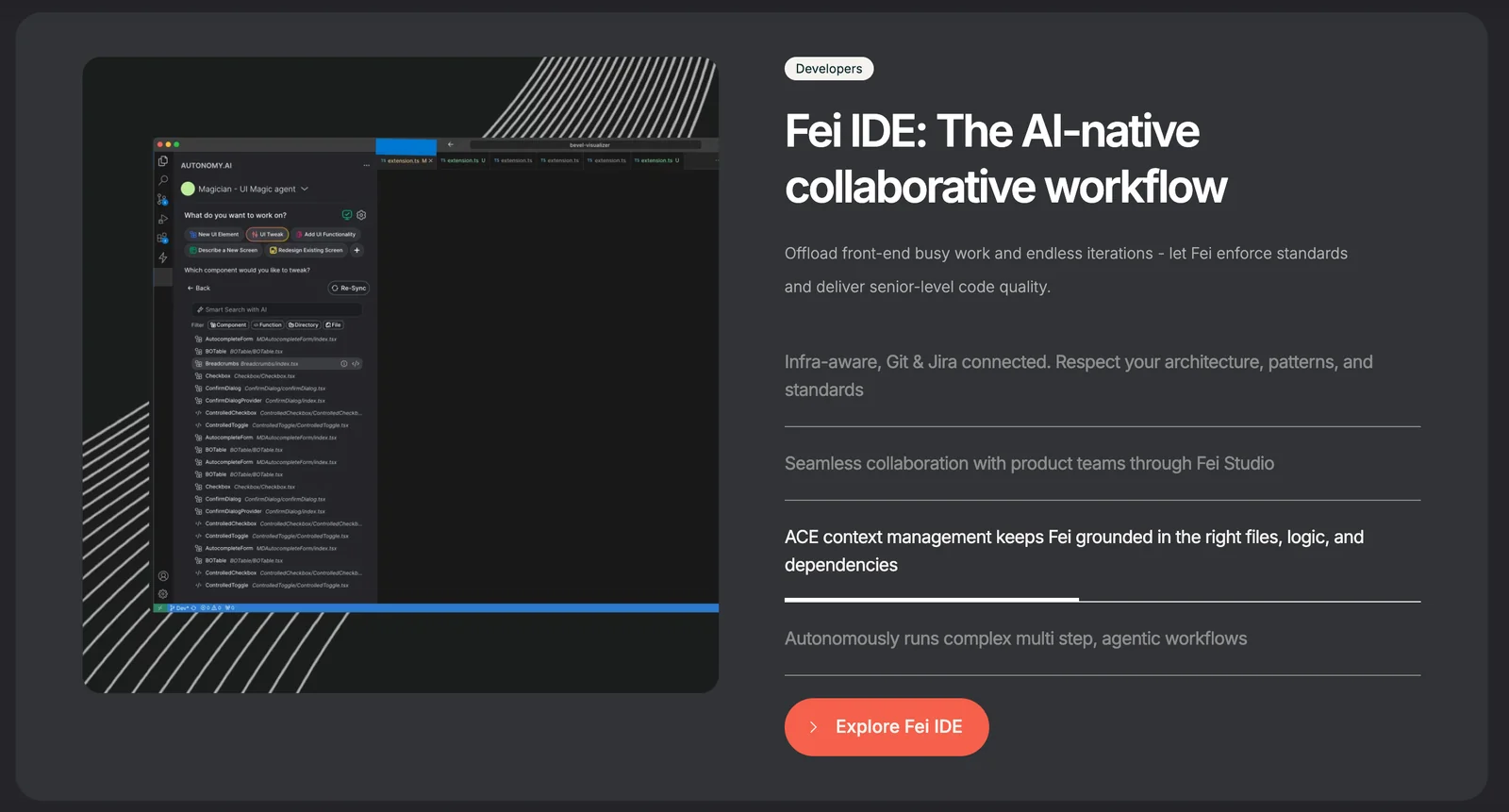
Fei Studio supports integrations with popular development toolchains such as Fei IDE for VSCode and Cursor. This enables seamless transitions into production environments, enhancing workflow efficiency. However, specific API details for these integrations are not publicly available.
Key Points
- Integrates with Fei IDE for VSCode
- Supports Cursor for enhanced collaboration
- Seamless transition to production environments
Detailed Explanation
Fei Studio is designed to optimize the development process by integrating with essential tools that developers are already using. The integration with Fei IDE for VSCode allows developers to utilize familiar environments while leveraging Fei Studio's advanced features. This integration supports features like real-time collaboration, debugging, and version control directly within the IDE, streamlining the workflow from coding to deployment.
Cursor integration enhances collaborative efforts among teams. It allows multiple developers to work on the same codebase simultaneously, making it easier to share ideas and resolve issues quickly. This is particularly valuable in agile development environments where rapid iterations are crucial.
Although Fei Studio's documentation does not publicly list specific API details, it is designed to be flexible and adaptable, enabling users to connect with various tools in their existing development ecosystems.
Best Practices / Tips
- Leverage Existing Tools: Make the most out of the Fei IDE for VSCode and Cursor by familiarizing yourself with their features to maximize productivity.
- Collaborate Effectively: Utilize Cursor’s collaboration features to engage with your team in real-time, ensuring that everyone is on the same page during development.
- Stay Updated: Regularly check Fei Studio's official channels for updates on new integrations and API documentation, as these can significantly enhance your development capabilities.
Additional Resources
How does Fei Studio compare to other collaborative design tools?
Fei Studio distinguishes itself from other collaborative design tools by integrating design, product management, and engineering into a single platform. This cohesive environment minimizes handoff friction and boosts productivity, unlike traditional tools that typically focus on one discipline, leading to inefficiencies and communication gaps.
Key Points
- Unified Platform: Combines design, product management, and engineering.
- Enhanced Collaboration: Streamlines communication among teams.
- Reduced Friction: Minimizes handoff issues with integrated workflows.
Detailed Explanation
Fei Studio is designed to cater to the needs of multidisciplinary teams. Unlike other tools that compartmentalize design or project management, Fei Studio allows users to work on projects seamlessly across different functions. For instance, a designer can receive real-time feedback from engineers and product managers while developing a prototype.
Integration Features
- Real-Time Collaboration: Users can edit documents and designs simultaneously, which helps in resolving queries instantly.
- Version Control: Automatic versioning ensures that all team members are working on the latest design iteration, reducing the chances of errors.
- Task Management: Built-in task assignment and tracking features enable efficient workflow management, ensuring that nothing falls through the cracks.
Use Cases
- Cross-Functional Teams: In a project where branding and product features are developed simultaneously, Fei Studio allows designers and product managers to sync their objectives without the need for constant meetings.
- Remote Collaboration: For teams working in different time zones, the asynchronous feedback feature allows team members to contribute to projects at their convenience, improving overall productivity.
Best Practices / Tips
- Leverage Templates: Use built-in templates for common project types to save time and maintain consistency across designs.
- Regular Check-Ins: Schedule periodic team reviews to ensure alignment on goals and project timelines.
- Utilize Analytics: Monitor usage and team performance analytics to identify bottlenecks and improve workflow efficiency.
Additional Resources
By adopting Fei Studio, teams can create a more agile and productive work environment that fosters innovation and collaboration, setting it apart from traditional design tools.
Explore more AI Ai Agents tools
Browse all Ai Agents tools →Browse by use case: Automation & Productivity
Compare Fei Studio: vs Apache Maka · vs Construct Computer · vs ShogunAI · vs fx