

Zeemo
AIWeb and mobile app that automatically generates accurate multilingual subtitles and captions for video content.
Zeemo
Web and mobile app that automatically generates accurate multilingual subtitles and captions for video content.
About Zeemo
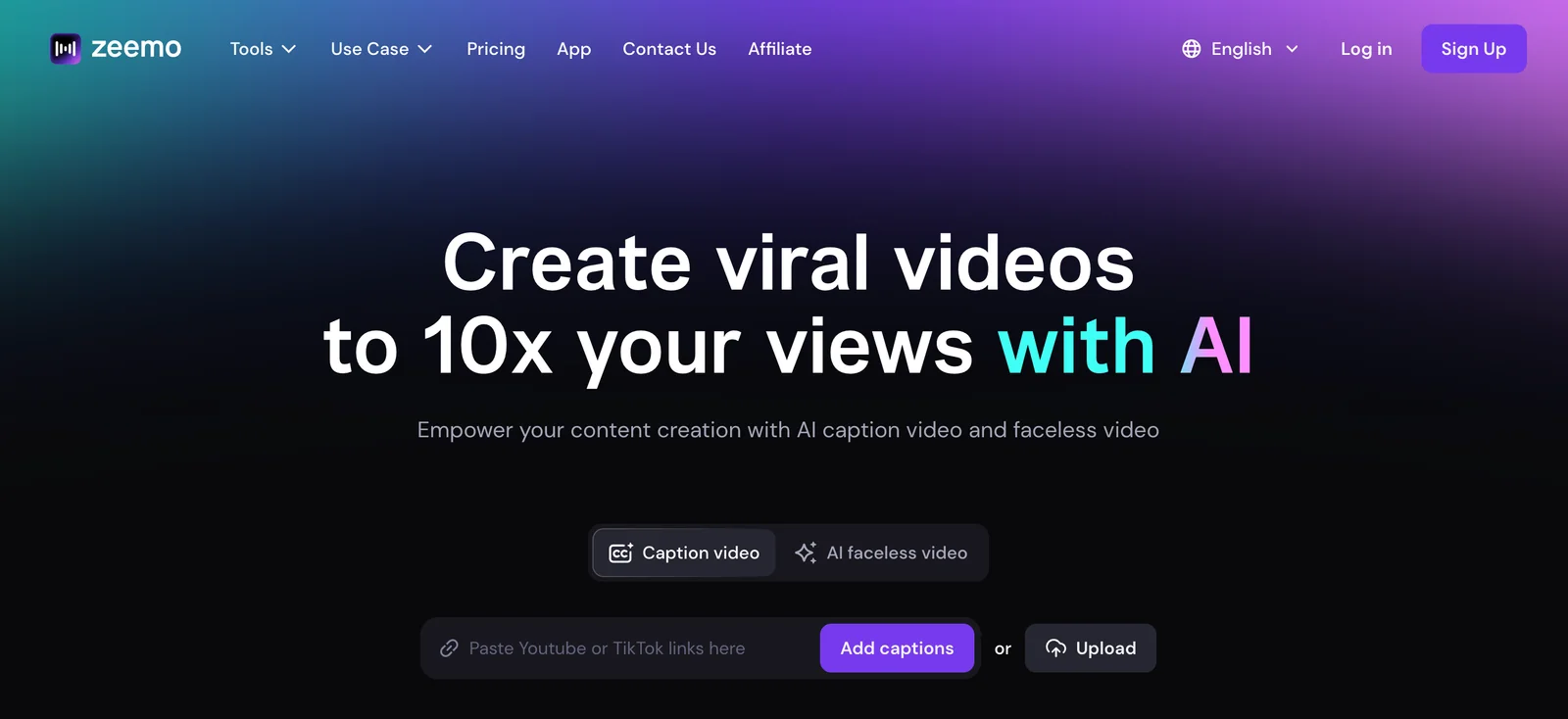
Zeemo is an online app and mobile software that automatically generates and adds subtitles to video with a focus on high accuracy and workflow automation. It transcribes speech, produces time-synced captions, supports multiple languages and provides an editor for review and styling. Zeemo targets content creators and small businesses by replacing manual transcription with an automated pipeline that speeds caption creation, improves accessibility, and enables easier localization and distribution of videos.
Screenshots

Key Features
Use Cases


Frequently asked questions about Zeemo
What are the pricing options for Zeemo?
Zeemo offers a flexible pricing structure with a freemium model. Users can start with a Free plan that provides 10 credits monthly, while paid plans—Pro, Expert, Business, and custom Enterprise—range from $6.67 to $15.99 per month, depending on the specific needs and usage.
Key Points
- Free Plan: Includes 10 credits per month at no cost.
- Paid Plans: Four tiers available, accommodating various usage needs.
- Custom Enterprise Options: Tailored plans for larger organizations.
Detailed Explanation
Zeemo’s pricing options cater to different user needs, making it accessible for individuals and businesses alike.
-
Free Plan: The Free plan is ideal for users who want to explore Zeemo's features without any financial commitment. It includes 10 credits each month, allowing new users to test the platform's capabilities.
-
Pro Plan: Starting at $6.67 per month, the Pro plan is great for freelancers and small businesses needing more credits and additional features. This plan typically includes enhanced support and access to more advanced tools.
-
Expert Plan: For $10.99 per month, users can upgrade to the Expert plan, offering more credits and exclusive features designed for growing teams, such as advanced analytics and reporting.
-
Business Plan: At $15.99 per month, the Business plan caters to larger teams or businesses requiring extensive usage. It includes priority support and additional customization options.
-
Custom Enterprise Plans: Businesses with specific needs can opt for custom Enterprise plans, which are tailored to fit larger organizations’ requirements. Pricing varies based on usage and features, ensuring flexibility and scalability.
Best Practices / Tips
- Evaluate Your Needs: Before selecting a plan, assess your actual credit usage and feature requirements. This helps avoid paying for unnecessary features.
- Start with the Free Plan: Utilize the Free plan to gauge how Zeemo meets your needs before committing to a paid plan.
- Monitor Usage: Regularly check your credit usage to determine when you might need to upgrade to a higher plan.
Additional Resources
How do I use Zeemo to generate subtitles?
To use Zeemo for generating subtitles, upload your video or audio file through the intuitive web-based drag-and-drop uploader. The tool will automatically create subtitles, which you can easily edit before exporting them in your desired format.
Key Points
- User-Friendly Interface: Zeemo features a simple drag-and-drop uploader.
- Automatic Subtitle Generation: Subtitles are generated quickly and accurately.
- Editing Capability: Users can edit subtitles before final export.
Detailed Explanation
Zeemo is a powerful AI-driven tool designed to streamline the process of generating subtitles for video and audio content. Here’s how to use it effectively:
-
Upload Your File: Start by navigating to the Zeemo website. You will find a user-friendly interface where you can drag and drop your video or audio files. Supported formats include MP4, WAV, and more, making it versatile for various media types.
-
Automatic Generation: Once the file is uploaded, Zeemo will automatically analyze the audio content. The AI technology leverages advanced speech recognition algorithms to generate accurate subtitles in minutes.
-
Editing Subtitles: After the subtitles are generated, you can preview and edit them directly in the platform. This is crucial for correcting any misinterpretations or adjusting timing. You can also customize font size, style, and color if needed.
-
Export Options: Once you are satisfied with the subtitles, Zeemo allows you to export them in multiple formats, such as SRT, VTT, and TXT. This flexibility ensures compatibility with various video editing software and platforms.
Best Practices / Tips
- Check Audio Quality: Ensure that your audio is clear and free from background noise to improve subtitle accuracy.
- Use Short Clips for Testing: If you’re new to Zeemo, start with shorter audio or video clips to familiarize yourself with the features before uploading longer content.
- Regularly Save Work: While editing, make sure to save your progress frequently to avoid losing any changes.
- Review and Proofread: Always review the subtitles for any grammatical errors or inconsistencies after editing.
Additional Resources
What features does Zeemo offer for captioning?
Zeemo offers robust captioning features, including automatic subtitle generation, high accuracy transcription, multilingual support, an intuitive inline subtitle editor, and versatile export formats like SRT and VTT. These tools cater to various video projects, enhancing accessibility and viewer engagement.
Key Points
- Automatic Subtitle Generation: Quickly creates subtitles from audio.
- High Accuracy Transcription: Ensures precise text representation of spoken content.
- Multilingual Support: Translates and generates subtitles in multiple languages.
Detailed Explanation
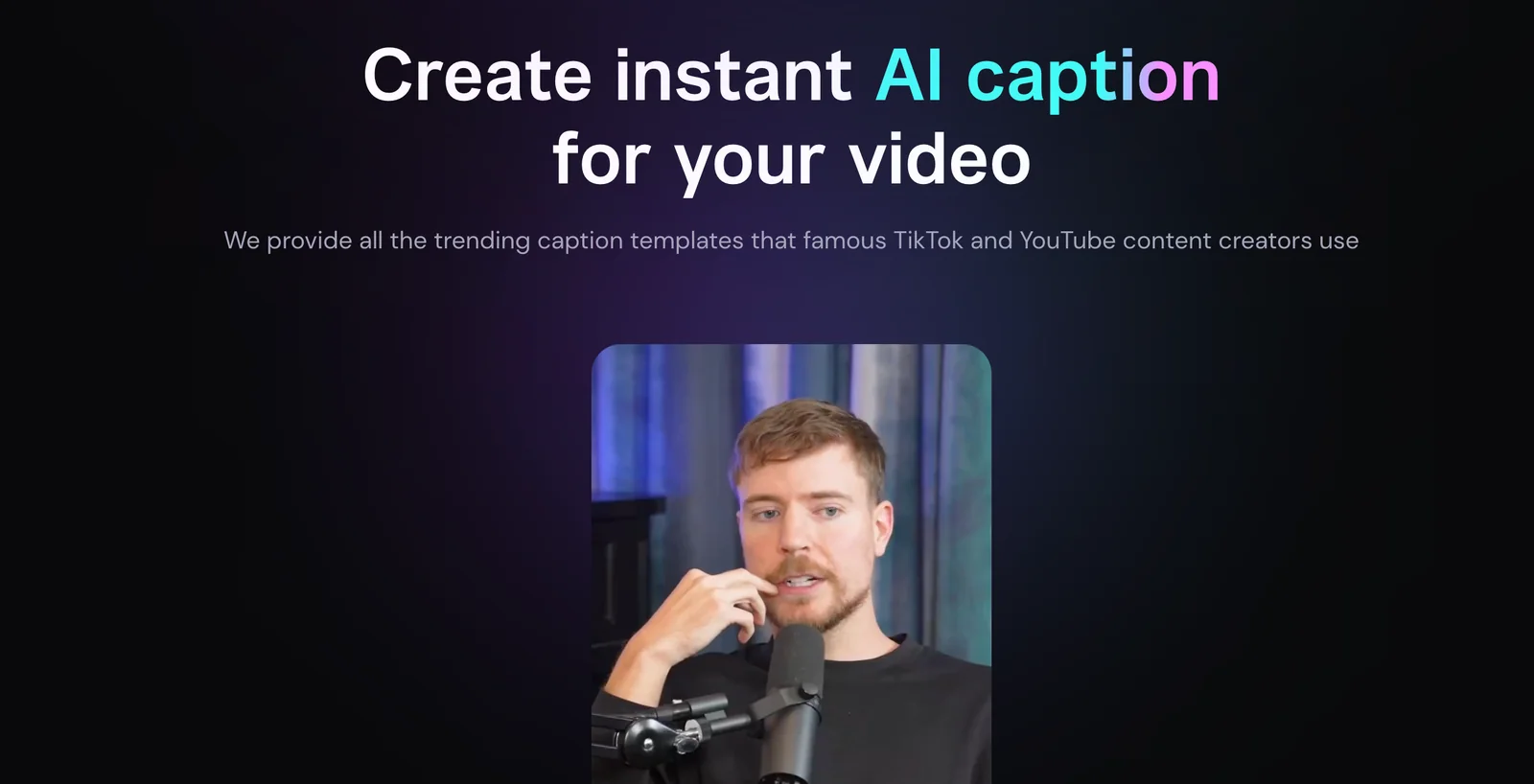
Zeemo's captioning tools are designed to streamline the video production process. The automatic subtitle generation feature utilizes advanced AI algorithms to transcribe audio to text, significantly reducing the time needed to create captions manually. This functionality is particularly beneficial for content creators who produce large volumes of videos, such as YouTubers, educators, and marketers.
The high accuracy transcription capability ensures that the generated text is not only fast but also reliable, accommodating various accents and dialects. This feature is crucial for maintaining the integrity of the content, especially for professional settings such as corporate training videos or educational materials.
Moreover, Zeemo provides multilingual support, allowing users to create subtitles in multiple languages, which is ideal for reaching a global audience. This feature can enhance engagement and accessibility for non-native speakers or viewers with hearing impairments.
The inline subtitle editor allows users to make real-time edits to the generated captions, ensuring they align perfectly with the audio. This functionality is user-friendly and helps in fine-tuning the timing and text, making it suitable for various video formats.
Finally, Zeemo supports a range of export formats like SRT and VTT, making it easy to integrate subtitles into different video platforms and players. This flexibility ensures that users can tailor their output to meet the specific needs of their projects.
Best Practices / Tips
- Review Generated Subtitles: Always proofread the automatic subtitles for accuracy before finalizing them.
- Use Short Sentences: Break longer sentences into shorter ones for better readability.
- Optimize Timing: Adjust the timing of subtitles to match speech naturally, enhancing viewer comprehension.
- Leverage Multilingual Capabilities: Utilize the multilingual support to reach a broader audience, especially if your content is educational or promotional.
Additional Resources
How does Zeemo compare to other subtitle generation tools?
Zeemo excels in subtitle generation with an impressive accuracy rate of up to 98%, extensive multilingual support, and a user-friendly interface. Unlike many competitors, Zeemo prioritizes ease of use and accuracy, making it an ideal choice for content creators. However, it’s essential to evaluate pricing and features against other tools.
Key Points
- High Accuracy: Achieves up to 98% accuracy in subtitle generation.
- Multilingual Support: Offers support for multiple languages, catering to diverse audiences.
- User-Friendly Interface: Designed for ease of use, making it accessible for all users.
Detailed Explanation
Zeemo's standout features include its remarkable accuracy, which is crucial for effective communication in subtitles. The tool employs advanced AI algorithms that minimize errors, ensuring that the generated subtitles closely match the spoken content.
In terms of multilingual support, Zeemo allows users to generate subtitles in various languages, making it an excellent tool for global reach. For instance, a content creator targeting both English and Spanish-speaking audiences can efficiently create accurate subtitles in both languages without needing separate tools.
The user-friendly interface makes Zeemo accessible for users with varying levels of technical expertise. Whether you are a seasoned video editor or a novice, you can navigate the platform easily, upload your videos, and generate subtitles in just a few clicks.
When comparing Zeemo to other tools, consider factors such as pricing, which typically ranges from $10 to $30 per month, depending on the features you need. Some competitors might offer lower prices but could compromise on accuracy or features. Always assess what specific needs you have, such as batch processing or advanced editing capabilities, which may influence your choice.
Best Practices / Tips
- Evaluate Your Needs: Before choosing a subtitle tool, list your requirements, such as language support and editing features.
- Trial Versions: Take advantage of free trials offered by many subtitle tools to assess functionality.
- Regular Updates: Check for software updates; the latest versions often include improved features and bug fixes.
- Compare Features: Make a side-by-side comparison of Zeemo and its competitors focusing on accuracy, speed, and additional functionalities.
Additional Resources
Does Zeemo have an API for integration?
Currently, Zeemo does not offer explicit public API documentation for integration. However, integration tooling is available through its GitHub repository, which includes support for OAuth2 via a Capacitor plugin, enabling developers to create custom connections with other applications.
Key Points
- Zeemo lacks official public API documentation.
- Integration tooling can be accessed via GitHub.
- OAuth2 support is provided through a Capacitor plugin.
Detailed Explanation
Zeemo, a powerful platform for managing various applications, currently does not provide a public API with dedicated documentation. This may raise concerns for developers seeking to integrate Zeemo with other systems or applications. However, integration tooling is available through Zeemo's GitHub repository, which offers practical solutions for developers.
The GitHub repository includes various resources and tools designed to facilitate integration. Notably, it supports OAuth2 authentication through a Capacitor plugin. OAuth2 is a widely used authorization framework that enables applications to securely access user data without sharing passwords. This capability allows developers to establish secure connections between Zeemo and other platforms, enhancing the overall functionality of their applications.
For example, if you were to build a mobile app that interacts with Zeemo, you could utilize the Capacitor plugin to implement OAuth2. This would allow users to authenticate their accounts seamlessly, providing a better user experience while ensuring data security.
Best Practices / Tips
- Explore GitHub Repository: Regularly check Zeemo’s GitHub repository for updates and additional integration tools that may be released.
- Utilize OAuth2: Take full advantage of OAuth2 for secure authentication to avoid any security vulnerabilities.
- Community Support: Engage with the developer community on GitHub or forums to share insights and troubleshoot integration challenges.
Additional Resources
- Zeemo GitHub Repository - Access integration tools and documentation.
- OAuth2 Specification - Learn more about OAuth2 and its implementation.
- Capacitor Documentation - Explore the Capacitor framework for building native mobile apps.
Explore more AI Ai Models tools
Browse all Ai Models tools →Browse by use case: Video Generation · Automation & Productivity
- Soup CLI
- VibeVoice
- Laguna by Poolside
- Arena AI: The Official AI Ranking & LLM Leaderboard
- PromptLayer
- PHBench
Compare Zeemo: vs Soup CLI · vs VibeVoice · vs Laguna by Poolside · vs Arena AI: The Official AI Ranking & LLM Leaderboard