

SlidesAI
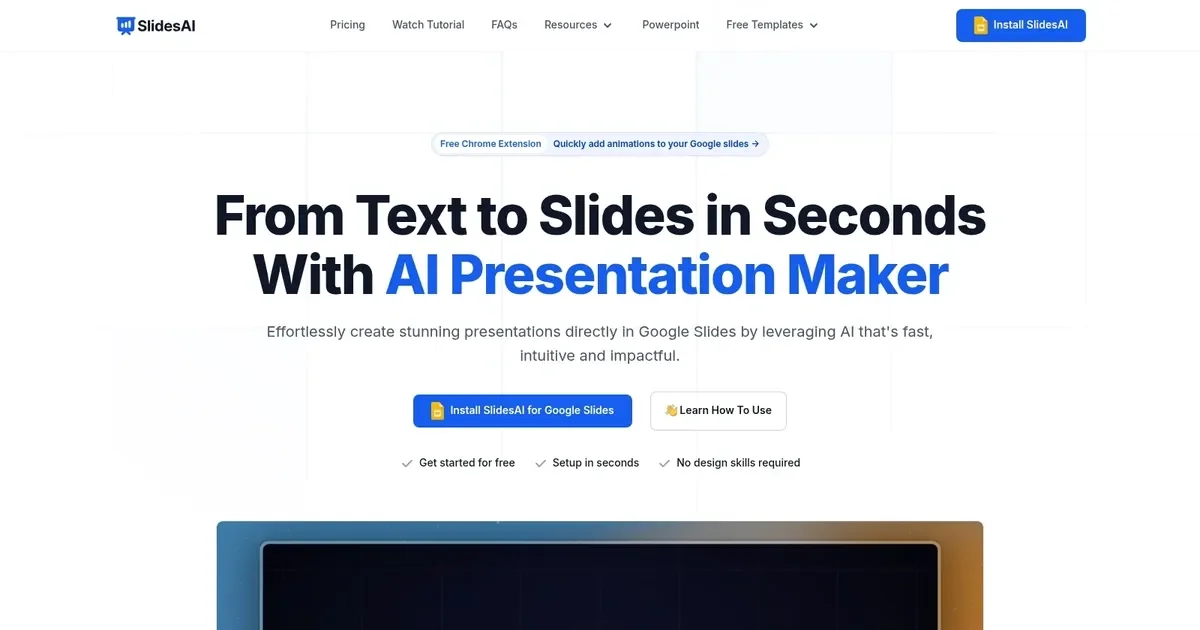
AIWeb app that converts text into polished PowerPoint and Google Slides presentations in seconds.
SlidesAI
Web app that converts text into polished PowerPoint and Google Slides presentations in seconds.
About SlidesAI
SlidesAI is a web-based presentation generator that transforms plain text, outlines, or documents into fully formatted slides for PowerPoint and Google Slides. It offers preset presentation types, color palettes, and templates to produce visually consistent decks quickly and integrates directly with Google Slides for one-click export. Targeted at teachers, students, and professionals, SlidesAI speeds up slide creation by automating structure, layout, and basic design choices while allowing users to customize styles and refine content after generation.
Screenshots
Key Features
Use Cases



Frequently asked questions about SlidesAI
What are the pricing options for SlidesAI?
SlidesAI offers a freemium pricing model, allowing users to create three presentations per month for free. Paid plans start at $8 per month for the Pro tier and $15 per month for the Premium tier, both providing unlimited presentations and additional features.
Key Points
- Freemium Model: Free tier with limited presentations.
- Paid Plans: Starting at $8/month for Pro and $15/month for Premium.
- Unlimited Presentations: Available in both paid tiers, enhancing productivity.
Detailed Explanation
SlidesAI’s pricing model is designed to cater to a wide range of users, from occasional presenters to professional needs.
-
Free Tier: The Free plan allows users to create up to three presentations per month, making it ideal for students or casual users who need to generate occasional slides. This tier provides access to basic features, ensuring users can experience the tool without any initial investment.
-
Pro Plan: Starting at $8 per month, the Pro plan is tailored for more serious users who require additional functionality. This plan includes unlimited presentations, advanced design templates, and the ability to collaborate with team members. It is perfect for freelancers, educators, or small businesses looking to enhance their presentation quality.
-
Premium Plan: For $15 per month, the Premium tier provides all the Pro features plus enhanced capabilities like priority support, advanced analytics, and integrations with other productivity tools. This plan is suitable for larger teams or organizations that need robust presentation solutions and analytics to track engagement.
Best Practices / Tips
- Evaluate Your Needs: Before choosing a plan, assess your presentation frequency and required features. The Free tier might suffice for light users.
- Take Advantage of Free Trials: If available, use free trials of the paid plans to explore additional features before committing financially.
- Monitor Team Usage: For team accounts, regularly review usage statistics to determine if you need to upgrade or downgrade your plan.
Additional Resources
How do I use SlidesAI to create presentations?
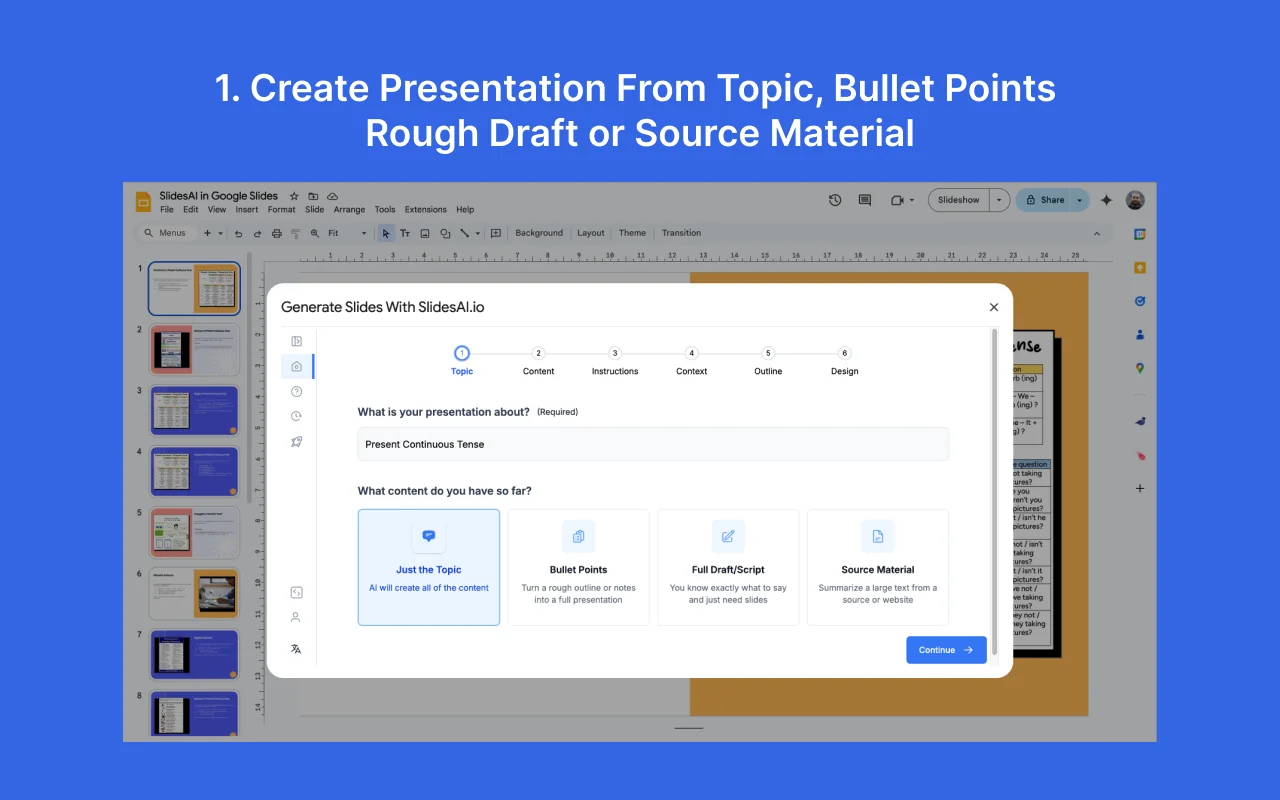
To use SlidesAI for creating presentations, input your text or outline, choose a template, and the tool will generate a professional presentation in seconds. You can easily export your finished work to Google Slides or PowerPoint for further customization.
Key Points
- User-friendly Interface: SlidesAI is designed for ease of use, requiring minimal technical skills.
- Template Variety: A wide range of templates is available to suit different presentation needs.
- Export Options: Presentations can be exported to popular formats like Google Slides and PowerPoint.
Detailed Explanation
SlidesAI simplifies the presentation creation process through its intuitive interface. Here’s how to get started:
-
Input Your Content: Begin by entering your text or outline into the SlidesAI platform. This can be a simple bullet-point list or a more detailed narrative depending on your needs.
-
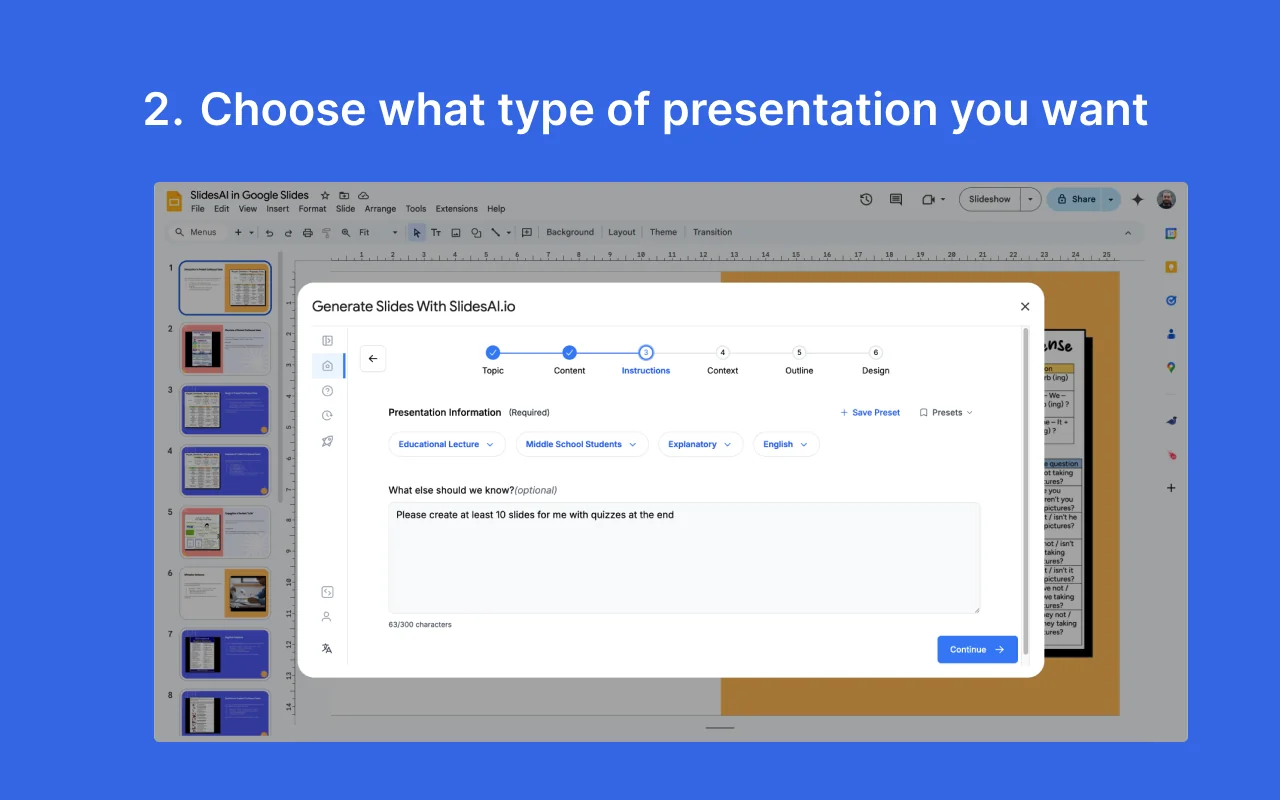
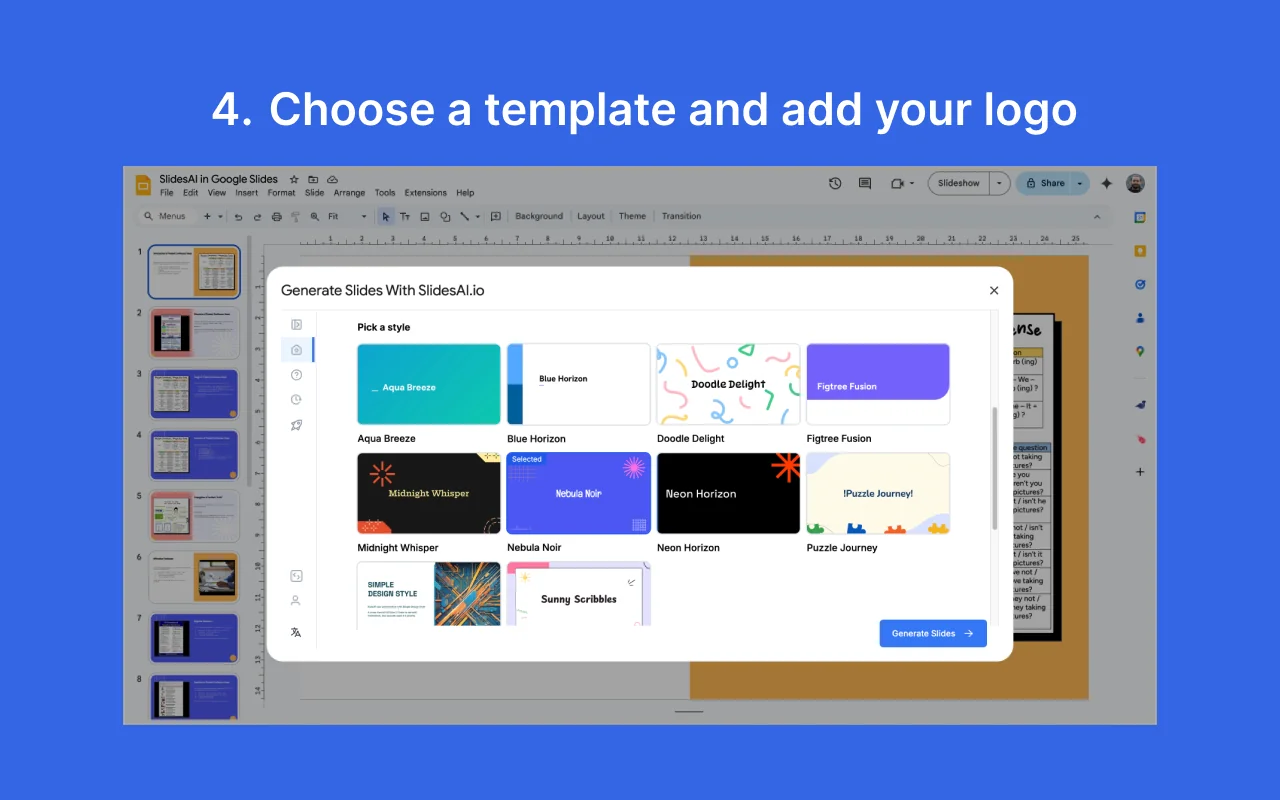
Choose a Template: Browse through various templates that cater to different themes and styles. Whether you need a corporate look or a more creative design, there’s something for everyone.
-
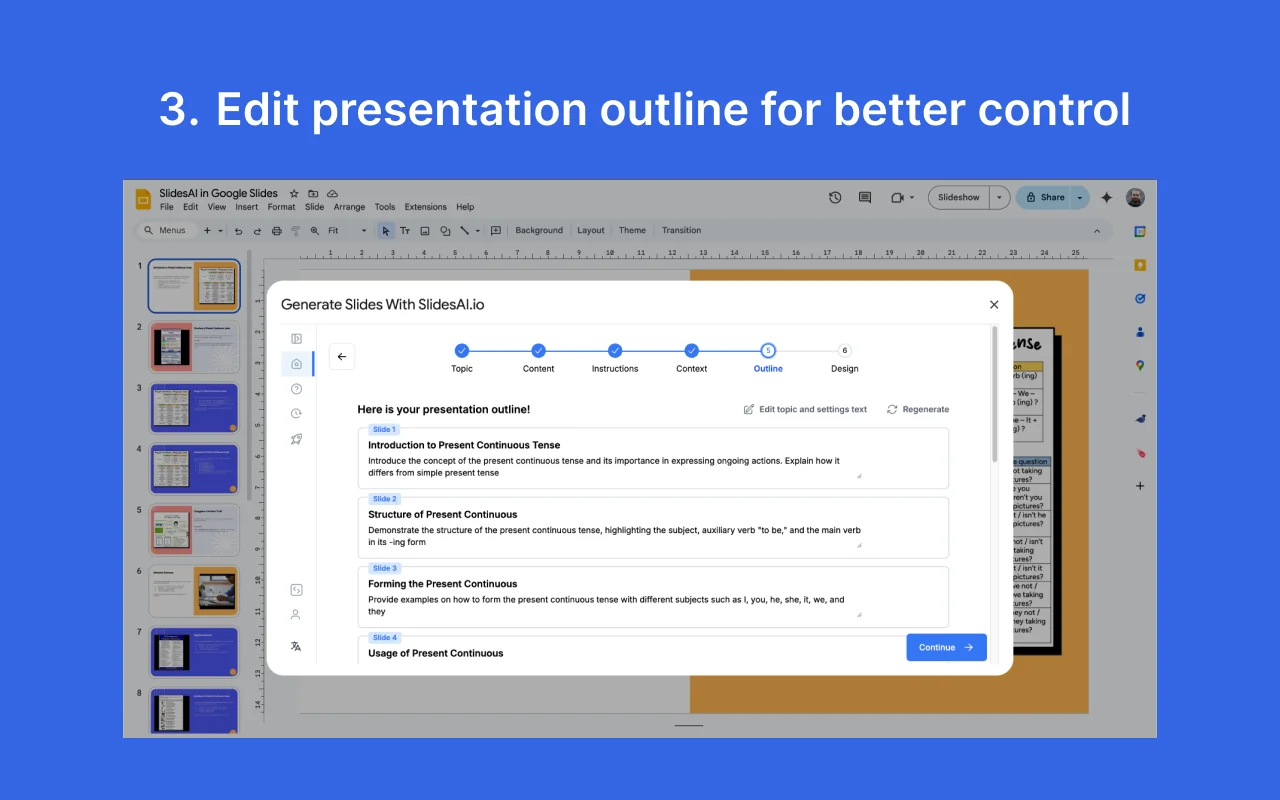
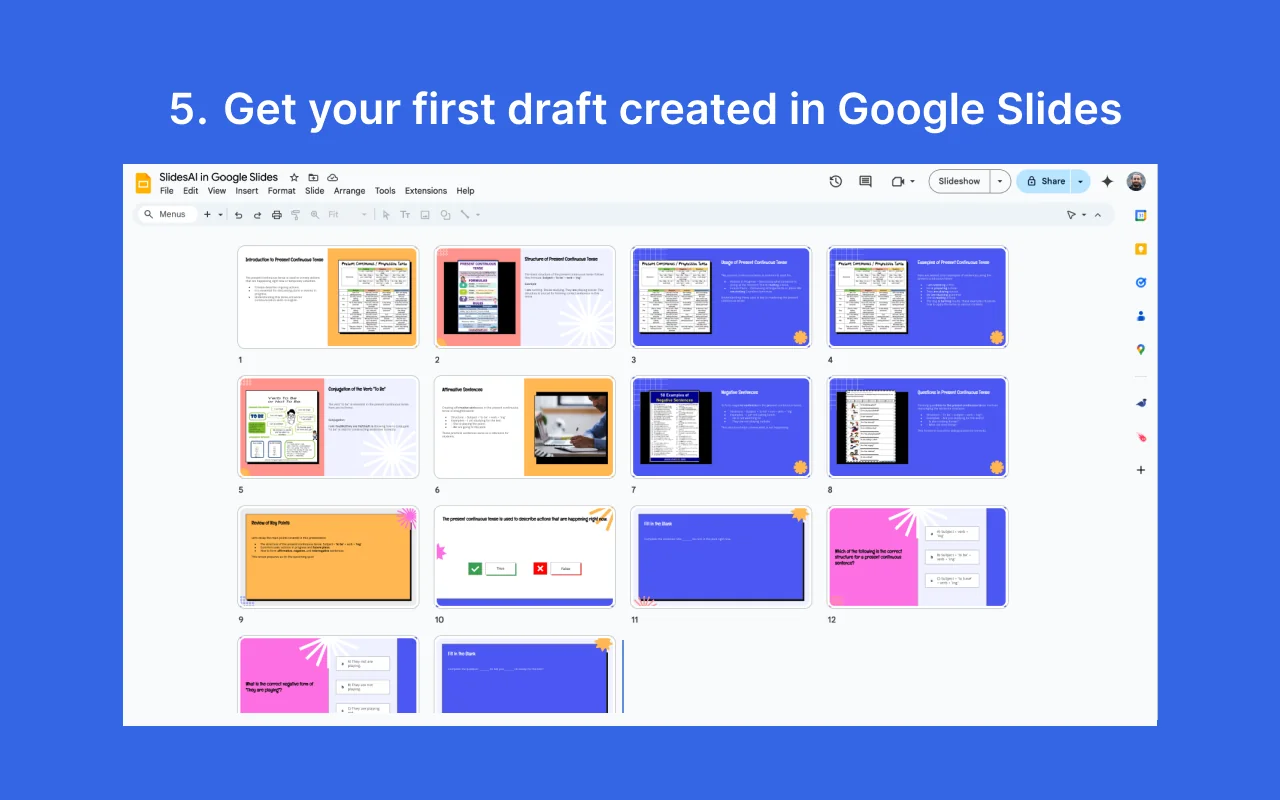
Generate Presentation: Once you’ve entered your content and selected a template, click the “Generate” button. SlidesAI will process your input and create a visually appealing presentation in seconds.
-
Export Your Presentation: After reviewing the generated slides, you can export your presentation. SlidesAI allows you to save your work directly to Google Slides or download it as a PowerPoint file for offline editing.
Use Cases
- Business Meetings: Create impactful slides quickly for client presentations or internal meetings.
- Educational Purposes: Educators can develop lecture slides or visual aids for classroom use.
- Event Planning: Generate presentations for conferences or workshops efficiently.
Best Practices / Tips
- Be Clear and Concise: When inputting your outline, use clear language and bullet points to ensure SlidesAI understands your message.
- Review and Edit: Always review the generated slides for accuracy and coherence. Adjust visuals and text to fit your personal style.
- Utilize Templates Wisely: Choose templates that enhance your content rather than distract from it. Stick to colors and fonts that align with your brand.
Additional Resources
What features does SlidesAI offer compared to other presentation tools?
SlidesAI differentiates itself from other presentation tools by automatically converting text into slides, enabling rapid content generation, seamlessly integrating with Google Slides, and providing a flexible freemium model. This user-friendly approach caters to a variety of presentation needs, making it ideal for educators, professionals, and students alike.
Key Points
- Automatic Slide Generation: Transforms text into well-designed slides instantly.
- Google Slides Integration: Allows for easy editing and collaboration within a familiar platform.
- Freemium Model: Offers essential features for free, with premium options for advanced users.
Detailed Explanation
SlidesAI leverages artificial intelligence to turn written content into visually appealing slides in seconds, which is a significant time-saver for users. For instance, educators can input lecture notes, and within moments, have a complete presentation ready for classroom use. This efficiency is unmatched compared to traditional presentation software, where manual slide creation can take hours.
The integration with Google Slides ensures that users can easily edit and share their presentations online, allowing multiple collaborators to work simultaneously. This feature is particularly beneficial for teams working on projects or students working on group assignments, as it streamlines the process of creating cohesive presentations.
The freemium model of SlidesAI provides users access to basic features without any upfront cost. This is ideal for casual users or small businesses that may not require extensive functionalities. For those needing advanced features, such as custom templates and enhanced design options, affordable premium plans are available, ensuring that users can find the right balance between cost and capability.
Best Practices / Tips
- Utilize Templates: Start with pre-designed templates to save time and maintain a professional appearance.
- Keep Text Concise: Focus on key points to enhance readability and keep your audience engaged.
- Regular Updates: Take advantage of new features and updates by checking the SlidesAI platform regularly, as they frequently enhance their offerings.
Additional Resources
Does SlidesAI have an API for integration?
Currently, SlidesAI does not publicly offer an API for integration. For those interested in technical inquiries or updates regarding integration capabilities, it's advisable to check the official SlidesAI website for the latest information.
Key Points
- No Public API: SlidesAI does not currently provide an API for developers.
- Future Updates: Monitoring official communications may reveal potential API offerings.
- Technical Inquiries: Direct questions to SlidesAI support for specific needs or use cases.
Detailed Explanation
SlidesAI is a powerful tool designed to automate and enhance the creation of presentations through artificial intelligence. However, as of now, it lacks a publicly available API, which means developers cannot integrate its capabilities directly into other applications or services.
For organizations and developers seeking to leverage SlidesAI's features programmatically, it is essential to stay updated. Regularly visiting the official SlidesAI website or subscribing to their newsletter can provide insights into any future developments regarding API availability.
Moreover, if you have specific integration needs, consider reaching out to SlidesAI's customer support. They can provide clarity on whether custom solutions or partnerships might be available.
Best Practices / Tips
- Stay Informed: Regularly check SlidesAI's blog or news section for announcements about new features, including potential API releases.
- Engage with Support: If you envision a specific use case for an API, communicate this to SlidesAI's support team; user interest often drives development priorities.
- Explore Alternatives: If immediate integration is necessary, research other AI presentation tools that may offer API access, ensuring you choose one that fits your needs.
Additional Resources
What are the pros and cons of using SlidesAI?
SlidesAI offers several advantages, including rapid presentation creation, user-friendly interface, and seamless integration with Google Slides. However, a notable drawback is the limitation on free presentations, which may hinder some users from fully utilizing its capabilities.
Key Points
- Speed and Efficiency: Quickly generates presentations.
- Ease of Use: Intuitive interface for all users.
- Integration: Works directly with Google Slides.
Detailed Explanation
SlidesAI is an AI-powered tool designed to streamline the presentation creation process. Users can generate visually appealing slides in a matter of minutes by entering basic information or prompts. This feature is especially beneficial for professionals and students who often face time constraints.
Speed and Efficiency
One of the standout benefits of SlidesAI is its speed. The tool utilizes advanced algorithms to transform text input into polished slides, allowing users to focus on content rather than design. For instance, a user can create a 10-slide presentation in under five minutes, significantly reducing preparation time for meetings or lectures.
Ease of Use
SlidesAI is designed for users of all skill levels. The platform features a straightforward interface, making it easy for anyone to navigate and create presentations. It requires minimal training, which is particularly advantageous for new users or those unfamiliar with presentation software.
Integration with Google Slides
The seamless integration with Google Slides allows users to import and export presentations effortlessly. This feature enhances collaboration, enabling multiple users to edit and refine slides in real-time. For example, a team can work together on a marketing pitch, with each member contributing content while SlidesAI handles the design.
Best Practices / Tips
- Leverage Templates: Use available templates to maintain consistency in branding and design.
- Focus on Content: Prioritize quality content over visual effects to ensure your message is clear.
- Monitor Usage Limits: Be aware of the limitations on free presentations; consider upgrading to a paid plan if you frequently create presentations.
Additional Resources
Explore more AI Ai Agents tools
Browse all Ai Agents tools →Browse by use case: Automation & Productivity
Compare SlidesAI: vs Apache Maka · vs Construct Computer · vs ShogunAI · vs fx