

Claude Skills
AIExtensible skill system that teaches Claude specialized, repeatable tasks and workflows across Claude.ai, API, and Code.
Claude Skills
Extensible skill system that teaches Claude specialized, repeatable tasks and workflows across Claude.ai, API, and Code.
About Claude Skills
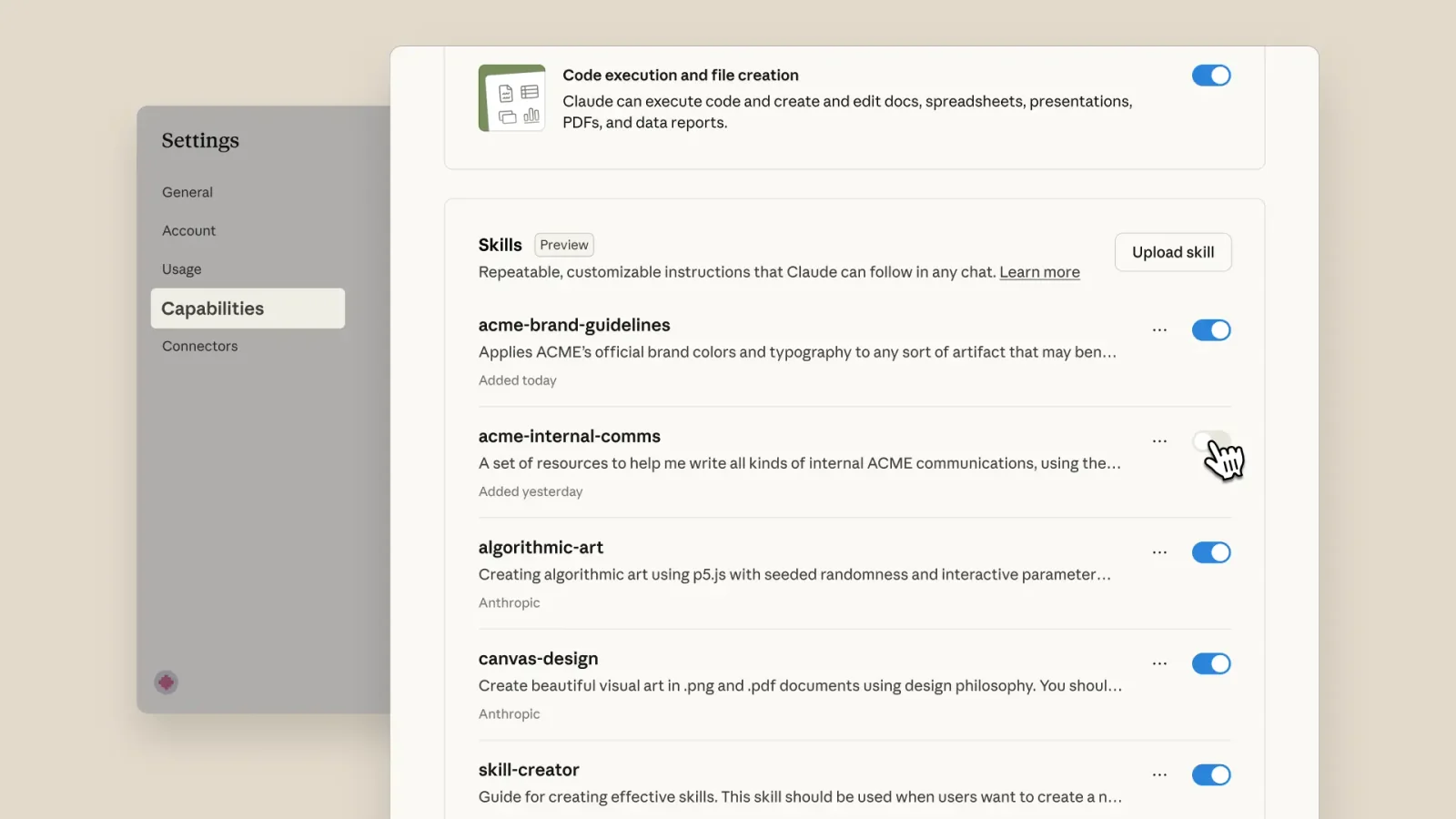
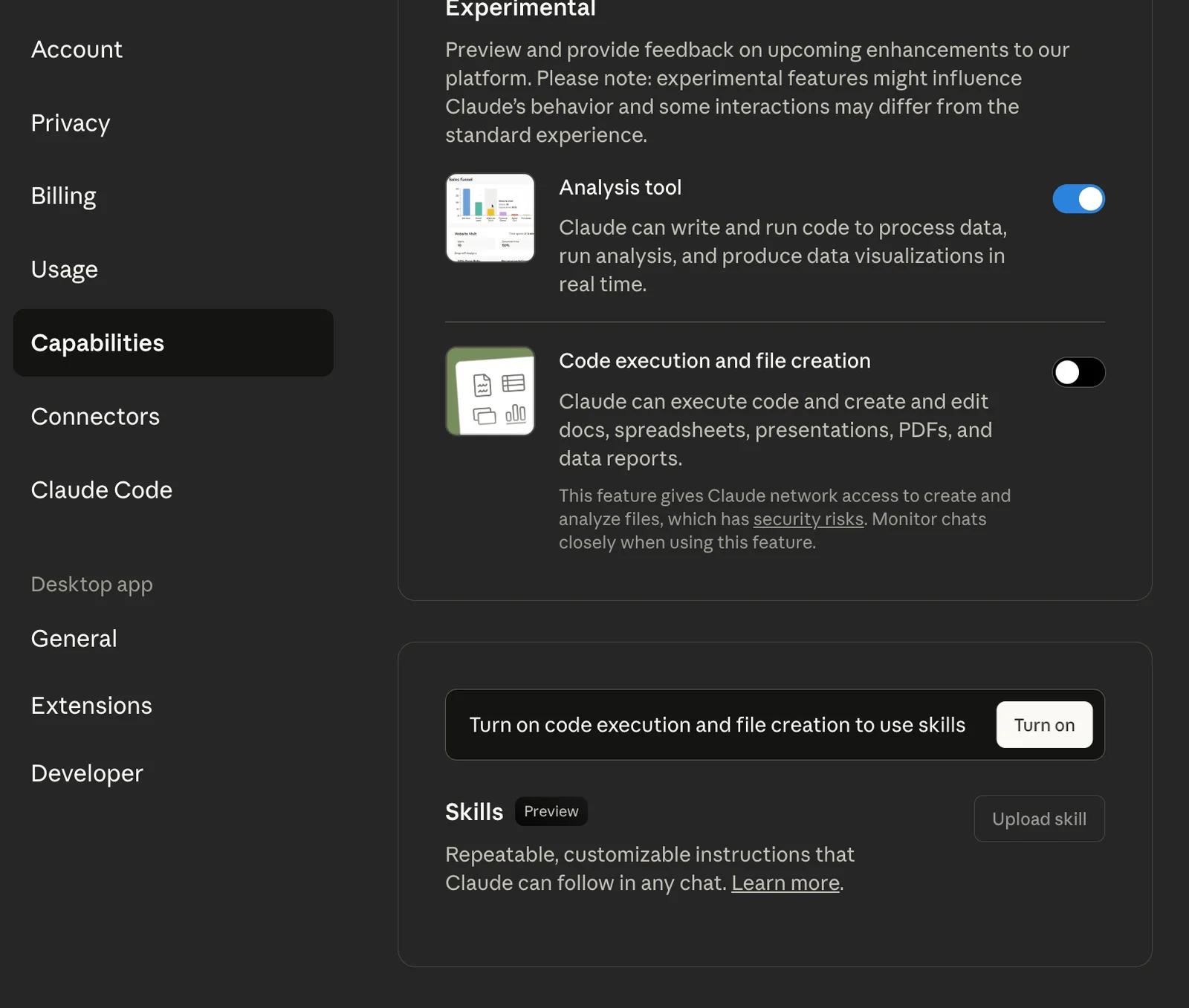
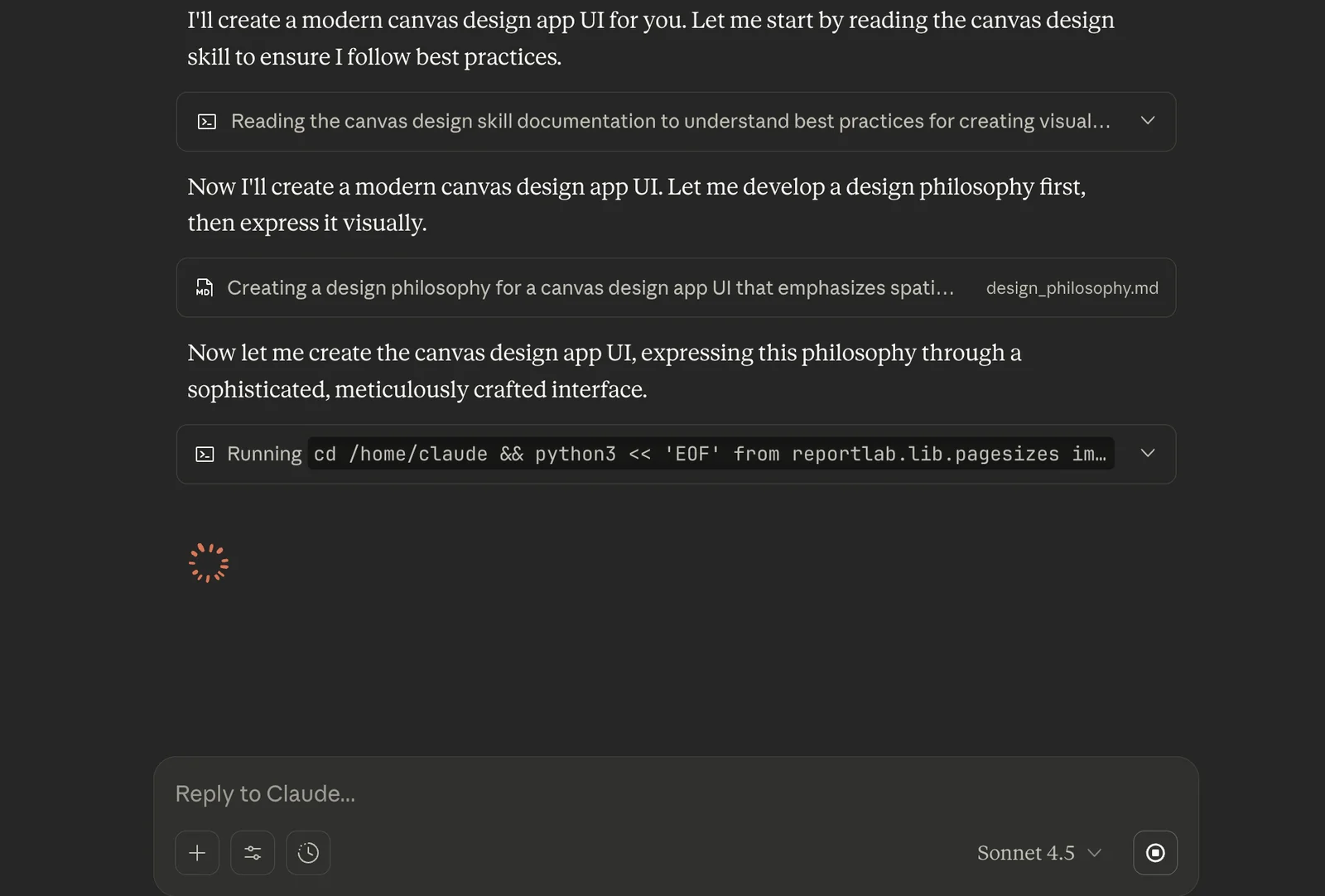
Claude Skills are modular folders of instructions, scripts, and resources that teach Claude how to perform specialized, repeatable tasks (e.g., branded documents, data analysis workflows, automation). Skills load dynamically when relevant, can include executable scripts and binary/document handlers, and are usable across Claude.ai, the Claude API, and Claude Code. Developers can install pre-built skills from the anthropics/skills marketplace, upload custom skills via the API or console, manage versions, and share skills through version control, enabling organizations to package and distribute procedural knowledge and team-specific workflows to Claude.
Screenshots
Key Features
Use Cases



Frequently asked questions about Claude Skills
What are the pricing options for Claude Skills?
Claude Skills is available with paid plans starting from the Pro tier at $18 per month. Free users do not have access to Claude Skills features. For the most accurate and detailed pricing options, visit Anthropic's official website.
Key Points
- Paid plans for Claude Skills start at $18/month.
- Free users lack access to Claude Skills.
- Check Anthropic's website for the latest pricing details.
Detailed Explanation
Claude Skills is an advanced feature integrated into Anthropic's suite of AI tools. The pricing model is designed to provide access to sophisticated capabilities that enhance user experience, especially for businesses and developers. The Pro plan at $18 per month allows users to leverage Claude Skills, which include enhanced functionalities such as personalized responses, improved context understanding, and custom integrations.
Pricing Tiers
- Free Plan: Limited to basic functionalities, providing no access to Claude Skills.
- Pro Plan: At $18/month, users gain full access to Claude Skills, making it suitable for small to mid-sized businesses looking to enhance their AI interactions.
Use Cases
- Business Applications: Companies can utilize Claude Skills to improve customer service with AI-driven chatbots that understand context and provide timely responses.
- Development: Developers can integrate Claude Skills into applications for better user engagement and personalized experiences.
Best Practices / Tips
- Evaluate Needs: Before subscribing, assess whether the advanced features of Claude Skills align with your business objectives.
- Trial Period: If available, take advantage of any trial period to test the features before committing to a paid plan.
- Stay Updated: Regularly check Anthropic's website for any changes in pricing or features, as these can affect your decision.
Additional Resources
How do I start using Claude Skills?
To start using Claude Skills, subscribe to a paid plan, access the API or Console, and upload or manage your Skills. For a comprehensive guide, visit Anthropic’s official site, where you can find detailed instructions on setting up and optimizing your Skills effectively.
Key Points
- Subscription Requirement: You need a paid plan to access Claude Skills.
- API and Console Access: Utilize the API or Console for managing Skills.
- Official Resources: Refer to Anthropic’s site for detailed guidance and support.
Detailed Explanation
To begin using Claude Skills, follow these steps:
-
Subscribe to a Paid Plan: Choose a subscription that fits your needs. Plans may vary based on features and usage limits, such as the number of Skills you can create or the level of API access.
-
Access the API or Console: Once subscribed, log in to the Anthropic platform. You can access Claude Skills either through the API for programmatic interactions or the Console for graphical management. The Console provides a user-friendly interface for uploading and managing your Skills.
-
Upload and Manage Skills: After accessing the desired platform, you can start creating and uploading your Skills. Skills are essentially custom functions that enhance Claude's capabilities. Follow the guidelines provided in the documentation to ensure your Skills are correctly formatted and optimized for performance.
For example, if you're developing a Skill for customer support, you can program it to respond to common inquiries, improving efficiency and user satisfaction.
Best Practices / Tips
- Read the Documentation: Familiarize yourself with the official documentation to understand the full capabilities of Claude Skills, including best practices for Skill development.
- Start Simple: Begin with basic Skills to learn the framework before moving to more complex configurations.
- Test Your Skills: Regularly test your Skills to ensure they perform correctly and meet user expectations. Use feedback to iterate and improve.
- Monitor Usage: Keep track of how your Skills are performing through analytics. This data can help you identify areas for improvement.
Additional Resources
- Anthropic’s Official Documentation
- Claude Skills Overview
- Developer Community Forums for support and shared insights.
What are the main features of Claude Skills?
Claude Skills provides dynamic loading, cross-product availability, and executable extensions, enabling users to efficiently create, manage, and share specialized tasks. These features enhance productivity by simplifying complex workflows and fostering collaboration across different applications.
Key Points
- Dynamic Loading: Load tasks on-demand for enhanced performance.
- Cross-Product Availability: Utilize skills across different applications seamlessly.
- Executable Extensions: Create interactive tasks that can be executed directly.
Detailed Explanation
Claude Skills is designed to improve user experience and efficiency through its powerful features.
Dynamic Loading
Dynamic loading allows users to load specific tasks only when needed, reducing initial load times and improving overall application performance. For instance, if you're working on a project that requires multiple tools, Claude Skills enables you to load only the relevant tasks, ensuring your system runs smoothly without unnecessary lag.
Cross-Product Availability
One of the standout features of Claude Skills is its cross-product availability. This allows users to create a skill in one application and use it across other compatible platforms. Imagine designing a project management tool in Claude and then seamlessly integrating it with a communication app like Slack. This interoperability fosters collaboration and streamlines workflows across different teams and applications.
Executable Extensions
Executable extensions facilitate the creation of interactive tasks that can be executed directly within the environment. This means users can not only design tasks but also implement them in real-time. For example, a user can create a task that automates data entry in a spreadsheet, and with just a click, the task can be executed, saving valuable time.
Best Practices / Tips
- Start Simple: Begin with basic tasks to familiarize yourself with the features before creating complex workflows.
- Utilize Templates: Leverage existing templates to save time when designing new tasks.
- Test Extensively: Ensure that all executable extensions are tested thoroughly to avoid errors during execution.
Additional Resources
How does Claude Skills compare to other AI tools?
Claude Skills stands out among AI tools due to its dynamic loading capabilities and access to a comprehensive marketplace. While these unique features enhance user experience, its pricing model tends to be on the higher side compared to some alternatives, which may impact accessibility for budget-conscious users.
Key Points
- Dynamic Loading: Enhances performance by loading features on demand.
- Marketplace Access: Provides a wide range of plugins and extensions.
- Pricing Model: Generally higher than many competing AI tools.
Detailed Explanation
Dynamic Loading
Claude Skills utilizes dynamic loading, which allows users to load features only when needed. This optimizes performance and reduces lag, making it ideal for applications requiring quick responses. For example, a user working on a complex project can load only the necessary tools at that moment, saving both time and resources.
Marketplace Access
One of the standout features of Claude Skills is its robust marketplace. Users can access a variety of plugins designed to enhance functionality, from productivity tools to specialized AI integrations. This marketplace ensures that users can tailor their experience based on specific needs, providing a level of customization that many competitors lack.
Pricing Model
Despite its advanced features, Claude Skills tends to have a higher pricing model. Monthly subscriptions can range from $30 to $100, depending on the level of access and features selected. This may pose a barrier for small businesses or individual users who are more budget-conscious. It's essential to weigh these costs against the unique benefits offered.
Best Practices / Tips
- Evaluate Your Needs: Before committing, assess whether the advanced features of Claude Skills justify the price for your specific use case.
- Explore Marketplace Options: Take advantage of the marketplace to customize your toolkit without overspending on unnecessary features.
- Monitor Competitors: Keep an eye on alternative AI tools that may offer similar features at a lower price point, ensuring you make an informed decision.
Additional Resources
What are the technical requirements for integrating Claude Skills?
Claude Skills requires access to the Claude API and Console for uploading and managing Skills. To ensure a smooth integration, consult the Anthropic documentation for specific technical requirements and compatibility with your organization's technical environment.
Key Points
- Access to the Claude API is essential.
- Use the Claude Console for Skill management.
- Verify compatibility with existing systems.
Detailed Explanation
Integrating Claude Skills involves several technical steps:
-
Accessing the Claude API: First, you need an API key, which can be obtained from your Anthropic account. This key is crucial for authentication and allows your applications to communicate with the Claude platform securely.
-
Using the Claude Console: The Claude Console provides a user-friendly interface for uploading and managing Skills. Skills can be created or modified directly within the console, making it easy to deploy updates or test new functionalities.
-
Compatibility Checks: Before you begin the integration process, ensure that your existing infrastructure meets the requirements outlined in the Anthropic documentation. This may include checking your programming languages, libraries, and server capabilities, which should support RESTful API calls.
-
Testing and Validation: After integration, thoroughly test the Skills to ensure they function as intended. Utilize the testing tools provided in the console to validate performance and troubleshoot any issues.
Example Use Case
For instance, if your organization aims to integrate a customer service Skill using Claude, you would first develop the Skill using the API, upload it via the Console, and then test it against your customer service system to ensure seamless interaction.
Best Practices / Tips
- Documentation Review: Regularly check the Anthropic documentation for updates on API features or changes in integration processes.
- Version Control: Maintain version control over your Skills to manage updates and rollbacks efficiently.
- Performance Monitoring: Implement monitoring tools to track the performance of your Skills after deployment, allowing for quick identification and resolution of issues.
Additional Resources
Explore more AI Ai Agents tools
Browse all Ai Agents tools →Browse by use case: Code Generation · Automation & Productivity
Compare Claude Skills: vs Playad · vs Concierge by Juniors AI · vs Scout by Fini · vs Ruflo