
Calk AI 1.0
AIPlatform to build custom AI agents from internal docs and tool integrations like Notion, Slack, and Intercom.
Calk AI 1.0
Platform to build custom AI agents from internal docs and tool integrations like Notion, Slack, and Intercom.
About Calk AI 1.0
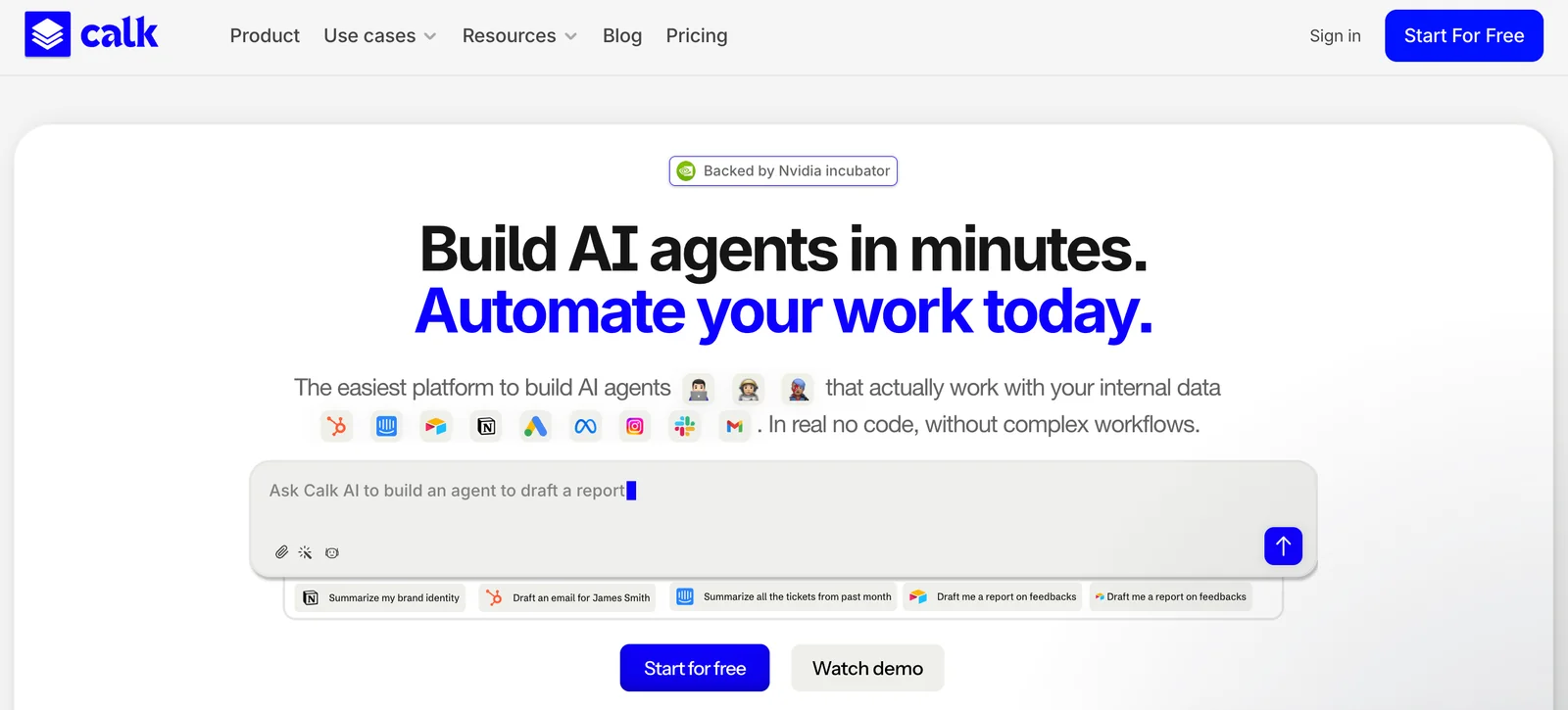
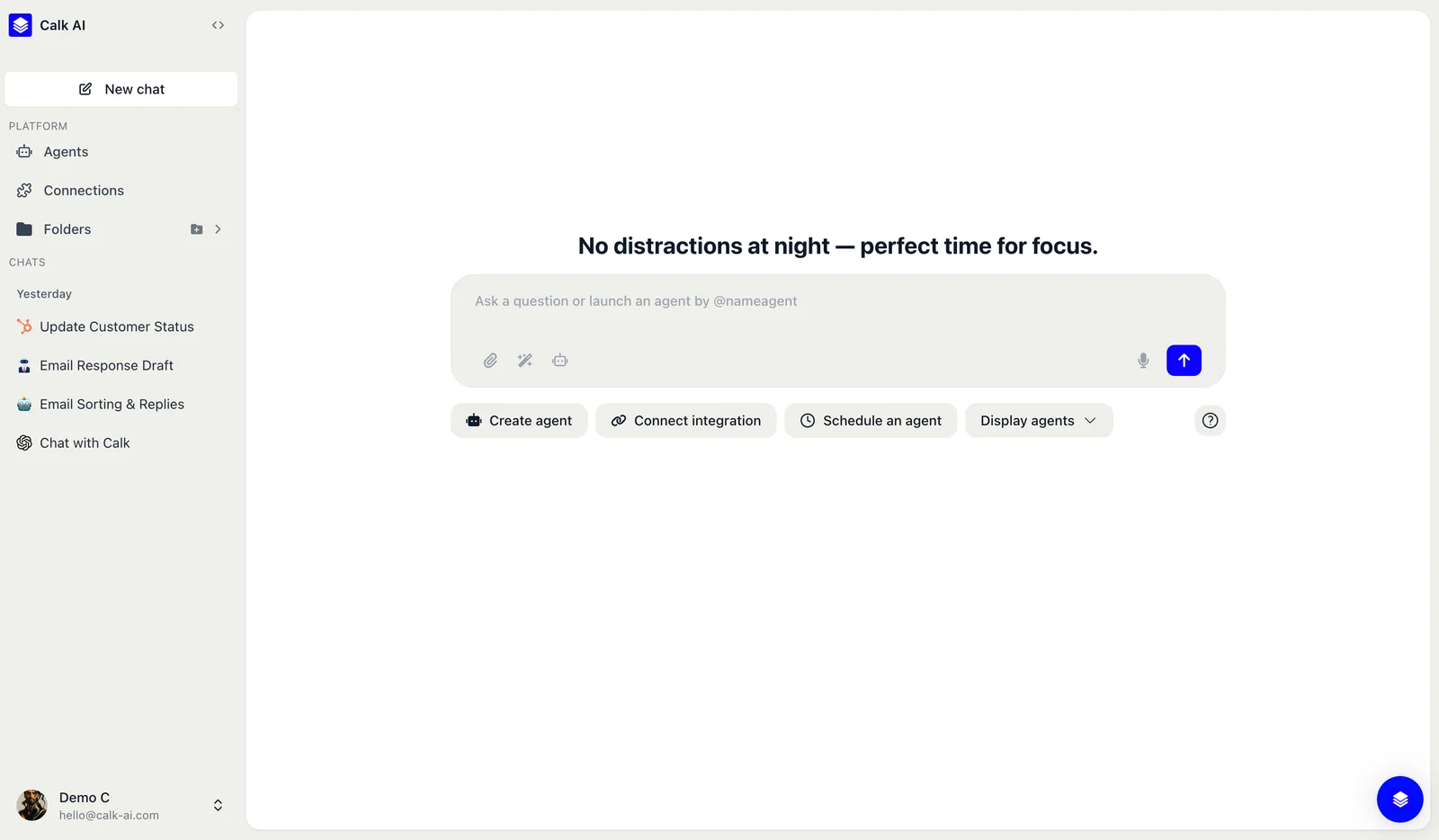
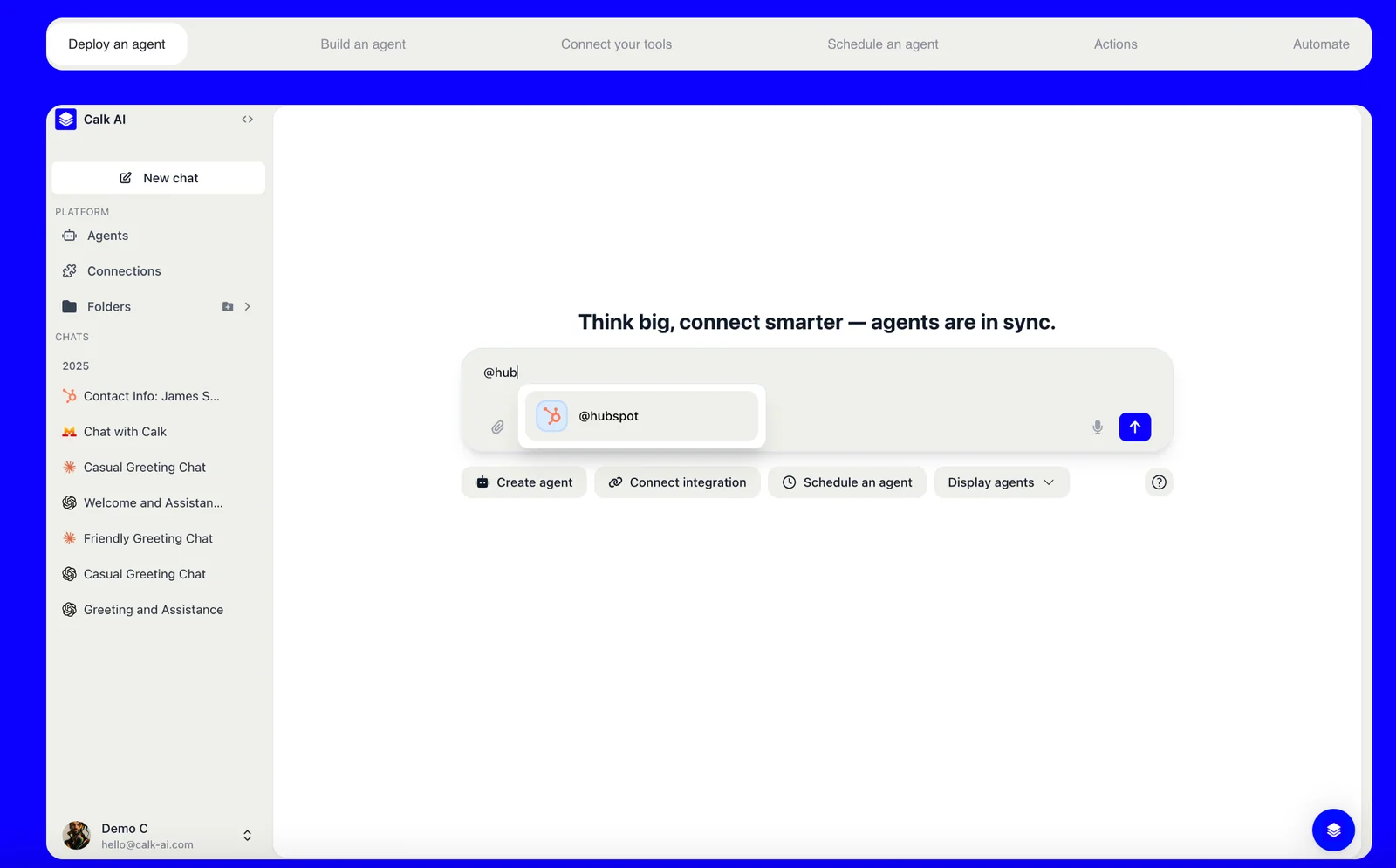
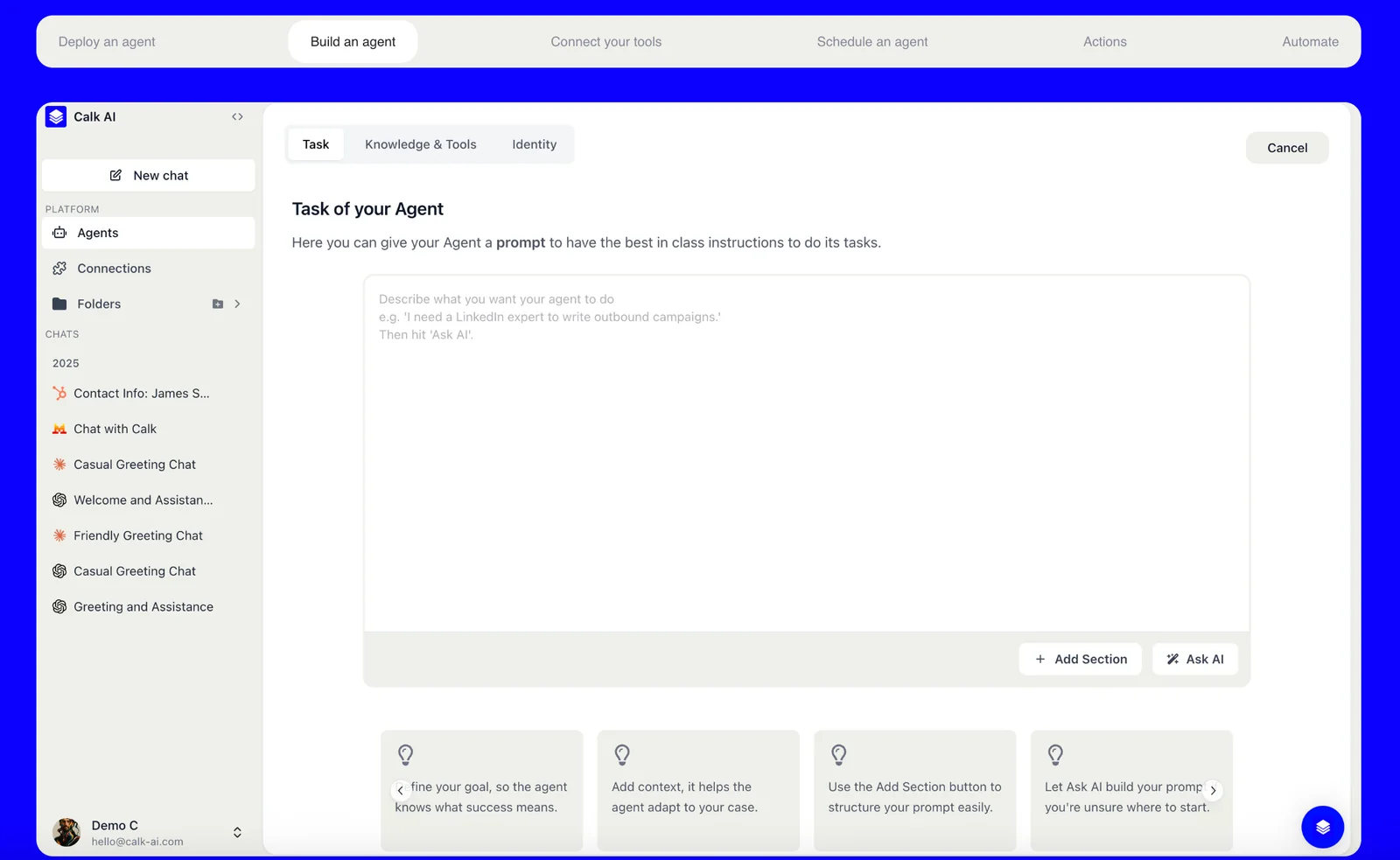
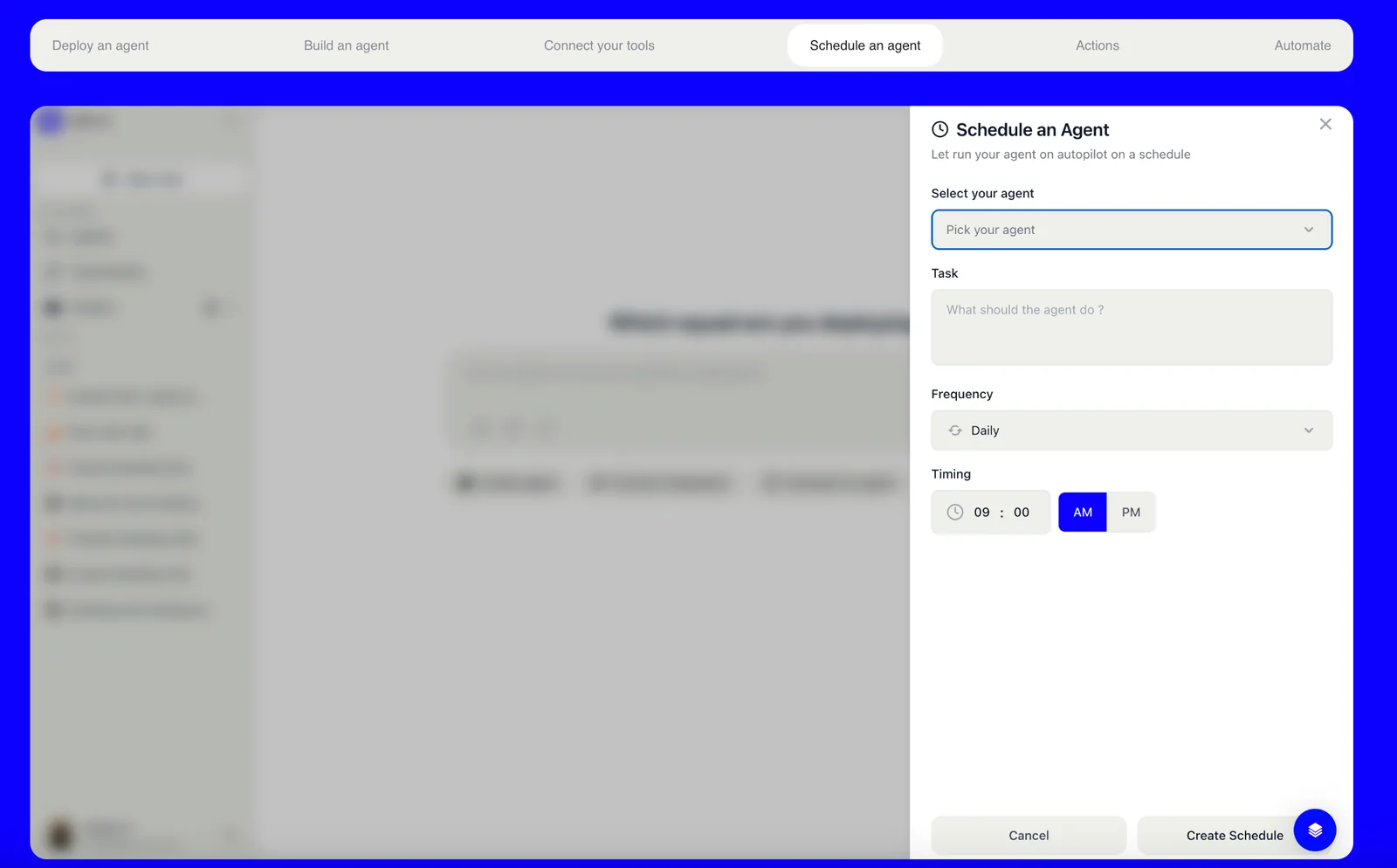
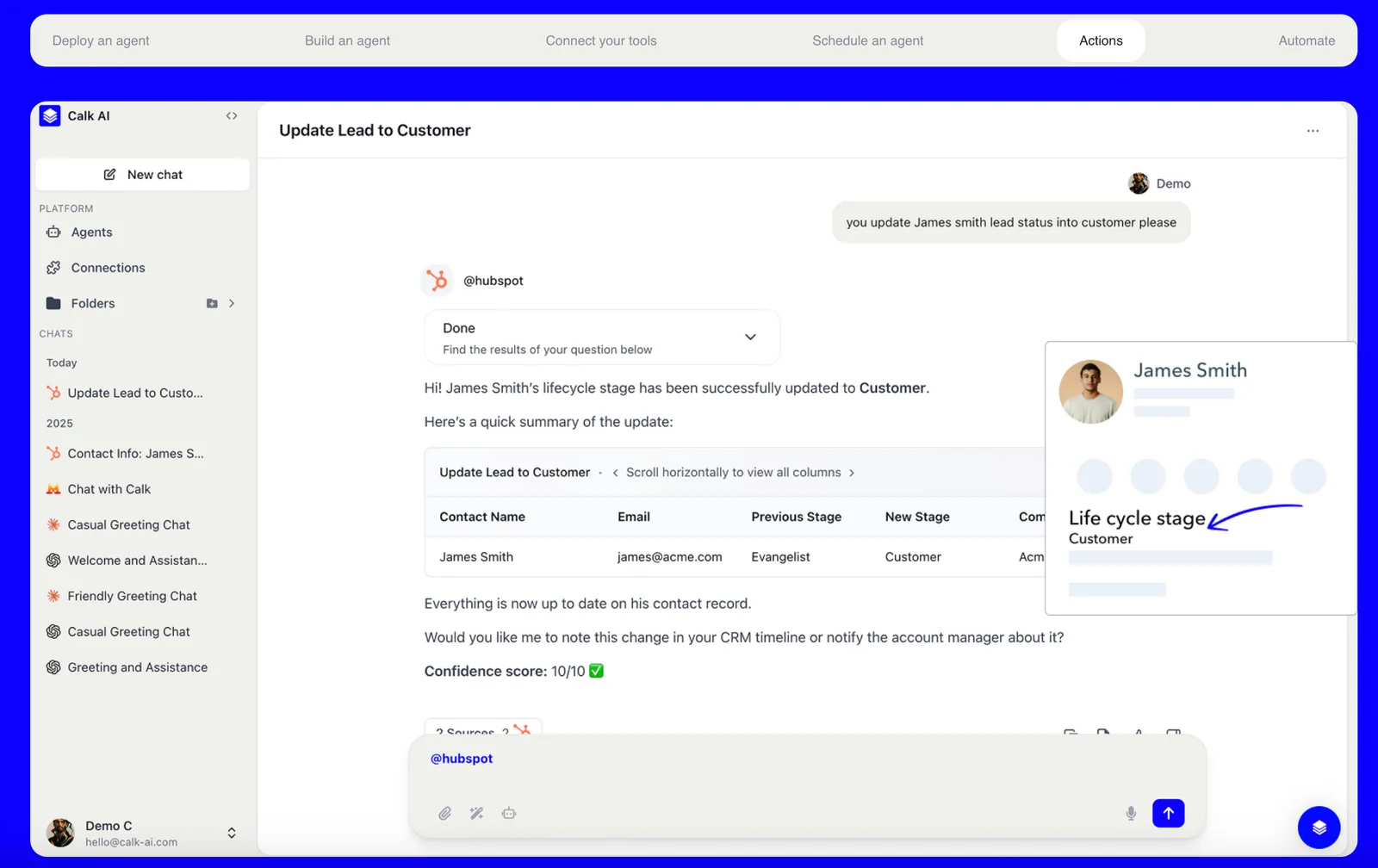
Calk AI is a platform for building custom AI agents that are trained on a company’s internal documents and connected tools. It provides instant connectors to services such as Notion, Slack, and Intercom so agents can access context, answer questions, and act on behalf of teams. The product emphasizes no-node, rapid agent creation and deployment to create AI 'co‑workers' that understand your business and deliver actionable insights across workflows.
Screenshots
Key Features
Use Cases



Frequently asked questions about Calk AI 1.0
What are the pricing options for Calk AI 1.0?
Calk AI 1.0 offers multiple pricing tiers: a Free plan, Starter for $15.83-$19/month, Scale for $24.17-$29/month, and Space/Enterprise starting at $49/month. There are also custom Enterprise plans available, each tier providing varying features and usage limits tailored to different user needs.
Key Points
- Free Plan: Basic features without cost.
- Starter Plan: Affordable entry-level option with enhanced functionalities.
- Enterprise Solutions: Customizable plans for large organizations.
Detailed Explanation
Calk AI 1.0 is designed to accommodate a wide range of users, from individuals to large enterprises. Here's a breakdown of each pricing tier:
-
Free Plan: Ideal for beginners or casual users, this plan includes basic features such as limited access to AI tools and basic support. It's perfect for those wanting to explore Calk AI without financial commitment.
-
Starter Plan ($15.83-$19/month): This tier provides enhanced features like increased usage limits and access to additional tools. It's suitable for freelancers or small businesses looking to leverage AI capabilities for their projects.
-
Scale Plan ($24.17-$29/month): Targeted at growing businesses, this plan offers more advanced features, higher usage limits, and priority customer support. It's designed for users who need a robust AI solution to handle larger workloads.
-
Space/Enterprise Plan (starting at $49/month): This plan is tailored for larger organizations requiring extensive functionality and support. It includes advanced analytics, integrations, and dedicated account management.
-
Custom Enterprise Plans: For organizations with specific needs, Calk AI offers tailored solutions that can include personalized features, usage limits, and pricing based on the requirements of the business.
Best Practices / Tips
- Assess Your Needs: Before choosing a plan, evaluate your specific requirements and how often you will use Calk AI tools. This will help you select the most cost-effective option.
- Utilize the Free Plan: If you're unsure, start with the Free plan to get a feel for the platform's capabilities before committing to a paid tier.
- Consider Long-Term Use: If you anticipate needing more advanced features in the future, choosing a higher-tier plan from the start may save you the hassle of upgrading later.
Additional Resources
Is Calk AI 1.0 easy to use for beginners?
Yes, Calk AI 1.0 is designed to be user-friendly for beginners. Its no-code agent builder enables users without technical backgrounds to create and configure custom AI agents quickly and efficiently, eliminating the need for complex workflows.
Key Points
- No-Code Interface: Allows beginners to build without coding skills.
- Quick Setup: Users can create custom AI agents in minutes.
- User-Friendly Design: Intuitive layout simplifies the configuration process.
Detailed Explanation
Calk AI 1.0 stands out for its no-code platform, making it accessible to users of all skill levels. The agent builder offers a drag-and-drop interface, which allows beginners to easily design their AI agents without needing to write any code. For instance, users can select predefined templates or customize their agents by simply dragging components into place.
Use Cases:
- Customer Support: A small business can set up a customer service agent to handle common inquiries within an hour.
- E-commerce: An online store might create a personalized shopping assistant to enhance user experience.
- Education: Educators can build tutoring bots that assist with student inquiries and provide additional resources.
The platform also includes tutorials and guided walkthroughs, further easing the learning curve. Users can follow step-by-step instructions to understand how to leverage various features effectively.
Best Practices / Tips
- Start with Templates: Utilize the available templates to get familiar with the features before customizing.
- Experiment with Features: Don’t hesitate to explore different functionalities, such as analytics tools that help track agent performance.
- User Feedback: Incorporate feedback from users to continually improve the AI agent’s responses and functionality.
Common Pitfalls to Avoid:
- Overcomplicating Features: Beginners may tend to add too many features at once; start simple and enhance gradually.
- Ignoring Documentation: Make sure to consult the official documentation for in-depth understanding and troubleshooting tips.
Additional Resources
What features does Calk AI 1.0 offer for team collaboration?
Calk AI 1.0 enhances team collaboration with prebuilt integrations for tools like Slack and Notion. It allows teams to deploy intelligent agents that answer questions, fetch documents, and automate communication tasks seamlessly within their existing workflows, boosting productivity and streamlining processes.
Key Points
- Prebuilt Integrations: Seamlessly integrates with popular tools.
- Intelligent Agents: Deploy agents to automate tasks.
- Enhanced Productivity: Streamlines workflows for teams.
Detailed Explanation
Calk AI 1.0 is designed to elevate team collaboration through various innovative features. The prebuilt integrations with tools like Slack, Notion, and others enable teams to work more efficiently. For example, teams can set up Calk AI to automatically pull documents from Notion when team members ask specific questions, eliminating the need for manual searches and saving valuable time.
Use Cases
- Automated Q&A: Teams can deploy agents that respond to FAQs, reducing the time spent answering repetitive questions.
- Document Retrieval: Agents can fetch documents based on keywords, streamlining the process of locating important files.
- Task Automation: By integrating with Slack, Calk AI can automate reminders and notifications, keeping team members updated without constant manual input.
Best Practices / Tips
- Set Clear Objectives: Define what you want to achieve with Calk AI—be it reducing response times or automating specific tasks.
- Train the Agents: Spend time training your AI agents with relevant information to improve their accuracy and effectiveness.
- Monitor Performance: Regularly analyze how well the agents are performing and adjust their parameters based on team feedback.
Additional Resources
Can I integrate Calk AI 1.0 with other tools like Notion or Slack?
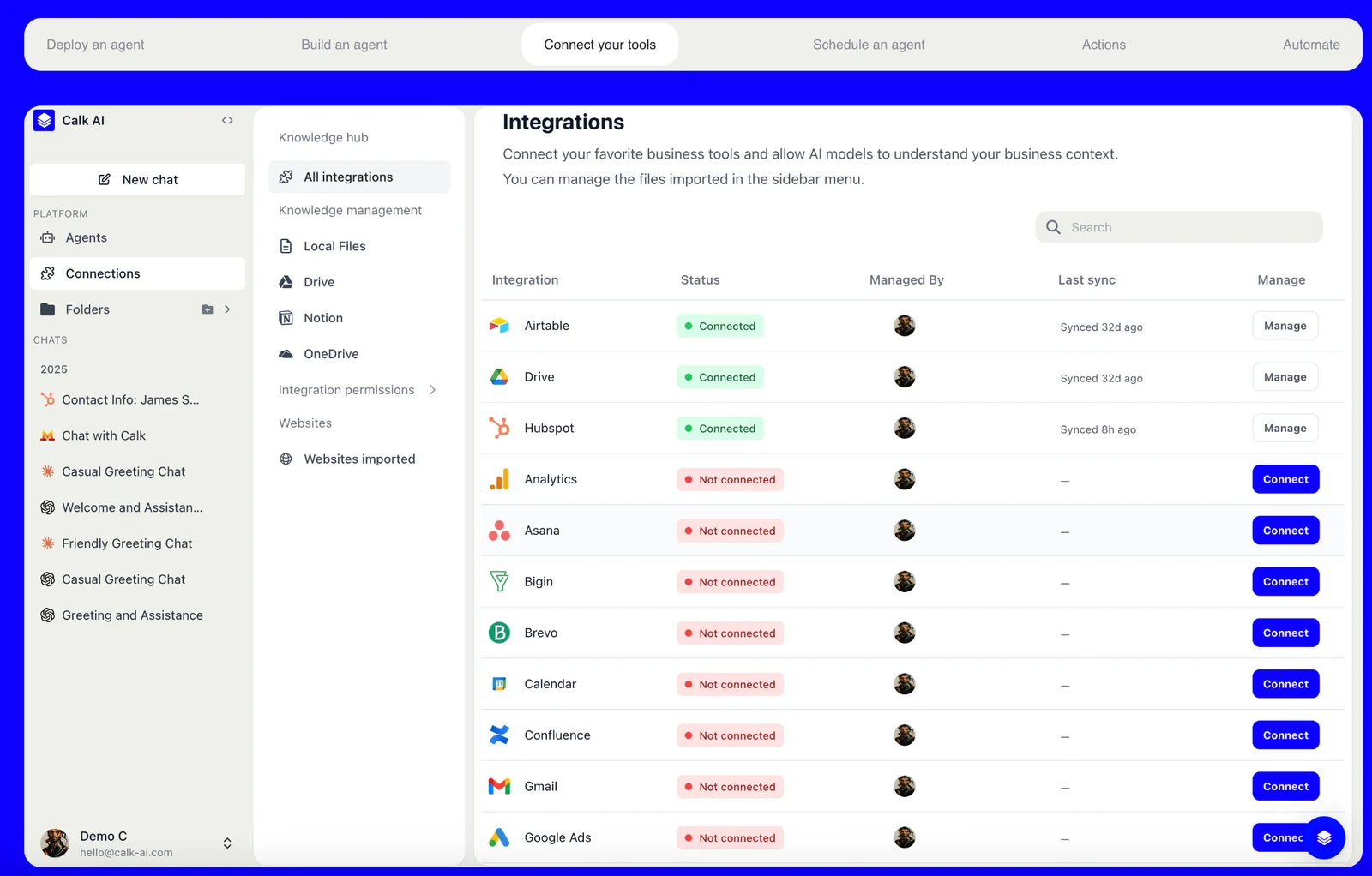
Absolutely! Calk AI 1.0 seamlessly integrates with popular tools like Notion, Slack, and Intercom, allowing users to enhance productivity by connecting their workflows and accessing data across platforms effortlessly.
Key Points
- Instant Connectors: Calk AI 1.0 provides easy integration options.
- Enhanced Collaboration: Connects tools to boost team productivity.
- Data Accessibility: Enables quick access to information across applications.
Detailed Explanation
Calk AI 1.0 is designed with user convenience in mind, offering instant connectors to leading workplace tools. This integration allows teams to collaborate more effectively by ensuring that information flows seamlessly between applications.
Example Use Cases:
- Notion Integration: Users can pull notes, tasks, and databases from Notion directly into Calk AI, enabling smarter project management and keeping everyone on the same page.
- Slack Integration: By integrating with Slack, Calk AI can deliver AI-generated responses or summaries directly in your team channels, making communication more efficient.
- Intercom Integration: Customer support teams can use Calk AI to fetch customer data from Intercom, providing personalized responses quickly.
To initiate integration, users can navigate to the settings within Calk AI and select the desired tool. Following the prompts, they can authenticate their accounts and enable the necessary permissions for data sharing.
Best Practices / Tips
- Prioritize Tools: Integrate with the tools your team uses most to maximize efficiency.
- Set Permissions Wisely: Ensure that data access permissions are set correctly to maintain security.
- Regularly Update: Keep your integrations updated to leverage new features and enhancements.
Additional Resources
How does Calk AI 1.0 compare to other AI agent platforms?
Calk AI 1.0 differentiates itself from other AI agent platforms through its intuitive no-code agent builder, quick deployment features, and seamless integrations with existing tools. This user-friendly approach contrasts sharply with the more complex and technical setups of competing platforms, making it accessible for users of all skill levels.
Key Points
- No-Code Agent Builder: Simplifies the creation of AI agents for non-technical users.
- Rapid Deployment: Enables quick setup and implementation in various environments.
- Strong Integrations: Works effortlessly with existing tools and systems, enhancing productivity.
Detailed Explanation
Calk AI 1.0 is designed to empower users by eliminating the need for coding skills. Its no-code agent builder allows users to create AI agents through a simple drag-and-drop interface. This feature is particularly beneficial for businesses looking to implement AI solutions without extensive technical resources. For instance, a marketing team can develop a customer engagement bot in just hours instead of weeks.
In terms of rapid deployment, Calk AI 1.0 offers a streamlined installation process that can be completed in a matter of minutes. This is a significant advantage for companies that need to adapt quickly to market changes. For example, a customer service department can launch an AI agent during peak seasons to handle increased inquiries, ensuring that response times remain efficient.
The platform's strong integrations mean it can connect with popular tools such as Slack, Salesforce, and Google Workspace. This functionality allows users to incorporate AI agents into their existing workflows seamlessly. For example, integrating with Salesforce enables sales teams to automate lead follow-ups, enhancing overall productivity.
Best Practices / Tips
- Start Simple: Begin by creating a basic agent and gradually incorporate more complex functionalities as you become familiar with the platform.
- Leverage Templates: Utilize pre-built templates offered by Calk AI 1.0 to save time and ensure best practices in agent design.
- Monitor Performance: Regularly review the performance metrics of your AI agents to identify areas for improvement and optimization.
Additional Resources
Explore more AI Ai Agents tools
Browse all Ai Agents tools →Browse by use case: Automation & Productivity
Compare Calk AI 1.0: vs Phoenix.vu · vs Dropstone · vs Apache Maka · vs Construct Computer