

AgentOps
AIObservability and devtools platform to trace, debug, evaluate, and deploy AI agents from prototype to production.
AgentOps
Observability and devtools platform to trace, debug, evaluate, and deploy AI agents from prototype to production.
About AgentOps
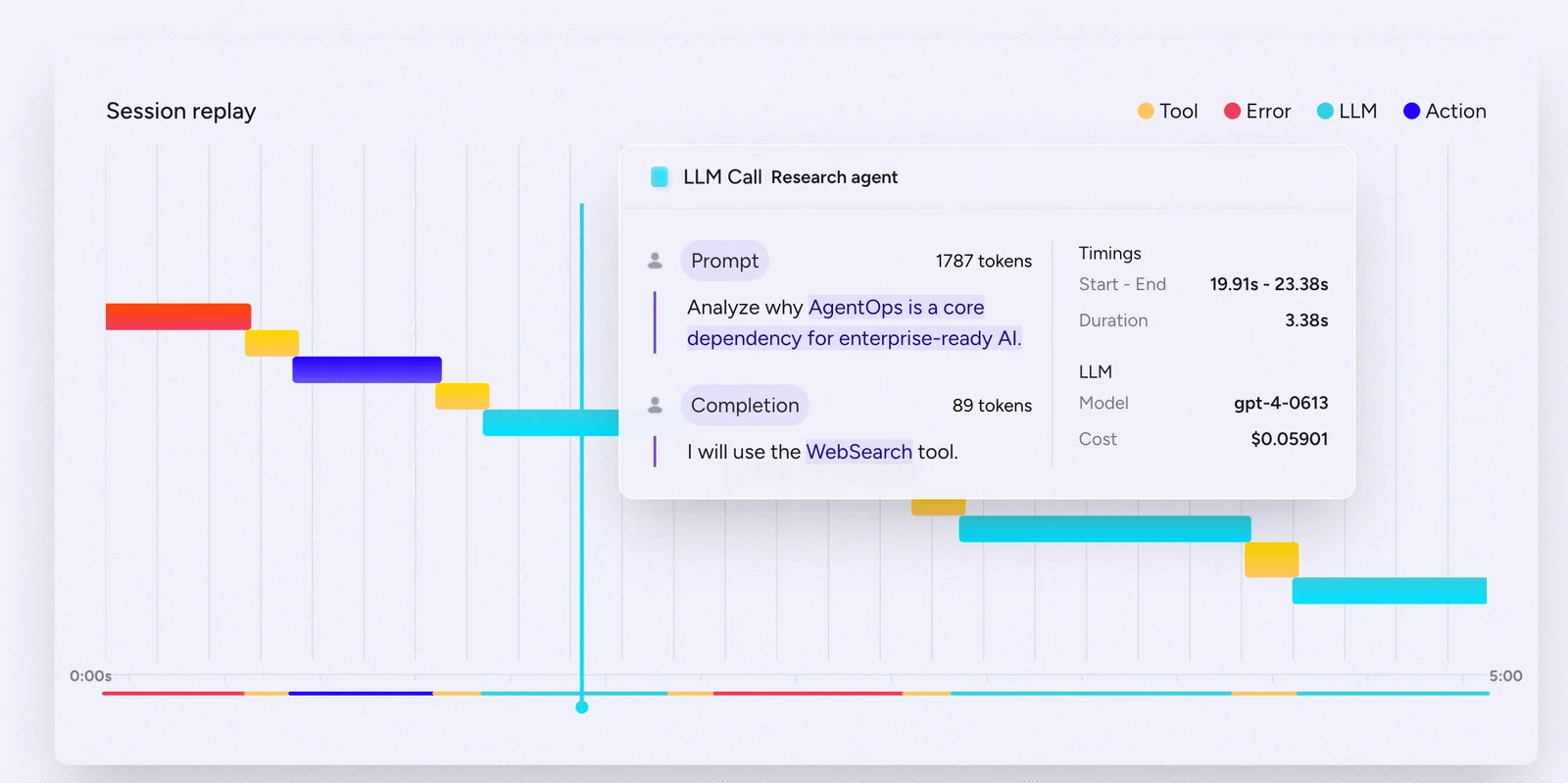
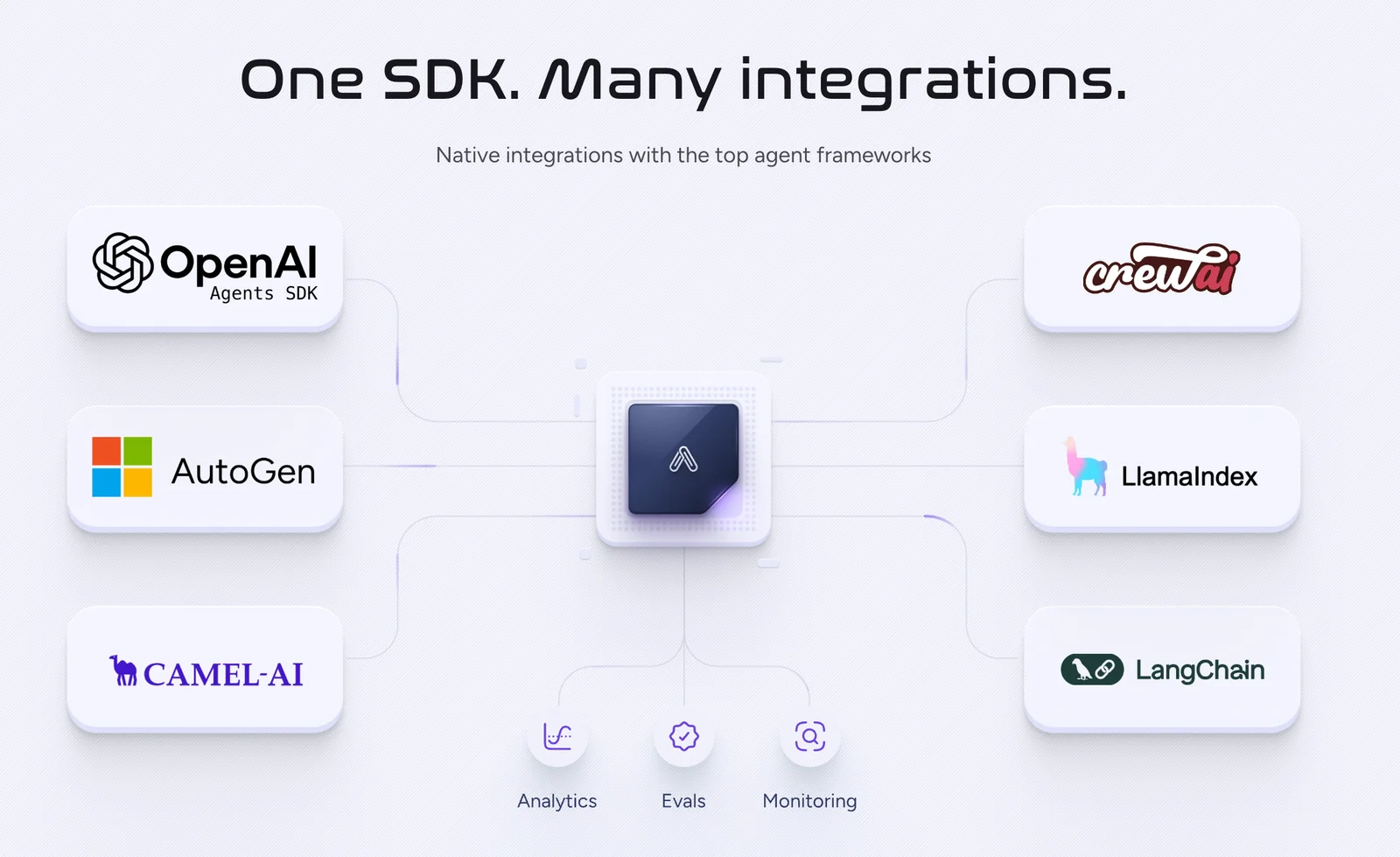
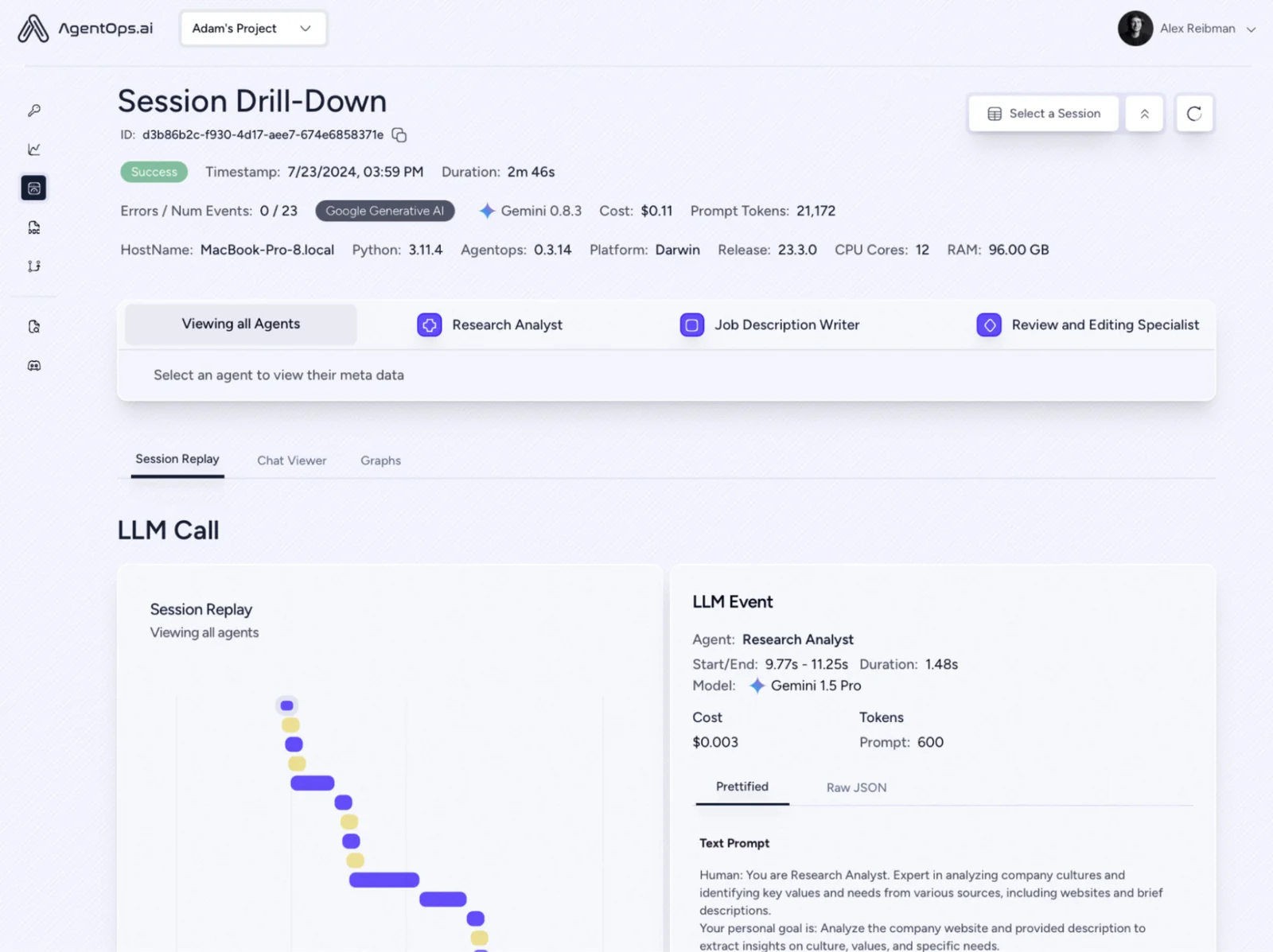
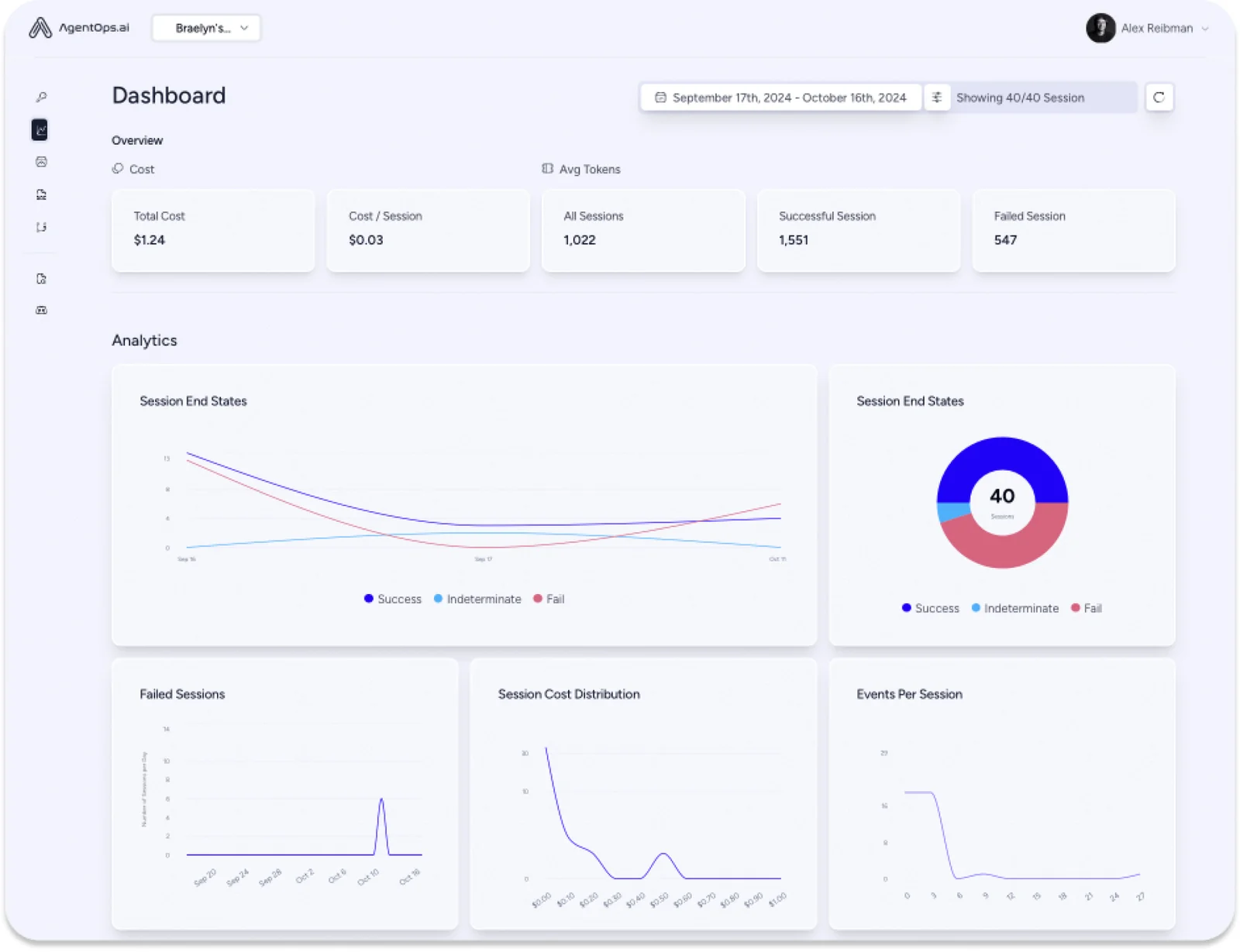
AgentOps is an observability and developer tools platform focused on AI agents, providing tracing, debugging, evaluation, and deployment support to improve reliability and performance. It offers SDKs and automatic instrumentation for popular agent frameworks (Python and TypeScript), exporting GenAI-conventional OpenTelemetry data to standards-compliant collectors and a dashboard for inspecting traces and agent interactions. AgentOps is open source (MIT) and designed to help teams move agentic systems from prototype to production by surfacing runtime traces, telemetry, and actionable diagnostics across multi-agent workflows and integrations.
Screenshots
Key Features
Use Cases



Frequently asked questions about AgentOps
What are the pricing options for AgentOps?
AgentOps offers a freemium model with a Community/Self-hosted option at no cost, which includes essential open-source features. For businesses seeking a Hosted/Cloud version, pricing is customized based on specific needs, requiring potential users to contact the sales team for tailored solutions.
Key Points
- Freemium Model: Community/Self-hosted option is free.
- Custom Pricing: Hosted/Cloud version pricing varies.
- Contact Sales: Users must reach out to sales for quotes.
Detailed Explanation
AgentOps provides flexibility for users through its pricing structure. The Community/Self-hosted option allows individuals and small teams to utilize open-source features at zero cost. This is ideal for startups or developers looking to experiment with the platform without financial commitment.
For organizations that require more robust solutions, the Hosted/Cloud version offers enhanced features such as scalability, maintenance, and support. Since the pricing for this version is custom, businesses are encouraged to contact AgentOps' sales team to discuss their specific requirements. This ensures that clients receive a tailored solution that fits their budget and operational needs.
Use Cases
- Startups: Benefiting from the freemium model to test capabilities.
- Medium to Large Businesses: Opting for the Hosted/Cloud version for extensive deployments and support.
Best Practices / Tips
- Evaluate Needs: Before choosing a pricing model, assess your team's size and feature requirements.
- Contact Sales Early: Engage with the sales team early in the decision-making process to clarify pricing and feature availability.
- Utilize Free Resources: Take full advantage of the Community version to understand the platform before upgrading.
Additional Resources
How do I start using AgentOps?
To start using AgentOps, visit the official website to download the open-source SDK or opt for the hosted version. Comprehensive documentation is available for setup, integration guidance, and best practices to help you get started effectively.
Key Points
- Access the official AgentOps website.
- Choose between the open-source SDK and the hosted version.
- Refer to detailed documentation for setup and integration.
Detailed Explanation
AgentOps is a powerful platform designed for enhancing operational efficiency through AI-driven tools. To begin using AgentOps, follow these steps:
-
Visit the Official Website: Navigate to AgentOps Official Site to access resources and options.
-
Select Your Version: You can either:
- Download the Open-Source SDK: This option is ideal for developers looking to customize their solutions. After downloading, you can integrate it with your existing systems.
- Explore the Hosted Version: The hosted version offers a quick start with no installation required. This option is perfect for teams seeking immediate deployment without technical overhead.
-
Consult the Documentation: AgentOps provides detailed documentation that covers:
- Installation procedures
- API integration steps
- Example use cases demonstrating practical implementation
For instance, if you're integrating AgentOps into a customer service workflow, the documentation includes sample code snippets and best-use scenarios to help streamline the onboarding process.
Best Practices / Tips
- Plan Your Integration: Before starting, outline your specific use cases to ensure you leverage the full capabilities of AgentOps.
- Utilize Community Support: Engage with the AgentOps community forums for insights and troubleshooting advice.
- Regularly Check for Updates: Keep your SDK or hosted version updated to benefit from new features and security patches.
Common pitfalls include neglecting to read the documentation thoroughly or rushing the integration process, which can lead to implementation issues.
Additional Resources
By following these steps and utilizing available resources, you can efficiently start using AgentOps to enhance your operational workflows.
What are the key features of AgentOps?
AgentOps offers key features such as automatic instrumentation, a user-friendly agent dashboard for trace visualization, support for multiple frameworks, and open-source SDKs. These capabilities significantly enhance the observability, debugging, and management of AI agents, making it easier for developers to monitor and optimize their applications.
Key Points
- Automatic Instrumentation: Streamlines the integration process.
- Agent Dashboard: Provides intuitive trace visualization for monitoring.
- Multi-Framework Support: Compatible with various programming environments.
Detailed Explanation
AgentOps is designed to simplify the complexities of managing AI agents through several robust features:
-
Automatic Instrumentation: This feature allows developers to automatically gather performance metrics and logs without extensive manual configuration. It integrates seamlessly with existing codebases, reducing setup time and minimizing the risk of errors. For instance, when deploying a new AI service, AgentOps can automatically instrument the application, capturing essential data points that are crucial for analysis.
-
Agent Dashboard: The dashboard provides a clear visual representation of trace data, enabling users to monitor the performance of their AI agents in real-time. This feature allows developers to drill down into specific requests and see how agents are performing under different loads. An effective dashboard can highlight bottlenecks or failures, allowing for quick resolutions.
-
Multi-Framework Support: AgentOps is built to work with various programming frameworks and languages, including Python, Java, and Node.js. This versatility ensures that teams can use the tool regardless of their technology stack, making it a valuable addition to any development environment. For example, a team using both Python for backend services and Java for their web applications can still leverage AgentOps for cohesive monitoring.
-
Open-Source SDKs: The availability of open-source software development kits (SDKs) enables developers to customize and extend the functionality of AgentOps according to their specific needs. This can include tailored integrations with other tools or enhancements to existing features, fostering a collaborative development environment.
Best Practices / Tips
- Integrate Early: Implement AgentOps at the beginning of your project to take full advantage of its automatic instrumentation capabilities.
- Customize Dashboards: Tailor your agent dashboard to focus on metrics that matter most for your project, such as latency or error rates.
- Regularly Update SDKs: Keep your open-source SDKs updated to benefit from new features and improvements.
Additional Resources
How does AgentOps compare to other observability tools?
AgentOps distinguishes itself from other observability tools with its open-source framework, automatic instrumentation capabilities, and compatibility with various agent frameworks. These features provide unparalleled flexibility and ease of debugging for AI systems compared to other conventional observability solutions.
Key Points
- Open-Source Nature: AgentOps is fully open-source, promoting community collaboration and transparency.
- Automatic Instrumentation: It offers seamless integration and setup, reducing manual configuration.
- Multi-Agent Support: Compatible with various agent frameworks, enhancing flexibility in diverse environments.
Detailed Explanation
AgentOps is an observability tool designed to simplify the debugging process for AI systems. Its open-source nature allows developers to customize the tool according to their unique needs, unlike proprietary solutions that may lock users into specific functionalities. This flexibility is crucial in rapidly evolving AI environments where adaptability is key.
Open-Source Advantages
Being open-source means that AgentOps benefits from contributions from a global community of developers. Users can access the source code, modify it, and even contribute their improvements. This leads to quicker updates and a robust feature set that rivals many paid tools.
Automatic Instrumentation
One of the standout features of AgentOps is its automatic instrumentation capability. This means that developers can integrate the tool into their existing systems with minimal effort. For example, when deploying a new AI model, AgentOps can automatically instrument the necessary components, allowing teams to focus on optimization rather than setup.
Multi-Agent Framework Support
AgentOps supports various agent frameworks, making it versatile across different platforms. Whether you are working with Kubernetes, Docker, or traditional server environments, AgentOps can adapt to your infrastructure seamlessly. This cross-compatibility is vital for organizations running hybrid systems.
Best Practices / Tips
- Leverage Community Support: Engage with the AgentOps community for troubleshooting and best practices. Online forums and GitHub discussions can provide solutions to common challenges.
- Regular Updates: Keep your AgentOps installation updated to benefit from the latest features and security patches.
- Custom Dashboards: Utilize custom dashboards to visualize your observability data effectively. Tailor these to meet your specific monitoring needs.
- Performance Testing: Regularly test the performance of your AI systems using AgentOps to identify bottlenecks and improve system efficiency.
Additional Resources
By utilizing AgentOps' distinct features, organizations can achieve enhanced observability, leading to more reliable AI systems and improved operational efficiency.
What technical requirements are needed for AgentOps integration?
AgentOps integration requires a fundamental understanding of Python or TypeScript for SDK integration. It is compatible with major agent frameworks and demands support for OpenTelemetry in your environment to ensure optimal performance and monitoring capabilities.
Key Points
- Programming Knowledge: Basic skills in Python or TypeScript are essential.
- Framework Compatibility: Works with popular agent frameworks for seamless integration.
- OpenTelemetry Support: Optimizes performance and monitoring capabilities.
Detailed Explanation
To successfully integrate AgentOps, you need to fulfill several technical requirements.
-
Programming Skills: Knowledge of either Python or TypeScript is crucial for leveraging the AgentOps SDK. These languages allow developers to interact with the AgentOps API effectively, facilitating the customization of functionalities and features according to specific project needs.
-
Framework Compatibility: AgentOps is designed to work with various widely-used agent frameworks such as OpenAgent, Dialogflow, and Microsoft Bot Framework. This compatibility enables developers to easily incorporate AgentOps into existing systems, enhancing their capabilities without the need for extensive rework.
-
OpenTelemetry Support: For optimal performance, your development environment must support OpenTelemetry. This observability framework helps in monitoring and troubleshooting by collecting metrics and traces, ensuring that you can track the performance of your applications effectively. Implementing OpenTelemetry can lead to significant improvements in both application reliability and user experience.
Best Practices / Tips
- Start with Documentation: Review the official AgentOps documentation for detailed SDK integration guidelines. Familiarize yourself with code examples to facilitate a smoother integration process.
- Test Environment Setup: Before moving to production, set up a testing environment that mirrors your live environment. This approach allows you to identify potential issues early in the integration process.
- Utilize OpenTelemetry: Ensure that your application is properly instrumented with OpenTelemetry. This setup improves observability and helps you quickly identify bottlenecks or failures in your application.
Additional Resources
Explore more AI Ai Agents tools
Browse all Ai Agents tools →Browse by use case: Automation & Productivity
Compare AgentOps: vs Phoenix.vu · vs Dropstone · vs Apache Maka · vs Construct Computer