

Vercel
AIOfficial MCPPlatform for building, previewing and deploying modern web apps with workflows, frameworks and an AI Cloud for faster, personalized experiences.
Vercel
Platform for building, previewing and deploying modern web apps with workflows, frameworks and an AI Cloud for faster, personalized experiences.
About Vercel
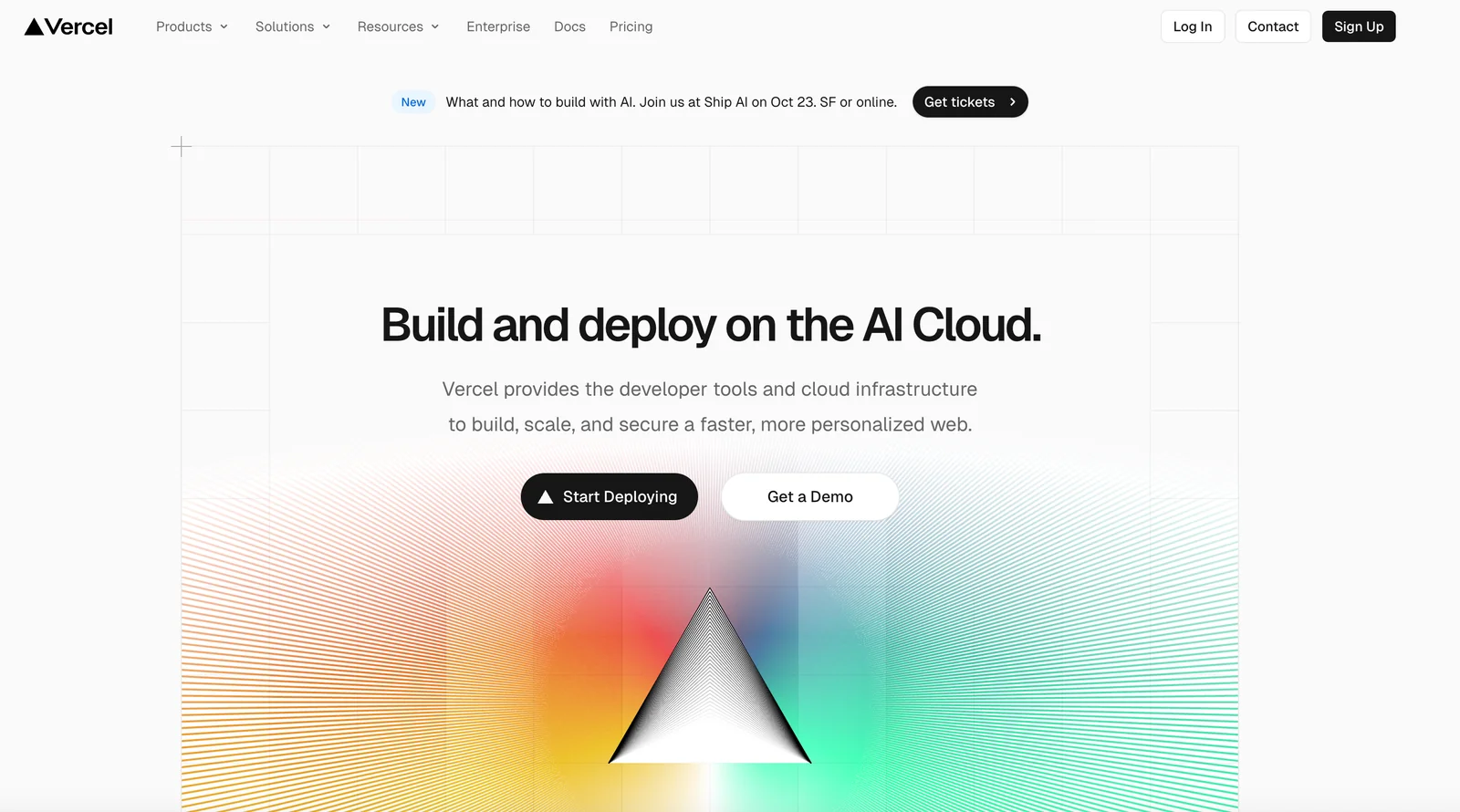
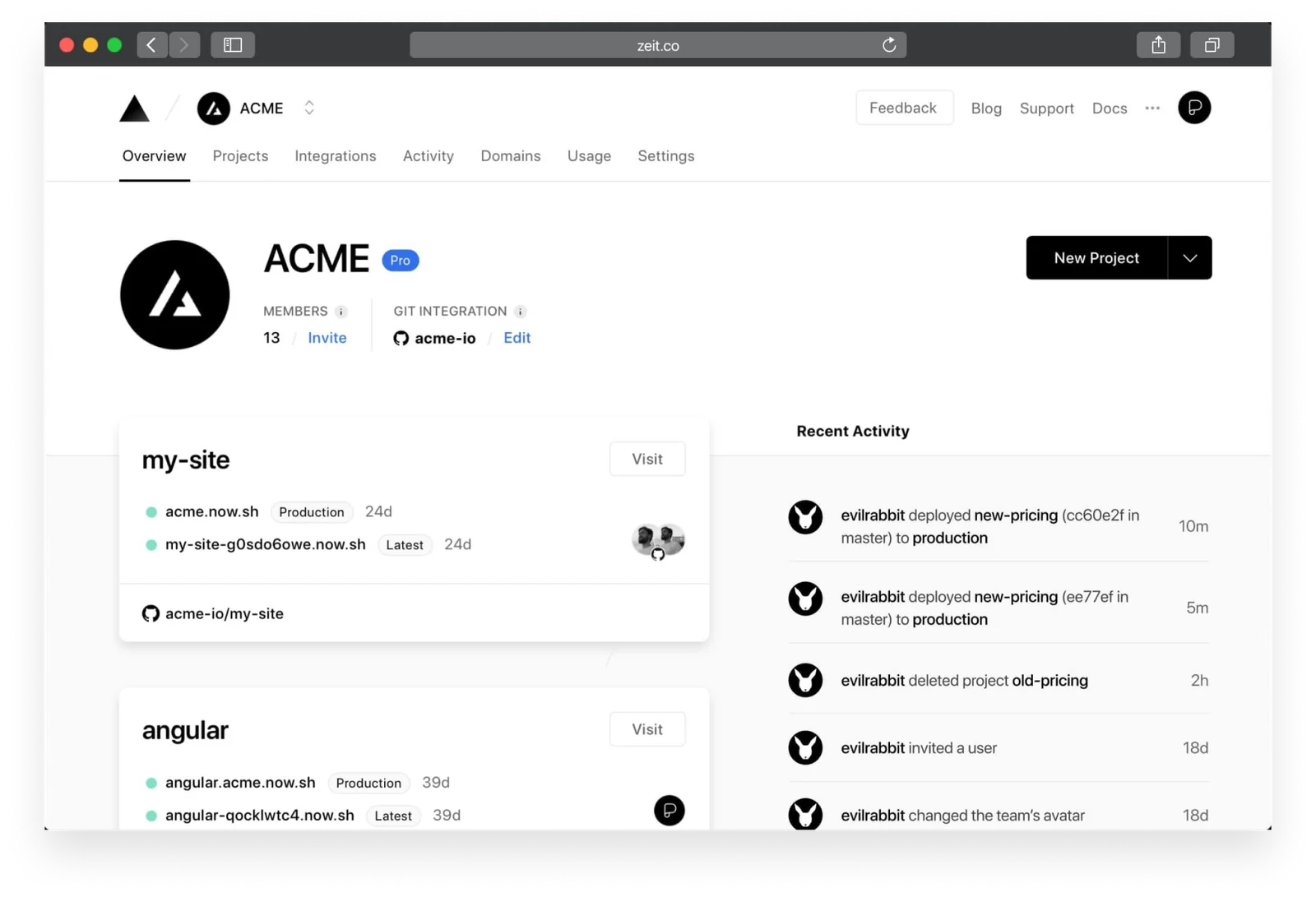
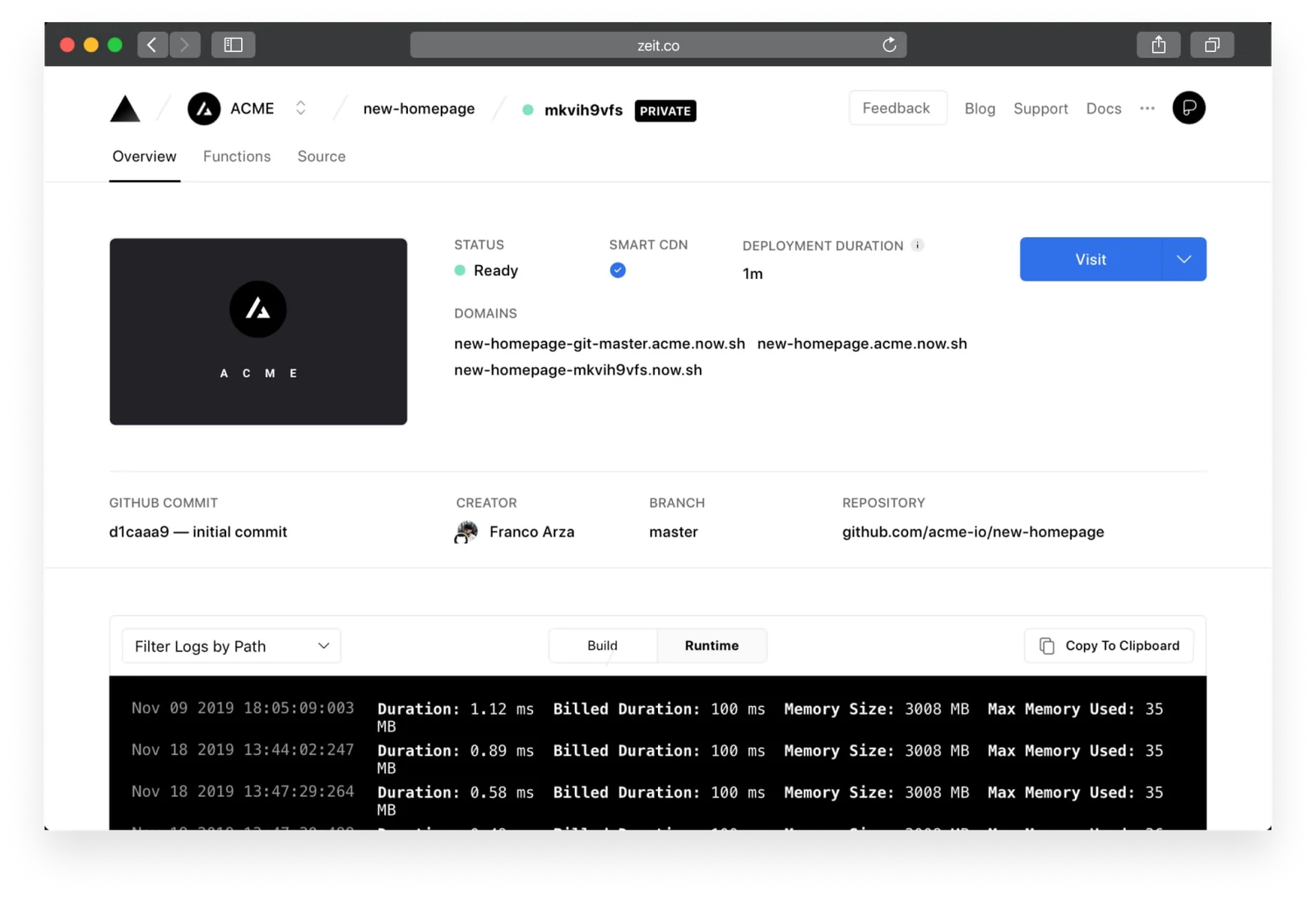
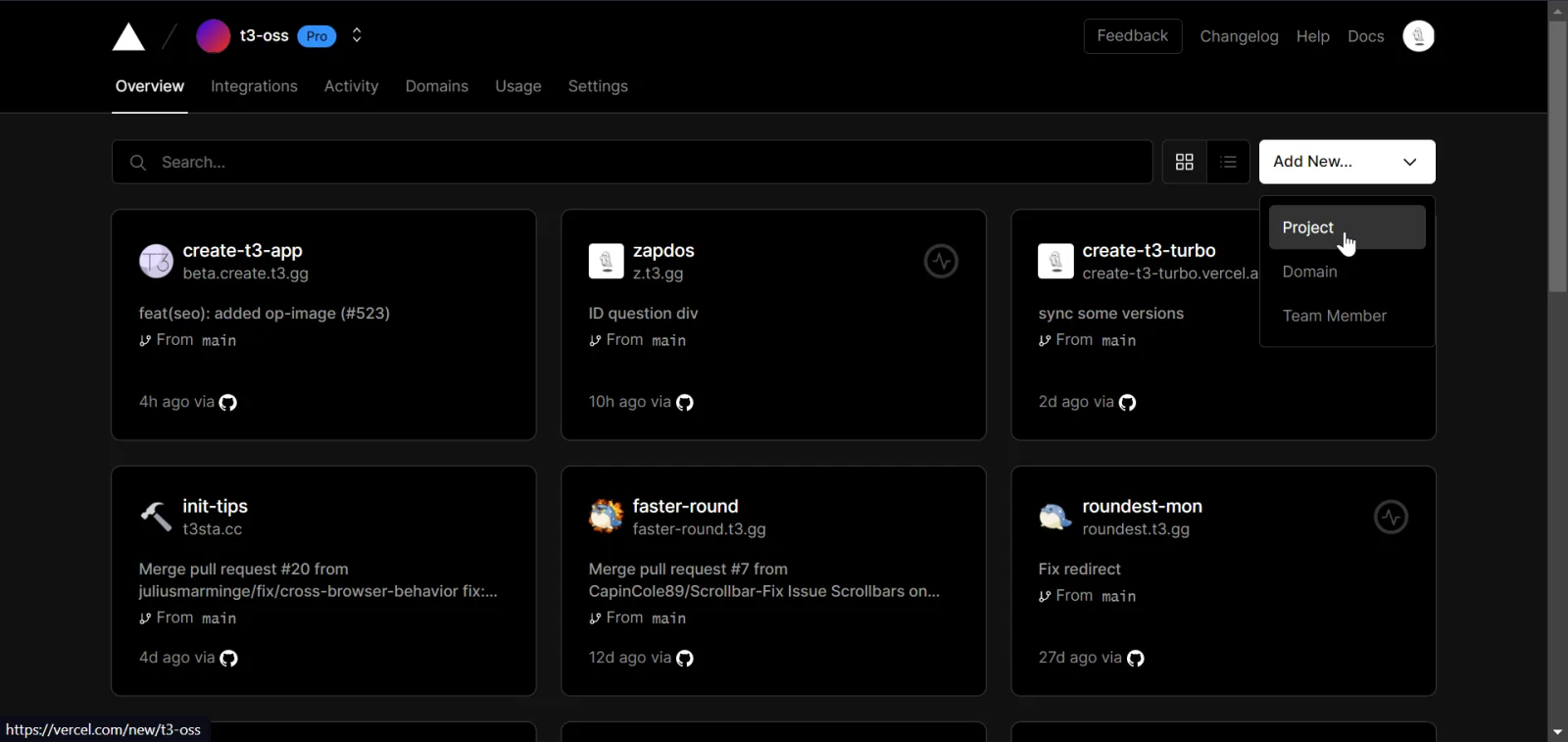
Vercel is a unified platform (branded as the Vercel AI Cloud) that provides frameworks, workflows, and infrastructure to build, preview, and ship modern web applications. It integrates with popular frameworks (notably Next.js), offers a CLI and Git-based deploy workflows (import project, choose a template or use the CLI and git push to deploy), and provides curated templates and examples to accelerate development. Vercel emphasizes fast, personalized web experiences, preview deployments for collaboration, and tools and SDKs for building AI-powered features and agents. The platform is designed to let teams move quickly and securely while offloading infrastructure management.
Screenshots
Key Features
Use Cases
MCP Server
https://vercel.com/docs/mcp/vercel-mcphttps://mcp.vercel.com💡 MCP (Model Context Protocol) enables AI assistants to securely interact with local and remote resources.



Frequently asked questions about Vercel
What is the pricing structure for Vercel?
Vercel's pricing structure includes three tiers: Hobby (Free), Pro ($20/month per member), and Enterprise (Custom pricing). Each plan is tailored to different user needs, providing varying levels of features and quotas to support individual developers and teams effectively.
Key Points
- Hobby Plan: Free for personal projects and small websites.
- Pro Plan: Costs $20/month per member, ideal for teams needing more features.
- Enterprise Plan: Offers custom pricing with advanced features for larger organizations.
Detailed Explanation
Vercel provides a freemium pricing model designed to accommodate a range of users, from hobbyists to large enterprises.
-
Hobby Plan (Free): This plan is perfect for individual developers or small projects. It includes basic features like automatic deployments, a global Content Delivery Network (CDN), and limited bandwidth. It's a great way to experiment with Vercel without financial commitment.
-
Pro Plan ($20/month per member): Best suited for small to medium-sized teams, this plan unlocks additional features such as increased bandwidth, advanced analytics, and priority support. Users can enjoy better collaboration tools, making it easier for teams to work together on projects.
-
Enterprise Plan (Custom pricing): Tailored for larger organizations with specific needs, the Enterprise plan includes advanced features like enhanced security, dedicated support, and the ability to customize resources according to the business requirements. Pricing is determined based on the features and support level desired.
Best Practices / Tips
- Evaluate Your Needs: Before choosing a plan, assess your project requirements, including expected traffic and collaboration needs.
- Start with Hobby: If you're new to Vercel, begin with the Hobby plan to familiarize yourself with the platform.
- Scale Up: As your project grows, consider transitioning to the Pro or Enterprise plans to take advantage of additional features and support.
Additional Resources
- Vercel Pricing Page - For detailed breakdowns of each plan.
- Vercel Documentation - To explore features and best practices.
- Vercel Blog - For updates, case studies, and community insights.
How do I get started with Vercel?
To get started with Vercel, create a free account on their website, import your project from a Git provider like GitHub or GitLab, and deploy it using the Vercel CLI. The platform provides numerous templates and examples for a quick and efficient setup.
Key Points
- Free Account Creation: Sign up without any charges.
- Project Importing: Easily connect with popular Git providers.
- Deployment Tools: Utilize Vercel CLI for seamless project deployment.
Detailed Explanation
-
Sign Up for a Free Account:
Visit Vercel's website and click on the "Sign Up" button. You can register using your GitHub, GitLab, or Bitbucket account for streamlined integration. -
Import Your Project:
After signing up, you can import your existing project directly from your Git repository. Vercel supports major Git providers, making it easy to integrate your codebase. Follow the prompts to select the desired repository and branch you want to deploy. -
Use the Vercel CLI:
Install the Vercel Command Line Interface (CLI) on your local machine. Use the commandnpm i -g vercelto install it globally. This tool allows you to deploy your project from the command line. Runvercelin your project directory, follow the prompts, and your application will be live in seconds. -
Explore Templates and Examples:
Vercel offers a variety of templates for different frameworks like Next.js, React, Vue.js, and more. These templates can help you bootstrap your projects quickly, allowing you to focus on development rather than setup.
Best Practices / Tips
- Utilize Environment Variables: Make sure to set up environment variables for sensitive information, which you can manage directly in the Vercel dashboard.
- Monitor Deployments: Keep an eye on your deployment status and performance metrics through the Vercel dashboard to ensure everything runs smoothly.
- Leverage Serverless Functions: Consider using Vercel's built-in serverless functions for backend logic, which can simplify your architecture and reduce costs.
Additional Resources
- Vercel Documentation: Comprehensive guide to using Vercel.
- Getting Started with Vercel: Step-by-step instructions for new users.
- Vercel Git Integration: Learn how to connect your Git repositories effectively.
What are the key features of Vercel?
Vercel offers key features such as Git-powered deployments, automatic preview environments, serverless functions, and seamless integration with major frameworks like Next.js. These capabilities significantly enhance collaboration among developers and streamline deployment workflows, making it an ideal choice for modern web applications.
Key Points
- Git-Powered Deployments: Simplifies version control and continuous deployment.
- Automatic Preview Environments: Provides real-time previews of changes.
- Serverless Functions: Enables backend functionality without server management.
Detailed Explanation
Vercel is a platform tailored for frontend developers, enabling rapid deployment and efficient collaboration. Its core features include:
-
Git-Powered Deployments: Vercel integrates directly with GitHub, GitLab, and Bitbucket. Every push to a branch triggers automatic deployments, ensuring that the latest changes are reflected in real-time. This feature supports continuous integration and delivery, allowing teams to maintain a robust workflow.
-
Automatic Preview Environments: When a developer opens a pull request, Vercel automatically generates a unique preview URL. This allows team members and stakeholders to view the changes in a live environment, facilitating feedback and collaboration before merging into the main branch. This feature is crucial for maintaining high-quality code.
-
Serverless Functions: Vercel supports serverless functions that allow developers to create backend functionality without the overhead of managing servers. These functions can handle API requests, process data, and integrate with third-party services, providing flexibility and scalability. For instance, a simple contact form can utilize serverless functions to handle submissions without setting up a dedicated backend.
Best Practices / Tips
-
Optimize for Performance: Utilize Vercel’s built-in monitoring tools to identify performance bottlenecks. Regularly analyze your deployments to ensure they are optimized for speed and efficiency.
-
Leverage Preview Deployments: Always use preview environments for testing. This practice helps catch issues early and reduces the chances of introducing bugs into production.
-
Use Serverless Functions Wisely: Keep serverless function logic concise and efficient. Since serverless architectures can incur costs based on usage, optimizing these functions can lead to cost savings.
-
Stay Updated: Vercel frequently updates its features and capabilities. Subscribe to their newsletters or follow their blog for the latest enhancements and best practices.
Additional Resources
How does Vercel compare to other deployment platforms?
Vercel excels as a deployment platform with its Git-based workflow, integrated preview environments, and robust support for serverless functions. Compared to other platforms like Netlify and AWS, Vercel offers unparalleled integration with modern frameworks, especially Next.js, making it ideal for developers looking for speed and efficiency.
Key Points
- Git-Based Workflow: Simplifies version control and deployment.
- Integrated Preview Environments: Facilitate collaboration and feedback.
- Serverless Functions Support: Enable backend capabilities without server management.
Detailed Explanation
Vercel provides a unique deployment experience tailored for frontend developers, particularly those using frameworks like Next.js, React, and Vue.js.
-
Git-Based Workflow: Vercel's integration with GitHub, GitLab, and Bitbucket streamlines the deployment process. Developers can push code changes directly from their repositories, triggering automatic deployments. This workflow not only reduces the complexity of manual deployments but also ensures that the latest code is always live.
-
Integrated Preview Environments: One standout feature is the automatic generation of preview URLs for every pull request. This allows teams to review changes in a live environment before merging into the main branch. Such functionality enhances collaboration, as stakeholders can test and provide feedback on features in real-time.
-
Support for Serverless Functions: Vercel's serverless functions enable developers to run backend code without managing servers. This is particularly useful for handling API requests, processing form submissions, or connecting to databases. With automatic scaling, developers can handle varying loads without worrying about server limitations.
Use Cases
- E-commerce Websites: Vercel's fast deployment and preview features allow for rapid updates to product pages, promotions, and more.
- Content Management Systems: Developers can create and manage dynamic content efficiently using serverless functions alongside modern frameworks.
- Prototyping: Quickly deploy prototypes for client presentations or internal testing using Vercel’s seamless integration with Git.
Best Practices / Tips
- Utilize Preview Deployments: Always leverage Vercel’s preview environments to catch issues early.
- Optimize Function Usage: Take full advantage of serverless functions by keeping them lightweight and stateless for better performance.
- Monitor Performance: Use Vercel’s analytics tools to monitor deployment performance and make data-driven decisions for optimizations.
Additional Resources
By choosing Vercel for your deployment needs, you can significantly enhance your workflow and benefit from a platform designed specifically for modern web development.
Does Vercel provide an API for integrations?
Yes, Vercel provides a robust API for integrations with popular tools such as GitHub, GitLab, and Bitbucket. This API enables developers to automate deployments, streamline project management, and enhance their existing workflows efficiently.
Key Points
- Comprehensive Integration Options: Connect with GitHub, GitLab, and Bitbucket.
- Automation Capabilities: Facilitate automated deployments and project management.
- Developer-Friendly: Easy to use within existing workflows for seamless transitions.
Detailed Explanation
Vercel's API allows developers to interact programmatically with their deployment and project management processes. With this API, users can:
-
Automate Deployments: By integrating Vercel with version control systems like GitHub, GitLab, and Bitbucket, developers can set up automated deployment processes. For example, every time a developer pushes code to a repository, a new deployment can be triggered automatically.
-
Manage Projects Effectively: The API provides endpoints for managing deployments, viewing logs, and fetching project statuses. This means developers can build custom dashboards or tools that pull relevant data directly from their Vercel projects.
-
Webhook Support: Vercel supports webhooks, allowing real-time notifications and updates. For instance, developers can receive alerts when a deployment succeeds or fails, improving response times and collaboration among team members.
Example Use Cases
- Continuous Deployment: A team can set up a CI/CD pipeline where code changes automatically trigger deployments to Vercel, ensuring that the latest version is always live.
- Monitoring Deployments: Use the API to create monitoring tools that track deployment success rates and performance metrics over time, helping teams identify areas for improvement.
Best Practices / Tips
- Utilize API Documentation: Always refer to the Vercel API documentation for the latest endpoints and usage examples.
- Implement Error Handling: When automating deployments, ensure that your scripts include error handling to address issues without manual intervention.
- Optimize Webhook Usage: Set up webhooks for essential events only to avoid unnecessary noise and focus on critical updates.
Additional Resources
Explore more AI Mcps tools
Browse all Mcps tools →Browse by use case: Code Generation
Compare Vercel: vs ai-memory · vs CrawlForge MCP · vs Popcraft · vs Pomerado